Select a subcategory to view available files.
Files From Subcategories
-
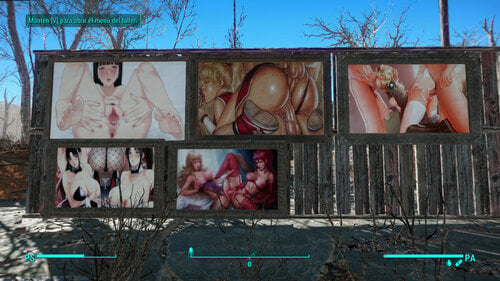
NSFW Texture replacer for paintings
By peronperon
Not standalone texture replacer for paintings, hentai straight content.
buy me a beer --> https://www.buymeacoffee.com/taringarca5
4422 downloads
Updated
-
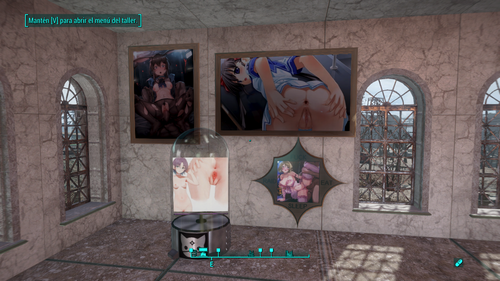
Hentai kitty crafteables texture replacer
By peronperon
New link --> https://mega.nz/file/6MUDVK4D#aJiLJuyFBgW7VH0VIhnv3YOt8wugvbQ5KAKAZYyIREU
In the link you can download this personal modification. The original mod have a strange beavior whit lights. I dont fix that bug, only replace textures. I dont know how put files bigger tan 250mb, so dont download the file droped, only the link in this post. Good luck
You can buy me a beer --->https://www.buymeacoffee.com/taringarca5
1662 downloads
Updated
-
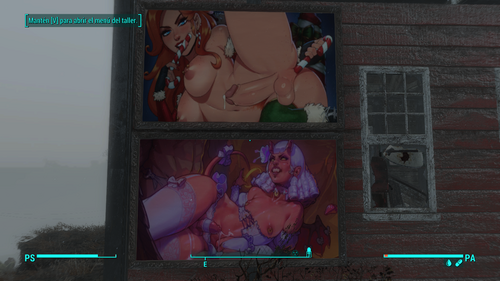
Pickman gallery paints replacer (nsfw)
By peronperon
Replacer for pickman gallery paintings. Shemale/femboy content.
you can buy me a beer -> https://www.buymeacoffee.com/taringarca5
3885 downloads
Updated
-
AAF Sex Em Up (French translation)
By KhyodK
Voici la traduction française de la version 1.16 du mod AAF Sex Em Up de Egoballistic.
625 downloads
Updated
-
Commonwealth Captives (French translation)
By KhyodK
Voici la traduction française de la version 1.00 du mod Commonwealth Captives de Egoballistic.
321 downloads
Updated
-
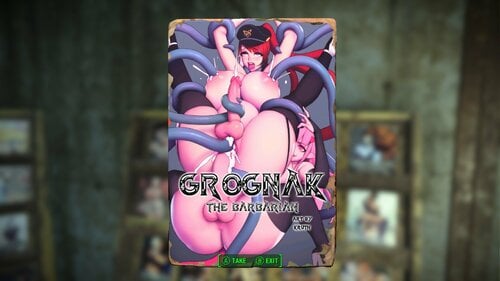
Dank's Magazine Replacer
By DankPuppy
just a simple magazine replacer for every perk mag in game, enjoy
146166 downloads
Updated
-
Sickotik's Ultra Epic Lore Friendly Texture Overhaul
A Complete Texture Overhaul of Sexy, Lore Friendly, funny, Hand Crafted Images.
PLEASE RATE if you like my mod!
If you are using "SETTLEMENT KEYWORDS FRAMEWORK" my "Sickotiks_Art.esp" must be at the BEGINNING of your load order.
My Mods Have Been Spotlighted on Youtube! Yay!
I just wanted to say thank you to everyone commenting and downloading my mods. Your appreciation is highly valued and keeps me up at night making these mods for you.
The Nexus Banned me for mentioning Lovers Lab in my own mods comments, so I'll be doing all my modding here now. I don't deal with Fascists.
I PUT UP A VIDEO TUTORIAL ON HOW TO REPLACE IMAGES IN GAME YOURSELF
NSFW*
[iNSTALLATION]
How to enable modding
Navigate to your Fallout 4 Folder at the following location "Documents/My Games/Fallout 4" Within this folder will be a number of .ini files, highlight "Fallout4Prefs.ini" and "Fallout4.ini". Right Click, select Properties and ensure that these are NOT marked as read only. Open Fallout4Prefs.ini with your favourite text editor (we use Notepad++). Navigate to the very bottom and you will see the line [Launcher]. Directly underneath this, add the following line: bEnableFileSelection=1 Save and Close Open Fallout4Custom.ini with your favourite text editor. * Note that this file was changed from Fallout4.ini following update 1.2 Add the following lines to your Fallout4Custom.ini [Archive] bInvalidateOlderFiles=1 sResourceDataDirsFinal= Save and close...
(The Files were too big to go into one RAR package, so you can either install each as their own "mod" or put all their texture folders into one DATA folder and drop that into your Fallout Game Folder or Zip/RAR the new Data folder you made, and install that as a mod)
How to enable my mods
1. Download BOTH Magazine Files.
2. Download the Misc file, Billboards File and the Paintings File (Unless you're using one of my other painting packs)
3. Using Mod Organizer or NMM, install all the RAR files or alternatively...
3.5. Take all 5 texture folders and drop them into your Fallout 4 DATA folder, located in Steam>SteamApps>Common>Fallout4>
Run Your Game - Enjoy
Here's my step by step process of creating your VERY OWN +50 Extra Paintings ESP like mine.
I'm using my own mod as an example, because that's what I have. So if you've got the 50+ Extra Paintings Pack Installed, you should be able to follow along just fine. Let's go!
You're going to need three programs to create your own "New Paintings" ESP.
GIMP (With the DDS Plugin[Google it])
FO4edit (It's on the Nexus[Put the Hardcoded file and the FO4edit(Which will be called TESVedit[You need to rename it FO4edit or it won't work]) into your Fallout 4 Main Folder.
WinRAR (Google it)
Install Sickotik's Personal Paintings + 50 Extra (found in this mod) with NMM, so the ESP file is in your load order. You will be changing this. *(Or Install Higs Gallery and replace anywhere I say "Sickotik's Art" with "HigsGallery")
Step One - Replacing Sickotik's Art with your own favorite filth.
1. Open Gimp and drop one of the Sickotik's Art images (From Fallout4>Data>Textures>SetDressing>SickotiksArt) onto the main area first. This will bring up the image so you can work on it.
2. Then all you have to do is drop the image YOU WANT to replace Sickotik's image with, right on top of mine.
3. A Dialogue box will appear, UNCHECK LOAD MIPMAPS (You do not want it loading all those extra files, or nothing will work)
4. Then take the SCALE TOOL, and tick "Maintain Aspect" at the bottom. Now just scale your image so it fits nicely in the frame.
5. Now go over to your layers panel and right click on YOUR image (Which should be the top one). [if you don't see the layer panel go to WINDOWS>RECENTLY CLOSED DOCS> and make sure both are turned on.]
6. Once you have right clicked your image, select "MERGE DOWN". Your two images will now become one.
7. Right Click on the single image and select "LAYER TO IMAGE SIZE". This will ensure your image is the same as Higs original. If you don't do this, it won't work. The resolution must be the same.
8. Go over to FILE and select EXPORT AS. (It will automatically default to replace the original image you dropped in and this is what we want.)
9. Click EXPORT (A dialogue box will again appear)
10. For Compression Select BC2/DXT3. Format you can leave default. And for Mipmaps select GENERATE MIPMAPS.
11. Press OKAY and now you have your first DDS file replaced with your own image. Ready to work in game. Do this for ALL the files. At this point, you can run the game and you'll have your images in there. If you want to make your own ESP with your own name, keep reading.
Step Two (If you want to make your own ESP so the category in-game says your name) - Changing the ESP and Material Files
1. Install Sickotik's Personal Paintings + 50 Extra (found in Sickotiks Various Paintings Pack) with NMM so the ESP file is in your load order
2. Go to your Fallout folder and run FO4edit.
3. Right click any mod and choose "SELECT NONE"
4. Now tick Fallout4.esm and Sickotiks_Art.esm
5. Click okay and wait for it all to load
6. On the right side of the menu press the little + sign next to Sickotiks_ Art. Do the same for all the other +'s that drop down.
7. Under "Constructable Object" click PAINTINGS and you should see this.
8. Where you see "Sickotik's Art"(There are two of these), right click it, select edit, and change it to the file name of your choice. (This will be what the menu is called in game, in the settlement building menu)
9. Under "FormID List" click WorkshopMenu1. Do the same as above here. Where you see "Sickotik's Art" right click, edit, change to your same name.
10.Under "FormID List" click GalleryList. Do the same as above. Anywhere you see "Sickotik's Art" change it.
11.Under "Keyword" click paintings. Do the same as above.
12.Now under "Material Swap" you're going to have to do the same as above A LOT of times. Go through EACH of the drop down items, IE; "010082b RgalSwap01", click it, change "SickotiksArt" what you plan on naming these by the folder you will setup shortly. It must match the folder name.
13.Close and Save and overwrite the ESP.
Step Three - Setting up your folders.
1. Go to your Fallout4>Data>Materials>setdressing>SickotiksArt folder and rename it to whatever you have been changing it to in Fo4edit this whole time.
2. Open the folder, right click the first file, open with Notepad.
3. Open each file, one at a time, with notepad, and change "SickotiksArt" to whatever YOUR folder is called. Do this for ALL the files.
4. Go to your Fallout4>Data>Textures>SetDressing>SickotiksArt and rename it the same thing you've been renaming everything. It needs to be the same name for both the texture and materials folders.
Step Four - Creating Your Mod
1. Make a new folder on your desktop called data
2. Make 2 folders inside the data folder. One called textures and one called materials.
3. From your Fallout4>Data>Materials>Setdressing folder, copy your newly named folder.
4. Paste it into the materials folder you just made on your desktop.
5. From your Fallout4>Data>Textures>SetDressing> folder, copy your newly named folder.
6. Paste it into the textures folder you just made on your desktop.
7. From your Fallout4>Data folder, copy the ESP called "Sickotiks_Art".
8. Paste it into the data folder you just created on your desktop and rename it whatever you want your ESP to be called.
9. Right click your new Data folder, select "Add to Archive" and name your mod. Press Okay.
10. You now have a mod you can install with a Mod Manager. Congratulations.
I hope this helped all of you. Enjoy! Special thanks to Higs for helping me along in this process!
3214 downloads
Updated
-
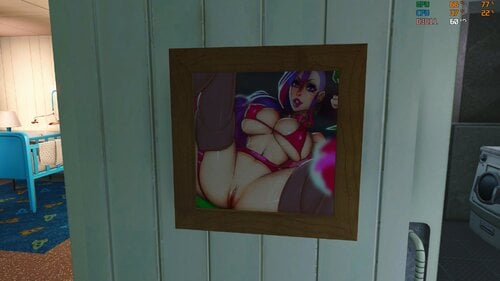
Very Naughty Paintings
By foggyhen
About This File
Do you find explicit/pornographic images break your immersion? Are you also a pervert? Then this mod was made with you in mind.
About
Very Naughty Paintings adds 18 custom and very naughty paintings to the workshop menu. There are 9 landscape and 9 portrait (rectangle & square). All paintings are aged, weathered, and very very naughty. This was a result of me wanting to play around with different filters, effects, laying techniques, etc.
Future Plans & Custom Work
I have many more in development so if you like these, keep an eye out for updates. I am open to creating custom paintings as well. If there are models or themes that you would like to see in this style, you are welcome to send me a message to discuss.
Install/Uninstall
1. Use mod manager or drag contents of into “Data” folder
2. See step 1 and do the opposite
2324 downloads
Submitted
-
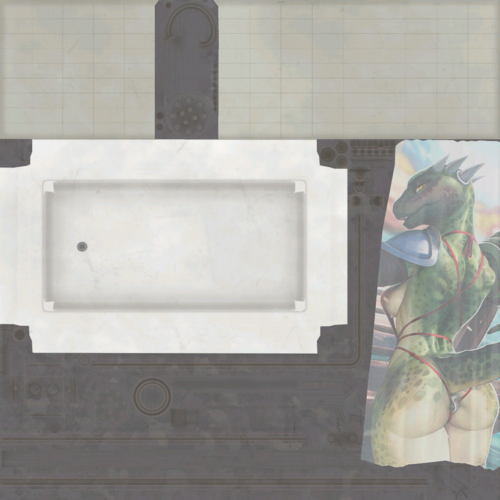
CWSS Redux - Furry Shower Curtains
By Rorahusky
Edits the shower curtains from CWSS Redux to be furry.
Installation: Load after CWSS Redux. If using MO2, you can optionally merge this mod with CWSS Redux
1614 downloads
Submitted
-
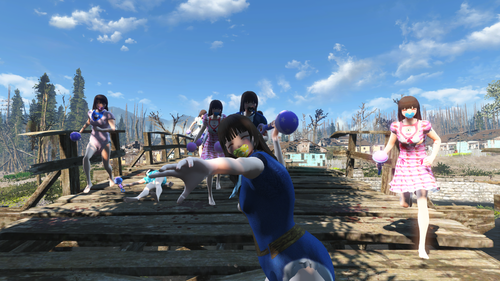
Baby Ray Gun
By Dare_Devil
This mod adds a unique gun that changes human npc clothes and weapons to a weaker ABDL themed variant.
This mod also adds in some adult baby furniture and clothes.
Requirements:
Caliente's Beautiful Bodies Enhancer -CBBE- - Slim body preset
Sissy Suite Convertion
Diaper Lovers' Fallout Remasterd Mk2 - direct download
Future update plans:
Custom baby ray gun model
Recommended mods:
Pitch Voice
See You Sleep
ABDL NPCs
Baby bottle drinker
Sissy Suite Conversion
Anime Race
Anime NPC replacer
Anime NPC - Hair Hats and Glasses Patch
Underware Scaling fix
Crawl on all Fours sneak animation
935 downloads
Updated
-
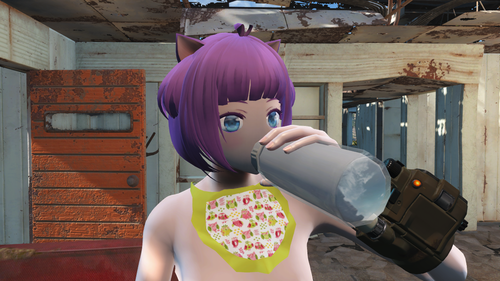
Baby Bottle Drinker
By Dare_Devil
This mod allows you to drink from a baby bottle. All drinks will appear as a baby bottle when you drink them.
Drink while standing or sitting down
Requirements:
Have a Beer - Animated Drinking
Vault-tec workshop dlc
Recommended mods:
Pitch Voice
See You Sleep
ABDL NPCs
Baby Ray Gun
Sissy Suite Conversion
Anime Race
Anime NPC replacer
Anime NPC - Hair Hats and Glasses Patch
Underware Scaling fix
Crawl on all Fours sneak animation
913 downloads
Updated
-
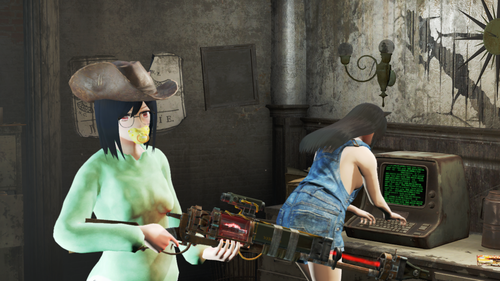
ABDL NPCs
By Dare_Devil
This mod replaces every female NPC with ABDL clothing and also replaces some beds with cribs and stools with highchairs.
The mod also adds in some new adult baby clothes.
Features:
Replaces all female NPCs with adult baby clothes and accessories and all males where diapers under fatherly clothes Big and small beds replaced with cribs Stools replaced with highchairs 14 bibs with different designs Denim overalls Fixed diaper crinkle walk sound Humans are easier to kill as they don't have any armor
Requirements:
Caliente's Beautiful Bodies Enhancer -CBBE- - Slim body preset
Sissy Suite Convertion
Diaper Lovers' Fallout Remasterd Mk2 - direct download
Miscellaneous mod:
ABDL Clothes - bibs, overalls and vault onesie added as separate mod - craft at Chemistry Station Utility - no requirements
Recommended mods:
Pitch Voice
See You Sleep
Baby bottle drinker
Baby Ray Gun
Sissy Suite Conversion
Anime Race
Anime NPC replacer
Anime NPC - Hair and Hats Patch
Underware Scaling fix - fixes diaper clipping though clothes
Crawl on all Fours sneak animation
2271 downloads
Updated
-
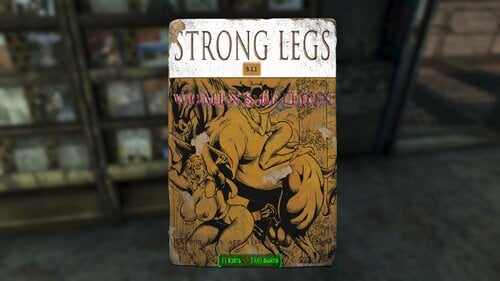
Submitted
-
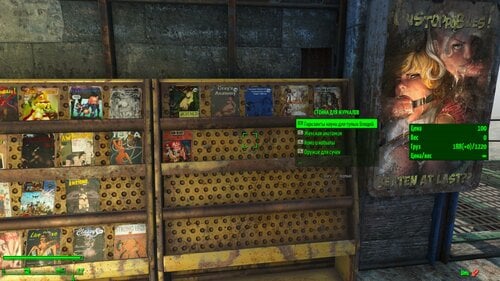
(Porno) Skill Books ESL EN/RU
By vjnmrf
Porn version Perk Magazines and Books
Books that originally belonged to the *miscellaneous* section have been converted into magazines and can be placed on racks
Mod localized
2100 downloads
Submitted
-
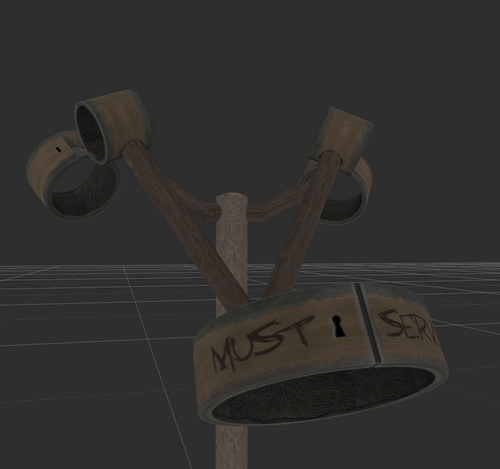
textures Torture Devices F-Frame Retexture 2k
Remember that white F-Frame from Torture Devices? This mod changes its texture
Now comes in black as well
Requirements:
Obviously, Torture Devices is a hard requirement, this mod will only change one texture.
Permissions:
You can freely use this as a modders resource in any of your mods, no need to credit me, but I would appreciate it
4000 downloads
Updated
-

Whispering Hills: Golems
By delete1618
This is a modification of Whispering Hills allowing you to contract incubi from the Otherworld to protect your settlements. However, all deals with demons have a catch. Once per day, each demon you contract will indiscriminately seek tribute from those they protect. They make use of their hellish powers to ensure compliance.
You can create these in any settlement using the workshop menu. Just look for the "Golems" section. They will each seek tribute to initiate their contract, so watch out for that. The summoner is not immune to their powers!
Things to be aware of:
This is no longer being worked on, and may be incompatible with newer versions of WH. Some users report it being slightly broken for them, but it works fine for me (and presumably everyone who isn't posting). Check for and report conflicts. Not all golems are implemented yet. (Maybe, I don't actually remember if I finished or not) Their AI may be a bit buggy for now. I don't plan to fix anything about their AI at this moment. The "once a day" timer begins when you or the golem loads into the cell, including when you create them. So, if you summon a bunch of them at once, they're all going to get busy whenever you show up. It uses your AAF settings as to which races they think are an acceptable target. There is an eye texture shift which lingers after being a part of tribute. It will go away after the next 3D reload. Try fast traveling if you need it gone ASAP. This will not affect the player if you have AAF use a doppelganger in the scene. There are 9 different eye textures to choose from, so pick your favorite! You could probably insert your own by renaming them and replacing the ones I included. The eye shift and other settings can be altered in MCM.
You can find the original, amazing mod here: https://www.nexusmods.com/fallout4/mods/46871
This mod makes use of assets from the following mods. You do not need to download any of these. I am just giving credit to them.
Fun Eyes: https://www.nexusmods.com/fallout4/mods/7215 Supernatural Eyes: https://www.nexusmods.com/fallout4/mods/7593 Bag of Dicks: Future plans: [Note: none of these are actually planned until I get back into modding, if I ever do.]
Import the remaining enemies (see screenshots for those remaining) Add unique properties to each golem Example: Apply a buff to anyone targeted for tribute Add fun, unique AI to each golem Add balancing to golem material components Add various MCM options Currently planned options Maximum number of simultaneous tributes If you have other ideas, please suggest them. I will try to add any that don't require extensive work. If (big if) I pursue a v2.0, I plan to make constructable portals that summon the golems instead of directly creating the golems. I also have ideas for a couple traps (one involves that demonic monkey from vanilla FO4).
3277 downloads
Updated
-
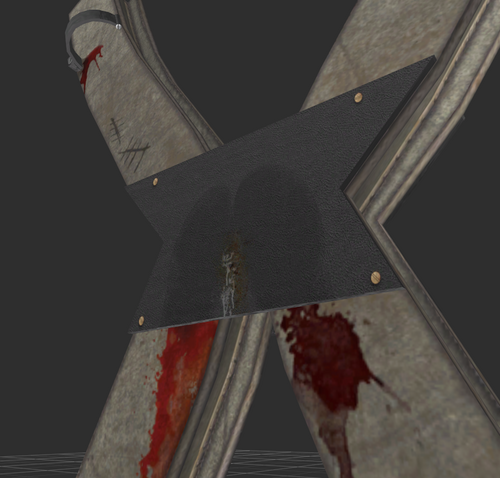
textures Torture Devices XCross Retexture 2k
Remember that orange XCross from Torture Devices? This mod changes its texture
Requirements:
Obviously, Torture Devices is a hard requirement, this mod will only change one texture.
Permissions:
You can freely use this as a modders resource in any of your mods, no need to credit me, but I would appreciate it
3806 downloads
Updated
-
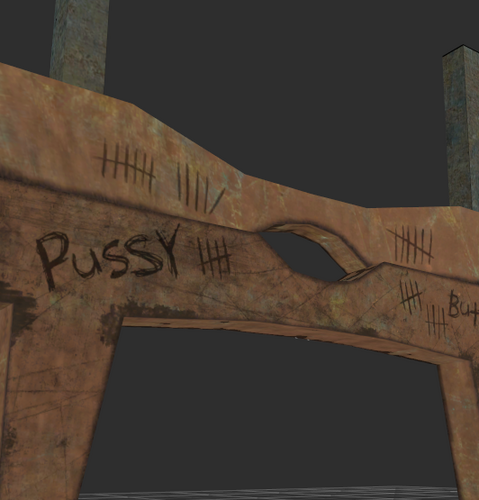
textures Torture Devices Pillory Retexture 2k
Remember that one texture that was unfinished in Torture Devices mod? Yeah, this mod will change it to look more appealing to the eye
Requirements:
Obviously, Torture Devices is a hard requirement, this mod will only change one texture.
Permissions:
You can freely use this as a modders resource in any of your mods, no need to credit me, but I would appreciate it
4350 downloads
Updated
-
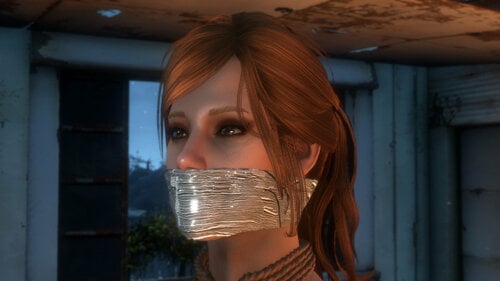
Replace tape and handcuffs
By kziitd
This mod is out of date. If you want to use it, there is nothing wrong, but it will no longer be supported.
You may encounter a problem where the original handcuffs cannot be restored after uninstallation, because it was actively generated by you in BS. What you can do is to overwrite the current rope version with all the contents in the meshes folder in the RH installation package. (If you don't want to overwrite it again by reinstalling RH)
There will be more and better things in the future rather than continue to rely on RH or DD. if you are interested, here is a preview of it
----------------------------------------------
Simply replacing the appearance of the duct tape, the original tape that can be removed by sneezing no longer exists.
You can use bodyslide to generate ropes to replace the appearance of ordinary handcuffs in realhandcuffs.
The name in bodyslide is "handcuffs_to_rope"
For the naked Fusion girl
One of the poses https://www.loverslab.com/files/file/6766-bond-device-animations/ replaces the original pose of realhandcuffs to match the rope appearance. In the MCM menu of realhandcuffs, you need to set the animation to take the pose of realhandcuffs.
You can also use software like fo4edit or f4-xTranslator to change the name of handcuffs to rope
Two sound packages are added
DD's gag dialogue and reaction and aggressive animation can be applied.
Not directly replace the existing sound effect
you can find the file location of the sound effect played in the game according to your own choice to rename and replace it. For example
data \ sound \ FX \ deviousdevices
or
data \ sound \ FX \ Gagsounds
there are similar
data \ sound \ FX \ gray \ gagged
defined by animators themselves
It's all up to you.
Thank you for reading my English online translation
Thanks and Acknowledgements:
Kimy for Devious Devices [https://www.loverslab.com/files/file/3796-devious-devices/]
Kharos for Real Handcuffs [https://www.loverslab.com/files/file/8485-real-handcuffs/]
Gray User for Bondage Device Animations 0.1.0 [https://www.loverslab.com/files/file/6766-bondage-device-animations/]
-----------
2023.6.10
Just editing the prompts and warning instructions.
14215 downloads
Updated
-
Devious Devices Slave Heels (Fusion Girl) 1.6 - deutsch
Deutsche Übersetzung von Devious Devices Slave Heels (Fusion Girl) 1.6
Vorrausetzungen:
Devious Devices Slave Heels (Fusion Girl) 1.6
Installation:
Installiere zuerst die Original Mod und deren Voraussetzungen, überschreibe anschließend die Dateien der Original Mod mit der Übersetzung.
Anmerkung:
CBBE Version wird noch folgen
150 downloads
- devious devices
- german
- (and 2 more)
Updated
-
Devious Devices - deutsch
Deutsche Übersetzung von Devious Devices
Vorrausetzungen:
Devious Devices 2.0
Installation:
Installiere zuerst die Original Mod und deren Voraussetzungen, überschreibe anschließend die Dateien der Original Mod mit der Übersetzung.
486 downloads
- devious devices
- german
- (and 2 more)
Updated
-
DD Armorbench Unlocker - deutsch
Deutsche Übersetzung von DD Armorbench Unlocker
Vorrausetzungen:
DD Armorbench Unlocker 1.07
Installation:
Installiere zuerst die Original Mod und deren Voraussetzungen, überschreibe anschließend die Dateien der Original Mod mit der Übersetzung.
128 downloads
- armorbench unlocker
- german
- (and 2 more)
Updated
-
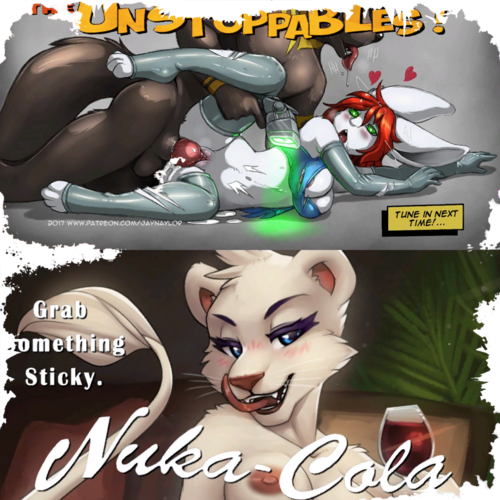
Furry Billboards
By Rorahusky
Changes the base game Billboards to something a bit more furry.
6691 downloads
Updated
-
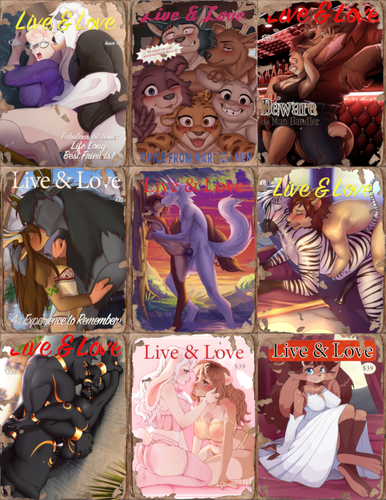
Furry Magazines
By Rorahusky
Made furry versions of all the base game magazines plus the Mechanist notes/posters from Automatron.
4952 downloads
Updated
-
Plugs of the Commonwealth - german translation
By N.Gamma
Deutsche Übersetzung von Plugs of the Commonwealth 112
Vorrausetzungen:
Plugs of the Commonwealth 112
Installation:
Installiere zuerst die Original Mod und deren Voraussetzungen, überschreibe anschließend die Dateien der Original Mod mit der Übersetzung.
376 downloads
Updated
![More information about "[Project Zomboid] Depraved Sense - Anthro Addon"](https://static.loverslab.com/screenshots/monthly_2026_10/depravedSenseAnthroLogo-Big-Flat.thumb.png.80ed9a45eb862924b48c7ad91109b8ab.png)
![More information about "[XCL] U666 Test Bench - Crash-Test Bunnies Wanted"](https://static.loverslab.com/screenshots/monthly_2026_10/Crash-TestBunnies.thumb.png.e410d855ac4b94aae003951b0ee9d3d1.png)
![More information about "[Mod] PrimalPals + T-Box Pal Dressing Facility — Compatibility Add-on V1.3.4"](https://static.loverslab.com/screenshots/monthly_2026_10/byGhostWeedBR.thumb.png.9a90a4fcda89d2c7a295e988aa51c543.png)