Search the Community
Showing results for tags 'sfw'.
-
 HL_Gastro — Gastronomy Career (Chef / Bartender) [SFW] View File Straight up, before you download: this one is SFW. There is no adult content in 0.1.0 and nothing here needs WickedWhims. An optional adult layer is on my plan for a later version, but it does not exist yet — do not download this expecting it. This release is free and public from day one. If you want to support the next version, my Patreon is at patreon.com/HomeLacter. Yes, chef. HL_Gastro is a full active gastronomy career for The Sims 4, built on top of Dine Out. No rabbit hole: your Sim travels to a real restaurant, puts on the venue's uniform and works a real shift. You start at the bottom. Four jobs in the same restaurant: Host. Welcome the parties at the podium and show them to their table. Busser. Check on the tables, clear the dishes, keep the room presentable. No orders yet. Server. Take the orders and serve the food. Kitchen Assistant. The chef hands you the station for one shift. Every one of those is a real post of the venue: the mod puts your Sim in the job Dine Out already has — host, waiter, chef, bartender — with its uniform and its native interactions. Then you choose your path at level 5: Chef, six levels from Commis Chef to World-Renowned Chef. Your restaurant is fixed for the rest of your career, rated one to five stars. The fancier ones unlock as you climb, and they tip better at closing time. Bartender, six levels from Amateur Mixologist to Renowned Bartender, in a bar, nightclub or lounge. The shift is yours to run. In Manual mode, the default, you decide when to do each step with the game's own actions: check up on a table, take the order, serve the plate when the pass rings, cook each step at the station. Rather watch? Flip to Automatic and your Sim works alone. What else is in the box A medal at the end of every shift — bronze, silver or gold — based on the goals you completed. The thresholds come from the real score of that shift's goals. Work tones: work with care, full throttle, chat with the staff. Custom moodlets and custom career messages too. The owner shows up to praise you or to scold you. In-game settings: pick your restaurant and your bar, switch the shift control, and decide whether the venue puts other waiters on the floor while you work. English and Spanish built in; every other language falls back to English. A translation kit and a debug add-on are separate downloads. Requirements The Sims 4 + Dine Out and Get to Work. Both packs are required. At least one Restaurant lot in your save. Dine Out does not place them by itself, so drop one from My Library. The mod tells you in game if there is none. A Bar, Nightclub or Lounge for the Bartender branch. Install Unzip HL_Gastro.zip into your Mods folder — the zip already brings its own HL_Gastro folder, so you end up with Mods/HL_Gastro/HL_Gastro.package and Mods/HL_Gastro/HL_Gastro.ts4script, together and one folder deep. Enable Script Mods in the game options and restart. Delete localthumbcache.package if anything looks stale. Downloads HL_Gastro.zip — the mod itself (package + ts4script) plus the README. This is the one you need. HL_Gastro_Debug_addon.zip — cheats and a support log. Optional, and handy if you want to report something. HL_Gastro_Translations_Kit.zip — 16 ready-made language templates and the instructions. What is tested and what is not I would rather say this on the page than in a bug report. The four starting jobs are tested in game, and so is the chef station flow, because that is the level 4 shift. The star-based tip of the Chef branch and the whole Bartender branch are not tested yet. They ship in 0.1.0, but I have not run them in game, so if you go down either of those roads, reports in the thread help a lot. Known issues Like every active career, switching households or travelling with another Sim mid-shift ends the shift early. Loading a save made mid-shift lets your Sim do the first step alone; after that it goes back to manual. "Take Order" works on any customer — the order that gets cooked is the one that was actually waiting. What's coming next Plans, not promises. None of this is in 0.1.0: Cooking skill that actually goes up while you work, and skill requirements to get promoted. Boss interactions: get praised, get scolded, get fired with a story behind it. Food critic nights, unlockable recipes and qualities, and a say in the menu. Happy hour, theme nights and private events for the Bartender. An optional adult layer with WickedWhims in a later version. Credits Built with Sims4ForgeStudio. Translations are welcome with the kit — I ask for reciprocal credit and a link back to the mod's official page. The cover art is AI-generated; the screenshots are straight from the game. — Home Lacter Submitter Home Lacter Submitted 09/20/26 Category Extensions Requirements The Sims 4: Dine Out and The Sims 4: Get to Work. Both EA packs are required. Script Mods must be enabled in the game options.
 -
![More information about "HL_Gastro — Gastronomy Career (Chef / Bartender) [SFW]"](https://static.loverslab.com/screenshots/monthly_2026_09/PortadaMod.thumb.png.099b4d7b0be187b341afe57e03b74838.png)
Version 0.1.0
686 downloads
Straight up, before you download: this one is SFW. There is no adult content in 0.1.0 and nothing here needs WickedWhims. An optional adult layer is on my plan for a later version, but it does not exist yet — do not download this expecting it. This release is free and public from day one. If you want to support the next version, my Patreon is at patreon.com/HomeLacter. Yes, chef. HL_Gastro is a full active gastronomy career for The Sims 4, built on top of Dine Out. No rabbit hole: your Sim travels to a real restaurant, puts on the venue's uniform and works a real shift. You start at the bottom. Four jobs in the same restaurant: Host. Welcome the parties at the podium and show them to their table. Busser. Check on the tables, clear the dishes, keep the room presentable. No orders yet. Server. Take the orders and serve the food. Kitchen Assistant. The chef hands you the station for one shift. Every one of those is a real post of the venue: the mod puts your Sim in the job Dine Out already has — host, waiter, chef, bartender — with its uniform and its native interactions. Then you choose your path at level 5: Chef, six levels from Commis Chef to World-Renowned Chef. Your restaurant is fixed for the rest of your career, rated one to five stars. The fancier ones unlock as you climb, and they tip better at closing time. Bartender, six levels from Amateur Mixologist to Renowned Bartender, in a bar, nightclub or lounge. The shift is yours to run. In Manual mode, the default, you decide when to do each step with the game's own actions: check up on a table, take the order, serve the plate when the pass rings, cook each step at the station. Rather watch? Flip to Automatic and your Sim works alone. What else is in the box A medal at the end of every shift — bronze, silver or gold — based on the goals you completed. The thresholds come from the real score of that shift's goals. Work tones: work with care, full throttle, chat with the staff. Custom moodlets and custom career messages too. The owner shows up to praise you or to scold you. In-game settings: pick your restaurant and your bar, switch the shift control, and decide whether the venue puts other waiters on the floor while you work. English and Spanish built in; every other language falls back to English. A translation kit and a debug add-on are separate downloads. Requirements The Sims 4 + Dine Out and Get to Work. Both packs are required. At least one Restaurant lot in your save. Dine Out does not place them by itself, so drop one from My Library. The mod tells you in game if there is none. A Bar, Nightclub or Lounge for the Bartender branch. Install Unzip HL_Gastro.zip into your Mods folder — the zip already brings its own HL_Gastro folder, so you end up with Mods/HL_Gastro/HL_Gastro.package and Mods/HL_Gastro/HL_Gastro.ts4script, together and one folder deep. Enable Script Mods in the game options and restart. Delete localthumbcache.package if anything looks stale. Downloads HL_Gastro.zip — the mod itself (package + ts4script) plus the README. This is the one you need. HL_Gastro_Debug_addon.zip — cheats and a support log. Optional, and handy if you want to report something. HL_Gastro_Translations_Kit.zip — 16 ready-made language templates and the instructions. What is tested and what is not I would rather say this on the page than in a bug report. The four starting jobs are tested in game, and so is the chef station flow, because that is the level 4 shift. The star-based tip of the Chef branch and the whole Bartender branch are not tested yet. They ship in 0.1.0, but I have not run them in game, so if you go down either of those roads, reports in the thread help a lot. Known issues Like every active career, switching households or travelling with another Sim mid-shift ends the shift early. Loading a save made mid-shift lets your Sim do the first step alone; after that it goes back to manual. "Take Order" works on any customer — the order that gets cooked is the one that was actually waiting. What's coming next Plans, not promises. None of this is in 0.1.0: Cooking skill that actually goes up while you work, and skill requirements to get promoted. Boss interactions: get praised, get scolded, get fired with a story behind it. Food critic nights, unlockable recipes and qualities, and a say in the menu. Happy hour, theme nights and private events for the Bartender. An optional adult layer with WickedWhims in a later version. Credits Built with Sims4ForgeStudio. Translations are welcome with the kit — I ask for reciprocal credit and a link back to the mod's official page. The cover art is AI-generated; the screenshots are straight from the game. — Home Lacter -
Version 2.3.0
116 downloads
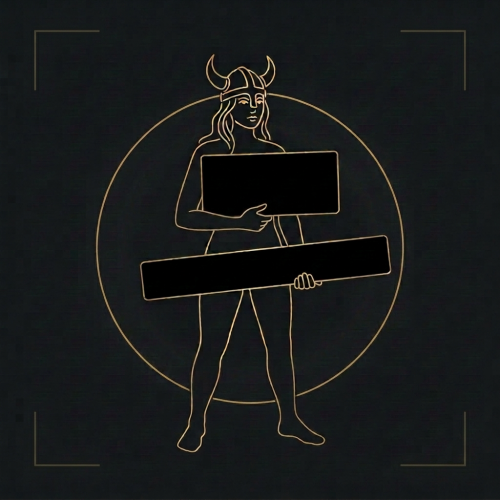
Your monitor stays normal. OBS gets a censored picture. Skyrim Streamer Mode watches the game and tells OBS where to cover a body. Black rectangles over the pelvis and chest, or a black screen for menus and load screens. Your own screen is never modified — only the picture you send to Twitch/Kick/etc. Features Your monitor stays untouched — censoring only happens in a separate OBS feed.Frame-exact. Rectangles are built inside the game before OBS sees the picture, so they never lag behind a fast camera turn.Black, blur, pixelate or your own image — chosen separately for bodies and for the whole frame.Follows the body — rotation and lean, with its own size and All/Female/Male filter for pelvis, chest and extra zones.Scenes — frameworks for adult content are detected automatically, and scenes are censored at the appropriate moment. Creatures — 27 kinds, each with its own choice of rectangle.Anything else — look at it, press a key, it is covered. Installation Install the main file with Mod Organizer 2 or Vortex.Enable the mod and tick SkyrimStreamerMode.esp on the Plugins tab.Launch through SKSE, load a save, then Pause → Mod Configuration → Skyrim Streamer Mode. The recommended way: OBS plugin Install the optional download "OBS plugin" (manual install into your OBS folder), then in the scene you stream to Twitch/Kick/etc. add the source "Skyrim (StreamerMode)". Why this one: It is exact. The picture is censored inside the game, frame by frame, before OBS ever receives it. No catching up, no lag behind a fast camera turn.That feed physically cannot contain an uncovered frame — the raw pixels are not in that scene at all.Blur, pixelate or custom image instead of black boxes, if you prefer that look. The simple way: browser overlay No extra install: keep your normal Game Capture and add a Browser Source above it: URL: http://127.0.0.1:8765/Width / Height: your canvas size, e.g. 1920 × 1080 Read this before using the overlay. It draws on top of OBS's own capture, so it is always a step behind the game: during a fast camera spin or a sprint the rectangles can lag by a frame, and the raw picture is still in the scene underneath them. If you use the overlay, make the rectangles noticeably bigger (MCM → Rectangles → Width / Height) and keep "Motion margin" above zero. Trading a slightly larger black box for a safety margin is the whole point. (There are also auxiliary URL's, such as http://127.0.0.1:8765/debug or http://127.0.0.1:8765/state. Port can be reconfigured in MCM.) Settings (MCM) People — who gets covered, and what counts as undressedRectangles — size, position, rotation and All/Female/Male filter for pelvis, chest and extra-bone rectangles (chest defaults to Female)Creatures — 27 kinds, each with its own choice of rectangleObjects — non-actor objects and anything another mod addsMenus & scenes — optional black screen per menu, automatic SexLab/ OStim detection, and enlarged rectangles / whole-frame scene behaviorHotkeys — every binding in one place: the full-frame key, the mark-object key and the show-rules key. With modifiers.OBS connection — the browser overlay and the OBS-plugin options. Network and privacy The overlay mode runs a tiny web server on 127.0.0.1 only (your own machine, port configurable). It serves the rectangle positions to your browser source. Nothing is sent anywhere, there is no telemetry, no auto-update, no account. Nexus - Streamer mode at Skyrim Special Edition Nexus - Mods and Community -
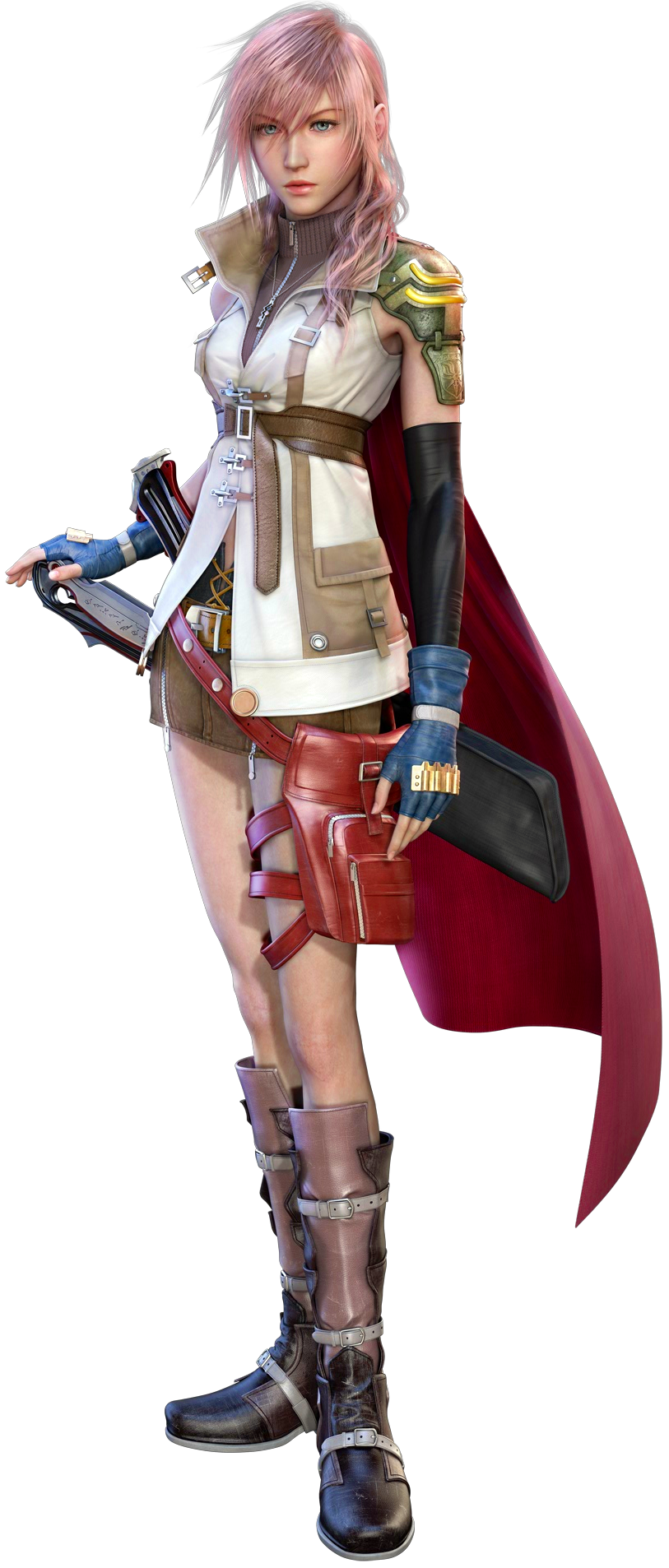
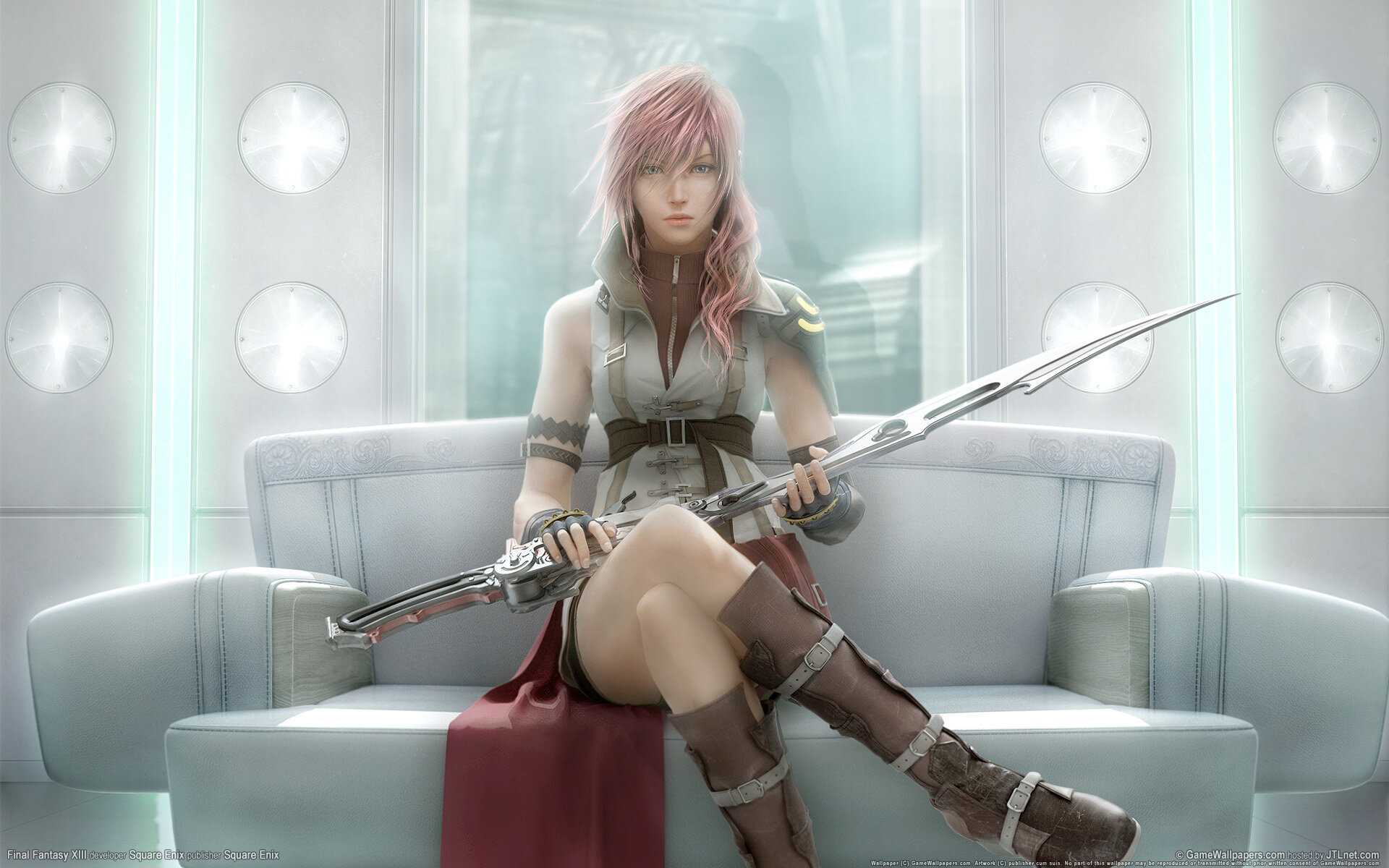
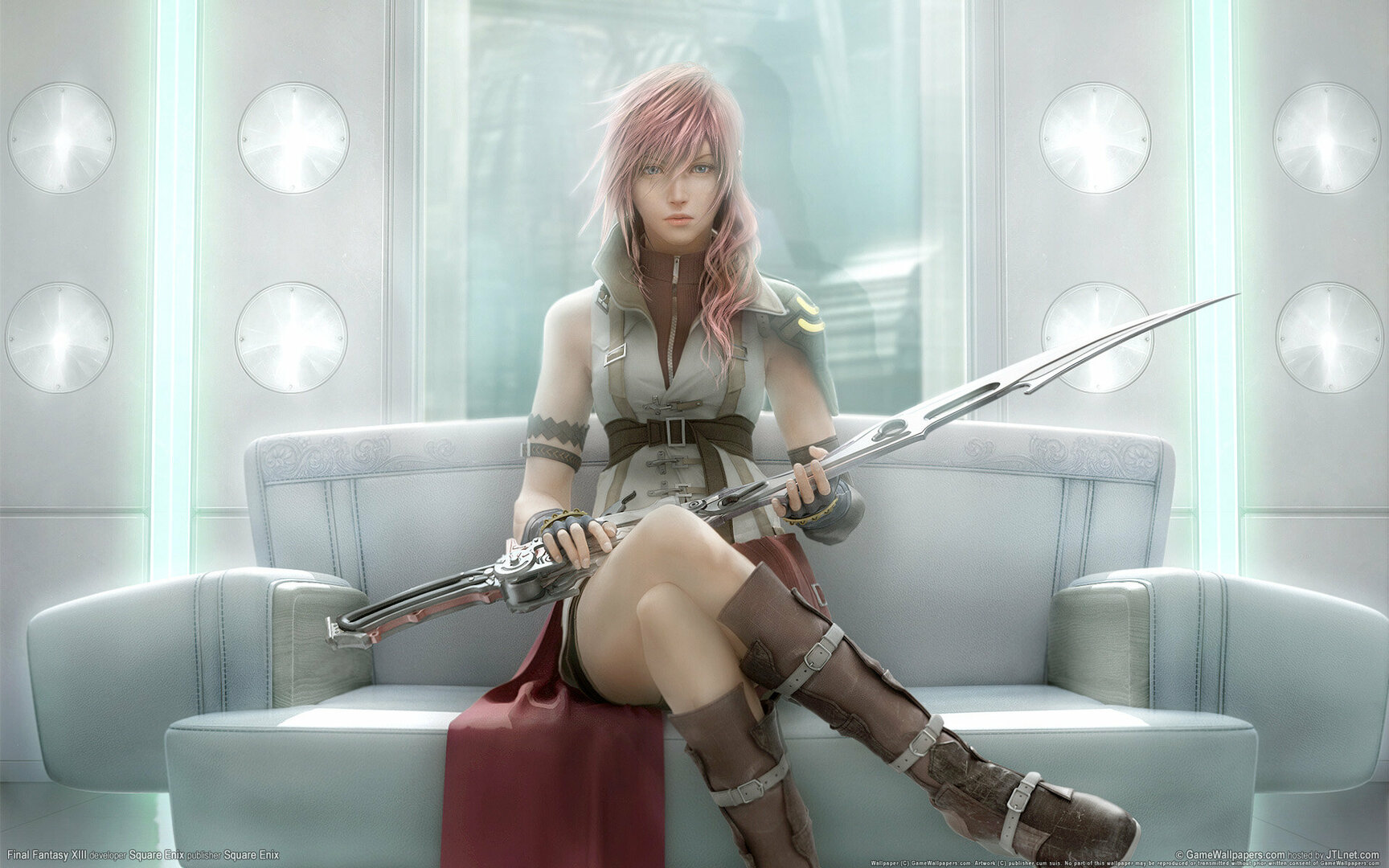
 Not sure which category this falls under but would like too know if it would be possible to at the very least make Lightning Barefoot in FF13? if this can be done let me know and id be more then happy to commission it. If it ever happens, the mod will be released for public use ofc.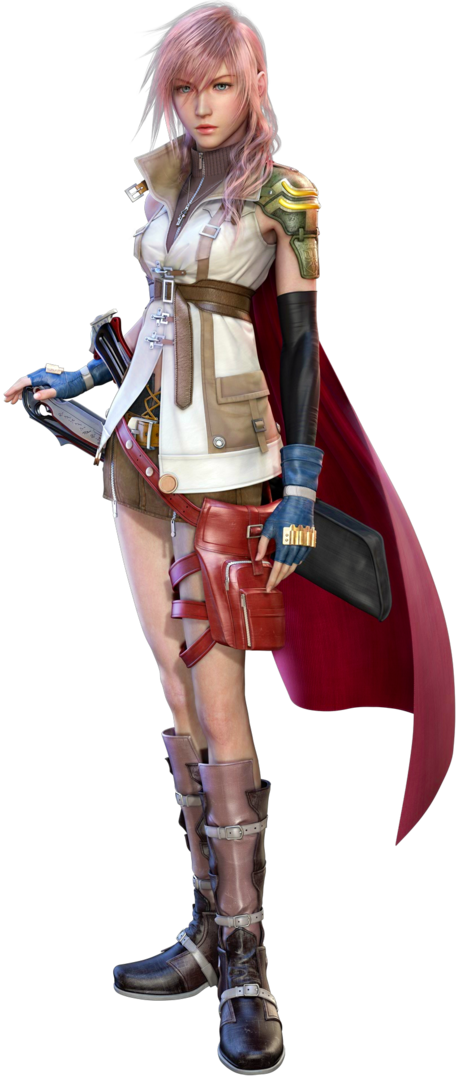
-
 View File Cult of the Lamb - Exposed Lamb + Followers NOW SUPPORTS THE WOOLHAVEN UPDATE/DLC Make your cult embrace true nudism by disallowing fig leaves for covering. With these mods, your followers and yourself can be exposed for all to see! This mod shaves off the wool from your Lamb's groin to reveal their bits, either male or female. Alternatively, there's an option to only remove the fig leaf from their Fleece of the Natural. Requires the Sinful Pack DLC in order to wear the nude 'outfit'. Make your followers truly embrace nudism by banning the use of fig leaves for covering to reveal their bits. - There are three versions for female: vanilla chest, flat-chested line, and with breasts. - There are six variations for male that have different penis size and colour. - Red penises have different shades depending on the colour of the follower. - There's a SFW leafless version which doesn't show any genitals. Note that because there's no specified genders for Followers in this game, using this texture mod will make all Followers have penises or pussies (+ boobs). Discussion Thread: Submitter Catnatic Submitted 01/22/24 Category Other Games Requirements Sinful Pack DLC for Exposed Lamb Install Instructions I recommend installing the nude mod for followers first before the lamb. FOLLOWERS Method 1: Drag and Drop 1. Move "feec4c3c4756515edb46c48464103089.bundle" to: "Cult of the Lamb\Cult Of The Lamb_Data\StreamingAssets\aa\StandaloneWindows64" 2. Replace the original file. (I recommend backing it up before replacing it if you want to uninstall the mod.) 3. That's literally it. Enjoy naked followers! Method 2: Unity Asset Bundle Extractor Avalonia 1. Download UABEAvalonia from GitHub and extract the contents of the zip folder to wherever you want. 2. Run "UABEAvalonia.exe" from the extracted folder. 3. Click "File > Open" and select "feec4c3c4756515edb46c48464103089.bundle" in "Cult Of The Lamb_Data\StreamingAssets\aa\StandaloneWindows64" from the game's directory. Dragging the file to the UABEA window works too. 4. You may be asked to decompress the bundle to file or memory. I suggest you select "Memory". 5. Click "Info" and when the "Assets Info" window appears, find the Texture2D file that is named "Follower". You can find this file much quicker by clicking "View > Search by name" (or pressing Ctrl + F) and search "Follower" 6. When you have the "Follower" texture file selected, click "Plugins > Edit texture" to bring up the "Texture Edit" window. 7. It is recommened to change the texture format to "BC7". If you want the texture to look crispier and remove the 'lines" between body parts, change Filter mode to "Point". Otherwise, leave the Filter mode setting as is. 8. Click on the "Load" button next to the "Texture" text label and select the image you want from the mod folder to replace the texture with. 9. Click "Save" and wait for the program to patch in the new texture. 10. For the male mod, you will need to replace the "Follower.atlas" file so the sprites can appear properly. Find and select the "Follower.atlas" file, then click "Plugins > Import .txt", and select one of the "Follower-Male-.atlas.txt" files that matches with the texture you're using. 11. Afterwards, click "File > Save" or "Save as" to save the modified .bundle file. 12. To reduce file size, you'll have to compres the .bundle file. Re-open the modified .bundle file, click "File > Compress" and select "LZMA". You can now close UABEA after the compression. 13. Afterwards, move the compressed .bundle to "Cult Of The Lamb_Data\StreamingAssets\aa\StandaloneWindows64" LAMB How to Install: 1. Download UABEAvalonia from GitHub and extract the contents of the zip folder to wherever you want. 2. Run "UABEAvalonia.exe" from the extracted folder. 3. Click "File > Open" and select "4d08a3f34d27f30eb0729ccbdf42757e.bundle" in "Cult Of The Lamb_Data\StreamingAssets\aa\StandaloneWindows64" from the game's directory. Dragging the file to the UABEA window works too. 4. You may be asked to decompress the bundle to file or memory. I suggest you select "Memory". 5. Click "Info" and when the "Assets Info" window appears, find the Texture2D file that is named "player-main". You can find this file much quicker by clicking "View > Search by name" (or pressing Ctrl + F) and search "player-main" 6. When you have the "player-main" texture file selected, click "Plugins > Edit texture" to bring up the "Texture Edit" window. 7. It is recommened to change the texture format to "BC7". If you want the texture to look crispier and remove the 'lines" between body parts, change Filter mode to "Point". Otherwise, leave the Filter mode setting as is. 8. Click on the "Load" button next to the "Texture" text label and select the image from the mod folder to replace the texture with. 9. Click "Save" and wait for the program to patch in the new texture. 10. Afterwards, click "File > Save" or "Save as" to save the modified .bundle file. 11. To reduce file size, you'll have to compres the .bundle file. Re-open the modified .bundle file, click "File > Compress" and select "LZMA". You can now close UABEA after the compression. 12. SKIP THIS STEP IF YOU'RE NOT USING BIG PENIS VARIATIONS. You will need to replace the "player-main.atlas" file so the sprites can appear properly. Currently, this file is in a different bundle called "feec4c3c4756515edb46c48464103089.bundle" so open that bundle with UABEA. Find and select the "player-main.atlas" file, then click "Plugins > Import .txt", and select the "player-main-bigpenis.atlas.txt" file. Once you're done with that, save the bundle and compress it. 13. Afterwards, move the compressed .bundle(s) to "Cult Of The Lamb_Data\StreamingAssets\aa\StandaloneWindows64" 14. Equip the Fleece of the Natural at your Temple in-game, and have fun! How to Uninstall: • If you backed up the original bundle file(s), have that replace the modded one(s). • Alternatively, you could verify integrity of the game's files to restore the original assets.
 -
View File Streamer Mode Your monitor stays normal. OBS gets a censored picture. Skyrim Streamer Mode watches the game and tells OBS where to cover a body. Black rectangles over the pelvis and chest, or a black screen for menus and load screens. Your own screen is never modified — only the picture you send to Twitch/Kick/etc. Features Your monitor stays untouched — censoring only happens in a separate OBS feed.Frame-exact. Rectangles are built inside the game before OBS sees the picture, so they never lag behind a fast camera turn.Black, blur, pixelate or your own image — chosen separately for bodies and for the whole frame.Follows the body — rotation and lean, with its own size and All/Female/Male filter for pelvis, chest and extra zones.Scenes — frameworks for adult content are detected automatically, and scenes are censored at the appropriate moment. Creatures — 27 kinds, each with its own choice of rectangle.Anything else — look at it, press a key, it is covered. Installation Install the main file with Mod Organizer 2 or Vortex.Enable the mod and tick SkyrimStreamerMode.esp on the Plugins tab.Launch through SKSE, load a save, then Pause → Mod Configuration → Skyrim Streamer Mode. The recommended way: OBS plugin Install the optional download "OBS plugin" (manual install into your OBS folder), then in the scene you stream to Twitch/Kick/etc. add the source "Skyrim (StreamerMode)". Why this one: It is exact. The picture is censored inside the game, frame by frame, before OBS ever receives it. No catching up, no lag behind a fast camera turn.That feed physically cannot contain an uncovered frame — the raw pixels are not in that scene at all.Blur, pixelate or custom image instead of black boxes, if you prefer that look. The simple way: browser overlay No extra install: keep your normal Game Capture and add a Browser Source above it: URL: http://127.0.0.1:8765/Width / Height: your canvas size, e.g. 1920 × 1080 Read this before using the overlay. It draws on top of OBS's own capture, so it is always a step behind the game: during a fast camera spin or a sprint the rectangles can lag by a frame, and the raw picture is still in the scene underneath them. If you use the overlay, make the rectangles noticeably bigger (MCM → Rectangles → Width / Height) and keep "Motion margin" above zero. Trading a slightly larger black box for a safety margin is the whole point. (There are also auxiliary URL's, such as http://127.0.0.1:8765/debug or http://127.0.0.1:8765/state. Port can be reconfigured in MCM.) Settings (MCM) People — who gets covered, and what counts as undressedRectangles — size, position, rotation and All/Female/Male filter for pelvis, chest and extra-bone rectangles (chest defaults to Female)Creatures — 27 kinds, each with its own choice of rectangleObjects — non-actor objects and anything another mod addsMenus & scenes — optional black screen per menu, automatic SexLab/ OStim detection, and enlarged rectangles / whole-frame scene behaviorHotkeys — every binding in one place: the full-frame key, the mark-object key and the show-rules key. With modifiers.OBS connection — the browser overlay and the OBS-plugin options. Network and privacy The overlay mode runs a tiny web server on 127.0.0.1 only (your own machine, port configurable). It serves the rectangle positions to your browser source. Nothing is sent anywhere, there is no telemetry, no auto-update, no account. Nexus - Streamer mode at Skyrim Special Edition Nexus - Mods and Community Submitter xiqima Submitted 08/23/26 Category Regular Mods Requirements Skyrim Script Extender (SKSE64) Address Library for SKSE Plugins SkyUI and MCM Helper for the in-game settings menu Regular Edition Compatible Install Instructions
-
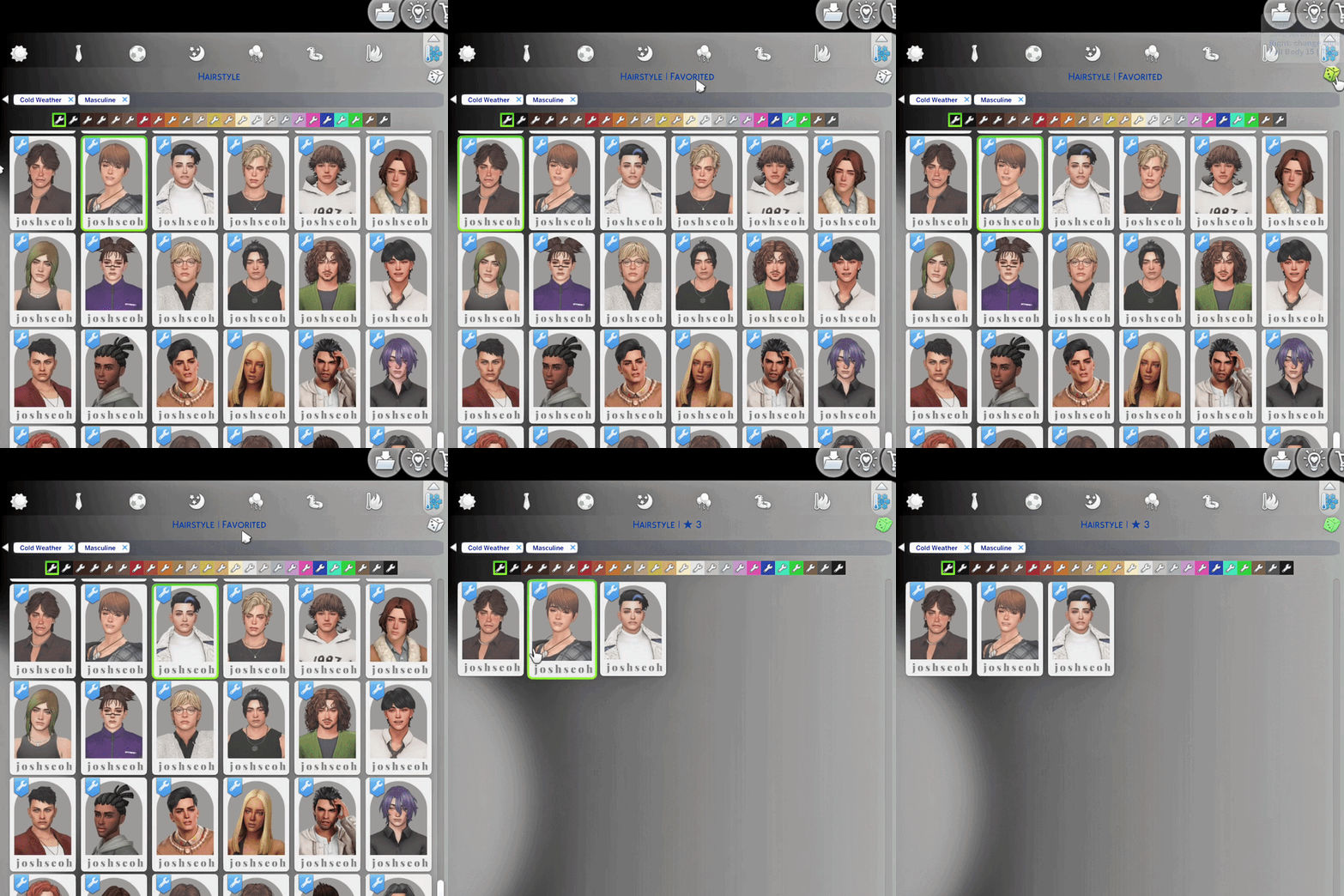
 CAS QuickFind - Favorites and Recent History, Built Into CAS View File Tired of scrolling through the same CAS category trying to find that one hairstyle, top, accessory, or pair of shoes again? CAS QuickFind turns the randomize dice into a Favorites control. Star the items you love, switch to a filtered Favorites view, and return to them without searching through the entire category again. Made for easier CAS browsing: save the pieces you keep returning to, filter the catalog instantly, and keep your favorites across game restarts. How QuickFind Works ★ Left-click the dice Favorite or unfavorite the catalog item currently worn by your Sim. ↻ Right-click the dice Switch between All ↔ Favorites. ⌛ Hold right-click for about five seconds Clear favorites from the current clothing category. The title shows Clearing…, then confirms how many items were removed. QuickFind uses the existing CAS dice, so there is no extra menu taking up space. The normal clothing and catalog flow stays familiar. The CAS title also shows the current category and favorite count, along with brief Favorited and Unfavorited feedback. Hover over the dice for a quick control guide and category details when available. Stock CAS and More Columns Support CAS QuickFind supports: Stock 2-column CAS Official More Columns by weerbesu in 3, 4, 5, or 6-column layouts Choose exactly one QuickFind UI package matching your CAS layout. Stock CAS users should install the 2-column QuickFind package. More Columns users should keep weerbesu’s official package installed, then add the matching QuickFind compatibility package for the same number of columns. QuickFind does not replace More Columns. [Example of a Correct Installation - Vanilla Sims 4 UI] [Example of a Correct Installation - with More CAS Columns Compatibility] Make sure both are in the same folder, or else the override will NOT work. (Adding an ! symbol in my mod helps make it override the MCC package) !XtremSyn_CASQuickFind_1.126_Lite_MC6_Compatibility.package More_CAS_Columns_(6_Columns).package If you like my mods, please support me on Patreon Features Unlimited favorites Keep starring catalog items without having to remove older favorites first. Recent view QuickFind remembers the last 35 worn or clicked items per clothing category. All → Favorites → Recent → All Category-specific Recent clearing While Recent is active, hold right-click for about five seconds to clear that category’s Recent history. The dice uses an amber tint while Recent view is active. Status and export tools qf.status: check the installed version and current setup qf.fav_export: export your saved favorite data Controls at a Glance Left-click dice Favorite or unfavorite the currently worn catalog item. Right-click dice Switch between All and Favorites. Hold right-click for around five seconds Clear favorites from the current clothing category. Installation This release is made specifically for The Sims 4 patch 1.126. Close The Sims 4. Download and extract the Public release. Choose exactly one QuickFind UI package: stock 2-column, or the compatibility package matching your More Columns layout. Place the selected package in your Mods folder. Restart The Sims 4. Note: No .ts4script file required for Public / LoversLab version, as of now. [Example of a Correct Installation - Vanilla Sims 4 UI] ---- [Example of a Correct Installation - with More CAS Columns Compatibility] Make sure both are in the same folder, or else the override will NOT work. (Adding an ! symbol in my mod helps make it override the MCC package) !XtremSyn_CASQuickFind_1.126_Lite_MC6_Compatibility.package More_CAS_Columns_(6_Columns).package Important Install either Public or Early Access - never both UI packages. Install only one QuickFind UI package. Do not combine the stock QuickFind package with a More Columns compatibility package. More Columns compatibility requires the matching official package by weerbesu. Close the game before installing or updating QuickFind. This release supports game patch 1.126 only. Translation Support Optional translation packages can be placed beside the selected QuickFind UI package. Star it. Filter it. Find it again. CAS QuickFind makes the pieces you already love easier to find. Submitter XtremSyn Submitted 08/01/26 Category Extensions Requirements Incompatible with any UI Mods that override CAS. (Except More CAS Columns, of course)
 -
Version 1.0.1
2026 downloads
Tired of scrolling through the same CAS category trying to find that one hairstyle, top, accessory, or pair of shoes again? CAS QuickFind turns the randomize dice into a Favorites control. Star the items you love, switch to a filtered Favorites view, and return to them without searching through the entire category again. Made for easier CAS browsing: save the pieces you keep returning to, filter the catalog instantly, and keep your favorites across game restarts. How QuickFind Works ★ Left-click the dice Favorite or unfavorite the catalog item currently worn by your Sim. ↻ Right-click the dice Switch between All ↔ Favorites. ⌛ Hold right-click for about five seconds Clear favorites from the current clothing category. The title shows Clearing…, then confirms how many items were removed. QuickFind uses the existing CAS dice, so there is no extra menu taking up space. The normal clothing and catalog flow stays familiar. The CAS title also shows the current category and favorite count, along with brief Favorited and Unfavorited feedback. Hover over the dice for a quick control guide and category details when available. Favorites That Stay Saved Save up to 35 favorites Star hairstyles, clothing, accessories, shoes, and other catalog items while you browse. Your favorites remain saved across game restarts. Filter the catalog instantly Right-click the dice to switch between All and Favorites. Favorites view shows only the items you have starred in the current catalog flow. Clear favorites by category Hold right-click for around five seconds to clear favorites from the clothing category currently being viewed. This also works while the Favorites filter is active at the 35 favorite limit. Clear limit feedback When the 35 favorite limit is reached, the CAS title briefly displays 35 MAX! Remove an existing favorite or clear a category to free additional slots. Stock CAS and More Columns Support CAS QuickFind supports: Stock 2-column CAS Official More Columns by weerbesu in 3, 4, 5, or 6-column layouts Choose exactly one QuickFind UI package matching your CAS layout. Stock CAS users should install the 2-column QuickFind package. More Columns users should keep weerbesu’s official package installed, then add the matching QuickFind compatibility package for the same number of columns. QuickFind does not replace More Columns. [Example of a Correct Installation - Vanilla Sims 4 UI] [Example of a Correct Installation - with More CAS Columns Compatibility] Make sure both are in the same folder, or else the override will NOT work. (Adding an ! symbol in my mod helps make it override the MCC package) !XtremSyn_CASQuickFind_1.126_Lite_MC6_Compatibility.package More_CAS_Columns_(6_Columns).package Upgrade with Early Access (Released to Public) Early Access members get unlimited favorites, a Recent history for every clothing category, and additional status and export tools. View Early Access on Patreon Early Access Features Unlimited favorites Keep starring catalog items without having to remove older favorites first. Recent view QuickFind remembers the last 35 worn or clicked items per clothing category. All → Favorites → Recent → All Category-specific Recent clearing While Recent is active, hold right-click for about five seconds to clear that category’s Recent history. The dice uses an amber tint while Recent view is active. Status and export tools qf.status — check the installed version and current setup qf.fav_export — export your saved favorite data Controls at a Glance Left-click dice Favorite or unfavorite the currently worn catalog item. Right-click dice Switch between All and Favorites. Hold right-click for around five seconds Clear favorites from the current clothing category. Installation This release is made specifically for The Sims 4 patch 1.126. Close The Sims 4. Download and extract the Public release. Choose exactly one QuickFind UI package: stock 2-column, or the compatibility package matching your More Columns layout. Place the selected package in your Mods folder. Restart The Sims 4. Note: No .ts4script file required for Public / LoversLab version, as of now. [Example of a Correct Installation - Vanilla Sims 4 UI] ---- [Example of a Correct Installation - with More CAS Columns Compatibility] Make sure both are in the same folder, or else the override will NOT work. (Adding an ! symbol in my mod helps make it override the MCC package) !XtremSyn_CASQuickFind_1.126_Lite_MC6_Compatibility.package More_CAS_Columns_(6_Columns).package Important Install either Public or Early Access - never both UI packages. Install only one QuickFind UI package. Do not combine the stock QuickFind package with a More Columns compatibility package. More Columns compatibility requires the matching official package by weerbesu. Close the game before installing or updating QuickFind. This release supports game patch 1.126 only. Translation Support Optional translation packages can be placed beside the selected QuickFind UI package. Star it. Filter it. Find it again. CAS QuickFind makes the pieces you already love easier to find. -
"who, me? couldn't be..."
Baja the local Tgirl posted a blog entry in Baja's Screens, spicy or otherwise
-
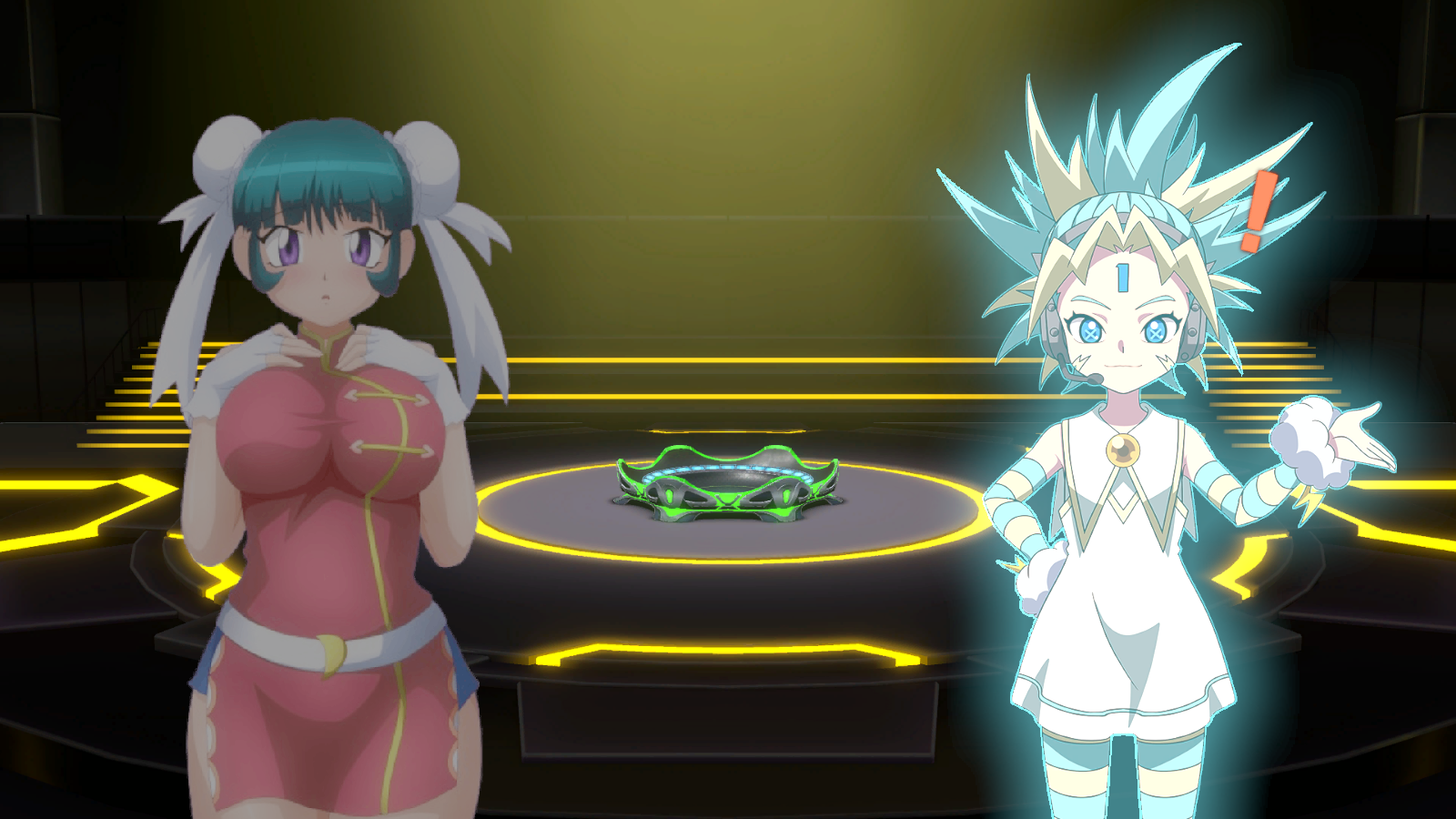
Beyblade X Xone Modding I've post SFW Mei-Mei mod in Download Section under Misc to start up If anyone interested I'll post more
-
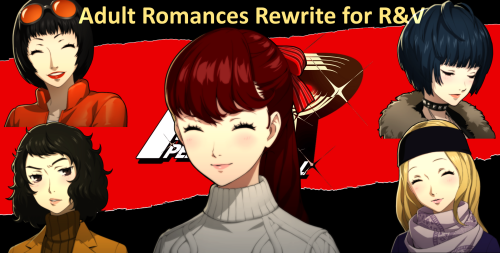
 View File P5R PC - Adult Romance Rewrites for Rose & Violet Story Overhaul Kasumi as Protagonist and the Rose & Violet Story Overhaul gave us a wonderful fresh experience for P5R that adds a ton of replay value to the game or makes it downright superior to the vanilla version. However, the experience still never felt quite complete. Whenever you came upon the Rank 9 of the romancable adult Confidants you were greeted with the (slightly immersion breaking) "This Romance Is Not Supported By This Mod" message. Well, no more! This mod is trying to add the final piece to complete the full P5R experience. Every event starting from the Rank 9 Confidant levels involving Kawakami, Takemi, Chihaya and Ohya were adapted to fit into a Rose & Violet playthrough. The changes include: Rank 9 & 10 (including phone calls) The max Confidant dates Kawakami's Hawaii Trip and School Festival dates Both versions of the Christmas dates The Valentines dates The White Day dates All of these changes were made with 3 guiding principles in mind: Try to keep intact as much original text and voiced dialogue as possible. All alterations and additions must suit Kasumi and be in character for everyone involved. Tone down all sexual implications and innuendo to a minimum. This mod is SFW and does not change anything except for the text in the game. Submitter BD24U Submitted 05/17/26 Category Other Games Requirements Reloaded II mod loader. https://github.com/Reloaded-Project/Reloaded-II Kasumi as Protagonist mod by Wistera. https://gamebanana.com/mods/573578 Rose & Violet Story Overhaul by Zylvos https://gamebanana.com/mods/593378 Any mods required for the above mods. Can be found on their pages on Gamebanana. Install Instructions 1. Download Reloaded II. Hook your copy of Persona 5's .exe file to the modloader. 2. Download Kasumi as Protagonist and all associated required mods for it. Download Rose & Violet and all associated mods for it. 3. Download Adult Romances for R&V (this mod) 4. Drag the zip file into Reloaded II. 5. Put Adult Romances BELOW Rose & Violet and any other rewrite mods in the mod priority list. 6. Enjoy the modded game.
 -
MODS FOR DARKEST DUNGEONS *** Most of the mods are outdated, and some have errors, so I have hidden them. *** - Exaelus' Arduous Edition Mod (Steam Workshop::Exaelus' Arduous Edition Mod) Includes: Complete collection of enemies adapted to this mod, new extras, edited curios (some classic nexudmods replacements and other new ones that I created for the rest that had no replacement), new version of female voice for enemies. New replacements for bosses added by this mod and many more additional details. I recommend that you play it together with Courtyriad/Farmeastd Plus + Vermitide + Sunward + Pet Cementary, it is already configured to be compatible with these mods. Arduous Edition Mod (Edited by Dan) + extras.rar
.png.62242ecca5ca3fb1e8a0c90a5575dce1.png)


.png.fbe5f09ab93a150cb6656e6ffdbb50af.png)
.png.bcfdc14db505b55c92822b96b9816686.png)


-
Version 1.0.0
181 downloads
Kasumi as Protagonist and the Rose & Violet Story Overhaul gave us a wonderful fresh experience for P5R that adds a ton of replay value to the game or makes it downright superior to the vanilla version. However, the experience still never felt quite complete. Whenever you came upon the Rank 9 of the romancable adult Confidants you were greeted with the (slightly immersion breaking) "This Romance Is Not Supported By This Mod" message. Well, no more! This mod is trying to add the final piece to complete the full P5R experience. Every event starting from the Rank 9 Confidant levels involving Kawakami, Takemi, Chihaya and Ohya were adapted to fit into a Rose & Violet playthrough. The changes include: Rank 9 & 10 (including phone calls) The max Confidant dates Kawakami's Hawaii Trip and School Festival dates Both versions of the Christmas dates The Valentines dates The White Day dates All of these changes were made with 3 guiding principles in mind: Try to keep intact as much original text and voiced dialogue as possible. All alterations and additions must suit Kasumi and be in character for everyone involved. Tone down all sexual implications and innuendo to a minimum. This mod is SFW and does not change anything except for the text in the game. -

Version 1.0.0
1736 downloads
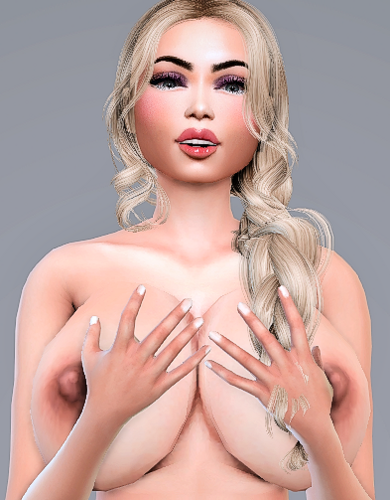
Looking for fun? ❤️WELCOME❤️ 👉If you want to support me and download exclusive sims and mods visit my https://www.patreon.com/sugarbaby_sims👍 💞 👉Installation: Unzip the mods Copy the uncompressed files to the: Documents folder »Electronic Arts» The Sims 4 »Mods Tray files to the: Documents folder »Electronic Arts» The Sims 4 »Tray. COLLECTION LINK If you want to support me and download exclusive sims and mods visit my https://www.patreon.com/sugarbaby_sims 👇PATREON exclusive MORE SIMS: Thanks👍 -
View File [SFW] Featureless Nude Wave Pack Nude Wave Pack: - SFW / Featureless Version - Noticing how the other girls went naked, Wave figured it must've been part of their strategy to improve their aerodynamics to help win the race. There's no way Wave would let those girls get ahead of her, so she took off her clothes as well so she can catch up! Decency means nothing if it could slow you down! This sly pack for Sonic Racing: CrossWorlds features 3 crude variations of Wave the Swallow: • Nude • Topless • Bottomless Featureless means no genitalia and nipples, like how the male characters look. In addition, Wave's emotes have also been edited to reflect her exposed appearance depending on the mod variation: Individual Downloads: (You'll need to sign in to download files here.) SFW_Wave_Nude.zipSFW_Wave_Topless.zipSFW_Wave_Bottomless.zip Notes: • Use only one of these mods at a time. When you extracted one of them, place the mod files in "SonicRacingCrossWorlds\UNION\Content\Paks\~mods". • If you're already using another mod that affects Wave's model/textures, you'll need to disable that mod to prevent conflicts. • If you're using a mod that affects Wave's emote stamps, you may not see the stamp graphics this mod came with unless you disable that mod. My Other Mods: ♀ Nude Amy Pack: SFW Version / NSFW Version ♀ Nude Blaze Pack: SFW Version / NSFW Version ♀ Nude Cream Pack: SFW Version / NSFW Version ♀ Nude Tangle & Whisper Pack: SFW Version / NSFW Version ♀ Classic White Panties for Amy and Cream ♀ Cameltoe Pack for 8 characters ♂ Anatomically Correct Tails (Early Small Sheath Version) ♂ Nine's Bulge + Early Bigger Version of Anatomically Correct Tails ⚥ Cloaca Pack for Jet, Wave, and Storm ⚥ Emote Stamp Bits More will be posted on the download section of this site soon. I manually edit the meshes and textures of the clothed body to look naked or lewd to ensure the characters retain their canonical proportions as accurately as possible because that's how I want my mods to be. If you love my style of works, please consider supporting me if you can: https://buymeacoffee.com/catnatic Because making these free mods takes a lot of my time and effort as I don't just simply swap the characters' bodies with premade nude bodies and rig them. Discussion Thread: Submitter Catnatic Submitted 02/12/26 Category Sonic Racing: Crossworlds Requirements Install Instructions The main download contains all variations. Use only one of these variations at a time. When you extracted one of them, place the mod files (.pak, .ucas, and .utoc) in: "SonicRacingCrossWorlds\UNION\Content\Paks\~mods" - Make sure that the mod's filename has "_P" at the end. If they don't, the game won't load the mod. - If you're already using another mod that affects Wave's model/textures, you'll need to disable/remove that mod to prevent conflicts. - If you're using a mod that affects Wave's emote stamps, you may not see the stamp graphics this mod came with unless you disable that mod.
-
![More information about "[SFW] Featureless Nude Wave Pack"](https://static.loverslab.com/screenshots/monthly_2026_02/WaveThumbnail.thumb.png.c8114ebbc8e4a9911499c24b2aa42269.png)
Version 1.0
45 downloads
Nude Wave Pack: - SFW / Featureless Version - Noticing how the other girls went naked, Wave figured it must've been part of their strategy to improve their aerodynamics to help win the race. There's no way Wave would let those girls get ahead of her, so she took off her clothes as well so she can catch up! Decency means nothing if it could slow you down! This sly pack for Sonic Racing: CrossWorlds features 3 crude variations of Wave the Swallow: • Nude • Topless • Bottomless Featureless means no genitalia and nipples, like how the male characters look. In addition, Wave's emotes have also been edited to reflect her exposed appearance depending on the mod variation: Individual Downloads: (You'll need to sign in to download files here.) SFW_Wave_Nude.zipSFW_Wave_Topless.zipSFW_Wave_Bottomless.zip Notes: • Use only one of these mods at a time. When you extracted one of them, place the mod files in "SonicRacingCrossWorlds\UNION\Content\Paks\~mods". • If you're already using another mod that affects Wave's model/textures, you'll need to disable that mod to prevent conflicts. • If you're using a mod that affects Wave's emote stamps, you may not see the stamp graphics this mod came with unless you disable that mod. My Other Mods: ♀ Nude Amy Pack: SFW Version / NSFW Version ♀ Nude Blaze Pack: SFW Version / NSFW Version ♀ Nude Cream Pack: SFW Version / NSFW Version ♀ Nude Tangle & Whisper Pack: SFW Version / NSFW Version ♀ Classic White Panties for Amy and Cream ♀ Cameltoe Pack for 8 characters ♂ Anatomically Correct Tails (Early Small Sheath Version) ♂ Nine's Bulge + Early Bigger Version of Anatomically Correct Tails ⚥ Cloaca Pack for Jet, Wave, and Storm ⚥ Emote Stamp Bits More will be posted on the download section of this site soon. I manually edit the meshes and textures of the clothed body to look naked or lewd to ensure the characters retain their canonical proportions as accurately as possible because that's how I want my mods to be. If you love my style of works, please consider supporting me if you can: https://buymeacoffee.com/catnatic Because making these free mods takes a lot of my time and effort as I don't just simply swap the characters' bodies with premade nude bodies and rig them. Discussion Thread: -
 [FreyaSims4] SFW AI Art - Ghost Hands 2 - Illu - Tall View File SFW AI Pictures of sexy Woman getting grabbed by Ghost Hands in an illustration style by [FreyaSims4] The picture textures should be of high quality. So you can even enlarge them to an enormous size, without quality loss on the image itself. ----------------------------------------------------------------- If you wanna try it out yourself, try Promptchan. ----------------------------------------------------------------- Installing: - Download desired files - Put them into your Sims4 mods folder: Documents/Electronic Arts/The Sims 4/Mods For better organization you can sort them in a new folder there, like "CC Pictures"/"CC Decoration" or similar. Remember to activate mods/cc in your game settings! Submitter Freya Sims4 Submitted 01/22/2026 Category Objects Requirements
 -
![More information about "[FreyaSims4] SFW AI Art - Ghost Hands 2 - Illu - Tall"](https://static.loverslab.com/screenshots/monthly_2026_01/qGxWkQwrRASrcCD5si6t.thumb.jpg.9652a3d2221adbeb0c31b5e0a0b32f5b.jpg)
Version 22.01.26
606 downloads
SFW AI Pictures of sexy Woman getting grabbed by Ghost Hands in an illustration style by [FreyaSims4] The picture textures should be of high quality. So you can even enlarge them to an enormous size, without quality loss on the image itself. ----------------------------------------------------------------- If you wanna try it out yourself, try Promptchan. ----------------------------------------------------------------- Installing: - Download desired files - Put them into your Sims4 mods folder: Documents/Electronic Arts/The Sims 4/Mods For better organization you can sort them in a new folder there, like "CC Pictures"/"CC Decoration" or similar. Remember to activate mods/cc in your game settings! -
792 downloads
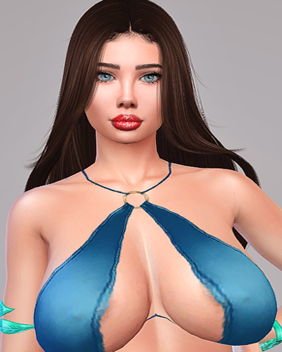
Looking for fun? ❤️WELCOME❤️ 👉Support me and download exclusive sims and mods visit my https://www.patreon.com/sugarbaby_sims👍 💞 👉Installation: Unzip the mods Copy the uncompressed files to the: Documents folder »Electronic Arts» The Sims 4 »Mods Tray files to the: Documents folder »Electronic Arts» The Sims 4 »Tray. COLLECTION LINK Thanks👍 Support me and download exclusive sims and mods visit my https://www.patreon.com/sugarbaby_sims 👇PATREON exclusive Thanks👍 -
View File ❤️Sims Collection ~ Annabel reaves~ (100+ sims downloads)❤️ Looking for fun? ❤️WELCOME❤️ 👉Support me and download exclusive sims and mods visit my https://www.patreon.com/sugarbaby_sims👍 💞 👉Installation: Unzip the mods Copy the uncompressed files to the: Documents folder »Electronic Arts» The Sims 4 »Mods Tray files to the: Documents folder »Electronic Arts» The Sims 4 »Tray. COLLECTION LINK Thanks👍 Support me and download exclusive sims and mods visit my https://www.patreon.com/sugarbaby_sims 👇PATREON exclusive Thanks👍 Submitter SugarBaby_Sims Submitted 01/16/2026 Category The Sims 4 - Sims Requirements The sims 4
-
![More information about "[FreyaSims4] SFW AI Art - XMAS - Anime - Tall"](https://static.loverslab.com/screenshots/monthly_2025_12/JjbHdzoL9PEDvEsWBQHu.thumb.jpg.b2bc1e49abe3cb54cbac6073c2820ffd.jpg)
Version 19.12.25
540 downloads
SFW AI Pictures of XMAS girls in an Anime style by [FreyaSims4] The picture textures should be of high quality. So you can even enlarge them to an enormous size, without quality loss on the image itself. ----------------------------------------------------------------- If you wanna try it out yourself, try Promptchan. ----------------------------------------------------------------- Installing: - Download desired files - Put them into your Sims4 mods folder: Documents/Electronic Arts/The Sims 4/Mods For better organization you can sort them in a new folder there, like "CC Pictures"/"CC Decoration" or similar. Remember to activate mods/cc in your game settings! -
![More information about "[FreyaSims4] SFW AI Art - XMAS 2 - Anime - Tall"](https://static.loverslab.com/screenshots/monthly_2025_12/U9ttI7xhhBjITxoHYWPg.thumb.jpg.c7db4fe5084a756fe83057239b4accd5.jpg)
Version 19.12.25
483 downloads
SFW AI Pictures of XMAS girls in an Anime style by [FreyaSims4] The picture textures should be of high quality. So you can even enlarge them to an enormous size, without quality loss on the image itself. ----------------------------------------------------------------- If you wanna try it out yourself, try Promptchan. ----------------------------------------------------------------- Installing: - Download desired files - Put them into your Sims4 mods folder: Documents/Electronic Arts/The Sims 4/Mods For better organization you can sort them in a new folder there, like "CC Pictures"/"CC Decoration" or similar. Remember to activate mods/cc in your game settings!