Select a subcategory to view available files.
Files From Subcategories
-
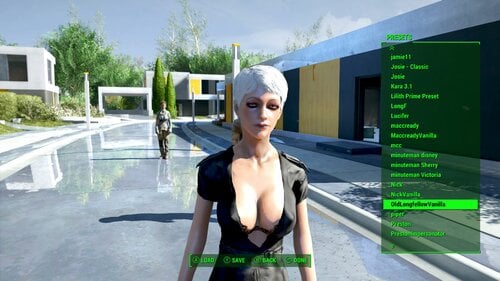
Female All the Companions DLC (Gage, Old Longfellow, DiMA)
By diegoaccord
I have found out how to make the DLC voices work. This requires a little effort on the part of the player.
Covers Gage, Old Longfellow, DiMA (The assumption is that if you are using this, you are using Nikki Valentine, and they will be twinning but have different details) and apparently there is a "Fake Gage" I covered that too, assuming that is like Preston Impersonator.
READ:
You must download BAE And extract the voice files from the DLC voice eng BA2s into DATA as loose files. Then you must delete the DLC BA2 files. As long as the DLC voice eng BA2s are in your install the game will disregard any loose files for the DLC. Once you have deleted the DLC BA2 you can install the mod which will can now be read by the game. This also solved my own issue of my Japanese player voice reverting to English when speaking about DLC related topics. This will also fix those people who mentioned Nick speaking like a man when talking about Kasumi/DLC.
I did not pack them together with base game companions because I assume that most users don't want to deal with BAE, BA2's and deleting things from DATA, so this is for those few who do want to make it work.
376 downloads
Submitted
-

Female All the Companions AIO - No dependencies.
By diegoaccord
This is a single .esp that saves space in your LO if you wish to use my female companions. I have created new vanilla looks for the characters so they don't have dependencies. The Nick and Hancock are the same JINA faces as the separate characters, the rest are mine.
Covers Preston + Impersonator, Danse, Deacon, X6-88, Strong, Hancock, MacCready, Codsworth, and Nick.
You have 2 options:
Download the sound files from my mods on this site, and use the .esp from this page in place of the .esp per character.
Or
Download the full mod here:
https://mega.nz/file/gdEkHSQB#yW6Ykj8mYQA-3q4piFnvnBTa8ixbN4L_P2aoLwnB2-I
438 downloads
Submitted
-
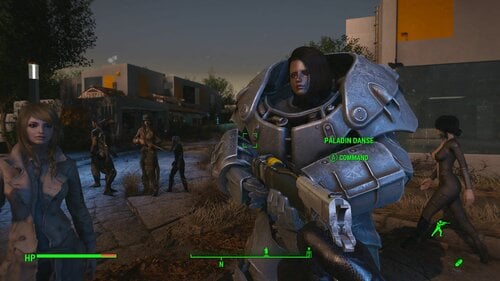
Adorkable Danse (voiced female)
By diegoaccord
The revoice covers the following mods:
Fusion City Rising
Face Elder Maxson
Reform Institute
OutCasts and Remnants
Has following dependencies:
KS Hairs
The Eyes of Beauty
Hi-Poly Faces
504 downloads
Updated
-
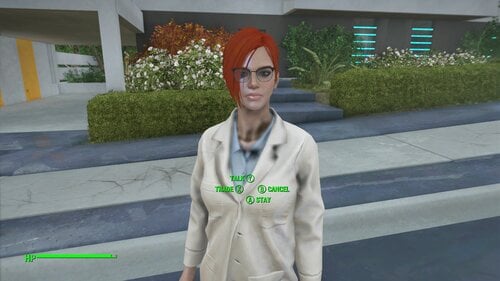
Codsworth Gen 3 Synth (voiced)
By diegoaccord
Human Female Codsworth.
Face is from Kara LM Preset https://www.nexusmods.com/fallout4/mods/43093 . I use a different preset personally but faceripper cannot copy it. I have edited the colors because my Cods is a redhead.
Requires:
Looksmenu Customization Compendium
MiscHairstyles
The Eyes of Beauty
READ:
1. DO NOT USE THIS MOD IF CODSWORTH CAN SAY YOUR NAME. I COULD NOT GET THE LINE ADDRESSES FOR THE SPOKEN NAMES. THE REGULAR VOICE WILL PLAY FOR THAT LINE.
2. Sometimes "Mum" or "Sir" is spoken in the normal voice. It is likely the same issue as the name lines.
READ:
Console commands... Codsworth's thruster visuals will sometimes persist if you are not starting a new game. To get rid of them, select his reference and type... recycleactor... followed by moveto player... then type resurrect to reset his attire.
715 downloads
Updated
-
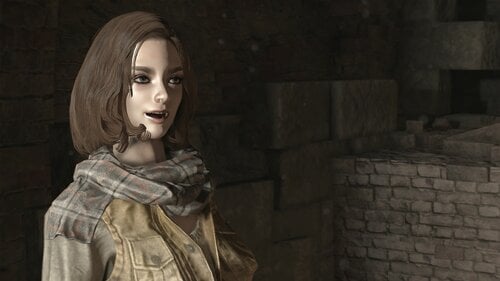
Freakin' Deacon
By diegoaccord
The face is from JINA Deacon. I had a custom face that for some reason didn't work, and honestly because I then have to turn my mod off, activate this one, find a save right when I meet the character where they haven't been otherwise edited, it was just easier to package JINA face. After that's there's no guarantee that a custom is going to look as it should if I have too much going on in my own playthrough.
No mod requirements
Covers the following mods:
Insititue Reformation
Father Companion
Fusion City Rising
464 downloads
Submitted
-
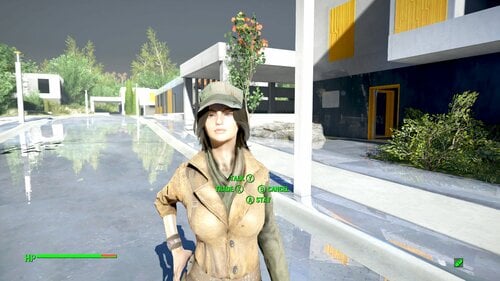
Female Maccready (Voiced)
By diegoaccord
Maccready's turn. I chose a 'whiney' voice because I feel it suits Mac.
Has dependencies:
The Eyes of Beauty
Misc Hairstyles.
868 downloads
Submitted
-
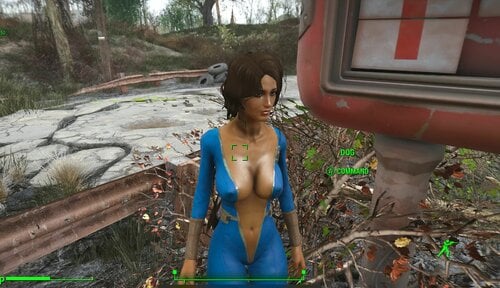
Womanmeat. Voiced
By diegoaccord
Dog is a woman. Dog can speak. A little.
Uses KS Hairdos
Hi Poly faces
215 Hair colors
813 downloads
Submitted
-
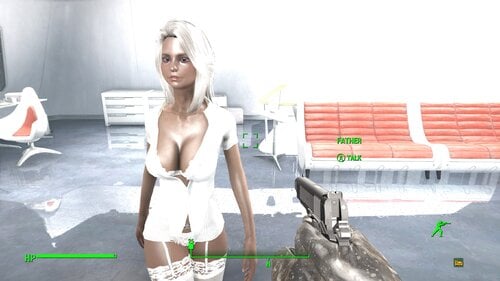
"Mother" Shaun is your daughter, not your son.
By diegoaccord
"Father" is now "Mother"
Mother's looks are still dependent on the looks of your characters, and your installed textures, and other mods. Your Mother will not look like mine.
Mine is using the mod "Genetical Father", and the last screenshot shows her mother, who is created from my preset found here:
https://www.nexusmods.com/fallout4/mods/42905
Also consider using female X6-88, alternate version refers to Shaun as "Mother" and female pronouns for this mod.
The extra file (2KB) can replace mother.esp if you want the 10 year old Shaun and Synth to be female.
1830 downloads
Updated
-
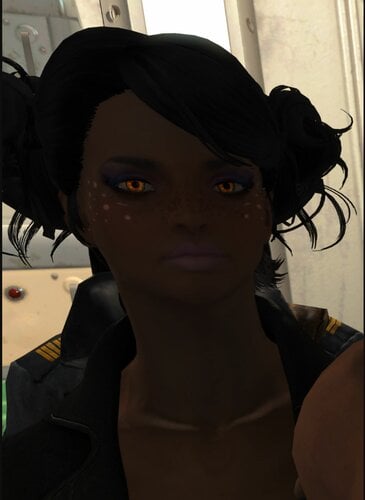
X-69 - Female X6-88 voiced
By diegoaccord
X6-88 is female.
There are 2 versions of this mod:
Original : X6 calls Shaun "Father" as in vanilla.
Mother: X6 calls Shaun "Mother" she/her, if you use my "Mother" mod which changes Shaun into a woman "Mother"
Mother Mod:
Based on my Preset found here
https://www.nexusmods.com/fallout4/mods/47621
The hair in this mod will be vanilla female 1. Face ripper didn't copy the hair or eyes from the preset. But you can get the preset from the link anyway and apply it in looksmenu if you want the exact look.
The video below is from my XBOX version which does not use the same face (since XBOX can't use extended sculpts) but does use the same voice. The video is here so you know what she sounds like.
987 downloads
Updated
-
Updated
-
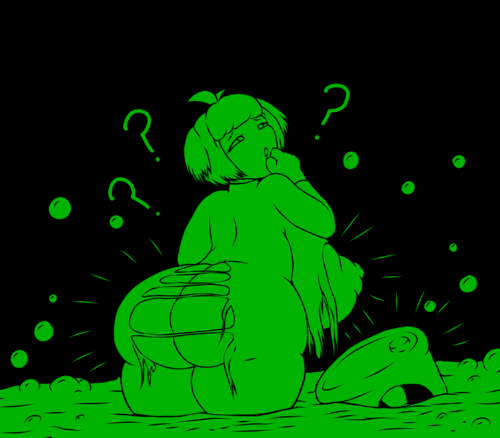
Rad Morphing Redux
By LenAnderson
Extensible Body Morphing Framework
Rad Morphing Redux reacts to external triggers and modifies LooksMenu sliders on your (or your companion's) body based on the values provided by those triggers.
Pretty much every aspect of the mod can be configured via MCM (which sliders to change, by how much, thresholds for the trigger values, unequipping of clothes, ...).
Originally, all morphing was done based on the player's radiation (hence the name Rad Morphing), but the mod has now been extended to allow input from any other mod instead. That means you could apply morphs not just based on radiation, but also SPECIAL stats, health, Sex Attributes, calorie intake, weather, addictions... as long as a mod provides the respective triggers.
Based on the mod Rad Morphing by @Invictusblade.
Cover image on LoversLab graciously provided by @Narsdarknest.
By default this mod is disabled through MCM.
You need to open MCM to configure and enable Rad Morphing Redux before it does anything.
Notice
April 4, 2023
I am stepping away from modding for at least a couple of years.
If anyone wants to continue working on this mod, you'll find everything you need on GitHub.
Getting Started
Dependencies
MCM to configure the mod LooksMenu to apply morphs A BodySlide compatible body (any body that can be modified with BodySlide / LooksMenu will work) All clothes must be built with morphs enabled in BodySlide F4SE 0.6.23 for Fallout 4 1.10.163 SUP F4SE to detect MCM changes outside of the current savegame At least one RMR trigger All DLCs
Conflicts
The mod comes with the LL_FourPlay library (LL_FourPlay.pex/psc/dll) that is also included in other mods (e.g., AAF). When your mod manager complains about a conflict I would suggest letting AAF overwrite this file.
Integration
Combat Strip Lite or Combat Strip Lite, Sound Replacer (Ripping Sounds)
Installing either of these mods (or both) allows Rad Morphing Redux to play a sound from that mod when clothes are removed due to rads. Devious Devices will not be unequipped by this mod (tested with unofficial version RC8). Advanced Animation Framework / AAF scenes involving the player are detected and the body double created by AAF will be morphed alongside the actual player body while AAF scenes are playing.
Installing
Install with your mod manager of choice. The FOMOD installer asks you how many slider sets you want to have available and lets you pick an optional default slider configuration for a couple of different bodies.
Unless you're already familiar with RMR and know how many slider sets you need, I would suggest starting with 10 to keep the MCM small. You can always re-run the installer and increase the number of slider sets later.
By default this mod is disabled through MCM.
You need to open MCM to configure and enable Rad Morphing Redux before it does anything.
Uninstalling
Before uninstalling, disable this mod in MCM to restore the original body. If you uninstall without disabling the mod first in MCM you will be stuck with a morphed body.
Triggers
Rad Morphing Redux does nothing on its own. You must install a mod that provides a trigger for this mod to be able to do anything.
RMR Trigger: Cleavage RMR Trigger: Rads RMR Trigger: S.P.E.C.I.A.L. Unhealthy Craving by @vaultbait
Limitations of LooksMenu / BodyGen
Depending on which version of LooksMenu you have installed, you will see different behavior when morphing sliders. One big limitation that as of writing this (February 2023) all versions of LooksMenu have, is that only one single value is ever applied to one slider. If multiple sources try to modify a slider (i.e., you have given a slider a value in LooksMenu and RMR tries to morph that slider, or RMR morphs a slider and another mod tries to morph that same slider), those values are not combined in any way, but only one of them is chosen by LooksMenu and applied to that slider.
LooksMenu v1.6.18
With this version of LooksMenu, which is the version suggested in the The Fucking Manual thread, the morph sent from the mod that has been set with the "highest" mod-specific keyword is being applied, independent of the slider value. As far as I understand this logic, that means that the mod with the highest (largest) mod index, i.e., loaded last in your load order, will win out. However, I have not tested this version of LooksMenu, so confirmation or correction of this assumption would be appreciated.
LooksMenu v1.6.20
With this version of LooksMenu (currently the latest version), the highest of all the values assigned to a slider is being used. As a result any value that RMR sets on a slider that is lower than either the value specified directly in LooksMenu or lower than a value sent from another mod will not have any effect since it is suppressed by that higher value.
Unfortunately that means that even without other mods modifying sliders, RMR cannot produce negative morphs on a slider that has been given a value through LooksMenu.
Configuration
The FOMOD installer comes with default settings for Atomic Beauty, CBBE, Fusion Girl, and Jane Bod. However, you can configure it to your liking through MCM with up to 50 sets of sliders with individual morphing strengths and ranges. By using the RMR Helper or editing the MCM ini file you can use even more slider sets.
For easier configuration, with previews of morphs and automatic setup for morphing from one BodySlide preset to another, you can use RMR Helper.
Start or load a game, pause, open MCM, and select Rad Morphing Redux.
General Settings
Enable Rad Morphing Redux
Enable or disable Rad Morphing Redux. On disabling RMR, the original body is restored. Display disabled warning
Whether to display a warning message when you load a game with RMR disabled. This only really exists as a notice for first installs, since RMR is disabled by default. Reload MCM settings
Reload all settings from MCM. Use this if you have modified the settings outside of the game (e.g., by using RMR Helper or directly editing the ini file) or made changes in another savegame.
Changes from other savegames and from RMR Helper should be automatically detected and result in RMR restarting. Morph Updates Morph calculation
How to calculate the morph value. RMR: This is how previous version of RMR v2 up to v2.4.0 have worked. The value calculated from your slider set configuration is sent to BodyGen to morph your character. Due to the way BodyGen / LooksMenu works (LooksMenu version 1.6.20), this means that you will not see any change on the affected sliders if the value directly set in LooksMenu (i.e., your default / original body) is higher than this value. You also won't see any change on the affected sliders if another mod has morphed that slider to a value larger than the one calculated by RMR. RMR + LooksMenu: With this setting, RMR adds the value set in LooksMenu (i.e., your default / original body) to the value calculated from your slider set configuration before sending it to BodyGen to morph your character. You still won't see any change on the affected sliders if another mod as morphed that slider to a value larger than the sum of RMR's value and LooksMenu's value. RMR + Highest Morph: With this setting, RMR reads the highest value for a slider (i.e., your default / original body or a morph from another mod) and adds that value on top of the value calculated from your slider set configuration before sending it to BodyGen to morph your character. Update delay
Seconds between morph updates when Update Type is set to Periodically. Companions Restore companion morphs when dismissed
Whether to restore morphed companion bodies to their original body when dismissing them. Healing Caps to heal 1% of morphs
Number of caps to heal 1% of morphs at a doctor. This only applies when permanent morphing (only doctors can reset morphs) is enabled.
Debug Tools
Enable logging
If you experience any problems with RMR, please enable logging and provide your papyrus log when reporting your issue.
Global Overrides
Settings made in this section will override all individual settings on the slider set pages. Descriptions for each setting can be found further down.
Permanent Morphs Only doctors can reset morphs Additive morphing Limit additive morphing Additive morphing limit Unequipping Unequip action Override chance to drop / destroy Chance to drop / destroy
Equipped Items
Show a list of all the currently equipped items and their slots.
Actor
Dropdown to select the actor (player or active companions) whose items you want to see. Refresh
The list is not automatically updated when you equip or unequip items. Click to refresh this list.
Slider Set X
Use the slider sets to configure how the body should be morphed when a trigger changes. A slider set is a group of sliders (or a single slider) that react the same way when their trigger value changes.
Sliders Slider names
Enter the names of the sliders that should be affected. When entering multiple sliders, separate them with | (e.g., Boobs Yuge|Bum Chubby).
Unfortunately you cannot just use the labels shown in BodySlide as the game needs the internal name / keyword of the slider. You can look these up in the body's SliderCategories XML file, found in .../Data/Tools/BodySlide/SliderCategories/.
Each slider has a name and a displayname attribute. The displayname is the label shown in BodySlide while name is the internal name that you have to enter in MCM.
One example from CBBE (CBBE.xml): <Slider name="BreastsNewSH" displayname="Silly Huge" /> The internal name for the slider labeled Silly Huge in BodySlide is BreastsNewSH. So BreastsNewSH is what you need to enter in MCM if you want this slider to change. Targets Apply to
Whether to apply this slider set to only the player, only companions, or player and companions. Sex
Whether to apply this slider only to female characters, only to male characters, or to both. Trigger Trigger name
Choose the trigger that you want to base the morphs for this slider set on. Invert trigger
When inverting the trigger value, morphs will take full effect when the trigger value reaches 0% and no effect at 100%.
This would allow for example to apply morphs as the player's HP goes down (i.e., no morphs at 100% HP, full morphs at 0% HP). Update type
Whether to update immediately when the trigger sends an update, periodically every X seconds (see Update delay in General Settings), or after you sleep.
When this is set to After sleeping, morphs will according by the current trigger value every time you go to sleep; i.e., after sleeping four times with a trigger value of 25% morphs will reach 100%. This way, only doctors will be able to reset your morphs, as a 0% trigger only means that no additional morphs will be added. Size Target size increase
How much the slider will change when the trigger value reaches its maximum.
These are absolute percentage points, not percentage of the current slider value. If the slider on your unmorphed body is at 50% and target size increase is set to 100% the slider will end up at 150% when fully morphed. When set to -100% it will end up at -50% when fully morphed. Lower threshold
Percentage of the trigger value at which morphing should start. While the trigger value is lower than this, no morphs will be applied. Upper threshold
Percentage of the trigger value at which morphing should end. While the trigger value is higher than this, full morphs will be applied. Unequipping Armor slots to unequip
Enter the numbers of the armor slots to unequip when the unequip threshold is reached. Separate multiple slot numbers with | (e.g., 9|11|15). You can only equip the items again once the morphing is again below the threshold.
To see what you have currently equipped, go to the Equipped Items page and click on Refresh. Unequip threshold
When x% of the morphing target is reached, the above slots will be unequipped. This is a percentage value that refers to the target size increase. Unequip action
Determines what happens to unequipped items.
Unequip: Old behavior. The unequipped items are put into the character's inventory.
Drop: Unequipped items are dropped to the ground.
Destroy: Unequipped items are completely destroyed. Chance to drop / destroy
If unequip action is set to Drop or Destroy, this setting determines how likely it is that the unequipped items are actually dropped or destroyed or just placed in the inventory. Permanent Morphs Only doctors can reset morphs
With this option enabled, the body will not restore its original shape on its own when the trigger values goes down again. You will have to visit a doctor to restore your body. Additive morphing
If enabled, morphs are added every time the trigger value increases, even if the trigger value decreases in between. This can lead to reaching a fully morphed body without a 100% trigger value, or even morphing beyond the target size increase.
Example with rads as trigger: You take 50% radiation and get morphed to 50% of your target size increase. You reduce rads to 20% (no morph change due to permanent morphs / only doctors can reset). You take some more rads and are now back up to 30% and morph a further 10% to 60% of the target size increase. Limit additive morphing
If enabled, you can limit how far additive morphing can exceed the target size increase.
If disabled, there is no limit and you can morph until Fallout crashes... I would keep this enabled. Additive morphing limit
Percentage how far additive morphing can exceed the target size increase.
0%: morphing will stop once the target size increase is reached.
100%: morphing will stop once 2x the target size increase is reached.
Development
Creating a new trigger
Rad Morphing Redux provides an API for other mods (like triggers) to interact with RMR.
Get a reference to the API Game.GetFormFromFile(0x4C50, "LenA_RadMorphing.esp") as LenARM:LenARM_API
When first running your trigger mod, register your trigger name with RMR. RegisterTrigger("YourTriggerName")
Call UpdateTrigger with value as a float between 0.0 (0%) and 1.0 (100%) to update the trigger value. UpdateTrigger("YourTriggerName", value)
Register for the OnStartup and OnShutdown events to keep track of RMR's state and avoid wasting resources while RMR is inactive. Register for the OnRequestTriggers event. Re-register your trigger name and provide the current value whenever this event is raised.
For more details, have a look at the Rads trigger. The source code is included with the mod and the full project is also available on GitHub.
Source Code
All source code is included with the mod. The full project including build scripts for VSCode is available on GitHub.
Changelog
45335 downloads
Updated
-
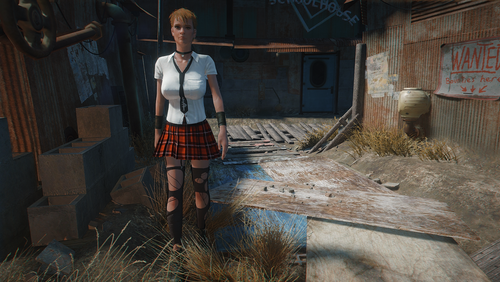
HOTC Lite - Standalone Clothing Replacer
A clothing replacer for Hookers of the Commonwealth Lite - Standalone.
This mods does a few things:
1.) It allows you to use the clothes from Easygirl Outfits with your body slide/body gen. (replaces the prebuilt clothing from HOTC, so you can use FG/CBBE.)
2.) It adds different clothing to npcs depending on what location they spawn in. (Exclusive outfits for Dugout Inn, Colonial Tap House, Third Rail, Hotel Rexford.)
3.) it adds new clothing for the npc's.
Notes:
Not all clothing pieces added from each mod, just those that I thought fit. They are filled by leveled list, but they should not be any overlaps. Occasionally some npc's won't equip the clothing they are given in inventory. Seems to be from the leveled tops. Not sure why, so some hookers might rarely be topless. Exclusive outfits seem fine.
This could probably work with other HOTC editions if you use my leveled list and Wyrebash to replace appropriate the master. And if you want to add new clothes you can look at the leveled list and probably figure it out.
Full requirements see post:
Clothing added from the following mods:
FrenchMaidFO4-CBBE.esl by Derpsdale Nexus
Venus_Nine_FG.esp by kharneth LL
Stylish_Bloomer_FG.esp by kharneth LL
Crimson_Punk_Outfit.esp by kharneth LL
VtawWardrobe5.esp by vtaw Nexus
VtawWardrobe6.esp by vtaw Nexus
VtawWardrobe7.esp by vtaw Nexus
HN66Fo4_EasyGirl_BS.esp by humannature66 Nexus
HN66Fo4_TRS.esp by humannature66 Nexus
DX_Pornstar_Fashion.esp by deserterx dianka33 Nexus
Note: I do not know an (easy way) to make the level list pull all the various material swaps from vtaw and DX pornstar fashion. So don't expect to see material swap variety for the various pieces. This also should be safe for anyone not using all the various material swaps from vtaw I think. But if you see purple clothing you know why.
2814 downloads
Updated
-
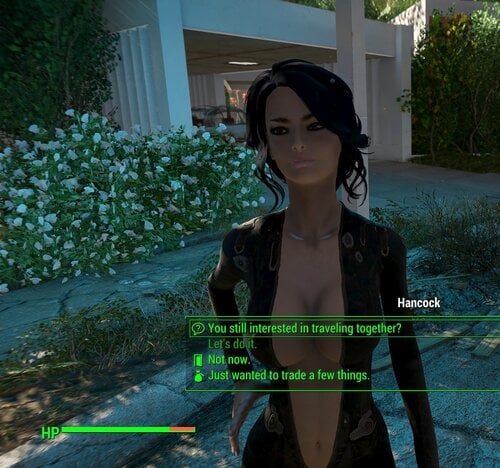
Mrs. Hancock.
By diegoaccord
Fully voiced female Hancock.
Self-referencing has been fixed so that he says "girl" instead of "ghoul". Also the bar joke has been edited. LOL.
HUD now says "Mrs. Hancock"
Face is from a mod called "JINA Hancock"
1329 downloads
Updated
-
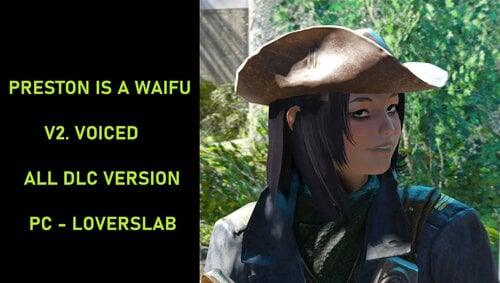
Preston is a Waifu V2 Voiced (+Impersonator)
By diegoaccord
Another settlement needs your help uWu
Preston now has a female voice.
NEW 3-19:
Increased volume
Also changes the Preston Impersonator into a waifu with female voice. Uses a different voice and hair color.
Has the following dependencies:
Oni's cute Asian face parts
Azar's Ponytail styles
TH Brows
ALL DLC/GOTY
Drop the .esp and "sound" folder into DATA. Overwrite anything it asks. Backup your game files if manually installing or using Vortex.
This is also available on
Nexus
Beth
XBOX
Not possible on PS4 due to limitations.
video
521 downloads
Updated
-
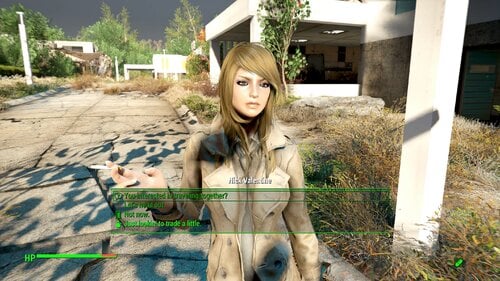
Nikki Valentine (fully voiced human female Nick Valentine replacer)
By diegoaccord
No mod dependencies. Covers DLC.
Face is from a mod called JINA Valentine, slightly edited.
1502 downloads
Updated
-
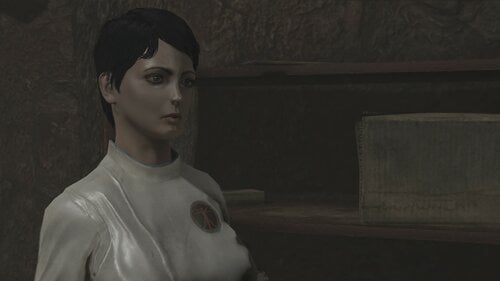
Virgil's FEV mishap. Female voiced
By diegoaccord
When Virgil takes the cure for his mutanism, there are some side-effects.
"There were some side effects to the process. I seem to have hair again. And I've grown some nice tits."
^Yes, that is said in-game. His tape is still read in his male voice, as it should be.
The voice is from Liara, so the inflection is jittery/Adderall especially combined with the AI speech. I chose it because it kind of matches.
589 downloads
Updated
-
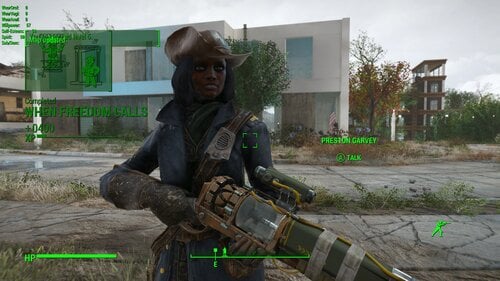
Preston is a woman, but not a Waifu (vanilla request)
By diegoaccord
Same re-voice, removed mod requirements per request.
499 downloads
Submitted
-
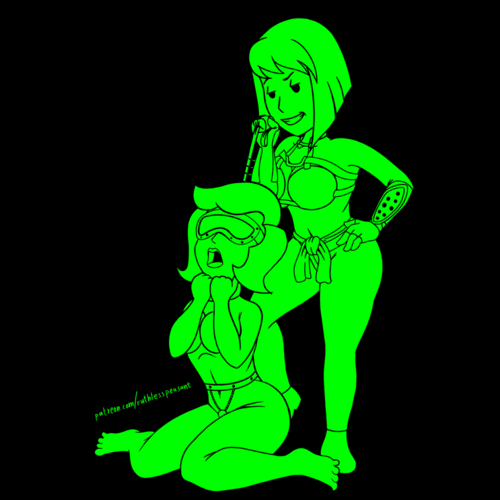
Prettier NPC Bosses
By supernipsu
What is this?
This mod changes the (facial) appearance of (some) unique female NPCs to be more appealing. (See the sceens for examples)
Check this handy list to keep track of your captured/not yet captured Unique NPCs, created by Furfi:
Currently altered NPCs are (also included in the list above):
If you know more of some other unique Raiders/Gunners or some other hostile/non hostile NPCs that you'd like to be altered in similar fashion, put a comment in, and I'll see about adding them to list.
Why?
Mainly for using in conjunction with mods like: Human Resources, Just Business etc. this makes your unique slaves more appealing.
I also highly recommend using something like: A Bit Prettier Gunners Faces & A Bit Prettier Raider Faces.
Another recommendation: Toothpick Stretching Mouth Bug Fix
If you are having issues with multiple conflicting Leveled list etc. edits, use Wrye Bash, it'll solve that.
Files come packed into BA2 archive.
Reruired Mods:
MiscHairstyle1.6 Ponytail Hairstyles by Azar KS Hairdos - Addon(s) with Physics Commonwealth Cuts - KS Hairdos - ApachiiSkyHair Kat's New Hairstyles Looks Menu Customization Compendium The Eyes Of Beauty Fallout Edition HiPoly Faces REDUX
If you need to clean up your save from un-used records from disabled mods etc. please use the Resaver to clean up your saves.
Sorry for the inconvenience.
12413 downloads
Updated
-
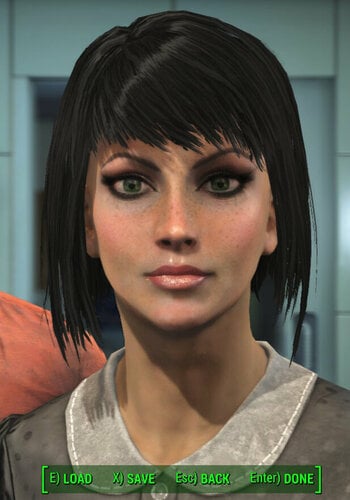
Vault Meat Looksmenu Preset
By supernipsu
This adds a Looks menu preset under the name of: A_VaultMeat
Mods Required:
Looks Menu Looks Menu Customization Compendium The Eyes Of Beauty Fallout Edition Ponytail Hairstyles by Azar v2.5a
After that, you can just select the preset during character creation (default button R, located in the left lower corner in the UI) or using console command:
slm player 1
or
ShowLooksMenu player 1
Optional Download (CompanionIvy_Edits)
The optional file changes the appearance of Ivy from Companion Ivy -mod to that of Vault Meat.
Also adds FallUI tags to various items included in the mod.
Additional Requirements:
Meet Companion Ivy 6.0
Highly Recommended:
Companion Ivy RealSex Mod 0.9 Companion Ivy - XDI patch
4386 downloads
Updated
-
Rad Morphing Redux Trigger: Cleavage
By LenAnderson
Simple on/off equipped slots trigger (player and companions) for Rad Morphing Redux.
Checks equipping and unequipping of user-specified slots on the player as well as active companions and lets Rad Morphing Redux know whether any of the slots are occupied or if they are all empty.
Inspired by @sullysam's idea for a pushup effect toggle.
Dependencies
Rad Morphing Redux - without RMR this mod does nothing. MCM - to configure the slots to observe and the keyword sent to RMR.
Installing
Install with your mod manager of choice. Then configure the armor slots to observe in MCM.
By default the trigger uses the name "Cleavage: Player" and "Cleavage: Companion Name" (e.g., "Cleavage: Piper").
Uninstalling
Uninstall with your mod manager of choice.
Configuration
Without setting up armor slots to observe in the trigger's MCM and a slider set in RMR, this mod does nothing.
Open this mod's MCM. Pick the actor you want to configure. Define the armor slots to observe.
Separate multiple slots with | (e.g., 9|11|15).
When any of the slots are occupied, the trigger value will be 100%.
When all of the slots are empty, the trigger value will be 0%.
This trigger will only ever have one of those two values. Open RMR's MCM. Configure a slider set to use the Cleavage trigger (or the trigger name you set in this mod's MCM).
Since the trigger value is either 0% or 100%, the thresholds should be at 0% and 100%.
Source Code
Source code is provided with the mod.
Changelog
5847 downloads
Updated
-
Rad Morphing Redux Trigger: S.P.E.C.I.A.L.
By LenAnderson
S.P.E.C.I.A.L. stats trigger for Rad Morphing Redux.
Periodically checks the player's S.P.E.C.I.A.L. stats and informs Rad Morphing Redux about the current values.
Dependencies
Rad Morphing Redux - without RMR this mod does nothing. MCM - to configure frequency and the keyword sent to RMR.
Installing
Install with your mod manager of choice.
By default the trigger uses the prefix "SPECIAL" followed by a colon, space, and the name of each stat (e.g. "SPECIAL: Strength") and updates every 10 seconds.
The prefix and the update interval can be changed through MCM.
Uninstalling
Uninstall with your mod manager of choice.
If you want to make sure the timer is stopped and event listeners unregistered, call Shutdown on the mod's quest before uninstalling.
cqf LenARMT_Rads_Main Shutdown
Source Code
Source code is provided with the mod.
7284 downloads
Submitted
-
Rad Morphing Redux Trigger: Rads
By LenAnderson
Radiation trigger for Rad Morphing Redux.
Periodically checks the player's radiation and informs Rad Morphing Redux about the current radiation value.
Dependencies
Rad Morphing Redux - without RMR this mod does nothing. MCM - to configure frequency and the keyword sent to RMR.
Installing
Install with your mod manager of choice.
By default the trigger uses the name "Rads" and updates every 10 seconds.
Both of these settings can be changed through MCM.
Uninstalling
Uninstall with your mod manager of choice.
If you want to make sure the timer is stopped and event listeners unregistered, call Shutdown on the mod's quest before uninstalling.
cqf LenARMT_Rads_Main Shutdown
Source Code
Source code is provided with the mod. The full project including build scripts for VSCode is available on GitHub.
11900 downloads
Submitted
-
Companion Ivy Main Menu Replacer
By Reginald_001
This replaces the main menu background with Ivy's cellar. And replaces the main them with her 'affinity' music.
That will be all.
Thank you for downloading.
Have fun using it.
360 downloads
Submitted
-
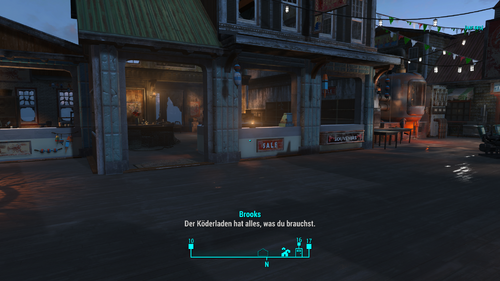
Far Harbour Paradise UPDATE 2
For all Players, who love Dirt, Trash and disgusting Waste, go on this Mod isn´t for you, cause this Mod makes Far Harbour a little Paradise and not a Waste Bin!!!
For all are newer to Modding! Best you start a Fresh New Game, so all i modded can take Place!!!
As i promised, its so far, Far Harbour a much better Far Harbour, with an Luxury Acadia, a absolute clean Harbour, a clean NAKANO House, Mitch BAR CEAN+Mitch Face hehe, Roads clean, Environment Cleaner, Acadia has now a NEW FENCE! In Acadia in YOUR private Suite a Surprise awaits you, in Form of a Megastrong Weapon!
OCEAN is absolute clean of Nuclear Slime and Trash!!! So yes, now you can take a little Bath.
Echo Lake is now Clean, Flat and the four Shops belong now also to you, so the building Area is a bit bigger than before, the only Thing is, you need to move the Boss Trunk down from above you, i set it in CK on Ground, but well, seems the Trunk dont wanted to. You can move her down in the Building Menu , means V.
Visitor Center Settlement is Clean and Flat, you can even build behind the House, The House is total rebuilded, no holes or broken Walls anymore, it also has now a cool Gazebo in front of it.
Cause i´m still work on it, the Dalton Farm will be next, so you dont have to build on Hills and Rocks, Flat, yes i will do it with the next Update.
Cleared Radiation + Fog out of Echo Lake and Visitor Center, cause Radiation in a Settlement only SUCKS! Reopened and Navmeshed that Building in the Echo Lake Lumber Mill, once was boarded up! So now you can use it!
I hope you like what you see and like the Overhaul of Far Harbour.
Enjoy
TYSM EVERYONE Have Fun
Friends and Players, Badly i found myself an BUG that let dissapear the PUMP in the BAY of the NUCLEUS!!!!!! BIIIG Promis i will fix this and with the next UPDATE ALL WILL BE GOOD AGAIN!
Meanwhile you can solve the Problem, if you also dont find the PUMP for Sister Maii ´s WASHSALON, do this:
1.) Open Console
2.) Than Type in this Code for finishing her quest: SetStage DLC03CoA_FFNucleus03 40
40 is for Quest is Done.
You still have to push the Button on Top under the Arch and you will hear a Peep Peep, but the Quest is anyway complete!
As i said i fix this in the next three Days, depends on the Time, where i got not to Work RL, and the Fix comes with my next Update, where also the Dalton Farm is flat and clean, but also the Edge Cliff Hotel + the Vault inside will be repaired outside and cleaned inside + a PLAYER ROOM with all you need as Bonus!
Sorry again to all, that happened with the Pump!
Thank you all
What's New in Version 1.1.
Released 1 minute ago
NEW UPDATE TO FAR HARBOUR PARADISE v.1.0
AS Always, START NEW GAME - ENJOY
The Last Plank looks now even more Better.
Food is no more Radiated so won´t harm you! Nuka Colas all Sorts of no Radiation Free!
New Location added!!!
All works now Properly and i hope you enjoy it.
TYSM All
UPDATED: Dalton Farm is now FLAT AND CLEAN!!!!!! V.1.1.
FarHarbourParadise.rar
926 downloads
- far harbour
- clean
- (and 2 more)
Updated
-
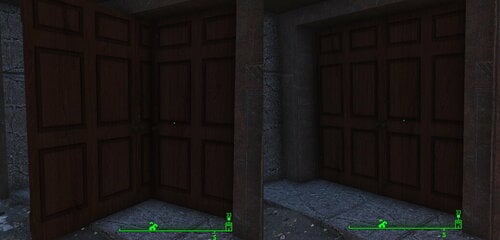
Door Fix for CC Neon Flats and Better Goodneighbor
By misterpipes
A ESL-flagged ESP micro-patch to remove a second double door appearring in Goodneighbor when using Creation Club's Neon Flats and Better Goodneighbor.
211 downloads
Submitted

![More information about "[CalebVito]Couple Pose714-Animation"](https://static.loverslab.com/screenshots/monthly_2026_10/GIF_20261020144345409.thumb.gif.b4158e5f71212b9c33cb5f05937d1ea8.gif)
![More information about "LoveWorld (Alpha 0.0.1) [Forge 1.20.1]"](https://static.loverslab.com/screenshots/monthly_2026_10/LW_alfa_main_001.thumb.png.4391d2d62de1509e21d15a616eb364d1.png)