
Search the Community
Showing results for tags 'nfsw'.
Found 8 results
-
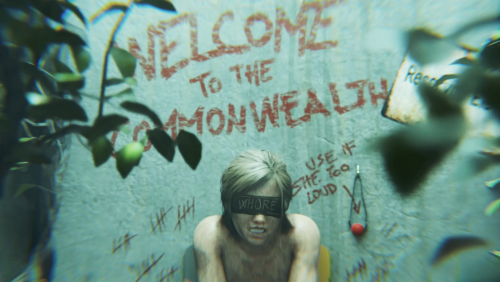
 Showcasing the most popular mods from LoversLab by Animated Random Main Menu (RMM) View File For now, I am posting my own selection of videos, but the LoversLab community is what matters most. So, please don't hesitate to suggest mods you'd like to see animated, as well as the characters involved. Just a reminder: I only handle the research, video editing, and conversion — I don't do the actual animation — so I have immense respect for the work done by the artists. To make a request, go to "GET SUPPORT" and copy/paste the following: Animation: ... Characters: ... Inspired by the LoversLab mod: ... ____________________________________________________________________________________________________________________________ I plan to regularly update this mod to add videos related to other popular LoversLab mods. To initialize the mod, I selected a "Welcome to the Commonwealth" introductory video, along with three others currently featured on the first page of LoversLab's Fallout 4 mods. The screenshots are arranged in order of publication, from oldest to newest (so be sure to check out the latest pictures). ____________________________________________________________________________________________________________________________ Requirements: - Random Main Menu (nexus mods) ____________________________________________________________________________________________________________________________ How to install: - Use "Mod Organizer 2" or "Vortex" to install Random Main Menu (nexus mods) - Add the video file in "Mod Organizer 2" or "Vortex" to install it That it. ____________________________________________________________________________________________________________________________ You can, like me, create your own videos for Random Main Menu, the original mod of RMM explain: ____________________________________________________________________________________________________________________________ Credits: 00_Welcome-to-the-Commonwealth Animation: ZMSFM Characters: Ellie (The last of us) Duration: 40 seconds Inspired by the LoversLab mod: None in particular; it's just for the presentation. 01_Sex-Attibutes_Arousal Animation: Nagoonimation Characters: Kara (Detroit: become human) Duration: 107 seconds Inspired by the LoversLab mod: [AAF] Sex Attributes 02_Violate Animation: KDH Characters: D.VA (overwatch) Duration: 104 seconds Inspired by the LoversLab mod: AAF Violate 03_Plugs-of-the-Commonwealth Animation: Wildeerstudio Characters: Lara Croft (Tomb Raider) Duration: 60 seconds Inspired by the LoversLab mod: Plugs of the Commonwealth 04_Sexual-Harassment_(Fan-Drink) Animation: ZMSFM Characters: Shepard (Mass Effect) Duration: 115 seconds Inspired by the LoversLab mod: Sexual Harassment 05_Captive-Tattoos Animation: ZMSFM Characters: Lara Croft (Tomb Raider) Duration: 68 seconds Inspired by the LoversLab mod: Captive Tattoos 06_Rad-Morphing-Redux (Rads) Animation: Vreya3D Characters: Tifa (Final Fantasy VII) Duration: 108 seconds Inspired by the LoversLab mod: Rad Morphing Redux 06_Rad-Morphing-Redux (Arousal) Animation: Vreya3D Characters: Kasumi (Dead or Alive) Duration: 83 seconds Inspired by the LoversLab mod: Rad Morphing Redux: Arousal 07_FO4-Amputator Animation: HydraFXX Characters: Kara & Chloe (detroit: become human) Duration: 60 seconds Inspired by the LoversLab mod: FO4 Amputator 08_Immersive-Prostitution-and-Harassment Animation: ZMSFM Characters: Panam (Cyberpunk 2077) Duration: 63 seconds Inspired by the LoversLab mod: Immersive Prostitution and Harassment 09_Sex-Attibutes_Arousal (Stats Bugs) Animation: ZMSFM Characters: Widowmaker (Overwatch) Duration: 47 seconds Inspired by the LoversLab mod: [AAF] Sex Attributes 10_Sexual-Harassment_(Hypnosis) Animation: KDH Characters: Sombra (Overwatch) Duration: 113 seconds Inspired by the LoversLab mod: Sexual Harassment 11_Kziitd-Fetish-Toolset Animation: ZMSFM Characters: Claire (Resident Evil) Duration: 41 seconds Inspired by the LoversLab mod: Kziitd Fetish Toolset 12_Raider-Pet Animation: FC17 Studios Characters: Lara Croft (Tomb Raider) Duration: 113 seconds Inspired by the LoversLab mod: Raider Pet ____________________________________________________________________________________________________________________________ ____________________________________________________________________________________________________________________________ This mod is only available here in LoversLab, if you see it outside, it is not me. I don't give my permission to post them elsewhere. Submitter blabla_18 Submitted 08/16/26 Category Other Requirements RandomMainMenu
 -
 View File PrimalPals + T-Box Pal Dressing Facility — Compatibility Add-on V1.3.5 [Mod] ABOUT THIS MOD This is a compatibility mod for PALMAGIC. It allows PrimalPals to work alongside T-Box Pal Dressing Facility All-in-One and supported official vanilla skins from the Dressing system. When a compatible T-Box or official vanilla appearance is selected through Dressing, the Guardian preserves it instead of allowing PalMagic to immediately replace it with a Primal appearance. PrimalPals remains the automatic/default appearance source. Removing a Dressing appearance returns control normally to PrimalPals and PalMagic. The Guardian provides a ready-to-install option for using compatible Dressing appearances alongside PrimalPals, without having to prepare specific JSON configurations for this compatibility. Different Pals can simultaneously retain: 1. A Primal appearance applied automatically by PrimalPals. 2. A custom T-Box appearance selected through Dressing. 3. A supported official vanilla appearance selected through Dressing. Each individual Pal still uses only one appearance at a time. REQUIRED VERSIONS - An experimental UE4SS build compatible with Palworld. UE4SS build used in testing: 3.0.1 Beta / f6d5f942 https://github.com/UE4SS-RE/RE-UE4SS/releases - T-Box Pal Dressing Facility All-in-One: version 0.0.698.22 T-Box Pal Dressing Facility Skin Swap at Palworld Nexus - Mods and community - PrimalPals: version 1.4.4.1 - PalMagic - Runtime Model Replacer: version 0.2.4 IMPORTANT This add-on is specifically a compatibility mod for PALMAGIC. It is not standalone and does not replace any required mod listed above. This version does not support DynamicPals. VERSION HISTORY — 1.3.3 / 1.3.4 - V1.3.3: Improved protection against unwanted appearance changes, recognition of skin variants, and installation compatibility. - V1.3.4: Updated support for T-Box 0.0.698.22, improved appearance restoration checks, and added a warning for catalog problems. WHAT IS NEW IN VERSION 1.3.5 - Extends compatible Dressing appearance protection to necklace followers. - Includes followers such as Dazzi and Dazzi Noct even when no Primal appearance is applied to them. - Keeps the existing protection for party and base Pals and the same skin catalogs. UPGRADING FROM PREVIOUS VERSIONS 1. Close Palworld completely. 2. REQUIRED: Remove all previous Guardian version folders from Pal\Binaries\Win64\ue4ss\Mods before installing V1.3.5, including V1.3.4, V1.3.3, V1.3.2 and any older release. Disabling them or removing enabled.txt is NOT sufficient. If you want backups, move them completely outside the Mods folder. 3. Remove only old Guardian folders. Leave other mods and their files intact. 4. Install V1.3.5 with the folder name PalMagicTBoxGuardianV135, without dots. Dotted version names can collide in UE4SS. 5. Only the new PalMagicTBoxGuardianV135 folder should remain in Mods among Guardian versions. INSTALLATION 1. Install and verify every requirement separately using the versions above. 2. Close Palworld completely. 3. Extract this ZIP into the Palworld game root, normally: ...\SteamLibrary\steamapps\common\Palworld 4. Confirm the final path: Pal\Binaries\Win64\ue4ss\Mods\PalMagicTBoxGuardianV135 5. REQUIRED: Confirm that all older Guardian version folders have been removed from Mods. Do not leave disabled copies there. Keep only PalMagicTBoxGuardianV135. 6. Start the game and enter a world normally. 7. Build and use a Pal Dressing Facility. Follow the instructions below for your Pal. SKIN CHANGES: PARTY PALS AND BASE PALS - Party/companion Pal: keep the Pal in your party. BEFORE changing its skin, use the recall command to return it to its sphere so it is no longer out in the world. Do NOT remove it from your party or place it in the Palbox for this step. Change the skin in the Dressing Facility, then send the Pal out again. - If you already changed the skin while your companion Pal was out in the world, place it in the Palbox and return it to your party. Recalling it to its sphere after that attempt may not be enough to refresh the appearance. - Base Pal: after changing its skin, move it from the base into the Palbox, then assign it back to the base to refresh its appearance. - Necklace follower: supported followers can also use the selected Dressing appearance. If a skin change or removal is not reflected, place the Pal in the Palbox and return it to your party. Do not extract this add-on into Paks\~mods. HOW IT WORKS - Preserves compatible T-Box and official Dressing appearances when PalMagic attempts to replace them with Primal appearances. - Improves recognition of similarly named skin variants. - Removing a Dressing appearance returns control to PrimalPals and PalMagic after refreshing the Pal as described above. VALIDATED BEHAVIOR The integrated follower protection was tested on the Windows/Steam host with multiplayer enabled, using PalMagic 0.2.4. The tester confirmed expected appearances for Flopie, Daedream, Dazzi and Dazzi Noct in the tested T-Box variants, including skin removal/reapplication. Automatic startup was confirmed across separate game sessions. Earlier V1.3.4 tests covered returning to the menu, Palbox storage/retrieval, fast travel, dungeons, a tower encounter, base Pals, supported official skins and the Pals brought to the Bellanoir raid. Those scenarios have not all been repeated with V1.3.5. Connected guests, dedicated servers, all Alpha/Boss variants and official skins on necklace followers have not been validated. This release does not claim a complete fix for every multiplayer skin-reversion report. Follow the party/base instructions above. CATALOG AND LIMITS - The T-Box catalog contains 1,407 unique exact mappings. - The official vanilla catalog contains 51 exact class paths covering 26 skin records. - Not every Pal, skin, animation, skeleton, save state, or gameplay context has been visually tested. - PalMagic "Skin mismatch found" notices are outside this add-on's scope. - Animation and skeleton compatibility are not modified. Incompatible assets may still cause a T-pose or deformation. - Future Palworld, UE4SS, PalMagic, PrimalPals, or T-Box updates may require an add-on update. - Xbox/Game Pass has not been validated. UNINSTALLATION Close Palworld completely and remove only: Pal\Binaries\Win64\ue4ss\Mods\PalMagicTBoxGuardianV135 Leave other mods and their files intact. DOWNLOAD CONTENTS The download includes the compatibility add-on and installation guides. Install the required mods separately; they are not included in this package. CREDITS Compatibility add-on by GhostWeedBR. All original models, textures, frameworks, names and assets belong to their respective authors. This package contains only compatibility logic between PrimalPals, T-Box Pal Dressing Facility and PalMagic, using UE4SS. . .Thanks MonoDrago❤️ Submitter GhostWeedBR Submitted 07/29/26 Category Palworld
 -
Welcome to The V Vault. This is where I'll keep everything that doesn't fit in the main threads. Two categories: Photos and Extras. This first entry is for Photos. Shots, poses, moments. Not part of any story – just images I wanted to share. Uncensored, as always. More coming soon. – Vitaly
-
Version 1.12
3998 downloads
For now, I am posting my own selection of videos, but the LoversLab community is what matters most. So, please don't hesitate to suggest mods you'd like to see animated, as well as the characters involved. Just a reminder: I only handle the research, video editing, and conversion — I don't do the actual animation — so I have immense respect for the work done by the artists. To make a request, go to "GET SUPPORT" and copy/paste the following: Animation: ... Characters: ... Inspired by the LoversLab mod: ... ____________________________________________________________________________________________________________________________ I plan to regularly update this mod to add videos related to other popular LoversLab mods. To initialize the mod, I selected a "Welcome to the Commonwealth" introductory video, along with three others currently featured on the first page of LoversLab's Fallout 4 mods. The screenshots are arranged in order of publication, from oldest to newest (so be sure to check out the latest pictures). ____________________________________________________________________________________________________________________________ Requirements: - Random Main Menu (nexus mods) ____________________________________________________________________________________________________________________________ How to install: - Use "Mod Organizer 2" or "Vortex" to install Random Main Menu (nexus mods) - Add the video file in "Mod Organizer 2" or "Vortex" to install it That it. ____________________________________________________________________________________________________________________________ You can, like me, create your own videos for Random Main Menu, the original mod of RMM explain: ____________________________________________________________________________________________________________________________ Credits: Welcome-to-the-Commonwealth Animation: ZMSFM Characters: Ellie (The last of us) Duration: 40 seconds Inspired by the LoversLab mod: None in particular; it's just for the presentation. Sex-Attibutes_Arousal Animation: Nagoonimation Characters: Kara (Detroit: become human) Duration: 107 seconds Inspired by the LoversLab mod: [AAF] Sex Attributes Violate Animation: KDH Characters: D.VA (overwatch) Duration: 104 seconds Inspired by the LoversLab mod: AAF Violate Plugs-of-the-Commonwealth Animation: Wildeerstudio Characters: Lara Croft (Tomb Raider) Duration: 60 seconds Inspired by the LoversLab mod: Plugs of the Commonwealth Sexual-Harassment_(Fan-Drink) Animation: ZMSFM Characters: Shepard (Mass Effect) Duration: 115 seconds Inspired by the LoversLab mod: Sexual Harassment Captive Tattoos Animation: ZMSFM Characters: Lara Croft (Tomb Raider) Duration: 68 seconds Inspired by the LoversLab mod: Captive Tattoos ____________________________________________________________________________________________________________________________ ____________________________________________________________________________________________________________________________ This mod is only available here in LoversLab, if you see it outside, it is not me. I don't give my permission to post them elsewhere. -
Version 1.3.5
4571 downloads
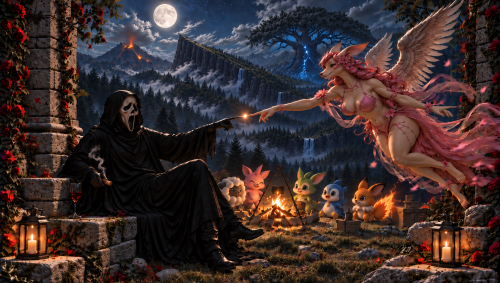
ABOUT THIS MOD This compatibility add-on aims to allow the clean, complete official PrimalPals package to work alongside T-Box Pal Dressing Facility All-in-One. PrimalPals remains the automatic/default appearance source. The Guardian records the first valid Primal mesh observed for each individual Pal as its immutable BirthPrimal. A compatible appearance selected through T-Box becomes a persistent and reversible overlay: it has no timer and remains active until it is replaced or removed. Removing T-Box restores that same individual's recorded BirthPrimal instead of forcing vanilla or choosing a new random variant. Version 1.2 Fixed is an event-driven UE4SS Lua runtime module. It replaces the selective ModelJSON method used by compatibility Versions 1.0 and 1.1. This download contains compatibility logic and documentation only. It does not redistribute PrimalPals or T-Box models, textures, animations, PAK files, save files, personal identifiers, or PalMagic persistence data. REQUIRED DOWNLOADS This add-on is not standalone. Download and install every dependency manually from its official source. - UE4SS - Okaetsu Experimental-Palworld: https://www.nexusmods.com/palworld/mods/3035?tab=files - PalMagic - Runtime Model Replacer 0.2.3: - T-Box Pal Dressing Facility Skin Swap: https://www.nexusmods.com/palworld/mods/2954?tab=files&file_id=20424 Download the All-in-One release from the Files tab. - PrimalPals: Validated with the Windows/Steam game build v1.0.2.101103 and PalMagic 0.2.3. Future game or dependency updates may require a compatibility update. Xbox/Game Pass has not been validated. UniPalUI, SCake, and animation packs are not required by this add-on. They may still be required by other mods in your installation. This release is designed for PalMagic and does not support DynamicPals. IMPORTANT - UPGRADING FROM VERSION 1.0 OR 1.1 1. Close Palworld completely. 2. Remove the modified male-only PrimalPals PAK used by the old Version 1.0 experiment, if it is still installed. 3. Remove only the selective compatibility PrimalPals.json from: Palworld\Pal\Content\Paks\~mods\ModelJSON 4. Restore the clean, complete official PrimalPals PAK and official ModelJSON. 5. Regenerate PalMagic's _ManifestList.json if your ModelJSON set changed. Do not delete _PalMagicPersist_*.json. It stores PalMagic's saved per-individual appearances. Do not delete unrelated ModelJSON files. WHAT IS NEW IN VERSION 1.2 FIXED - Replaces the legacy selective ModelJSON method with an event-driven UE4SS Guardian. - Adds immutable per-individual BirthPrimal persistence. - Makes compatible T-Box appearances indefinite, reversible overlays. - Restores the exact recorded Primal variant for that individual when T-Box is removed. - Protects compatible T-Box selections through base use, companion use, world reloads, and full game restarts in validated scenarios. - Clears leftover Primal material overrides during restoration. - Adds delayed world-stability gating for heavily modded startup. - Shows one minimal in-game status notice per world entry using Palworld's own notification system. - Includes 877 exact T-Box class-to-mesh mappings. - Uses no continuous world scanner and retains no live UObject cache. - Public build contains no diagnostic CSV, personal GUID seed, or verbose per-mesh logging. ⚠️ INSTALLATION ⚠️ 1. Install and verify every required dependency separately. 2. Complete the V1.0/V1.1 cleanup above if applicable. 3. Close Palworld completely. 4. Extract this archive into the Palworld game root, normally: ...\SteamLibrary\steamapps\common\Palworld 5. Confirm the final module path is: Pal\Binaries\Win64\ue4ss\Mods\PalMagicTBoxGuardianV12Fixed 6. Delete the complete old PalMagicTBoxGuardianV10 folder and any other older PalMagicTBoxGuardianV* test-module folders. Do not leave V10 installed and disabled; remove it. Keep only PalMagicTBoxGuardianV12Fixed. 7. Start the game and allow the title screen/mod initialization to settle before entering a heavily modded world. Do not extract this add-on into Paks\~mods. EXPECTED STATUS After a stable gameplay world is detected, Palworld displays: [T-Box] Guardian active. The message is intentionally shown once per world entry. It uses Palworld's own notification system and does not require UniPalUI. If initialization cannot be completed, the Guardian instead reports that it is unavailable. HOW TO USE IT - Pals without a manually selected T-Box appearance remain controlled by the official PrimalPals and PalMagic setup. - Apply or replace compatible T-Box appearances normally through the Pal Dressing Facility. - The selected T-Box appearance remains active indefinitely on that individual until you replace or remove it. - Removing T-Box restores the immutable BirthPrimal recorded for that individual. This preserves the intended combination: diverse PrimalPals world appearances by default, with T-Box as a persistent and reversible per-Pal choice. HOW IT WORKS The Guardian reacts to PalMagic's ApplyMesh event. When the affected Pal owns a recognized T-Box appearance, it restores the exact T-Box mesh and clears incompatible leftover material overrides. When T-Box is removed, it restores the Pal's recorded BirthPrimal. The first valid Primal mesh observed for a GUID is recorded in: PalMagicTBoxGuardianV12Fixed\State\birth_primal_registry.tsv The registry is append-only and written only when a new individual baseline is learned. Keep it during normal updates. Deleting it intentionally resets every learned BirthPrimal baseline. The Guardian does not overwrite _PalMagicPersist_*.json, continuously scan the world, or keep live game-object references cached. The public build does not create a diagnostic CSV. VALIDATED BEHAVIOR Controlled tests covered T-Box apply, persistence, replacement, removal, exact Primal return, world reload, and full executable restart. Lovander, Nitewing, Melpaca, Galeclaw, Mozzarina, and additional mappings were observed successfully. The catalog contains 877 exact T-Box mappings. Every possible Pal, skin, save state, and gameplay context has not been visually tested. KNOWN LIMITS - The first valid Primal mesh observed becomes the immutable BirthPrimal baseline. If an already corrupted setup is observed first, close the game, correct the installation, and intentionally reset the registry before retesting. - PalMagic "Skin mismatch found" notifications are outside this add-on's scope. - Animation and skeleton compatibility are not modified. Incompatible animation assets may still cause a T-pose or severe deformation. - Future Palworld, UE4SS, PalMagic, PrimalPals, or T-Box updates may require a compatibility update. - Xbox/Game Pass has not been validated. UNINSTALLATION Close Palworld and remove only: Pal\Binaries\Win64\ue4ss\Mods\PalMagicTBoxGuardianV12Fixed Do not delete _PalMagicPersist_*.json unless you deliberately want to reset PalMagic itself. CREDITS All original models, textures, frameworks, names, and assets belong to their respective PrimalPals, T-Box Pal Dressing Facility, PalMagic, and UE4SS creators. This package contains only compatibility logic and documentation. It does not redistribute or modify their official assets. A BRIEF NOTE I apologize for the frequent changes while this compatibility add-on is being stabilized. Thank you for your patience, testing, and understanding. -
 For anyone who knows how and wants to do this, my Discord is Colega_Ingreme.
 -
PREVIOUSLY Evermore Underground Tebandra village Arnima
-
Atanea Luxia Ayrana
.thumb.jpg.e350921a34411b73f68ecd577e89f91f.jpg)
.thumb.jpg.d997c24bdae2165611e4b7bcb7b348df.jpg)