Body Parts
Custom body parts and textures to use with created Sims
298 files
-
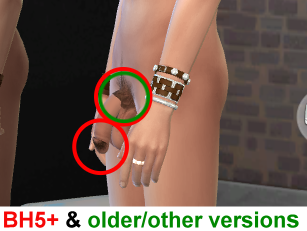
Luumia BH5 Plus for Simdulgence Realgens
Hierbei handelt es sich um eine überarbeitete Version von Luumias BH5+ Bodyhair - speziell angepasst auf die Simdulgence Realgens Bodyparts.
Simdulgence hat zwar eigene Körperbehaarung, aber das für die Arme und Beine hat mir nie so zugesagt. Ältere Versionen von Luumias BH funktioniert zwar durchaus auch, aber nicht ganz so wie ich mir das vorstellte - und davon abgesehen, mangelte es an Auswahl.
Also habe ich mich dran gesetzt, jede Textur so zu bearbeiten, dass sie mit Simdulgence verwendet werden kann, ohne haarige Problemzonen zu verursachen.
Bei der Gelegenheit habe ich auch die Achselhaare separiert, um mehr Gestaltungsfreiheit zu erhalten.
Da das Projekt ursprünglich nur für den Eigenbedarf vorgesehen war, habe ich bei der Gestaltung der Thumbnails mehr Wert auf Information als "schickes Aussehen" gelegt. Ich hatte zwar überlegt sie zu ändern, aber da sie ihren Zweck erfüllen, habe ich davon abgesehen. Man möge mir meine Faulheit verzeihen... ?
Das Set besteht daher aus 2 Teilen:
1) Körperbehaarung: 6 Farben in 22 Variationen & 2 Farben in 8 Variationen, unter Tattoo.
2) Achselbehaarung: 6 Farben in 5 Variationen je Pack (2x Tattoo, 2x Skindetail)
Alle Packs sind einzeln, somit kann man individuell entscheiden, welche man im Spiel haben möchte.
==================================================================
This is a reworked version of Luumia's BH5+ Bodyhair - specially modified to fit the Simdulgence Realgens Bodyparts.
Simdulgence has its own body hair, but I never really liked the one for the arms and legs. Older versions of Luumia's BH worked fine, but not quite the way I wanted - and apart from that, there was a lack of choice.
So I took it upon myself to edit each texture in a way that it could be used with Simdulgence, without causing hairy problem areas.
I also used the opportunity to separate the armpit hair for more design flexibility.
Since the project was originally only intended for my own use, I decided to design the thumbnails more for information than for a "nice look". I had though about changing them, but since they fulfill their purpose, I decided not to do so. Please forgive my laziness... ?
So the Set consists of 2 parts:
1) Body hair: 6 colours in 22 variations & 2 colours in 8 variations, under Tattoo.
2) Armpit hair: 6 colours in 5 variations per pack (2x Tattoo, 2x Skindetail).
All packs are separated, so you can decide individually which ones you want to have in the game.
==================================================================
Edited with: Sims4 Studio, Paint.NET, PhotoImpact X3
All credit goes to LUUMIA, the creator of the original BH5Plus body hair:
https://luumiasims.com/post/160374208324/body-hair-v5-body-hair-is-back-and-even-more
(02.28.2021)
Neuigkeiten: Seit dem 25.02.2021 gibt es auch von Luumia eine überarbeitete Version des Bodyhair 5+, die unter anderem mit Simdulgence Realgens kompatibel ist.
Download über Luumias Patreon Seite (kostenfrei): https://www.patreon.com/posts/body-hair-v5-47986877
News: Since 02/25/2021, there is also a reworked version of the Bodyhair 5+ from Luumia, which is compatible with Simdulgence Realgens, among others.
Download via Luumia's Patreon page (for free): https://www.patreon.com/posts/body-hair-v5-47986877
21549 downloads
Updated
-
![More information about "Yummy-o-tummy: [Furry Dream Pussy]"](https://static.loverslab.com/screenshots/monthly_2021_04/1238875056_TS4_x642021-03-0917-37-03.thumb.png.f7faeb00ce5ded2295877297c3b7b222.png)
Yummy-o-tummy: [Furry Dream Pussy]
Support WickedWhims body Preset and CAS Bottom
Goes well with: wild guy's Female Body Details
1 Versions
CAS Pic
Clitoris
labia
TOU:
DON’T REUPLOAD MY CREATIONS
DON’T CLAIM MY CREATIONS AS YOUR OWN
DON'T PUT MY WORKS ON PAY SITES
I FORBID USE MY MESHES AND TEXTURES
MODIFY MESHES AND TEXTURES
DON’T LOAD MY CREATION ON THE MIRROR
Credits:
Blender
S4S
WickedWhims by Turbodriver
Support me on Patreon
Thank you!
If you have any questions feel free to send me message.
40790 downloads
Updated
-
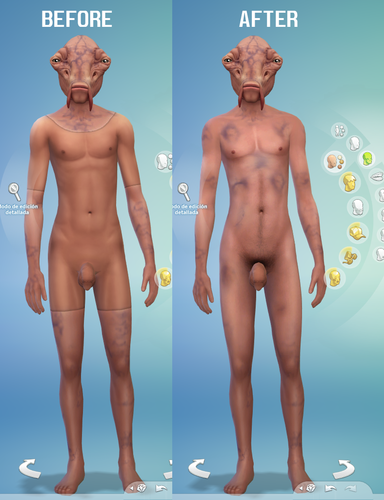
batuu skin Batuu skin fixed
By Mikooi Sims
Batuu skin fixed for male and female
Available in body details.
compatible with naked body.
Recommended additional mods
WickedWhims Extra Skin Tones
94901 downloads
Updated
-
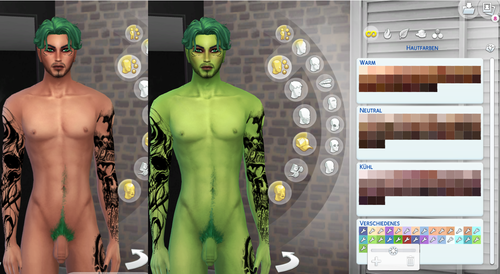
Simdulgence Skintone Fix 12.2020
Wie mittlerweile jedem bekannt sein dürfte, funktionieren CC Skins seit dem Dezember 2020 Update nur noch eingeschränkt. Sie sind zwar im Spiel vorhanden, sind aber in der Auswahl des CAS nicht sichtbar.
Es gibt inzwischen einen Fix für dieses Problem, der relativ einfach durchzuführen ist.
Ich hatte die Skins hauptsächlich für den Eigenbadarf repariert, aber da Simdulgence derzeit aus persönlichen Gründen nicht aktiv ist - und nicht absehbar ist, ob/wann er es wieder sein wird - lade sie hier für andere RealGens Benutzer hoch. Der Download wird so lange zur Verfügung stehen, bis Simdulgence die Skins selbst gefixt hat.
Die gepackte Datei enthält alle 5 Versionen, es muss dann lediglich die bereits vorhandene alte Version durch die passende neue ausgetauscht werden.
-------------------------------------------------------------------------------------------------------------------------------------------------------------------------------
As everyone should know by now, CC Skins only work to a limited extent since the December 2020 update. Although they are available in the game, they are not visible in the CAS selection.
There is now a fix for this problem that is relatively easy to do.
I had mostly repaired the skins for personal use, but since Simdulgence is currently not active for personal reasons - and it is not foreseeable if / when they will be aktiv again - I upload them here for other RealGens users. The download will be available until Simdulgence has fixed the skins themself.
The zipped file contains all 5 versions, all you have to do is replace the existing old version with the new one.
-------------------------------------------------------------------------------------------------------------------------------------------------------------------------------
All credit goes to Simdulgence, the creator of the original skins:
And also to CmarNYC, the creator of the TS4SkinConventer: https://modthesims.info/download.php?&t=650407
Due to his tool, it is no longer necessary to change the data of each skintone one by one manually .
------------------------------------------------------------------------------------------------------------------------------------------------------------------------------------
Achtung - Neuigkeiten bzg. der Skintone-fixes:
Heute hat Simdulgence den ersten Teil seiner Skintone-Fixes geupdatet. Es betrifft das Basegame-Skintone-Pack. Da es neben den alten auch alle neuen Skintöne enthält, ist es sinnvoll diese Version herunter zu laden. Die ältere Version, die von mir gefixt wurde, enthält nur die alten Basegame Skins.
Aktuell gibt es das neue Pack auf seinem Patreon Account: https://www.patreon.com/posts/45220556
Attention - News regarding the skintone fixes:
Today Simdulgence has updated the first part of its Skintone fixes. It concerns the Basegame Skintone Pack. Since it contains all the new skintones as well as the old ones, it makes sense to download this version. The older version, which was fixed by me, only contains the old Basegame skins.
Currently, the new pack is available on his Patreon account: https://www.patreon.com/posts/45220556
simdulgence_skintonefixEP01_v1.122020.package simdulgence_skintonefixEP07_v1.122020.package
7549 downloads
- simdulgence realgens
- skintone
- (and 3 more)
Updated
-
![More information about "Yummy-o-tummy: [Girly Pussy]"](https://static.loverslab.com/screenshots/monthly_2020_12/99336527_TS4_x642020-12-1023-43-00.thumb.png.70a1668ad682abeedb8c0da7daed507f.png)
Yummy-o-tummy: [Girly Pussy]
Hello guys!
I'm glad to be here. I created this for myself, but I decided to share it with you. Glad if you like it >__<
Support WickedWhims body Preset and CAS Bottom
Goes well with: wild guy's Female Body Details
3 Versions
CAS Pic
Clitoris
?TOU:
DON’T REUPLOAD MY CREATIONS
DON’T CLAIM MY CREATIONS AS YOUR OWN
DON'T PUT MY WORKS ON PAY SITES
I FORBID USE MY MESHES AND TEXTURES
MODIFY MESHES AND TEXTURES
DON’T LOAD MY CREATION ON THE MIRROR
?Credits:
Blender
S4S
WickedWhims by Turbodriver
Support me on Patreon
Thank you!
If you have any questions feel free to send me message.
22567 downloads
Updated
-
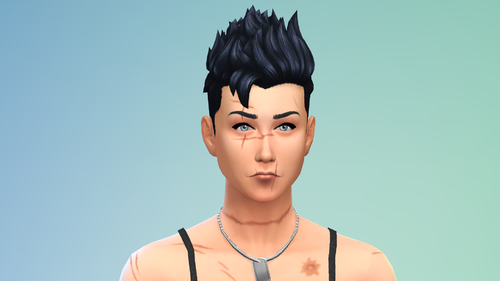
Body and Face Scars
By ⱭaDDyBenji
Simple Body and Face Scars.
Two type, available for male and female.
Find it in face detail freckles.
4479 downloads
Submitted
-
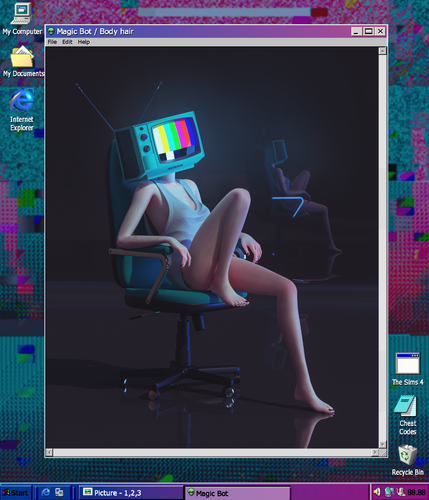
MB Body hair
- bgc
- custom icons
- separated \ merged
- old \ teen, all genders, all races
- compatible with HQ
- find: tattoo
- terms of use
More info:
Hair on arms and legs for all genders. No hair on the genitals! They will be created separately from this. Two versions: high density and medium. There are files in the archive one by one, but there is also a separate file that includes all of these, so as not to take up space. Pick one thing because it’s the same thing in different instances.
Support me on the tumblr or patreon.
With any questions, write to messages / anonymous questions.
9183 downloads
Submitted
-
.thumb.png.c85c661e5713e69af9dd9883beaf2387.png)
Pokemod By Leljas: Play as Cinderace and/or Liepard from Pokemon!
By leljas
Hello!
After a few weeks, I finally have new pokemon to publish! Liepard, Purrloin, Cinderace, and Raboot are now available!
You can play as Liepard, Purrloin, Cinderace, and Raboot, all from the Pokemon franchise. While Liepard and Cinderace are the main two, I decided to make their prior evolution as well. It was a ton of fun making and testing them out, so hopefully you'll enjoy the way they look!
Update 1: After improving my modding skills in the past year since publishing Lucario and Leafeon, I decided to fix and improve all my mods. Here's a list of the changes in this one:
- Improved eyes and accessories on Liepard and Purrloin;
- New tattoos for Purrloin to resemble their evolution's extra skin tones;
- Improved compatibily with Savestate's neck fluff and hair;
- Two new custom Egg designs for Liepard and Cinderace akin to the ones in the anime;
- Organized the way my mods are ordered in CAS;
- Fixed a problem where it was impossible to select pokemon eyes on aliens;
- Made LODs to the accessories of all pokemon;
- New icons;
- Icons won't glitch out when making an opposite frame sim.
For those who are updating this mod, be sure to delete the folder of the older version and place the new one as usual. You will also have to delete the file localthumbcache.package in /Documents/Electronic Arts/Sims 4 if you want the icons to show up properly when making an opposite frame sim.
You might also have a problem where previously made pokemon from this mod lose all of their accessories and tattoos. If this is the case, then you'll have to go into CAS and remake them.
If this is your first time downloading one of my mods, please also download the Pokemod Savestate Addons file. (you only need to get this file once)
Here's a detailed guide on how to make them:
(This mod doesn't include any tray files. You will have to make them yourself)
(The Pokemon are fully compatible for both genders)
(Make sure not to make very overweight or very thin Sims, as they might make some of the Pokemon parts look off)
1 - Select the modded gray skin tone that comes with the furry mod. (Located under the miscellaneous skin tones).
2 - Click on the eyes and select the furry mod preset.
3 - While still on the eye selection, pick one of the custom eye colors made for the Pokemon. (Purrloin's eyes look exactly the same as Liepard's, so if you are making a Purrloin, just select Liepard's eyes)
4 - Move to the face details section and select the furry head or any of its variants.
5 - Still on the face details, change between the plantigrade or digitigrade legs.
6 - Again, still on the face details, find and select the parts you need to make the pokemon you want. If you are making any of their shiny or an alternate version, you can find it in the different color options.
7 - Finally, Move to the body tattoos section and pick the one for the pokemon you are making. If it's a shiny, mega form, or any other alternate version (Including their pre-evolutions Purrloin and Raboot), you can find it in the different colors under the same tattoo.
7.1 - For Cinderace, I made some optional skins that you can pick should you not want him to have his red "pants"/ his blue "leggins"/ both. This also goes for his shiny form, where you can remove his orange "pants"/ his white "leggins"/ both.
7.1.1 - If you want, you can go to the pants selection and make your Cinderace have pants that actually are pants. For his leggins, just go into the Accessory selection and pick it from there.
Done! Now your Sim should look similar to the pokemon!
The Egg is a full body suit for children that you want to turn into a Pokemon whenever they age up to teen.
Here are a few comparison photos in between my mod and Pokemon Ultra Sun and Pokemon Sword.
My Mod is fully compatible with Wickedwhims, I also advise the use of "Berni's Collection" mod in addition to mine. It fixes a glitch involving the legs of the furry mod with Wickedwhims. See below for Instructions:
NSFW images below:
Requirements:
The Furry mod By Savestate
http://www.savestatecomic.com/dlc/
Optional
I recommend the use of berni's collection mod, it not only fixes a glitch with the furry mod itself but also adds canine/feline/equine/dragon/rabbit penises and sheaths.
Known Issues:
(Most of these are from the furry mod and not my fault but still here's a full list)
If you don't use the modded skin tone that is included in the furry mod, the Pokemon skin will become brighter than it should be.
If the digitigrade paws are selected, some bottom clothing may have double legs.
This is a glitch with the furry mod and should be completely avoidable, make sure to pick shorter bottom clothing and not long pants.
If you use the digitigrade or plantigrade paws on your sim, then you will not be able to use any type of shoes
The furry mod has a lot of limitations when it comes to face details, you can't edit most of the face, except for the snout and the nose.
In a few animations, some of the meshes might go out of place/clip.
This only happens whenever the body becomes too deformed and clips out of the meshes I made.
If any other glitch happens, feel free to report it on the comments. I'll make sure to try my best at fixing it!
I hope you all enjoy!
4940 downloads
Updated
-
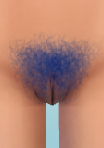
WildStyle Unnatural Pubic Colors
By LyonsPride95
I started a recolor just like this one a year ago and got so busy I totally forgot about it. While I never finished that one, I sat down and made damn sure I finished this one in it's entirety before posting.
In the single package file attached, you'll find all of wild_guy's Female Body Details pubic hairstyles recolored in Maxis' unnatural colors (aka the colorful bottom row). Perfect for your artful, rebellious, or occult sims. The colors include: Lavender, Pink, Blue, Turquoise, and Green. They don't conflict with wild_guy's originals, and work the exact same way. His mod isn't required but if you download this mod...chances are you have his. And if you don't, what are you even doing here?
The hairs can be found in Skin Details -> Mouth Crease
Just like last time, if wild_guy has any issue with these recolors I don't mind taking it down. These are something I plan on personally using, as we don't have too many decent dyed pubic hair options. I just figured I'd upload it here for people that feel the same way
Let me know if there are any issues, there could be duplicate or incorrectly numbered swatches. I checked multiple times, but it's 150 total swatches between all of the colors so there's of course a possibility I missed something.
Enjoy!
4931 downloads
Submitted
-
.thumb.png.ed1bda5be006ae7ac74973812b3d5f21.png)
Pokemod By Leljas: Play as Typhlosion and/or Ampharos from Pokemon!
By leljas
Hello!
I have completed yet another set of Pokemon. This time you can play as Ampharos, Mega Ampharos, Flaffy, Typhlosion and Quilava. All from the Pokemon franchise.
Update 1: After improving my modding skills in the past year since publishing Lucario and Leafeon, I decided to fix and improve all my mods. Here's a list of the changes in this one:
- Made Flaffy and Quilava;
- Reworked textures, eyes and accessories on Typhlosion, Ampharos and Mega Ampharos (All Typhlosion skin tone variants included);
- New tattoos for the Ampharos line to resemble their evolution and pre-evolution's skin tone;
- Improved compatibily with Savestate's neck fluff and hair;
- Two new custom Egg designs for Ampharos and Cyndaquil akin to the ones in the anime;
- Organized the way my mods are ordered in CAS;
- Fixed a problem where it was impossible to select pokemon eyes on aliens;
- Made LODs to the accessories of all pokemon;
- New icons;
- Icons won't glitch out when making an opposite frame sim.
For those who are updating this mod, be sure to delete the old Pokemod folder inside of Savestate's furry mod. You may also want to delete the file localthumbcache.package in /Documents/Electronic Arts/Sims 4 if you want the icons to show up properly when making an opposite frame sim.
You might also have a problem where previously made pokemon from this mod lose all of their accessories and tattoos or in the case of both Ampharos and Typhlosion, I've added many new color patterns and because of this, already existing ones will most likelly have their colors mixed up. If this is the case, then you'll have to go into CAS and remake them.
If this is your first time downloading one of my mods, please also download the Pokemod Savestate Addons file. (you only need to get this file once)
Here's a detailed guide on how to make them:
(This mod doesn't include any tray files. You will have to make them yourself)
(The Pokemon are fully compatible for both genders)
(Make sure not to make very overweight or very thin Sims, as they might make some of the Pokemon parts look off)
1 - Select the modded gray skin tone that comes with the furry mod. (Located under the miscellaneous skin tones).
2 - Click on the eyes and select the furry mod preset.
3 - While still on the eye selection, pick one of the custom eye colors made for the Pokemon.
4 - Move to the face details section and select the furry head or any of its variants.
5 - Still on the face details, change between the plantigrade or digitigrade legs.
6 - Again, still on the face details, find and select the parts you need to make the pokemon you want. If you are making any of their shiny, mega forms or any other alternate version, you can find it in the different color options.
6.1 - For Quilava and Typhlosion, you can find an optional extra flame over at the head accessories section (You will have to do this part for every single outfit category, but it is entirely optional).
7 - Finally, Move to the body tattoos section and pick the one for the pokemon you are making. If it's a shiny, mega form, or any other alternate version (Including their pre-evolutions Quilava and Flaffy), you can find it in the different colors under the same tattoo.
Done! Now your Sim should look similar to the Pokemon of your choosing!
The Egg is a full body suit for children and toddlers that you want to turn into a Pokemon whenever they age up to teen.
Here are a few comparison photos in between my mod and the Pokemon games.
My Mod is fully compatible with Wickedwhims, I also advise the use of "Berni's Collection" mod in addition to mine. It fixes a glitch involving the legs of the furry mod with Wickedwhims. See below for Instructions:
NSFW images below \/\/\/
Requirements:
The Furry mod By Savestate
http://www.savestatecomic.com/dlc/
Optional:
I recommend the use of berni's collection mod, it not only fixes a glitch with the furry mod itself but also adds canine/feline/equine/dragon/rabbit penises and sheaths.
Known Issues:
(Most of these are from the furry mod and not my fault but still here's a full list)
If you don't use the modded skin tone that is included in the furry mod, the Pokemon skin will become brighter than it should be.
If the digitigrade paws are selected, some bottom clothing may have double legs.
This is a glitch with the furry mod and should be completely avoidable, make sure to pick shorter bottom clothing and not long pants.
If you use the digitigrade or plantigrade paws on your sim, then you will not be able to use any type of shoes
The furry mod has a lot of limitations when it comes to face details, you can't edit most of the face, except for the snout and the nose.
In a few animations, some of the meshes might go out of place/clip.
This only happens whenever the body becomes too deformed and clips out of the meshes I made.
If any other glitch happens, feel free to report it on the comments. I'll make sure to try my best at fixing it!
I hope you all enjoy!
4535 downloads
Updated
-
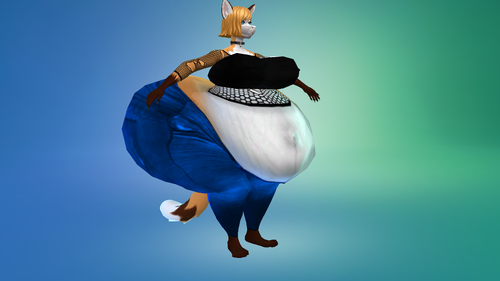
sims 4 THICC_CHUBBY.package
By ger-guer
after so long without uploading content.. I bring this preset.. I hope you enjoy it
Programs:
-Zbrush
- Blender 2.75
-TS4MorphMaker
3023 downloads
Submitted
-
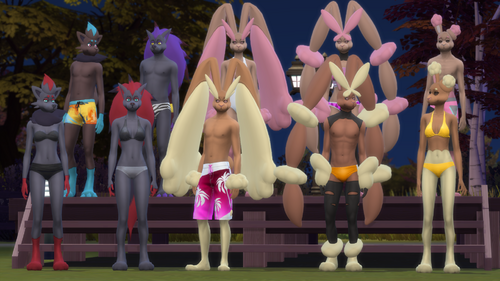
Pokemod By Leljas: Play as Lopunny and/or Zoroark from Pokemon!
By leljas
Hello!
I have completed another set of Pokemon! Zoroark and Lopunny are here!
Update 1: After improving my modding skills in the past year since publishing Lucario and Leafeon, I decided to fix and improve all my mods. Here's a list of the changes in this one:
- Made Zorua and Buneary as new characters;
- Ajusted Lopunny and Mega Lopunny's tattoos to be more accurate to the original pokemon;
- Both Lopunnies now also have more detail on their ears and eyes;
- Reworked Zoroark. It now has new eyes, new improved texture and ajusted accessories;
- Zoroark's shoulder fluff is no longer dependent on other accessories;
- Zoroark's claws were also reworked and are now optional. They're located in the face details;
- New tattoos for all pokemon to resemble their evolution and pre-evolution's skin tone;
- Improved compatibily with Savestate's neck fluff and hair;
- Two new custom Egg designs for Zorua and Buneary akin to the ones in the anime;
- Organized the way my mods are ordered in CAS;
- Fixed a problem where it was impossible to select pokemon eyes on aliens;
- Made LODs to the accessories of all pokemon;
- New icons;
- Icons won't glitch out when making an opposite frame sim.
For those who are updating this mod, be sure to delete the old Pokemod folder inside of Savestate's furry mod. You may also want to delete the file localthumbcache.package in /Documents/Electronic Arts/Sims 4 if you want the icons to show up properly when making an opposite frame sim.
You might also have a problem where previously made pokemon from this mod lose all of their accessories and tattoos. If this is the case, then you'll have to go into CAS and remake them
If this is your first time downloading one of my mods, please also download the Pokemod Savestate Addons file. (you only need to get this file once)
Here's a detailed guide on how to make them:
(This mod doesn't include any tray files. You will have to make them yourself)
(The Pokemon are fully compatible for both genders)
(Make sure not to make very overweight or very thin Sims, as they might make some of the Pokemon parts look off)
1 - Select the modded gray skin tone that comes with the furry mod (Located under the miscellaneous skin tones).
2 - Click on the eyes and select the furry mod preset.
3 - While still on the eye selection, pick one of the custom eye colors made for the Pokemon you are making.
4 - Move to the face details section and select the furry head or any of its variants.
5 - Still on the face details, change between the plantigrade or digitigrade legs
6 - Again, still on the face details, find and select the parts you need to make the pokemon you want. If you are making any of their shiny, mega forms or any other alternate version, you can find it in the different color options.
6.1 - For Zoroark, you can find his shoulder fluff in the head accessories section. (You will have to do this part for every single outfit category, but it is entirely optional).
7 - Finally, Move to the body tattoos section and pick the one for the pokemon you are making. If it's a shiny, mega form, or any other alternate version (Including their pre-evolutions Zorua and Buneary), you can find it in the different colors under the same tattoo.
Done! Now your Sim should look similar to the Pokemon of your choosing!
The Egg is a full body suit for children that you want to turn into a Pokemon whenever they age up to teen.
Here are a few comparison photos in between my mod and Pokemon Ultra Sun.
My Mod is fully compatible with Wickedwhims, I also advise the use of "Berni's Collection" mod in addition to mine. It fixes a glitch involving the legs of the furry mod with wickedwhims. See below for Instructions:
NSFW images below \/\/\/
Requirements:
The Furry mod By Savestate
http://www.savestatecomic.com/dlc/
Optional
I recommend the use of berni's collection mod, it not only fixes a glitch with the furry mod itself but also adds canine/feline/equine/dragon/rabbit penises and sheaths.
Known Issues:
(Most of these are from the furry mod and not my fault but still here's a full list)
If you don't use the modded skin tone that is included in the furry mod, the Pokemon skin will become brighter than it should be.
If the digitigrade paws are selected, some bottom clothing may have double legs.
This is a glitch with the furry mod and should be completely avoidable, make sure to pick shorter bottom clothing and not long pants.
If you use the digitigrade or plantigrade paws on your sim, then you will not be able to use any type of shoes
The furry mod has a lot of limitations when it comes to face details, you can't edit most of the face, except for the snout and the nose (Though you can make Lopunny look much more like a rabbit if you shrink the snout to the max).
In a few animations, some of the meshes might go out of place/clip. A prime example of this is Mega Lopunny's hand.
This only happens whenever the body becomes too deformed and clips out of the meshes I made.
If any other glitch happens, feel free to report it on the comments. I'll make sure to try my best at fixing it!
I hope you enjoy!
5844 downloads
Updated
-
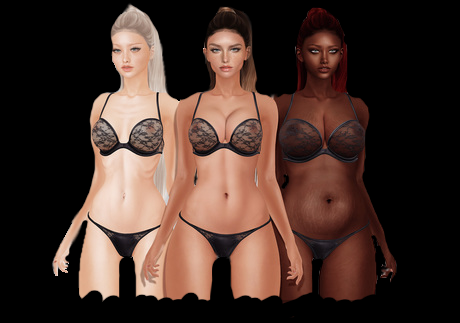
Body Creations
Fully functional presets with any slide
What's New
Request Sims Exclusive CLICK
?Leave your like and follow us to receive updates.?
COLLECTION MORE
New collection every week of the most beautiful custom sims
https://www.patreon.com/sims_creations
TOU
All Credits
342310 downloads
Updated
-
.thumb.png.fe494ab9d068909f6c4f19b7dc43cfd9.png)
Pokemod By Leljas: Play as Lucario, Leafeon and/or Glaceon from Pokemon!
By leljas
Hello everyone!
I really like pokemon, and after seeing the mod that Savestate Comics made, I had the idea to create this mod.
Update 3: After improving my modding skills in the past year since publishing this mod, I decided to fix and improve all my mods. Here's a list of the changes in this one:
- Made Glaceon as a new character;
- Remade Leafeon's texture, accessories and made the chest leaves optional;
- Made a few skin replacements instead of Pink Leafeon. Now we have seasonal Leafeons that reflect the colors of each season;
- Lucario, Mega Lucario and Riolu's accessories, be it spikes, shoulders or their tails now all deform with the body sliders;
- Mega Lucario's leg spikes are now optional;
- Improved compatibily with Savestate's neck fluff and hair;
- Completely reworked the Egg and added a few new designs akin to the ones in Pokemon Go;
- Organized the way my mods are ordered in CAS;
- Fixed a problem where it was impossible to select Pokemon eyes on aliens;
- Made LODs to the accessories of all pokemon;
- New icons;
- Icons won't glitch out when making an opposite frame sim.
For those who are updating this mod, be sure to delete the old Pokemod folder inside of Savestate's furry mod. You may also want to delete the file localthumbcache.package in /Documents/Electronic Arts/Sims 4 if you want the icons to show up properly when making an opposite frame sim.
You might also have a problem where previously made pokemon from this mod lose all of their accessories and tattoos. If this is the case, then you'll have to go into - CAS and remake them.
Old Leafeons will have some issues with the update, you'll have to take them to CAS and remove ALL face accessories. That should remove the old accessory completely and you can then place the new one.
If this is your first time downloading one of my mods, please also download the Pokemod Savestate Addons file. (you only need to get this file once)
Here's a detailed guide on how to make them:
(This mod doesn't include any tray files. You will have to make them yourself)
(The Pokemon are fully compatible for both genders)
(Make sure not to make very overweight or very thin Sims, as they might make some of the Pokemon parts look off)
1 - Make sure to select the custom gray skin color that the furry mod adds (Located under the miscellaneous skin tones).
2 - Click on the eyes and select the furry mod preset.
3 - While still on the eye selection, pick whichever custom eye color fits the pokemon you are making.
4 - Move to the face details section and select the furry head or any of its variants.
5 - Still on the face details, change to either the plantigrade or the digitigrade legs. (For Mega Lucario, you should use the Savestate canine tail).
6 - Again, still on the face details, find and select the parts you need to make the pokemon you want. If you are making any of their shiny, mega forms or any other alternate version, you can find it in the different color options.
6.1 - For Leafeon, you can find its chest leaves in the head accessories section (You will have to do this part for every single outfit category, but it is entirely optional).
7 - Finally, Move to the body tattoos section and pick the one for the pokemon you are making. If it's a shiny, mega form, or any other alternate version (Including Riolu), you can find it in the different colors under the same tattoo.
(In Lucario's tattoes, you'll see a few with less detail. These are made for better compatibility with the all new clothing options. Instructions inside the spoiler below!)
With that you should be done, and your Sims should be looking like this.
The Egg is a full body suit for children that you want to turn into a Pokemon whenever they age up to teen.
Here's some comparison photos in between the mod and the Pokemon (the photos were taken from Pokemon refresh in Pokemon Ultra Sun)
My Mod is fully compatible with Wickedwhims, I also advise the use of "Berni's Collection" mod in addition to mine. It fixes a glitch involving the legs of the furry mod with wickedwhims. See below for Instructions:
NSFW images below \/\/\/
Requirements:
The Furry mod By Savestate:
http://www.savestatecomic.com/dlc/
Optional
I recommend the use of berni's collection mod, it not only fixes a glitch with the furry mod itself but also adds canine/feline/equine/dragon/rabbit penises and sheaths.
Known Issues:
(Most of these are from the furry mod and not my fault but still here's a full list)
If you don't use the modded skin tone that is included in the furry mod, the pokemon skin will become brighter than it should be.
If the digitigrade paws are selected, some bottom clothing may have double legs.
This is a glitch with the furry mod and should be completely avoidable, make sure to pick shorter bottom clothing and not long pants.
If you use the digitigrade or platigrade paws on your sim, then you will not be able to use any type of shoes
The furry mod has a lot of limitations when it comes to face details, you can't edit most of the face, except for the snout and the nose.
In a few animations some of the meshes might go out of place / clip. A prime example of this is lucario's shoulder.
This only happens whenever the body becomes too deformed and clips out of the meshes I made.
I hope you enjoy!
7094 downloads
Updated
-
![More information about "[EclypseSims] Alien Symbiote | Mesh Needed"](https://static.loverslab.com/screenshots/monthly_2020_07/symbiote.thumb.png.ce60a6168994cc90015ccdfbf9e3fc47.png)
[EclypseSims] Alien Symbiote | Mesh Needed
By eclypsesims
Looks like your sim bonded with an alien symbiote and got some extra body parts in the process!
Tattoo overlay for Noir and Dark Sims' Futanari Penis | MESH REQUIRED
BGC, Tattoo, Left arm category Male and Female, T-E Hand painted texture, made specifically for Noir's mesh A little odd looking on Noir's version with testicles, but it works on that one too Has a glittery overlay!
7400 downloads
Updated
-
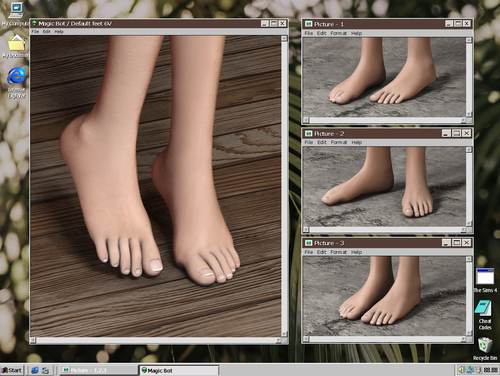
ts4cc MB FEEET 6V
? Feet 6V REMASTER
- bgc
- custom icons
- default \ non-default \ blend files
- all ages, genders, races
- work with additional nail colors
- compatible with HQ
- default feet slider
- terms of use
More info:
Default and non-default feet for all genders and ages. Additional file with colors for nails in the category of socks and tattoos. Blend files can be used to create your content, but with an indication of the author.
I recommend using the default slider for the feet, which prevents the appearance of corners and spikes when increasing and decreasing the foot. He also lifts the sim up for shoes designed for sliders (front view, pull up and down).
Non-default version works with the body selector. There is an additional file that unlocks the ability to select feet for the body selector (one file for all 6 versions of the feet), without it, the non-default version will not appear in the selection window.
Support me on the tumblr or patreon.
With any questions, write to messages / anonymous questions.
98614 downloads
Updated
-
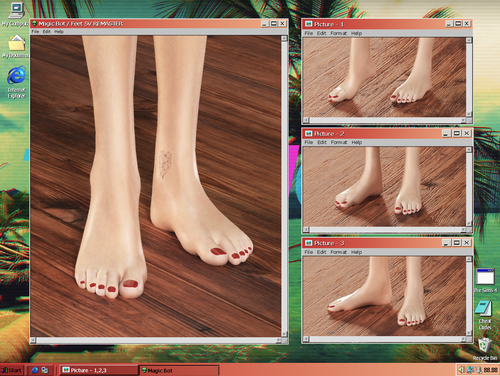
ts4cc MB FEEET 5V REMASTER
? Feet 5V REMASTER
- bgc
- custom icons
- default \ non-default \ blend files
- all ages, genders, races
- work with additional nail colors
- compatible with HQ
- default feet slider
- terms of use
More info:
Default and non-default feet for all genders and ages. Additional file with colors for nails in the category of socks and tattoos. Blend files can be used to create your content, but with an indication of the author.
I recommend using the default slider for the feet, which prevents the appearance of corners and spikes when increasing and decreasing the foot. He also lifts the sim up for shoes designed for sliders (front view, pull up and down).
Non-default version works with the body selector. There is an additional file that unlocks the ability to select feet for the body selector (one file for all 6 versions of the feet), without it, the non-default version will not appear in the selection window.
Support me on the tumblr or patreon.
With any questions, write to messages / anonymous questions.
28529 downloads
Updated
-
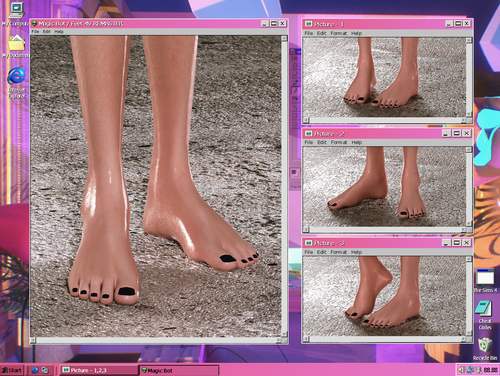
ts4cc MB FEEET 4V REMASTER
? Feet 4V REMASTER
- bgc
- custom icons
- default \ non-default \ blend files
- all ages, genders, races
- work with additional nail colors
- compatible with HQ
- default feet slider
- terms of use
More info:
Default and non-default feet for all genders and ages. Additional file with colors for nails in the category of socks and tattoos. Blend files can be used to create your content, but with an indication of the author.
I recommend using the default slider for the feet, which prevents the appearance of corners and spikes when increasing and decreasing the foot. He also lifts the sim up for shoes designed for sliders (front view, pull up and down).
Non-default version works with the body selector. There is an additional file that unlocks the ability to select feet for the body selector (one file for all 6 versions of the feet), without it, the non-default version will not appear in the selection window.
Support me on the tumblr or patreon.
With any questions, write to messages / anonymous questions.
21028 downloads
Updated
-
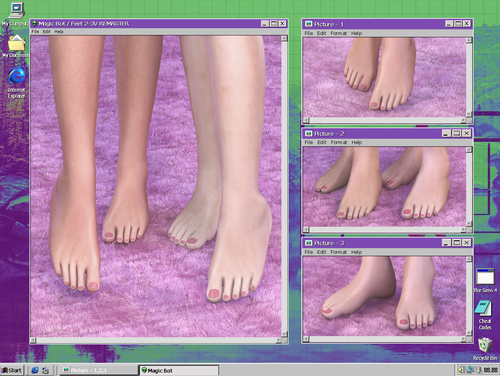
ts4cc MB FEEET 2-3V REMASTER
? Feet 2-3V REMASTER
- bgc
- custom icons
- default \ non-default \ blend files
- all ages, genders, races
- work with additional nail colors
- compatible with HQ
- default feet slider
- terms of use
More info:
Default and non-default feet for all genders and ages. Additional file with colors for nails in the category of socks and tattoos. Blend files can be used to create your content, but with an indication of the author.
I recommend using the default slider for the feet, which prevents the appearance of corners and spikes when increasing and decreasing the foot. He also lifts the sim up for shoes designed for sliders (front view, pull up and down).
Non-default version works with the body selector. There is an additional file that unlocks the ability to select feet for the body selector (one file for all 6 versions of the feet), without it, the non-default version will not appear in the selection window.
Support me on the tumblr or patreon.
With any questions, write to messages / anonymous questions.
19673 downloads
Updated
-
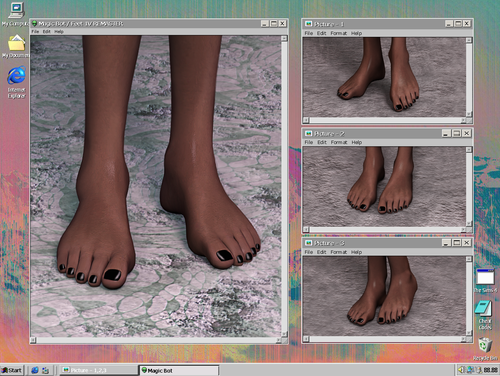
ts4cc MB FEEET 1V REMASTER
? Feet 1V REMASTER
- bgc
- custom icons
- default \ non-default \ blend files
- all ages, genders, races
- work with additional nail colors
- compatible with HQ
- default feet slider
- terms of use
More info:
Default and non-default feet for all genders and ages. Additional file with colors for nails in the category of socks and tattoos. Blend files can be used to create your content, but with an indication of the author.
I recommend using the default slider for the feet, which prevents the appearance of corners and spikes when increasing and decreasing the foot. He also lifts the sim up for shoes designed for sliders (front view, pull up and down).
Non-default version works with the body selector. There is an additional file that unlocks the ability to select feet for the body selector (one file for all 6 versions of the feet), without it, the non-default version will not appear in the selection window.
Support me on the tumblr or patreon.
With any questions, write to messages / anonymous questions.
12376 downloads
Updated
-
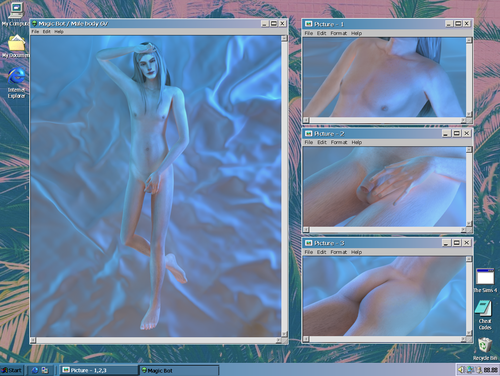
ts4cc MB MALE BODY 6V
? Male body 6V
- bgc
- custom icons
- female version
- work with additional nail colors (in archive)
- default \ non default \ blend files
- old \ teen, male, all races
- non default compatible with body selector Wicked Whims
- you can use it in works, but leave credit
- terms of use
More info:
Default and non-default body + additional colors of nails. Only male option. Blend files are allowed to be used when creating content when indicating the author. Works with the main game and the body selector. There are no textures on the upper body, you will have to use skins. The lower body has an overlay texture that works well with overlay skins. There are additional colored skin details for the penis (found in the acne category).
Support me on the tumblr or patreon.
With any questions, write to messages / anonymous questions.
68167 downloads
Updated
-
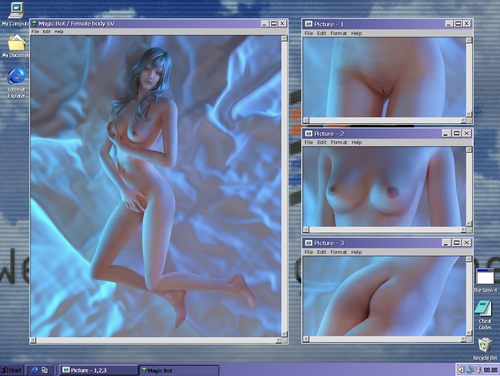
ts4cc MB FEMALE BODY 6V
? Female body 6V
- bgc
- custom icons
- male version
- work with additional nail colors (in archive)
- default \ non default \ blend files
- old \ teen, female, all races
- non default compatible with body selector Wicked Whims
- you can use it in works, but leave credit
- terms of use
More info:
Default and non-default body + additional colors of nails. Only female version. Blend files are allowed to be used in creating your content when indicating the author. Works with the base game and body selector. There are no textures on the body, so you will need to use skins and skin details.
Support me on the tumblr or patreon.
With any questions, write to messages / anonymous questions.
129942 downloads
Updated
-
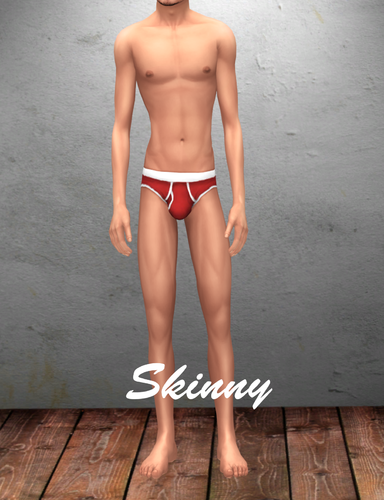
Male Bodypresets and Muscle Sliders
By Dark0s
NEW Male Bodypresets + Male Muscle Sliders
ENJOY!!!
28002 downloads
- presets
- male body preset
- (and 4 more)
Submitted
-
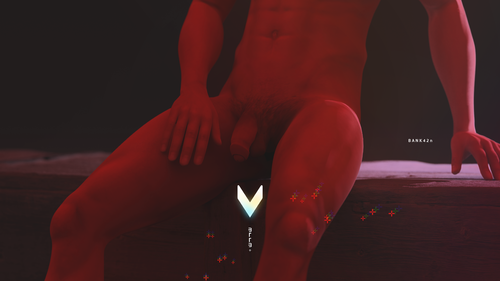
BNX BTTB V5 Free
By bank42n
Body
Top: Flat, Curve and Lite version.
Bottom: Included penis circumcised and uncircumcised penis and selectable size S,M,L and also a rigged penis to use with WickedWhims for more natural animation.
Color Matcher Tools
Penis
The BTTB's penis is the whole new system which means the texture space will not support other WickedWhims penis but it's still Rigged penis which mean its have natural movement with WW animation. Color Matcher Tools were included in the file for installation and it's in tattoo category . BTTB 5 Genetic Color.package and BTTB 5 Genetic Tip Color.package are for match the skin color to unsupported skin. (More supported skin are gonna update on my website. please check for the update).
Easy for Skin Creator
A whole new penis system? Sound like a new load of work to be done, isn't it? Not at all.
BTTB 5 also has a Blender File where you can just load your finished skin and click render and boom! You've got a BTTB 5 Supported skin!
visit BANK42n.com/bttb5 for more infomation!
Thank you for everyone who donates this Patreon to get BTTB 5 Full Version!
I'll keep working to make it better!
BNX BTTB 5 by BANK42n (FreeVersion) up_01.zip
29285 downloads
Updated
-
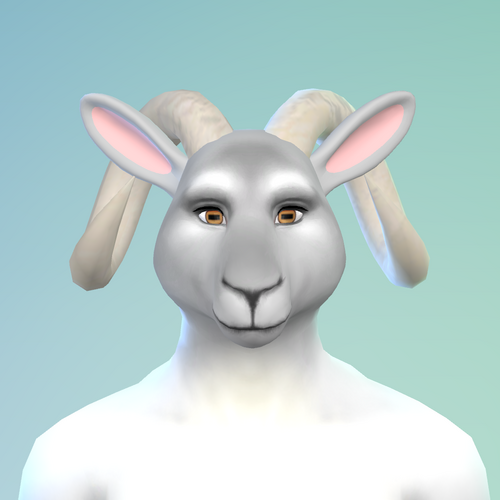
furry Berni's Collection (Furry +18) Cats & dogs update
By Bernise
Hello everyone!
First of all sorry for my english, it's not my native language.
Werewolves update in description below
I want to share my mod that adds canine/feline/equine/dragon penises and sheaths to your sim. They are rigged and work (mostly) with WW animations.
I based it on Savestate Comics http://www.savestatecomic.com/dlc/ and SoraFoxyTeils https://boosty.to/sorafoxyteils models and my mod support both plantigrade and digitigrade legs!
You can change colors in tattoo slot
About head:
I was a little bored with current heads, so I made my own for diversity ?
-Work with both male/female
-Bone weight has been completly reworked to support muzzle
-You can change muzzle's length and size
-Much more
When You put head (skin details - thats where you find feet/tais/ears etc) You'll see this:
To change it simply click on nose and from preset scroll up and choose "nose" It'll reset to its default position
Chin and mouth You can adjust to your liking - click and drag on mouth to change muzzle size.
Now about husky head. When you put it You'll see this
To change it, pick the eye color i made (it's included in mod)
Now it should look like this:
I also made some textures you'll find in tattoo section at the bottom.
About paws:
If You have hand claws mod from Remus - LINK. Claws colors on feet will change too ^.^
Werewolves update
To equp werewolf with paws and tails you need CASUnlocks
They are under skin details
Werewolf penis color is in tattoo section or you can color already made werewolf in cas:
1. Change your werewolf back to sim
2. Click on mirror and then plan outfit
3. In paint mode color your werewolf however you like
WickedWhims users:
To equip werewolf with dick go to
1. Wicked
2. Personalization
3.Anatomy
4.Body selector
4.All Sims (it's important because currently you can't pick different dick for selected werewolf)
5. Select Werewolf Hard Penis
Soft penis does not work with werewolves in WW, but it can work as clothes.
DeviousDesires users:
1. SHIFT+click on sim select instant outfit
2. Select Body Parts
3. You can pick soft/hard penis and skin overlay(color) for penis
For any troubleshooting refer to DD wiki https://colonolnuttymodswiki.com/index.php/Devious_Desires_Home
Werewolf head is working as regular furry head, click on nose/chin and select any preset - it'll reset to it's default state.
Update 24.03.2024 Canines and Felines
So i added some presets to the heads, unfortunately they only work with a dedicated head, meaning if you try put canine preset on feline head or vice versa their vertexes will go nuts, this also applies to Savestate heads.
Here's the presets list:
Eyes - Eyelashes
Ears - Ears (On anthro head ears area is where human ears are supposed to be)
Chin - Fangs
Jaw - Muzzle lenght
Mouth - Muzzle size
Nose - Nose size
Tools/Credits:
S4S
S4CASTools
TS4MorphMaker
Blender
Gimp
WickedWhims by Turbodriver
Mods requirements:
CASUnlocks for werewolves update
The Sims 4
WW
Savestate Furry mod
Know bugs:
-Some eyes may not work properly with werewolf head
-Because of the sim dick sizes, animations might not look good
-There might be issue with pubes(I personally disable them)
-I'm not an artist so the textures are the best I could
If You like my mod, consider leaving a tip. Thank You!
I'm looking for feedback and have fun!
679582 downloads
Updated
.thumb.png.80c002909620acdac3dd5d7cac39a754.png)
![More information about "[NPC] 3BA Bimbo's of Skyrim NPC Replacer"](https://static.loverslab.com/screenshots/monthly_2026_09/Allessandra1.thumb.jpg.bd2f53ae7511b8b306a8e63ac0522afa.jpg)