Search the Community
Showing results for tags 'ctd'.
Found 16 results
-
 SOS-SE-1597-safefy-patch.rar View File SOS SE Stability & Safety Patch For Skyrim SE 1.5.97 and SKSE64 2.0.20 What this is This is a binary and script patch for Schlongs of Skyrim SE that fix the CTD issue after esp order changed, some esp uninstalled, if such changes is found, it simply clear all cache and re-detect everything from scratch. Also attempting to ignore schlongify-ing female 's armors. It does so by focused on safer armor form records handling, safer actor filtering, and recovery after changing the ESP/ESM plugin order. It contains no ESP and should be installed after your existing SOS SE installation so its DLL and scripts overwrite the originals. For skyrim se 1.5.97 only. For AE there is already an AE no-dll version here, should solve the crash problem. Main changes Fixes a CTD that could occur after the ESP/ESM plugin order changed.Detects an unsafe plugin-order change while loading the SOS SKSE co-save.Discards stale DLL cache entries instead of attempting to use potentially invalid FormIDs.Rebuilds the SOS addon cache after the game has loaded.Shows a notification when the cache was reset and rebuilt.Adds bounds checks around saved plugin indices.Fixes a native null-pointer dereference in the stored-armor migration code.Stops normal SOS armor handling from modifying Armor form slot masks.Repairs slot-mask changes left in existing saves by older SOS behavior, then clears the legacy armor classifications.Rejects female actors before calling the DLL's automatic schlong-selection function.Disables legacy SOS potion distribution and SOS dialogue features in this build.Changes the default random size range to 6-9. Yay! Requirements Skyrim Special Edition runtime 1.5.97SKSE64 2.0.20 - this skse version is used specificly for skyrim se 1.5.97, so it's important.Original Schlongs of Skyrim SE mod, of course. This is just a patch. This build is specifically compiled for Skyrim 1.5.97. Do not install its DLL on Anniversary Edition or another Skyrim runtime. Installation Install Schlongs of Skyrim SE and its normal requirements first.Install this patch afterward.Allow this patch to overwrite the SOS DLL and scripts.Launch the game through SKSE. Mod Organizer 2 and Vortex users should place this patch after SOS so it wins all file conflicts. No plugin sorting is required because this patch contains no ESP/ESM/ESL. Updating an existing save Existing saves are supported. On initialization, the patched scripts repair legacy SOS armor slot-mask changes. If the DLL detects that the full-plugin order differs from the order stored in the co-save, it clears the unsafe cache and rebuilds addon data after load. The player notification is: SOS: Plugin order changed. Cached data was reset and rebuilt.[/CODE] The first load after changing the plugin order can therefore perform additional SOS maintenance. Let the game finish loading before saving again. [B]Compatibility[/B] [LIST] [*]Built against the official SKSE64 2.0.20 source for Skyrim 1.5.97. [*]Contains no ESP and does not consume a plugin slot. [*]Other mods that replace SchlongsOfSkyrim.dll or the included SOS scripts will conflict. The last installed file wins. [*]This is not a conversion of SOS to another Skyrim runtime. [/LIST] [B]Technical details[/B] The original DLL manually remapped cached FormIDs after a load-order change. It accessed plugin arrays before validating the saved index, and its armor recovery path dereferenced a null armor pointer when a cached FormID resolved to the wrong record type. This patch guards both paths and uses a fail-safe policy: if the saved full-plugin list no longer exactly matches the current list, all DLL-managed SOS caches are discarded and reconstructed from the installed SOS addon quests after load. [B]Uninstallation[/B] Reinstall your original SOS SE files over this patch. Avoid removing or changing foundational DLL/script patches mid-playthrough unless you have a known-good backup save. [B]Version history[/B] [B]1.0.0[/B] [LIST] [*]Initial release. [*]Added safe cache invalidation and automatic rebuild after plugin-order changes. [*]Fixed load-order bounds access and native armor null dereference. [*]Added non-mutating armor handling, legacy armor repair, and female actor filtering. [/LIST] ========Made by gpt-5.6========= [B]Credits[/B] Schlongs of Skyrim and its original authors/contributors. The SKSE team for SKSE64. This download contains only patched SOS runtime files and no Bethesda assets. Submitter terrordrone Submitted 09/20/26 Category Adult Mods Requirements Skyrim Special Edition runtime 1.5.97 SKSE64 2.0.20 - this skse version is used specificly for skyrim se 1.5.97, so it's important. Original Schlongs of Skyrim SE mod, of course. This is just a patch. Regular Edition Compatible No Install Instructions Like any other mods out there. Just use MO2, let this overwrite original SOS mod
 -
Version 1.0.0
212 downloads
SOS SE Stability & Safety Patch For Skyrim SE 1.5.97 and SKSE64 2.0.20 What this is This is a binary and script patch for Schlongs of Skyrim SE that fix the CTD issue after esp order changed, some esp uninstalled, if such changes is found, it simply clear all cache and re-detect everything from scratch. Also attempting to ignore schlongify-ing female 's armors. It does so by focused on safer armor form records handling, safer actor filtering, and recovery after changing the ESP/ESM plugin order. It contains no ESP and should be installed after your existing SOS SE installation so its DLL and scripts overwrite the originals. For skyrim se 1.5.97 only. For AE there is already an AE no-dll version here, should solve the crash problem. Main changes Fixes a CTD that could occur after the ESP/ESM plugin order changed.Detects an unsafe plugin-order change while loading the SOS SKSE co-save.Discards stale DLL cache entries instead of attempting to use potentially invalid FormIDs.Rebuilds the SOS addon cache after the game has loaded.Shows a notification when the cache was reset and rebuilt.Adds bounds checks around saved plugin indices.Fixes a native null-pointer dereference in the stored-armor migration code.Stops normal SOS armor handling from modifying Armor form slot masks.Repairs slot-mask changes left in existing saves by older SOS behavior, then clears the legacy armor classifications.Rejects female actors before calling the DLL's automatic schlong-selection function.Disables legacy SOS potion distribution and SOS dialogue features in this build.Changes the default random size range to 6-9. Yay! Requirements Skyrim Special Edition runtime 1.5.97SKSE64 2.0.20 - this skse version is used specificly for skyrim se 1.5.97, so it's important.Original Schlongs of Skyrim SE mod, of course. This is just a patch. This build is specifically compiled for Skyrim 1.5.97. Do not install its DLL on Anniversary Edition or another Skyrim runtime. Installation Install Schlongs of Skyrim SE and its normal requirements first.Install this patch afterward.Allow this patch to overwrite the SOS DLL and scripts.Launch the game through SKSE. Mod Organizer 2 and Vortex users should place this patch after SOS so it wins all file conflicts. No plugin sorting is required because this patch contains no ESP/ESM/ESL. Updating an existing save Existing saves are supported. On initialization, the patched scripts repair legacy SOS armor slot-mask changes. If the DLL detects that the full-plugin order differs from the order stored in the co-save, it clears the unsafe cache and rebuilds addon data after load. The player notification is: SOS: Plugin order changed. Cached data was reset and rebuilt.[/CODE] The first load after changing the plugin order can therefore perform additional SOS maintenance. Let the game finish loading before saving again. [B]Compatibility[/B] [LIST] [*]Built against the official SKSE64 2.0.20 source for Skyrim 1.5.97. [*]Contains no ESP and does not consume a plugin slot. [*]Other mods that replace SchlongsOfSkyrim.dll or the included SOS scripts will conflict. The last installed file wins. [*]This is not a conversion of SOS to another Skyrim runtime. [/LIST] [B]Technical details[/B] The original DLL manually remapped cached FormIDs after a load-order change. It accessed plugin arrays before validating the saved index, and its armor recovery path dereferenced a null armor pointer when a cached FormID resolved to the wrong record type. This patch guards both paths and uses a fail-safe policy: if the saved full-plugin list no longer exactly matches the current list, all DLL-managed SOS caches are discarded and reconstructed from the installed SOS addon quests after load. [B]Uninstallation[/B] Reinstall your original SOS SE files over this patch. Avoid removing or changing foundational DLL/script patches mid-playthrough unless you have a known-good backup save. [B]Version history[/B] [B]1.0.0[/B] [LIST] [*]Initial release. [*]Added safe cache invalidation and automatic rebuild after plugin-order changes. [*]Fixed load-order bounds access and native armor null dereference. [*]Added non-mutating armor handling, legacy armor repair, and female actor filtering. [/LIST] ========Made by gpt-5.6========= [B]Credits[/B] Schlongs of Skyrim and its original authors/contributors. The SKSE team for SKSE64. This download contains only patched SOS runtime files and no Bethesda assets. -
 After I cast or an NPC cast reanimate corpse spell, the reanimate animation still being played normally but when the animation end, my Skyrim crashed. crash log:
 -
Hi, I've heavily modded my Skyrim AE, but I keep crashing to desktop during dialogue. It's not guaranteed, but it is pretty common. It can crash when I exit dialogue, exit the barter menu, and when the npc is speaking. If anyone is able to understand crash logs, and give me some pointers on what might be causing it, I would appreciate the help! Crash Log - Crash Log - Pastebin.com Load Order - Load Order - Pastebin.com
-
 Hello everyone! Hope you're doing well today! I'm new in modding scene and i'm pretty sure i don't know what i'm doing. Although, i have some modding knowledge, i don't know the Deep End of the iceberg and technical stuff. I've ran into a wee problem. When i try to lockpick anything, the game crashes. Could you help me resolve this problem, please? I have few mods, not too many. Been messing around and having fun. I don't really have any mods that would mess around with lockpicking in general. But this is what i get in the crash log. Unhandled exception "EXCEPTION_ACCESS_VIOLATION" at 0x7FF6BEA068E9 SkyrimVR.exe+08C68E9 mov rcx, [rax+0x28] Exception Flags: 0x00000000 (Continuable) Number of Parameters: 2 Exception Thread ID: 19440 Access Violation: Tried to read memory at 0x000000000028 ACCESS VIOLATION ANALYSIS: Instruction: mov rcx, [rax+0x28] Memory Operand: [base=rax, index=none, scale=0, disp=+0x28] Base Register: rax = 0x0000000000000000 (likely invalid) Computed Address: 0x0000000000000028 POSSIBLE RELEVANT OBJECTS: RCX: (LockpickingMenu*) RSP+18: (BGSSoundOutput*) [0x000B75FB] ("Skyrim.esm") RSP+48: (BGSStandardSoundDef::SoundPlaybackCharacteristics*) RSP+1A8: (BSGeometryListCullingProcess*) RSP+1F0: (ShadowSceneNode*) "shadow scene node" RSP+1F8: (NiNode*) RSP+308: (Main*) If you need more info, please let me know. Many thanks to everyone! EDIT: I just noticed other posts and realized that i haven't added my Crash Log. Added now below. crash-2026-06-09-16-50-09.log
 -
 I haven't changed anything on modlist and i do remember shooting slaughter fish with the same gun mod earlier in play though. My current PC is in Riften and making my way to the ratways. Now it crashes whenever me or a companion shoots a gun or bow. I tried a new save and it seemed to work. crash-2026-05-19-11-37-01.log
 -
 I don't know what is happing exactly but when I select no genitalia to revert her it will either 1: crash when I talk to her? Not really sure but it happens when I ask for sex (not loading mind you) 2: crash when I try to go to a new or old save Hopefully someone knows what's happening idk what to do
 -
This is my load order. I've spent actual hours trying to figure this out on my own and I can't for the life of me figure out why my game is crashing. EDIT: Sorry I forgot to mention that papyrus logs aren’t generating either… Skyrim.esm Update.esm Dawnguard.esm HearthFires.esm Dragonborn.esm Unofficial Skyrim Legendary Edition Patch.esp Campfire.esm ClimatesOfTamriel.esm SexLab.esm Devious Devices - Assets.esm SexLabAroused.esm Devious Devices - Integration.esm Devious Devices - Expansion.esm Devious Devices - Contraptions.esm ZaZAnimationPack.esm Skyrim - Utility Mod.esm Schlongs of Skyrim - Core.esm RSkyrimChildren.esm CreatureFramework.esm HighResTexturePack01.esp HighResTexturePack02.esp HighResTexturePack03.esp Devious Loading Screens.esp EnhancedLightsandFX.esp ELFX - Exteriors.esp RealisticRoomRental.esp SkyFalls + SkyMills + DG + DB.esp ELFX - Weathers.esp RBB Long Boats.esp SMIM-Merged-All.esp RBB Large Boats.esp SOSRaceMenu.esp XPMSE.esp RaceMenu.esp FNIS.esp SkyUI.esp Hunterborn.esp RBB Row Boats.esp Frostfall.esp ClimatesOfTamriel-Dawnguard-Patch.esp ClimatesOfTamriel-Dragonborn-Patch.esp ClimatesOfTamriel-Dungeons-Hazardous.esp ClimatesOfTamriel-Interiors-Warm.esp ClimatesOfTamriel-Nights-Level-1.esp RRR_ELFX-Patch.esp Bandit Paradise.esp Skyrim Flora Overhaul.esp RealisticNeedsandDiseases.esp USLEEPSurvivalModPatch.esp RND_HearthFires-Patch.esp RND_AnimalLoot.esp RND_Dawnguard-Patch.esp RND_Dragonborn-Patch.esp zzLSAR.esp Footprints.esp SexLabDefeat.esp SLALAnimObjBillyy.esp 12FemaleBrows.esp SkyFalls Dragonborn Small waterfalls.esp SimpleSlavery.esp DW.esp Devious Devices - Equip.esp DeviousInterests.esp DeviouslyHelpless.esp DD - BRRF_Patch - Equip.esp Devious Devices - BRRF.esp MoreNastyCritters.esp SexlabAmmoUnequip.esp SexistGuards.esp RaceMenuMorphsCOS.esp FNISSexyMove.esp SOS - Smurf Average Addon.esp SOS - VectorPlexus Muscular Addon.esp SOS - VectorPlexus Regular Addon.esp Schlongs of Skyrim.esp Bijin Warmaidens.esp Bijin Wives.esp RSChildren.esp RSChildren Patch - USLEEP.esp RaceMenuPlugin.esp RaceMenuMorphsCBBE.esp KS Hairdos - HDT.esp mslDeviousCaptures.esp Bijin NPCs.esp Immersive Citizens - AI Overhaul.esp Immersive Citizens - RRR patch.esp Skyrim Unbound.esp ELFXEnhancer.esp Immersive Citizens - ELFXEnhancer patch.esp RealisticWaterTwo.esp RealisticWaterTwo - Legendary.esp SDO Full-LOD - The Morthal Swamp Complete.esp
-
 Have an interesting CTD issue I wanted to ask yall about. From a days debug I’ve been able to get it to replicate consistently for the following steps: Be an area with high number of female NPCs (inns and keeps especially with lots of modded in followers). Leave that area and go immediately to another (via fast travel or just going to another high pop area). It will then CTD on load after 2-3 high density areas. Crash logs will list out one female npc with a 3ba armor/clothing set, usually but not always from a mod. Skelton female.nif file is always listed last to load. I’m figuring what’s happening is the engine is getting overloaded with tracking physics in cache and then crashing eventually. I don’t know how annoying this will be in normal play but it doesn’t take that many NPCs to overload it, maybe 10-15 in each cell for 2-3 cells loaded soon after each other. Anyone have an idea for fixing? My load order is exactly matching Aylis’s guide here, i just did a fresh install of all mods which I do every other year. 2024 build didn’t have this issue. Only adds I’ve done is 100ish follower mods, all esl, all working without issue on the 2024 build. I’ve tried removing the listed followers/armors from the mods and rebuilding bodyslides for them, no dice. It don’t seem to be linked to any specific follower
 -
 I've been trying to mod the game to work for over 12h. When ever i try to start the game with pandora behaviours updated and OAR it instantly crashes. I've reached my limit of searching. Before i was able to start the game with 0 animations for Ostim playing but with updated behaviours it just doesnt play at all even a fresh save doesn't work. crash-2026-03-11-01-41-59.log
 -
 Hello! I decided to jump back into Skyrim after several years and did the easier way to get started: installing a collection (Immersive & Adult) and adding onto it. Perhaps a mistake, but I guess we'll see. The collection itself comes with Ostim, which this is my first experience of, but since Ostim has no creature or truly kinky shit, I wanted to add good old Sexlab on top of it. Everything is working fine and there's no issues with Ostim at all as far as I know, but when it comes to Sexlab it sometimes (pretty often actually) crashes when switching animation or starting an interaction. I'm running Sexlab P+ and Naked Defeat and some others, and it usually works fine (other than the character sometimes never entering the "move to a fitting location" part of Naked Defeat and just starts running in place instead), but sometimes when I switch to a different animation or the next person in line gets his turn the game CTDs. Here's a pastebin of Crash Logger's log: https://pastebin.com/fEfKULUm From my incredibly limited understanding of this and from my googling, the issue seems to be with one of three things: 1. Realm of Lorkhan I kinda doubt this, since as far as I know it's only relevant for the start of the game and shouldn't have anything to do with either SexLab or its animations. Right? 2. Open Animation Loader This is a completely new tool to me that came with the collection, but seems to be the replacement to FNIS? This and Pandora, which is also completely new to me. 3. Simply a bunch of animations I only installed packs that SLP+ had SLSB conversions for, so I figured I'd be fine here, but maybe there's some stuff that's simply problematic? Hopefully someone here can help, either with just interpreting this stuff or "just" higher knowledge in general. Thanks in advance for any help or advice!
 -
Hello. I have an issue regarding skyrim SE/AE crashing to desktop just seconds after launching. FNIS is showing no consistency issues but it shows 48% chance of CTD to happen and I don't understand crashlog. Can anyone check and tell me how to solve it? Should I delete a plugin or something is missing? Last year I had no problems. This time I am just as sure all mods are SE/AE compatible so I'm beaten. Here's the log crash-2026-02-15-19-53-52.txt
-
I have a very long game going on (250ish hours currently). It was very stable for over 200 hours. Last week I had this crash the first time, I could not load back the last saved game. I had similar crash logs, the JContainers64.dll mentioned in several lines. I could load back an earlier one and everything worked again. Now I have another save game which I can't load back. I'd appreciate if someone could check the log: I get server error when I try to upload the log file, so I can just copy some of it:
-
 crash log So i know this isn't nexus mods and FG is said to not work with SL but it was working perfectly fine until an issue popped up : So i've tried lots of stuff but i'm still not sure what's been happening, and i can't make sense of the crash logs . Every time i cast the irresistable (spell to make any npc into our lover) on any NPC it just CTD and idk why since it worked perfectly fine in the beginning. i think what happened was that i tried to erase faendal as my lover since i accidently missed and hit him, and i used the MCM configs to erase / snychronize the lovers, and maybe it messed up with the files inside of skyrim itself? it only CTD / happened after i tried to erase / reconfigure the lover list, im thinking maybe it reset the default commands / structure of how lovers were marked??? im not really sure, any help to read crash logs / help find the solutions in much apprecaited . 2025-12-27-02-46-31.log.txt
 -
 As I said in the title, i have a ctd during the potema quest when i arrive in the little chamber full of dead draugrs and she raise three enemies, i'm suspectin the cause could be the resurrection animation, even thoug when I use the spell it doesn't happen. This is the crash log, hope someone can understand it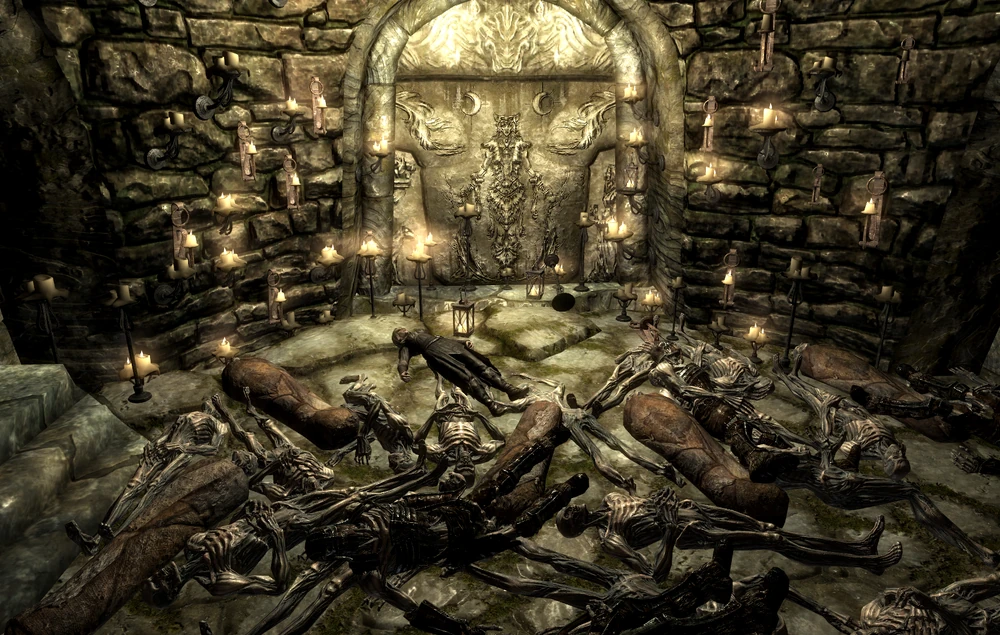
-
 I've been trying to figure this one out for a while but haven't been successful. The game will randomly crash when loading a save after death and I'm not sure what to do. hdtSMP64.dll does appear in the call stack. It caught my eye because I don't have a volume named G:\ : hdtSMP64.dll+0140E5C cmp byte ptr [rbx+0x10], 0x00 | "G:\source\hdtsmp-working\HDTSMP-Sandbox\Flex for 1.6.1170 - .8.00.11\hdtSMP64\Hooks.cpp:316 void hdt::UnkEngine::onFrame(void) [?onFrame@UnkEngine@hdt@@QEAAXXZ]" I've also tried looking at the registers but I don't understand what they mean. I should also add that I'm using the flex smp version of FSMP although I don't think it matters as the regular FSMP was already causing my game to CTD on death loads. I've attached my latest crash log and would really appreciate if someone helped me. Thanks and have a great day! crash-2025-11-28-05-42-32.log