Sexual Content
Adult oriented Fallout 4 mods that add Sexual related content.
187 files
-
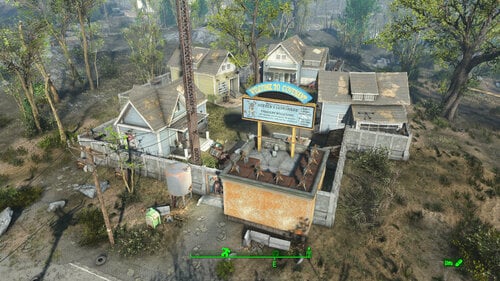
Transfer Settlements - Covenant Build-a-Home
By msmfoster
A Transfer Settlements blueprint that preserves most of Covenant while increasing defence, space utilisation, and adds a washroom facility. The concept is that Covenant once served as show homes for a local builder. This explains the high density of houses, proximity to roads, and the fence. Details on this build: Three homes have been converted to maximise bunk utilisation. General store building now supports a tier 3 Restaurant, General Store, and Medical. Guard area and section of the wall removed to create washroom facilities. Sharp increase in turret stands for an all-around defensive. Addition of a clothing and armour store under the balconies. The weapons store is located outside by the main bunkhouse. Power poles are maintained due to inability to scrap associated lines. Power between buildings routes using them to maintain the look and feel. Dedicated picnic area for settlers to lounge. Settlement Features 20 bunks. 70+ food. 365+ defences. 180 power. 30 water. Tier 3 Medical, Restaurant, Clothing, Armour, Weapons, and General Store. Dedicated gym nook. Vault-Tec drink dispenser and slot machines. Working sinks and showers. Power mostly runs through conduits to minimise visible power lines. Cat and dog included in the build. May be mild glitching when entering and leaving the bathroom. Requirements Downloadable Content Far Harbour Contraptions Workshop Vault-Tec Workshop Wasteland Workshop Enclave Remnants Hard Requirements Transfer Settlements. To import this blueprint. Scrap Everything or an equivalent. To clear out the area as per Setup Instructions. Homemaker. Primary build components for most of the settlement, decorations, furniture, and miscellaneous objects. Settlement Objects Expansion Pack. Fusion generators, railings, pools, foundation liners, cooking station, and water pumps. Note. Transfer Settlements will not add items if the mods are missing. Mods listed below are not required but will remove associated elements. Soft Requirements Craftable Working Sinks and Showers Redux. Working sinks and showers. Erotic Art. Frames and pictures used throughout. Working Fridges. Simple mod that adds working fridges, ice machines, and vending machines. Working Washer and Dryer (Immersive Laundry). Player functional laundry machines and dryers with sound effects. Nice to Have Videos of the Wasteland. Working televisions and projectors. Invisible Furniture. Adds invisible markers that are used as idles for settlers and pets. Gruffydd's Signs and Posters. Billboards and signs. Crazy Sex Animations. Invisible mats that make settlers happy through masturbation, done without using the Advanced Animation Framework, and additionally places assignable gurneys that increase happiness. Sex Toys of the Commonwealth. Adds the random placement of sex toys throughout. Bad Dragon Dildos. Adds more extreme dildos throughout. Unrelated But Useful Place Everywhere. Allows you to make minor adjustments if necessary. Armour Rack Female Mannequin Fix. Fixes the armour rack to support alternate bodies like Fusion Girl. Setup Clearing the area is relatively straightforward. Clear the homes of furniture and fixtures with exception of long bar and smaller variant facing the wall. See section below to clear out the terminal. Remove the white picket fence, clutter, and hedge within the compound. See section below to clear out the turret stands. Remove the guard area and single section of wall behind it. * Remove the Covenant sign, as a new one will be built above the washrooms. Clear out the outer perimeter of trash. Make sure to keep the following: The large tree in the centre of the compound. The power poles and lines. If you have Companion Ivy installed remove the one closest to the Covenant sign. A few elements cannot be scrapped normally, in this case you will need to do the following: Go into the console. Select the object (E.g., fringes, trunking). Disable MarkForDelete Note. Disable first in case you selected the wrong object. In that case Enable will recover the object without consequence. Build a Transfer Settlements console from Power > Miscellaneous in front of the largest tree. Note. Import should be done with Workshop Mode enabled. Tasks After Import No additional requirements other than to confirm that all power has been restored as expected. Notes on Imports Transfer Settlements recommends leaving the area after import and to not return for 1-2 game days. However, I found that saving on site always crashes the game. The easiest way to get away and save is to coc Vault111Ext from the console. Wait a couple of minutes before heading into the vault. Once you arrive at the bottom it is safe to save. I recommend that you import/export Blueprints using Stable defaults. Using other methods has caused ladders, walls, and flooring to appear without collision. In many cases the collision effects are found elsewhere leading to interesting behaviours among the NPC population, and leading to a snap back effect as you push through an area and are forced back by the invisible wall. Note. This blueprint was tested with Transfer Settlements working under Stable. Lastly Import wired power connections should always be selected as part of the import process. It will reliably re-connect all wired connections. This saves you the trouble of linking up floors, turrets, and in some cases re-establish connections for hidden or buried runs. Notes on Power and Performance These blueprints utilize ambient fill lighting to provide a pervasive glow. I use Naked Bulbs to create a lived-in atmosphere for statues, fountains, and roof voids. Warning for Dynamic Lighting Users If you use mods that turn all lights into dynamic, shadow-casting sources, the sheer number of these bulbs will severely cripple your framerate. I strongly recommend using the Transfer Settlements Blueprint Editor to strip out all instances of 306F1 before importing. Optimization for Complex Builds: Because of the heavy use of conduits to reduce visible power lines, these settlements have high object counts. To steps below may improve performance. Enable Faux Power in the Workshop Framework's workbench settings. Use the Transfer Settlements Blueprint Editor to strip all conduits from the .json file. This can reduce build complexity by up to 40% without losing the overall aesthetic of the settlement. Note. I cannot guarantee the above will work. A Special Thanks To Thank you to Caladon for creating the template that makes blueprints installable. Thank you to PiCSeL for the magazine and painting retextures seen in the screenshots. Updates Version 1.0.1 Added washer and dryer from Immersive Laundry. Ensured turret stands were all from homemaker for easier import.201 downloads
Updated
-
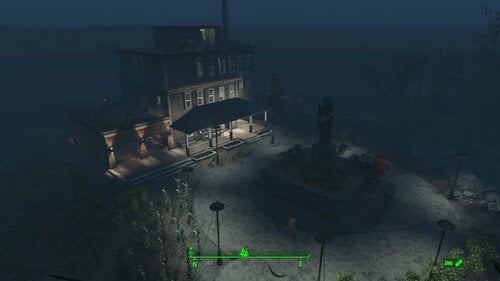
Transfer Settlements - Croup Manor Redux
By msmfoster
A Transfer Settlements blueprint that aims to repair Croup Manor making every level viable. This focuses on a high settler count that fits within the manor itself and a high food production. Details on the changes below: Damaged walls are replaced by intact duplicates. Replaces the floors and roof with Homemaker pieces. Removes the carport and replaces it with a two-door garage with an electric door. Replaces the deck overhang. Extends the roof onto the third deck balcony to add living space. Removes internal walls to allow for more efficient spacing. Maintains the existing stairwells for pathing. Settlement Features 21 bunks. 99+ food. 415+ defence. 200 power. 60 water. Tier 3 Medical, Restaurant, Clothing, and General Store. Dedicated medical area. Gym area. Vault-Tec drink dispenser and slot machines. Working sinks and showers. Power mostly runs through conduits to minimise visible power lines. Cat and dog included in the build. No visual glitches observed from this build. Requirements Downloadable Content Contraptions Workshop Vault-Tec Workshop Wasteland Workshop Far Harbour Hard Requirements Transfer Settlements. To import this blueprint. Scrap Everything or an equivalent. To clear out the area as per Setup Instructions. Homemaker. Primary build components for most of the settlement, decorations, furniture, and miscellaneous objects. Settlement Objects Expansion Pack. Fusion generators, railings, pool, foundation liners, cooking station, and water pumps. Note. Transfer Settlements will not add items if the mods are missing. Mods listed below are not required but will remove associated elements. Soft Requirements Craftable Working Sinks and Showers Redux. Working sinks and showers. Erotic Art. Frames and pictures used throughout. Working Fridges. Simple mod that adds working fridges, ice machines, and vending machines. Working Washer and Dryer (Immersive Laundry). Player functional laundry machines and dryers with sound effects. Nice to Have Armour and Weapon Keywords Community Resource. Additional types of workshops, namely power armour. Videos of the Wasteland. Working televisions and projectors. Invisible Furniture. Adds invisible markers that are used as idles for settlers and pets. Crazy Sex Animations. Invisible mats that make settlers happy through masturbation, done without using the Advanced Animation Framework, and additionally places assignable gurneys that increase happiness. Sex Toys of the Commonwealth. Adds the random placement of sex toys throughout. Bad Dragon Dildos. Adds more extreme dildos throughout. Unrelated But Useful Place Everywhere. Allows you to make minor adjustments if necessary. Armour Rack Female Mannequin Fix. Fixes the armour rack to support alternate bodies like Fusion Girl.
Setup Clearing the area can be relatively quick. Still, save often just in case you accidentally scrap something important like stairwells, and cliffside. Gut the main home with exception of the stairwells, and intact walls. Start from the third floor and remove the roof, accoutrements, garbage, and clutter. Remove all internal walls, floors, and damaged exterior walls. Remove the carport, storage above the workshop, and pavement in the carport area. Remove deadfall, trees, dead leaves. Leave scaffolding leading to the statue intact. Remove the door leading into the carport. Build a Transfer Settlements console from Power > Miscellaneous anywhere on the road. I prefer to place it nearer to the cul-de-sac as you can see the larger structures take shape. Note. Import should be done with Workshop Mode enabled. Tasks After Import No additional requirements other than to confirm that all power has been restored as expected. Notes on Imports Transfer Settlements recommends leaving the area after import and to not return for 1-2 game days. However, I found that saving on site always crashes the game. The easiest way to get away and save is to coc Vault111Ext from the console. Wait a couple of minutes before heading into the vault. Once you arrive at the bottom it is safe to save. I recommend that you import/export Blueprints using Stable defaults. Using other methods has caused ladders, walls, and flooring to appear without collision. In many cases the collision effects are found elsewhere leading to interesting behaviours among the NPC population, and leading to a snap back effect as you push through an area and are forced back by the invisible wall. Note. This blueprint was tested with Transfer Settlements working under Stable. Lastly Import wired power connections should always be selected as part of the import process. It will reliably re-connect all wired connections. This saves you the trouble of linking up floors, turrets, and in some cases re-establish connections for hidden or buried runs. A Special Thanks To Thank you to Caladon for creating the template that makes blueprints installable. Updates Version 2.0.1
Adjusted Erotic Art to work with my Classic Erotic Art Retexture. Doubled up ceilings for a consistent look between settlements. Switch for settlement beacon added to the third floor. Turn off beacon without clipping to the roof. Version 2.0.0
Complete rebuild of the settlement with a focus duplication and precise placement of pieces by copying existing geometry.
249 downloads
Updated
-
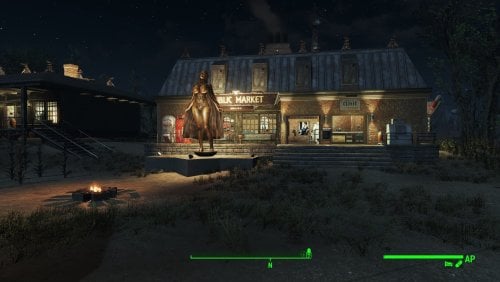
Transfer Settlements - Sunshine Tidings Luxury Cabins and Resort
By msmfoster
A Transfer Settlements blueprint that re-imagines Sunshine Tidings. While maintaining the overall footprint, it redoes the cabins to make settler and player travel easier and increase the amount of bunks available. The site mimics resorts that were popular during the fifties and sixties. Details on this build: Replaces every cabin with a similarly themed home. Each includes a washroom, kitchen, fireplace, and counter. Every home is individually powered but linked together. This would permit their turrets to engage enemies even if linking power lines are damaged. Replaces the food hall with a larger facility that houses stores and a dedicated medical clinic. Replaces the bathroom with a dedicated gym. To make things easier in the demolitions phase, workshop building is redone using standard components and flooring, making the doors functional. Every outside building has turrets on the roof, creating an all-around perimeter to fend off attacks. Settlement Features 24 bunks. 125+ food. 850+ defences. 360 power. 60 water. Tier 3 Medical, Restaurant, Clothing, and General Store. Dedicated gym area. Vault-Tec drink dispenser and slot machines. Working sinks and showers. Power mostly runs through conduits to minimise visible power lines. Cat and dog included in the build. No visual glitches observed from this build. Requirements Downloadable Content Contraptions Workshop Vault-Tec Workshop Wasteland Workshop Far Harbour Home Decor Workshop Pack (Optional) Arcade Workshop Pack (Optional) Virtual Workshops – Capital Wasteland (Optional) Hard Requirements Transfer Settlements. To import this blueprint. Scrap Everything or an equivalent. To clear out the area as per Setup Instructions. Homemaker. Primary build components for most of the settlement, decorations, furniture, and miscellaneous objects. Settlement Objects Expansion Pack. Fusion generators, railings, pools, foundation liners, cooking station, and water pumps. Note. Transfer Settlements will not add items if the mods are missing. Mods listed below are not required but will remove associated elements. Soft Requirements Craftable Working Sinks and Showers Redux. Working sinks and showers. Erotic Art. Frames and pictures used throughout. Working Fridges. Simple mod that adds working fridges, ice machines, and vending machines. Working Washer and Dryer (Immersive Laundry). Player functional laundry machines and dryers with sound effects. Singing Settler. Additional flooring in the settlement. Nice to Have Armour and Weapon Keywords Community Resource. Additional types of workshops, namely power armour. Videos of the Wasteland. Working televisions and projectors. PsBoss Statues from Skyrim. Skyrim styled statues for aesthetics. Invisible Furniture. Adds invisible markers that are used as idles for settlers and pets. Gruffydd's Signs and Posters. Billboards and signs. Crazy Sex Animations. Invisible mats that make settlers happy through masturbation, done without using the Advanced Animation Framework, and additionally places assignable gurneys that increase happiness. Sex Toys of the Commonwealth. Adds the random placement of sex toys throughout. Bad Dragon Dildos. Adds more extreme dildos throughout. Unrelated But Useful Place Everywhere. Allows you to make minor adjustments if necessary. Armour Rack Female Mannequin Fix. Fixes the armour rack to support alternate bodies like Fusion Girl. Setup Clearing the area is relatively straightforward. Remove all the cabins and their contents, along with the dining hall, workshop area, bathroom, and outhouses. For aesthetics, maintain the grain silos. Note. If you are not interested in maintaining the grain silos this settlement is an ideal candidate for the ScrapAll command. Build a Transfer Settlements console from Power > Miscellaneous on the path leading into the area by the dining hall. Note. Import should be done with Workshop Mode enabled. Tasks After Import No additional requirements other than to confirm that all power has been restored as expected. Notes on Imports Transfer Settlements recommends leaving the area after import and to not return for 1-2 game days. However, I found that saving on site always crashes the game. The easiest way to get away and save is to coc Vault111Ext from the console. Wait a couple of minutes before heading into the vault. Once you arrive at the bottom it is safe to save. I recommend that you import/export Blueprints using Stable defaults. Using other methods has caused ladders, walls, and flooring to appear without collision. In many cases the collision effects are found elsewhere leading to interesting behaviours among the NPC population, and leading to a snap back effect as you push through an area and are forced back by the invisible wall. Note. This blueprint was tested with Transfer Settlements working under Stable. Lastly Import wired power connections should always be selected as part of the import process. It will reliably re-connect all wired connections. This saves you the trouble of linking up floors, turrets, and in some cases re-establish connections for hidden or buried runs. Notes on Power and Performance These blueprints utilize ambient fill lighting to provide a pervasive glow. I use Naked Bulbs to create a lived-in atmosphere for statues, fountains, and roof voids. Warning for Dynamic Lighting Users If you use mods that turn all lights into dynamic, shadow-casting sources, the sheer number of these bulbs will severely cripple your framerate. I strongly recommend using the Transfer Settlements Blueprint Editor to strip out all instances of 306F1 before importing. Optimization for Complex Builds: Because of the heavy use of conduits to reduce visible power lines, these settlements have high object counts. The steps below may improve performance. Enable Faux Power in the Workshop Framework's workbench settings. Use the Transfer Settlements Blueprint Editor to strip all conduits from the .json file. This can reduce build complexity by up to 40% without losing the overall aesthetic of the settlement. Note. I cannot guarantee the above will work. A Special Thanks To Thank you to Caladon for creating the template that makes blueprints installable. Updates Version 1.0.2 Optimized Erotic Art to work with my Classic Erotic Art Retexture. Added a switch to turn on and off the Settlement Beacon from the medical clinic without having to get on the roof. Switched the ceiling for warehouse floors for consistency. Doubled the walls in the main structure for consistency. Medical centre now includes a surgical bay. Added arcades to the laundromat. Version 1.0.1 Added a laundromat with washers and dryers from Immersive Laundry. Replaced the warehouse doors with powered variants. Added a Skyrim statue of Mara as a showcase before entering the shops.
260 downloads
Updated
-
Indecent Captivity
By spicydoritos
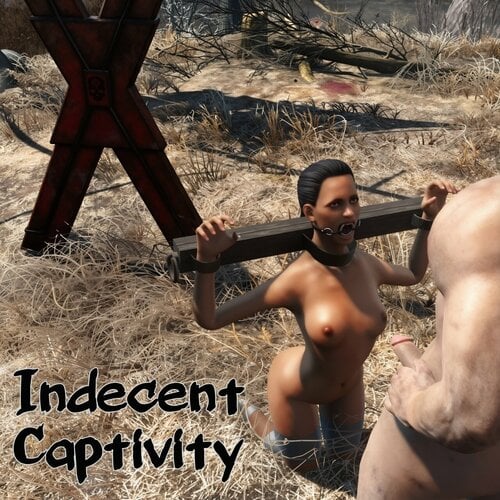
An expansion for Commonwealth Captives that adds KFT restraints, more captive poses, and automated sex with captors.
Variety is the Spice of Captivity
Normally you’ll find captives in one of two states: either tied to bondage furniture, or kneeling on the ground (“non-furniture”). Furniture already has several random options. Kneeling captives only ever kneel, though. This mod adds several extra idles from Daily Life of Hookers, as well as new custom made idles specifically designed to synergize with the limb positions of KFT restraints. Non-furniture captives can now have random pose variety too!
Captives can optionally spawn with KFT restraints. Head, eye, and mouth restraints can be equipped on either furniture or non-furniture captives. Body, arm, and leg restraints may only be equipped on non-furniture captives. This is to avoid conflicts between the furniture pose and the restraint pose.
Indecent Captivity contains its own internal settings for KFT restraints. This allows the user to select options specifically for captives, if desired. Please note that this mod only attempts to use restraints that actually restrict the captive in some way. Thus, it will not apply clothing that is purely decorative like corsets or stockings. In exchange, this mod includes several items that do not appear on the normal KFT leveled lists, including improvised blindfolds, amputations, and gags that change the captive’s expression. The user can optionally choose to have this mod obey KFT’s own MCM settings instead.
Automated sex will only occur between the captive and their nearby captors. You will not see wandering traders, nearby settlers, companions, or random creatures using the captives (captor-faction animals like raider dogs and FEV hounds can be enabled though). MCM settings control the number of potential partners, gender of partners for captives, number of simultaneous scenes, distance at which captors in a scene detect player shooting, distance player has to approach before captives stop being used for a new scene, and more. Captives on furniture are designed to return to their furniture after sex.
All of the above features can be enabled or disabled via MCM settings. Lastly, this plugin is ESL-flagged to avoid taking a precious ESP slot.
Precautions About Automated Sex
What Are Weights?
FAQ / TroubleShooting
Known Issues
Notes For Modders
Hard Requirements
-Vanilla Fallout 4 (no DLCs needed)
-Working AAF installation
-MCM
-Commonwealth Captives
-Kziitd Fetish Toolset
-Daily Life of Hookers
Thanks and Credits
-Egoballistic for making Commonwealth Captives, KFT, and so many other fine mods.
-kziitd for the custom KFT idles, for making KFT and Daily Life of Hookers, and for suggesting this mod’s concept in the first place.
-Honorable mention to Saya_Scarlett for the often thankless work of maintaining the AAF Fucking Manual.
-Credit to kinggath for the controller quest template that I'm still using from his Mod School Resources pack.
Permissions
Please seek permission from kziitd if you wish to make use of the included hkx files. All other assets are free to use for any purpose. No permission needed.
28279 downloads
Updated
-

menu screens Vault Meat - Menu Pack
By theJOHNS
Replaces the Intro Logos, Main Menu and Loading Screen with good ol', delicious Vault Meat... Oh, how we miss you.
Loading screen is a modified version of this, but the rest is original and made by me.
3962 downloads
- beastialty
- vault meat
- (and 2 more)
Submitted
-
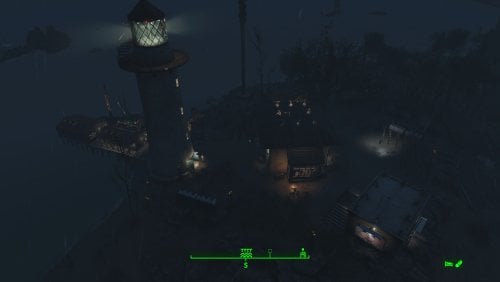
Transfer Settlements - Kingsport Lighthouse and Visitor Centre
By msmfoster
Kingsport Lighthouse is transformed into a functional lighthouse-and-visitor-centre settlement that preserves its isolated coastal charm while supporting high settler count and food production. The main home serves as the shop hub, the dock as bunkhouses, and an outbuilding provides visitor bathroom facilities. Details Repaired roof and expanded second level of the main home. Removed damaged dock sections, extended the dock, and added a fishing shack. Added outbuilding on the rocks for visitor washroom facilities. Cleaned up the lighthouse interior for sleeping accommodations and electric lighting. Placed a pallet in the docked fishing vessel for two extra bunks. Added a large Skyrim statue near the waterline (may explain the shipwrecks in the area). Settlement Features 24 bunks. 100+ food. 485 defences. 260 power. 60 water. Tier 3 Medical, Restaurant, Clothing, and General Store. Dedicated gym area. Vault-Tec drink dispenser and slot machines. Working sinks and showers. Settlers can move throughout and even make use of the beds inside the lighthouse. Power mostly runs through conduits to minimise visible power lines. Cat and dog included in the build. No visual glitches observed from this build. Requirements Downloadable Content Contraptions Workshop Vault-Tec Workshop Wasteland Workshop Far Harbour Hard Requirements Transfer Settlements. To import this blueprint. Scrap Everything or an equivalent. To clear out the area as per Setup Instructions. Homemaker. Primary build components for most of the settlement, decorations, furniture, and miscellaneous objects. Settlement Objects Expansion Pack. Fusion generators, railings, pool, foundation liners, cooking station, and water pumps. Note. Transfer Settlements will not add items if the mods are missing. Mods listed below are not required but will remove associated elements. Soft Requirements Craftable Working Sinks and Showers Redux. Working sinks and showers. PsBoss Statues from Skyrim. Skyrim styled statues for aesthetics. Advanced Bubble Turret Set (Realistic No Power version). Used within the main structure and lighthouse in case of respawns. Erotic Art. Frames and pictures used throughout. Working Fridges. Simple mod that adds working fridges, ice machines, and vending machines. Nice to Have Armour and Weapon Keywords Community Resource. Additional types of workshops, namely power armour. Videos of the Wasteland. Working televisions and projectors. Invisible Furniture. Adds invisible markers that are used as idles for settlers and pets. Gruffydd's Signs and Posters. Billboards and signs. Crazy Sex Animations. Invisible mats that make settlers happy through masturbation, done without using the Advanced Animation Framework, and additionally places assignable gurneys that increase happiness. Sex Toys of the Commonwealth. Adds the random placement of sex toys throughout. Bad Dragon Dildos. Adds more extreme dildos throughout. Companion Ivy. If you happen to have Ivy as a companion, one of her broadcast towers will be added in an out of the way area. Unrelated But Useful Place Everywhere. Allows you to make minor adjustments if necessary. Armour Rack Female Mannequin Fix. Fixes the armour rack to support alternate bodies like Fusion Girl. Setup Clearing the area can be quick. Still, save often just in case you accidentally scrap something important like the main home. Clear out the main home entirely of clutter and furniture. Additionally remove the damaged roof, and damaged wall leading to the narrow end. Clear out the contents of the fishing shack, and damaged portion of the dock. This includes the barrels and wooden frame. Remove the clutter, including rocks and shrubs from the surrounding area, including the red truck and the road beneath it. Be sure to maintain the rock face for the various cliffs. Move the large tree near the home. Push it beyond the boundaries of the build area using Place Everywhere. If you are running Universal Craftable Working Sinks and Showers, you will not be able to scrap the tub. From the console: Select the tub. Disable MarkForDelete Note. Disable first in case you selected the wrong object. In that case Enable will recover the object. Build a Transfer Settlements console from Power > Miscellaneous on the road leading into the settlement at the edge of the build area. Note. Import should be done with Workshop Mode enabled. Tasks After Import No additional requirements other than to confirm that all power has been restored as expected. Notes on Imports Transfer Settlements recommends leaving the area after import and to not return for 1-2 game days. However, I found that saving on site always crashes the game. The easiest way to get away and save is to coc Vault111Ext from the console. Wait a couple of minutes before heading into the vault. Once you arrive at the bottom it is safe to save. I recommend that you import/export Blueprints using Stable defaults. Using other methods has caused ladders, walls, and flooring to appear without collision. In many cases the collision effects are found elsewhere leading to interesting behaviours among the NPC population, and leading to a snap back effect as you push through an area and are forced back by the invisible wall. Note. This blueprint was tested with Transfer Settlements working under Stable. Lastly Import wired power connections should always be selected as part of the import process. It will reliably re-connect all wired connections. This saves you the trouble of linking up floors, turrets, and in some cases re-establish connections for hidden or buried runs. Notes on Power and Performance These blueprints utilize ambient fill lighting to provide a pervasive glow. I use Naked Bulbs to create a lived-in atmosphere for statues, fountains, and roof voids. Warning for Dynamic Lighting Users If you use mods that turn all lights into dynamic, shadow-casting sources, the sheer number of these bulbs will severely cripple your framerate. I strongly recommend using the Transfer Settlements Blueprint Editor to strip out all instances of 306F1 before importing. Optimization for Complex Builds: Because of the heavy use of conduits to reduce visible power lines, these settlements have high object counts. To steps below may improve performance. Enable Faux Power in the Workshop Framework's workbench settings. Use the Transfer Settlements Blueprint Editor to strip all conduits from the .json file. This can reduce build complexity by up to 40% without losing the overall aesthetic of the settlement. Note. I cannot guarantee the above will work. A Special Thanks To Thank you to Caladon for creating the template that makes blueprints installable. Updates Version 1.0.2 Adjusted Erotic Art to work with my Classic Erotic Art Retexture. Double-up ceiling for a consistent look across my settlements. Added a tree to account for an idle that cannot be removed. Replaced the roof so it aligns properly. Added a power switch to power on and off the recruiting beacon without going to the roof. Cleaned up lighting using SOE light sources. Version 1.0.1 Added a Skyrim statue on the cliff near the water line. Adjusted the wiring for the lighthouse. Much of it is now hidden for a cleaner look.
226 downloads
Updated
-
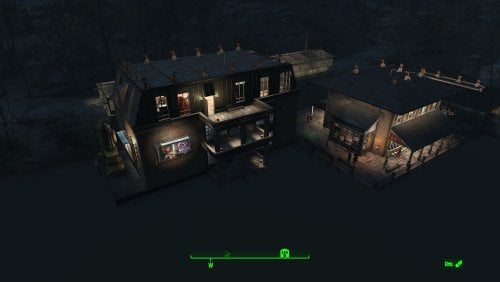
Transfer Settlements - Taffington Boathouse Restored and Expanded
By msmfoster
Taffington Boat House is an interesting location that could have easily been great had they increased the build area. This Transfer Settlements blueprint uses the existing space to: Expand the boardwalk. Fix up the existing building including the roof and overhangs. The main structure now houses shops and medical facilities, including a surgical area. Adds another bunkhouse with a laundry area, working bathroom, and a large space for workshops. Moves the boathouse slightly to accommodate the roof repair. Adds two greenhouses over the road. Note. For some easy experience points, get the attention of the bloodbugs and stingwings nearby and draw to the settlement's defences. Settlement Features 23 bunks. 110+ food. 485 defence. 260 power. 60 water. Tier 3 Medical, Restaurant, Clothing, and General Store. Dedicated gym area. Vault-Tec drink dispenser and slot machines. Working sinks and showers. Settlers appear able to move throughout but occasionally get stuck in the original home. Power mostly runs through conduits and under the boardwalk to minimise visible power lines. Cat and dog included in the build. No visual glitches observed from this build. Requirements Downloadable Content Contraptions Workshop Vault-Tec Workshop Wasteland Workshop Far Harbour Mid-Century Modern Furniture Set (Optional) Virtual Workshop – GNR Plaza (Optional) Hard Requirements Transfer Settlements. To import this blueprint. Scrap Everything or an equivalent. To clear out the area as per Setup Instructions. Homemaker. Primary build components for most of the settlement, decorations, furniture, and miscellaneous objects. Settlement Objects Expansion Pack. Fusion generators, railings, pool, foundation liners, cooking station, and water pumps. Note. Transfer Settlements will not add items if the mods are missing. Mods listed below are not required but will remove associated elements. Soft Requirements Craftable Working Sinks and Showers Redux. Working sinks and showers. Advanced Bubble Turret Set (Realistic No Power version). Unobtrusive defensive element used along the greenhouses' outside-facing walls and inside the main structure in case creatures respawn. Erotic Art. Frames and pictures used throughout. Working Fridges. Simple mod that adds working fridges, ice machines, and vending machines. Working Washer and Dryer (Immersive Laundry). Player functional laundry machines and dryers with sound effects. Nice to Have Armour and Weapon Keywords Community Resource. Additional types of workshops, namely power armour. Videos of the Wasteland. Working televisions and projectors. Invisible Furniture. Adds invisible markers that are used as idles for settlers and pets. Gruffydd's Signs and Posters. Billboards and signs. Crazy Sex Animations. Invisible mats that make settlers happy through masturbation, done without using the Advanced Animation Framework, and additionally places assignable gurneys that increase happiness. Sex Toys of the Commonwealth. Adds the random placement of sex toys throughout. Bad Dragon Dildos. Adds more extreme dildos throughout. Companion Ivy. If you happen to have Ivy as a companion, one of her broadcast towers will be added in an out of the way area. Unrelated But Useful Place Everywhere. Allows you to make minor adjustments if necessary. Armour Rack Female Mannequin Fix. Fixes the armour rack to support alternate bodies like Fusion Girl. Setup Clearing the area can be done quickly. Save often just in case you accidentally scrap something important like a wall. Clear out the boathouse completely. Remove the damaged part of the roof and overhangs of the main home, remove the tub, and bathroom walls. Remove the boardwalk entirely, including pylons and posts. Clear the area of clutter and junk. If you are running Universal Craftable Working Sinks and Showers, you will not be able to scrap the tub. From the console: Select the tub. Disable MarkForDelete Note. Disable first in case you selected the wrong object. In that case Enable will recover the object. Build a Transfer Settlements console from Power > Miscellaneous near the edge of the build area on the road near the boat ramp. Note. Import should be done with Workshop Mode enabled. Tasks After Import No additional requirements other than to confirm that all power has been restored as expected. You may need to adjust the glass in the windows for the bunkhouse. Just move them forward or back a bit until you have the desired effect. Glass also prevents the player from accidentally going through the window. Notes on Imports Transfer Settlements recommends leaving the area after import and to not return for 1-2 game days. However, I found that saving on site always crashes the game. The easiest way to get away and save is to coc Vault111Ext from the console. Wait a couple of minutes before heading into the vault. Once you arrive at the bottom it is save to save. I recommend that you import/export Blueprints using Stable defaults. Using other methods has caused ladders, walls, and flooring to appear without collision. In many cases the collision effects are found elsewhere leading to interesting behaviours among the NPC population, and leading to a snap back effect as you push through an area and are forced back by the invisible wall. Note. This blueprint was tested with Transfer Settlements working under Stable. Lastly Import wired power connections should always be selected as part of the import process. It will reliably re-connect all wired connections. This saves you the trouble of linking up floors, turrets, and in some cases re-establish connections for hidden or buried runs. A Special Thanks To Thank you to Caladon for creating the template that makes blueprints installable. Updates Version 1.0.3 Adjusted Erotic Art to work with my Classic Erotic Art Retexture. Closed up the attic Added some Anniversary Edition lighting (Optional) Version 1.0.2 Properly duplicated pylons and posts. Version 1.0.1 Electric doors were attached to workshop. Replaced washers and dryers with those from Immersive Laundry. Pylons and supports are now duplicated and pre-placed. Gas light added atop the pylons to more closely match the original look and feel.314 downloads
- transfer settlements
- taffington
- (and 1 more)
Updated
-
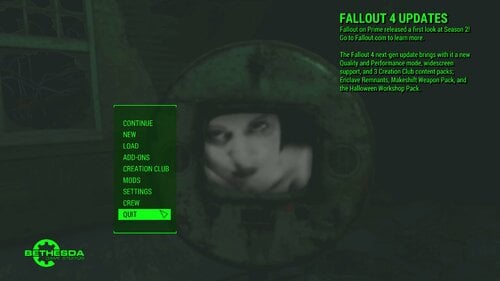
Menu Replacer - Addicted to Television - Skull and Bones
By msmfoster
The first in a series of cinematic and immersive menu replacers that showcases interesting locations in the Fallout 4 universe while adding a twist using Videos of the Wasteland and my collection of vintage pornography. This underwater home with a skeleton and television exists off the shores of Spectacle Island, and only replaced the television. This FOMOD also allows you to install a Random Main Menu variant if desired.
There are two versions available:
Cinematic. Transitions into the scene and focuses on the television. Immersive. One shot seen from further away. Here the scene is more important than the video on the television.
Requirements
None.
Installation
Use any mod manager to install:
Standalone version using video and sound. Standalone version using video only. Random Main Menu variant.
For manual installation:
Drop mus_maintheme.xwm into your Fallout 4 \Data\Music\Special directory. Drop MainMenuLoop.bk2 into your Fallout 4 \Data\Video\ directory
144 downloads
Updated
-
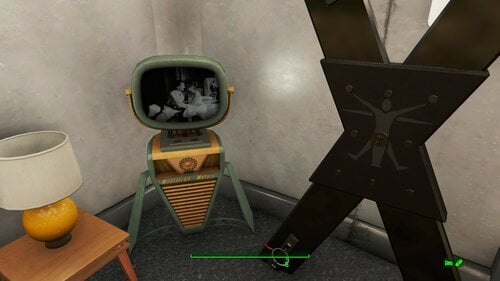
Videos of the Wasteland - More and Even More Vintage Pornography
By msmfoster
Two collections of six vintage pornography movies that are in the public domain. These have been converted to work with Videos of the Wasteland (VotW) and are usable with the mod's televisions and projectors. Every video has been tested with version 2.6 and work as expected. I made sure there were no pink screens at the end of the movies before the clip repeats.
Note. Pictures of the videos were taken from the original source.
Requirements
Videos of the Wasteland and all associated requirements.
How to Use
Craft holotape(s) using the VotW workbench. Insert holotape(s) into a projector or receiver. Enjoy.
Note. For those curious the Videos of the Wasteland video page contains a series of YouTube videos on how to make your own collection. While the process is relatively straight forward, I found it to be tedious.
2444 downloads
Updated
-
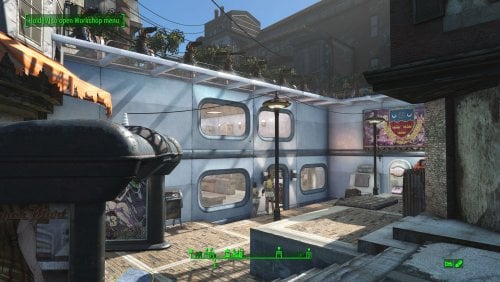
Transfer Settlements - Highrise Living at Hangman's Alley
By msmfoster
Hangman's Alley is a challenging settlement to build with. This Transfer Settlements blueprint uses highrise Settlement Objects Expansion Pack elements that maximises space and enhances overall aesthetics. The overall effect is a compact, clean, and defensible settlement. Details of the Build High-rise pieces used to integrate the structure into the existing alleyway. First deck features a space for shops, booths, workshops and bunks. Second deck is composed of a gym, and additional bunk spaces. Third deck is reserved mostly for mutfruit planters. The third entry space at the top of a wooden set of stairs has been further sealed using Homemaker brick pieces. Heavy turret presence at both entry points, and additional turrets hidden in dead spaces to defend against opponents spawned within the settlement. Key details 22 bunks 90+ food 600+ defence 240+ power 35+ water All Tier-3 stores (Medical, Restaurant, Clothing, General) Dedicated gym area Vault-Tec drink dispensers, and slot machines Fully working sinks, showers, and fridges Power routed through conduits to minimise visible wiring Cat, and dog included Minimal visual glitches observed from this build. Settlers appear to have little trouble moving around the build. Requirements Downloadable Content Contraptions Workshop Vault-Tec Workshop Wasteland Workshop Hard Requirements Transfer Settlements. To import this blueprint. Scrap Everything or an equivalent. To clear out the area as per Setup Instructions. Settlement Objects Expansion Pack. Primary build components for most of the settlement. Fusion generators, railings, pool, foundation liners, cooking station, and water pumps. Homemaker. Decorations, furniture, and miscellaneous objects. Note. Transfer Settlements will not add items if the mods are missing. The following are not required but will remove associated elements. Soft Requirements Craftable Working Sinks and Showers Redux. Working sinks and showers. Erotic Art. Frames and pictures used throughout. Working Fridges. Simple mod that adds working fridges, ice machines, and vending machines. Working Washer and Dryer (Immersive Laundry). Player functional laundry machines and dryers with sound effects. Advanced Bubble Turret Set (Realistic No Power version). Bubble turrets for defence along the outer edge of the playground. Nice to Have Armour and Weapon Keywords Community Resource. Additional types of workshops, namely power armour. Videos of the Wasteland. Working televisions and projectors. Gruffydd's Signs and Posters. Billboards and signs Crazy Sex Animations. Invisible mats that make settlers happy through masturbation, done without using the Advanced Animation Framework, and additionally places assignable gurneys that increase happiness. Sex Toys of the Commonwealth. Adds the random placement of sex toys throughout. Bad Dragon Dildos. Adds more extreme dildos throughout. Companion Ivy. If you happen to have Ivy as a companion, one of her broadcast towers will be added in an out of the way area. Unrelated But Useful Place Everywhere. Allows you to make minor adjustments if necessary. Armour Rack Female Mannequin Fix. Fixes the armour rack to support alternate bodies like Fusion Girl. Setup Clearing the area can be done quickly. Still, save often just in case you accidentally scrap something important like a wall. Note. Any references to left or right are based on coming down the concrete steps. Clear out the area of trash, shrubs, and visible sidewalks within the area below the concrete stairs. Remove any makeshift walls and buildings. The sole exception is the chained door at the top of the refuse pile. Keep that one intact, as it prevents opponents from attacking from there. Remove the workbenches, fridge, and fire barrel. Remove the supports located by the fridge on the right. Remove the overhang located by the weapons workbench on the left, including the thin matching fringe that goes along that wall. Two elements of that fringe will require MarkForDelete to remove. There are two rusted trunkings visible in the alley. Remove the one furthest away from the weapons workbench. This will likely require you to select the object and MarkForDelete from the console. Remove the lowest level of window outcroppings on the left wall, including those around the corner. The blueprint will add build elements to prevent visual glitches. To remove an explosion hazard, mark the truck in the console and MoveTo Player the vehicle to within the settlement. This allows you to scrap it. Alternatively, blow it up ahead of time. A few elements cannot be scrapped normally, in this case you will need to do the following: Go into the console. Select the object (E.g., fringes, trunking). Disable MarkForDelete Note. Disable first in case you selected the wrong object. In that case Enable will recover the object without consequence. Build a Transfer Settlements console from Power > Miscellaneous at the top of the concrete steps to import this blueprint. Note. Import should be done with Workshop Mode enabled. Tasks After Import Confirm that all power has been restored as expected. Notes on Imports Transfer Settlements recommends leaving the area after import and to not return for 1-2 game days. However, I found that saving on site always crashes the game. The easiest way to get away and save is to coc Vault111Ext from the console. Wait a couple of minutes before heading into the vault. Once you arrive at the bottom it is safe to save. I recommend you import/export Blueprints using Stable defaults. Using other methods has caused ladders, walls, and flooring to appear without collision. In many cases the collision effects are found elsewhere leading to interesting behaviours among the NPC population, and leading to a snap back effect as you push through an area and are forced back by the invisible wall. Note. This blueprint was tested with Transfer Settlements working under Stable. Lastly Import wired power connections should always be selected as part of the import process. It will reliably re-connect all wired connections. This saves you the trouble of linking up floors, turrets, and in some cases re-establish connections for hidden or buried runs. Notes on Power and Performance These blueprints utilize ambient fill lighting to provide a pervasive glow. I use Naked Bulbs to create a lived-in atmosphere for statues, fountains, and roof voids. Warning for Dynamic Lighting Users If you use mods that turn all lights into dynamic, shadow-casting sources, the sheer number of these bulbs will severely cripple your framerate. I strongly recommend using the Transfer Settlements Blueprint Editor to strip out all instances of 306F1 before importing. Optimization for Complex Builds: Because of the heavy use of conduits to reduce visible power lines, these settlements have high object counts. The steps below may improve performance. Enable Faux Power in the Workshop Framework's workbench settings. Use the Transfer Settlements Blueprint Editor to strip all conduits from the .json file. This can reduce build complexity by up to 40% without losing the overall aesthetic of the settlement. Note. I cannot guarantee the above will work. A Special Thanks To Thank you to Caladon for creating the template that makes blueprints installable. Updates Version 1.0.3 Added a recruitment beacon on the rooftop of the surrounding buildings. Switch to turn on and off is below it by the scavenger station. Re-added some missing lights and added some SOE light sources for additional illumination. Optimized build to use my Classic Erotic Art Retexture. Version 1.0.2 Adjusted turret positions to ensure they have no effect on player and NPC movement. Slight power tweaks to ease import. Switched to Immersive Laundry. Version 1.0.1 Dog, and cat can now be imported.
362 downloads
- transfer settlements
- settlement
- (and 1 more)
Updated
-
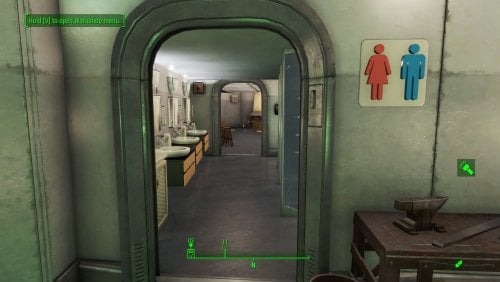
Transfer Settlements - Institute Surveillance Station Home Plate
By msmfoster
Home Plate is the de facto home for the player within Fallout 4, but the base build can be pretty limiting. This Transfer Settlements blueprint uses a mixture of Settlement Objects Expansion Pack elements that maximises space and enhances overall aesthetics. The overall effect is an early Institute design similar to what you would find within the FEV laboratory. My goals for this blueprint were: Increase the available floor space, resulting in a second and third level. To create a space that appears to be livable, including a kitchen and bathrooms. Designed to support mods that enable parties or entertaining clients. E.g., Hardship by Tentacus. Furniture selection to further support Advanced Animation Framework (AAF) scenes. Limited settlement support, such as shops. Limited defences in the form of bubble turrets, in case NPCs get violent. Have power available throughout without the distribution being visible or by using Workshop Framework. Create a more coherent and consistent look. Note. Similar layouts have been used to support Human Resources. The antenna was wired in and clipped through the walls to broadcast availability, with the additional safe and terminal added wherever it fit. If I recall, locals would also avail themselves of the service. Requirements Downloadable Content Wasteland Workshop Contraptions Workshop Vault-Tec Workshop Hard Requirements Transfer Settlements. To import this Blueprint. Scrap Everything. To clear out Home Plate down to the corrugated walls. Settlement Objects Expansion Pack. Main building elements needed to make this possible. Note. Transfer Settlements will not add items if the mods are missing. The following are not required but will remove associated elements. Soft Requirements Homemaker. Decorations, furniture, and miscellaneous objects. Craftable Working Sinks and Showers Redux. Working sinks, showers, and kitchen. Advanced Bubble Turret Set. Unobtrusive defensive elements. Erotic Art and Erotic Art Expanded. Frames and pictures used throughout. Working Fridges. Simple mod that adds working fridges, ice machines, and vending machines. Working Washer and Dryer (Immersive Laundry). Player functional laundry machines and dryers with sound effects. Signing Settler. Used extensively in other settlements, but for this Blueprint it is restricted to the addition of carpeting. Nice to Have Videos of the Wasteland. Working televisions. Invisible Furniture. Adds invisible markers that Dogmeat and Settlers can use for basic actions. Torture Devices. Addition of associated torture devices. ZaZOut4 REPACK. Crosses and pillories. Crazy Sex Animations. Invisible mats that allow the characters to do certain sexual tasks. Sex Toys of the Commonwealth. Adds the random placement of sex toys throughout. Bad Dragon Dildos. Adds more extreme dildos throughout. Unrelated But Useful Place Everywhere. Allows you to make minor adjustments if necessary. Home Plate Workshop Settlement. A full workshop for Home Plate to manage caravans and shops. Setup Scrap everything within Home Plate. The easiest way to do this is to run ScrapAll from the console. This is the only settlement where this works without creating adverse effects. Build a Transfer Settlements station from /Power/Misc and place it in front of the workshop. Use it to import this Blueprint. Note. Import should be done with Workshop Mode enabled. Notes on Imports Transfer Settlements recommends leaving the area after import and not return for 1-2 game days. However, I found that saving on site always crashes the game. The easiest way to get away and save is to coc Vault111Ext from the console. Wait a couple of minutes before heading into Vault 111 a few minutes after arrival. Once inside wait an additional few minutes before saving. I recommend that you import/export Blueprints using Stable defaults. Using other methods has caused ladders, walls, and flooring to appear without collision. In many cases the collision effects are found elsewhere leading to interesting behaviours among the NPC population, and leading to a snap back effect as you push through an area and are forced back by the invisible wall. Note. This blueprint was tested with Transfer Settlements working under Stable. Lastly Import wired power connections should always be selected as part of the import process. It will reliably re-connect all wired connections. This saves you the trouble of linking up floors, turrets, and in some cases re-establish connections for hidden or buried runs. Notes on Power and Performance These blueprints utilize ambient fill lighting to provide a pervasive glow. I use Naked Bulbs to create a lived-in atmosphere for statues, fountains, and roof voids. Warning for Dynamic Lighting Users If you use mods that turn all lights into dynamic, shadow-casting sources, the sheer number of these bulbs will severely cripple your framerate. I strongly recommend using the Transfer Settlements Blueprint Editor to strip out all instances of 306F1 before importing. Optimization for Complex Builds: Because of the heavy use of conduits to reduce visible power lines, these settlements have high object counts. To steps below may improve performance. Enable Faux Power in the Workshop Framework's workbench settings. Use the Transfer Settlements Blueprint Editor to strip all conduits from the .json file. This can reduce build complexity by up to 40% without losing the overall aesthetic of the settlement. Note. I cannot guarantee the above will work. A Special Thanks To Thank you to Caladon for creating the template that makes Blueprints installable. Updates Version 1.0.1 Minor adjustments to walls and doors to prevent clipping. Added Immersive Laundry support. Added a cat and a dog to the build. Made adjustments to the Erotic Art optimized for my Classic Erotic Art Retexture.
267 downloads
- transfer settlements
- settlements
- (and 1 more)
Updated
-
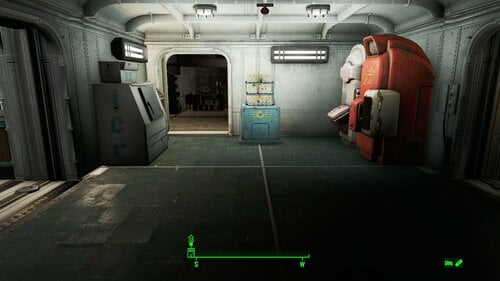
Transfer Settlements - The Mechanist's Lair Vault-Tec Fusion
By msmfoster
This Transfer Settlements Blueprint aims to create a workable player lair with a focus on:
One level dedicated to the living area and crafting stations. Three levels dedicated to the display of power armour, weapons, armour, and magazines. Every level of the RobCo Facility connects through the Vault-Tec structures. No visual glitches or bugs.
Ultimately this Blueprint offers the following:
48 power armour displays 56 armour displays 850+ magazine slots 3 dedicated display rooms 42 regular weapon displays 16 handgun displays 18 heavy weapons stands 5 power armour stations
Requirements
Downloadable Content
Automatron Wasteland Workshop Vault-Tec Workshop Contraptions Workshop
Hard Requirements
Transfer Settlements. To import this Blueprint. Scrap Everything or Equivilant. To clear out the lair of supports, writing, floor lights, etc. Settlement Objects Expansion Pack. Main building elements to make this possible, including the lit vault pieces.
Note. Transfer Settlements will not add items if the mods are missing. The following are not required but will remove certain visual elements.
Soft Requirements
Homemaker. Decorations, furniture, and miscellaneous objects. Craftable Working Sinks and Showers Redux. Working sinks, showers, and kitchen. Advanced Bubble Turret Set. Unobtrusive defensive elements. Wall Mounted Magazine Shelf. Provides a form-fitting magazine display that integrates well with the Overseer's wall design. Erotic Art and Erotic Art Expanded. Frames and pictures used throughout the lair. Working Fridges. Simple mod that adds working fridges, ice machines, and vending machines.
Nice to have
Videos of the Wasteland. Working television and projector for the facility. Better Armoury Mod. Great mod for creating an armoury and displaying associated weapons. Armour and Weapon Keywords Community Resource. Additional types of workshops, namely power armour. Devious Devices. Addition of the associated workshop in the Torture Room. Torture Devices. Addition of associated torture devices used for the Torture Room. Crazy Sex Animations. Invisible mats that allow the characters to do certain sexual tasks. Sex Toys of the Commonwealth. Adds the random placement of sex toys throughout certain locales, i.e., Bedroom and _Torture Room_. Wasteland Dairy Framework. Associated crafting stations with the mod. Gruffydd's Signs and Posters. Small decorative elements near the pool table. Invisible Furniture. Adds invisible markers that Dogmeat and Settlers can use for basic actions. Signing Settler. Used extensively in other settlements, but for this Blueprint it is restricted to carpeting used to hide clipped vault elements.
Unrelated But Useful
Place Everywhere. Allowing you to make minor adjustments if necessary. Armour Rack Female Mannequin Fix. Fixes the armour rack to support alternate bodies like Fusion Girl. Decal Stain Remover. Removes unscrappable stains in certain settlements like the Mechanist's Lair.
Setup
Scrap the inside of the Mechanist's Lair, including floor lamps, catwalks, supports, and writing. Do not touch the stone supports connected to walls, but do remove the steel elements. Scrap the top steel rails, other than the animated ones, as well as the eyebot pods. Clean up the entry points within the build area.
Additionally, the ramp used by the Mechanist can be removed. There are access points outside of that point, and some security gates may need to be (re)moved once everything is in place.
Potential Issues
Power distribution is done through the vault structures themselves. If the second and third display level lack power, snap the connecting stairwells back into place to correct.
NPCs have little to no ability to traverse this area, which was not the case with past designs using pure vanilla pieces. I suspect this has something to do with the Settlement Objects Expansion Pack. This does not affect the player at all.
Transfer Settlements recommends that you leave the area after the blueprint has been implemented, but saving on site has always led to a hard crash (for me). To save, you need to move out of the area, but I found that doing `coc Vault111Ext` from the console is the easiest way to get away and save. As an additional precaution, head down into the vault. Once you have warped to that location, save and wait the recommended amount of time.
I learned from experience to import/export Blueprints using the Stable defaults. Using other methods has caused ladders, walls, and flooring to be visible but without collision. In many cases the collision effects are found somewhere else leading to interesting behaviours among the NPC population.
Note. While vault elements are usually stable, this is not always the case.
A Special Thanks To
Thank you Caladon for creating the template to make these Blueprints installable.
Thank you PiCSeL for the magazine and painting retextures seen in the screenshots.
233 downloads
- transfer settlements
- mechanists lair
- (and 1 more)
Submitted
-
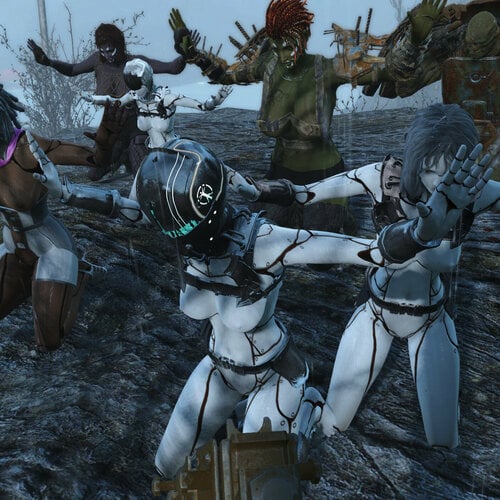
AAF Violate Patch - Custom Races & More Victims
By idkmanyolo
Note: If you have issues after installing this, remember to ask about it here instead of the main AAF Violate page. This is a new upload and may have unforeseen bugs.
This patch allows anyone to include additional races to AAF Violate without modifying any scripts. This can now be done through editing or patching the provided plugin with FO4Edit. Custom and vanilla races can be added as violators, or as mutual victims/violators. The patch also increases the maximum number of concurrent victims from the original 3, to 8 humanoid victims and 8 non-humanoid victims. Also introduced, is a new global variable that can reduce or prevent victims from leaving the surrender state and re-entering combat whenever the player encounters another hostile npc. Note that the plugin isn't light because of restrictions caused by dialogue entries.
Requirements:
AAF Violate - Version 1.61 and in working order.
AAF Voices-2.5.2-AAF Violate.fomod - Only required if you choose the voice version of the custom races patch. Any other Violate Voice mods could break the game.
FO4Edit - To add races to the plugin as you see fit.
Installation:
-If you have AAF Violate 1.61 and no voice mod for it, download Violate Custom Races Patch 1.61.rar.
-If you have AAF Violate 1.61 and AAF Voices 2.5.2-AAF Violate , download Violate Custom Races Patch 1.61 wVoice.rar, instead.
-Don't download anything if you have an older version or are using a different Violate voice mod.
-Both versions are compatible with the DLC, Feral Animations, and FCOM support that come with AAF Violate's FOMOD.
Usage, Troubleshooting, Bugs:
(For detailed instructions with images, click on the spoiler below 'Detailed Usage')
For your convenience, set Violate_Custom_Races.esp near the end of your load order so it can readily adopt most mods as masters. Enable and deploy the plugin. Use FO4Edit to add plugins with custom races as masters to Violate_Custom_Races.esp. Then add race records to the Violate_Aggressors (070010AC) or Violate_Victims_and_Aggressors (070010AD) form lists. If a race you add has human (i.e. RaiderProject.hkx) behavior graph entries, then add that race to the Violate_Humanoids (070010AE) form list as well. If you are adding a race to the Victims_and_Aggressors list, so that they are eligible as victims, you also need to make sure that their race has the "Allow PC Dialogue" option checked in its Flags. Copy the race as an override and make that change if necessary. Some creatures like mirelurks and radscorpions still won't give you dialogue options if you do this, but I'm not sure what other entry they have or lack that causes this. Anything dumber than a dog/robot/deathclaw seems to have this issue. Also, don't forget to redeploy mods after saving your plugin.
After first installing the mod, or making any changes to the plugin, load the game to a save where Violate isn't currently being triggered or dealing with surrendering enemies. Every time you make changes to the plugin, follow the same precaution. If you haven't made a change to the plugin in a while, but are clicking on a save with active victims when loading, and you keep crashing before loading completes, or soon after, you may need to load a save from before any of those victims surrendered.
If you find that no one, not even regular non-unique human, is surrendering to you, check if the quest has been stopped by typing
"sqs fpv_aggressor" in the console. If it says it is stopped, type "startquest fpv_aggressor" and then check the status of the quest again. This happened to me once while testing earlier iterations.
By default, the intimidation factor that prevents victims from going aggro when you find a new hostile npc is 0.75. I recommend something even higher if you use the feature often, like 0.95 or even 1. You can change the value with "set afv_global_intimidation to X." You might need to save and reload for the change to take effect.
If you are using the voice version, only the first 3 humanoid victims will audibly speak, as they are the original aliases. I tried copying and renaming fuz files to match the formIDs of the new dialogue, but that didn't work, so unless someone can describe what else goes into making this voice mod work, I probably won't add any new voices.
There's an issue where npcs in the BoS faction will appear to surrender, and won't actively fight, but they will still be designated as in combat and they won't give you a dialogue option to violate them. I think minutemen might also be affected. Railroad agents and synths worked just fine. This may also have to do with your allegiance to certain factions in game, as I hadn't even met Danse yet. As far as I could tell, the issue still existed for me when turning off the mod, so it may be a problem for regular installations of Violate as well. If there's enough demand, I might try to create a workaround for this.
The most jarring issue at the moment is that a lot of male creatures like super mutants and deathclaws fail to get erections when they are victims, even though all their AAF animations force them to be the aggressor. I think I want to do a script for that next.
Detailed Usage:
Acknowledgements:
EgoBallistic for supporting AAF Violate and continuing its development
5982 downloads
Submitted
-
Morning Sex Alternative
This mod is a simplified version of "Morning Sex With Lover".
When you wake up in the morning, you will have sex with your companion.
(It is recommended to wait about 5 seconds after waking up.)
This mod performs Morning Sex with a companion equipped with the following Rings.
There is no need to create a patch for each companion.
There are 5 Rings in total, which can be created in "Chem Station > Utility".
Ring Of Lover
Performs Morning Sex on a companion with the Romantic flag enabled.
Ring Of Friend
Checks Affinity Value (1000 over) without Romace check.
It is used with a companion who has Affinity but not romance.
Ring Of Slave
Checks only the Ring equipment, not Affinity or Romance.
Can be used with companions that have neither Affinity nor Romance.
Aggressive and Rough tags are specified in the AAF Sex animation tags.
Assumes that the player is the Master and the companion is the Slave role.
Ring Of Love Slave
Same as Ring Of Slave, but the Aggressive and Rough tags are not specified in the sex animation tag.
Ring Of Master
Same as Ring Of Slave, but the sex animation tags are specified differently.
Assumes that the player is a Slave and the companion is a Master.
Threesome
If you have multiple companions due to multi-follower mods, etc., you can perform Threesome Sex.
This will only occur if you have a companion equipped with Ring Of Slave, Ring Of Love Slave or Ring Of Master.
---
Animation tags
Details of the animation tags used in each Ring are as follows.
---
Setting Holotape
A setting holotape can be created at "Chem station > Utility".
The holotape setting items are as follows:
Morning Sex Alternative : Enabled / Disabled
Enables or disables the MOD.
Debug Mode : On / Off
Enables / Disables Debug logging
Player Role : Auto / Giver / Receiver
Sets the sex role of the player.
If set to Auto, it will be automatically set according to gender (Male = Giver, Female = Receiver).
Partner Gender : Defferent / Same / Both
Specify the gender of the sex partner.
Scene Chance : 25% / 50% / 75% / 100%
Specify the probability of Morning Sex.
Sex Duration Time : 30sec / 60sec / 90sec / 120sec / 240sec / 480sec
Specify animation playback time.
Furniture Scan Radius : 250 / 500 / 1000 / 1500 / 2000
Specify the search range of furniture used in Sex.
Allow HasBeenCompanion : Enabled / Disabled
Whether to scan companions who are waiting at the base.
Allow NPC : Enabled / Disabled
Enable scanning of NPCs (Ring Equipped) that are not companions.
NPC's have neither Affinity nor Romance, only Ring Of Slave, Ring Of Love Slave, and Ring Of Master are effective.
Allow Threesome : Enabled / Disabled
Do you want to perform Threesome Sex if the companion is equipped with Ring Of Slave, Ring Of Love Slave or Ring Of Master.
---
Notes
This MOD executes animations by specifying Sleep Furniture, so I recommend installing an animation MOD that includes many animations compatible with furniture.
For example, the following MOD is recommended because it includes many bedding animations.
SavageCabbages Animation Pack : https://www.loverslab.com/files/file/5983-my-animation-pack-updated-150423/
BP70 Fallout 4 Sex Animations : https://www.loverslab.com/files/file/5205-aaf-bp70s-fallout-4-sex-anims-28-20-9-2021/
RohZima Fallout 4 Sex Animations : https://www.loverslab.com/files/file/27859-rohzima-fallout-4-sex-animations-for-aaf/
2656 downloads
Updated
-

voice Violate - Russian voices
By SquareBun
Русская озвучка мода. Голоса игровых персонажей похожи на голоса от студии cool-games. Все NPC-агрессоры имеют мужские голоса; жертвы игрока (которые сдаются в плен) — женские.
754 downloads
Updated
-
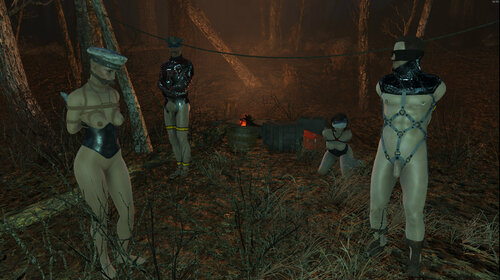
KFT Bondage Grenade
By idkmanyolo
Note 1: This mod is heavily inspired by and originally drawn from Devious Devices - Bondage Grenade
Note 2: NPCs that surrender for AAF Violate due to this mod cannot be enslaved for human resources until you unrestrain them (machete makes this easy), attack them again and make them surrender the usual way. Another way is to use the Alternative Enslavement Crop.
Note 3: Grenades work against the female player character, but not the male.
-This mod provides grenades and a harpoon gun weapon mod that can bind targets in random KFT items, Devious Devices or Real Handcuffs, depending on settings and circumstances.
-A machete weapon mod that frees targets from all restraints is also provided. Grenades and ammo are crafted at the chem bench. Weapon mods are crafted at the weapons bench.
-Targets that aren't designated settlers, companions or unique NPCs will also submit to AAF Violate.
-You can adjust the applicable races and sexes to whatever you want by editing the main plugin file, KFTgrenade.esp. If you want deathclaws or anything else to surrender to you, you can do that.
Requirements:
Far Harbor DLC
Kziitd Fetish Toolset
Devious Devices (I'm using RC9)
Real Handcuffs
AAF Violate
Suggested Mods:
Devious Devices RC8 Male Addon 2.0 (Only required if you want to restrain male humanoid NPCs. Don't forget to edit the plugin's kg_male property from False to True)
Female Synths (To restrain female synths as seen in the gallery)
Race Lists For You To Adjust:
How it works:
-Any custom/modded races should have their plugin added as a master to KFTgrenade.esp
-Any races you want to be restrained by the grenade/harpoon gun should be added to bondnade_RACE_list (FE000028)
-From these races, any of them with male NPCs that can equip DD items, but don't use a human male mesh (like male synths) should be added to FE000029.
-Any races that don't have human bodies and can't properly wear DD or KFT items, but can wear Real Handcuffs (like Servitrons) should be added to FE00002A.
-Any races that can't wear any restraining items at all, and are mono-gendered (like deathclaws, molerats, super mutants, etc) should be added to FE00002B.
-Any races that use the human skeleton and animations (Servitrons, etc) should again be added to FE00002C.
-If a race appears in FE000028 and nowhere else, that means no surrender animation will play, and the mod will attempt to add KFT items on females, as well as an unrestricted variety of DD items on males (if male activity is turned on).
Settings For You To Adjust:
kg_amp = rate of KFT victims with amputations (default 0.05)
kg_gag = rate of KFT victims with gags (default 0.3)
kg_male = whether male humanoid NPCs are affected or not (default False)
kg_RHcollar = rate of RH victims that are given an RH collar (default 0.0)
Perhaps I'd make an MCM for these options, but the plugin would still need to be modified manually for race compatibility, so that makes it less worthwhile.
In the Downloads, there is an optional level list injection patch that will inject grenades into enemy arsenals and vendor inventories.
2434 downloads
Updated
-
[AAF] Bound In Public (Male Dialogue)
By HimboSeraph
A simple edit of twistedtrebla's Bound in Public mod for male players
Description:
I a very gay man loves to mod my games and was a bit disappointed that some fantastic mods didn't really have any up-to-date patches for male characters, so I decided to make a simple overwrite of the dialogue from this mod that changes the female oriented text to male while trying to keep the same kind of style. This DOES NOT REPLACE THE ORIGINAL file only edits the text.
Pls Note:
I am not a mod maker I don't know how to fix bugs or solve conflicts. I have tested this and experienced no issues (It's only a dialogue edit)
Requirement:
Bound in public v1.3.3 and its requirements
Installation:
Create an empty mod then drop the esp file in. Make sure its after Bound in Public in Load Order
701 downloads
Submitted
-
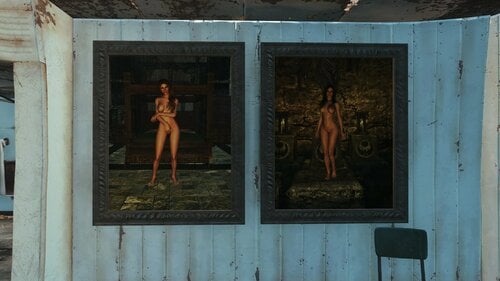
Skyrim Forgotten Art Paintings
By killer905
Have you played the Forgotten Art mod for TES V Skyrim? Do you miss the pretty, hot and dangerous womens? This is mod for you ❤️
Adds 46 Paintings (+2 bonus) from the Forgotten Art mod for TES V Skyrim are available in any workshop in the world of Fallout 4!
Uninstallation:
1) Remove all paintings from the settlement added by this mod.
2) Create an item in Chemistry station -> Utility -> [SFA] Paintings Remove
3) Use the [SFA] Paintings Remove item
4) Save the game
5) Deinstall the mod in Vortex/NMM/MO2
6) PROFIT!
289 downloads
Updated
-
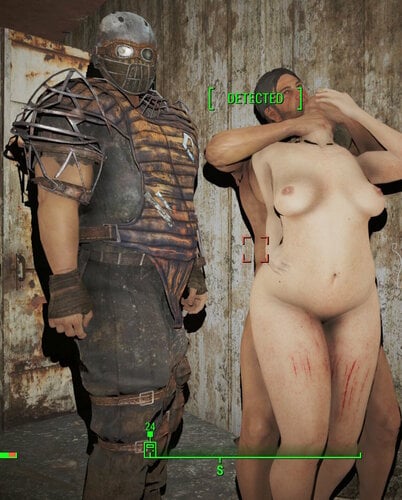
PorcEffects (AAF bodymarks)
By Jeffey67
This is Sex marks of any rough/aggressive AAF animations. Scratches from rude floor or lockers, spank marks, dirty feet and some bruises. I tried to make it most compatible to actual position of female NPC. For example if it is powerbomb on the floor, then upper part of back get scratches. if male(s) seized her legs or arms, then some bruises on legs or arms should appear. It will be temporary overlays (60-120 sec), then disappear.
You can choose AAF patch you use during installation: UAP, Indarello's Patch for animations , or no one of these, if you prefer to use clean versions of AAF animation packs.
Now it affects only Savage Cabbage, Leito and Bp70.
7049 downloads
Submitted
-
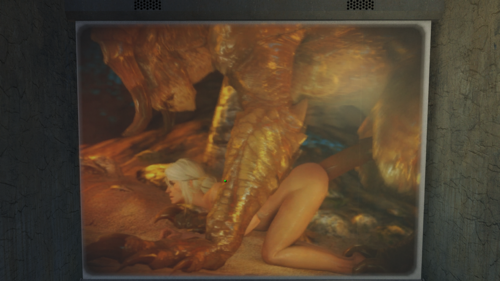
VotW Various
By SquareBun
Adds 10 different videos from the Fallout universe.
Game 1.10.163 requires Backported Archive2 Support System
5015 downloads
Submitted
-
Latex Collar Curse 1.30 - russian translation
By Samhsay
Перевод на русский язык мода Latex Collar Curse версии 1.30. Даже не совсем машинный.
В переводе могут быть ошибки. Прошу все замеченные текстовые странности скринить и слать сюда. Я, хотя бы, попытаюсь их найти и исправить.
Версия файла с уже установленными патчами. Требует Boston Devious Helper, но при отсутствии будет только пустой пункт в MCM. В связи с этим, если у вас есть BDH, то этот мод нужно ставить после него.
Если автор оригинала попросит удалить файл, он будет удалён.
Далее информация о файле, взятая из оригинальной темы:
Об этом файле
НОВОЕ: 1.30 + Patch 1 Интеграция BDH Slutwalk и многое другое!
SAKR Patch 1 для версии 1.29 (исправление редких проблем начального сканирования)
Патчи: если у вас установлена версия 1.28 или 1.29 и вы используете Dreams, установите патч 1. Он исправляет критическую ошибку
Выпущена 1.29, интеграция Provocative Perks и многое другое!
Выпущена 1.27 + Patch 1! ОБЯЗАТЕЛЬНЫЕ ИСПРАВЛЕНИЯ ДЛЯ DREAMS и многое другое
Выпущена 1.26! Застрял во снах (ваша новая мини-игра «похищение») и исправления!
1.25: 100+ потенциальных актеров для Dreams, 1000+ вариаций нарядов (используя установленные моды на одежду) и многое другое
ОБЗОР
У этого мода 4 основные функции. Вы можете включить/выключить их в MCM
1. Dreams. Игрок начнет видеть фетиш-сны, если уснет возбужденным или травмированным
2. Раздражающий ошейник. Он будет давать игроку задания, если его надеть. Он будет применять к игроку различные перки и эффекты.
3. Контроль оргазма и дерево сексуальных навыков. Игроку будет трудно достичь оргазма во время секса по обоюдному согласию. Чтобы преодолеть это, вам нужно развить дерево навыков
4. Проклятые наряды. Игрок будет вынужден носить сексуальные наряды, находясь под гипнозом
ПРЕДЫСТОРИЯ:
То, что вы пережили в криокамере, наблюдая за тем, как стреляют в вашего мужа, было настолько травмирующим, что вы почти полностью потеряли способность испытывать нормальный оргазм.
Только когда вы находитесь под воздействием травматического опыта (например, изнасилования или ношения шокового ошейника / проклятого ошейника), вы можете испытать оргазм. Во всех других ситуациях, включая мастурбацию, ваш разум полностью закрыт!
Путешествуя по Содружеству, вы ищете не только своего сына, но и лекарство. Кто знает, может быть, нахождение вашего сына — часть решения...
Проклятие латексного ошейника
Происхождение этого ошейника неизвестно, он может быть создан каким-то безумным ученым, институтом или, может быть, его построили инопланетяне. Известно, что он может автоматически надеваться на человека, когда его сексуальные желания не удовлетворяются слишком долго. После надевания вам потребуется начать управлять своими желаниями и попытаться избегать оргазмов в течение некоторого времени.
Проблема в том, что проклятие будет надевать на вас все больше и больше устройств, если вы не будете удовлетворены слишком долго. Каждое новое устройство будет иметь свои собственные условия снятия. Некоторые могут потребовать от вас заняться сексом, получить несколько оргазмов, ходить голышом или даже быть изнасилованным или изнасилованным. Некоторые могут потребовать от вас делать все это на публике, а некоторые дадут вам ограниченное время для выполнения этих условий. Некоторые могут потребовать от вас прекратить использовать стимулятор, некоторые мерзкие устройства могут даже попросить вас прекратить есть обычную пищу. Выход — либо выполнить эти условия, либо подождать, пока проклятия не развеются сами по себе.
Еще одно. Ошейник любит спермо-шлюх, так что вы можете удовлетворить ошейник, поглощая все виды спермы, чтобы получить ключ!
Вы можете контролировать свои желания или вы будете вечно в ловушке?
P.S. Большинство устройств не мешают владельцу ходить или сражаться. Так что вы можете сражаться, выполнять квесты и т. д. Вы получите наручник, если носите все остальные устройства, но наручник не потребует специального ключа и может быть открыт обычным ключом DD или после того, как персонаж будет изнасилован определенное количество раз. Если вы включили кляпы KFT, это может стать настоящим испытанием, так как вы не можете говорить, так что приберегите немного спермы для сложных ситуаций.
Требования:
Этот мод esp помечен как esl, поэтому он не займет места в вашем порядке загрузки. Порядок загрузки не должен быть важен, мод не отменяет никаких форм.
Это ALPHA-релиз, Devious Devices сами по себе сложны, и здесь мы добавляем KFT в смесь. Но в большинстве случаев все должно работать Вы можете использовать MCM, чтобы приостановить модификацию/отключение устройств, если вам это необходимо. Кроме того, это мой первый опубликованный мод, я все еще учусь Могут быть конфликты с модами, которые активно используют DD, и наверняка есть ошибки.
НЕОБХОДИМЫЕ МОДЫ
Devious Devices_2.0_RC9_Beta1+ (RC8 НЕДОСТАТОЧНО). Рекомендуется RC9 beta 2. Когда ваш менеджер модов предложит вам это, ОБЯЗАТЕЛЬНО перезапишите devious devices (безопасно!), есть 3 обновленных сетки корсета для Beta 1 и 1 файл для Beta 2.
SexAttributes2.7.3. Более ранние версии, скорее всего, подойдут.
Torture Devices 2+
ComMoisturizer_v1_05. Все может стать грязным, когда вы едите сперму
SkimpyArmorKeywordResource1.1.2. Некоторые устройства потребуют от вас рейтинга SAKR 99, если они установлены
AAF_Violate_V1.60 MCM Option: Проклятые устройства будут деэкипированы Violate. Проклятые устройства будут экипированы обратно после отключения устройств KFT.
Confirm boxes если у вас возникли проблемы с окном уведомлений информации/навыков. это отличный мод пользовательского интерфейса, не имеет зависимостей, esp, скриптов, сохраните для установки/удаления в любое время
AAF и F4SE
НАСТОЯТЕЛЬНО РЕКОМЕНДУЕТСЯ
Kziitd Fetish Toolset 1.0 Beta 2 или выше (с патчем совместимости!). Будет работать без него, но вам не хватит разнообразных капюшонов и шлей
RealHandcuffs.0.4.14 и SexHarassment1.19.3. С этими модами все становится еще сексуальнее и сложнее, а ошейник будет считаться ошейником-шокером (можно отключить в MCM).
Better Living Through Cumistry. Вы можете использовать зелья CUM из BLTC, чтобы получить ключ!
RobCo Patcher, если вы используете Deviously Cursed Wasteland или FO4 Nude Basics
Nuka Ride 6.4.0+, если вы хотите, чтобы Bimbo walk из мода Nuka Ride носили ошейник. Ошейник НЕ будет экипирован, если экипированы ошейники Nuka Ride Bimbo
Bad End Animation Pack. Важно для снов и необходимо для "Stuck In Dreams"
Provocative Perks Сексуальные наряды SAKR будут иметь случайные бонусы от этого мода
ИНТЕГРАЦИИ
Wasteland Dairy Framework v3.025a. Ошейник распознает пакеты CUM из WDF
WLEGG_WastelandEggspansion_0.423+. Устройства, требующие поедания спермы, не будут считать желе едой, поэтому вы можете их обмануть
Commonwealth Slavers 2.3+. Ошейник НЕ будет экипирован, если экипированы ошейники Slavers
Deviously Cursed Wasteland. Удаляет слот 36 с пояса Джека, чтобы предотвратить конфликты со шлейками (требуется RobCo Patcher)
FO4 Nude Basics v1.07 KP Удаляет слот 41 из Milker Pasties, чтобы разрешить доение в латексном костюме (требуется RobCo Patcher). Отключить F4B Gag Quest при ношении LCC Gag
Boston Devious Helper 0.3.21. Ошейник НЕ будет экипирован, если экипирован Boston Devious Helper
SAKR Tags:
КАК УДАЛИТЬ
Уберите все устройства с помощью опции MCM и ОТКЛЮЧИТЕ проклятие в MCM. Выбросьте все собранные вами Daytripper CUM. После этого удаление должно быть безопасным.
ИГРОВАЯ МЕХАНИКА
226 downloads
Updated
-
Skyrim Forgotten Art Books
By killer905
Have you played the Forgotten Art mod for TES V Skyrim? Do you miss the pretty, hot and dangerous womens? This is mod for you ❤️
Adds books from the Forgotten Art mod for TES V Skyrim are obtainable at various locations in the world of Fallout 4!
Books locations:
The Unnamed Book
Small building at the entrance to crypt 111
Girls of Eastmarch
Inside build Robotics Disposal Ground
Girls of Falkreath Hold
Inside tower in Lynn Woods
Girls of Haafingar
Inside Lonely Chapel
Girls of Hjaalmarch
Inside red car near Wattz Consumer Electronics
Girls of Khajiit Caravans
Inside Nahant Chapel
Girls of The Pale
Inside enter guard building Fort Strong
Girls of The Reach
Inside building Boston Police Rationing Site. Near terminal desk.
Girls of The Rift
Inside Chapel in Natick Banks
Girls of Solstheim
Inside Atom Cats Garage
Girls of Whiterun Hold
Shelter in Big John's Salvage
Girls of Winterhold
Diamond City inside Publick Occurrences
Ambriel:
On one of the floors at Concord Church
Aviendha:
Outside the entrance to Vault 81, in the staff shed.
Mirai:
Inside Valentine Detective Agency
M'rissi:
Inside Suffolk County Charter School (Near USA flag)
Rigmor:
Chem-I-Care (Diamond CIty)
Selene:
Swatters (Diamond CIty)
Sofia:
Diamond City Surplus (Diamond CIty)
Toccata:
Diamond City Radio (Diamond CIty)
Vilja:
Power Noodles (Diamond CIty)
Skyrim Wives:
Outside Boston Mayoral Shelter. In a small building on a table.
447 downloads
Updated
-
Porn Movies for VoTW - Aoi Shino
By Picolino
Adds 5 holotapes and/or reels featuring Aoi Shino to play with the Videos of the Wasteland Plugin!
If you liked this VOTW mod, check my profile, I have a lot of these!
Attenttion!
Videos of the Wasteland is required for the holotapes, and the DriveIn plugin for the reels! You can download it in the link below:
https://www.nexusmods.com/fallout4/mods/24435
I'm experiencing an issue with this new fallout version where I have to Re-initialize VOTW via the MCM menu every time I add new Holotapes and Reels or else I'll get the "You can't store that here" message, so I recommend downloading MCM (here https://www.nexusmods.com/fallout4/mods/21497 ) and checking the MCM compatibility feature when installing Videos of the Wasteland!
a sample:
Porn Movies for VoTW - Aoi Shino
I do these silly mods for personal use, and I will always share them for free. But if you want to donate, here's how:
Ethereum/EVM Networks 0x370A2080579bfc1882669496ceDFA951A9b6Ee38
3753 downloads
Updated
-
Porn Movies for VoTW - Jamie Young
By Picolino
Adds 5 holotapes and/or reels featuring Jamie Young to play with the Videos of the Wasteland Plugin!
If you liked this VOTW mod, check my profile, I have a lot of these!
Attenttion!
Videos of the Wasteland is required for the holotapes, and the DriveIn plugin for the reels! You can download it in the link below:
https://www.nexusmods.com/fallout4/mods/24435
I'm experiencing an issue with this new fallout version where I have to Re-initialize VOTW via the MCM menu every time I add new Holotapes and Reels or else I'll get the "You can't store that here" message, so I recommend downloading MCM (here https://www.nexusmods.com/fallout4/mods/21497 ) and checking the MCM compatibility feature when installing Videos of the Wasteland!
a sample:
Porn Movies for VoTW - Jamie Young
I do these silly mods for personal use, and I will always share them for free. But if you want to donate, here's how:
Ethereum/EVM Networks 0x370A2080579bfc1882669496ceDFA951A9b6Ee38
2509 downloads
- votw
- jamie young
- (and 1 more)
Updated
-
Porn Movies for VoTW - Haley Reed
By Picolino
Adds 5 holotapes and/or reels featuring Haley Reed to play with the Videos of the Wasteland Plugin!
If you liked this VOTW mod, check my profile, I have a lot of these!
Attenttion!
Videos of the Wasteland is required for the holotapes, and the DriveIn plugin for the reels! You can download it in the link below:
https://www.nexusmods.com/fallout4/mods/24435
I'm experiencing an issue with this new fallout version where I have to Re-initialize VOTW via the MCM menu every time I add new Holotapes and Reels or else I'll get the "You can't store that here" message, so I recommend downloading MCM (here https://www.nexusmods.com/fallout4/mods/21497 ) and checking the MCM compatibility feature when installing Videos of the Wasteland!
a sample:
Porn Movies for VoTW - Haley Reed
I do these silly mods for personal use, and I will always share them for free. But if you want to donate, here's how:
Ethereum/EVM Networks 0x370A2080579bfc1882669496ceDFA951A9b6Ee38
3138 downloads
- votw
- haley reed
- (and 1 more)
Updated


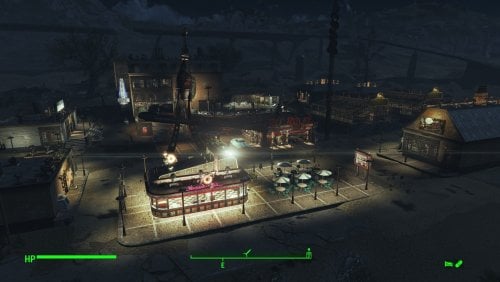
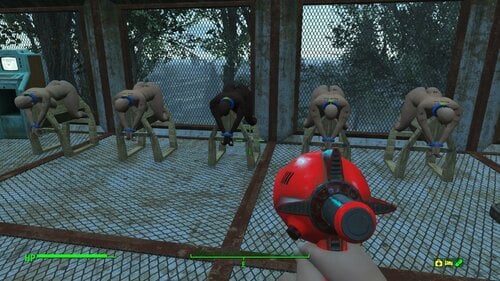
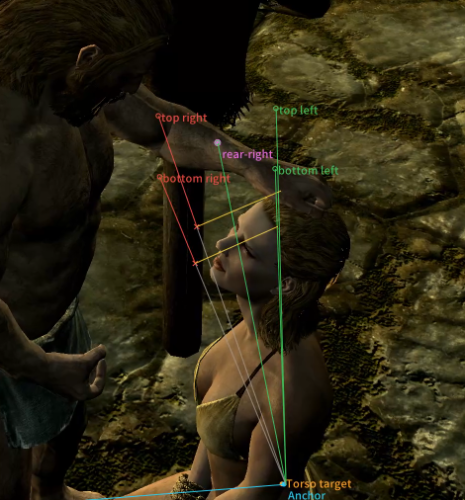
![More information about "[Sims 4] wild_guy's Animations for WickedWhims [14.09.2026]"](https://static.loverslab.com/screenshots/monthly_2022_05/1967203488_152.png.fa398689900ce7f01f9f298c774b04ce.thumb.png.fa92481533d9fae4b24b83b13eb1fd43.png)