Sexual Content
Adult oriented Fallout 4 mods that add Sexual related content.
187 files
-
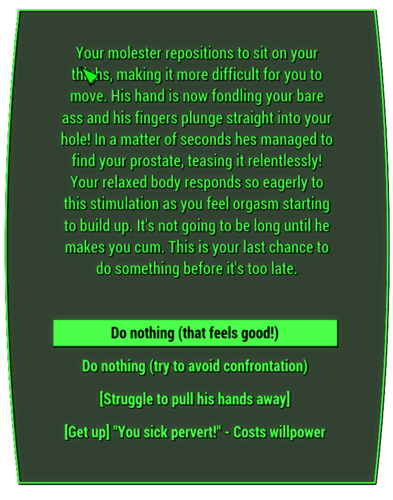
Sexual Harassment - Gay Edition
By HimboSeraph
Gay Sexual harassment
A text edit to TwistedTrebla's amazing mod [AAF] Sexual Harassment v1.20.4
> Description
I love how the original mod added more unique ways to start AAF scenes and the story telling those scenes brought about but was always a bit sad how even with as a male player your still referred to as a female with female genitalia, thus this mod was born. Put simply I have changed the dialogue of the mod to reflect the player as a gay male. This includes changing the bimbo related content to himbo and slightly tweaking response/convos to seem less repetitive and feminine overall. Overall this mod could be considered a more up to date take on the old Cocked Version of the [AAF] Sexual Harassment - Gender Neutral NPCs mod. As this is only a text edit to the original mod I can not help with any actual script/base mod issues.
PLEASE BE WARNED in trying to follow in the spirit of the original I did add some homophobic language in specific, the fact they can call your player a Faggot or Fag. It is not at all prevalent (roughly 10-15 lines out of hundreds) but it is there.
> Which version should you choose
Lite: Geared to a more TwistedTrebla experience, that is to say only minor text changes related to you gender and genitals in scenes.
Extreme: Geared to a fresher experience that breaks with some of TwistedTrebla's scenes in order to embrace the gay male PC fantasy more. This includes things like attackers jerking you off instead of fingering you, more gay oriented flirts, and even an attacker eating you out before he rapes you.
ONLY CHOOSE ONE BOTH FILES ARE ESL!
> Required
[AAF] Sexual Harassment v1.20.4 and its requirements
> Contributors
Thanks to: Lavatube for converting the original version of this mod to ESL. The Lite version is his ESL conversion with minor grammar edits.
Thanks to: TwistedTrebla for the original mod.
930 downloads
Updated
-

Gay Paintings Collection
By HimboSeraph
Gay Painting Collection or GPC
This is my solution to the lack of gay decor in fallout modding! This page is meant to house a small collection of simple mods that work alone or together to give people more gay options to decorate their commonwealth. As time goes one I hope to add more expansions to offer a wider range of content. Each expansion is standalone and doesn't require anything else to work unless specified in the collection section.
COLLECTIONS:
Gay Painting Collection: This is the base mod, consisting of 100 paintings of various themes taken from the sims 4 modding community.
- Credit To:
- Cubeman & Willymack - Sims 4 creators
Gay Painting Collection - Furry Expansion: This is a standalone expansion consisting of about 40 paintings from various popular furry artists.
- Credit To:
- Manyu, SigmaX, Daikitei, Dream_and_Nightmare, and more (Some of these were just taken from google images)
Compatibility:
This mod shouldn't have any major compatibility issues but any mod that used the Personal Painting Mod may be incompatible.
For Example:
"Gay (mostly retro) Paintings for Fallout 4 1.0.0" By LukeDuke
837 downloads
- gay
- paintings 18+
- (and 3 more)
Updated
-

Sex Em Up - Russian voices
By SquareBun
Русская озвучка мода. Поскольку ЭгоБаллистик поленился прописать реплики для разных типов НПС - не удивляйтесь, что мужчины разговаривают женскими голосами...
365 downloads
Submitted
-
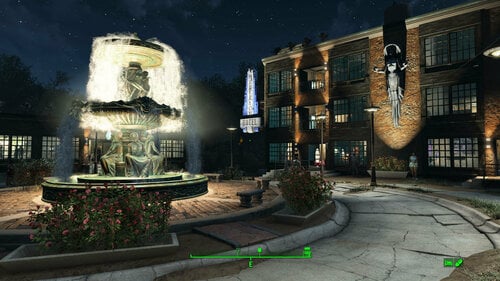
Transfer Settlements - Sanctuary Hills - The Heart of the Commonwealth
By msmfoster
A Transfer Settlements blueprint that turns Sanctuary Hills into a thriving community. This build scraps every original building and even parts of the seawall to make way for proper homes, shops, a hospital, a hotel, and docks. The outer hedge is sealed to create a natural barrier against attack, and most buildings carry turrets to provide overlapping fields of fire.
Details on this build:
Three-storey Hyperion Hotel with pool area, working elevator, and dedicated gym. Features a mix of private suites and communal sleeping areas. Two-storey hospital with working elevator, three surgical bays, bathrooms, and a recovery ward. Single-level pub, the Siren’s Song, with stage for a Singing Settler. Includes easy roof access. Two-level General Store with storage, front counter, workshops. Includes easy roof access. Anne Hargrave’s clothing shop with fitting rooms and extensive display space. Smiling Larry's Weapons and an armour store using Better Armory Mod for intricate displays. Barber shop with multiple chairs and lingerie display racks. Multi-purpose workshop / classroom combination. Includes easy roof access. Jetty with two functional buildings (laundromat and storage). Bunker near the bridge with holding facilities. A greenhouse for increased food production. Fully recreated player home featuring a working kitchen, child’s room, master bedroom, bathroom, and laundry room. Several bunk houses, most with two or three bathrooms, small kitchens, gym equipment, and bunks. The approach to Vault 111 flattened for a children’s park with retaining wall and bubble-turret defence. The iconic central tree in the cul-de-sac replaced with a working fountain.
Settlement Features
68 bunks 330+ food 2550+ defence 840+ power 150+ water All Tier-3 stores (Medical, Restaurant, Clothing, General, Weapons, Armour) Dedicated gym area Vault-Tec drink dispensers and slot machines Fully working sinks, showers, and fridges Power routed through conduits to minimise visible wiring Every building has independent generators, ensuring a single generator failure never disables turrets Child, cat, and dog included
Note. Visual glitches are minimal and vary heavily based on mod load. Outward-facing windows on most structures were deliberately removed to reduce glitches.
Requirements
Downloadable Content
Contraptions Workshop Vault-Tec Workshop Wasteland Workshop Far Harbour Automatron Enclave Remnants
Hard Requirements
Transfer Settlements. Required to import this blueprint. Scrap Everything or an equivalent. To clear out the area as per Setup Instructions. Homemaker. Primary build components for most of the settlement, decorations, furniture, and miscellaneous objects. Settlement Objects Expansion Pack. Fusion generators, railings, pools, foundation liners, cooking station, and water pumps.
Note. Transfer Settlements will not add items if the mods are missing. Mods listed below are not required but will remove associated elements.
Soft Requirements
Craftable Working Sinks and Showers Redux. Working sinks and showers. Erotic Art and Erotic Art - Expanded. Frames and pictures used throughout. Working Fridges. Simple mod that adds working fridges, ice machines, and vending machines. Working Washer and Dryer (Immersive Laundry). Player functional laundry machines and dryers with sound effects. Singing Settler. Singing settler in the pub and some flooring. Advanced Bubble Turret Set (Realistic No Power version). Bubble turrets for defence along the outer edge of the playground.
Nice to Have
Armour and Weapon Keywords Community Resource. Additional types of workshops, namely power armour. Videos of the Wasteland. Working televisions and projectors. Better Armory Mod. Great mod for creating an armoury and displaying associated weapons. Invisible Furniture. Adds invisible markers that are used as idles for settlers and pets. Gruffydd's Signs and Posters. Billboards and signs. Trixter Statues Collection. Sexualised Skyrim statue that appears as you near the cul-de-sac. Crazy Sex Animations. Invisible mats that make settlers happy through masturbation, done without using the Advanced Animation Framework, and additionally places assignable gurneys that increase happiness. Sex Toys of the Commonwealth. Adds the random placement of sex toys throughout. Family Planning Enhanced or Family Planning Enhanced Redux. Will import an assignable child into the settlement. Devious Devices. Puts in Devious Devices workbench.
Unrelated But Useful
Place Everywhere. Allows you to make minor adjustments if necessary. Armour Rack Female Mannequin Fix. Fixes the armour rack to support alternate bodies like Fusion Girl. * The Sanctuary Bridge. Replaces the wooden bridge with a concrete variant. This build is not specifically optimised for this mod.
Setup
Clearing the area is straightforward but time-consuming. Remove all trash, brush, trees, and structures from Sanctuary Hills, with the following exceptions:
The hedge on the outside perimeter. The seawall from the outer edge of the settlement to the pillar furthest from the bridge. The remaining area is rubble and can be cleared. The road, sidewalks, and driveways. You can remove the bricks leading up to the homes. The Sanctuary sign by the bridge. Shaun's crib. Move it onto the road and place it back later.
The end effect is a large empty area, which will be resolved once the blueprint gets imported.
Build a Transfer Settlements console from Power > Miscellaneous anywhere on the road. I prefer to place it nearer to the cul-de-sac as you can see the larger structures take shape.
Note. Import should be done with Workshop Mode enabled.
Blueprints
Sanctuary Hills is a massive build containing over 8,500 pieces, which can complicate the import process. Two import options are available:
Single Import File. Available for all versions. Features the full settlement with every piece. You will likely get prompted that a piece or two were missed during the import, but the process is done in one sweep. This is the recommended method unless your system cannot handle it all in one go. Import Pack. Available for version 1.0.0 only. Sanctuary has been separated into three files with a focus to build required items before dropping in the structural elements. With this process you will end up with a lot of floating elements until you are done. Part 1. Includes all of the mods except for Homemaker and Far Harbour. This will setup and connect the whole power grid. Part 2. Includes all Homemaker and Far Harbour elements which will finish off the structures. Note. Using the import pack means leaving the area long enough for the cells to settle (Transfer Settlements recommends 24 in-game hours) before moving forward with the next Part.
Tasks After Import
Move Shaun's crib back into his bedroom.
For version 1.0.0 is likely that the pool and fountain will be missing water pieces. Just add the items to complete the look after the site is stable.
Notes on Imports
Transfer Settlements recommends leaving the area after import and to not return for 1-2 game days. However, I found that saving on-site often crashes the game.
The easiest way to get away and save is to coc GraygardenExt from the console. Wait a couple of minutes before venturing into the Graygarden homestead across the tracks. Once inside wait a few more minutes before saving.
I recommend that you import/export Blueprints using Stable defaults. Using other methods has caused ladders, walls, and flooring to appear without collision. In many cases the collision effects are found elsewhere leading to interesting behaviours among the NPC population, and leading to a snap back effect as you push through an area and are forced back by the invisible wall.
Note. This blueprint was tested with Transfer Settlements working under Stable.
Lastly Import wired power connections should always be selected as part of the import process. It will reliably re-connect all wired connections. This saves you the trouble of linking up floors, turrets, and in some cases re-establish connections for hidden or buried runs.
Notes on Power and Performance
These blueprints utilize ambient fill lighting to provide a pervasive glow. I use Naked Bulbs to create a lived-in atmosphere for statues, fountains, and roof voids.
Warning for Dynamic Lighting Users
If you use mods that turn all lights into dynamic, shadow-casting sources, the sheer number of these bulbs will severely cripple your framerate. I strongly recommend using the Transfer Settlements Blueprint Editor to strip out all instances of 306F1 before importing.
Optimization for Complex Builds:
Because of the heavy use of conduits to reduce visible power lines, these settlements have high object counts. To steps below may improve performance.
Enable Faux Power in the Workshop Framework's workbench settings. Use the Transfer Settlements Blueprint Editor to strip all conduits from the .json file.
This can reduce build complexity by up to 40% without losing the overall aesthetic of the settlement.
Note. I cannot guarantee the above will work.
A Special Thanks To
Thank you to Caladon for creating the template that makes blueprints installable.
Thank you to PiCSeL for the magazine and painting retextures seen in the screenshots.
Updates
Version 1.0.1
Closed up the roof of the Hospital. This effectively provides a third level dedicated for power generation. Can only be accessed using the elevator. Fixed and closed up the second level of the general store. Made a little lounge in addition to the crafting workbenches. Fixed up problem conduit runs. This could lead to interruptions in power as two conduits snapped at the same point. These have been removed and should make imports smoother. Fixed up water features at the pool and fountain. Added Immersive Laundry. Double up vendors at the pub and general store. Makes these locations feel properly staffed for a settlement of this size.886 downloads
Updated
-
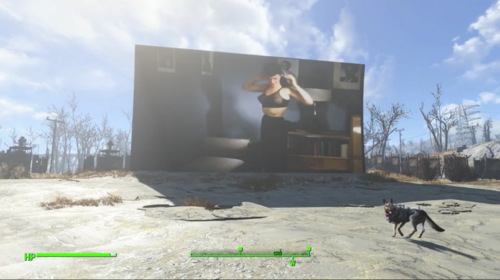
Bettie Page Videos - Videos of the Wasteland
By BeelzeRog
These are files to be used with the Videos of the Wasteland mod for Fallout 4. There are four different videos. Each features model & dancer Bettie Page either naked or topless. None of these videos have sound.
Created because I wanted adult Film Reels that worked with the Starlight Drive-In. The only ones that I found didn't fit the Fallout 4 retro vibe. The rest that I downloaded only work on the TVs and Projectors, not the Drive-In. So I made some myself thanks to the recently made utility AutoVideo by TheDestroyerOfWorlds. Also available on LoversLab . Two of the videos originally had audio, but one was overdriven and the other was modern music. Since I'd rather have my 'Dirty Blues' custom radio station playing instead, I went with video only.
List of tapes
BPStripCol - Color video of Bettie Page stripping from fully clothed to nude XBPDancing - Black & White video of Bettie Page dancing naked. Poor image quality BPModeling - Color video of Bettie Page modeling various outfits. BPBallTopl - Sepia video of Bettie Page topless playing with a ball. Requirements
Videos of the Wasteland v2.6 with the Starlight Drive-In Module (if you want the Drive-In film reels)
To Install
Use Vortex or Mod Organizer 2 or unzip into the Fallout 4 Data folder
1064 downloads
Submitted
-
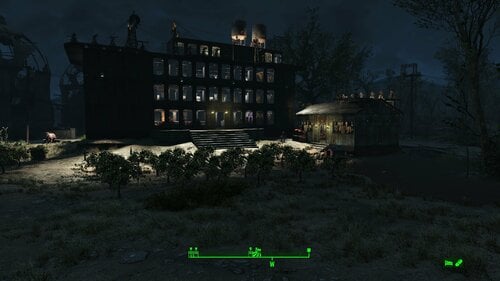
Transfer Settlements - Dark Tower Collection
By msmfoster
A collection of Transfer Settlements blueprints that are ideal fits for non-unique locations. Several settlements are basic and limited, so these blueprints provide a consistent design that leverages familiarity whilst allowing for high defence, population, and food production. The best part is that these structures are easy to make on your own.
Details on the Dark Towers below:
Adds a long three-storey building in an out-of-the-way location. First floor functions as a lounge with stores. Additionally, there is a dedicated medical facility with surgical bays. The second and third floors are dedicated to bunks, fitness, and washroom facilities. Typically the roof contains two fusion generators, an array of turrets, recruitment beacon, and water tank(s). Since a lot of these settlements occupy undesirable locations such as slopes, the base floor is doubled.
Note: These settlements were originally built using standard concrete pieces. However, I found that importing them caused a lot of issues, so I switched to Brotherhood of Steel pieces to give these builds a distinctive dark look.
Some of the features of this build are:
24–36 bunks. 90 to 185+ food. 450–833 defence. 200 power. 30–90 water. Tier 3 medical, restaurant, clothing, and general store. Vault-Tec drink dispenser and slot machines. Working sinks and showers. Power partially run through the ceiling of the first floor. Settlers have no trouble moving around the structure. Cat and dog included in the build. No visual glitches observed from this build, save for Longfellow's Cabin and Greentop Nursery. See below.
Defensive Capabilities
You may be asking yourself: that's a high defence number, but how effective is it in practice? Dark Towers provide elevated turret platforms, with several covering the same angle of attack. Where another structure blocks line of sight, additional turrets are added to ensure interlocking fields of fire.
I chose Oberland Station as a test case against a sizable force. The attacking army consisted of:
45 Legendary Super Mutant Overlords 9 Ancient Behemoths
These were split into three teams (one north-east, south-east, and west of the tower) and spawned inside the perimeter for a single concurrent assault, rather than staggered waves. How long did it take to eradicate them?
Under two minutes – without player involvement. Settlers barely had time to react, and the turrets handled the grunt work.
Note: Fast-travelling into such situations can be hazardous to your health! Consider adding a fast-travel mat well away from the towers (ideally clear of known spawn points), or arrive inside the tower itself and enjoy the light show.
Requirements
Downloadable Content
Contraptions Workshop Vault-Tec Workshop Wasteland Workshop Enclave Remnants (for Longfellow's Cabin)
Hard Requirements
Transfer Settlements. To import this blueprint. Scrap Everything or an equivalent. To clear out the area as per Setup Instructions. Settlement Objects Expansion Pack. Primary build components, railings, foundation liners, cooking station, and water pumps. Homemaker. Greenhouse elements, decorations, furniture, and miscellaneous objects.
Note: Transfer Settlements will not add items if the mods are missing. The following are not required but will remove associated elements.
Soft Requirements
Craftable Working Sinks and Showers Redux. Working sinks and showers. Working Fridges. Simple mod that adds working fridges, ice machines, and vending machines. Erotic Art. Frames and pictures used throughout.
Nice to Have
Armour and Weapon Keywords Community Resource. Additional types of workshops, namely power armour. Videos of the Wasteland. Working televisions and projectors. Invisible Furniture. Adds invisible markers that Dogmeat and settlers can use for basic actions. Companion Ivy. If you have Ivy as a companion, one of her broadcast towers will be added in an out-of-the-way area. Crazy Sex Animations. Invisible mats that make settlers happy through masturbation, done without using the Advanced Animation Framework, and additionally places assignable gurneys that increase happiness. Sex Toys of the Commonwealth. Adds the random placement of sex toys throughout. Bad Dragon Dildos. Adds more extreme dildos throughout.
Unrelated But Useful
Place Everywhere. Allows you to make minor adjustments if necessary. Armour Rack Female Mannequin Fix. Fixes the armour rack to support alternate bodies like Fusion Girl.
General Setup
Clear the area of rubbish, clutter, ruined homes, and brush. Follow location-specific instructions below for other details.
Note: Import should be done with Stable settings and Workshop Mode enabled.
Coastal Cottage
Bunks. 24. Food. 120+. Defence. 620+. Power. 200. Water. 30. Instructions. Clean out the hole of all debris and clutter, clear out the area. Clean up the garage of clutter and scrap the damaged roof. The damaged home will mostly remain in place with straggling rear elements and the second level scrapped.
County Crossing
Bunks. 28. Food. 135+. Defence. 650+. Power. 200. Water. 60+. Instructions. Remove the ruined home and settler shack, including the bunks. Remove the fire pits and hidden NPC sit markers. Lastly, either remove the tree or move it off the property line. Do not remove the power pole as the lines themselves will remain in place. For aesthetics, keep the post with the lantern in place.
Greentop Nursery
Bunks. 35. Food. 155+. Defence. 700+. Power. 200. Water. 60+. Instructions. Scrap the greenhouse and associated food production whilst maintaining the piping system for the greenhouse. Scrap the house and annex along with all contents.
Note: You may end up with visual glitches when entering and leaving the rebuilt home.
Longfellow's Cabin
Bunks. 33. Food. 160+. Defence. 835+. Power. 200. Water. 60+. Instructions. Remove the shed surrounding the workshop settlement and clear into the treeline as far as pictured. Remove the boardwalk's surface, leaving supports and planks in place since export will provide a fixed version. Leave Longfellow's Cabin intact.
Note: Visual glitches have been noted when scrapping terrain on the path leading to Longfellow's cabin.
Murkwater Construction Site
Bunks. 28. Food. 130+. Defence. 650+. Power. 200. Water. 60+. Instructions. Remove the ruined home, excavator, and wooden frame surrounding the settlement workshop.
Nordhagen Beach
Bunks. 28. Food. 125+. Defence. 530+. Power. 200. Water. 90+. Instructions. Clean out the shack as it will be repurposed as a workshop. Keep the power lines in place as the lines themselves cannot easily be removed.
Oberland Station
Bunks. 36. Food. 175+. Defence. 580+. Power. 200. Water. 90+. Instructions. Remove the fencing and clear the contents inside the switching station. This blueprint works around the train tracks.
Outpost Zimonja
Bunks. 24. Food. 130+. Defence. 470+. Power. 200. Water. 30+. Instructions. Remove all existing structures save the radio tower. This includes concrete floor elements. If you are running Companion Ivy, you can also remove the antenna itself, but maintain the base.
Somerville Place
Bunks. 31. Food. 185+. Defence. 720+. Power. 200. Water. 90+. Instructions. In addition to base instructions, clean out certain elements of the home as per the attached picture.
Tenpines Bluff
Bunks. 24. Food. 110+. Defence. 450+. Power. 200. Water. 30+. Instructions. In addition to base instructions, clear out the inside of the shack as it will be repurposed as a workshop.
After Blueprint Import
Confirm all defences and lights are on.
Potential Issues
Transfer Settlements recommends that you leave the area after the blueprint has been implemented, but saving on-site has always led to a hard crash (for me). To save, you need to move out of the area, but I found that doing coc Vault111Ext from the console is the easiest way to get away and save. As an additional precaution, head down into the vault.
I recommend that you import/export blueprints using the Stable defaults. Using other methods has caused ladders, walls, and flooring to be visible but without collision. In many cases, the collision effects are found elsewhere, leading to interesting behaviours among the NPC population, and leading to a snap-back effect as you push through an area and are forced back by the invisible wall.
Note: Whilst Settlement Objects Expansion elements have been stable in the past, this is not always the case. This blueprint was tested with Transfer Settlements working under Stable.
Special Thanks To
Thank you to Caladon for creating the template that makes blueprints installable.
Thank you to PiCSeL for the magazine and painting retextures seen in the screenshots.
655 downloads
Submitted
-
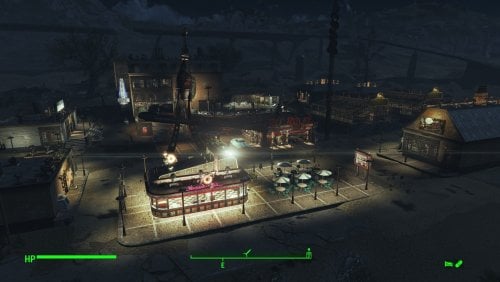
Transfer Settlements - Nuka-World Red Rocket Truck Stop and Bordello
By msmfoster
This Transfer Settlements blueprint transforms the Nuka-World Red Rocket into a sprawling, multi-functional hub. Leveraging the massive build area, this overhaul introduces a high-end diner, a multi-story hotel with a hedonistic twist, and a fortified farmers' market. The site is also protected by a massive 1600+ defense rating.
The end result is a sealed-in environment that provides high defences and food production while making use of both levels of the terminal itself. This blueprint integrates nicely with mods like Just Business, Human Resources, and Hookers of the Commonwealth - Settlement Edition, but these elements are contained within this blueprint. Details of the Build The shoulder area between the road and the Red Rocket now houses a diner. Added a strip mall complex housing a general and clothing store. Added a medical clinic featuring surgery bays, waiting area, and recovery ward. Added a four-storey hotel featuring a club, gym, entertainment rooms, and shared accommodation. Working elevator part of the build. Added an additional strip mall complex housing a laundromat, public washrooms (like a truck stop), and a barbershop. Given proximity to the hotel, the Red Rocket has become a player home. Bubble turrets are added to the canopy, as that's a known spawn point for super mutants. Added two greenhouses with a small roadside stand to act like a farmers' market. Two small farmhouses have been added at the back of the greenhouses for additional bunks. Key Statistics 50 bunks. 120+ food. 1600+ defence. 400+ power. 60 water. Tier 3 Medical, Restaurant (Diner), Clothing, General Store, and several bars. Dedicated gym area. Vault-Tec drink dispenser and slot machines. Working sinks and showers. Power mostly runs through conduits to minimise visible power lines. Cat and dog included in the build. No visual glitches observed from this build. Requirements Downloadable Content Nuka World Contraptions Workshop Vault-Tec Workshop Wasteland Workshop Far Harbour Enclave Remnants Arcade Workshop Pack (Optional) Virtual Workshops – Capital Wasteland (Optional) Coffee and Donuts Workshop Pack (Optional) Hard Requirements Transfer Settlements. To import this blueprint. Scrap Everything or an equivalent. To clear out the area as per Setup Instructions. Homemaker. Primary build components for most of the settlement, decorations, furniture, and miscellaneous objects. Settlement Objects Expansion Pack. Fusion generators, railings, pool, foundation liners, cooking station, and water pumps. Note. Transfer Settlements will not add items if the mods are missing. The following are not required but will remove associated elements. Soft Requirements Craftable Working Sinks and Showers Redux. Working sinks and showers. Erotic Art. Frames and pictures used throughout. Working Fridges. Simple mod that adds working fridges, ice machines, and vending machines. Working Washer and Dryer (Immersive Laundry). Player functional laundry machines and dryers with sound effects. Singing Settler. Stage and performer in the pub and some flooring. Alex Stripper Pole. Adds assignable stripper poles. Advanced Bubble Turret Set (Realistic No Power version). Bubble turrets for defence along the outer edge of the playground. Nice to Have Armour and Weapon Keywords Community Resource. Additional types of workshops, namely power armour. Videos of the Wasteland. Working televisions and projectors. Invisible Furniture. Adds invisible markers that Dogmeat and settlers can use for basic actions. Gruffydd's Signs and Posters. Billboards and signs TRX Trixter Statues Collection. Sexualised Skyrim statues that work well with the theme of this place. Companion Ivy. If you have Ivy as a companion, one of her broadcast towers will be added in an out-of-the-way area. Crazy Sex Animations. Invisible mats that make settlers happy through masturbation, done without using the [Advanced Animation Framework](https://www.loverslab.com/files/file/5584-advanced-animation-framework/), and additionally places assignable gurneys that increase happiness. Sex Toys of the Commonwealth. Adds the random placement of sex toys throughout. Torture Devices. Addition of associated torture devices. Unrelated But Useful Place Everywhere. Allows you to make minor adjustments if necessary. Armour Rack Female Mannequin Fix. Fixes the armour rack to support alternate bodies like Fusion Girl. Setup Setup in this case is a straightforward process: Clean out the area of clutter, trash, cars, brush, and plants. Remove the sidewalks around the Red Rocket as these will be replaced. Remove the cement curbs surrounding the gas station sign. Ensure you keep the Red Rocket itself intact, while scrapping all content inside. Note. It is faster and safer to scrap within the Red Rocket if you disable it temporarily. Simply get the reference id and REFID.Disable followed by REFID.Enable when done. Build a Transfer Settlements console from Power > Miscellaneous on the road by the Red Rocket gas price sign. Note. Import should be done with Workshop Mode enabled. Tasks After Import Confirm that all power has been restored as expected. Most lamps will not be lit, simply select them in workshop mode to light them up. Notes on Imports Transfer Settlements recommends leaving the area after import and not return for 1-2 game days. However, I found that saving on site always crashes the game. The easiest way to get away and save is to coc Vault111Ext from the console. Wait a couple of minutes before heading into the vault. Once you arrive at the bottom it is safe to save. I recommend that you import/export Blueprints using Stable defaults. Using other methods has caused ladders, walls, and flooring to appear without collision. In many cases the collision effects are found elsewhere leading to interesting behaviours among the NPC population, and leading to a snap back effect as you push through an area and are forced back by the invisible wall. Note. This blueprint was tested with Transfer Settlements working under Stable. Lastly Import wired power connections should always be selected as part of the import process. It will reliably re-connect all wired connections. This saves you the trouble of linking up floors, turrets, and in some cases re-establish connections for hidden or buried runs. Notes on Power and Performance These blueprints utilize ambient fill lighting to provide a pervasive glow. I use Naked Bulbs to create a lived-in atmosphere for statues, fountains, and roof voids. Warning for Dynamic Lighting Users If you use mods that turn all lights into dynamic, shadow-casting sources, the sheer number of these bulbs will severely cripple your framerate. I strongly recommend using the Transfer Settlements Blueprint Editor to strip out all instances of 306F1 before importing. Optimization for Complex Builds: Because of the heavy use of conduits to reduce visible power lines, these settlements have high object counts. The steps below may improve performance. Enable Faux Power in the Workshop Framework's workbench settings. Use the Transfer Settlements Blueprint Editor to strip all conduits from the .json file. This can reduce build complexity by up to 40% without losing the overall aesthetic of the settlement. Note. I cannot guarantee the above will work. A Special Thanks To Thank you to Caladon for creating the template that makes blueprints installable. Updates Version 1.0.2 Optimized Erotic Art to work with my Classic Erotic Art Retexture. Added a switch to turn on and off the settlement beacon above the Red Rocket without having to clip. Adjusted power distribution around the diner. Diner is now a Slocum's Joe with space for three attendants. Added AE lighting in a few locations. Added arcade machines in the Laundromat. Doubled the ceilings within the hotels for a consistent look. Used SOE lighting to increase ambient lighting. Added idles using Invisible Furniture. Version 1.0.1 Switched to Immersive Laundry. Did more work on the Red Rocket, lighthouse doors fit the aesthetics better, and Warehouse Electric Door was added to replace the missing garage door.
349 downloads
Updated
-
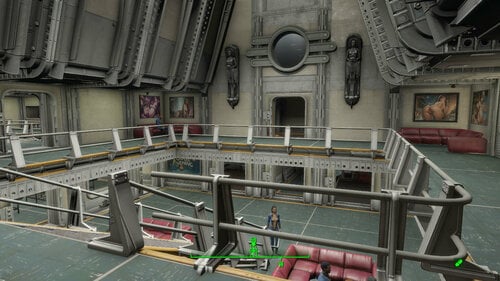
Transfer Settlements - Vault 88 - Better Living Through Mods
By msmfoster
This Transfer Settlements blueprint primarily makes use of the default build space to create a compact and player-navigable build with all the fixings. The two-atrium design provides a large living and food generation area to maintain high population levels.
Note. This blueprint comes as-is, since the SOE vault elements may actually break the navmesh. Hence settlers may not be able to travel freely throughout the vault, but you can, and it's fantastic.
Details on this build below:
Main atrium serves as the welcome centre and living space for the settlers. Connects to a large medical facility and diner. Medical facility features surgical bays, recovery ward, and bathrooms. Diner also includes bathrooms, commercial kitchen, and walk-in fridge. Cryo smoke effects are used to sell the illusion. Second atrium serves as hydroponics with the main floor as the primary source of food for the vault. Atrium is connected to a large gym, laundry facilities, and four bunk spaces with connecting bathroom facilities. Second level has benches, serves as a scenic place to hang around after work. General store, clothing, and barber shop all have their own area. Overseer has a suite with a full kitchen, conference room, bathroom, and office. Additional lounge overlooking the main atrium houses a singing settler. Opulent billiards room. Areas that may get raider incursions feature gauntlets. Large halls bristling with heavy lasers, concrete barriers, and security doors. Front gate is now heavily defended. Large reactor room, additional hydroponics bay, and storage areas.
Some of the features of this build are:
43 bunks. 130 food. 1100+ defence. 710+ power. 1000 water. Tier 3 Medical, Restaurant, Clothing, General Store. Dedicated gym area. Vault-Tec drink dispenser and slot machines. Working sinks and showers. Power mostly runs through conduits to minimise visible power lines. No visual glitches observed from this build.
Requirements
Downloadable Content
Contraptions Workshop Vault-Tec Workshop Wasteland Workshop
Hard Requirements
Transfer Settlements. To import this blueprint. Scrap Everything or an equivalent. To clear out the area as per Setup Instructions. Settlement Objects Expansion Pack. Primary build elements for this settlement. Homemaker. Decorations, furniture, and miscellaneous objects.
Note. Transfer Settlements will not add items if the mods are missing. The following are not required but will remove associated elements.
Soft Requirements
Craftable Working Sinks and Showers Redux. Working sinks and showers. Erotic Art. Frames and pictures used throughout. Working Fridges. Simple mod that adds working fridges, ice machines, and vending machines. Singing Settler. Adds scene rugs (carpeting) and accommodations like wardrobes and chairs for a singing settler. Advanced Bubble Turret Set (Realistic No Power version). Bubble turrets for defence.
Nice to Have
Armour and Weapon Keywords Community Resource. Additional types of workshops, namely power armour. Videos of the Wasteland. Working televisions and projectors. Gruffydd's Signs and Posters. Billboards and signs. Crazy Sex Animations. Invisible mats that make settlers happy through masturbation, done without using the Advanced Animation Framework, and additionally places assignable gurneys that increase happiness. Sex Toys of the Commonwealth. Adds the random placement of sex toys throughout. Bad Dragon Dildos. Adds more extreme dildos throughout. Better Armory Mod (BAM). Weapon racks and displays.
Unrelated But Useful
Place Everywhere. Allows you to make minor adjustments if necessary. Armour Rack Female Mannequin Fix. Fixes the armour rack to support alternate bodies like Fusion Girl.
Setup
Do the following:
Clear out the primary build area as you would normally. Note that you will likely need to remove girders and support structures along the wall to prevent clipping. Clean up most of the security area save for the two desks and things half way past the door. Also remove the existing mats. Reactor area can be cleaned but it is otherwise unchanged. The area with the vault door should be cleaned out on the left facing the 'Vault 88' sign. The area leading to the water purifier can be given a light decluttering, or cleared out to the base tracks. The blueprint will work in both cases.
Note. Import should be done with Workshop Mode enabled.
After Blueprint Import
The water purifier will not be connected after import. You'll have to do that yourself when you return.
Note. Build comes with the Overseer's desk which will not meet requirements for the quest. Build a new desk by the vault doors and do the missions there to avoid problems getting your settlers to the right spot. After that, scrap the existing desk and move it to the proper location.
Potential Issues
Transfer Settlements recommends that you leave the area after the blueprint has been implemented, but saving on site has always led to a hard crash (for me). To save, you need to move out of the area, but I found that doing coc Vault111Ext from the console is the easiest way to get away and save. As an additional precaution, head down into the vault.
I recommend that you import/export blueprints using the Stable defaults. Using other methods has caused ladders, walls, and flooring to be visible but without collision. In many cases, the collision effects are found elsewhere, leading to interesting behaviours among the NPC population, leading to a snap-back effect as you push through an area and are forced back by the invisible wall.
Note. While Settlement Objects Expansion elements have been stable in the past, this is not always the case. This blueprint was tested with Transfer Settlements working under Stable.
A Special Thanks To
Thank you to Caladon for creating the template that makes blueprints installable.
Thank you to PiCSeL for the magazine and painting retextures seen in the screenshots.
370 downloads
Updated
-
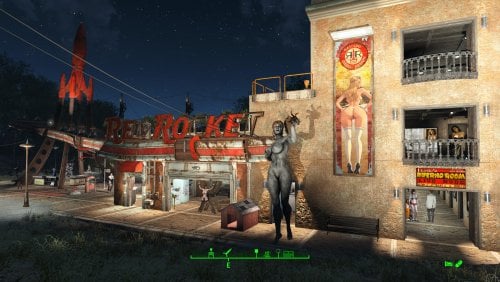
Transfer Settlements - Red Light Entertainment at the Red Rocket
By msmfoster
A Transfer Settlements blueprint that makes the Red Rocket the centre for red light entertainment for the Commonwealth. It creates an annex that houses stripper poles, beds, a gym, and eases access to the roof for food production.
This blueprint integrates nicely with mods like Just Business, Human Resources, and Hookers of the Commonwealth - Settlement Edition to complete the look, but they are not contained within this blueprint.
Details on this build:
Added four-storey annex to the garage. End result is a nearly seamless addition that increases usable space. First Floor: Entertainment rooms and bathrooms. Second Floor: BDSM club, gym, and bathrooms. Third Floor: Kitchenette and bunkhouse. Fourth Floor: Bunkhouse. Food production on the roof of the Red Rocket to maximise floor space for entertainment. Garage is primarily dedicated to workshops. Office area of the Red Rocket converted into a medical facility. Flooring for the area has been changed to red cobblestone pieces from Homemaker. Area for the coolant pumps houses shops, stripper poles, and a singing settler. Hidden radiators and wires are used to power some of the lights.
Settlement Features
28 bunks. 60+ food. 425+ defence. 200+ power. 30+ water. Tier 3 Medical, Restaurant, Clothing, and General Store. Dedicated gym area. Vault-Tec drink dispenser and slot machines. Working sinks and showers. Power mostly runs through conduits to minimise visible power lines. Settlers appear able to move freely, with minimal difficulties observed. Cat and dog included in the build. No visual glitches observed from this build.
Requirements
Downloadable Content
Contraptions Workshop Vault-Tec Workshop Wasteland Workshop Enclave Remnants
Hard Requirements
Transfer Settlements. To import this blueprint. Scrap Everything or an equivalent. To clear out the area as per Setup Instructions. Homemaker. Primary build components for most of the settlement, decorations, furniture, and miscellaneous objects. Settlement Objects Expansion Pack. Fusion generators, railings, pools, foundation liners, cooking station, and water pumps.
Note. Transfer Settlements will not add items if the mods are missing. Mods listed below are not required but will remove associated elements.
Soft Requirements
Craftable Working Sinks and Showers Redux. Working sinks and showers. Erotic Art. Frames and pictures used throughout. Working Fridges. Simple mod that adds working fridges, ice machines, and vending machines. Working Washer and Dryer (Immersive Laundry). Player functional laundry machines and dryers with sound effects. Singing Settler. Used for the singing settler and flooring. Stripper Pole. Adds assignable stripper poles.
Nice to Have
Armour and Weapon Keywords Community Resource. Additional types of workshops, namely power armour. Videos of the Wasteland. Working televisions and projectors. Invisible Furniture. Adds invisible markers that are used as idles for settlers and pets. Gruffydd's Signs and Posters. Billboards and signs. TRX Trixter Statues Collection. Skyrim styled statues for aesthetics. Crazy Sex Animations. Invisible mats that make settlers happy through masturbation, done without using the Advanced Animation Framework, and additionally places assignable gurneys that increase happiness. Sex Toys of the Commonwealth. Adds the random placement of sex toys throughout. Bad Dragon Dildos. Adds more extreme dildos throughout. Torture Devices. Addition of associated torture devices used for the BDSM lounge.
Unrelated But Useful
Place Everywhere. Allows you to make minor adjustments if necessary. Armour Rack Female Mannequin Fix. Fixes the armour rack to support alternate bodies like Fusion Girl.
Setup
Clearing the area is relatively straightforward. Remove brush, garbage, railings, rubble, and sidewalks from the build area. The exceptions are:
The billboard at the edge of the property and the associated hedge row. Thin out the trees to make the sign visible from both sides. The Red Rocket building itself.
Build a Transfer Settlements console from Power > Miscellaneous between the Gas Price sign and guardrail demarking the entrance.
Note. Import should be done with Workshop Mode enabled.
Tasks After Import
No additional requirements other than to confirm that all power has been restored as expected.
Optional
The workshop ends up being lower than the floor level of the motel. This can be corrected with two quick commands:
Select the lantern besides the workshop and type getpos z to get the elevation. Select the workshop itself and type setpos z <value> using the above elevation.
Notes on Imports
Transfer Settlementsrecommends leaving the area after import and to not return for 1-2 game days. However, I found that saving on site always crashes the game.
The easiest way to get away and save is to coc GraygardenExt from the console. Wait a couple of minutes before venturing into the home itself. Once inside wait a few more minutes before saving.
I recommend that you import/export Blueprints using Stable defaults. Using other methods has caused ladders, walls, and flooring to appear without collision. In many cases the collision effects are found elsewhere leading to interesting behaviours among the NPC population, and leading to a snap back effect as you push through an area and are forced back by the invisible wall.
Note. This blueprint was tested with Transfer Settlements working under Stable.
Lastly Import wired power connections should always be selected as part of the import process. It will reliably re-connect all wired connections. This saves you the trouble of linking up floors, turrets, and in some cases re-establish connections for hidden or buried runs.
Notes on Power and Performance
These blueprints utilize ambient fill lighting to provide a pervasive glow. I use Naked Bulbs to create a lived-in atmosphere for statues, fountains, and roof voids.
Warning for Dynamic Lighting Users
If you use mods that turn all lights into dynamic, shadow-casting sources, the sheer number of these bulbs will severely cripple your framerate. I strongly recommend using the Transfer Settlements Blueprint Editor to strip out all instances of 306F1 before importing.
Optimization for Complex Builds:
Because of the heavy use of conduits to reduce visible power lines, these settlements have high object counts. To steps below may improve performance.
Enable Faux Power in the Workshop Framework's workbench settings. Use the Transfer Settlements Blueprint Editor to strip all conduits from the .json file. This can reduce build complexity by up to 40% without losing the overall aesthetic of the settlement.
Note. I cannot guarantee the above will work.
A Special Thanks To
Thank you to Caladon for creating the template that makes blueprints installable.
Updates
Version 1.0.2
Removed the requirement for Erotic Art Expanded. Optimized Erotic Art for use with my Classic Erotic Art Retexture. Adjusted lighting, including the use of SOE light sources. Made adjustments to decorations.
Version 1.0.1
Adjusted power and routing. Conduits within the Red Rocket itself are hidden and smaller fusion generators removed. Added washers and dryers from Immersive Laundry. Closed up the roof, walled and patched to create a forth usable deck. Second deck converted into a club. Most of the rooms are now double walled for aesthetics. Removed requirement for Erotic Art Expanded. Removed Singing Settler lockers, reducing the number of wardrobe malfunctions. Increased the number of idles throughout. Razorgrain fields added along the edge of the settlement for increased food production.
1021 downloads
Updated
-

Updated
-
Transfer Settlements - Dalton Fisheries and Farm
By msmfoster
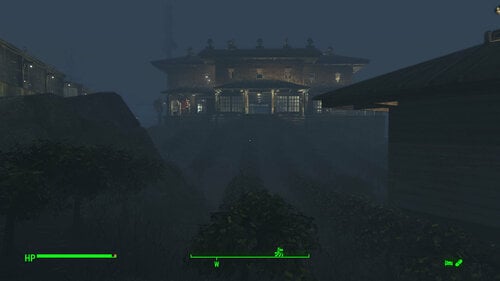
A Transfer Settlements blueprint that raises Dalton Farm to the level one would expect of a family that owned most of the island. The site is transformed into a blend of commercial and tourist elements yielding high defence, population, and food generation.
Details of the Build Two-storey home built atop the cliffs overlooking the water. This provides medical facilities, a gym, and houses a club featuring a singing settler. Small galley-style kitchen in the main home. The dilapidated homes near the road have been replaced with viable commercial spaces: a general store/clothing shop combination and a dedicated barber shop. This is also conveniently right by the default fast travel point. The rocky area by the road skirting the buildable area now fits two inline greenhouses. The beach area now supports an expanded dock area with three long shacks for bunks. Bathroom facilities on the jetty for settlers. The outside looks like a fishing shack, but inside Institute wall and floor pieces are used to create a sterile look. Cobblestone floor pieces have been added over the rocky area bordering the beach. This provides additional pathing for the settlers to make their way back and forth. While the build looks like a working fishery and farm with tourist elements, the end effect is that the Daltons' luxury home overlooks those who work for them. That in itself is rather fitting for the site. Key Statistics 38 bunks. 125+ food. 750 defence. 300 power. 60 water. Tier 3 Medical, Restaurant, Clothing, and General Store. Dedicated gym area. Vault-Tec drink dispenser and slot machines. Working sinks and showers. Power mostly runs through conduits to minimise visible power lines. Cat and dog included in the build. No visible glitches observed with this build. Requirements Downloadable Content Contraptions Workshop Vault-Tec Workshop Wasteland Workshop Far Harbour Enclave Remnants Hard Requirements Transfer Settlements. To import this blueprint. Scrap Everything or an equivalent. To clear out the area as per Setup Instructions. Homemaker. Primary build components for most of the settlement, decorations, furniture, and miscellaneous objects. Settlement Objects Expansion Pack. Fusion generators, railings, pool, foundation liners, cooking station, and water pumps. Note. Transfer Settlements will not add items if the mods are missing. The following are not required but will remove associated elements. Soft Requirements Craftable Working Sinks and Showers Redux. Working sinks and showers. Erotic Art. Frames and pictures used throughout. Working Fridges. Simple mod that adds working fridges, ice machines, and vending machines. Working Washer and Dryer (Immersive Laundry). Player functional laundry machines and dryers with sound effects. Singing Settler. Stage and performer in the pub and some flooring. Nice to Have Armour and Weapon Keywords Community Resource. Additional types of workshops, namely power armour. Videos of the Wasteland. Working televisions and projectors. Invisible Furniture. Adds invisible markers that Dogmeat and settlers can use for basic actions. Gruffydd's Signs and Posters. Billboards and signs Crazy Sex Animations. Invisible mats that make settlers happy through masturbation, done without using the Advanced Animation Framework, and additionally places assignable gurneys that increase happiness. Sex Toys of the Commonwealth. Adds the random placement of sex toys throughout. Companion Ivy. If you happen to have Ivy as a companion, one of her broadcast towers will be added in an out of the way area. Unrelated But Useful Place Everywhere. Allows you to make minor adjustments if necessary. Armour Rack Female Mannequin Fix. Fixes the armour rack to support alternate bodies like Fusion Girl. Setup Clearing the area is relatively straightforward. Remove clutter, trash, foliage, and deadfall. Be careful when clearing out rocks along the beach; when removing a cluster near the radioactive barnacles, there's an off-coloured rock that is actually part of the supporting cliff the house will be built upon. Note There are several radioactive barnacle traps on the beach with two being located at the end of the existing dock by the settlement workshop. Sometimes the effects will not dissipate and harm settlers. To stop this from happening, scrap them entirely, and be sure to be on god mode while doing so. A few elements cannot be scrapped normally, in this case you will need to do the following: Go into the console. Select the object (E.g., fringes, trunking). Disable MarkForDelete Note. Disable first in case you selected the wrong object. In that case Enable will recover the object without consequence. Build a Transfer Settlements console from Power > Miscellaneous in front of the settlement workshop. Note. Import should be done with Workshop Mode enabled. Tasks After Import Confirm that all power has been restored as expected. Notes on Imports Transfer Settlements recommends leaving the area after import and to not return for 1-2 game days. However, I found that saving on site always crashes the game. The easiest way to get away and save is to coc Vault111Ext from the console. Wait a couple of minutes before heading into the vault. Once you arrive at the bottom it is safe to save. I recommend that you import/export Blueprints using Stable defaults. Using other methods has caused ladders, walls, and flooring to appear without collision. In many cases the collision effects are found elsewhere leading to interesting behaviours among the NPC population, and leading to a snap back effect as you push through an area and are forced back by the invisible wall. Note. This blueprint was tested with Transfer Settlements working under Stable. Lastly Import wired power connections should always be selected as part of the import process. It will reliably re-connect all wired connections. This saves you the trouble of linking up floors, turrets, and in some cases re-establish connections for hidden or buried runs. Notes on Power and Performance These blueprints utilize ambient fill lighting to provide a pervasive glow. I use Naked Bulbs to create a lived-in atmosphere for statues, fountains, and roof voids. Warning for Dynamic Lighting Users If you use mods that turn all lights into dynamic, shadow-casting sources, the sheer number of these bulbs will severely cripple your framerate. I strongly recommend using the Transfer Settlements Blueprint Editor to strip out all instances of 306F1 before importing. Optimization for Complex Builds: Because of the heavy use of conduits to reduce visible power lines, these settlements have high object counts. To steps below may improve performance. Enable Faux Power in the Workshop Framework's workbench settings. Use the Transfer Settlements Blueprint Editor to strip all conduits from the .json file. This can reduce build complexity by up to 40% without losing the overall aesthetic of the settlement. Note. I cannot guarantee the above will work. A Special Thanks To Thank you to Caladon for creating the template that makes blueprints installable. Thank you to PiCSeL for the magazine and painting retextures seen in the screenshots. Updates Version 1.0.1 Switched to Immersive Laundry. Added a fishing vessel at the end of the jetty. Removed trading post.216 downloads
- transfer settlements
- far harbour
- (and 1 more)
Updated
-
Transfer Settlements - Echo Lake Lumber Mill Redux
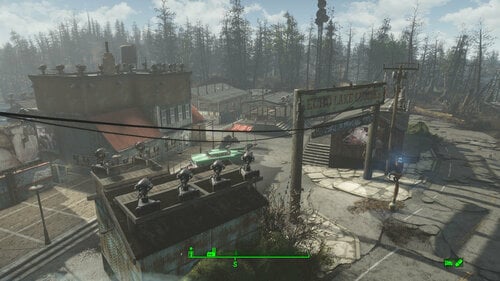
By msmfoster
A Transfer Settlements blueprint that transforms the dilapidated Echo Lake Lumber Mill into a viable settlement. In addition to the repairs, buildings have been added to increase defence and food production. This blueprint adds to the tourist nature of the site, which includes concession stands just outside the buildable area. Details of the Build Main building has been repaired within limits of the existing structure, maintaining the overall floorplan but transforming the attic into a usable floor. The front face of the building has been largely maintained/restored. Dedicated medical area with surgical bay and recovery ward within the main building. Added a small warehouse building that houses all workbenches. Repaired the sawmill and turned it into a gym. Added two large greenhouses in the expansive area that used to house the loading truck and wood yard. Replaced the sidewalks and added vintage cars. Replaced the barn next to the Echo Lake sign and converted the interior to a public bathroom. Added a small warehouse on the other side of the Echo Lake sign for additional turrets and defence of that area. This storage area could easily be converted into a player home. While the build looks like a working fishery and farm with tourist elements, the end effect is that the Daltons' luxury home overlooks those who work for them. That in itself is rather fitting for the site. Key Statistics 28 bunks. 150+ food. 700+ defence. 240 power. 30 water. Tier 3 Medical, Restaurant, Clothing, and General Store. Dedicated gym area. Vault-Tec drink dispenser and slot machines. Working sinks and showers. Power mostly runs through conduits to minimise visible power lines. Cat and dog included in the build. No visible glitches observed with this build. Requirements Downloadable Content Contraptions Workshop Vault-Tec Workshop Wasteland Workshop Far Harbour Enclave Remnants Hard Requirements Transfer Settlements. To import this blueprint. Scrap Everything or an equivalent. To clear out the area as per Setup Instructions. Homemaker. Primary build components for most of the settlement, decorations, furniture, and miscellaneous objects. Settlement Objects Expansion Pack. Fusion generators, railings, pool, foundation liners, cooking station, and water pumps. Note. Transfer Settlements will not add items if the mods are missing. The following are not required but will remove associated elements. Soft Requirements Craftable Working Sinks and Showers Redux. Working sinks and showers. Erotic Art. Frames and pictures used throughout. Working Fridges. Simple mod that adds working fridges, ice machines, and vending machines. Working Washer and Dryer (Immersive Laundry). Player functional laundry machines and dryers with sound effects. Nice to Have Armour and Weapon Keywords Community Resource. Additional types of workshops, namely power armour. Videos of the Wasteland. Working televisions and projectors. Standing Stones from Skyrim. Skyrim styled statues for aesthetics. Gruffydd's Signs and Posters. Billboards and signs Crazy Sex Animations. Invisible mats that make settlers happy through masturbation, done without using the Advanced Animation Framework, and additionally places assignable gurneys that increase happiness. Sex Toys of the Commonwealth. Adds the random placement of sex toys throughout. Companion Ivy. If you happen to have Ivy as a companion, one of her broadcast towers will be added in an out of the way area. Unrelated But Useful Place Everywhere. Allows you to make minor adjustments if necessary. Armour Rack Female Mannequin Fix. Fixes the armour rack to support alternate bodies like Fusion Girl. Setup Clearing the area is relatively straightforward. Clear out the area of clutter, trash, foliage, and deadfall, including the stands. For the main structure: Clean the site. Remove the entire roof structure on the attic level of the main building. Remove internal walls and railings. Remove all brickwork; it will be replaced with Homemaker variants. Remove the back walls entirely; they will be replaced with duplicated variants. Remove the walls facing the stand except for the door; they will be replaced by duplicated copies. Remove all floors, including stones. They will be replaced with Homemaker and vanilla elements. The exceptions to this are: The stairs, stairwell, and concrete steps within the main structure. The intact mid-level red roof facing the parking area. The internal wall on the lower level between the two levels of entrances. A few elements cannot be scrapped normally, in this case you will need to do the following: Go into the console. Select the object (E.g., floor pieces). Disable MarkForDelete Note. Disable first in case you selected the wrong object. In that case Enable will recover the object without consequence. Build a Transfer Settlements console from Power > Miscellaneous in between the Echo Lake sign. Note. Import should be done with Workshop Mode enabled. Tasks After Import Confirm that all power has been restored as expected. Notes on Imports Transfer Settlements recommends leaving the area after import and to not return for 1-2 game days. However, I found that saving on site always crashes the game. The easiest way to get away and save is to coc Vault111Ext from the console. Wait a couple of minutes before heading into the vault. Once you arrive at the bottom it is safe to save. I recommend that you import/export Blueprints using Stable defaults. Using other methods has caused ladders, walls, and flooring to appear without collision. In many cases the collision effects are found elsewhere leading to interesting behaviours among the NPC population, and leading to a snap back effect as you push through an area and are forced back by the invisible wall. Note. This blueprint was tested with Transfer Settlements working under Stable. Lastly Import wired power connections should always be selected as part of the import process. It will reliably re-connect all wired connections. This saves you the trouble of linking up floors, turrets, and in some cases re-establish connections for hidden or buried runs. Notes on Power and Performance These blueprints utilize ambient fill lighting to provide a pervasive glow. I use Naked Bulbs to create a lived-in atmosphere for statues, fountains, and roof voids. Warning for Dynamic Lighting Users If you use mods that turn all lights into dynamic, shadow-casting sources, the sheer number of these bulbs will severely cripple your framerate. I strongly recommend using the Transfer Settlements Blueprint Editor to strip out all instances of 306F1 before importing. Optimization for Complex Builds: Because of the heavy use of conduits to reduce visible power lines, these settlements have high object counts. To steps below may improve performance. Enable Faux Power in the Workshop Framework's workbench settings. Use the Transfer Settlements Blueprint Editor to strip all conduits from the .json file. This can reduce build complexity by up to 40% without losing the overall aesthetic of the settlement. Note. I cannot guarantee the above will work. A Special Thanks To Thank you to Caladon for creating the template that makes blueprints installable. Thank you to PiCSeL for the magazine and painting retextures seen in the screenshots. Updates Version 1.0.1 Switched to Immersive Laundry. Replaced statue with Standing Stones from Skyrim. Replaced garage doors with electric variants for a cleaner look.
177 downloads
Updated
-
Transfer Settlements - National Park Visitor's Centre Redux
By msmfoster
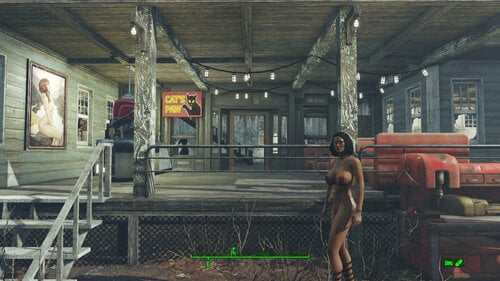
A Transfer Settlements blueprint that transforms the Visitor's Centre from a prepper's home to a rebuilt and viable settlement. In addition to the repairs, buildings have been added to increase defence, food production, and commercial spaces.
Note. This build aims for a repaired look, not restored to its former glory. This means there are brick walls on the second level facing the deck, and the roof is replaced with a barn variant for easy support of turrets.
Details on the changes below:
Visitor's Centre has been repaired with the inside walls removed to create a more viable living area. Dedicated medical area with surgical bay and recovery ward within the Visitor's Centre. A lovely deck gym above the main entrance of the Visitor's Centre. The small hut near the parking area now has walls that create a viable kitchen and eating area. Two additional commercial spaces have been added along the retaining wall overlooking the parking area. A large greenhouse has been added opposite the Visitor's Centre for food production and defence. The far side of the greenhouse effectively acts as a wall to force attackers around the structure. Parking area now includes vintage cars.
Note. These cars can and do explode if they take damage.
Some of the features of this build are:
24 bunks. 170+ food. 530+ defence. 240 power. 60 water. Tier 3 Medical, Restaurant, Clothing, and General Store. Dedicated gym area. Vault-Tec drink dispenser and slot machines. Working sinks and showers. Power mostly runs through conduits to minimise visible power lines. Cat and dog included in the build. No visible glitches observed with this build.
Due to the layout, there is no dedicated workshop area. Instead, the armour, weapons, and chemistry workbenches have been added to the general store. This fits in with the overall theme of this build.
Requirements
Downloadable Content
Contraptions Workshop Vault-Tec Workshop Wasteland Workshop Far Harbour Enclave Remnants
Hard Requirements
Transfer Settlements. To import this blueprint. Scrap Everything or an equivalent. To clear out the area as per Setup Instructions. Homemaker. Primary build components for most of the settlement, decorations, furniture, and miscellaneous objects. Settlement Objects Expansion Pack. Fusion generators, railings, foundation liners, cooking station, and water pumps.
Note. Transfer Settlements will not add items if the mods are missing. The following are not required but will remove associated elements.
Soft Requirements
Craftable Working Sinks and Showers Redux. Working sinks and showers. Erotic Art. Frames and pictures used throughout. Working Fridges. Simple mod that adds working fridges, ice machines, and vending machines.
Nice to Have
Armour and Weapon Keywords Community Resource. Additional types of workshops, namely power armour. Videos of the Wasteland. Working televisions and projectors. Gruffydd's Signs and Posters. Billboards and signs (includes Factions Minutemen, Signs of the Times variants). Companion Ivy. If you have Ivy as a companion, one of her broadcast towers will be added in an out-of-the-way area. Crazy Sex Animations. Invisible mats that make settlers happy through masturbation, done without using the Advanced Animation Framework, and additionally places assignable gurneys that increase happiness. Sex Toys of the Commonwealth. Adds the random placement of sex toys throughout. Bad Dragon Dildos. Adds more extreme dildos throughout.
Unrelated But Useful
Place Everywhere. Allows you to make minor adjustments if necessary. Armour Rack Female Mannequin Fix. Fixes the armour rack to support alternate bodies like Fusion Girl.
Setup
Clearing the area is relatively straightforward. Clear out the area of clutter, trash, foliage, and deadfall. Additionally, remove the junk wall fortifications, which are not needed once the outbuildings provide viable defences. For the Visitor's Centre itself, clean the site, remove the entire roof structure, floors, and internal walls.
The exceptions to this are:
The doorways and associated walls on either side of the stairwell. The stairs themselves.
You can opt to maintain the deck flooring in place; it may help NPCs use the existing stairs to travel back and forth.
Note. Be sure to remove the Vim! machine. A new one will be added in its place. Nuka-Cola will then begin to appear around the machine as it respawns.
Build a Transfer Settlements console from Power > Miscellaneous in front of the settlement workshop.
Note. Import should be done with Workshop Mode enabled.
After Blueprint Import
Ensure power and defences are online.
Potential Issues
Transfer Settlements recommends that you leave the area after the blueprint has been implemented, but saving on site has always led to a hard crash (for me). To save, you need to move out of the area, but I found that doing coc FarHarborExt from the console is the easiest way to get away and save.
I recommend that you import/export blueprints using the Stable defaults. Using other methods has caused ladders, walls, and flooring to be visible but without collision. In many cases, the collision effects are found elsewhere, leading to interesting behaviours among the NPC population, leading to a snap-back effect as you push through an area and are forced back by the invisible wall.
Note. While Settlement Objects Expansion elements have been stable in the past, this is not always the case. This blueprint was tested with Transfer Settlements working under Stable.
A Special Thanks To
Thank you to Caladon for creating the template that makes blueprints installable.
Thank you to PiCSeL for the magazine and painting retextures seen in the screenshots.
222 downloads
- transfer settlements
- visitors centre
- (and 2 more)
Submitted
-
Transfer Settlements - The Castle - Minutemen Rest and Recreation Centre
By msmfoster
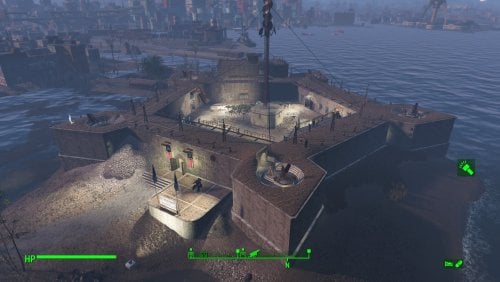
A Transfer Settlements blueprint that not only repairs the walls of the Castle, but adds a three-storey annex, along with bars and entertainment for the Minutemen. Not only is the end result armed to the teeth, the recreational facilities encourage settler interaction. This blueprint integrates nicely with mods like Just Business, Human Resources, and Hookers of the Commonwealth - Settlement Edition, but these elements are contained within this blueprint.
Details on this build: Repairs all of the walls using the Homemaker retaining wall elements. This creates a cleaner look that incorporates the cobblestone sidewalk pieces already part of the base build. Three-storey annex that is linked through an entrance in the wall and on the top storey. Houses bunks, bathrooms, and a full gym. Medical bays and a large ward to treat the troops (additional bunk space). Large room reserved for Tier 3 Clothing, General, Armour, and Weapons stores. Siren's Song, a club featuring a large bar, couches, and a singing settler. The General's Quarters features a bar, pole dancers, slot machines, and entertainers. Radio shack has been replaced by a bunker. Glass windows have been added to handle adverse weather. Catwalks have been replaced with warehouse equivalents. Cleaner look, permitting the idles that cannot be scrapped to work with the new structure. Settlement Features 50 bunks. 100+ food. 975+ defence. 420 power. 120 water. All Tier 3 stores. Dedicated gym area. Vault-Tec drink dispenser and slot machines. Working sinks and showers. Power mostly runs through conduits to minimise visible power lines. Settlers appear able to move freely, with some difficulty observed in getting to the first and second storey of the annex. Cat and dog included in the build. No visual glitches observed from this build. Requirements Downloadable Content Contraptions Workshop Vault-Tec Workshop Wasteland Workshop Far Harbour Home Decor Workshop Pack (Optional) Virtual Workshops – Capital Wasteland (Optional) Hard Requirements Transfer Settlements. To import this blueprint. Scrap Everything or an equivalent. To clear out the area as per Setup Instructions. Homemaker. Primary build components for most of the settlement, decorations, furniture, and miscellaneous objects. Settlement Objects Expansion Pack. Fusion generators, glass, railings, foundation liners, cooking stations, and water pumps. Note. Transfer Settlements will not add items if the mods are missing. Mods listed below are not required but will remove associated elements. Soft Requirements Craftable Working Sinks and Showers Redux. Working sinks and showers. Erotic Art. Frames and pictures used throughout. Working Fridges. Simple mod that adds working fridges, ice machines, and vending machines. Working Washer and Dryer (Immersive Laundry). Player functional laundry machines and dryers with sound effects. Singing Settler. Singing settler, and scene rugs (carpeting). Alex Stripper Pole. Adds assignable stripper poles. Advanced Bubble Turret Set (Realistic No Power version). Bubble turrets for defence along the outer edge of the playground. Nice to Have Videos of the Wasteland. Working televisions and projectors. Gruffydd's Signs and Posters. Billboards and signs. Crazy Sex Animations. Invisible mats that make settlers happy through masturbation, done without using the Advanced Animation Framework, and additionally places assignable gurneys that increase happiness. Sex Toys of the Commonwealth. Adds the random placement of sex toys throughout. Unrelated But Useful Place Everywhere. Allows you to make minor adjustments if necessary. Armour Rack Female Mannequin Fix. Fixes the armour rack to support alternate bodies like Fusion Girl. Setup There are two ways the setup can occur: Minutemen Takeover Setup In this scenario, the Minutemen have taken the Castle and cleaned it up for you. For this to happen, you need to leave the area and return. Clearing the area is relatively straightforward. Remove brush, garbage, rubble within the build area. I also typically remove the railings at the top and those outside the main gates. Take your time when removing the walls and roof of the radio shack. You may inadvertently remove key equipment to run Minutemen Radio, such as the antenna. Within the armoury, maintain the tables containing artillery scape and plans, the shelves with turrets, and smaller shelf on the left side when facing the door. Additionally, keep the table in place. The rest can be scraped and will be replaced on import. Note. If you have Companion Ivy installed, remove the antenna as Ivy's radio tower will replace it. Clearing the area can be done quickly. Still, save often just in case you accidentally scrap something important like a wall. Build a Transfer Settlements console from Power > Miscellaneous in front of the workshop. Non-Minutemen Playthrough In this scenario, the Minutemen do not yet exist or you cleared the area yourself and do not want to bring Preston in. In additional to what is listed above, this leaves you with the mirelurk mess to deal with, which cannot be scrapped normally. Fortunately, there is a way to remove the elements and make the Castle a viable settlement. It simply takes time and patience to do so, but the process is straightforward. The steps below work for mirelurk eggs, seaweed, dirt, mud, lichen, and anything else the Minutemen would normally clear out. A few elements cannot be scrapped normally, in this case you will need to do the following: Go into the console. Select the object (E.g., eggs, seaweed, and so forth). You can use the mouse's scrollwheel to find the appropriate target. Disable MarkForDelete Note. Disable first in case you selected the wrong object. In that case Enable will recover the object without consequence. It is highly recommended that you adjust the .ini or get a mod which highlights objects selected in the console. Note. Import should be done with Workshop Mode enabled. Tasks After Import No additional requirements other than confirming that all power has been restored as expected. Notes on Imports Transfer Settlements recommends leaving the area after import and to not return for 1-2 game days. However, I found that saving on site always crashes the game. The easiest way to get away and save is to coc Vault111Ext from the console. Wait a couple of minutes before heading into the vault. Once you arrive at the bottom it is safe to save. I recommend that you import/export Blueprints using Stable defaults. Using other methods has caused ladders, walls, and flooring to appear without collision. In many cases the collision effects are found elsewhere leading to interesting behaviours among the NPC population, and leading to a snap back effect as you push through an area and are forced back by the invisible wall. Note. This blueprint was tested with Transfer Settlements working under Stable. Lastly Import wired power connections should always be selected as part of the import process. It will reliably re-connect all wired connections. This saves you the trouble of linking up floors, turrets, and in some cases re-establish connections for hidden or buried runs. Notes on Power and Performance These blueprints utilize ambient fill lighting to provide a pervasive glow. I use Naked Bulbs to create a lived-in atmosphere for statues, fountains, and roof voids. Warning for Dynamic Lighting Users If you use mods that turn all lights into dynamic, shadow-casting sources, the sheer number of these bulbs will severely cripple your framerate. I strongly recommend using the Transfer Settlements Blueprint Editor to strip out all instances of 306F1 before importing. Optimization for Complex Builds: Because of the heavy use of conduits to reduce visible power lines, these settlements have high object counts. To steps below may improve performance. Enable Faux Power in the Workshop Framework's workbench settings. Use the Transfer Settlements Blueprint Editor to strip all conduits from the .json file. This can reduce build complexity by up to 40% without losing the overall aesthetic of the settlement. Note. I cannot guarantee the above will work. A Special Thanks To Thank you to Caladon for creating the template that makes blueprints installable. Updates Version 1.1.0 Moved power conduits above the ceiling to hide them entirely. Added advanced bubble turrets to strengthen defences around certain areas. Added pubic showers near the exit. Added more decorating elements and lighting. Added a firing range. The sand bags will break apart, spill sand, or explode. Adjusted food production. Switched to bunks within the bunkhouse increasing bed level to 51. Switched Erotic Art to use my own textures. Version 1.0.1 Put new catwalks in due to idles that cannot be scrapped. Cleaner look and feel than the originals. Scrapped the Singing Settler lockers as these tend to cause wardrobe malfunctions. Switched to Immersive Laundry. Doubled up the flooring under the gym.
621 downloads
Updated
-
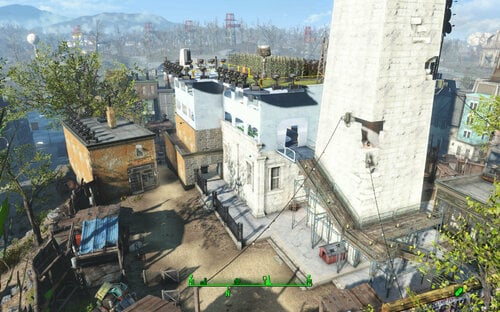
Transfer Settlements - Bunker Hill Institute Uplink Station
By msmfoster
A Transfer Settlements blueprint that aims to explain why there's a satellite structure hovering over the Bunker Hill monument. It spruces up Bunker Hill to create a more vibrant marketplace and upgrades a few key buildings. Additionally the roof area of the main building has an additional two levels of living spaces to increase population levels. Details of the Build New structure has been built above the main building. It features two levels of living spaces, with a rooftop eating area and farm. Rebuilt the scaffolding to reach a new living space. Replaced the wooden structure near the main gates (opposite Kay's stall) to create a proper medical clinic. Features two surgery bays and a waiting area. Replaced the flop house and turned it into a combination barber shop and three-unit accommodations. Gutted out the inside of the main building and fixed up the damaged walls using a mixture of brick and retaining wall elements. The main space now houses every major shop, a singing settler and two dancers. Added turrets on remaining structures to increase defence. Added a small guard shack and armoury by the main entrance. Note. This build assumes that Kessler handed you the settlement after the battle at Bunker Hill. Hence the trap door within the main structure is covered by a stage. Key Statistics 35 bunks. 100+ food. 940+ defence. 540 power. 60+ water. Tier 3 Medical, Restaurant, Clothing, General, Armour, and Weapons stores. Dedicated gym area. Vault-Tec drink dispenser and slot machines. Working sinks and showers. Power mostly runs through conduits to minimise visible power lines. Cat and dog included in the build. Note. Bunker Hill is notorious for glitches that lead to a Crash to Desktop (CTD) scenario. While this build has been stable for me in the past, some mods may make this build unstable. Requirements Downloadable Content Contraptions Workshop Vault-Tec Workshop Wasteland Workshop Far Harbour Enclave Remnants Hard Requirements Transfer Settlements. To import this blueprint. Scrap Everything or an equivalent. To clear out the area as per Setup Instructions. Homemaker. Primary build components for most of the settlement, decorations, furniture, and miscellaneous objects. Settlement Objects Expansion Pack. Fusion generators, railings, pool, foundation liners, cooking station, and water pumps. Note. Transfer Settlements will not add items if the mods are missing. The following are not required but will remove associated elements. Soft Requirements Craftable Working Sinks and Showers Redux. Working sinks and showers. Erotic Art. Frames and pictures used throughout. Working Fridges. Simple mod that adds working fridges, ice machines, and vending machines. Working Washer and Dryer (Immersive Laundry). Used for optional flooring overlay and a performing settler. Singing Settler. Player functional laundry machines and dryers with sound effects. Stripper Pole. Adds assignable stripper poles for dancers. Nice to Have Armour and Weapon Keywords Community Resource. Additional types of workshops, namely power armour. Better Armory Mod. Great mod for creating an armory and displaying associated weapons. Standing Stones from Skyrim. Skyrim styled statues for aesthetics. Gruffydd's Signs and Posters. Billboards and signs Crazy Sex Animations. Invisible mats that make settlers happy through masturbation, done without using the Advanced Animation Framework, and additionally places assignable gurneys that increase happiness. Sex Toys of the Commonwealth. Adds the random placement of sex toys throughout. Companion Ivy. If you happen to have Ivy as a companion, one of her broadcast towers will be added in an out of the way area. Unrelated But Useful Place Everywhere. Allows you to make minor adjustments if necessary. Armour Rack Female Mannequin Fix. Fixes the armour rack to support alternate bodies like Fusion Girl. Setup Clearing the area is relatively straightforward: Clear out all clutter, brush, and trash. Remove all bunks and existing stands. New elements will be added in. Store any food elements, except for one corn plant. This will keep Kessler assigned to food. Gut out the inside of the main structure, internal walls, including the makeshift roof and back walls, and a wrought iron fence. Be sure to maintain the trader stand. Scrap the elevated structure to the right facing the Bunker Hill monument. Do not clear the junk walls. Scrap the bar area/flop house. Do not remove parts of the foundations along the wall area. Scrap the bridge leading to the wall. Stairs will be added to replace this feature. A few elements cannot be scrapped normally, in this case you will need to do the following: Go into the console. Select the object (E.g., greeb on the roof). Disable MarkForDelete Note. Disable first in case you selected the wrong object. In that case Enable will recover the object without consequence. Build a Transfer Settlements console from Power > Miscellaneous in front of the statue. Note. Import should be done with Workshop Mode enabled. Tasks After Import Confirm that all power has been restored as expected. The default characters cannot be assigned to new stores by default. Select the NPC from the console and AddKeyword WorkshopAllowCommand to assign them to their newly improved spaces. Notes on Imports Transfer Settlements recommends leaving the area after import and to not return for 1-2 game days. However, I found that saving on site always crashes the game. The easiest way to get away and save is to coc Vault111Ext from the console. Wait a couple of minutes before heading into the vault. Once you arrive at the bottom it is safe to save. I recommend that you import/export Blueprints using Stable defaults. Using other methods has caused ladders, walls, and flooring to appear without collision. In many cases the collision effects are found elsewhere leading to interesting behaviours among the NPC population, and leading to a snap back effect as you push through an area and are forced back by the invisible wall. Note. This blueprint was tested with Transfer Settlements working under Stable. Lastly Import wired power connections should always be selected as part of the import process. It will reliably re-connect all wired connections. This saves you the trouble of linking up floors, turrets, and in some cases re-establish connections for hidden or buried runs. Notes on Power and Performance These blueprints utilize ambient fill lighting to provide a pervasive glow. I use Naked Bulbs to create a lived-in atmosphere for statues, fountains, and roof voids. Warning for Dynamic Lighting Users If you use mods that turn all lights into dynamic, shadow-casting sources, the sheer number of these bulbs will severely cripple your framerate. I strongly recommend using the Transfer Settlements Blueprint Editor to strip out all instances of 306F1 before importing. Optimization for Complex Builds: Because of the heavy use of conduits to reduce visible power lines, these settlements have high object counts. To steps below may improve performance. Enable Faux Power in the Workshop Framework's workbench settings. Use the Transfer Settlements Blueprint Editor to strip all conduits from the .json file. This can reduce build complexity by up to 40% without losing the overall aesthetic of the settlement. Note. I cannot guarantee the above will work. A Special Thanks To Thank you to Caladon for creating the template that makes blueprints installable. Thank you to PiCSeL for the magazine and painting retextures seen in the screenshots. Updates Version 1.0.1 Switched to Immersive Laundry. Add shower facilities in the Barbershop, which was dropped when I moved away from Bring Your Own Pool. Added a statue in the alcove on the first floor of the monument. Minor tweaks.
190 downloads
Updated
-
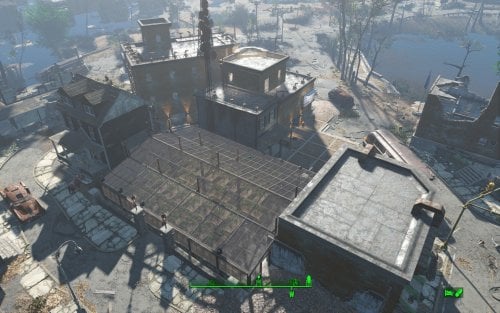
Transfer Settlements - Jamaica Plain Victory Garden and Home
By msmfoster
A Transfer Settlements blueprint that aims to make Jamaica Plain usable while working within the confines of the space. While it would be nice to remove the damaged buildings and abandoned home to create a coherent design, it tends to cause visual glitches that ruin the experience. Details on this build: Repaired the brick structure making both levels usable, and added an additional display area for clothing advertisements. Repaired the wall on the second level of the home linking to the second level of the brick building, the latter of which houses the medical facilities. Cleared out the parking area and turned it into a greenhouse. This permits high food production and supports turrets for additional security. The empty space between the liveable buildings and retaining walls now supports a three-storey brick structure. This addition supports shops, bunks, bathrooms, and a kitchen. Replaced the damaged roads and sidewalks surrounding the liveable buildings with cobblestone pieces. Note. A third level was added to the brick building but it is purely decorative. There are no stairs leading to it and it is generally only accessible through jumping off the addition's roof. Settlement Features 18 bunks. 70+ food. 525+ defence. 180 power. 60 water. Tier 3 Medical, Restaurant, Clothing, and General Store. Vault-Tec drink dispenser and slot machines. Working sinks and showers. Power mostly runs through conduits to minimise visible power lines. Settlers appear able to move freely, with minimal difficulties observed. Cat, dog, and child included in the build. No visual glitches observed from this build. Note. Warehouse glass pieces add a reflection component that can tank your framerate when you are on the second deck. See Unrelated But Useful for more information on mods that may help. Requirements Downloadable Content Contraptions Workshop Vault-Tec Workshop Wasteland Workshop Far Harbour Mid-Century Modern Furniture Set (Optional) Virtual Workshop – Desert Island (Optional) Hard Requirements Transfer Settlements. To import this blueprint. Scrap Everything or an equivalent. To clear out the area as per Setup Instructions. Homemaker. Primary build components for most of the settlement, decorations, furniture, and miscellaneous objects. Settlement Objects Expansion Pack. Fusion generators, railings, pools, foundation liners, cooking station, and water pumps. Note. Transfer Settlements will not add items if the mods are missing. Mods listed below are not required but will remove associated elements. Soft Requirements Craftable Working Sinks and Showers Redux. Working sinks and showers. Erotic Art. Frames and pictures used throughout. Working Fridges. Simple mod that adds working fridges, ice machines, and vending machines. Working Washer and Dryer (Immersive Laundry). Player functional laundry machines and dryers with sound effects. Advanced Bubble Turret Set (Realistic No Power version). Unobtrusive defensive elements used along the greenhouses' outside-facing walls. Nice to Have Armour and Weapon Keywords Community Resource. Additional types of workshops, namely power armour. Videos of the Wasteland. Working televisions and projectors. Gruffydd's Signs and Posters. Billboards and signs. Crazy Sex Animations. Invisible mats that make settlers happy through masturbation, done without using the Advanced Animation Framework, and additionally places assignable gurneys that increase happiness. Sex Toys of the Commonwealth. Adds the random placement of sex toys throughout. Bad Dragon Dildos. Adds more extreme dildos throughout. Companion Ivy. If you happen to have Ivy as a companion, one of her broadcast towers will be added in an out of the way area.
Unrelated But Useful Place Everywhere. Allows you to make minor adjustments if necessary. Armour Rack Female Mannequin Fix. Fixes the armour rack to support alternate bodies like Fusion Girl. Setup Clearing the area is relatively straightforward Clear out all clutter, brush, and trash. Remove all walls within the brick structure except for the angled one. The rest will be replaced for consistency. Remove the damaged wall on the first and second level of the wooden home. Remove the sidewalks and roads in the area surrounding wooden home. Anything below the parking lot retaining walls should be scrapped. Beyond the retaining walls there's a large tree, remove it. In the parking area the retaining wall bends in. Remove those bends along with the associated concrete posts. To remove the tree, do the following: Select the tree. Disable MarkForDelete Note. Disable first in case you selected the wrong object. If that happens Enable will recover the object. Build a Transfer Settlements console from Power > Miscellaneous on the roof of the boarded up home. Note. Import should be done with Workshop Mode enabled. Tasks After Import Confirm all power has been restored. Notes on Imports Transfer Settlements recommends leaving the area after import and to not return for 1-2 game days. However, I found that saving on site always crashes the game. The easiest way to get away and save is to coc Vault111Ext from the console. Wait a couple of minutes before heading into the vault. Once you arrive at the bottom it is safe to save. I recommend that you import/export Blueprints using Stable defaults. Using other methods has caused ladders, walls, and flooring to appear without collision. In many cases the collision effects are found elsewhere leading to interesting behaviours among the NPC population, and leading to a snap back effect as you push through an area and are forced back by the invisible wall. Note. This blueprint was tested with Transfer Settlements working under Stable. Lastly Import wired power connections should always be selected as part of the import process. It will reliably re-connect all wired connections. This saves you the trouble of linking up floors, turrets, and in some cases re-establish connections for hidden or buried runs. Notes on Power and Performance These blueprints utilize ambient fill lighting to provide a pervasive glow. I use Naked Bulbs to create a lived-in atmosphere for statues, fountains, and roof voids. Warning for Dynamic Lighting Users If you use mods that turn all lights into dynamic, shadow-casting sources, the sheer number of these bulbs will severely cripple your framerate. I strongly recommend using the Transfer Settlements Blueprint Editor to strip out all instances of 306F1 before importing. Optimization for Complex Builds: Because of the heavy use of conduits to reduce visible power lines, these settlements have high object counts. To steps below may improve performance. Enable Faux Power in the Workshop Framework's workbench settings. Use the Transfer Settlements Blueprint Editor to strip all conduits from the .json file. This can reduce build complexity by up to 40% without losing the overall aesthetic of the settlement. Note. I cannot guarantee the above will work. A Special Thanks To Thank you to Caladon for creating the template that makes blueprints installable. Updates Version 1.0.2
Adjusted Erotic Art to work with my Classic Erotic Art Retexture. Double up ceiling for consistency. Added public showers with appropriate signage. Adjustments to decorates and lighting. Fixed two potential failure points in power distribution. Results in a cleaner look and feel. Version 1.0.1 Switched to Immersive Laundry. Cloned wall to repair damaged wall on first level of wooden home. Fixed up the retaining wall leading into the parking area.
267 downloads
Updated
-
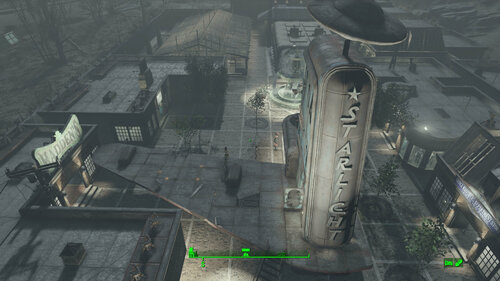
Transfer Settlements - Starlight Drive-In: a Potemkin Village
By msmfoster
A Transfer Settlements blueprint that transforms Starlight Drive-In into a gated community. The layout is straightforward, making use of the existing projector building, and aims to create an idyllic fifties community. The overall aim is to create a larger version of Covenant.
Details on this build:
Cleared out the area of clutter, trash, brush, and trees. A bunker structure for power and water generation. Dedicated buildings for the general store, clothing store, and barbershop. Starlight diner makes use of the existing structure. Large greenhouse makes up most of the food production for the settlement. Several homes, each featuring kitchens and bathrooms. Working fountain for the town square. Remaining wing of the projector house is set up for a singing settler.
Settlement Features
32 bunks. 110+ food. 945+ defence. 300 power. 120 water. Tier 3 Medical, Restaurant, Clothing, and General Store. Dedicated gym area. Vault-Tec drink dispenser and slot machines. Working sinks and showers. Power mostly runs through conduits to minimize visible power lines. Cat and dog included in the build. No visual glitches observed from this build other than at a distance when the entire structure has not yet loaded.
Requirements
Downloadable Content
Contraptions Workshop Vault-Tec Workshop Wasteland Workshop Far Harbour
Hard Requirements
Transfer Settlements. To import this blueprint. Scrap Everything or an equivalent. To clear out the area as per Setup Instructions. Homemaker. Primary build components for most of the settlement, decorations, furniture, and miscellaneous objects. Settlement Objects Expansion Pack. Fusion generators, railings, pools, foundation liners, cooking station, and water pumps. Note. Transfer Settlements will not add items if the mods are missing. Mods listed below are not required but will remove associated elements.
Soft Requirements
Craftable Working Sinks and Showers Redux. Working sinks and showers. Erotic Art. Frames and pictures used throughout. Working Fridges. Simple mod that adds working fridges, ice machines, and vending machines. Working Washer and Dryer (Immersive Laundry). Player functional laundry machines and dryers with sound effects. Singing Settler. Singing settler and flooring in the gym and barber shop.
Nice to Have
Armour and Weapon Keywords Community Resource. Additional types of workshops, namely power armour. Better Armory Mod. Great mod for creating an armoury and displaying associated weapons. Videos of the Wasteland. Working televisions and projectors. Invisible Furniture. Adds invisible markers that are used as idles for settlers and pets. Gruffydd's Signs and Posters. Billboards and signs. Crazy Sex Animations. Invisible mats that make settlers happy through masturbation, done without using the Advanced Animation Framework, and additionally places assignable gurneys that increase happiness. Sex Toys of the Commonwealth. Adds the random placement of sex toys throughout. Companion Ivy. If you happen to have Ivy as a companion, one of her broadcast towers will be added in an out of the way area.
Unrelated But Useful
Place Everywhere. Allows you to make minor adjustments if necessary. Armour Rack Female Mannequin Fix. Fixes the armour rack to support alternate bodies like Fusion Girl.
Setup
Clearing the area is relatively straightforward. Clean out the area, including roads and sidewalks, with the exception of:
Still-standing portion of the projector house. Scrap the boarded entrance and door on the other side. Projector Screen. Intact billboard. (Optional) Settlement workshop shed. May cause clipping if removed, but does not affect the overall look of the settlement.
Note. To make scraping less risky around the Projector Building consider using Disable during the scrap and Enable when done. Be sure to use the Projector's Reference ID in case you click on another object by mistake.
A few elements cannot be scrapped normally, in this case you will need to do the following:
Go into the console. Select the object (E.g., ivy or wood plank). Disable MarkForDelete
Note. Disable first in case you selected the wrong object. In that case Enable will recover the object without consequence.
Build a Transfer Settlements console from Power > Miscellaneous on top of the screen.
Note. Import should be done with Workshop Mode enabled.
Tasks After Import
No additional requirements other than to confirm that all power has been restored as expected.
Notes on Imports
Transfer Settlements recommends leaving the area after import and to not return for 1-2 game days. However, I found that saving on site always crashes the game.
The easiest way to get away and save is to coc Vault111Ext from the console. Wait a couple of minutes before heading into the vault. Once you arrive at the bottom it is safe to save.
I recommend that you import/export Blueprints using Stable defaults. Using other methods has caused ladders, walls, and flooring to appear without collision. In many cases the collision effects are found elsewhere leading to interesting behaviours among the NPC population, and leading to a snap back effect as you push through an area and are forced back by the invisible wall.
Note. This blueprint was tested with Transfer Settlements working under Stable.
Lastly Import wired power connections should always be selected as part of the import process. It will reliably re-connect all wired connections. This saves you the trouble of linking up floors, turrets, and in some cases re-establish connections for hidden or buried runs.
Notes on Power and Performance
These blueprints utilize ambient fill lighting to provide a pervasive glow. I use Naked Bulbs to create a lived-in atmosphere for statues, fountains, and roof voids.
Warning for Dynamic Lighting Users
If you use mods that turn all lights into dynamic, shadow-casting sources, the sheer number of these bulbs will severely cripple your framerate. I strongly recommend using the Transfer Settlements Blueprint Editor to strip out all instances of 306F1 before importing.
Optimization for Complex Builds:
Because of the heavy use of conduits to reduce visible power lines, these settlements have high object counts. To steps below may improve performance.
Enable Faux Power in the Workshop Framework's workbench settings. Use the Transfer Settlements Blueprint Editor to strip all conduits from the .json file.
This can reduce build complexity by up to 40% without losing the overall aesthetic of the settlement.
Note. I cannot guarantee the above will work.
A Special Thanks To
Thank you to Caladon for creating the template that makes blueprints installable.
Thank you to PiCSeL for the magazine and painting retextures seen in the screenshots.
Updates
Version 1.0.1
Added washers and dryers from Immersive Laundry. Fixed up the fountain, one of the waterfalls was missing. Fixed up the second deck of the general store. Roof repaired and walls added to create a workshop and lounge. Added a billboard sign on the other end of the Nuka Cherry advertisement.
422 downloads
Updated
-
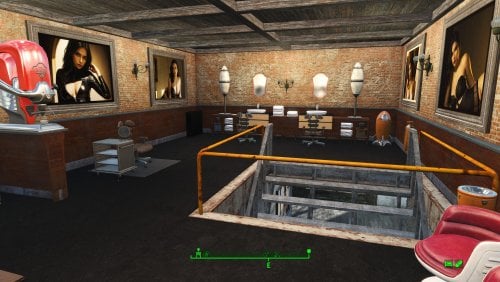
Transfer Settlements - The Slog Recreational Facility
By msmfoster
A Transfer Settlements blueprint that attaches a multi-level administrative building to the shower facilities and adds a greenhouse. The end effect increases bunk space and food production, while simultaneously increasing defensive capabilities.
Details on this build:
Main building houses shops and medical facilities with a central lounge area. Open warehouse over the settlement workshop for workbenches and additional turrets. Large greenhouse provides additional defensive capability in that area. Brick structure added to the main building. First deck: Contains washrooms, gym, and kitchen. Second deck: Contains bunks, and the third houses a barber shop. Third deck: Contains a barbershop, massage table, and spa. Easy roof access of The Slog through the administrative building.
Note. It is possible to open up a doorway between The Slog and adjoining administrative building. However, NPCs will not use it and it may cause visual glitches. Save before you scrap the wall.
Settlement Features
25 bunks. 130 food. 630+ defence. 260 power. 60+ water. Tier 3 Medical, Restaurant, Clothing, and General Store. Dedicated gym area. Vault-Tec drink dispenser and slot machines. Working sinks and showers. Power mostly runs through conduits to minimise visible power lines. Cat and dog included in the build. No visual glitches observed from this build.
Requirements
Downloadable Content
Contraptions Workshop Vault-Tec Workshop Wasteland Workshop Far Harbour
Hard Requirements
Transfer Settlements. To import this blueprint. Scrap Everything or an equivalent. To clear out the area as per Setup Instructions. Homemaker. Primary build components for most of the settlement, decorations, furniture, and miscellaneous objects. Settlement Objects Expansion Pack. Fusion generators, railings, pools, foundation liners, cooking station, and water pumps.
Note. Transfer Settlements will not add items if the mods are missing. Mods listed below are not required but will remove associated elements.
Soft Requirements
Craftable Working Sinks and Showers Redux. Working sinks and showers. Erotic Art. Frames and pictures used throughout. Working Fridges. Simple mod that adds working fridges, ice machines, and vending machines. Working Washer and Dryer (Immersive Laundry). Player functional laundry machines and dryers with sound effects. Singing Settler. Flooring for the gym and barber shop.
Nice to Have
Armour and Weapon Keywords Community Resource. Additional types of workshops, namely power armour. Videos of the Wasteland. Working televisions and projectors. Invisible Furniture. Adds invisible markers that are used as idles for settlers and pets. Gruffydd's Signs and Posters. Billboards and signs. Crazy Sex Animations. Invisible mats that make settlers happy through masturbation, done without using the Advanced Animation Framework, and additionally places assignable gurneys that increase happiness. Sex Toys of the Commonwealth. Adds the random placement of sex toys throughout.
Unrelated But Useful
Place Everywhere. Allows you to make minor adjustments if necessary. Armour Rack Female Mannequin Fix. Fixes the armour rack to support alternate bodies like Fusion Girl. Glass Roofs Stop Rain and Snow - Various Mods Patches. Stops rain and snow from going through glass roofs.
Setup
Clearing the area is relatively straightforward:
Cleanup the area removing all beds, showers, furniture and junk. The pool and surrounding areas should be clear of clutter, brush, and park elements. Remove the skylight in the main building it will be replaced with something that works.
Maintain the following:
Maintain the existing food production, since this build will simply add-on to the existing stock. The fire pit besides the boarded up door leading into Arlen's workshop.
A few elements cannot be scrapped normally, in this case you will need to do the following:
Go into the console. Select the object (E.g., Holly or Dierdre's bed). Disable MarkForDelete
Note. Disable first in case you selected the wrong object. In that case Enable will recover the object without consequence.
Build a Transfer Settlements console from Power > Miscellaneous on top of the workshop.
Note. Import should be done with Workshop Mode enabled.
Tasks After Import
No additional requirements other than confirming that all power has been restored as expected.
Notes on Imports
Transfer Settlementsrecommends leaving the area after import and to not return for 1-2 game days. However, I found that saving on site always crashes the game.
The easiest way to get away and save is to coc Vault111Ext from the console. Wait a couple of minutes before heading into the vault. Once you arrive at the bottom it is safe to save.
I recommend that you import/export Blueprints using Stable defaults. Using other methods has caused ladders, walls, and flooring to appear without collision. In many cases the collision effects are found elsewhere leading to interesting behaviours among the NPC population, and leading to a snap back effect as you push through an area and are forced back by the invisible wall.
Note. This blueprint was tested with Transfer Settlements working under Stable.
Lastly Import wired power connections should always be selected as part of the import process. It will reliably re-connect all wired connections. This saves you the trouble of linking up floors, turrets, and in some cases re-establish connections for hidden or buried runs.
Notes on Power and Performance
These blueprints utilize ambient fill lighting to provide a pervasive glow. I use Naked Bulbs to create a lived-in atmosphere for statues, fountains, and roof voids.
Warning for Dynamic Lighting Users
If you use mods that turn all lights into dynamic, shadow-casting sources, the sheer number of these bulbs will severely cripple your framerate. I strongly recommend using the Transfer Settlements Blueprint Editor to strip out all instances of 306F1 before importing.
Optimization for Complex Builds:
Because of the heavy use of conduits to reduce visible power lines, these settlements have high object counts. To steps below may improve performance.
Enable Faux Power in the Workshop Framework's workbench settings. Use the Transfer Settlements Blueprint Editor to strip all conduits from the .json file.
This can reduce build complexity by up to 40% without losing the overall aesthetic of the settlement.
Note. I cannot guarantee the above will work.
A Special Thanks To
Thank you to Caladon for creating the template that makes blueprints installable.
Updates
Version 1.0.2
Optimized Erotic Art to work with my Classic Erotic Art Retexture. Adjusted power conduits to prevent a snapping glitch from breaking power to most of the settlement. Replaced the skylight with a warehouse variant. Allows for natural light and can also block the rain (with the appropriate mod in place). Added public showers near the pool. Doubled ceiling for a consistent look and feel across my settlements. Added idles throughout.
Version 1.01
Added washers and dryers from Immersive Laundry. Increased the amount of idles found throughout. Closed off the roof access of the adminstrative building, while maintaining the same amont of turrets. Added a salon, spa, and massave parlour mix within the additional space created above.
265 downloads
Updated
-
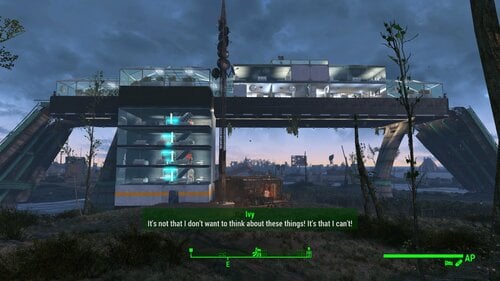
Transfer Settlements - Finch Farm Institute Surveillance Station
By msmfoster
A Transfer Settlements blueprint that answers the question on how a family of farmers can survive with The Forged, Gunners, and Super Mutants as neighbours. This build specifically makes use of the overpass going over the property to create a multi-level Institute fortress that observes the Commonwealth as their experiments carry on below.
Details on this build:
Features an extensive greenhouse for high production. Supports all major stores that bring happiness. Mix of living and work spaces. Settlers can exist almost exclusively within the fortress without venturing down. Forward and aft turret batteries can engage Gunners and Super Mutants. Useful when the colony goes to war with either side due to the player getting too close to the property line and triggering an engagement. Thirty settlers armed with Institute weapons will clear out Revere Station in no time.
Settlement Features
31 bunks. 150+ food. 900 defence. 420 power. 63 water. Tier 3 Medical, Restaurant, Clothing, and General Store. Dedicated gym area. Vault-Tec drink dispenser and slot machines. Working sinks and showers. Power mostly runs through conduits to minimise visible power lines. Settlers occasionally fall through the floors but can move throughout. Cat and dog included in the build. No visual glitches observed from this build.
Requirements
Downloadable Content
Contraptions Workshop Vault-Tec Workshop Wasteland Workshop Automatron
Hard Requirements
Transfer Settlements. To import this blueprint. Scrap Everything or an equivalent. To clear out the area as per Setup Instructions. Homemaker. Primary build components for most of the settlement, decorations, furniture, and miscellaneous objects. Settlement Objects Expansion Pack. Fusion generators, railings, pools, foundation liners, cooking station, and water pumps.
Note. Transfer Settlements will not add items if the mods are missing. Mods listed below are not required but will remove associated elements.
Soft Requirements
Craftable Working Sinks and Showers Redux. Working sinks and showers. Erotic Art. Frames and pictures used throughout. Working Fridges. Simple mod that adds working fridges, ice machines, and vending machines. Working Washer and Dryer (Immersive Laundry). Player functional laundry machines and dryers with sound effects. Singing Settler. Used for additional flooring.
Nice to Have
Armour and Weapon Keywords Community Resource. Additional types of workshops, namely power armour. Videos of the Wasteland. Working televisions and projectors. Crazy Sex Animations. Invisible mats that make settlers happy through masturbation, done without using the Advanced Animation Framework, and additionally places assignable gurneys that increase happiness. Sex Toys of the Commonwealth. Adds the random placement of sex toys throughout. Bad Dragon Dildos. Adds more extreme dildos throughout. Companion Ivy. If you happen to have Ivy as a companion, one of her broadcast towers will be added in an out of the way area.
Unrelated But Useful
Place Everywhere. Allows you to make minor adjustments if necessary. Armour Rack Female Mannequin Fix. Fixes the armour rack to support alternate bodies like Fusion Girl. Glass Roofs Stop Rain and Snow - Various Mods Patches. Stops rain and snow from going through glass roofs.
Setup
Clearing the area is relatively straightforward. Clear the area of clutter and trash, especially the large mound by the home. Feel free to tidy up the home itself, but nothing changes inside. The overall goal is to create the illusion that the Finches live below doing their thing while a community thrives above providing defence as necessary.
Clear up the overpass of clutter and vines. Those hanging below can stay since they are often a pain to scrap (see below). Be careful when working this area, it's easy to fall through.
For items that are hard or impossible to scrap do the following:
Select the vines. Disable MarkForDelete
Note. Disable first in case you selected the wrong object. If that happens Enable will recover the object.
Build a Transfer Settlements console from Power > Miscellaneous on the roof of the Finch home.
Note. Import should be done with Workshop Mode enabled.
Tasks After Import
Confirm all power has been restored.
Notes on Imports
Transfer Settlements recommends leaving the area after import and to not return for 1-2 game days. However, I found that saving on site always crashes the game.
The easiest way to get away and save is to coc Vault111Ext from the console. Wait a couple of minutes before heading into the vault. Once you arrive at the bottom it is safe to save.
I recommend that you import/export Blueprints using Stable defaults. Using other methods has caused ladders, walls, and flooring to appear without collision. In many cases the collision effects are found elsewhere leading to interesting behaviours among the NPC population, and leading to a snap back effect as you push through an area and are forced back by the invisible wall.
Note. This blueprint was tested with Transfer Settlements working under Stable.
Lastly Import wired power connections should always be selected as part of the import process. It will reliably re-connect all wired connections. This saves you the trouble of linking up floors, turrets, and in some cases re-establish connections for hidden or buried runs.
Notes on Power and Performance
These blueprints utilize ambient fill lighting to provide a pervasive glow. I use Naked Bulbs to create a lived-in atmosphere for statues, fountains, and roof voids.
Warning for Dynamic Lighting Users
If you use mods that turn all lights into dynamic, shadow-casting sources, the sheer number of these bulbs will severely cripple your framerate. I strongly recommend using the Transfer Settlements Blueprint Editor to strip out all instances of 306F1 before importing.
Optimization for Complex Builds:
Because of the heavy use of conduits to reduce visible power lines, these settlements have high object counts. To steps below may improve performance.
Enable Faux Power in the Workshop Framework's workbench settings. Use the Transfer Settlements Blueprint Editor to strip all conduits from the .json file.
This can reduce build complexity by up to 40% without losing the overall aesthetic of the settlement.
Note. I cannot guarantee the above will work.
A Special Thanks To
Thank you to Caladon for creating the template that makes blueprints installable.
Thank you to PiCSeL for the magazine and painting retextures seen in the screenshots.
Updates
Version 1.0.1
Added support for Immersive Laundry. Removed Fresh Carrots Planters for regular variant. The former cannot be used for crating of recipes and drugs. Added stairs on the top level, enables the player to walk on and off the glass roofs.
240 downloads
Updated
-
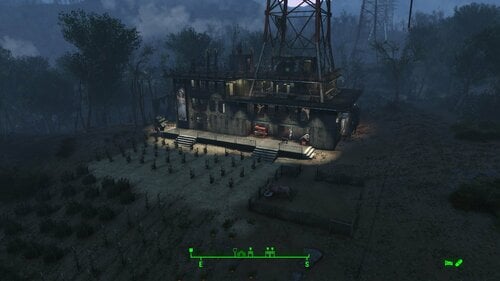
Transfer Settlements - Abernathy Fortress
By msmfoster
A Transfer Settlements blueprint that showcases how protective Blake Abernathy is of his daughter, Lucy. It removes the makeshift home and creates a fortress using Brotherhood of Steel build items from the Settlement Objects Expansion Pack. The end result is a build with high defence, food, and population levels.
Details on this build:
Replaces the existing wooden structure built into the power line with a three-level fortress. Topmost level supports rows of turrets to fend off any potential foe. Main deck is dedicated to shops, leisure, and medical facilities. Second deck contains bathrooms, bunks, and a full gym. Third deck contains more bunks, including a smaller area that could serve as the Abernathys' home.
Settlement Features
32 bunks. 150+ food. 745+ defence. 260 power. 60 water. Tier 3 Medical, Restaurant, Clothing, and General Store. Dedicated gym area. Vault-Tec drink dispenser and slot machines. Working sinks and showers. Power mostly runs through conduits to minimise visible power lines. Settlers appear able to move freely with minimal difficulties observed. Cat and dog included in the build. No visual glitches observed from this build.
Requirements
Downloadable Content
Contraptions Workshop Vault-Tec Workshop Wasteland Workshop Automatron Far Harbour
Hard Requirements
Transfer Settlements. To import this blueprint. Scrap Everything or an equivalent. To clear out the area as per Setup Instructions. Settlement Objects Expansion Pack. Primary build components for most of the settlement, fusion generators, railings, pools, foundation liners, cooking station, and water pumps. Homemaker. Decorations, furniture, and miscellaneous objects.
Note. Transfer Settlements will not add items if the mods are missing. Mods listed below are not required but will remove associated elements.
Soft Requirements
Craftable Working Sinks and Showers Redux. Working sinks and showers. Erotic Art. Frames and pictures used throughout. Working Fridges. Simple mod that adds working fridges, ice machines, and vending machines. Working Washer and Dryer (Immersive Laundry). Player functional laundry machines and dryers with sound effects. Singing Settler. Additional flooring used in the settlement.
Nice to Have
Armour and Weapon Keywords Community Resource. Additional types of workshops, namely power armour. Videos of the Wasteland. Working televisions and projectors. Invisible Furniture. Adds invisible markers that are used as idles for settlers and pets. Gruffydd's Signs and Posters. Billboards and signs. Crazy Sex Animations. Invisible mats that make settlers happy through masturbation, done without using the Advanced Animation Framework, and additionally places assignable gurneys that increase happiness. Sex Toys of the Commonwealth. Adds the random placement of sex toys throughout. Bad Dragon Dildos. Adds more extreme dildos throughout. Companion Ivy. If you happen to have Ivy as a companion, one of her broadcast towers will be added in an out of the way area.
Unrelated But Useful
Place Everywhere. Allows you to make minor adjustments if necessary. Armour Rack Female Mannequin Fix. Fixes the armour rack to support alternate bodies like Fusion Girl.
Setup
Clearing the area is relatively straightforward. Clear out the existing structure and contents while maintaining the power transmission tower. Remove fencing, shrubs, trees, and other elements.
Maintain the following:
The pen surrounding the brahmin. The piping leading into the silos. The silos themselves should be removed as they will be replaced.
Note. To make scraping less risky around the Transmission Tower consider using Disable during the scrap and Enable when done. Be sure to use the towers's Reference ID in case you click on another object by mistake.
A few elements cannot be scrapped normally, in this case you will need to do the following:
Go into the console. Select the object (E.g., ivy or a string of lights). Disable MarkForDelete
Note. Disable first in case you selected the wrong object. In that case Enable will recover the object without consequence.
Build a Transfer Settlements console from Power > Miscellaneous within the brahmin pen by the gate.
Note. Import should be done with Workshop Mode enabled.
Tasks After Import
No additional requirements other than to confirm that all power has been restored as expected.
Notes on Imports
Transfer Settlements recommends leaving the area after import and to not return for 1-2 game days. However, I found that saving on site always crashes the game.
The easiest way to get away and save is to coc Vault111Ext from the console. Wait a couple of minutes before heading into the vault. Once you arrive at the bottom it is safe to save.
I recommend that you import/export Blueprints using Stable defaults. Using other methods has caused ladders, walls, and flooring to appear without collision. In many cases the collision effects are found elsewhere leading to interesting behaviours among the NPC population, and leading to a snap back effect as you push through an area and are forced back by the invisible wall.
Note. This blueprint was tested with Transfer Settlements working under Stable.
Lastly Import wired power connections should always be selected as part of the import process. It will reliably re-connect all wired connections. This saves you the trouble of linking up floors, turrets, and in some cases re-establish connections for hidden or buried runs.
Notes on Power and Performance
These blueprints utilize ambient fill lighting to provide a pervasive glow. I use Naked Bulbs to create a lived-in atmosphere for statues, fountains, and roof voids.
Warning for Dynamic Lighting Users
If you use mods that turn all lights into dynamic, shadow-casting sources, the sheer number of these bulbs will severely cripple your framerate. I strongly recommend using the Transfer Settlements Blueprint Editor to strip out all instances of 306F1 before importing.
Optimization for Complex Builds:
Because of the heavy use of conduits to reduce visible power lines, these settlements have high object counts. To steps below may improve performance.
Enable Faux Power in the Workshop Framework's workbench settings. Use the Transfer Settlements Blueprint Editor to strip all conduits from the .json file.
This can reduce build complexity by up to 40% without losing the overall aesthetic of the settlement.
Note. I cannot guarantee the above will work.
A Special Thanks To
Thank you to Caladon for creating the template that makes blueprints installable.
Thank you to PiCSeL for the magazine and painting retextures seen in the screenshots.
Updates
Version 1.0.1
Added washers and dryers from Immersive Laundry.296 downloads
Updated
-
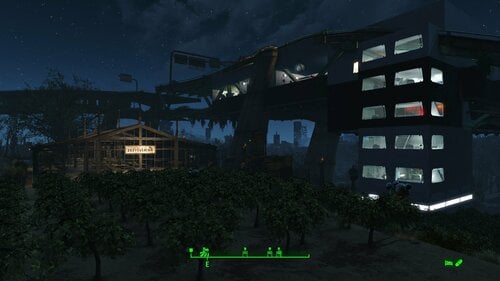
Transfer Settlements - Graygarden Institute Surveillance Station
By msmfoster
A Transfer Settlements blueprint that answers the question on how a bunch of relatively unprotected Mister Handys could survive for over two hundred years. This build specifically makes use of the overpass to create an Institute fortress that observes the Commonwealth as their experiments carry on below.
Details on this build:
Replaces every element of the greenhouse with intact versions. Adds additional greenhouse tables and food. Builds a large structure into the overpass, with a tower leading down to the ground level. This houses settlers, shops, and medical facilities, keeping Graygarden mostly intact. Increases the amount of available bunks to boost food production. A series of stairs allows you to access the topmost deck of the overpass. If you travel along and jump the gap you will reach the crashed vertibird above the military checkpoint.
Settlement Features
19 bunks. 120+ food. 750 defense. 200 power. 60 water. Tier 3 Medical, Restaurant, Clothing, and General Store. Dedicated gym area. Vault-Tec drink dispenser and slot machines. Working sinks and showers. Power mostly runs through conduits to minimize visible power lines. Settlers occasionally fall through the floors but can move throughout. Cat and dog included in the build. No visual glitches observed from this build.
Requirements
Downloadable Content
Contraptions Workshop Vault-Tec Workshop Wasteland Workshop Automatron
Hard Requirements
Transfer Settlements. To import this blueprint. Scrap Everything or an equivalent. To clear out the area as per Setup Instructions. Settlement Objects Expansion Pack. Primary build components for most of the settlement, fusion generators, railings, pools, foundation liners, cooking station, and water pumps. Homemaker. Decorations, furniture, and miscellaneous objects. Advanced Bubble Turret Set. Unobtrusive defensive elements that fit in well with the theme of a heavily armed fortress. Turrets are either Heavy Institute Laser or Gauss Rifle turrets. Note. Transfer Settlements will not add items if the mods are missing. Mods listed below are not required but will remove associated elements.
Soft Requirements
Craftable Working Sinks and Showers Redux. Working sinks and showers. Erotic Art. Frames and pictures used throughout. Working Fridges. Simple mod that adds working fridges, ice machines, and vending machines. Working Washer and Dryer (Immersive Laundry). Player functional laundry machines and dryers with sound effects.
Nice to Have
Armour and Weapon Keywords Community Resource. Additional types of workshops, namely power armour. Videos of the Wasteland. Working televisions and projectors. Invisible Furniture. Adds invisible markers that are used as idles for settlers and pets. Crazy Sex Animations. Invisible mats that make settlers happy through masturbation, done without using the Advanced Animation Framework, and additionally places assignable gurneys that increase happiness. Sex Toys of the Commonwealth. Adds the random placement of sex toys throughout. Bad Dragon Dildos. Adds more extreme dildos throughout. Companion Ivy. If you happen to have Ivy as a companion, one of her broadcast towers will be added in an out of the way area.
Unrelated But Useful
Place Everywhere. Allows you to make minor adjustments if necessary. Armour Rack Female Mannequin Fix. Fixes the armour rack to support alternate bodies like Fusion Girl.
Setup
Clearing the area is relatively straightforward. Clear out the floor and greenhouse elements of Graygarden. Be sure to maintain the water pipes, existing food, and tables that support them; clear the rest of the clutter.
Note. Pull the Graygarden signs away from the building slightly. This will prevent them from clipping into the new walls.
Remove eroded cliffs, trees, your new car, and brush. Remove clutter from the platform supporting the settlement workshop. Remove the fence surrounding it, as well as the smaller platform located nearby.
Clear out the middle overpass level; you can walk up the damaged portion. Remove clutter, trash, vines, and vehicles. The car at the edge of the build area will need to be pulled towards you to scrap using the MoveTo command.
Build a Transfer Settlements console from Power > Miscellaneous in front of the settlement workshop.
Note. Import should be done with Workshop Mode enabled.
Tasks After Import
No additional requirements other than to confirm that all power has been restored as expected.
Notes on Imports
Transfer Settlements recommends leaving the area after import and to not return for 1-2 game days. However, I found that saving on site always crashes the game.
The easiest way to get away and save is to coc Vault111Ext from the console. Wait a couple of minutes before heading into the vault. Once you arrive at the bottom it is safe to save.
I recommend that you import/export Blueprints using Stable defaults. Using other methods has caused ladders, walls, and flooring to appear without collision. In many cases the collision effects are found elsewhere leading to interesting behaviours among the NPC population, and leading to a snap back effect as you push through an area and are forced back by the invisible wall.
Note. This blueprint was tested with Transfer Settlements working under Stable.
Lastly Import wired power connections should always be selected as part of the import process. It will reliably re-connect all wired connections. This saves you the trouble of linking up floors, turrets, and in some cases re-establish connections for hidden or buried runs.
Notes on Power and Performance
These blueprints utilize ambient fill lighting to provide a pervasive glow. I use Naked Bulbs to create a lived-in atmosphere for statues, fountains, and roof voids.
Warning for Dynamic Lighting Users
If you use mods that turn all lights into dynamic, shadow-casting sources, the sheer number of these bulbs will severely cripple your framerate. I strongly recommend using the Transfer Settlements Blueprint Editor to strip out all instances of 306F1 before importing.
Optimization for Complex Builds:
Because of the heavy use of conduits to reduce visible power lines, these settlements have high object counts. To steps below may improve performance.
Enable Faux Power in the Workshop Framework's workbench settings. Use the Transfer Settlements Blueprint Editor to strip all conduits from the .json file.
This can reduce build complexity by up to 40% without losing the overall aesthetic of the settlement.
Note. I cannot guarantee the above will work.
A Special Thanks To
Thank you to Caladon for creating the template that makes blueprints installable.
Thank you to PiCSeL for the magazine and painting retextures seen in the screenshots.
Updates
Version 1.0.1
Added washers and dryers from Immersive Laundry.212 downloads
Updated
-
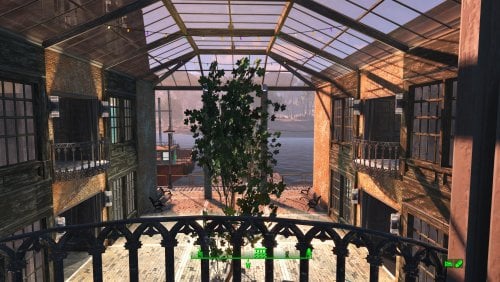
Transfer Settlements - Egret Yacht Squadron
By msmfoster
Egret Tours Marina reimagined as a fancy yacht squadron. A single large structure houses stores, medical facilities, and a club. Wasteland elegance amid the ruins.
Details on this build: Removed derelict buildings, workshop, warehouse/boat launch; replaced with large coherent structure. First level: shops, club, kitchen, medical, pump room, enclosed courtyard. Second level: bunks, washrooms, greenhouse. Third level: large workshop area, rooftop garden. Converted diner to barbershop. Converted boat shed to gym, and clipped in a warehouse electric door. Floated fishing trawler that is ready in all respects to go to sea. Replaced boat launch retaining walls for a consistent facade. Added large Skyrim statue near entrance as showpiece. Note. Warehouse glass pieces add a reflection component that may tank your framerate when you are in the courtyard or greenhouse area. See Unrelated But Useful for more information on mods that may help. Settlement Features 28 bunks. 115+ food. 470+ defense. 240 power. 60 water. Tier 3 Medical, Restaurant, Clothing, and General Store. Dedicated gym area. Vault-Tec drink dispenser and slot machines. Working sinks and showers. Power mostly runs through conduits to minimise visible power lines. Cat and dog included in the build. No visual glitches observed from this build other than at a distance when the entire structure has not yet loaded. Requirements Downloadable Content Contraptions Workshop Vault-Tec Workshop Wasteland Workshop Far Harbour Enclave Remnants (Turrets) Halloween (Optional) Coffee and Donuts Workshop Pack (Optional) Hard Requirements Transfer Settlements. To import this blueprint. Scrap Everything or an equivalent. To clear out the area as per Setup Instructions. Homemaker. Primary build components for most of the settlement, decorations, furniture, and miscellaneous objects. Settlement Objects Expansion Pack. Fusion generators, railings, pools, foundation liners, cooking station, and water pumps. Note. Transfer Settlements will not add items if the mods are missing. Mods listed below are not required but will remove associated elements. Soft Requirements Craftable Working Sinks and Showers Redux. Working sinks and showers. Erotic Art. Frames and pictures used throughout. Working Fridges. Simple mod that adds working fridges, ice machines, and vending machines. Working Washer and Dryer (Immersive Laundry). Player functional laundry machines and dryers with sound effects. Singing Settler. Stage and performer in the pub and some flooring. Nice to Have Armour and Weapon Keywords Community Resource. Additional types of workshops, namely power armour. Videos of the Wasteland. Working televisions and projectors. Invisible Furniture. Adds invisible markers that are used as idles for settlers and pets. Standing Stones from Skyrim. Skyrim styled statues for aesthetics. Gruffydd's Signs and Posters. Billboards and signs. Crazy Sex Animations. Invisible mats that make settlers happy through masturbation, done without using the Advanced Animation Framework, and additionally places assignable gurneys that increase happiness. Sex Toys of the Commonwealth. Adds the random placement of sex toys throughout. Bad Dragon Dildos. Adds more extreme dildos throughout. Unrelated But Useful Place Everywhere. Allows you to make minor adjustments if necessary. Armour Rack Female Mannequin Fix. Fixes the armour rack to support alternate bodies like Fusion Girl. Glass Roofs Stop Rain and Snow - Various Mods Patches. Stops rain and snow from going through glass roofs. Glowing Glass Fix. Changes the glass textures to reduce glare and reflection. Setup Clearing the area is relatively straightforward. Remove the warehouse, sidewalks, and outbuildings. Remove the upper retaining walls entirely including the railings. Maintain the following: Docks and stairs that transition to the upper retaining wall. Diner and refueling station (remove the sliding panels blocking two windows). Boat shed, but clear out it's contents. Power pole by the warehouse. Clear out the remaining clutter, including junk cars. Build a Transfer Settlements console from Power > Miscellaneous facing on the road coming into Egret Tours Marina facing the bridge. Note. Import should be done with Workshop Mode enabled. Tasks After Import No additional requirements other than to confirm that all power has been restored as expected. Notes on Imports Transfer Settlements recommends leaving the area after import and do not return for 1-2 game days. However, I found that saving on site always crashes the game. The easiest way to get away and save is to coc Vault111Ext from the console. Wait a couple of minutes before heading into the vault. Once you arrive at the bottom it is safe to save. I recommend that you import/export Blueprints using Stable defaults. Using other methods has caused ladders, walls, and flooring to appear without collision. In many cases the collision effects are found elsewhere leading to interesting behaviours among the NPC population, and leading to a snap back effect as you push through an area and are forced back by the invisible wall. Note. This blueprint was tested with Transfer Settlements working under Stable. Lastly Import wired power connections should always be selected as part of the import process. It will reliably re-connect all wired connections. This saves you the trouble of linking up floors, turrets, and in some cases re-establish connections for hidden or buried runs. Notes on Power and Performance These blueprints utilize ambient fill lighting to provide a pervasive glow. I use Naked Bulbs to create a lived-in atmosphere for statues, fountains, and roof voids. Warning for Dynamic Lighting Users If you use mods that turn all lights into dynamic, shadow-casting sources, the sheer number of these bulbs will severely cripple your framerate. I strongly recommend using the Transfer Settlements Blueprint Editor to strip out all instances of 306F1 before importing. Optimization for Complex Builds: Because of the heavy use of conduits to reduce visible power lines, these settlements have high object counts. To steps below may improve performance. Enable Faux Power in the Workshop Framework's workbench settings. Use the Transfer Settlements Blueprint Editor to strip all conduits from the .json file. This can reduce build complexity by up to 40% without losing the overall aesthetic of the settlement. Note. I cannot guarantee the above will work. A Special Thanks To Thank you to Caladon for creating the template that makes blueprints installable. Updates Version 1.0.2
Adjusted Erotic Art to work with my Classic Erotic Art Retexture. Double up ceiling for consistency. Blueprint now includes the entire retaining wall sets to make it easier to scrap. Re-added idle animations. Version 1.0.1
Duplicated boat for precise placement during import. Duplicated and replaced retaining walls to create unified facade. Added pier surface to the top boardwalk to improve navmesh. Added a statue at the entrance along with additional lighting. Added Immersive Laundry. Removed Singing Settler lockers to avoid frequent wardrobe malfunctions. Replaced sliding panels within the diner with window duplicates. Clipped in a warehouse electric garage door for the boat shed. Closed up and repaired the third deck for a cleaner look.
212 downloads
Updated
-
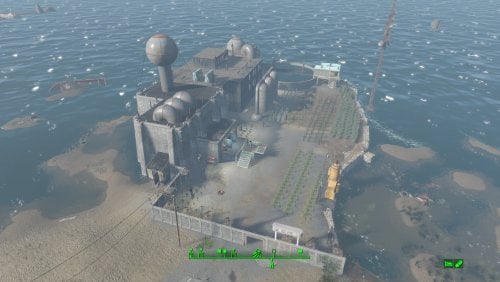
Transfer Settlements - Warwick Homestead and Corporate Headquarters
By msmfoster
A Transfer Settlements blueprint that leverages ideas from the in-game Weston Water Treatment. It expands the Nut Island Sewage Treatment Plant to include a corporate headquarters over one of the purification tanks. This new build uses the Brotherhood of Steel build items from Settlement Objects Expansion Pack. The end effect is a new structure that fit in nicely within the existing decor. Details on this build: Replaced the catwalks linking the buildings. Cleaned out the main pump house to hold shops and medical facilities. Cleaned out the blue outbuilding to make it a workshop. Cleaned out the secondary pump house to hold slot machines and a barber shop. Added a headquarters building over the tank between the two pump houses housing bunks, gym, and kitchen. Added a Covenant wall with turrets along the perimeter. Settlement Features 26 bunks. 145+ food. 440+ defences. 200 power. 60 water. Tier 3 Medical, Restaurant, Clothing, and General Store. Dedicated gym area. Vault-Tec drink dispenser and slot machines. Working sinks and showers. Power mostly runs through conduits to minimise visible power lines. Cat and dog included in the build. No visual glitches observed from this build. Settlers can move freely through the new build but appear to have some trouble with the original buildings. Requirements Downloadable Content Contraptions Workshop Vault-Tec Workshop Wasteland Workshop Far Harbour Hard Requirements Transfer Settlements. To import this blueprint. Scrap Everything or an equivalent. To clear out the area as per Setup Instructions. Settlement Objects Expansion Pack. Primary build components for most of the settlement. Fusion generators, railings, pools, foundation liners, cooking station, and water pumps. Homemaker. Decorations, furniture, and miscellaneous objects. Note. Transfer Settlements will not add items if the mods are missing. Mods listed below are not required but will remove associated elements. Soft Requirements Craftable Working Sinks and Showers Redux. Working sinks and showers. Erotic Art. Frames and pictures used throughout. Working Fridges. Simple mod that adds working fridges, ice machines, and vending machines. Working Washer and Dryer (Immersive Laundry). Player functional laundry machines and dryers with sound effects. Nice to Have Armour and Weapon Keywords Community Resource. Additional types of workshops, namely power armour. Videos of the Wasteland. Working televisions and projectors. Invisible Furniture. Adds invisible markers that are used as idles for settlers and pets. Standing Stones from Skyrim. Skyrim styled statues for aesthetics. Gruffydd's Signs and Posters. Billboards and signs. Crazy Sex Animations. Invisible mats that make settlers happy through masturbation, done without using the Advanced Animation Framework, and additionally places assignable gurneys that increase happiness. Sex Toys of the Commonwealth. Adds the random placement of sex toys throughout. Bad Dragon Dildos. Adds more extreme dildos throughout. Companion Ivy. If you happen to have Ivy as a companion, one of her broadcast towers will be added in an out of the way area. Unrelated But Useful Place Everywhere. Allows you to make minor adjustments if necessary. Armour Rack Female Mannequin Fix. Fixes the armour rack to support alternate bodies like Fusion Girl. Setup Clearing the area is relatively straightforward. Clear out the pump houses and blue out-building. Focus on clutter and furniture but keep the industrial elements and piping in place. The only exceptions are the large pieces of equipment by the kitchen table. Maintain the contents of the small warehouse structure by the workshop. It will remain outside of the perimeter and is used for an Atom Cats side quest. Clean up the grounds of clutter, removing the fire pit, sitting positions, and fencing. Build a Transfer Settlements console from Power > Miscellaneous facing the workshop. Note. Import should be done with Workshop Mode enabled. Tasks After Import No additional requirements other than to confirm that all power has been restored as expected. Notes on Imports Transfer Settlements recommends leaving the area after import and to not return for 1-2 game days. However, I found that saving on site always crashes the game. The easiest way to get away and save is to coc Vault111Ext from the console. Wait a couple of minutes before heading into the vault. Once you arrive at the bottom it is safe to save. I recommend that you import/export Blueprints using Stable defaults. Using other methods has caused ladders, walls, and flooring to appear without collision. In many cases the collision effects are found elsewhere leading to interesting behaviours among the NPC population, and leading to a snap back effect as you push through an area and are forced back by the invisible wall. Note. This blueprint was tested with Transfer Settlements working under Stable. Lastly Import wired power connections should always be selected as part of the import process. It will reliably re-connect all wired connections. This saves you the trouble of linking up floors, turrets, and in some cases re-establish connections for hidden or buried runs. Notes on Power and Performance These blueprints utilize ambient fill lighting to provide a pervasive glow. I use Naked Bulbs to create a lived-in atmosphere for statues, fountains, and roof voids. Warning for Dynamic Lighting Users If you use mods that turn all lights into dynamic, shadow-casting sources, the sheer number of these bulbs will severely cripple your framerate. I strongly recommend using the Transfer Settlements Blueprint Editor to strip out all instances of 306F1 before importing. Optimization for Complex Builds: Because of the heavy use of conduits to reduce visible power lines, these settlements have high object counts. To steps below may improve performance. Enable Faux Power in the Workshop Framework's workbench settings. Use the Transfer Settlements Blueprint Editor to strip all conduits from the .json file. This can reduce build complexity by up to 40% without losing the overall aesthetic of the settlement. Note. I cannot guarantee the above will work. A Special Thanks To Thank you to Caladon for creating the template that makes blueprints installable. Updates Version 1.0.1
Adjusted Erotic Art to work with my Classic Erotic Art Retexture. Adjusted power distribution, should import cleanly every time while reducing clutter. Removed the caravan stop, these do not import cleanly anyway. Adjusted decorations throughout. Added a series of idles for use. Version 1.0.0
Initial release of this build.176 downloads
Updated
-
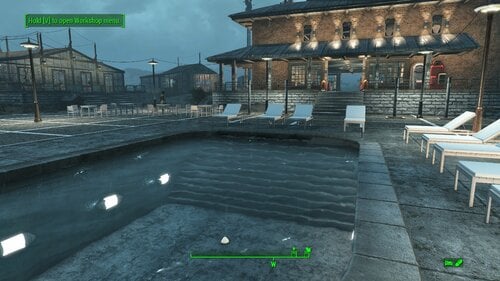
Spectacle Island Resort and Cabaret
By msmfoster
A Transfer Settlements blueprint that aims to make Spectacle Island usable and productive. It creates a series of luxury cabins, adds jetties, a greenhouse, and a central building housing shops and a cabaret-style floor that works nicely with singing settlers. This mimics the look of resorts that were popular during the fifties and sixties. Details on the changes below: Adds several cabins of various sizes with independent power and defences. Pool area with poolside bar. Large greenhouse with defences and lighting. Two-story building built on the ruins of the large house. Features a wrap-around balcony, featuring four tier 3 stores, full kitchen, and a cabaret-style club. Visitor jetty with a ferry to take people across. Large two-building jetty with a dedicated gym, storage, and docked fishing trawlers. Rebuilt shed using the existing footprint. Settlement Features 32 bunks. 160+ food. 800+ defences. 360 power. 120 water. Tier 3 Medical, Restaurant, Clothing, and General Store. Dedicated gym area. Vault-Tec drink dispenser and slot machines. Working sinks and showers. Power mostly runs through conduits to minimise visible power lines. Pool area, jetty, and greenhouse serve primarily to flatten the terrain. There is a door leading into the area under the pool area in case a settler gets lost. Settlers appear able to move freely, with some difficulty observed on the cabaret's second level. Cat and dog included in the build. No visual glitches observed from this build. Requirements Downloadable Content Contraptions Workshop Vault-Tec Workshop Wasteland Workshop Far Harbour Enclave Remnants Hard Requirements Transfer Settlements. To import this blueprint. Scrap Everything or an equivalent. To clear out the area as per Setup Instructions. Homemaker. Primary build components for most of the settlement, decorations, furniture, and miscellaneous objects. Settlement Objects Expansion Pack. Fusion generators, railings, pool, foundation liners, cooking station, and water pumps. Note. Transfer Settlements will not add items if the mods are missing. Mods listed below are not required but will remove associated elements. Soft Requirements Craftable Working Sinks and Showers Redux. Working sinks and showers. Singing Settler. Stage and performer in the pub and some flooring. Erotic Art. Frames and pictures used throughout. Working Fridges. Simple mod that adds working fridges, ice machines, and vending machines. Working Washer and Dryer (Immersive Laundry). Player functional laundry machines and dryers with sound effects.
Nice to Have Stripper Pole. Adds assignable stripper poles for the cabaret. Armour and Weapon Keywords Community Resource. Additional types of workshops, namely power armour. Videos of the Wasteland. Working televisions and projectors. Invisible Furniture. Adds invisible markers that are used as idles for settlers and pets. Gruffydd's Signs and Posters. Billboards and signs. Crazy Sex Animations. Invisible mats that make settlers happy through masturbation, done without using the Advanced Animation Framework, and additionally places assignable gurneys that increase happiness. Sex Toys of the Commonwealth. Adds the random placement of sex toys throughout. Bad Dragon Dildos. Adds more extreme dildos throughout. Companion Ivy. If you happen to have Ivy as a companion, one of her broadcast towers will be added in an out of the way area. Unrelated But Useful Place Everywhere. Allows you to make minor adjustments if necessary. Armour Rack Female Mannequin Fix. Fixes the armour rack to support alternate bodies like Fusion Girl. Setup Clearing the area is relatively straightforward. Remove brush, garbage, rubble, and buildings in the area demarcated: Starting from the boat shed and deck near the fast travel point. Ending at the red boat with a medical kit. Scrap the other boats surrounding it. Ending at the entry onto the beached container ship. To two-level hut in the wooded area along the ridge. Make sure to preserve: The boat shed itself, getting rid of the surrounding dock and deck. Preserve the concrete foundation border surrounding the shed with a greenhouse addition. The rest will be re-introduced as standard elements. Build a Transfer Settlements console from Power > Miscellaneous right in front of the greenhouse/garage combination. Note. Import should be done with Workshop Mode enabled. Tasks After Import No additional requirements other than to confirm that all power has been restored as expected. Want to have permanent bikini-clad settlers hanging around the pool? Do the following: Position yourself at a prime location by the pool. E.g., right by the showers. From the console type: Player.PlaceAtMe 20593 5 This will spawn five settlers. Want to change a NPC? From the console select the NPC and type: recycleactor Using something like Crazy's Muli-tool, strip the NPC, and open their inventory to add in appropriate clothing. Additionally you can do it from the console. Repeat the above for more settlers using the idles. The above will not increase your settler population nor effect settler happiness. Notes on Imports Transfer Settlements recommends leaving the area after import and to not return for 1-2 game days. However, I found that saving on site always crashes the game. The easiest way to get away and save is to coc Vault111Ext from the console. Wait a couple of minutes before heading into the vault. Once you arrive at the bottom it is save to save. I recommend that you import/export Blueprints using Stable defaults. Using other methods has caused ladders, walls, and flooring to appear without collision. In many cases the collision effects are found elsewhere leading to interesting behaviours among the NPC population, and leading to a snap back effect as you push through an area and are forced back by the invisible wall. Note. This blueprint was tested with Transfer Settlements working under Stable. Lastly Import wired power connections should always be selected as part of the import process. It will reliably re-connect all wired connections. This saves you the trouble of linking up floors, turrets, and in some cases re-establish connections for hidden or buried runs. A Special Thanks To Thank you to Caladon for creating the template that makes blueprints installable. Thank you to PiCSeL for the magazine and painting retextures seen in the screenshots. Updates Version 1.0.2 Boats are now properly imported. Added warehouse floor on the first floor of the cabaret. Version 1.0.1 Added an electric door for the garage attached to the greenhouse. Repaired the electrical systems within the bunk houses. Fixed cases where imports could break the power distribution entirely. Added immersive laundry. Boats are now part of the blueprint. They no longer need to be preserved and placed after import.529 downloads
Updated
-
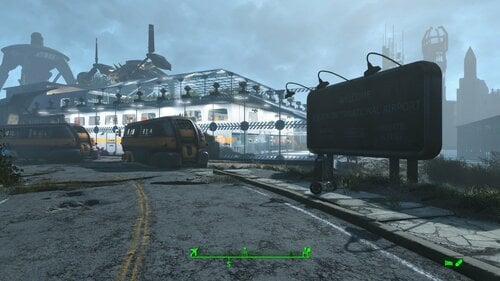
Transfer Settlements - Boston Airport Institute Research Station
By msmfoster
A Transfer Settlements blueprint that aims to make the Boston Airport a viable settlement while working within its confines. This build makes use of Institute and glass build elements from the Settlement Objects Expansion Pack. From the sky, this build looks surprisingly like a modern aircraft terminal annex.
The end result is a sealed-in environment that provides high defences and food production while making use of both levels of the terminal itself. This blueprint integrates nicely with mods like Just Business, Human Resources, and Hookers of the Commonwealth - Settlement Edition, but these elements are contained within this blueprint.
Details on this build:
One level dedicated to medical, shops, restaurant, and entertainment facilities. The latter serves as a cabaret. One level dedicated to living and office spaces. One level serving as a greenhouse, gym, and conference room. The entire outer perimeter uses glass walls to create a sealed and defensible environment. The entire perimeter is lined with turrets.
Settlement Features
32 bunks. 130+ food. 800+ defence. 360 power. 120 water. Tier 3 Medical, Restaurant, Clothing, and General Store. Dedicated gym area. Vault-Tec drink dispenser and slot machines. Working sinks and showers. Power mostly runs through conduits to minimise visible power lines. The player can move freely, but settlers show minimal inclination to move around. Cat and dog included in the build. No visual glitches observed from this build. Creates an interesting result when the player sides against the Brotherhood of Steel as the settlement itself will engage them once the player nears the site. This also happens for the Railroad in Rockets' Red Glare as the vertibird approaches the Prydwen.
Requirements
Downloadable Content
Contraptions Workshop Vault-Tec Workshop Wasteland Workshop Far Harbour Enclave Remnants
Hard Requirements
Transfer Settlements. To import this blueprint. Scrap Everything or an equivalent. To clear out the area as per Setup Instructions. Settlement Objects Expansion Pack. Primary build components for most of the settlement. Fusion generators, railings, pools, foundation liners, cooking station, and water pumps. Homemaker. Mostly used for decorations, furniture, and miscellaneous objects.
Note. Transfer Settlements will not add items if the mods are missing. Mods listed below are not required but will remove associated elements.
Soft Requirements
Craftable Working Sinks and Showers Redux. Working sinks and showers. Erotic Art. Frames and pictures used throughout. Working Fridges. Simple mod that adds working fridges, ice machines, and vending machines. Working Washer and Dryer (Immersive Laundry). Player functional laundry machines and dryers with sound effects. Singing Settler. Used for some of the flooring. Stripper Pole. Adds assignable stripper poles.
Nice to Have
Armour and Weapon Keywords Community Resource. Additional types of workshops, namely power armour. Videos of the Wasteland. Working televisions and projectors. Crazy Sex Animations. Invisible mats that make settlers happy through masturbation, done without using the Advanced Animation Framework, and additionally places assignable gurneys that increase happiness. Sex Toys of the Commonwealth. Adds the random placement of sex toys throughout. Bad Dragon Dildos. Adds more extreme dildos throughout.
Unrelated But Useful
Place Everywhere. Allows you to make minor adjustments if necessary. Armour Rack Female Mannequin Fix. Fixes the armour rack to support alternate bodies like Fusion Girl. Glass Roofs Stop Rain and Snow - Various Mods Patches. Stops rain and snow from going through glass roofs.
Setup
Clearing the area is relatively straightforward.
Remove all clutter with exception of the floor and walls. This includes pictures, furniture, plants near the perimeter on both the main floor and the second level. Remove the two damaged support columns on both sides of the workshop.
Build a Transfer Settlements console from Power > Miscellaneous in front of the door to the left when facing the workshop.
Note. Import should be done with Workshop Mode enabled.
Tasks After Import
Confirm that all power has been restored as expected. Most lamps will not be light, simply select them in workshop mode to light them up.
Notes on Imports
Transfer Settlements recommends leaving the area after import and to not return for 1-2 game days. However, I found that saving on site always crashes the game.
The easiest way to get away and save is to coc Vault111Ext from the console. Wait a couple of minutes before heading into the vault. Once you arrive at the bottom it is safe to save.
I recommend you import/export Blueprints using Stable defaults. Using other methods has caused ladders, walls, and flooring to appear without collision. In many cases the collision effects are found elsewhere leading to interesting behaviours among the NPC population, and leading to a snap back effect as you push through an area and are forced back by the invisible wall.
Note. This blueprint was tested with Transfer Settlements working under Stable.
Lastly Import wired power connections should always be selected as part of the import process. It will reliably re-connect all wired connections. This saves you the trouble of linking up floors, turrets, and in some cases re-establish connections for hidden or buried runs.
Notes on Power and Performance
These blueprints utilize ambient fill lighting to provide a pervasive glow. I use Naked Bulbs to create a lived-in atmosphere for statues, fountains, and roof voids.
Warning for Dynamic Lighting Users
If you use mods that turn all lights into dynamic, shadow-casting sources, the sheer number of these bulbs will severely cripple your framerate. I strongly recommend using the Transfer Settlements Blueprint Editor to strip out all instances of 306F1 before importing.
Optimization for Complex Builds:
Because of the heavy use of conduits to reduce visible power lines, these settlements have high object counts. To steps below may improve performance.
Enable Faux Power in the Workshop Framework's workbench settings. Use the Transfer Settlements Blueprint Editor to strip all conduits from the .json file.
This can reduce build complexity by up to 40% without losing the overall aesthetic of the settlement.
Note. I cannot guarantee the above will work.
A Special Thanks To
Thank you to Caladon for creating the template that makes blueprints installable.
Thank you to PiCSeL for the magazine and painting retextures seen in the screenshots.
Updates
Version 1.0.1
Switched to Immersive Laundry. Removed requirements for Erotic Art Expanded. Adjusted positions of the merchants. Minor power changes. Made changes arrangements within the laundry room.
184 downloads
Updated
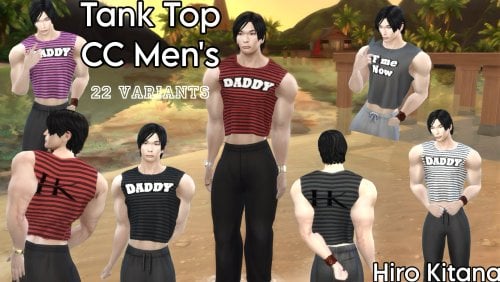


![More information about "[Sims 4] wild_guy's Animations for WickedWhims [14.09.2026]"](https://static.loverslab.com/screenshots/monthly_2022_05/1967203488_152.png.fa398689900ce7f01f9f298c774b04ce.thumb.png.fa92481533d9fae4b24b83b13eb1fd43.png)