Sly9er Posted September 13, 2024 Posted September 13, 2024 1 hour ago, NymphoElf said: No. All of your curtains are covering. Therefore your conditions are correct. However I suspect you're using curtains when perhaps you shouldn't. Just from what I can see in the image, I would personally remove the Curtain keywords (and also the Flash Risk keywords). Curtains are supposed to be an extra "layer" of clothes on top of your other clothes, and they're supposed to have SMP physics independent from the character model. This outfit doesn't look like it has that. I just realized that one of my explanations on the first page is incorrect and probably confusing. I will fix that. Thanks for the explanations. The outfit here doesn't have smp (sadly) but I don't feel like this is relevant. If this was a really life outfit, you would be at massive risk of exposing yourself with each moves. If I understand correctly, if a piece of clothing has both the bra keyword and the curtain keyword the curtain part "covers" the underwear part? My intent for this top was "ok this is a bra (kinda) but with a chance of exposing the breasts", hence the bra and curtain keywords. Should I just drop the bra keyword and keep only the curtain? Thanks again
NymphoElf Posted September 13, 2024 Author Posted September 13, 2024 (edited) 1 hour ago, Sly9er said: Should I just drop the bra keyword and keep only the curtain? Dropping the Bra keyword is an option, yes. However, I recommend using BraT instead (you won't need the Curtain and Flash Risk keyword in this case). I don't recommend using Curtains unless the armor is SMP enabled, because that's where things may get confusing. 1 hour ago, Sly9er said: If this was a really life outfit, you would be at massive risk of exposing yourself with each moves. Yes, this is true, however if this was a real-life outfit it also wouldn't be "stuck" to your body (since this has no SMP). Therefore you can't use the same logic here, and you have to pretend that it's less risky than it otherwise would be since the armor doesn't have SMP physics. Edited September 13, 2024 by NymphoElf
Nuascura Posted September 14, 2024 Posted September 14, 2024 @NymphoElf In a previous version of your mod description, you stated that AND was intended to be integrated with an Arousal Framework or such (paraphrasing, ofc). Are you committed to maintaining it as an independent framework now? Initially, I wasn't clear on if you wanted AND to be its own standalone thing or if you wanted to eventually merge it into another project whether by collaboration or by yourself.
Sorrow_421 Posted September 14, 2024 Posted September 14, 2024 Question: Can I add these keywords to OSLAroused.ini and use them in game, or must I have K.I.D. For instance I added the keyword to OSLAroused for yps stockings and it works fine. Even zaz keywords work fine for piercings, and SexlLabNoStrip. So I shouldn't have a problem right?
Sly9er Posted September 14, 2024 Posted September 14, 2024 20 hours ago, NymphoElf said: Dropping the Bra keyword is an option, yes. However, I recommend using BraT instead (you won't need the Curtain and Flash Risk keyword in this case). I don't recommend using Curtains unless the armor is SMP enabled, because that's where things may get confusing. I see, thank you for your patience. I'll watch further development with great interest. 1
NymphoElf Posted September 14, 2024 Author Posted September 14, 2024 1 hour ago, Sly9er said: I see, thank you for your patience. I'll watch further development with great interest. Well, development is effectively done as of yesterday with 1.0, so. 6 hours ago, Sorrow_421 said: Question: Can I add these keywords to OSLAroused.ini and use them in game, or must I have K.I.D. For instance I added the keyword to OSLAroused for yps stockings and it works fine. Even zaz keywords work fine for piercings, and SexlLabNoStrip. So I shouldn't have a problem right? You can use OSL Aroused, but the keywords will also affect arousal at the same time, so be mindful of that. That could potentially spiral your arousal out of control if you're not careful. 8 hours ago, Nuascura said: @NymphoElf In a previous version of your mod description, you stated that AND was intended to be integrated with an Arousal Framework or such (paraphrasing, ofc). Are you committed to maintaining it as an independent framework now? Initially, I wasn't clear on if you wanted AND to be its own standalone thing or if you wanted to eventually merge it into another project whether by collaboration or by yourself. AND is it's own standalone framework, and it is still intended for other mods to analyze the player or NPC for AND conditions to apply things such as arousal or other things. This will not change. 1
wolfeman77346 Posted September 17, 2024 Posted September 17, 2024 53 minutes ago, Tylerja said: Where do the ini files go? They go in the Keyword Item Distributor mod folder. 1
NymphoElf Posted September 17, 2024 Author Posted September 17, 2024 @Tylerja @wolfeman77346 They're supposed to go in the Data folder (where your plugins are). That could mean slightly different things depending on which Mod Organizer you use, but you can also just manually put them in the Data folder. 2
DewyCave Posted September 17, 2024 Posted September 17, 2024 Did something change regarding how this mod reads vanilla armor? I have a KID file adding keywords to vanilla items and AND stopped recognizing them. The one for the bikinis still works.
NymphoElf Posted September 17, 2024 Author Posted September 17, 2024 5 hours ago, DewyCave said: Did something change regarding how this mod reads vanilla armor? I have a KID file adding keywords to vanilla items and AND stopped recognizing them. The one for the bikinis still works. Can you give more details? (Which keywords are you talking about) What version were you using previously? Did you perform a Clean Save or start a New Game with 1.0?
Tylerja Posted September 17, 2024 Posted September 17, 2024 19 hours ago, wolfeman77346 said: They go in the Keyword Item Distributor mod folder. do i just drop them into plug ins? or make a data folder?
IBAGadget Posted September 17, 2024 Posted September 17, 2024 1 hour ago, Tylerja said: do i just drop them into plug ins? or make a data folder? Drop them in your Steamapps/Common/Skyrim Special Edition/Data folder 2
Tylerja Posted September 18, 2024 Posted September 18, 2024 3 hours ago, IBAGadget said: Drop them in your Steamapps/Common/Skyrim Special Edition/Data folder i salute you Good Fellow! 1
DewyCave Posted September 18, 2024 Posted September 18, 2024 (edited) 18 hours ago, NymphoElf said: Can you give more details? (Which keywords are you talking about) What version were you using previously? Did you perform a Clean Save or start a New Game with 1.0? The problem is my KID file, not AND. I tried using, for example, *leather armor to add keywords to every leather armor (of restoration, of destruction etc) and it's not working EDIT: Fixed it, I was also using +Skyrim.esm and it worked when I removed it. Edited September 18, 2024 by DewyCave 1
IBAGadget Posted September 18, 2024 Posted September 18, 2024 12 minutes ago, DewyCave said: The problem is my KID file, not AND. I tried using, for example, *leather armor to add keywords to every leather armor (of restoration, of destruction etc) and it's not working That's probably because KID is looking for the Editor ID's or Editor names of the items, not the common name you see for the item in game (or even in the console when you look for something) It also needs to be specific. The wildcard is going to fill in with everything before the words you have listed, and only those words. Any item that has words after what you have listed will be ignored. It is also Case specific. for example: *leather armor would find items like 'Elven leather armor', but not 'Elven leather armor of Restoration'. It would also ignore 'Leather Armor' as well as 'Leather armor' An example from a KID file I did for Queen Marika's Dress goes like the following: ;Marika Dress Panty Keyword = AND_Underwear|Armor|Elden Smalls,Elden Smalls (Red),Elden Smalls (White) Keyword = AND_UnderwearT|Armor|Elden Smalls (Transparent),Elden Smalls (Transparent Red),Elden Smalls (Transparent White) If I used the wildcard like you did, only the first line would actually apply the keyword, and then only to the first item - it would ignore the other two items because they have additional text after the base Editor Name. That's assuming of course that I applied the wildcard to the name like this: *Elden Smalls The Editor Name in SSEEdit for one of the items you were looking for is: Leather Armor of the Major Squire All of that would have to be included in the KID file. 1
DewyCave Posted September 18, 2024 Posted September 18, 2024 33 minutes ago, IBAGadget said: *leather armor would find items like 'Elven leather armor', but not 'Elven leather armor of Restoration'. It would also ignore 'Leather Armor' as well as 'Leather armor' I used Keyword = AND_ArmorTop|Armor|*Leather Armor And it's working on Leather Armor of Restoration. I used the wildcard to avoid having to list all of the possible enchantments on leather armors (and the other materials). But I used the Editor names for all the others. What wasn't working was the +Skyrim.esm I had at the end. When I removed it everything worked.
NymphoElf Posted September 18, 2024 Author Posted September 18, 2024 5 hours ago, DewyCave said: +Skyrim.esm What is that plugin from? 2
DewyCave Posted September 18, 2024 Posted September 18, 2024 8 hours ago, NymphoElf said: What is that plugin from? I'm not sure I understand what you mean. I'm using Ghaans Revealing Outfits, but it's a replacer. I added that to the KID file to avoid having it add keywords to armors from other mods that could have similar names. But it was more of a precaution, there's no conflict right now, so I was able to remove it. As far as I've tested everything is working right now. 1
LynErso666 Posted September 18, 2024 Posted September 18, 2024 (edited) 30 minutes ago, DewyCave said: I'm not sure I understand what you mean. I'm using Ghaans Revealing Outfits, but it's a replacer. I added that to the KID file to avoid having it add keywords to armors from other mods that could have similar names. But it was more of a precaution, there's no conflict right now, so I was able to remove it. As far as I've tested everything is working right now. Nah Nympho thought you meant a whole litteral plugin called "+Skyrim.esm" but you were talkin about adding that at the end of a line when it is usually used at the beginning of distribution inis, when it's necessary, and it's not in this case, as you figured out. 😊 Edited September 18, 2024 by LynErso666 2
LynErso666 Posted September 18, 2024 Posted September 18, 2024 (edited) On 9/13/2024 at 6:51 AM, NymphoElf said: Therefore you can't use the same logic here, and you have to pretend that it's less risky than it otherwise would be since the armor doesn't have SMP physics. Personally, I'd use the curtain for that. That's BadDog's infamous prison clothes replacer and SMP be dammed, Ima pretend that has SMP over pretending iz less risky any day 😆😆😝 But no, in all seriousness I guess I had it misunderstood. It's essentially a nocover layer but only for the butt, and it would fly up easily and have an extreme or ultra flash risk anyways. So Id use a nocover bottom and a pelvic flash risk so its not counted as nude? Maybe not.... I'm very specific about shaping the keywords around what the immediate appearance of an outfit would be, but dam, I forgot that the curtains were an extra layer. I don't use them that way all the time, but now I get it. So underwear is a layer, directly under layers like ArmorTop and ArmorBottom and Miniskirt and what not right? And so the curtains can even be a cloak, with flashrisk so that 3rd layer can be counted invisivible sometimes, and then if theres a flash risk on the layer under that, thats a totally other flash roll following the flash roll on the curtain right? And then if the underwear also has a flash risk, is that yet another flash roll for that layer? I thought thats how it worked, but maybe i got it twisted 😂 Edited September 18, 2024 by LynErso666
NymphoElf Posted September 19, 2024 Author Posted September 19, 2024 (edited) @LynErso666 Correct. There are 3 "Layers" considered in nudity conditions. Underwear is the inner-most layer, with ArmorTop/Bottom as the middle layer, and Curtains as the outer layer. Miniskirts count as two curtains in one (Pelvis Curtain and Ass Curtain), so they exist on the outer layer. Each layer reveals any layers underneath if flashing. The layers are also split between Top and Bottom, with the Bottom split further between Front (Pelvis) and Back (Butt). If all of these sections are empty, you're nude. Otherwise, an appropriate condition is applied based on which ones are filled and/or flashing. Therefore, there's functionally 9 "slots" considered (Top: Curtain, Top, Bra | Pelvic: Curtain, Bottom-Front, Underwear-Front | Butt/Ass: Curtain, Bottom-Back, Underwear-Back). Most Bottoms cover both, but there are exceptions - Hotpants and Showgirl Skirts. Same with Underwear, but all will cover the front if they also cover the back at the same time. NoCover items will prevent nudity, and so will pasties. It's relatively difficult to attain the nude condition as long as you're wearing SOMETHING that isn't a helmet, gauntlet, or boots, but it's also not impossible either. Wearing only Curtains make it possible to be nude if all are flashing at the same time, and CStrings also allow the nude condition if they are flashing and no other cover exists. All of my keywords have followed the common trend of Armor/Clothing mods to determine for what it looks for. There MIGHT be the extremely rare oddity which doesn't quite fit in this system, but they're so rare (if they even currently exist) that I doubt it'd be worth considering. Edited September 19, 2024 by NymphoElf 1
Make-Use-Of-ME Posted September 19, 2024 Posted September 19, 2024 I'm unsure as to why, but AND doesn't show anything within MCM no matter how long I wait. Can I get some advice to troubleshoot this please?
NymphoElf Posted September 19, 2024 Author Posted September 19, 2024 3 hours ago, Make-Use-Of-ME said: I'm unsure as to why, but AND doesn't show anything within MCM no matter how long I wait. Can I get some advice to troubleshoot this please? Is this the first time you've installed AND, or are you updating/upgrading? If you are updating/upgrading, did you properly make a clean save or start a new game? If you made a clean save, did you wait for the MCM to re-register the menu? Which version of Skyrim are you using? Are you using the latest version of SKSE and SkyUI for your version of Skyrim?
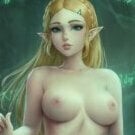
Dez65 Posted September 20, 2024 Posted September 20, 2024 (edited) Updated to version 1 mid-game with a cleansave. Everything seems to be working properly and Sexy Adventures is firing crime law violations based on AND keywords. I'm using BD's Armor and Clothes Replacer - CBBE 3BA (3BBB) at Skyrim Special Edition Nexus - Mods and Community (nexusmods.com) which let's me run Bodyslide to produce a Necromancer's Robe that's basically a topless micro skirt: I'd like to add Keywords to my patch for BD replaced vanilla outfits so that this is read as topless but with a skirt that covers ass and genitals and extreme flashing chance for genitals and ass. I've added the Nearly Naked and Micro-skirt keywords to this outfit, along with Pelvic Flash Extreme and Ass Flash High. But this fires ass and genitals permanently. I'd like for this to be read as topless but ass and genital hidden except for a high chance of ass and pelvic flash. Any suggestions? Edit: should have added, I LOVE THIS MOD! Edited September 21, 2024 by Dez65 2

Recommended Posts
Create an account or sign in to comment
You need to be a member in order to leave a comment
Create an account
Sign up for a new account in our community. It's easy!
Register a new accountSign in
Already have an account? Sign in here.
Sign In Now