Search the Community
Showing results for tags 'onlyfans sims'.
Found 18 results
-
Sexy Model Sim 44 View File How to install? First of all, make sure " Enable Custom Content and Mods" option is turned on in your game. After activating this settings, you need to restart the game. Before restarting the game, download some of the Sims I shared. (Screenshot 1) After downloading a Sim, extract the Sim's files from the rar. You will get the following folders; Mods,Tray. Put the files in the "Mods" folder in > Documents/Electronic Arts/The Sims 4/Mods Put the files in the "Tray" folder in > Documents/Electronic Arts/The Sims 4/Tray After doing all this, when you open the game, click on the gallery icon in the upper right and check the "include custom content" box. This is how you can see your downloaded Sims. (Screenshot 2) See my other LoversLab Sims here Visit my SubscribeStar page for exclusive 200+ Sims,new Sims every week and Supporters Special Limited Gift Sims! Hope you enjoy my work! ~ ❤️ Visit my Website to see my Sims catalog and download more Sims! For more Sims & Support me,please visit ; https://www.mervejuanasims.com/ subscribestar.com/mervejuanasims I wish you a good game! ~ ❤️ 💌 October 2026 SubscribeStar Supporters Gift Sims 💌 💌 Early-Access Sims on my SubscribeStar 💌 Submitter Mervejuana Submitted 10/11/26 Category The Sims 4 - Sims Requirements The Sims 4
-
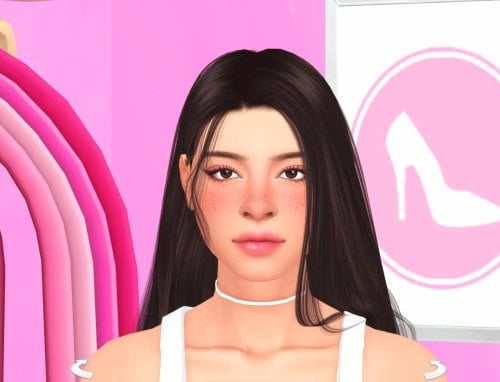
279 downloads
How to install? First of all, make sure " Enable Custom Content and Mods" option is turned on in your game. After activating this settings, you need to restart the game. Before restarting the game, download some of the Sims I shared. (Screenshot 1) After downloading a Sim, extract the Sim's files from the rar. You will get the following folders; Mods,Tray. Put the files in the "Mods" folder in > Documents/Electronic Arts/The Sims 4/Mods Put the files in the "Tray" folder in > Documents/Electronic Arts/The Sims 4/Tray After doing all this, when you open the game, click on the gallery icon in the upper right and check the "include custom content" box. This is how you can see your downloaded Sims. (Screenshot 2) See my other LoversLab Sims here Visit my SubscribeStar page for exclusive 200+ Sims,new Sims every week and Supporters Special Limited Gift Sims! Hope you enjoy my work! ~ ❤️ Visit my Website to see my Sims catalog and download more Sims! For more Sims & Support me,please visit ; https://www.mervejuanasims.com/ subscribestar.com/mervejuanasims I wish you a good game! ~ ❤️ 💌 October 2026 SubscribeStar Supporters Gift Sims 💌 💌 Early-Access Sims on my SubscribeStar 💌 -
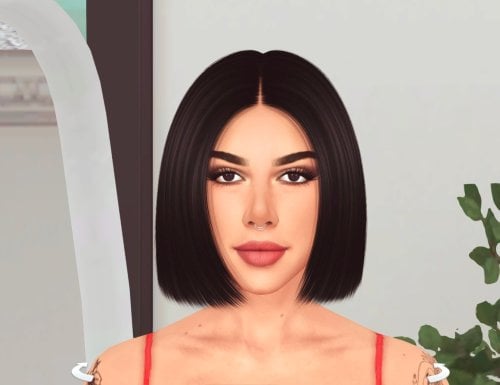
484 downloads
How to install? First of all, make sure " Enable Custom Content and Mods" option is turned on in your game. After activating this settings, you need to restart the game. Before restarting the game, download some of the Sims I shared. (Screenshot 1) After downloading a Sim, extract the Sim's files from the rar. You will get the following folders; Mods,Tray. Put the files in the "Mods" folder in > Documents/Electronic Arts/The Sims 4/Mods Put the files in the "Tray" folder in > Documents/Electronic Arts/The Sims 4/Tray After doing all this, when you open the game, click on the gallery icon in the upper right and check the "include custom content" box. This is how you can see your downloaded Sims. (Screenshot 2) See my other LoversLab Sims here Visit my SubscribeStar page for exclusive 200+ Sims,new Sims every week and Supporters Special Limited Gift Sims! Hope you enjoy my work! ~ ❤️ Visit my Website to see my Sims catalog and download more Sims! For more Sims & Support me,please visit ; https://www.mervejuanasims.com/ subscribestar.com/mervejuanasims I wish you a good game! ~ ❤️ 💌 October 2026 SubscribeStar Supporters Gift Sims 💌 💌 Early-Access Sims on my SubscribeStar 💌 -
Sexy Model Sim 43 View File How to install? First of all, make sure " Enable Custom Content and Mods" option is turned on in your game. After activating this settings, you need to restart the game. Before restarting the game, download some of the Sims I shared. (Screenshot 1) After downloading a Sim, extract the Sim's files from the rar. You will get the following folders; Mods,Tray. Put the files in the "Mods" folder in > Documents/Electronic Arts/The Sims 4/Mods Put the files in the "Tray" folder in > Documents/Electronic Arts/The Sims 4/Tray After doing all this, when you open the game, click on the gallery icon in the upper right and check the "include custom content" box. This is how you can see your downloaded Sims. (Screenshot 2) See my other LoversLab Sims here Visit my SubscribeStar page for exclusive 200+ Sims,new Sims every week and Supporters Special Limited Gift Sims! Hope you enjoy my work! ~ ❤️ Visit my Website to see my Sims catalog and download more Sims! For more Sims & Support me,please visit ; https://www.mervejuanasims.com/ subscribestar.com/mervejuanasims I wish you a good game! ~ ❤️ 💌 October 2026 SubscribeStar Supporters Gift Sims 💌 💌 Early-Access Sims on my SubscribeStar 💌 Submitter Mervejuana Submitted 10/07/26 Category The Sims 4 - Sims Requirements The Sims 4
-
Sexy Model Sim 42 View File How to install? First of all, make sure " Enable Custom Content and Mods" option is turned on in your game. After activating this settings, you need to restart the game. Before restarting the game, download some of the Sims I shared. (Screenshot 1) After downloading a Sim, extract the Sim's files from the rar. You will get the following folders; Mods,Tray. Put the files in the "Mods" folder in > Documents/Electronic Arts/The Sims 4/Mods Put the files in the "Tray" folder in > Documents/Electronic Arts/The Sims 4/Tray After doing all this, when you open the game, click on the gallery icon in the upper right and check the "include custom content" box. This is how you can see your downloaded Sims. (Screenshot 2) See my other LoversLab Sims here Visit my SubscribeStar page for exclusive 200+ Sims,new Sims every week and Supporters Special Limited Gift Sims! Hope you enjoy my work! ~ ❤️ Visit my Website to see my Sims catalog and download more Sims! For more Sims & Support me,please visit ; https://www.mervejuanasims.com/ subscribestar.com/mervejuanasims I wish you a good game! ~ ❤️ 💌 September 2026 SubscribeStar Supporters Gift Sims 💌 💌 Early-Access Sims on my SubscribeStar 💌 Submitter Mervejuana Submitted 09/28/26 Category The Sims 4 - Sims Requirements The Sims 4
-
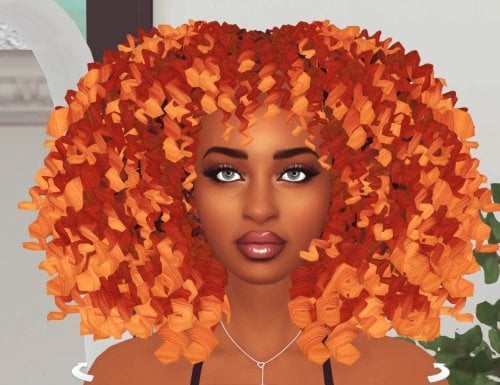
453 downloads
How to install? First of all, make sure " Enable Custom Content and Mods" option is turned on in your game. After activating this settings, you need to restart the game. Before restarting the game, download some of the Sims I shared. (Screenshot 1) After downloading a Sim, extract the Sim's files from the rar. You will get the following folders; Mods,Tray. Put the files in the "Mods" folder in > Documents/Electronic Arts/The Sims 4/Mods Put the files in the "Tray" folder in > Documents/Electronic Arts/The Sims 4/Tray After doing all this, when you open the game, click on the gallery icon in the upper right and check the "include custom content" box. This is how you can see your downloaded Sims. (Screenshot 2) See my other LoversLab Sims here Visit my SubscribeStar page for exclusive 200+ Sims,new Sims every week and Supporters Special Limited Gift Sims! Hope you enjoy my work! ~ ❤️ Visit my Website to see my Sims catalog and download more Sims! For more Sims & Support me,please visit ; https://www.mervejuanasims.com/ subscribestar.com/mervejuanasims I wish you a good game! ~ ❤️ 💌 September 2026 SubscribeStar Supporters Gift Sims 💌 💌 Early-Access Sims on my SubscribeStar 💌 -
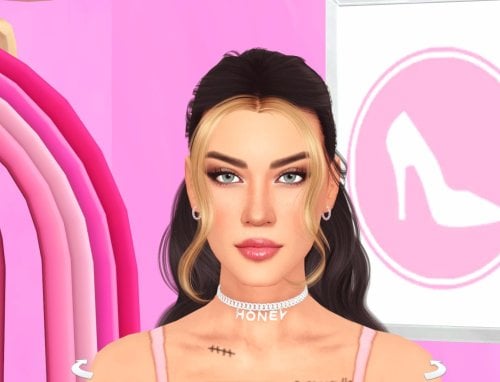
Sexy Model Sim 40 View File How to install? First of all, make sure " Enable Custom Content and Mods" option is turned on in your game. After activating this settings, you need to restart the game. Before restarting the game, download some of the Sims I shared. (Screenshot 1) After downloading a Sim, extract the Sim's files from the rar. You will get the following folders; Mods,Tray. Put the files in the "Mods" folder in > Documents/Electronic Arts/The Sims 4/Mods Put the files in the "Tray" folder in > Documents/Electronic Arts/The Sims 4/Tray After doing all this, when you open the game, click on the gallery icon in the upper right and check the "include custom content" box. This is how you can see your downloaded Sims. (Screenshot 2) See my other LoversLab Sims here Visit my SubscribeStar page for exclusive 200+ Sims,new Sims every week and Supporters Special Limited Gift Sims! Hope you enjoy my work! ~ ❤️ Visit my Website to see my Sims catalog and download more Sims! For more Sims & Support me,please visit ; https://www.mervejuanasims.com/ subscribestar.com/mervejuanasims I wish you a good game! ~ ❤️ 💌 September 2026 SubscribeStar Supporters Gift Sims 💌 💌 Early-Access Sims on my SubscribeStar 💌 Submitter Mervejuana Submitted 09/21/26 Category The Sims 4 - Sims Requirements The Sims 4
-
1438 downloads
How to install? First of all, make sure " Enable Custom Content and Mods" option is turned on in your game. After activating this settings, you need to restart the game. Before restarting the game, download some of the Sims I shared. (Screenshot 1) After downloading a Sim, extract the Sim's files from the rar. You will get the following folders; Mods,Tray. Put the files in the "Mods" folder in > Documents/Electronic Arts/The Sims 4/Mods Put the files in the "Tray" folder in > Documents/Electronic Arts/The Sims 4/Tray After doing all this, when you open the game, click on the gallery icon in the upper right and check the "include custom content" box. This is how you can see your downloaded Sims. (Screenshot 2) See my other LoversLab Sims here Visit my SubscribeStar page for exclusive 200+ Sims,new Sims every week and Supporters Special Limited Gift Sims! Hope you enjoy my work! ~ ❤️ Visit my Website to see my Sims catalog and download more Sims! For more Sims & Support me,please visit ; https://www.mervejuanasims.com/ subscribestar.com/mervejuanasims I wish you a good game! ~ ❤️ 💌 September 2026 SubscribeStar Supporters Gift Sims 💌 💌 Early-Access Sims on my SubscribeStar 💌 -
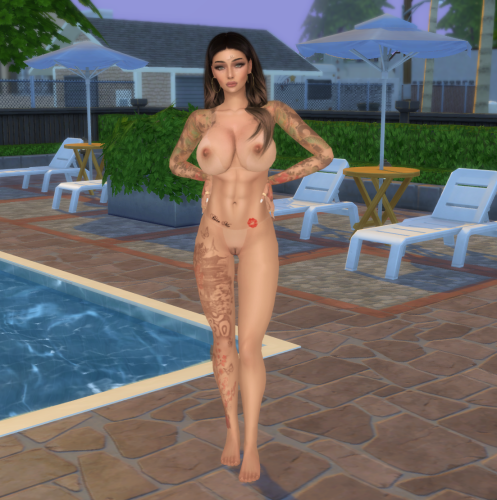
Ryann Coxx - 0nlyfans Performer View File Name: Ryann Coxx Age: 33 Occupation: Onlyfans Model Height: 5'5" Measurements: 34DDD/28/36 Ryann used to work as a waitress and bartender, bouncing around between shitty jobs and even shittier boyfriends. That was until one of those shitty boyfriends gave her an idea - harness her inherent promiscuous nature and start an Onlyfans account. It didn't take long for Ryann (her chosen performance name) to gain a following and realize she could totally change her life by going all in. Quitting her job, ditching her asshole boyfriend, and giving herself the gift of new boobs (a "work expense"), she devoted her body and her existence to being the best internet slut she could be. I OWN NONE OF THE CC USED, Thank you to all the wonderful people who make them I don't edit or process any of my images. All images shown are taken in game with no alterations Submitter bm2246 Submitted 09/21/26 Category The Sims 4 - Sims Requirements WickedWhims
-
585 downloads
Name: Ryann Coxx Age: 33 Occupation: Onlyfans Model Height: 5'5" Measurements: 34DDD/28/36 Ryann used to work as a waitress and bartender, bouncing around between shitty jobs and even shittier boyfriends. That was until one of those shitty boyfriends gave her an idea - harness her inherent promiscuous nature and start an Onlyfans account. It didn't take long for Ryann (her chosen performance name) to gain a following and realize she could totally change her life by going all in. Quitting her job, ditching her asshole boyfriend, and giving herself the gift of new boobs (a "work expense"), she devoted her body and her existence to being the best internet slut she could be. I OWN NONE OF THE CC USED, Thank you to all the wonderful people who make them I don't edit or process any of my images. All images shown are taken in game with no alterations -
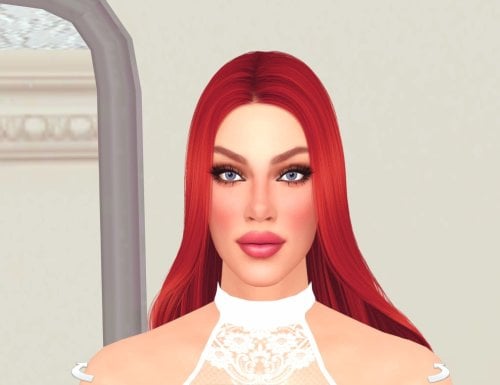
Sexy Model Sim 39 View File How to install? First of all, make sure " Enable Custom Content and Mods" option is turned on in your game. After activating this settings, you need to restart the game. Before restarting the game, download some of the Sims I shared. (Screenshot 1) After downloading a Sim, extract the Sim's files from the rar. You will get the following folders; Mods,Tray. Put the files in the "Mods" folder in > Documents/Electronic Arts/The Sims 4/Mods Put the files in the "Tray" folder in > Documents/Electronic Arts/The Sims 4/Tray After doing all this, when you open the game, click on the gallery icon in the upper right and check the "include custom content" box. This is how you can see your downloaded Sims. (Screenshot 2) See my other LoversLab Sims here Visit my SubscribeStar page for exclusive 200+ Sims,new Sims every week and Supporters Special Limited Gift Sims! Hope you enjoy my work! ~ ❤️ Visit my Website to see my Sims catalog and download more Sims! For more Sims & Support me,please visit ; https://www.mervejuanasims.com/ subscribestar.com/mervejuanasims I wish you a good game! ~ ❤️ 💌 September 2026 SubscribeStar Supporters Gift Sims 💌 💌 Early-Access Sims on my SubscribeStar 💌 Submitter Mervejuana Submitted 09/15/26 Category The Sims 4 - Sims Requirements The Sims 4
-
628 downloads
How to install? First of all, make sure " Enable Custom Content and Mods" option is turned on in your game. After activating this settings, you need to restart the game. Before restarting the game, download some of the Sims I shared. (Screenshot 1) After downloading a Sim, extract the Sim's files from the rar. You will get the following folders; Mods,Tray. Put the files in the "Mods" folder in > Documents/Electronic Arts/The Sims 4/Mods Put the files in the "Tray" folder in > Documents/Electronic Arts/The Sims 4/Tray After doing all this, when you open the game, click on the gallery icon in the upper right and check the "include custom content" box. This is how you can see your downloaded Sims. (Screenshot 2) See my other LoversLab Sims here Visit my SubscribeStar page for exclusive 200+ Sims,new Sims every week and Supporters Special Limited Gift Sims! Hope you enjoy my work! ~ ❤️ Visit my Website to see my Sims catalog and download more Sims! For more Sims & Support me,please visit ; https://www.mervejuanasims.com/ subscribestar.com/mervejuanasims I wish you a good game! ~ ❤️ 💌 September 2026 SubscribeStar Supporters Gift Sims 💌 💌 Early-Access Sims on my SubscribeStar 💌 -
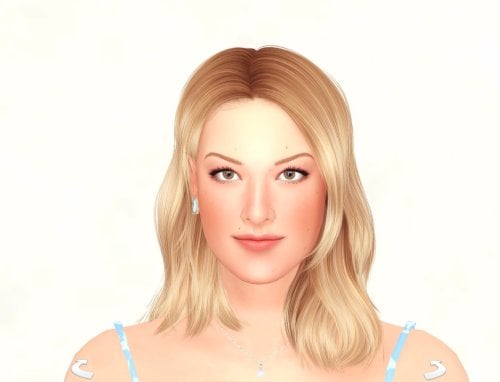
Sexy Model Sim 38 View File How to install? First of all, make sure " Enable Custom Content and Mods" option is turned on in your game. After activating this settings, you need to restart the game. Before restarting the game, download some of the Sims I shared. (Screenshot 1) After downloading a Sim, extract the Sim's files from the rar. You will get the following folders; Mods,Tray. Put the files in the "Mods" folder in > Documents/Electronic Arts/The Sims 4/Mods Put the files in the "Tray" folder in > Documents/Electronic Arts/The Sims 4/Tray After doing all this, when you open the game, click on the gallery icon in the upper right and check the "include custom content" box. This is how you can see your downloaded Sims. (Screenshot 2) See my other LoversLab Sims here Visit my SubscribeStar page for exclusive 200+ Sims,new Sims every week and Supporters Special Limited Gift Sims! Hope you enjoy my work! ~ ❤️ Visit my Website to see my Sims catalog and download more Sims! For more Sims & Support me,please visit ; https://www.mervejuanasims.com/ subscribestar.com/mervejuanasims I wish you a good game! ~ ❤️ 💌 September 2026 SubscribeStar Supporters Gift Sims 💌 💌 Early-Access Sims on my SubscribeStar 💌 Submitter Mervejuana Submitted 09/11/26 Category The Sims 4 - Sims Requirements The Sims 4
-
754 downloads
How to install? First of all, make sure " Enable Custom Content and Mods" option is turned on in your game. After activating this settings, you need to restart the game. Before restarting the game, download some of the Sims I shared. (Screenshot 1) After downloading a Sim, extract the Sim's files from the rar. You will get the following folders; Mods,Tray. Put the files in the "Mods" folder in > Documents/Electronic Arts/The Sims 4/Mods Put the files in the "Tray" folder in > Documents/Electronic Arts/The Sims 4/Tray After doing all this, when you open the game, click on the gallery icon in the upper right and check the "include custom content" box. This is how you can see your downloaded Sims. (Screenshot 2) See my other LoversLab Sims here Visit my SubscribeStar page for exclusive 200+ Sims,new Sims every week and Supporters Special Limited Gift Sims! Hope you enjoy my work! ~ ❤️ Visit my Website to see my Sims catalog and download more Sims! For more Sims & Support me,please visit ; https://www.mervejuanasims.com/ subscribestar.com/mervejuanasims I wish you a good game! ~ ❤️ 💌 September 2026 SubscribeStar Supporters Gift Sims 💌 💌 Early-Access Sims on my SubscribeStar 💌 -
Sexy Model Sim 37 View File How to install? First of all, make sure " Enable Custom Content and Mods" option is turned on in your game. After activating this settings, you need to restart the game. Before restarting the game, download some of the Sims I shared. (Screenshot 1) After downloading a Sim, extract the Sim's files from the rar. You will get the following folders; Mods,Tray. Put the files in the "Mods" folder in > Documents/Electronic Arts/The Sims 4/Mods Put the files in the "Tray" folder in > Documents/Electronic Arts/The Sims 4/Tray After doing all this, when you open the game, click on the gallery icon in the upper right and check the "include custom content" box. This is how you can see your downloaded Sims. (Screenshot 2) See my other LoversLab Sims here Visit my SubscribeStar page for exclusive 200+ Sims,new Sims every week and Supporters Special Limited Gift Sims! Hope you enjoy my work! ~ ❤️ Visit my Website to see my Sims catalog and download more Sims! For more Sims & Support me,please visit ; https://www.mervejuanasims.com/ subscribestar.com/mervejuanasims I wish you a good game! ~ ❤️ 💌 September 2026 SubscribeStar Supporters Gift Sims 💌 💌 Early-Access Sims on my SubscribeStar 💌 Submitter Mervejuana Submitted 09/07/26 Category The Sims 4 - Sims Requirements The Sims 4
-
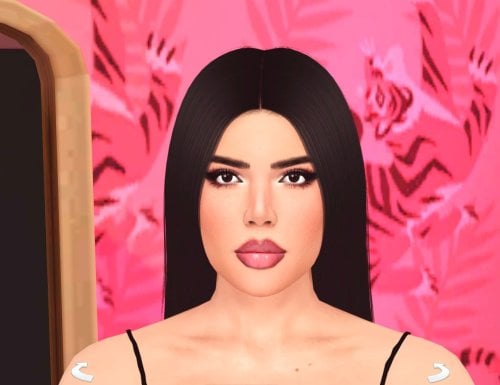
829 downloads
How to install? First of all, make sure " Enable Custom Content and Mods" option is turned on in your game. After activating this settings, you need to restart the game. Before restarting the game, download some of the Sims I shared. (Screenshot 1) After downloading a Sim, extract the Sim's files from the rar. You will get the following folders; Mods,Tray. Put the files in the "Mods" folder in > Documents/Electronic Arts/The Sims 4/Mods Put the files in the "Tray" folder in > Documents/Electronic Arts/The Sims 4/Tray After doing all this, when you open the game, click on the gallery icon in the upper right and check the "include custom content" box. This is how you can see your downloaded Sims. (Screenshot 2) See my other LoversLab Sims here Visit my SubscribeStar page for exclusive 200+ Sims,new Sims every week and Supporters Special Limited Gift Sims! Hope you enjoy my work! ~ ❤️ Visit my Website to see my Sims catalog and download more Sims! For more Sims & Support me,please visit ; https://www.mervejuanasims.com/ subscribestar.com/mervejuanasims I wish you a good game! ~ ❤️ 💌 September 2026 SubscribeStar Supporters Gift Sims 💌 💌 Early-Access Sims on my SubscribeStar 💌 -
Sexy Model Sim 36 View File How to install? First of all, make sure " Enable Custom Content and Mods" option is turned on in your game. After activating this settings, you need to restart the game. Before restarting the game, download some of the Sims I shared. (Screenshot 1) After downloading a Sim, extract the Sim's files from the rar. You will get the following folders; Mods,Tray. Put the files in the "Mods" folder in > Documents/Electronic Arts/The Sims 4/Mods Put the files in the "Tray" folder in > Documents/Electronic Arts/The Sims 4/Tray After doing all this, when you open the game, click on the gallery icon in the upper right and check the "include custom content" box. This is how you can see your downloaded Sims. (Screenshot 2) See my other LoversLab Sims here Visit my SubscribeStar page for exclusive 200+ Sims,new Sims every week and Supporters Special Limited Gift Sims! Hope you enjoy my work! ~ ❤️ Visit my Website to see my Sims catalog and download more Sims! For more Sims & Support me,please visit ; https://www.mervejuanasims.com/ subscribestar.com/mervejuanasims I wish you a good game! ~ ❤️ 💌 August 2026 SubscribeStar Supporters Gift Sims 💌 💌 Early-Access Sims on my SubscribeStar 💌 Submitter Mervejuana Submitted 08/29/26 Category The Sims 4 - Sims Requirements The Sims 4
-
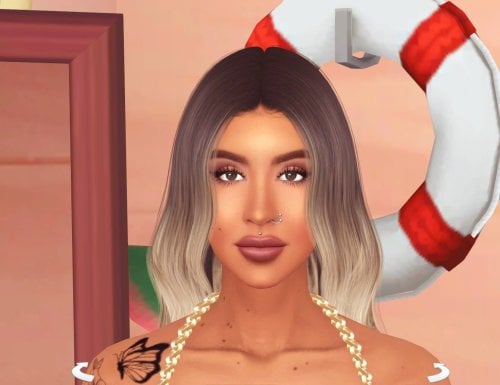
922 downloads
How to install? First of all, make sure " Enable Custom Content and Mods" option is turned on in your game. After activating this settings, you need to restart the game. Before restarting the game, download some of the Sims I shared. (Screenshot 1) After downloading a Sim, extract the Sim's files from the rar. You will get the following folders; Mods,Tray. Put the files in the "Mods" folder in > Documents/Electronic Arts/The Sims 4/Mods Put the files in the "Tray" folder in > Documents/Electronic Arts/The Sims 4/Tray After doing all this, when you open the game, click on the gallery icon in the upper right and check the "include custom content" box. This is how you can see your downloaded Sims. (Screenshot 2) See my other LoversLab Sims here Visit my SubscribeStar page for exclusive 200+ Sims,new Sims every week and Supporters Special Limited Gift Sims! Hope you enjoy my work! ~ ❤️ Visit my Website to see my Sims catalog and download more Sims! For more Sims & Support me,please visit ; https://www.mervejuanasims.com/ subscribestar.com/mervejuanasims I wish you a good game! ~ ❤️ 💌 August 2026 SubscribeStar Supporters Gift Sims 💌