Search the Community
Showing results for tags 'custom sim'.
-
Version 1.0.0
56 downloads
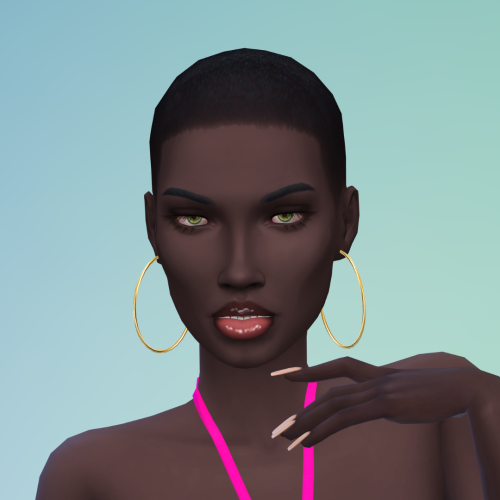
Piper has decided to try her hand at acting on film. The nude and mature kind. She just got a job as a webcam girl at AEP and is looking to make her mark!! Enjoy!! RECOMMENDED MODS AEP BASEMENTAL WICKEDWHIMS NISA PERV KHLAS BDP If you like my sims, please check out my PATREON page. If you need support for this or any of my sims, or have any questions, please feel free to message me here or on my Patreon. Here are some sims that are exclusive to my PATREON page. Come take a look! Here is a list of all the cc creators who make the outfits and body/hair mods that my sims use. They put in a lot of hard work and our sims wouldn't look as good without their tireless effort. Most of the outfits I use come from SimsResource, but several of them, like me, have a patreon where they share their creations. Check these guys out sometime, they do really good work!! Luumia Noir Kijiko Goppolsome Rimings Darte Helgatisha turksimmers Veiga Obscurus Seleng S Club Here also is a list of the creators of the poses I use in my Sim pics. Check them out sometime: Akuiyumi Katverse AshLegacies Pandorassims4cc Nell Helgatisha LiBet Beto Mrrakkonn Bultae JB Starry TSOS Apologies if there is someone I didn't list, and once again, if there are any issues with any of my sims, feel free to send me a DM either here or on my Patreon page. ENJOY!! -
Piper Castro View File Piper has decided to try her hand at acting on film. The nude and mature kind. She just got a job as a webcam girl at AEP and is looking to make her mark!! Enjoy!! RECOMMENDED MODS AEP BASEMENTAL WICKEDWHIMS NISA PERV KHLAS BDP If you like my sims, please check out my PATREON page. If you need support for this or any of my sims, or have any questions, please feel free to message me here or on my Patreon. Here are some sims that are exclusive to my PATREON page. Come take a look! Here is a list of all the cc creators who make the outfits and body/hair mods that my sims use. They put in a lot of hard work and our sims wouldn't look as good without their tireless effort. Most of the outfits I use come from SimsResource, but several of them, like me, have a patreon where they share their creations. Check these guys out sometime, they do really good work!! Luumia Noir Kijiko Goppolsome Rimings Darte Helgatisha turksimmers Veiga Obscurus Seleng S Club Here also is a list of the creators of the poses I use in my Sim pics. Check them out sometime: Akuiyumi Katverse AshLegacies Pandorassims4cc Nell Helgatisha LiBet Beto Mrrakkonn Bultae JB Starry TSOS Apologies if there is someone I didn't list, and once again, if there are any issues with any of my sims, feel free to send me a DM either here or on my Patreon page. ENJOY!! Submitter DirtyOldSim Submitted 09/01/26 Category The Sims 4 - Sims Requirements
-
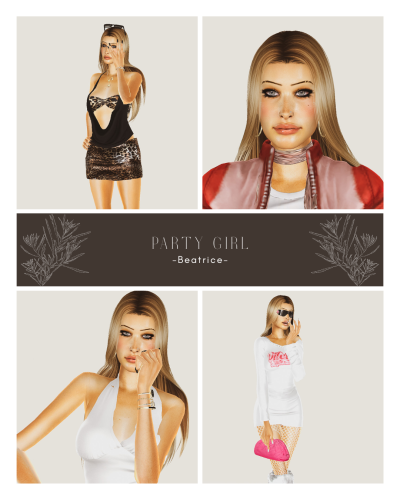
*:・゚Party Girl Beatrice*:・゚ View File //Since the file upload limit has been set to 97 mb right now, most of my sims will come in at least 2-3 separate parts, so you'll have to download them all. She is fully dressed, every category ♡ That's why I had to split her into 4 parts lmao. //You can check out my Patreon if you enjoyed her: https://www.patreon.com/Bambamiii . /HOW TO INSTALL: Inside the main folders that you'll download from me you'll see 2 folders: Tray and Mods. Take the content from the Tray folder and go to your Documents > Electronic Arts > The sims 4 > Tray, and move them in that folder. Do the same for the content in the Mods folder(s). You'll have to download every part and place all the files into your folders, so make sure to double check if you have all these 4 zips. Don't forget to launch your game, go to Game Options > Other > and check Enable Custom Contents and Mods, so the CCs used to create this sim will appear in your game. //Have fun playing with Beea!! 💽🍾 Submitter Bambami Submitted 08/30/26 Category The Sims 4 - Sims Requirements
-
252 downloads
//Since the file upload limit has been set to 97 mb right now, most of my sims will come in at least 2-3 separate parts, so you'll have to download them all. She is fully dressed, every category ♡ That's why I had to split her into 4 parts lmao. //You can check out my Patreon if you enjoyed her: https://www.patreon.com/Bambamiii . /HOW TO INSTALL: Inside the main folders that you'll download from me you'll see 2 folders: Tray and Mods. Take the content from the Tray folder and go to your Documents > Electronic Arts > The sims 4 > Tray, and move them in that folder. Do the same for the content in the Mods folder(s). You'll have to download every part and place all the files into your folders, so make sure to double check if you have all these 4 zips. Don't forget to launch your game, go to Game Options > Other > and check Enable Custom Contents and Mods, so the CCs used to create this sim will appear in your game. //Have fun playing with Beea!! 💽🍾 -
Sexy Model Sim 36 View File How to install? First of all, make sure " Enable Custom Content and Mods" option is turned on in your game. After activating this settings, you need to restart the game. Before restarting the game, download some of the Sims I shared. (Screenshot 1) After downloading a Sim, extract the Sim's files from the rar. You will get the following folders; Mods,Tray. Put the files in the "Mods" folder in > Documents/Electronic Arts/The Sims 4/Mods Put the files in the "Tray" folder in > Documents/Electronic Arts/The Sims 4/Tray After doing all this, when you open the game, click on the gallery icon in the upper right and check the "include custom content" box. This is how you can see your downloaded Sims. (Screenshot 2) See my other LoversLab Sims here Visit my SubscribeStar page for exclusive 200+ Sims,new Sims every week and Supporters Special Limited Gift Sims! Hope you enjoy my work! ~ ❤️ Visit my Website to see my Sims catalog and download more Sims! For more Sims & Support me,please visit ; https://www.mervejuanasims.com/ subscribestar.com/mervejuanasims I wish you a good game! ~ ❤️ 💌 August 2026 SubscribeStar Supporters Gift Sims 💌 💌 Early-Access Sims on my SubscribeStar 💌 Submitter Mervejuana Submitted 08/29/26 Category The Sims 4 - Sims Requirements The Sims 4
-
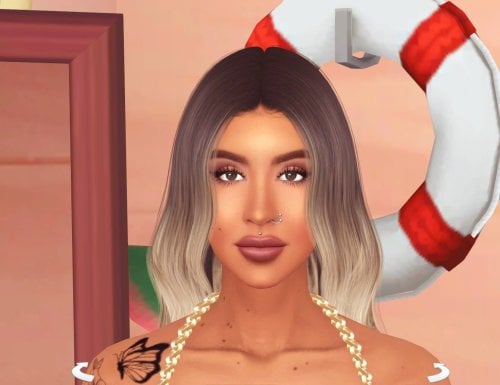
511 downloads
How to install? First of all, make sure " Enable Custom Content and Mods" option is turned on in your game. After activating this settings, you need to restart the game. Before restarting the game, download some of the Sims I shared. (Screenshot 1) After downloading a Sim, extract the Sim's files from the rar. You will get the following folders; Mods,Tray. Put the files in the "Mods" folder in > Documents/Electronic Arts/The Sims 4/Mods Put the files in the "Tray" folder in > Documents/Electronic Arts/The Sims 4/Tray After doing all this, when you open the game, click on the gallery icon in the upper right and check the "include custom content" box. This is how you can see your downloaded Sims. (Screenshot 2) See my other LoversLab Sims here Visit my SubscribeStar page for exclusive 200+ Sims,new Sims every week and Supporters Special Limited Gift Sims! Hope you enjoy my work! ~ ❤️ Visit my Website to see my Sims catalog and download more Sims! For more Sims & Support me,please visit ; https://www.mervejuanasims.com/ subscribestar.com/mervejuanasims I wish you a good game! ~ ❤️ 💌 August 2026 SubscribeStar Supporters Gift Sims 💌 -
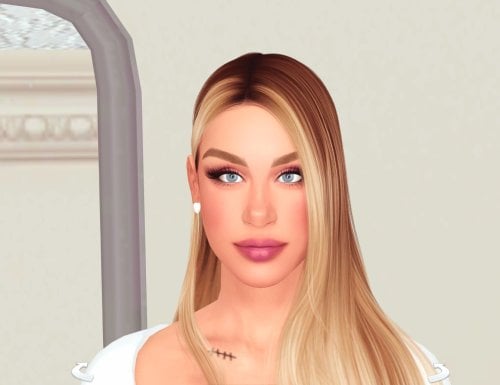
839 downloads
How to install? First of all, make sure " Enable Custom Content and Mods" option is turned on in your game. After activating this settings, you need to restart the game. Before restarting the game, download some of the Sims I shared. (Screenshot 1) After downloading a Sim, extract the Sim's files from the rar. You will get the following folders; Mods,Tray. Put the files in the "Mods" folder in > Documents/Electronic Arts/The Sims 4/Mods Put the files in the "Tray" folder in > Documents/Electronic Arts/The Sims 4/Tray After doing all this, when you open the game, click on the gallery icon in the upper right and check the "include custom content" box. This is how you can see your downloaded Sims. (Screenshot 2) See my other LoversLab Sims here Visit my SubscribeStar page for exclusive 200+ Sims,new Sims every week and Supporters Special Limited Gift Sims! Hope you enjoy my work! ~ ❤️ Visit my Website to see my Sims catalog and download more Sims! For more Sims & Support me,please visit ; https://www.mervejuanasims.com/ subscribestar.com/mervejuanasims I wish you a good game! ~ ❤️ 💌 August 2026 SubscribeStar Supporters Gift Sims 💌 💌 Early-Access Sims on my SubscribeStar 💌 -
Sexy Model Sim 35 View File How to install? First of all, make sure " Enable Custom Content and Mods" option is turned on in your game. After activating this settings, you need to restart the game. Before restarting the game, download some of the Sims I shared. (Screenshot 1) After downloading a Sim, extract the Sim's files from the rar. You will get the following folders; Mods,Tray. Put the files in the "Mods" folder in > Documents/Electronic Arts/The Sims 4/Mods Put the files in the "Tray" folder in > Documents/Electronic Arts/The Sims 4/Tray After doing all this, when you open the game, click on the gallery icon in the upper right and check the "include custom content" box. This is how you can see your downloaded Sims. (Screenshot 2) See my other LoversLab Sims here Visit my SubscribeStar page for exclusive 200+ Sims,new Sims every week and Supporters Special Limited Gift Sims! Hope you enjoy my work! ~ ❤️ Visit my Website to see my Sims catalog and download more Sims! For more Sims & Support me,please visit ; https://www.mervejuanasims.com/ subscribestar.com/mervejuanasims I wish you a good game! ~ ❤️ 💌 August 2026 SubscribeStar Supporters Gift Sims 💌 💌 Early-Access Sims on my SubscribeStar 💌 Submitter Mervejuana Submitted 08/25/26 Category The Sims 4 - Sims Requirements The Sims 4
-
Sexy Model Sim 34 View File How to install? First of all, make sure " Enable Custom Content and Mods" option is turned on in your game. After activating this settings, you need to restart the game. Before restarting the game, download some of the Sims I shared. (Screenshot 1) After downloading a Sim, extract the Sim's files from the rar. You will get the following folders; Mods,Tray. Put the files in the "Mods" folder in > Documents/Electronic Arts/The Sims 4/Mods Put the files in the "Tray" folder in > Documents/Electronic Arts/The Sims 4/Tray After doing all this, when you open the game, click on the gallery icon in the upper right and check the "include custom content" box. This is how you can see your downloaded Sims. (Screenshot 2) See my other LoversLab Sims here Visit my SubscribeStar page for exclusive 200+ Sims,new Sims every week and Supporters Special Limited Gift Sims! Hope you enjoy my work! ~ ❤️ Visit my Website to see my Sims catalog and download more Sims! For more Sims & Support me,please visit ; https://www.mervejuanasims.com/ subscribestar.com/mervejuanasims I wish you a good game! ~ ❤️ 💌 August 2026 SubscribeStar Supporters Gift Sims 💌 💌 Early-Access Sims on my SubscribeStar 💌 Submitter Mervejuana Submitted 08/19/26 Category The Sims 4 - Sims Requirements The Sims 4
-
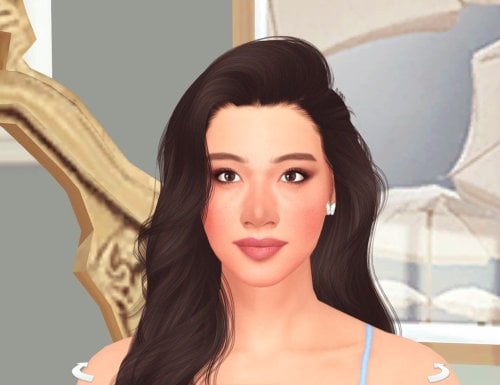
499 downloads
How to install? First of all, make sure " Enable Custom Content and Mods" option is turned on in your game. After activating this settings, you need to restart the game. Before restarting the game, download some of the Sims I shared. (Screenshot 1) After downloading a Sim, extract the Sim's files from the rar. You will get the following folders; Mods,Tray. Put the files in the "Mods" folder in > Documents/Electronic Arts/The Sims 4/Mods Put the files in the "Tray" folder in > Documents/Electronic Arts/The Sims 4/Tray After doing all this, when you open the game, click on the gallery icon in the upper right and check the "include custom content" box. This is how you can see your downloaded Sims. (Screenshot 2) See my other LoversLab Sims here Visit my SubscribeStar page for exclusive 200+ Sims,new Sims every week and Supporters Special Limited Gift Sims! Hope you enjoy my work! ~ ❤️ Visit my Website to see my Sims catalog and download more Sims! For more Sims & Support me,please visit ; https://www.mervejuanasims.com/ subscribestar.com/mervejuanasims I wish you a good game! ~ ❤️ 💌 August 2026 SubscribeStar Supporters Gift Sims 💌 -
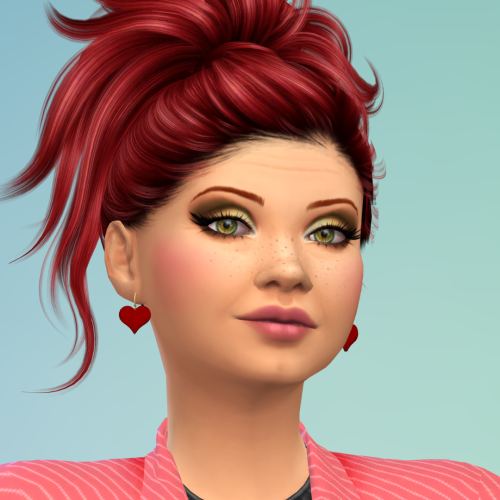
Darling Hawk View File Darling is who you think of when you hear the song "Hot For Teacher." But after the final bell, she undergoes a complete transformation! She has made a couple of videos for Brent and JBo and is a bit of a starlet now! Hope the principal doesn't notice! Enjoy!! RECOMMENDED MODS AEP BASEMENTAL WICKEDWHIMS NISA PERV KHLAS BDP If you like my sims, please check out my PATREON page. If you need support for this or any of my sims, or have any questions, please feel free to message me here or on my Patreon. Here is a list of all the cc creators who make the outfits and body/hair mods that my sims use. They put in a lot of hard work and our sims wouldn't look as good without their tireless effort. Most of the outfits I use come from SimsResource, but several of them, like me, have a patreon where they share their creations. Check these guys out sometime, they do really good work!! Luumia Noir Kijiko Goppolsome Rimings Darte Helgatisha turksimmers Veiga Obscurus Seleng S Club Here also is a list of the creators of the poses I use in my Sim pics. Check them out sometime: Akuiyumi Katverse AshLegacies Pandorassims4cc Nell Helgatisha LiBet Beto Mrrakkonn Bultae JB Starry TSOS Apologies if there is someone I didn't list, and once again, if there are any issues with any of my sims, feel free to send me a DM either here or on my Patreon page. ENJOY!! Here are some sims that are on my PATREON page. Come on over and check them out!! Submitter DirtyOldSim Submitted 08/14/26 Category The Sims 4 - Sims Requirements
-
Version 1.0.0
167 downloads
Darling is who you think of when you hear the song "Hot For Teacher." But after the final bell, she undergoes a complete transformation! She has made a couple of videos for Brent and JBo and is a bit of a starlet now! Hope the principal doesn't notice! Enjoy!! RECOMMENDED MODS AEP BASEMENTAL WICKEDWHIMS NISA PERV KHLAS BDP If you like my sims, please check out my PATREON page. If you need support for this or any of my sims, or have any questions, please feel free to message me here or on my Patreon. Here is a list of all the cc creators who make the outfits and body/hair mods that my sims use. They put in a lot of hard work and our sims wouldn't look as good without their tireless effort. Most of the outfits I use come from SimsResource, but several of them, like me, have a patreon where they share their creations. Check these guys out sometime, they do really good work!! Luumia Noir Kijiko Goppolsome Rimings Darte Helgatisha turksimmers Veiga Obscurus Seleng S Club Here also is a list of the creators of the poses I use in my Sim pics. Check them out sometime: Akuiyumi Katverse AshLegacies Pandorassims4cc Nell Helgatisha LiBet Beto Mrrakkonn Bultae JB Starry TSOS Apologies if there is someone I didn't list, and once again, if there are any issues with any of my sims, feel free to send me a DM either here or on my Patreon page. ENJOY!! Here are some sims that are on my PATREON page. Come on over and check them out!! -
Sexy Model Sim 33 View File How to install? First of all, make sure " Enable Custom Content and Mods" option is turned on in your game. After activating this settings, you need to restart the game. Before restarting the game, download some of the Sims I shared. (Screenshot 1) After downloading a Sim, extract the Sim's files from the rar. You will get the following folders; Mods,Tray. Put the files in the "Mods" folder in > Documents/Electronic Arts/The Sims 4/Mods Put the files in the "Tray" folder in > Documents/Electronic Arts/The Sims 4/Tray After doing all this, when you open the game, click on the gallery icon in the upper right and check the "include custom content" box. This is how you can see your downloaded Sims. (Screenshot 2) See my other LoversLab Sims here Visit my SubscribeStar page for exclusive 200+ Sims,new Sims every week and Supporters Special Limited Gift Sims! Hope you enjoy my work! ~ ❤️ Visit my Website to see my Sims catalog and download more Sims! For more Sims & Support me,please visit ; https://www.mervejuanasims.com/ subscribestar.com/mervejuanasims I wish you a good game! ~ ❤️ 💌 August 2026 SubscribeStar Supporters Gift Sims 💌 💌 Early-Access Sims on my SubscribeStar 💌 Submitter Mervejuana Submitted 08/14/26 Category The Sims 4 - Sims Requirements The Sims 4
-
635 downloads
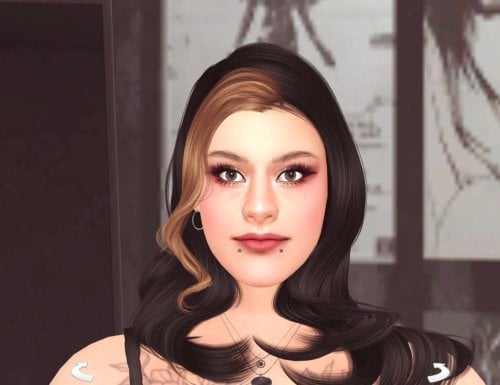
How to install? First of all, make sure " Enable Custom Content and Mods" option is turned on in your game. After activating this settings, you need to restart the game. Before restarting the game, download some of the Sims I shared. (Screenshot 1) After downloading a Sim, extract the Sim's files from the rar. You will get the following folders; Mods,Tray. Put the files in the "Mods" folder in > Documents/Electronic Arts/The Sims 4/Mods Put the files in the "Tray" folder in > Documents/Electronic Arts/The Sims 4/Tray After doing all this, when you open the game, click on the gallery icon in the upper right and check the "include custom content" box. This is how you can see your downloaded Sims. (Screenshot 2) See my other LoversLab Sims here Visit my SubscribeStar page for exclusive 200+ Sims,new Sims every week and Supporters Special Limited Gift Sims! Hope you enjoy my work! ~ ❤️ Visit my Website to see my Sims catalog and download more Sims! For more Sims & Support me,please visit ; https://www.mervejuanasims.com/ subscribestar.com/mervejuanasims I wish you a good game! ~ ❤️ 💌 August 2026 SubscribeStar Supporters Gift Sims 💌 💌 Early-Access Sims on my SubscribeStar 💌 -
Sexy Model Sim 31 View File How to install? First of all, make sure " Enable Custom Content and Mods" option is turned on in your game. After activating this settings, you need to restart the game. Before restarting the game, download some of the Sims I shared. (Screenshot 1) After downloading a Sim, extract the Sim's files from the rar. You will get the following folders; Mods,Tray. Put the files in the "Mods" folder in > Documents/Electronic Arts/The Sims 4/Mods Put the files in the "Tray" folder in > Documents/Electronic Arts/The Sims 4/Tray After doing all this, when you open the game, click on the gallery icon in the upper right and check the "include custom content" box. This is how you can see your downloaded Sims. (Screenshot 2) See my other LoversLab Sims here Visit my SubscribeStar page for exclusive 200+ Sims,new Sims every week and Supporters Special Limited Gift Sims! Hope you enjoy my work! ~ ❤️ Visit my Website to see my Sims catalog and download more Sims! For more Sims & Support me,please visit ; https://www.mervejuanasims.com/ subscribestar.com/mervejuanasims I wish you a good game! ~ ❤️ 💌 August 2026 SubscribeStar Supporters Gift Sims 💌 💌 Early-Access Sims on my SubscribeStar 💌 Submitter Mervejuana Submitted 08/08/26 Category The Sims 4 - Sims Requirements The Sims 4
-
849 downloads
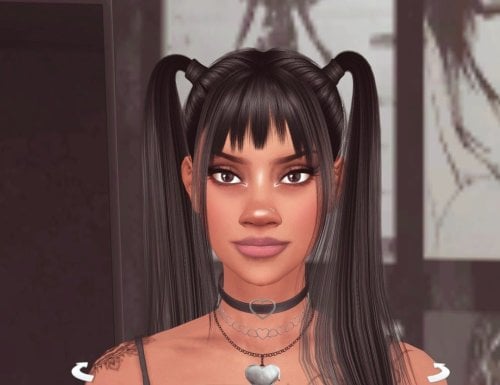
How to install? First of all, make sure " Enable Custom Content and Mods" option is turned on in your game. After activating this settings, you need to restart the game. Before restarting the game, download some of the Sims I shared. (Screenshot 1) After downloading a Sim, extract the Sim's files from the rar. You will get the following folders; Mods,Tray. Put the files in the "Mods" folder in > Documents/Electronic Arts/The Sims 4/Mods Put the files in the "Tray" folder in > Documents/Electronic Arts/The Sims 4/Tray After doing all this, when you open the game, click on the gallery icon in the upper right and check the "include custom content" box. This is how you can see your downloaded Sims. (Screenshot 2) See my other LoversLab Sims here Visit my SubscribeStar page for exclusive 200+ Sims,new Sims every week and Supporters Special Limited Gift Sims! Hope you enjoy my work! ~ ❤️ Visit my Website to see my Sims catalog and download more Sims! For more Sims & Support me,please visit ; https://www.mervejuanasims.com/ subscribestar.com/mervejuanasims I wish you a good game! ~ ❤️ 💌 August 2026 SubscribeStar Supporters Gift Sims 💌 💌 Early-Access Sims on my SubscribeStar 💌 -
❄️Frostbites Sim Collection View File Just a small collection of sims that I've made, feel free to download and use however you wish. Personally I enjoy the vanilla+ look so while they all use at least one mod, you are not downloading a whole library. Mods I use for CAS, these are the real talented people and they would appreciate you checking out their other stuff aharris00britney arethabee AuSims Backtrackcc Chingyu Dogsill Elloneandreea GoldFishSims Golyhawhaw Johnnysimmer LuxySims Marygrace MaxisMatchCCWorld Miikocc MizoreYukii Netiasims Quirky_Introvert Rustys_cc twistedcatcc CinnaSims (CAS Background) Mods I would recommend you use Alchemist Kinky Expansion Khlas Male Interactions TurboDriver Wickedwhims Dumbaby's Body Details (I use the feminine top for these gals) Adrian Shields Aisha Lane Allison Vasquez Bridget Ford Danika Karr Farrah Lawson Hadia Nasiir Indi Karce Julliett Carver Kacy Hartford Kelly Cordova Lydia Solis Maria Alves Naya Ramirez Sylvia Diaz Vanessa Falryn I appreciate you checking these out and I hope at least one catches your eye, enjoy! Submitter Frostbite778 Submitted 06/28/26 Category The Sims 4 - Sims Requirements
-
Sexy Model Sim 30 View File How to install? First of all, make sure " Enable Custom Content and Mods" option is turned on in your game. After activating this settings, you need to restart the game. Before restarting the game, download some of the Sims I shared. (Screenshot 1) After downloading a Sim, extract the Sim's files from the rar. You will get the following folders; Mods,Tray. Put the files in the "Mods" folder in > Documents/Electronic Arts/The Sims 4/Mods Put the files in the "Tray" folder in > Documents/Electronic Arts/The Sims 4/Tray After doing all this, when you open the game, click on the gallery icon in the upper right and check the "include custom content" box. This is how you can see your downloaded Sims. (Screenshot 2) See my other LoversLab Sims here Visit my SubscribeStar page for exclusive 200+ Sims,new Sims every week and Supporters Special Limited Gift Sims! Hope you enjoy my work! ~ ❤️ Visit my Website to see my Sims catalog and download more Sims! For more Sims & Support me,please visit ; https://www.mervejuanasims.com/ subscribestar.com/mervejuanasims I wish you a good game! ~ ❤️ 💌 July 2026 SubscribeStar Supporters Gift Sims 💌 💌 Early-Access Sims on my SubscribeStar 💌 Submitter Mervejuana Submitted 07/29/26 Category The Sims 4 - Sims Requirements The Sims 4
-
445 downloads
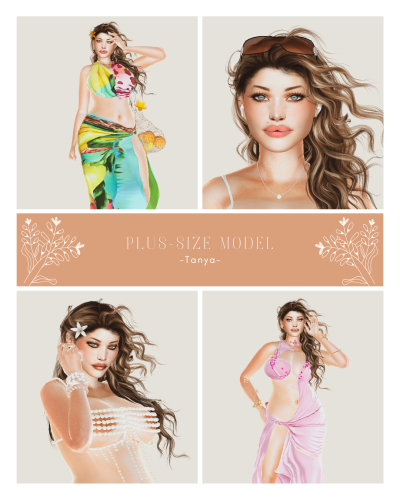
//Since the file upload limit has been set to 97 mb right now, most of my sims will come in at least 2-3 separate parts, so you'll have to download them all. She is fully dressed, every category ♡ That's why I had to split her into 3 parts lmao. //You can check out my Patreon if you enjoyed her: https://www.patreon.com/Bambamiii . /HOW TO INSTALL: Inside the main folders that you'll download from me you'll see 2 folders: Tray and Mods. Take the content from the Tray folder and go to your Documents > Electronic Arts > The sims 4 > Tray, and move them in that folder. Do the same for the content in the Mods folder(s). You'll have to download every part and place all the files into your folders, so make sure to double check if you have all these 3 zips. Don't forget to launch your game, go to Game Options > Other > and check Enable Custom Contents and Mods, so the CCs used to create this sim will appear in your game. //Have fun playing with Tanya!! 🍸 ❣️ -
°˖✧Plus-Size Model Tanya✧˖° View File //Since the file upload limit has been set to 97 mb right now, most of my sims will come in at least 2-3 separate parts, so you'll have to download them all. She is fully dressed, every category ♡ That's why I had to split her into 3 parts lmao. //You can check out my Patreon if you enjoyed her: https://www.patreon.com/Bambamiii . /HOW TO INSTALL: Inside the main folders that you'll download from me you'll see 2 folders: Tray and Mods. Take the content from the Tray folder and go to your Documents > Electronic Arts > The sims 4 > Tray, and move them in that folder. Do the same for the content in the Mods folder(s). You'll have to download every part and place all the files into your folders, so make sure to double check if you have all these 3 zips. Don't forget to launch your game, go to Game Options > Other > and check Enable Custom Contents and Mods, so the CCs used to create this sim will appear in your game. //Have fun playing with Tanya!! 🍸 ❣️ Submitter Bambami Submitted 08/02/26 Category The Sims 4 - Sims Requirements
-
Version 1.3.0
2105 downloads
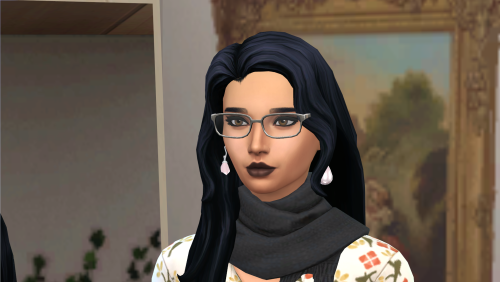
Just a small collection of sims that I've made, feel free to download and use however you wish. Personally I enjoy the vanilla+ look so while they all use at least one mod, you are not downloading a whole library. Mods I use for CAS, these are the real talented people and they would appreciate you checking out their other stuff aharris00britney arethabee AuSims Backtrackcc Chingyu Dogsill Elloneandreea GoldFishSims Golyhawhaw Johnnysimmer LuxySims Marygrace MaxisMatchCCWorld Miikocc MizoreYukii Netiasims Quirky_Introvert Rustys_cc twistedcatcc CinnaSims (CAS Background) Mods I would recommend you use Alchemist Kinky Expansion Khlas Male Interactions TurboDriver Wickedwhims Dumbaby's Body Details (I use the feminine top for these gals) Adrian Shields Aisha Lane Allison Vasquez Bridget Ford Danika Karr Farrah Lawson Hadia Nasiir Indi Karce Julliett Carver Kacy Hartford Kelly Cordova Lydia Solis Maria Alves Naya Ramirez Sylvia Diaz Vanessa Falryn I appreciate you checking these out and I hope at least one catches your eye, enjoy! -
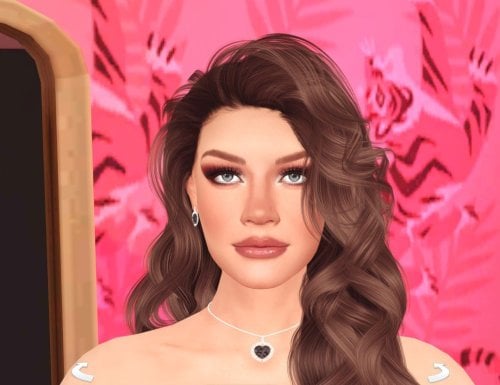
689 downloads
How to install? First of all, make sure " Enable Custom Content and Mods" option is turned on in your game. After activating this settings, you need to restart the game. Before restarting the game, download some of the Sims I shared. (Screenshot 1) After downloading a Sim, extract the Sim's files from the rar. You will get the following folders; Mods,Tray. Put the files in the "Mods" folder in > Documents/Electronic Arts/The Sims 4/Mods Put the files in the "Tray" folder in > Documents/Electronic Arts/The Sims 4/Tray After doing all this, when you open the game, click on the gallery icon in the upper right and check the "include custom content" box. This is how you can see your downloaded Sims. (Screenshot 2) See my other LoversLab Sims here Visit my SubscribeStar page for exclusive 200+ Sims,new Sims every week and Supporters Special Limited Gift Sims! Hope you enjoy my work! ~ ❤️ Visit my Website to see my Sims catalog and download more Sims! For more Sims & Support me,please visit ; https://www.mervejuanasims.com/ subscribestar.com/mervejuanasims I wish you a good game! ~ ❤️ 💌 July 2026 SubscribeStar Supporters Gift Sims 💌 💌 Early-Access Sims on my SubscribeStar 💌 -
Sexy Model Sim 29 View File How to install? First of all, make sure " Enable Custom Content and Mods" option is turned on in your game. After activating this settings, you need to restart the game. Before restarting the game, download some of the Sims I shared. (Screenshot 1) After downloading a Sim, extract the Sim's files from the rar. You will get the following folders; Mods,Tray. Put the files in the "Mods" folder in > Documents/Electronic Arts/The Sims 4/Mods Put the files in the "Tray" folder in > Documents/Electronic Arts/The Sims 4/Tray After doing all this, when you open the game, click on the gallery icon in the upper right and check the "include custom content" box. This is how you can see your downloaded Sims. (Screenshot 2) See my other LoversLab Sims here Visit my SubscribeStar page for exclusive 200+ Sims,new Sims every week and Supporters Special Limited Gift Sims! Hope you enjoy my work! ~ ❤️ Visit my Website to see my Sims catalog and download more Sims! For more Sims & Support me,please visit ; https://www.mervejuanasims.com/ subscribestar.com/mervejuanasims I wish you a good game! ~ ❤️ 💌 July 2026 SubscribeStar Supporters Gift Sims 💌 💌 Early-Access Sims on my SubscribeStar 💌 Submitter Mervejuana Submitted 07/28/26 Category The Sims 4 - Sims Requirements The Sims 4
-
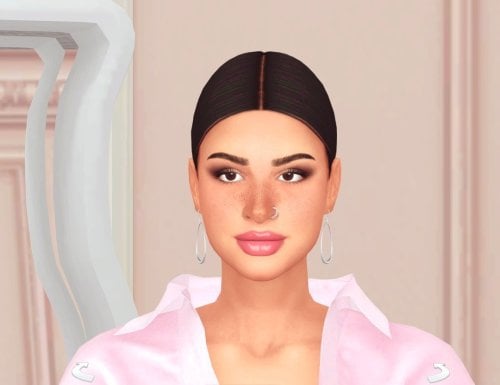
899 downloads
How to install? First of all, make sure " Enable Custom Content and Mods" option is turned on in your game. After activating this settings, you need to restart the game. Before restarting the game, download some of the Sims I shared. (Screenshot 1) After downloading a Sim, extract the Sim's files from the rar. You will get the following folders; Mods,Tray. Put the files in the "Mods" folder in > Documents/Electronic Arts/The Sims 4/Mods Put the files in the "Tray" folder in > Documents/Electronic Arts/The Sims 4/Tray After doing all this, when you open the game, click on the gallery icon in the upper right and check the "include custom content" box. This is how you can see your downloaded Sims. (Screenshot 2) See my other LoversLab Sims here Visit my SubscribeStar page for exclusive 200+ Sims,new Sims every week and Supporters Special Limited Gift Sims! Hope you enjoy my work! ~ ❤️ Visit my Website to see my Sims catalog and download more Sims! For more Sims & Support me,please visit ; https://www.mervejuanasims.com/ subscribestar.com/mervejuanasims I wish you a good game! ~ ❤️ 💌 July 2026 SubscribeStar Supporters Gift Sims 💌 💌 Early-Access Sims on my SubscribeStar 💌 -
Sexy Model Sim 28 View File How to install? First of all, make sure " Enable Custom Content and Mods" option is turned on in your game. After activating this settings, you need to restart the game. Before restarting the game, download some of the Sims I shared. (Screenshot 1) After downloading a Sim, extract the Sim's files from the rar. You will get the following folders; Mods,Tray. Put the files in the "Mods" folder in > Documents/Electronic Arts/The Sims 4/Mods Put the files in the "Tray" folder in > Documents/Electronic Arts/The Sims 4/Tray After doing all this, when you open the game, click on the gallery icon in the upper right and check the "include custom content" box. This is how you can see your downloaded Sims. (Screenshot 2) See my other LoversLab Sims here Visit my SubscribeStar page for exclusive 200+ Sims,new Sims every week and Supporters Special Limited Gift Sims! Hope you enjoy my work! ~ ❤️ Visit my Website to see my Sims catalog and download more Sims! For more Sims & Support me,please visit ; https://www.mervejuanasims.com/ subscribestar.com/mervejuanasims I wish you a good game! ~ ❤️ 💌 July 2026 SubscribeStar Supporters Gift Sims 💌 💌 Early-Access Sims on my SubscribeStar 💌 Submitter Mervejuana Submitted 07/21/26 Category The Sims 4 - Sims Requirements The Sims 4