
Search the Community
Showing results for tags 'User interface'.
Found 11 results
-
 Advanced Animation Framework View File What is this? The Advanced Animation Framework (AAF) provides a variety of tools for modders to play animations from a scalable number of animation packs. Download Location & Instructions The latest version of AAF is hosted at the AAF discord. The reason for this is that Nexus has terms for hosting files that I find unreasonable (once uploaded they gain the right to distribute a mod forever). Also, AAF is not an adult mod by itself and there are non-adult mods using it. So, LL, being an adult-focused site is not the right place to host. The issue has already been debated extensively in this thread. You can dig through the pages to find those discussions if interested. However, the matter is considered closed now. Further discussion about where AAF is hosted, how that impacts anyone or anything, is not allowed in this thread. If you wish to discuss those things, please bring them up in some other thread. For the latest AAF version, news and information: Official AAF discord For NSFW user support with the TFM guide: TFM discord Donations If you are interested in supporting this project, you can donate through my Patreon page. Submitter dagobaking Submitted 04/06/18 Category Framework & Resources Requirements Fallout 4 1.10.163 OR Fallout 4 1.11.221, game version compatible F4SE & LooksMenu
-

Version 1.7.4.1
787354 downloads
What is this? The Advanced Animation Framework (AAF) provides a variety of tools for modders to play animations from a scalable number of animation packs. Download Location & Instructions The latest version of AAF is hosted at the AAF discord. The reason for this is that Nexus has terms for hosting files that I find unreasonable (once uploaded they gain the right to distribute a mod forever). Also, AAF is not an adult mod by itself and there are non-adult mods using it. So, LL, being an adult-focused site is not the right place to host. The issue has already been debated extensively in this thread. You can dig through the pages to find those discussions if interested. However, the matter is considered closed now. Further discussion about where AAF is hosted, how that impacts anyone or anything, is not allowed in this thread. If you wish to discuss those things, please bring them up in some other thread. For the latest AAF version, news and information: Official AAF discord For NSFW user support with the TFM guide: TFM discord Donations If you are interested in supporting this project, you can donate through my Patreon page. -
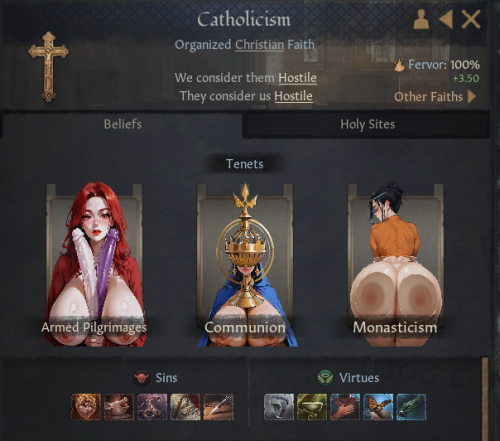
View File LeWD Boob UI Submitter youngbloodjulius Submitted 03/04/26 Category Crusader Kings 3 Requirements
-
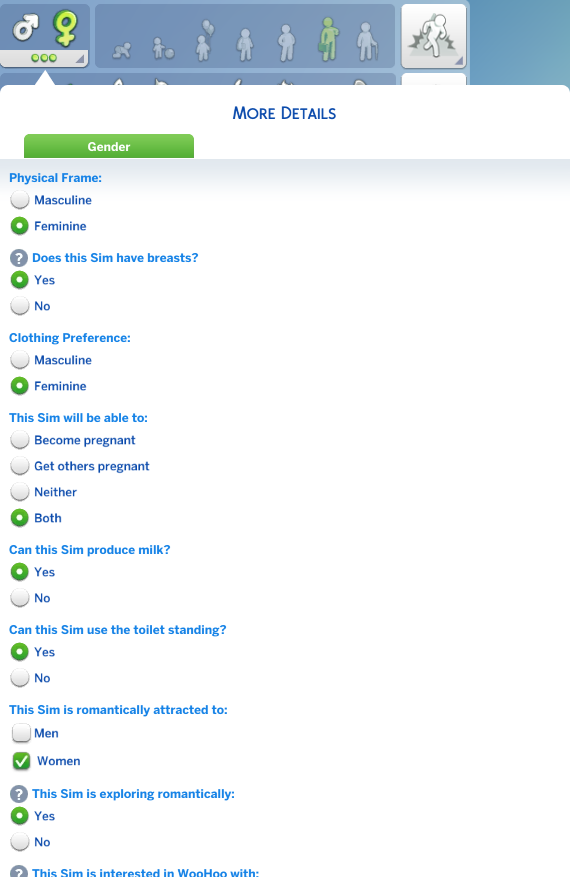
Does anyone know if there's a mod that adds a scrollbar to the Customize Identity interface in CAS? I'm on (windowed) 1024 height, and Lovestruck's relationship parameters combined with some of the gender mods, pushes the menu past the visible display: I know mods like Smart Gender Cheats let you tweak the settings in-game, but I've tried searching and the only discussions I've found about modding the CAS display are for widening the right-hand menus.
-
Version v2
3198 downloads
See the description below. -
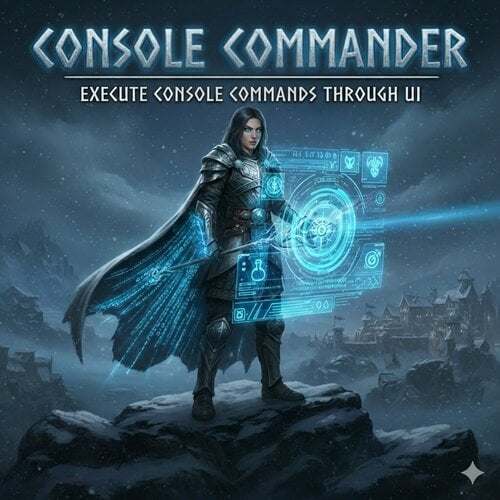
 View File Console Commander - Add and Execute Console Commands Through UI - SKSE Menu Framework A lightweight SKSE plugin that lets you add, save, search, and execute console commands directly from the SKSE Menu Framework without keyboard. No more typing long commands manually! Console Commander is a SKSE plugin that lets you add, save, search, and execute console commands directly from the SKSE Menu Framework without keyboard. Endorse if you like it. Features Console Commander 1.2.5 -> Default key for SKSE Menu Framework is F1 -> Config and Commands are saved in ConsoleCommander.ini [Data\SKSE\Plugins\ConsoleCommander.ini] -> Add console commands and control 'console close' behavior -> Reload config instantly Console Commander 2.1.2 -> [New] Added custom tooltip function for additional information (Optional: Hover over Execute) -> Format: Name|ConsoleCommand|CloseConsole (1=yes, 0=no)|Tooltip (optional) -> Example: Add Gold - 100|Player.additem f 100|1|Adds 100 gold to player inventory -> [New] Added custom ini support. Modders can now add custom ini with console commands. -> Custom ini is saved in: Data\SKSE\Plugins\ConsoleCommander\ConsoleCommander_*.ini -> Add ConsoleCommander_[name].ini in ConsoleCommander folder with the commands. it will scan add the command in the UI. -> Format: ConsoleCommander_QAR.ini [ConsoleCommands] Quick Armor Rebalance|QAR|0|Open Quick Armor Rebalance UI -> Custom Commands will appear after user added commands in the Custom Commands tab. -> If no Custom Commands are present or all hidden, Custom Commands tab will not show up in UI. -> User can Hide/Unhide Custom Commands. A button 'Show Hidded/Hide Hidden' has been added to Show/Hide Hidden Commands. (Applicable for Custom Commands) Console Commander 2.2.2 -> [New] Added support for execution of multiple commands at once. ->Separate multiple commands by adding , (comma) to execute the commands in sequence. ->Format: Name|Command1,Command2,Command4,Command4|CloseConsole (1=yes, 0=no)|Tooltip (optional) Console Commander 2.3.0 -> [New] Added support for execution of commands with custom variable input when executing command. ->An option to add a command as variable command has been added in the 'Add Command' ->In the console command box: input a command without the last value. [Ex: player.additem f] it will add [#] to recognize the variable as variable command. ->Format: Name|Command [#]|CloseConsole (1=yes, 0=no)|Tooltip (optional) ->A popup will show up and ask for specific value before executing. Video Demonstration (Old) Console Command Showcase Source Code: Github Requirements - SKSE Menu Framework (required) - Kill Caps Lock NG (Optional)[Strongly Recommend][It keeps caps lock off only in console] Installation 1. Make sure SKSE Menu Framework is installed and working 2. Download and install the mod. How to use 1. Open SKSE Menu Framework (default key: F1 or whatever you set) 2. Go to "Console Commander" 3. Click "Add Command" → enter name and console command → Add 4. Select a command → click "Execute" 5. (Optional) Edit Data\SKSE\Plugins\ConsoleCommander.ini manually and click "Reload Config" Notes: - It simulates keyboard key input to execute command so don't press any keys when executing the console command. - If Caps Lock behaves strangely in console → install Kill Caps Lock NG (optional) - Tested on Skyrim AE v1.6.1170 and v1.6.353. Confirmed to work on v1.5.97. Should work on all versions of Skyrim SE/AE. - ini file will be created after adding a command. or use the provided ini below. ConsoleCommander.ini config: ; Console Commander Config [Delays] ; in ms EscDelay=100 ; Delay to close SKSE Menu framework after executing OpenConsoleDelay=200 ; Delay to open console after SKSE Menu framework is closed TypingStartDelay=150 ; Delay before start typing CharDelay=30 ; Typing Speed EnterDelay=200 ; Delay to press enter after typing. CloseConsoleDelay=50 ; Delay after entering command to close console. [ConsoleCommands] ; Format: ; Format: Name|ConsoleCommand|CloseConsole (1=yes, 0=no)|Tooltip (optional) Example: Add Gold - 100|Player.additem f 100|1|Adds 100 gold to player inventory For multi command execution Format: Name|Command1,Command2,Command4,Command4|CloseConsole (1=yes, 0=no)|Tooltip (optional) For custom variable command execution Format: Name|Command(without value) [#]|CloseConsole (1=yes, 0=no)|Tooltip (optional) Example: Add Gold|player.additem f [#]|1|Adds x gold amout of gold in player inventory Console Commander - Default ini.zip Console Commander - Faster Execution ini.zip Optional Custom Command Opens 'Quick Armor Rebalance (QAR)' Menu Requirement Quick Armor Rebalance (QAR) https://www.nexusmods.com/skyrimspecialedition/mods/127967 Console Commander - QAR ini.zip Uninstallation Disable/remove the mod in your mod manager. Bug Reports If you encounter issues, please report them through Github or support. Include 'ConsoleCommander.log' from Documents, description of the bug and steps to reproduce it. Credits * Mrowrpurr - for her amazing SKSE tutorials in YT (Skyrim Scripting) * SkyrimThiago - for SKSE Menu Framework * QTR-Modding - for SKSE Menu Framework 3 Example Template Permissions This project is licensed under the MIT License. You are not allowed to use this mod in any mods/files/modlists that are being sold for money. Enjoy faster console command execution! Check out my other mods! Execute Hotkeys - Without Keyboard Through UI - SKSE Menu Framework Simple Text Viewer - Create Open Edit Delete Text Files In-Game - SKSE Menu Framework Submitter Edzio Submitted 02/19/26 Category Regular Mods Requirements SKSE Menu Framework Kill Caps Lock NG (Optional)[Strongly Recommend] Regular Edition Compatible No Install Instructions
 -
Version 2.3.0
888 downloads
A lightweight SKSE plugin that lets you add, save, search, and execute console commands directly from the SKSE Menu Framework without keyboard. No more typing long commands manually! Console Commander is a SKSE plugin that lets you add, save, search, and execute console commands directly from the SKSE Menu Framework without keyboard. Endorse if you like it. Features Console Commander 1.2.5 -> Default key for SKSE Menu Framework is F1 -> Config and Commands are saved in ConsoleCommander.ini [Data\SKSE\Plugins\ConsoleCommander.ini] -> Add console commands and control 'console close' behavior -> Reload config instantly Console Commander 2.1.2 -> [New] Added custom tooltip function for additional information (Optional: Hover over Execute) -> Format: Name|ConsoleCommand|CloseConsole (1=yes, 0=no)|Tooltip (optional) -> Example: Add Gold - 100|Player.additem f 100|1|Adds 100 gold to player inventory -> [New] Added custom ini support. Modders can now add custom ini with console commands. -> Custom ini is saved in: Data\SKSE\Plugins\ConsoleCommander\ConsoleCommander_*.ini -> Add ConsoleCommander_[name].ini in ConsoleCommander folder with the commands. it will scan add the command in the UI. -> Format: ConsoleCommander_QAR.ini [ConsoleCommands] Quick Armor Rebalance|QAR|0|Open Quick Armor Rebalance UI -> Custom Commands will appear after user added commands in the Custom Commands tab. -> If no Custom Commands are present or all hidden, Custom Commands tab will not show up in UI. -> User can Hide/Unhide Custom Commands. A button 'Show Hidded/Hide Hidden' has been added to Show/Hide Hidden Commands. (Applicable for Custom Commands) Console Commander 2.2.2 -> [New] Added support for execution of multiple commands at once. ->Separate multiple commands by adding , (comma) to execute the commands in sequence. ->Format: Name|Command1,Command2,Command4,Command4|CloseConsole (1=yes, 0=no)|Tooltip (optional) Console Commander 2.3.0 -> [New] Added support for execution of commands with custom variable input when executing command. ->An option to add a command as variable command has been added in the 'Add Command' ->In the console command box: input a command without the last value. [Ex: player.additem f] it will add [#] to recognize the variable as variable command. ->Format: Name|Command [#]|CloseConsole (1=yes, 0=no)|Tooltip (optional) ->A popup will show up and ask for specific value before executing. Video Demonstration (Old) Console Command Showcase Source Code: Github Requirements - SKSE Menu Framework (required) - Kill Caps Lock NG (Optional)[Strongly Recommend][It keeps caps lock off only in console] Installation 1. Make sure SKSE Menu Framework is installed and working 2. Download and install the mod. How to use 1. Open SKSE Menu Framework (default key: F1 or whatever you set) 2. Go to "Console Commander" 3. Click "Add Command" → enter name and console command → Add 4. Select a command → click "Execute" 5. (Optional) Edit Data\SKSE\Plugins\ConsoleCommander.ini manually and click "Reload Config" Notes: - It simulates keyboard key input to execute command so don't press any keys when executing the console command. - If Caps Lock behaves strangely in console → install Kill Caps Lock NG (optional) - Tested on Skyrim AE v1.6.1170 and v1.6.353. Confirmed to work on v1.5.97. Should work on all versions of Skyrim SE/AE. - ini file will be created after adding a command. or use the provided ini below. ConsoleCommander.ini config: ; Console Commander Config [Delays] ; in ms EscDelay=100 ; Delay to close SKSE Menu framework after executing OpenConsoleDelay=200 ; Delay to open console after SKSE Menu framework is closed TypingStartDelay=150 ; Delay before start typing CharDelay=30 ; Typing Speed EnterDelay=200 ; Delay to press enter after typing. CloseConsoleDelay=50 ; Delay after entering command to close console. [ConsoleCommands] ; Format: ; Format: Name|ConsoleCommand|CloseConsole (1=yes, 0=no)|Tooltip (optional) Example: Add Gold - 100|Player.additem f 100|1|Adds 100 gold to player inventory For multi command execution Format: Name|Command1,Command2,Command4,Command4|CloseConsole (1=yes, 0=no)|Tooltip (optional) For custom variable command execution Format: Name|Command(without value) [#]|CloseConsole (1=yes, 0=no)|Tooltip (optional) Example: Add Gold|player.additem f [#]|1|Adds x gold amout of gold in player inventory Console Commander - Default ini.zip Console Commander - Faster Execution ini.zip Optional Custom Command Opens 'Quick Armor Rebalance (QAR)' Menu Requirement Quick Armor Rebalance (QAR) https://www.nexusmods.com/skyrimspecialedition/mods/127967 Console Commander - QAR ini.zip Uninstallation Disable/remove the mod in your mod manager. Bug Reports If you encounter issues, please report them through Github or support. Include 'ConsoleCommander.log' from Documents, description of the bug and steps to reproduce it. Credits * Mrowrpurr - for her amazing SKSE tutorials in YT (Skyrim Scripting) * SkyrimThiago - for SKSE Menu Framework * QTR-Modding - for SKSE Menu Framework 3 Example Template Permissions This project is licensed under the MIT License. You are not allowed to use this mod in any mods/files/modlists that are being sold for money. Enjoy faster console command execution! Check out my other mods! Execute Hotkeys - Without Keyboard Through UI - SKSE Menu Framework Simple Text Viewer - Create Open Edit Delete Text Files In-Game - SKSE Menu Framework -
View File Execute Hotkeys - Without Keyboard Through UI - SKSE Menu Framework Execute key or key combo through UI without keyboard to launch your mods or MCM hotkeys. You don't need to remember all the key combo anymore. Add hotkeys with the name to the list to execute without keyboard. We've all been there. Setting endless hotkeys for our favorite mods just to forget what it was. Now, with the help of Execute Hotkeys, you don't need to remember the hotkeys anymore. Just add the key or key combo to the list and execute it through UI to launch your mod MCM hotkey. After adding and selecting a hotkey from the list, SKSE Menu Framework will close and execute the key combo. F1 hotkey is all you need to remember now. Tested on Skyrim AE v1.6.1170 and v1.6.353. Confirmed to work on v1.6.640 Video Demonstration: Youtube Execute Hotkeys v1.1.0 Execute Hotkeys v1.2.1 Features: * Execute key or key combo through UI with the press of a button without using keyboard. * New: Ability to hold down hotkeys * New: Ability to search for saved hotkeys * Add, remove, and manage hotkeys in SKSE Menu framework in Execute Hotkeys section. * Configuration is saved in `ExecuteHotkeys.ini`. It will be created when a hotkey is added. * You can use the UI or edit the ini to add hotkeys. Format(v1.2): Name|DxCode|LCtrl|LAlt|LShift|RCtrl|RAlt|RShift|IsPress(1=Press/0=Hold)|HoldMs * Use DXScanCodes listed here. Do not use invalid DXScanCodes in ExecuteHotkeys.ini. Only Keyboard DXScanCodes supported. Edit: Mouse keys support added. * Since SKSE Menu Framework supports controller. You can technically use controller to execute Keyboard shortcut. (Testing needed) Inspiration: I can't remember 20+ key combos for the mods I use. Source Code Bug Reports If you encounter issues, please report them in github. Include 'ExecuteHotkeys.log' from Documents, description of the bug and steps to reproduce it. Compatibility No compatibility issues. Permissions This project is licensed under the MIT License. You are not allowed to use this mod in any mods/files/modlists that are being sold for money. Enjoy executing hotkeys without keyboard. Submitter Edzio Submitted 01/26/2026 Category Regular Mods Requirements SKSE Menu Framework Regular Edition Compatible No Install Instructions * Install SKSE Menu Framework and their dependencies * Install this mod through your mod manager.
-
Version 1.0.0
92 downloads
Simple Text Viewer is an in-game text file viewer/editor for Skyrim SE / AE with the help of SKSE Menu Framework. Features * Browse text files from SimpleTextViewer folder (Location: SKSE\Plugins\SimpleTextViewer) * Open and edit files in-game thanks to SKSE Menu Framework * Edit and Save changes * Create new text files * Rename existing files * Delete text files Tested on Skyrim AE v1.6.1170 and v1.6.353 Supported File Types * .txt, .ini, .json, .log, .md, .xml, .yaml, .yml, .toml, .csv, .psc Usage 1. Open the 'Simple Text Viewer' menu from SKSE Menu Framework 2. Browse files in the Notes tab 3. Click a file to open it in the viewer/editor 4. Edit text freely 5. Use the 'File → Save' menu to save the file Notes * Maximum size for text files is 1MB for stability reasons. It should be more than enough for simple notes. * Files larger than '1 MB' will display a warning in editor. It will not view all the contents. * Do not save files larger than '1 MB' or you will lose contents of the file. * Unsupported files are ignored/hidden * Supports All standard ASCII characters. Does not support Non-ASCII / extended Unicode. Compatibility It only works on the 'SimpleTextViewer' folder. So, no compatibility issues. Bug Reports If you encounter issues, please report them in github. Include 'SimpleTextViewer.log' from Documents and description of the Bug and steps to reproduce it. Source Code Permissions This project is licensed under the MIT License. You are not allowed to use this mod in any mods/files/modlists that are being sold for money. Enjoy viewing/editing your notes without leaving Skyrim -
Simple Text Viewer - Create Open Edit Delete Text Files In-Game - SKSE Menu Framework View File Simple Text Viewer is an in-game text file viewer/editor for Skyrim SE / AE with the help of SKSE Menu Framework. Features * Browse text files from SimpleTextViewer folder (Location: SKSE\Plugins\SimpleTextViewer) * Open and edit files in-game thanks to SKSE Menu Framework * Edit and Save changes * Create new text files * Rename existing files * Delete text files Tested on Skyrim AE v1.6.1170 and v1.6.353 Supported File Types * .txt, .ini, .json, .log, .md, .xml, .yaml, .yml, .toml, .csv, .psc Usage 1. Open the 'Simple Text Viewer' menu from SKSE Menu Framework 2. Browse files in the Notes tab 3. Click a file to open it in the viewer/editor 4. Edit text freely 5. Use the 'File → Save' menu to save the file Notes * Maximum size for text files is 1MB for stability reasons. It should be more than enough for simple notes. * Files larger than '1 MB' will display a warning in editor. It will not view all the contents. * Do not save files larger than '1 MB' or you will lose contents of the file. * Unsupported files are ignored/hidden * Supports All standard ASCII characters. Does not support Non-ASCII / extended Unicode. Compatibility It only works on the 'SimpleTextViewer' folder. So, no compatibility issues. Bug Reports If you encounter issues, please report them in github. Include 'SimpleTextViewer.log' from Documents and description of the Bug and steps to reproduce it. Source Code Permissions This project is licensed under the MIT License. You are not allowed to use this mod in any mods/files/modlists that are being sold for money. Enjoy viewing/editing your notes without leaving Skyrim Submitter Edzio Submitted 01/27/2026 Category Regular Mods Requirements SKSE Menu Framework Regular Edition Compatible No Install Instructions * Install SKSE Menu Framework and their dependencies * Install this mod through your mod manager.
-
Version 1.2.1
186 downloads
Execute key or key combo through UI without keyboard to launch your mods or MCM hotkeys. You don't need to remember all the key combo anymore. Add hotkeys with the name to the list to execute without keyboard. We've all been there. Setting endless hotkeys for our favorite mods just to forget what it was. Now, with the help of Execute Hotkeys, you don't need to remember the hotkeys anymore. Just add the key or key combo to the list and execute it through UI to launch your mod or MCM hotkey. After adding and selecting a hotkey from the list, SKSE Menu Framework will close and execute the key combo. F1 hotkey is all you need to remember now. Tested on Skyrim AE v1.6.1170 and v1.6.353. Confirmed to work on v1.6.640 Video Demonstration: Youtube Execute Hotkeys v1.1.0 Execute Hotkeys v1.2.1 Features: * Execute key or key combo through UI with the press of a button without using keyboard. * New: Ability to hold down hotkeys * New: Ability to search for saved hotkeys * Add, remove, and manage hotkeys in SKSE Menu framework in Execute Hotkeys section. * Configuration is saved in `ExecuteHotkeys.ini`. It will be created when a hotkey is added. * You can use the UI or edit the ini to add hotkeys. Format(v1.2): Name|DxCode|LCtrl|LAlt|LShift|RCtrl|RAlt|RShift|IsPress(1=Press/0=Hold)|HoldMs * Use DXScanCodes listed here. Do not use invalid DXScanCodes in ExecuteHotkeys.ini. Only Keyboard DXScanCodes supported. Edit: Mouse keys support added. * Since SKSE Menu Framework supports controller. You can technically use controller to execute Keyboard shortcut. (Testing needed) Inspiration: I can't remember 20+ key combos for the mods I use. Source Code Bug Reports If you encounter issues, please report them in github. Include 'ExecuteHotkeys.log' from Documents, description of the bug and steps to reproduce it. Compatibility No compatibility issues. Permissions This project is licensed under the MIT License. You are not allowed to use this mod in any mods/files/modlists that are being sold for money. Enjoy executing hotkeys without keyboard.

