The Sims 3
978 files
-
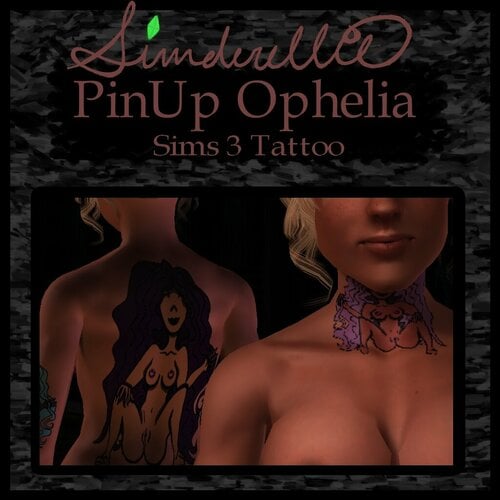
PinUps Ophelia and Otto Tattoos
By Simderellie
Two new tattoos!
PinUps Ophelia and Otto
Both are fully recolorable, 4 channels
Found with other tattoos
BOTH of them are my art. The dark outline is recolorable, but it helps keep the image when it gets small.
TOU
Just don't claim as your own!!
964 downloads
Submitted
-
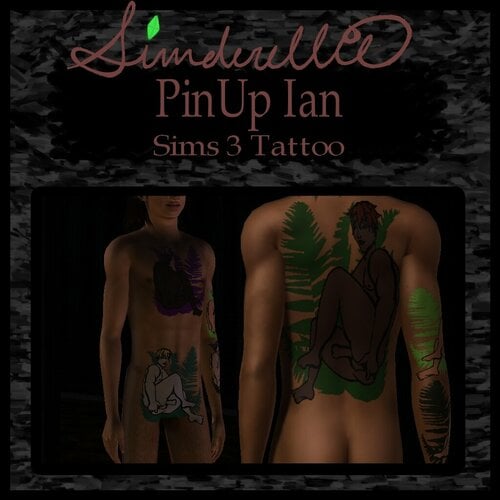
PinUps Ian, Linken, Lorie v1, and Lorie v2
By Simderellie
Four new tattoos!
PinUp Ian, PinUp Linken, PinUp Lorie Clothed, and PinUp Lorie Nude
All are fully recolorable, 4 channels
Found with other tattoos
These (and more) have been sitting around for awhile in various stages of completion until I felt like working on them again.
ALL of them are my art. The dark outline is recolorable, but it helps keep the image when it gets small.
TOU
Just don't claim as your own!!
944 downloads
Submitted
-
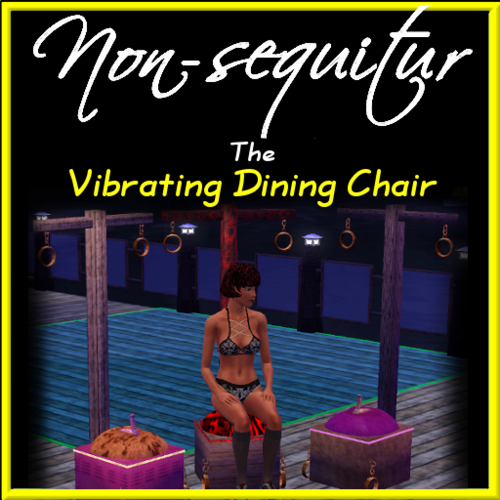
Vibrating Dining Chair
By Nonsequitur
Just a Dining Chair...
It can be useful in other areas too.
It can be used like any other chair.... well, mostly... lol -
Come in 3 variations: light, dark, and Purple...
Box, Saddle, and cross are recolorable.
1926 downloads
Submitted
-
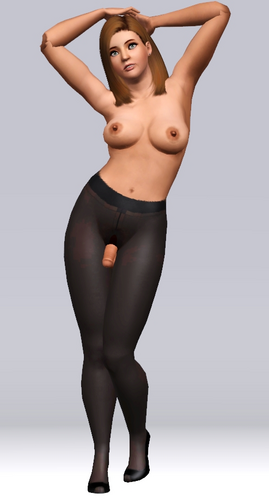
ECH Open Crotch Tights
By Guest
Tights! The must have accessory to make your outfit pop. Our spokeswoman Erin had a fantastic time modeling them!
These tights feature compression technology and a higher waistband that won't roll. Available in Black, White, Beige, and Gray.
Get yours today!
1138 downloads
Submitted
-
![More information about "[Out of Date] ECH Sheer to Waist Pantyhose Open V2"](https://static.loverslab.com/screenshots/monthly_2021_08/1.thumb.png.267f71a03725169b852aa97a1469a2cf.png)
[Out of Date] ECH Sheer to Waist Pantyhose Open V2
By Guest
E.C. Hosiery spokeswoman Erin models our sheer to waist pantyhose in the color taupe.
Available in taupe, black, white, and gray
708 downloads
Updated
-
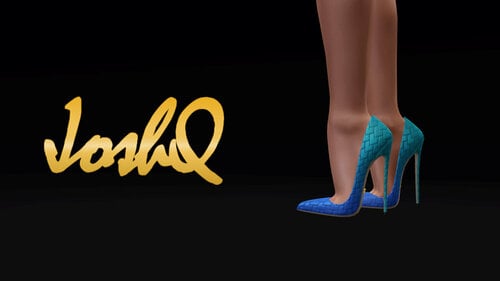
Impossible Heels ‘Lotus’
By JoshQ
Details:
Base game compatible For teen, young adult and adult femsims Enabled for everyday, sleepwear, formalwear, career, outerwear and validformaternity Disabled for random sims All LODs and morphs Polycount: LOD1=6386; LOD2=1592 4 color channels Will add 6 “units” to adult and young adult’s height, 5 to teens Only available as .package Defects:
Shoes look “weird” on CAS, in-game looks fine Textures look “grainy” from up close Too dark / bright colors look awful Potential clipping with floor and furniture also misalignment on animations, poses and interactions between sims Pants might clip around the ankle Clipping and bending behind the ankle depending on custom animation (normal simming is ok) 3D accessories that contain morphs, like necklaces, might deform shoes and feet Notes:
The .zip includes two more packages named ‘Basic’, these have “solid” textures that can be mixed with patterns Long story short: Morphs were made by scaling the whole feet according to the ankle’s size, the result is wider and slightly larger shoes for overweight sims and slightly small for thin bodies. Check Sandra and Kyla for example pics Compatible with the default body, MedBod and any other custom body mesh that follows the original leg seam1077 downloads
Updated
-
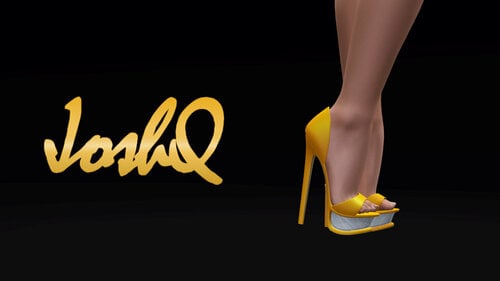
Impossible Heels ‘Sayuri’
By JoshQ
Details:
Base game compatible For teen, young adult and adult femsims Enabled for everyday, sleepwear, formalwear, career, outerwear and validformaternity Disabled for random sims All LODs and morphs Polycount: LOD1=12560; LOD2=3300 4 color channels Will add 10 “units” to adult and young adult’s height, 9 to teens Only available as .package Defects:
Shoes look “weird” on CAS, in-game looks fine Textures look “grainy” from up close Too dark / bright colors look awful Potential clipping with floor and furniture also misalignment on animations, poses and interactions between sims Pants might clip around the ankle Clipping and bending behind the ankle depending on custom animation (normal simming is ok) 3D accessories that contain morphs, like necklaces, might deform shoes and feet Notes:
Long story short: Morphs were made by scaling the whole feet according to the ankle’s size, the result is wider and slightly larger shoes for overweight sims and slightly small for thin bodies. Check Sandra and Kyla for example pics Compatible with the default body, MedBod and any other custom body mesh that follows the original leg seam1416 downloads
Submitted
-

Simple Lingerie N17
By JoshQ
Details:
Base game compatible Located in accessory category, gloves slot For teen, young adult and adult femsims Enabled for everyday, sleepwear, formalwear, career, outerwear and validformaternity Disabled for random sims 2 color channels Only available as .package Defects:
Texture might look pixelated at full zoom Stretching and deformation depending on weight and animation Saturated and/or dark colors look awful Notes:
Compatible with the default body, MedBod and any other custom body mesh that follows the original uv map1311 downloads
Submitted
-
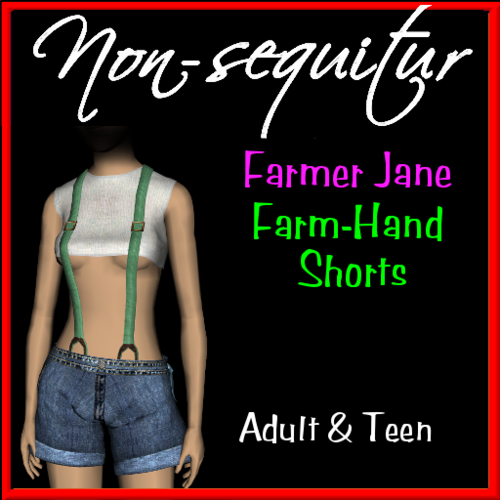
tf Farmer Jane's Farm-Hand Shorts
By Nonsequitur
Farmer Jane - a friend and neighbor to Big John Johnson, is also is a true believer in the "Commando" lifestyle.
As is her Niece. Guess it goes for everyone who lives and works around these farms - even the hired help and their families.
The hanky in her back pocket and top is re-colorable... the Jeans are not.
ENJOY!
2848 downloads
Submitted
-
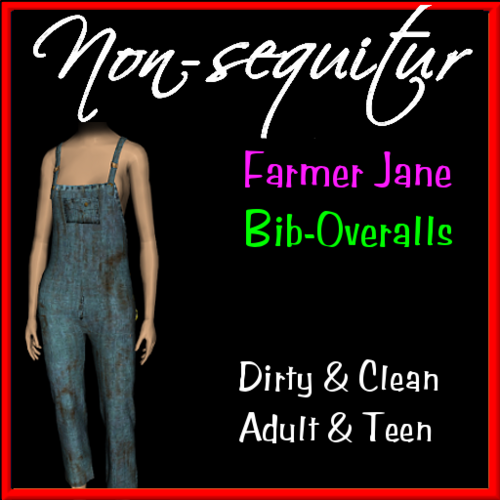
af Farmer Janes Bib-Overalls
By Nonsequitur
Farmer Jane - a friend and neighbor to Big John Johnson, is also is a true believer in the "Commando" lifestyle.
As is her Niece.
Everything is re-colorable from the hanky in her back pocket to the metal buttons holding her together.
3 Color channels and 3-variations. One Sunday-go-to-meeting, one Grungy and stained, and one Ms. (clean) Green-jeans.
ENJOY!
1837 downloads
Submitted
-
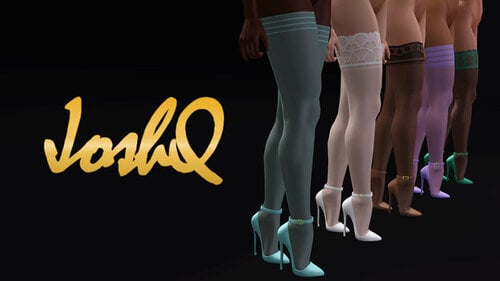
Accessory Stockings Set ‘K’
By JoshQ
Details:
Base game compatible Located on ‘accessory’ category, legwear slot For teen, young adult and adult femsims Enabled for everyday, sleepwear, formalwear, career, outerwear and validformaternity Disabled for random sims 1-2 color channels Only available as .package Defects:
Textures look “pixelated” from up close Texture stretching and deformation depending on weight and animation / pose Notes:
‘K 05’ was based on an oufit from Dead or Alive (Phantom Vermillion) Compatible with garments and shoes made by me and EA3207 downloads
Submitted
-

Impossible Heels ‘Ishtar’ Remake
By JoshQ
Details:
Base game compatible For teen, young adult and adult femsims Enabled for everyday, sleepwear, formalwear, career, outerwear and validformaternity Disabled for random sims All LODs and morphs Polycount: LOD1=12300; LOD2=2036 4 color channels Will add 11 “units” to adult and young adult’s height, 10 to teens Only available as .package Defects:
Shoes look “weird” on CAS, in-game looks fine Textures look “grainy” from up close Too dark / bright colors look awful The decorations on feet and ankle have a small UV and that means patterns wont work, also they have defects that thankfully are almost invisible at usual game distance Potential clipping with floor and furniture also misalignment on animations, poses and interactions between sims Pants might clip around the ankle Clipping and bending behind the ankle depending on custom animation (normal simming is ok) 3D accessories that contain morphs, like necklaces, might deform shoes and feet Notes:
New mesh, textures and shape Long story short: Morphs were made by scaling the whole feet according to the ankle’s size, the result is wider and slightly larger shoes for overweight sims and slightly small for thin bodies. Check Sandra and Kyla for example pics Compatible with the default body, MedBod and any other custom body mesh that follows the original leg seam1762 downloads
Submitted
-

Afternoon Jacket, MedBod EDIT
By JoshQ
Base game compatible
For young adult and adult femsims Enabled for everyday, sleepwear, formalwear, career, outerwear Disabled for random sims All LODs and morphs (sans pregnant) Polycount: LOD1=3914; LOD2=2092 2 color channels Only available as .package Defects:
Body and garment looks “weird” on CAS, in-game looks fine Textures look “grainy” at full zoom Texture stretching and deformation depending on weight and animation Small clipping with arms/hands, below the boobs and also with legs depending on animation Notes:
Compatible with MedBod 1.9, if you use any of EA's pants, shorts, etc. you will notice a gap just above the navel and around the waist if you look below the garment Credits:
Original textures and meshes by Electronic Arts1024 downloads
Submitted
-
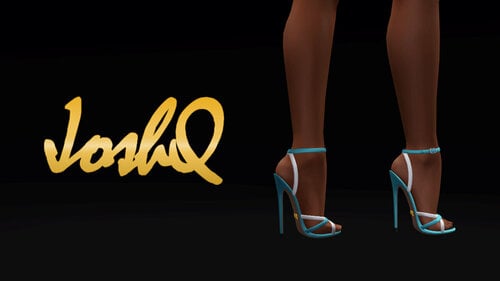
Impossible Heels 'Nessa'
By JoshQ
Details:
Base game compatible For teen, young adult and adult femsims Enabled for everyday, sleepwear, formalwear, career, outerwear and validformaternity Disabled for random sims All LODs and morphs Polycount: LOD1=11360; LOD2=2174 4 color channels Will add 6 “units” to adult and young adult’s height, 5 to teens Only available as .package Defects:
Shoes look “weird” on CAS, in-game looks fine Textures look “grainy” from up close Too dark / bright colors look awful Potential clipping with floor and furniture also misalignment on animations, poses and interactions between sims Pants might clip around the ankle Clipping and bending behind the ankle depending on custom animation (normal simming is ok) 3D accessories that contain morphs, like necklaces, might deform shoes and feet Notes:
Most of my meshes suffer from serious deformation when increasing the weight slider. To fix it I generate the morphs “by hand” using Milkshape3D, but Milkshape’s tools can be too basic for this task so instead of scaling the ankle area, and anything else close to it, I’m scaling the whole feet according to the leg’s size. This means overweight sims will have wider and slightly larger feet while on thin bodies its size will be reduced just a bit. Personally I haven’t noticed anything off-place and my sims are on the “meaty” side of the scale YMMV Compatible with the default body, MedBod and any other custom body mesh that follows the original leg seam
1370 downloads
Submitted
-
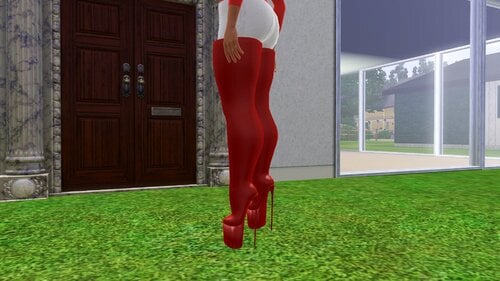
ImpossibleBoots_Miller
By rauul995
God it's been a while I didn't create something for Sims 3 and publish it, but there you have it. Not the best ones so far, but hopefully you and your sim will enjoy it.
Used JoshQ's Victoire boots for making these real and the naming as well Will lift the sim 16 units above ground Available for teen and adult female sim Compatible for any outfit category Just 1 color channel for these because it has been messed up my TSR Workshop and I didn't sweat UV unwrapping them in other way When walking bones "could" (100% for sure) look awkward, please consider my short time prior to make these working They are compatible with EA and other body meshes that are close to it
You can reuse, reshape, modify them in any way your imagination and resources can.
570 downloads
Updated
-
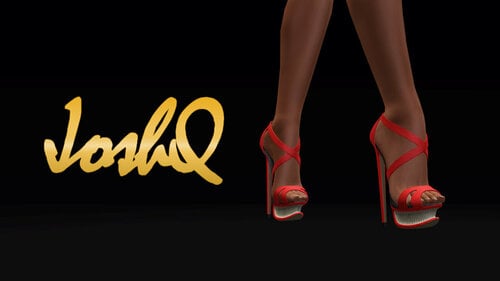
Impossible Heels ‘Cattleya’
By JoshQ
Details:
Base game compatible For teen, young adult and adult femsims Enabled for everyday, sleepwear, formalwear, career, outerwear and validformaternity Disabled for random sims All LODs and morphs Polycount: LOD1=13232; LOD2=2808 4 color channels, two variations Will add 10 “units” to adult and young adult’s height, 9 to teens Only available as .package Defects:
Shoes look “weird” on CAS, in-game looks fine Textures look “grainy” from up close Too dark / bright colors look awful Potential clipping with floor and furniture also misalignment on animations, poses and interactions between sims Pants might clip around the ankle Clipping and bending behind the ankle depending on custom animation (normal simming is ok) 3D accessories that contain morphs, like necklaces, might deform shoes and feet Notes:
Return of a classic! This is a complete redesign that adds one more unit to height, a much detailed mesh and textures that look “good” with patterns and/or solid colors Most of my meshes suffer from serious deformation when increasing the weight slider. So far the solution has been to generate the morphs “by hand” using Milkshape3D, but Milkshape’s tools can be too basic for this task so instead of scaling the ankle area, and anything else close to it, I’m scaling the whole feet according to the leg’s size. This means overweight sims will have wider and slightly larger feet while on thin bodies its size will be reduced just a bit. Personally I haven’t noticed anything off-place and my sims are on the “meaty” side of the scale YMMV Compatible with the default body, MedBod and any other custom body mesh that follows the original leg seam1351 downloads
Submitted
-
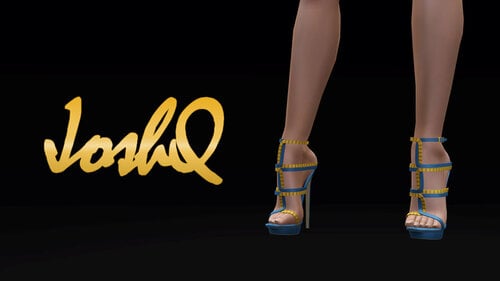
Impossible Heels ‘Erika’
By JoshQ
Details:
Base game compatible For teen, young adult and adult femsims Enabled for everyday, sleepwear, formalwear, career, outerwear and validformaternity Disabled for random sims All LODs and morphs Polycount: LOD1=11664; LOD2=3460 4 color channels Will add 8 “units” to adult and young adult’s height, 7 to teens Only available as .package Defects:
Shoes look “weird” on CAS, in-game looks fine Textures look “grainy” from up close Too dark / bright colors look awful Potential clipping with floor and furniture also misalignment on animations, poses and interactions between sims Pants might clip around the ankle Clipping and bending behind the ankle depending on custom animation (normal simming is ok) 3D accessories that contain morphs, like necklaces, might deform shoes and feet Notes:
Lately most of my meshes have been suffering from serious deformation when increasing the weight slider. So far the solution has been to generate the morphs “by hand” using Milkshape3D, but Milkshape’s tools can be too basic for this task so instead of scaling the ankle area, and anything else close to it, I’m scaling the whole feet according to the leg’s size. This means overweight sims will have wider and slightly larger feet while on thin bodies its size will be reduced just a bit. Personally I haven’t noticed anything off-place and my sims are on the “meaty” side of the scale YMMV Compatible with the default body, MedBod and any other custom body mesh that follows the original leg seam1265 downloads
Submitted
-
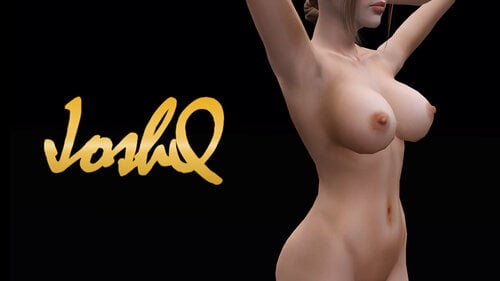
Skin 'Ephemera Fresh', seamless EDIT
By JoshQ
Details:
Base game compatible Non-default skin For teen, young adult, adult and elder(?) male and females 2k textures Only available as .package
blender_remove_seam.mp4
Notes:
The original skin has some visible lines on the seams you can see them on ribcage, arms, hands, fingers, ankle and feet To hide them as much as possible I used the texture brushes from Blender, initially I wanted to use Photoshop but its 3D interface sucks The original texture has compression artifacts and banding so I used ESRGAN to clean them sadly that partially removed some details like pores, spots, wrinkles and hair; is not as bad as it sounds (see pics) and probably you will only notice it if you use a HD mod I cleared the nipples on the female skin and the male version has some imperfections on the fingers because there’s very little space for the brush to do its job Finally the skin has extra ramps from Navetsea If you are using the skin from here just replace it with this one and delete your ‘WorldCaches’6921 downloads
Updated
-
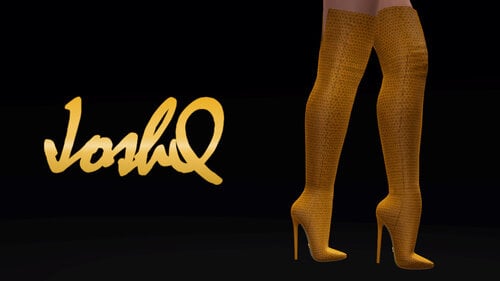
Impossible Boots ‘Victoire Gen 3’
By JoshQ
Details:
Base game compatible For teen, young adult and adult femsims Enabled for everyday, sleepwear, formalwear, career, outerwear and validformaternity Disabled for random sims All LODs and morphs Polycount: LOD1=4608; LOD2=2236 3 color channels Will add 6 “units” to adult and young adult’s height, 5 to teens Only available as .package Defects:
Boots look super weird on CAS, in-game looks fine Textures look “grainy” from up close Too dark / bright colors look awful Potential clipping with floor and furniture also misalignment on animations, poses and interactions between sims Pants and skirts below the knee will clip Very small clipping behind the interior of the knee while seated and probably during custom animations that bend the knees to its limits 3D accessories that contain morphs, like necklaces, might deform boots Notes:
This version has an improved mesh, an almost seamless UV and a normalmap with extra details baked I don’t recommend using patterns with vertical stripes, leather ones look the best Three files inside the zip: one for MedBod, the other for EA’s bottoms and the last one for teens1838 downloads
Submitted
-
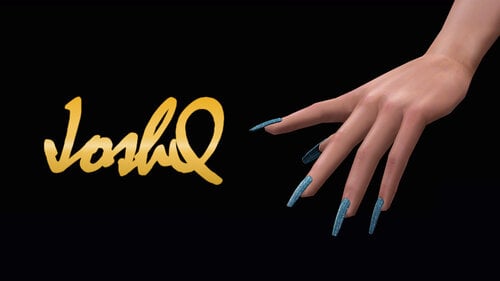
Accessory ‘JQ Nails’ n02
By JoshQ
Details:
Base game compatible For teen, young adult, adult and elder femsims Located in accessory category, ring slot Enabled for everyday, sleepwear, formalwear, swimwear, career, outerwear and validformaternity Disabled for random sims Polycount: LOD0=1240; LOD1=960 1 color channel Only available as .package
Defects:
Nails might looks “weird” on CAS, in-game looks fine Depending on the custom skin you might notice misalignment between nail and finger3429 downloads
Submitted
-

Impossible Heels ‘Sandra'
By JoshQ
Details:
Base game compatible For teen, young adult and adult femsims Enabled for everyday, sleepwear, formalwear, career, outerwear and validformaternity Disabled for random sims All LODs and morphs Polycount: LOD1=11680; LOD2=2412 4 color channels, 3 variations Will add 6 “units” to adult and young adult’s height, 5 to teens Only available as .package
Defects:
Shoes look “weird” on CAS, in-game looks fine Textures look “grainy” from up close Too dark / bright colors look awful Potential clipping with floor and furniture also misalignment on animations, poses and interactions between sims Clipping and bending behind the ankle on animations and when using pants 3D accessories that contain morphs, like necklaces, might deform shoes and feet
Notes:
Lately most of my meshes have been suffering from serious deformation when increasing the weight slider. So far the solution has been to generate the morphs “by hand” using Milkshape3D, but Milkshape’s tools can be too basic for this task so instead of scaling the ankle area, and anything else close to it, I’m scaling the whole feet according to the leg’s size. This means overweight sims will have wider and slightly larger feet while on thin bodies its size will be reduced just a bit. Personally I haven’t noticed anything off-place and my sims are on the “meaty” side of the scale YMMV Compatible with the default body, MedBod and any other custom body mesh that follows the original leg seam1350 downloads
Submitted
-

Impossible Heels ‘Kyla’
By JoshQ
Details:
Base game compatible For teen, young adult and adult femsims Enabled for everyday, sleepwear, formalwear, career, outerwear and validformaternity Disabled for random sims All LODs and morphs Polycount: LOD1=10224; LOD2=2488 4 color channels Will add 6 “units” to adult and young adult’s height, 5 to teens Only available as .package
Defects:
Shoes look “weird” on CAS, in-game looks fine Textures look “grainy” from up close Too dark / bright colors look awful Potential clipping with floor and furniture also misalignment on animations, poses and interactions between sims Clipping and bending behind the ankle on animations and when using pants 3D accessories that contain morphs, like necklaces, might deform shoes and feet
Notes:
Lately most of my meshes have been suffering from serious deformation when increasing the weight slider. So far the solution has been to generate the morphs “by hand” using Milkshape3D, but Milkshape’s tools can be too basic for this task so instead of scaling the ankle area, and anything else close to it, I’m scaling the whole feet according to the leg’s size. This means overweight sims will have wider and slightly larger feet while on thin bodies its size will be reduced just a bit. Personally I haven’t noticed anything off-place and my sims are on the “meaty” side of the scale YMMV Compatible with the default body, MedBod and any other custom body mesh that follows the original leg seam1331 downloads
Updated
-
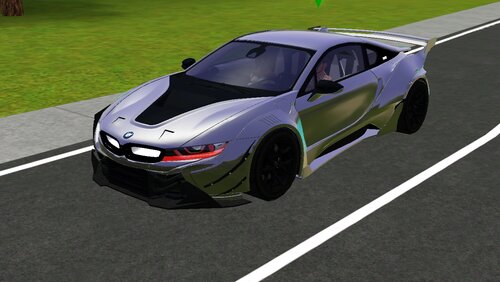
BMW i8 Rework
By Dailycard
The BMW i8 Rework by Dailycard for more stuff check out the Download section of the site and the other two below
and
695 downloads
Submitted
-
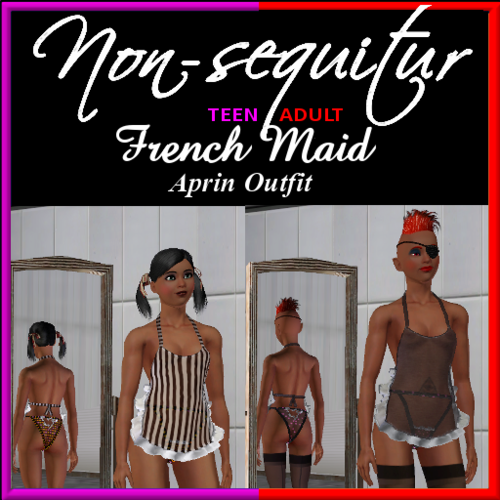
French Maid Aprin Outfit
By Nonsequitur
Ever want to just put on something suggestive and walk around the house with the windows open... me either. Wouldn't mind catching a glimpse of either of these though... lol
Both the teen and adult versions have three Transparency variations and are based on a 2-Group Mesh with a different shadder. So, Bright colors are Opaque and darker colors are Transparent. Something all black is as transparent as it gets.
It is a frilly little thing - with lots of Fru-Fru around the Aprin and the Panties.
So, if you're feeling like a tease...
2554 downloads
Submitted
-
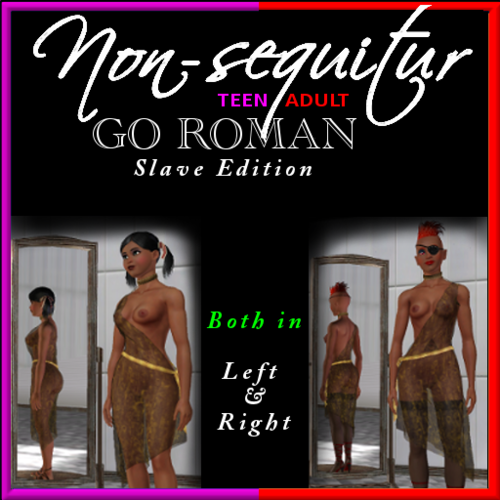
Go Roman Toga
By Nonsequitur
- The Slave Edition!
Comes in both a left and right version for both Teen and Adult.
3 Color Channels This is a very transparent Toga. Again, because this is a 2-Group Mesh using a different Shadder - the Brighter the color - the more opaque the Toga. Conversely, the darker the color or pattern - the more transparent the Toga - Toga - Toga. I only show one variation in the Stack above. Several are included.
So, whether waiting for the Keg'er to start or dominating your personal slave staff - this just may be what you need... love a waitress in uniform...
3579 downloads
Submitted

![More information about "Ruth Green 1.124 [free sim]"](https://static.loverslab.com/screenshots/monthly_2026_09/2026-09-30_20-14-17-473_WWOOALITTLELIFE.thumb.jpg.fd33d0273089a08adb1b290286c5610a.jpg)
![More information about "[Sims 4] Veylv Animations for WickedWhims"](https://static.loverslab.com/screenshots/monthly_2026_09/TheStartOfUs.thumb.gif.c107b6bd5c005e1e9daf96660055e7b1.gif)
![More information about "[XCL] [0.25.9] NeoSeed Bank"](https://static.loverslab.com/screenshots/monthly_2026_09/nsb_logo.thumb.png.a09c6961eb975e0dc79bc3689eda4d9e.png)