
How the hell do I mod my Skyrim SE? Extra Series 2

Entry posted by Ma Ri in Skyrim Tutorials LE/SE/AE
6740 views
DISCLAIMER: This tutorial really came straight from Tullius Channel post that might be hard for other modders to understand because it was using Korean Language and I just borrowed it, and directly Google Translate it into English. I like this post so I didn't change anything so that modders who will use the Tera Elin Remastered SE Presets can easily follow the steps very carefully. On the tutorial, all the other Tera Elin Remastered SE Presets follow the same principle so it is not really hard to use.
------------------------------------------------
All the Credits goes to the Author of the Tullius Channel Tutorial Post
by 라이잘린슈타우트
https://arca.live/b/tullius/43574178
Thank You! 감사합니다!
------------------------------------------------
How to Use Tera Elin Remastered SE Presets?
Extra Series 2 - Tera Elin Remastered Presets, is that hard to use?
I fell in love with ryza's atelier and gained a lot of presets.
I worked hard to find everything I didn't know, and it took me exactly one week to start making it on the 25th
I put a lot of effort into it, so I hope you treat me with respect.
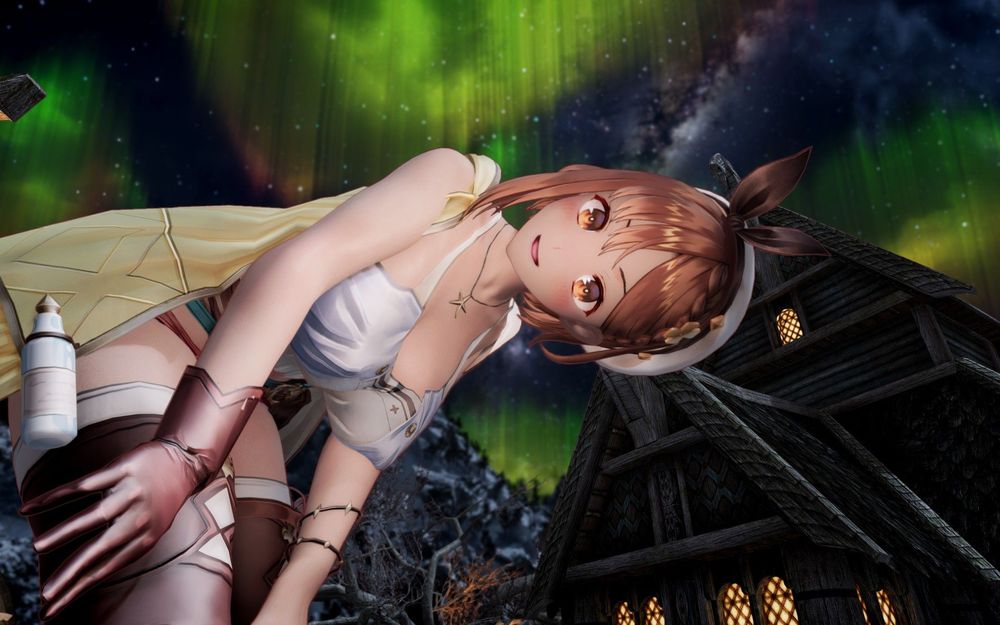
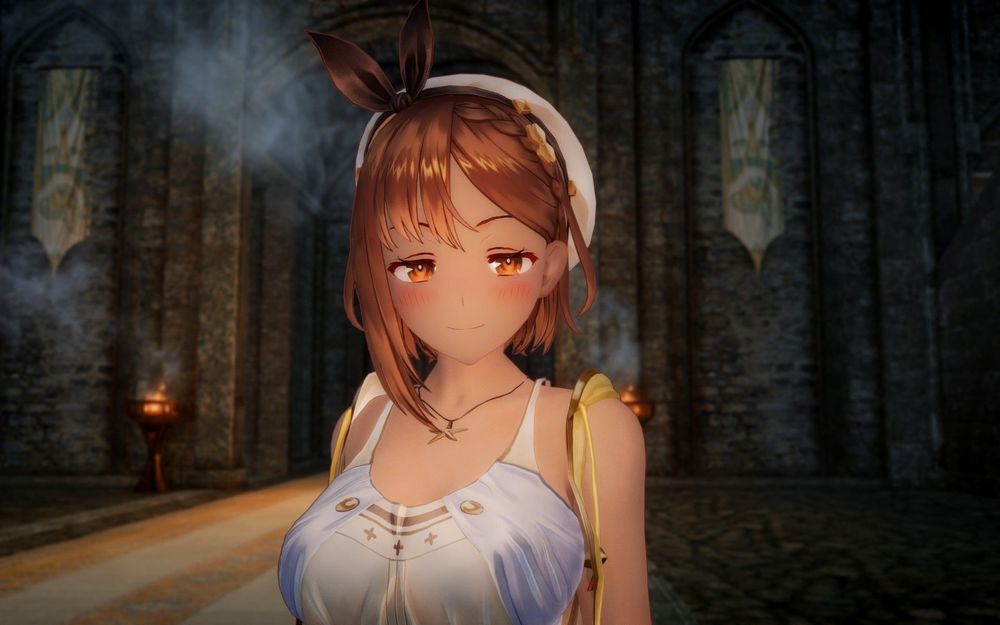
You have to use both ECE and RaceMenu. (Actually, even if you skip the ECE part, your face will come out properly, it's just annoying to change your body shape)
[Download link]
(Contains all the Presets that will be used on the tutorial.)
https://drive.google.com/file/d/1pv6iXSk-K3ORtnTdEUiPzfY82hH1bUhP/view
[Required Mod]
- Elin Remastered Version 0.9999 https://arca.live/b/tullius/37090810
or https://drive.google.com/file/d/1MfvelE8rghB5ipyHX-gxvUJR2-bry9cQ/view
[Recommended Mods]
- Ryza Costume https://arca.live/b/tullius/43988210
or Normal https://drive.google.com/file/d/1NVuzB-MNEYKUIOFEXI46UQgnU6srlkOk/view
Thigh Tweak https://drive.google.com/file/d/1r9cYkyYOQQZcPyISO02EiPeoyrk4kDQ-/view
- Ryza voice made by another Tullius Author https://arca.live/b/tullius/43588991
or PC Head Tracking Ryza Voice https://drive.google.com/file/d/1B0fP4JIzmf6B9lV0ARRQwbrfmavhZOz1/view
- Ryza hair made by another Tullius Author https://arca.live/b/tullius/43635388
or Ryza Wig https://drive.google.com/drive/folders/1phYOCcrOnzSYU3RyQhptbunaLGTyEdIG?usp=sharing
This preset was created in the Myeonsangrim environment. (It's not completely pure, there's a little bit more to it) However, if JSLOT is excluded (basic hair is face-smooth), the only dependency is Ellin mode, so it doesn’t need to be face-smooth.
Elin worked in the environment of convex eyes and mark icon X, but the icons were also adjusted to match the position, and there seems to be no problem in application even if they are laid with concave eyes. Just install Ellen Lima 9999 in MO and place it right under the original Ellin in Myeonsangrim, then turn off the original Ellin and turn on the 9999.
- Currently, the version of Elin has been upgraded to 0.99999, but there seems to be no problem with just using it.
[Mod Component]
- Texture for Ryza
- Ryza wig mod (resized, retextured)
- Head Presets (CME, JSLOT, RaceMenu)
- Body xml
- Other resources
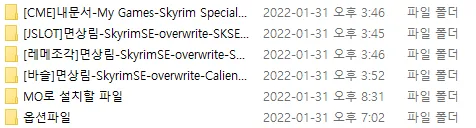
[How to Use]
0. Turn off BodyChange SE or use a body change for Elin

1. Install the upper two with MO. Arrangement is simply placed under the gel.
2. [CME] Documents\My Games\Skyrim Special Edition\CME_Save
[JSLOT] MO2\overwrite\SKSE\Plugins\CharGen\Presets
[RaceMenu] MO2\overwrite\SKSE\Plugins\CharGen
[BodySlide] MO2\overwrite\CalienteTools\BodySlide\SliderPresets
put them all in.
3. The body slide is free to rotate or not.
If you don't know how to spin it https://arca.live/b/tullius/8851811 Come see this
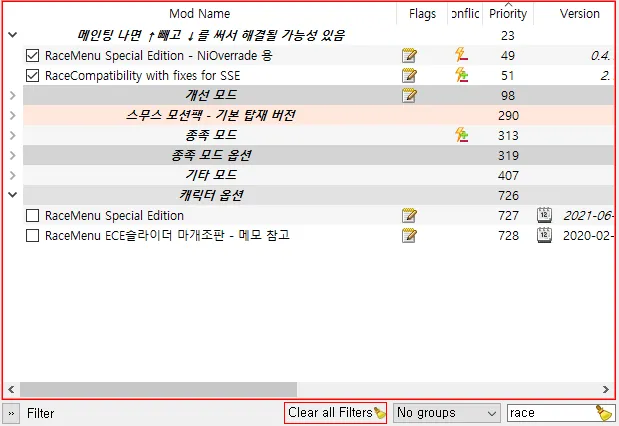
4. Turn on Skyrim with RaceMenu turned off and only ECE turned on.
If it is a face forest, it can be done as above.
5. Run showracemenu, load CME, save and quit Skyrim, take out a wig and try on
You can edit the body type in the process here. If you put your hair in the recommended mode, you can change your hair instead of a wig.
(How to pull out a wig after the video)
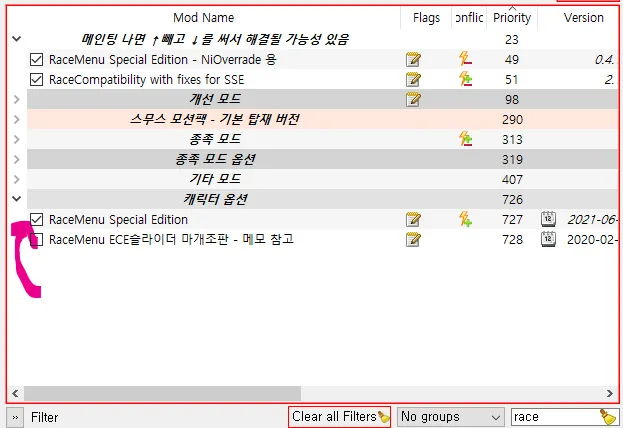
6. Now turn on RaceMenu and enter Skyrim again.
7. After running showracemenu again, import Jslot from preset and import fragment from Sculpt to Import Head.
For some reason, if I just call JSLOT, the eyeballs protrude so much that I have to bring in the pieces as well.
If JSLOT is behaving strangely, you can skip JSLOT and just load the fragment.
You have to manually adjust the skin color, hair color, and lip color.
For skin color (R255, G240, B204), hair color (R102, G45, B20), just make the lips transparent.
skin color is
First slider (hue) 42 spaces from left to right
Second slider (Saturation) 20 spaces from left to right
hair color is
1st slider (hue) 18 spaces from left to right
Second slider (Saturation) 20 spaces from right to left
Third slider (brightness) 40 spaces from left to right
8. If you have received the hair mod in the recommended mode, you can change the hair to that one. (Hair No. 1199 in the case of cotton forest environment)
[Precautions]
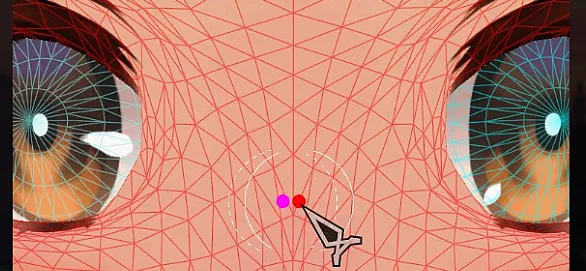
Each time you import a piece from Reme, the position of the eye color changes each time you load it.
I think the current character's eye color has an effect.
Just keep loading until you get something similar to the picture.
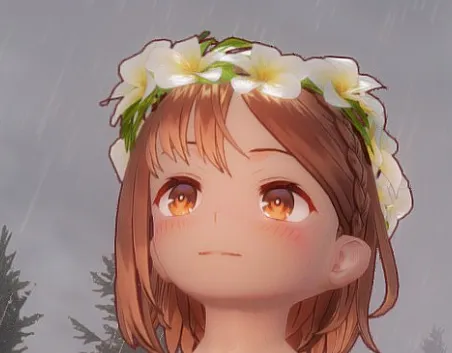
And the head is so BEEG that it doesn't fit well on the head except for Ryza's wig.
Accessories like the ones above are fine, but most of them don't fit, so I'll just use the Skyrim Outfit System mod as a wig
[Note]
I adjusted the facial expressions to look as natural as possible.
Basically, it's a smiley face, so sad expressions don't come out very well.
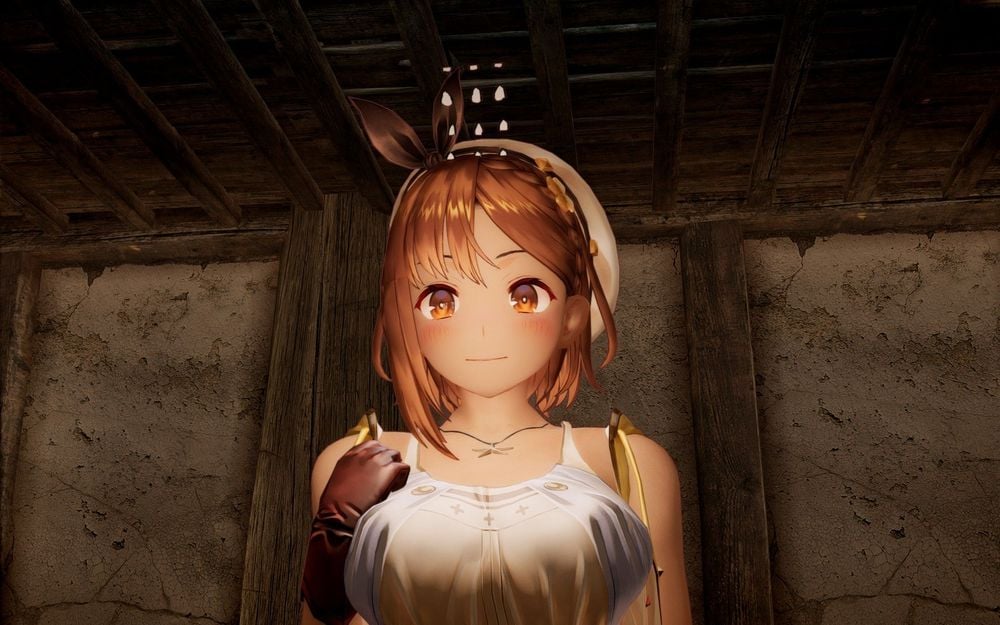
It's pretty in bright light, but it's even prettier when it's dimly lit in a dark place.
It is recommended to use the [Weak] version of the face light source magic.
The ENB used in this article is the default setting ENB for cotton wool.
And Ryza is prettier if she uses cartoon rendering.
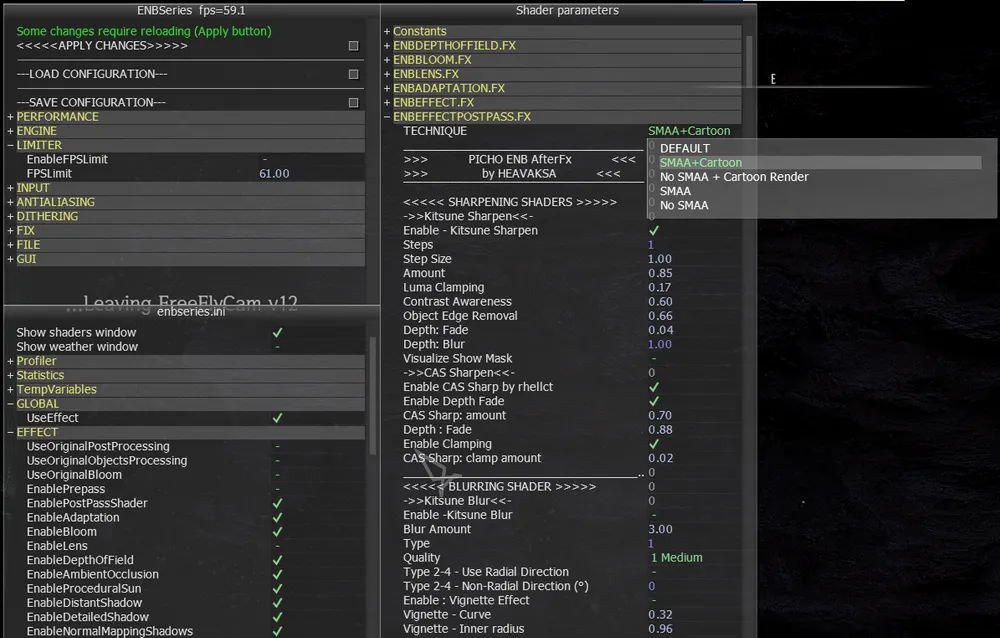
Open the ENB menu (Shift Enter)
On the post pass, choose the one you want with TECHNIQUE written in Cartoon at the top.
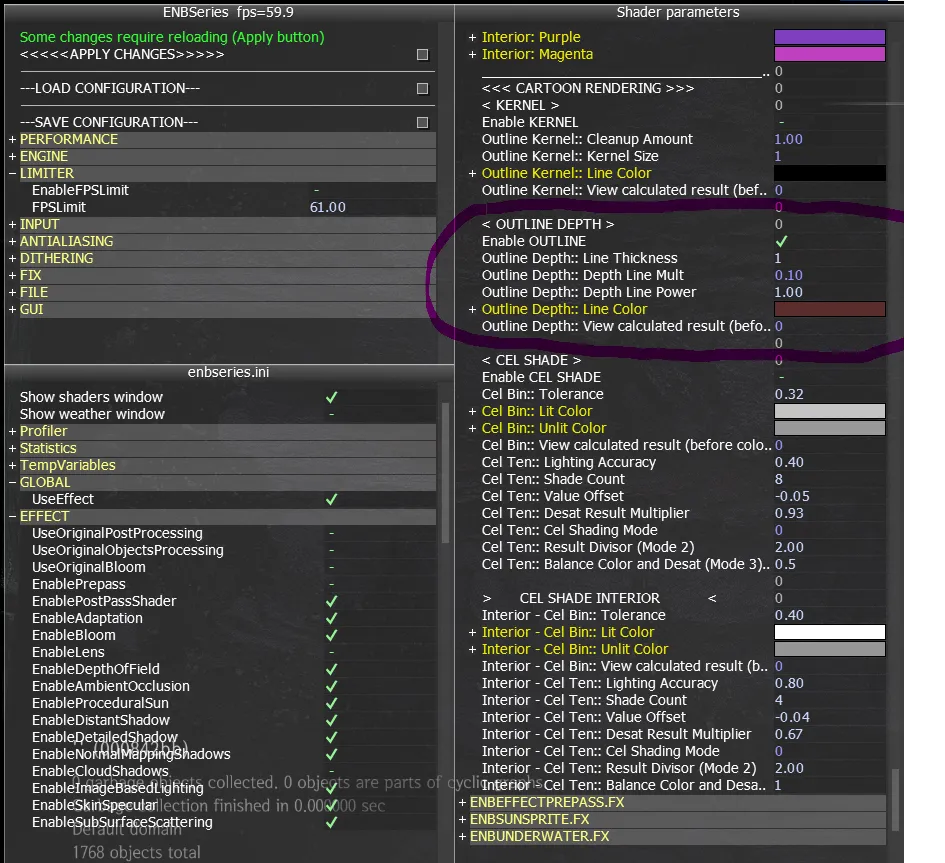
Scroll down to the very bottom and you will find OUTLINE DEPTH.
You can adjust the number as you see it, and the color is (90, 45, 45).
And you can leave the Depth Line Power at 1.00 when you just do it.
When taking close-up screenshots, polygons are visible, so it is better to raise it to around 2.00 or 3.00.
[Option Files]
I left the PSD file layer I was working on.
If you want to erase things like blush on the cheeks or shadows under the eyebrows, you can create a new texture without a layer.
There is a texture that makes teeth shorter with an additional file.
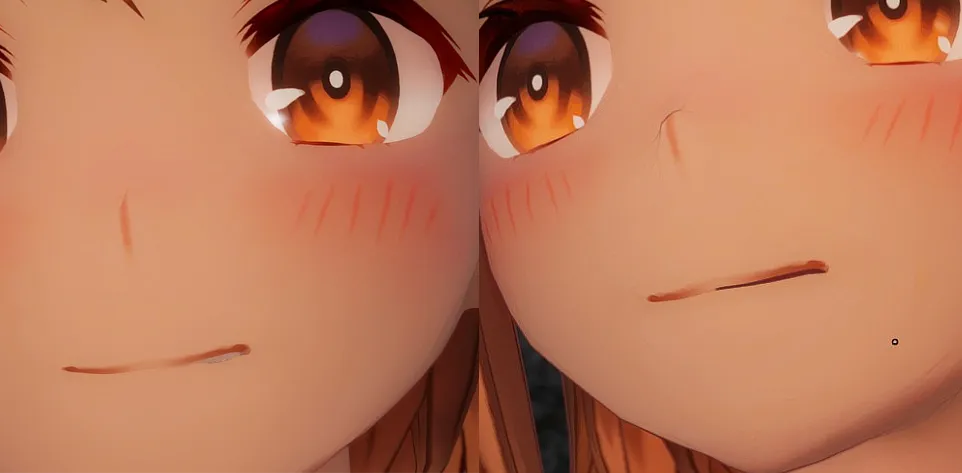
If you replace it with the original Mouth.dds in the texture folder, it will make the teeth invisible when you open your mouth slightly like that.
The teeth are barely visible even when the mouth is wide open.
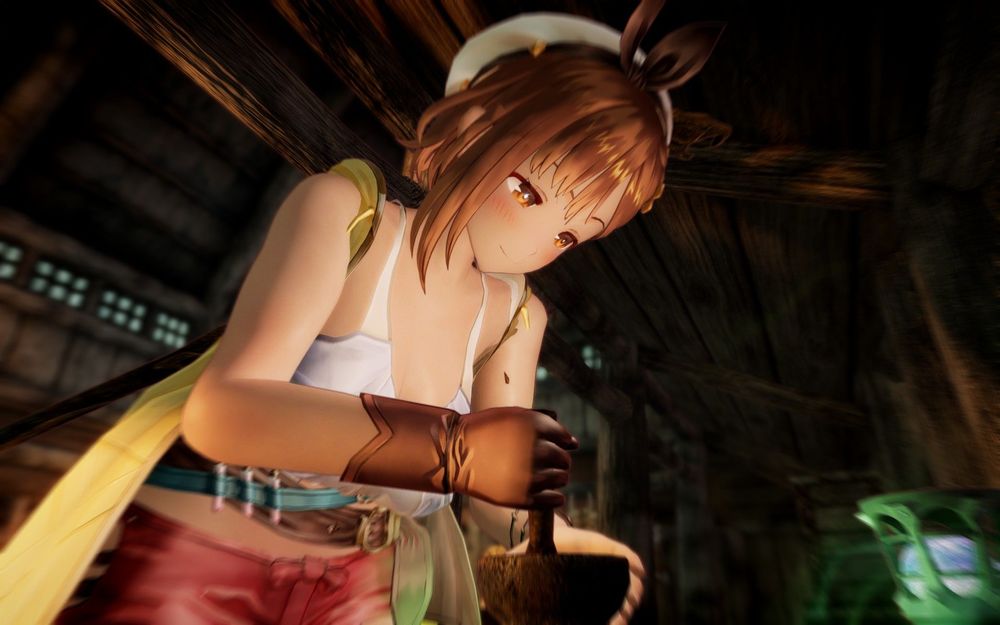
Now I have to go on a third adventure with Ryza.
Colleagues should make or not
[Update 02.01]
I changed the body shape a little bit with Basle, and the mid was bigger.
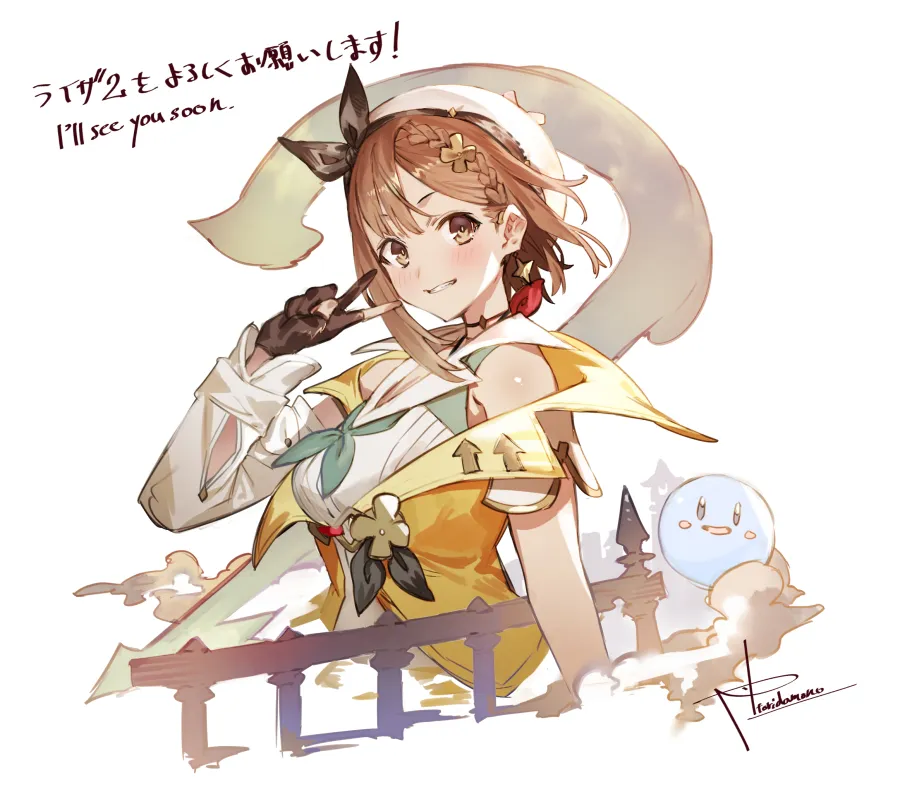
Ryza 3 Origins!
[For Practice Same Principle]
Claudia and Patricia Presets SE https://arca.live/b/tullius/45220004?category=프리셋&p=3
or
Claudia Presets SE https://drive.google.com/file/d/1ZjVayAnaRXNFBVHMFSCHgz-onO1SwjLC/view
Patricia Presets SE https://drive.google.com/file/d/1Tn-7c3InOTfwEs7_yUost0G19mfL7VOx/view
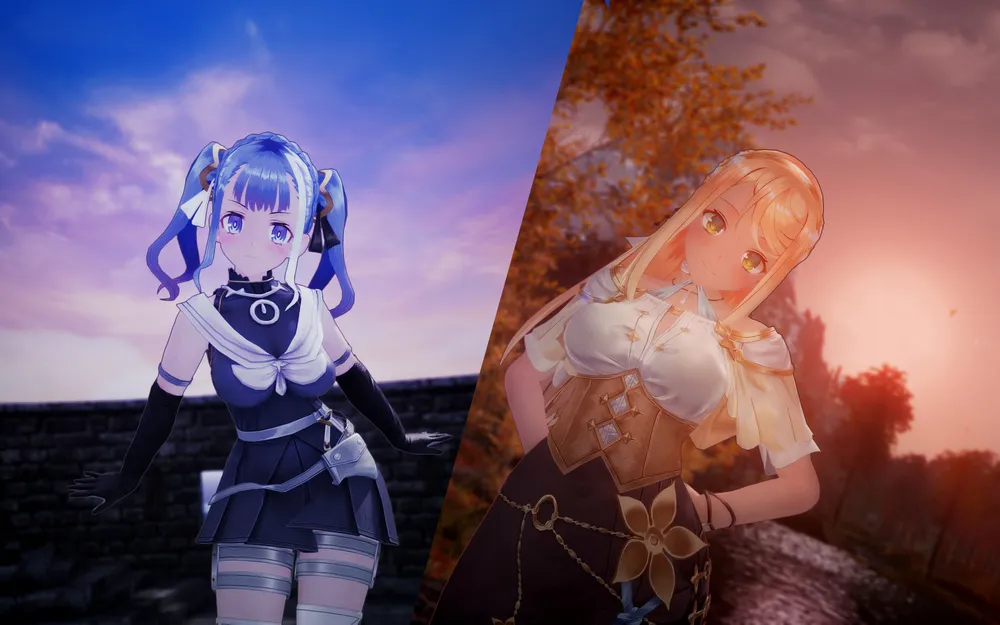
Goodluck!
 And Thank You!
Edited by Ma Ri
2 Comments
Recommended Comments