Dead or Alive Xtreme: Venus Vacation
613 files
-
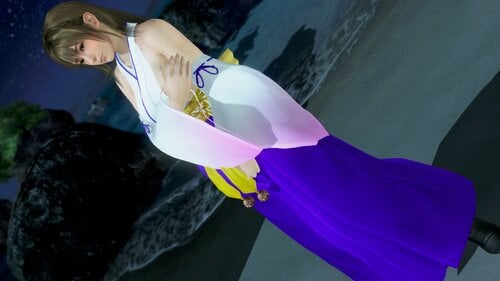
R Shrine Maiden - Common Body
By aspidiske500
R Shrine Maiden - Common Body
紅かんなぎ
Press CTRL+1 or CTRL+2 to activate controls:
Z+1 Change Tops
X+1 Change Nipples
X+2 Change Shoes
X+3 Add Ribon
C+1 Change Color
2021/01/03 V1.1 - Fixed the phenomenon that the lining of clothes is transparent.
2020/12/30 V1.0
V1.0 → V1.1
2961 downloads
Submitted
-

SSR Event ThreeKingdoms - Honoka Body
By aspidiske500
SSR Event ThreeKingdoms - Honoka Body
三国志14・貂蝉
Press CTRL+1 or CTRL+2 to activate controls:
Z+1 Change Tops
Z+2 Change Bottoms
Z+3 Change Lace
X+1 Remove Panties
X+2 Remove Ribbon
X+3 Remove Hair Ornaments
X+4 Remove Necklace
2020/12/17 V2.1 - Fixed a rendering bug.
2020/12/16 V2.0 - Supports 12/16 update.
2020/12/15 V1.1 - Fixed a rendering bug.
2020/12/14 V1.0
Gallery
1578 downloads
Updated
-
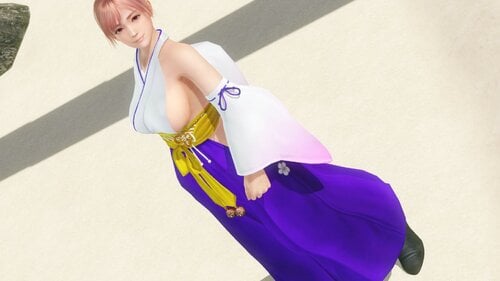
R Shrine Maiden - Honoka Body
By aspidiske500
R Shrine Maiden - Honoka Body
紅かんなぎ
Press CTRL+1 or CTRL+2 to activate controls:
Z+1 Change Tops
X+1 Change Nipples
X+2 Change Shoes
X+3 Add Ribon
C+1 Change Color
2020/12/29 V1.0
Gallery
2386 downloads
Updated
-
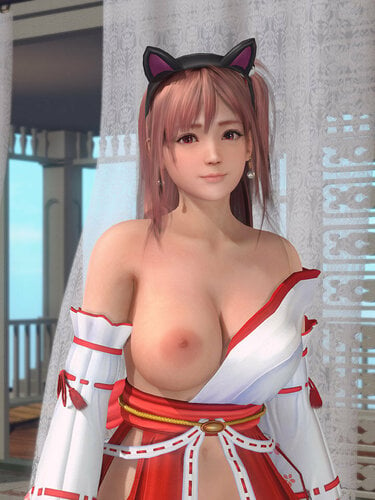
Event SSR New Year 2019 Mikomai (Momiji + Honoka + Luna)
By minazuki
Press Ctrl + 1 or Ctrl + 2 to turn on the variation switch first.
Top Variation (Key: X)
Skirt open on back too!
Changelog
Override variation
You can override and lock the variation instead of pressing key, please look for "Override & Lock Default" in ini file.
Just remove ";" before "run =", and input your favour CommandList name, the CommandList name can found in preview folder.
Owner Room support
Now you can change the variation of each girl separately in the Owner Room.
But they cannot wearing exactly the same costume.
You can check on my Suit ID list for my mod below to find which costume is independent.
Due to the owner room support, now you need to press Ctrl + 1 or Ctrl + 2 to turn on/off the variation switch. (default is off)
It will show an OSD on the bottom-left corner to tell you the variation is on or off.
If it is showing on, you can press the key to change the variation.
Just set one girl to on, one girl to off, and you can change the variation separately.
If there's only one single girl on scene, you also need to press Ctrl + 1 or Ctrl + 2 to switch on the variation in order to change the variation.
IMPORTANT
This mod needs Hi-res body Skin Texture, e.g. #1595
You must update 3Dfix-DOAX-VenusVacation to 1.9 or latest to use this mod.
Archived version to download
I will not make a no panty version, thanks.
Thanks @KuroKaze78 for the active mod code.
If you are playing Steam version, you may need to install the old version.
2095 downloads
Submitted
-
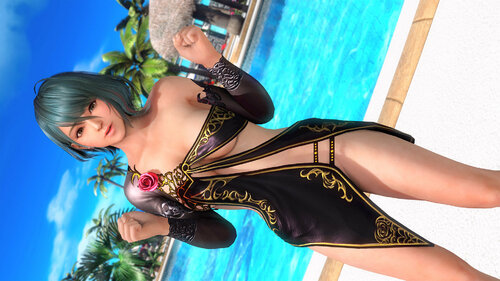
Event SSR 1st Anniversary Premier Night
By minazuki
Preview
Press Ctrl + 1 or Ctrl + 2 to turn on the variation switch first.
Dress Variation (Shift + X)
Panty Variation (Ctrl + X)
Accessories Variation (Alt + X)
Rose Variation (Ctrl + Alt + X)
If you installed other Premier Night mods, you may need to disable them to avoid conflict.
If you press Shift + X, Ctrl + X, etc... it may also affect other old mods that using Key X.
To fix it, you can open those old mods ini, and find
Key = x
Replace it to
Key = no_modifiers x
Override variation
You can override and lock the variation instead of pressing key, please look for "Override & Lock Default" in ini file.
Just remove ";" before "run =", and input your favour CommandList name, the CommandList name can found in preview folder.
Owner Room support
Now you can change the variation of each girl separately in the Owner Room.
But they cannot wearing exactly the same costume.
You can check on my Suit ID list for my mod below to find which costume is independent.
Due to the owner room support, now you need to press Ctrl + 1 or Ctrl + 2 to turn on/off the variation switch. (default is off)
It will show an OSD on the bottom-left corner to tell you the variation is on or off.
If it is showing on, you can press the key to change the variation.
Just set one girl to on, one girl to off, and you can change the variation separately.
If there's only one single girl on scene, you also need to press Ctrl + 1 or Ctrl + 2 to switch on the variation in order to change the variation.
IMPORTANT
This mod needs Hi-res body Skin Texture, e.g. HI-METAL's Skin
Also, you can find a fixed skin for Tamaki by me in here.
If you get Warning "Unrecognised entry: $\mods\..........\$my_mod_name........ = ..." after disabled, deleted or renamed my mod, this is normal.
They are the saved variable settings, and they depend on the file structure, if the mod renamed or etc, 3Dmigoto will warn you this.
You can edit d3dx_user.ini to delete those unwanted entry to clear the warning.
Thanks to @KuroKaze78 for mod active checking code.
Changelog
Archived version to download
If you are playing Steam version, you may need to install the old version.
2065 downloads
Submitted
-
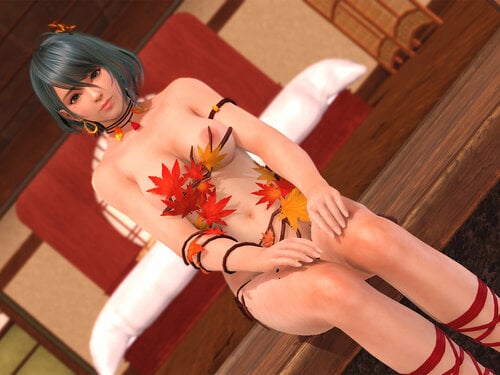
SSR Event Koiroiroha (Tamaki/Momiji/Nyotengu/Kasumi/Ayane/Monica)
By minazuki
Leaves Top Right Variation (X + 1)
Leaves Top Left Variation (X + 2)
Leaves Top Variation (X + 3)
Leaves Top2 Variation (X + 4)
Leaves Waist Variation (X + 5)
Collar Variation (X + 6)
Arm Right Variation (X + 7)
Arm Left Variation (X + 8 )
Panty Variation (Z + 1)
Skirt Variation (Z + 2)
Leaves Pussy Variation (Z + 3)
Leaves Bottom Variation (Z + 4)
Branch Top Variation (Z + 5 / Ctrl + X)
Branch Bottom Variation (Z + 6 / Ctrl + Z)
Transparency Variation (C + 1)
Preset
IMPORTANT
This mod needs Hi-res body Skin Texture, e.g. HI-METAL's Skin
You must update 3Dfix-DOAX-VenusVacation to 1.9 or latest to use this mod.
Changelog
Archived old version download
For Steam version(if any), you may need to try the old version to make it work.
SSR.Event.Appetizer.Pinchos.Misaki.Tamaki.V3.zip SSR.Event.Appetizer.Pinchos.Misaki.Tamaki.V3.1.zip
1984 downloads
Updated
-
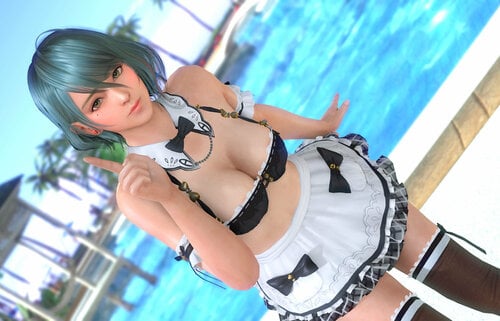
SSR Event Appetizer Pinchos (Misaki/Tamaki/Fiona/Monica/Leifang/Kokoro/Helena)
By minazuki
Press Ctrl + 1 or Ctrl + 2 to turn on the variation switch first.
Bra Variation (X + 1)
Bra 2 Variation (X + 2)
Collar Variation (X + 3)
Strap Variation (X + 4)
Panty Variation (Z + 1)
Apron Variation (Z + 2)
Apron Style Variation (Z + 3)
Color Variation (C + 1)
Preset
Mix & Match example
Some of Appetizer Pinchos unique features (It may needs level up the suit awaken level to use it)
The preset key will NOT control the Color Variation, you must press C + 1 to change the color.
Color "0" should be the original color, so Misaki will be pink instead of light blue.
If you installed other Appetizer Pinchos mods, you may need to disable them to avoid conflict.
If you press Shift + X, Ctrl + X, etc... it may also affect other old mods that using Key X.
To fix it, you can open those old mods ini, and find
Key = x
Replace it to
Key = no_modifiers x
Owner Room support
Now you can change the variation of each girl separately in the Owner Room.
But they cannot wearing exactly the same costume.
You can check on my Suit ID list for my mod below to find which costume is independent.
Due to the owner room support, now you need to press Ctrl + 1 or Ctrl + 2 to turn on/off the variation switch. (default is off)
It will show an OSD on the bottom-left corner to tell you the variation is on or off.
If it is showing on, you can press the key to change the variation.
Just set one girl to on, one girl to off, and you can change the variation separately.
If there's only one single girl on scene, you also need to press Ctrl + 1 or Ctrl + 2 to switch on the variation in order to change the variation.
IMPORTANT
This mod needs Hi-res body Skin Texture, e.g. HI-METAL's Skin
Also, you can find a fixed skin for Tamaki by me in here
You must update 3Dfix-DOAX-VenusVacation to 1.9 or latest to use this mod.
Changelog
Archived old version to download
For Steam version, you may need to try the old version to make it work.
3479 downloads
Updated
-

NorimakiV1
My first mod I've shared. I tried to create the Norimaki Mod for Common bodies. It looks passable but the breasts are just the basic ones that come with the mod and not the "squeezed" version that you see in the suit in game, and the bottoms are, well, there's flaws in my work. I'd like to update it to a version 2 sometime later when my skills are brushed up.
1496 downloads
Submitted
-
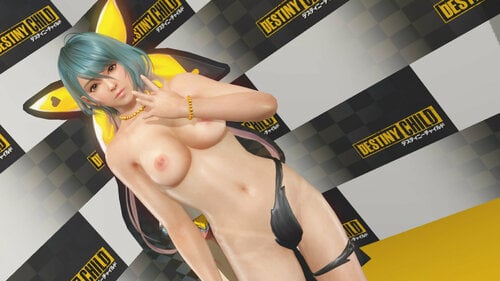
SSR *4 Destiny Child Transform / Illusion (Tamaki, Kokoro, Nyotengu, Helena, Sayuri)
By minazuki
SSR *4 Destiny Child Transform / Illusion (Tamaki, Kokoro, Nyotengu, Helena, Sayuri)
This mod is for awaken level 4 only (Star 4), please enable the suit transform option, or using the black fan. (both need awaken level 4)
Changelog
Archived old version download
This mod needs Hi-res body Skin Texture, e.g. #1595
For Steam version (if any), you may need to try the old version to make it work.
1331 downloads
Updated
-
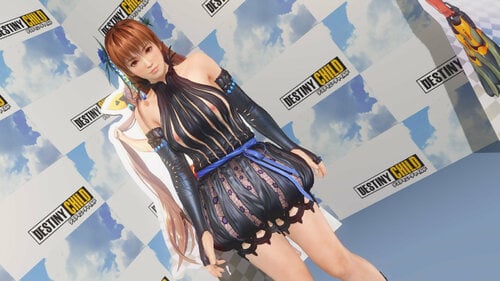
SSR Destiny Child (Kasumi, Hitomi, Momiji, Fiona, Patty)
By minazuki
Destiny Child (Kasumi, Hitomi, Momiji, Fiona, Patty)
Press x to change the top from half to topless.
Owner Room support
Now you can change the variation of each girl separately in the Owner Room.
But they cannot wearing exactly the same costume.
You can check on my Suit ID list for my mod below to find which costume is independent.
Due to the owner room support, now you need to press Ctrl + 1 or Ctrl + 2 to turn on/off the variation switch. (default is off)
It will show an OSD on the bottom-left corner to tell you the variation is on or off.
If it is showing on, you can press the key to change the variation.
Just set one girl to on, one girl to off, and you can change the variation separately.
If there's only one single girl on scene, you also need to press Ctrl + 1 or Ctrl + 2 to switch on the variation in order to change the variation.
Changelog
Archived old version Download
Kasumi_Destiny_Child_V1.01.zip
SSR.Event.Destiny.Child.Kasumi.v2.zip
This mod needs Hi-res body Skin Texture, e.g. #1595
For Steam version (if any), you may need to try the old version to make it work.
1123 downloads
Submitted
-
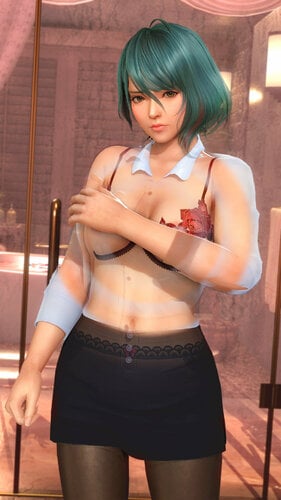
SSR Event Secret Class (Common)
By minazuki
SSR Event Secret Class (Common)
Note
When using transparency shirt & skirt (C + 3 & 4), some laces will not display under the see through effect.
Bra Right Variation (X + 1)
Bra Left Variation (X + 2)
Bra Variation (X + 3)
Bra Deco Variation (X + 4)
Shirt Variation (X + 5 / Shift + X)
Sleeves Variation (X + 6 / Shift + Z)
Cuffs Variation (X + 7)
Ribbon Variation (X + 8 )
Panty Variation (Z + 1)
Panty Deco Variation (Z + 2)
Skirt Variation (Z + 3 / Ctrl + X)
Suspender Variation (Z + 4 / Ctrl + Z)
Suspender Deco Variation (Z + 5)
Transparency 1 Variation (C + 1)
Transparency 2 Variation (C + 2)
Transparency 3 Variation (C + 3)
Transparency 4 Variation (C + 4)
Preset (Preset 1 - 9 will not touch the transparency)
More Preview
IMPORTANT
This mod needs Hi-res body Skin Texture, e.g. HI-METAL's skin
You must update 3Dfix-DOAX-VenusVacation to 1.9 or latest to use this mod.
Changelog
Download archived version
6405 downloads
Updated
-
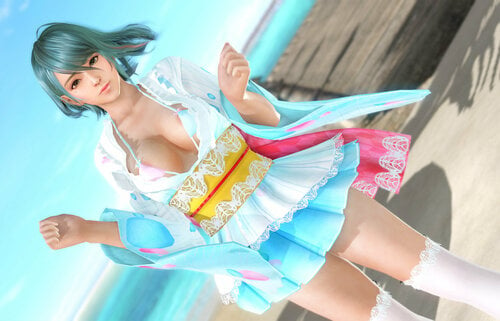
SSR Event Suzukaze Romantica (Common only)
By minazuki
The body may poke from the suit on some pose. The boobs is not smooth since there is no boobs on the original body.
Top Variation (X + 1)
Bra Switch (X + 2)
Flowers Variation (X + 3)
Ribbon Variation (X + 4)
Hand Sleeve Variation (X + 5)
Panty Variation (Z + 1)
Panty Lace Variation (Z + 2)
Skirt Variation (Z + 3)
Skirt Type Switch (Z + 4)
Under Skirt Switch (Z + 5)
Preset
More Preview
IMPORTANT
This mod needs Hi-res body Skin Texture, e.g. HI-METAL's Skin
You must update 3Dfix-DOAX-VenusVacation to 1.9 or latest to use this mod.
Changelog
Download archived version
1894 downloads
Submitted
-
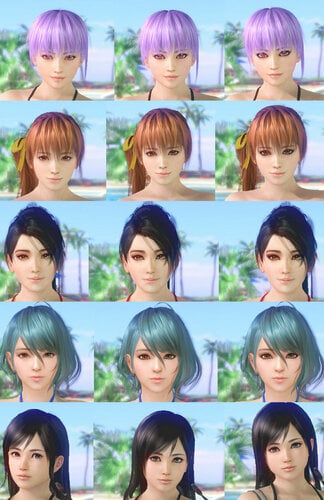
Eyeliner Mod
By JimSifu
I create a simple mod, inspired by makeup mod from avenger54
it's a simple Eyeliner mod (+ smoky eyes).
use H on keyboard to cycle betweens 3 presets.
for all the girls except Patty
For DMM Version, not tested on Steam version
Extract zip file (folder) to /Mods folder (or Appearance if you have Mod manager installed).
PS: You need to disabled Makeup mod if it's installed
Special thanks to wtx for sample code (from lipstick marie mod) , avenger54 and Zzxiaoyi for base textures.
618 downloads
Updated
-
![More information about "[SSR] (Tamaki) Wild wind 4stars and Recolor for Police Hat."](https://static.loverslab.com/screenshots/monthly_2020_08/preview.thumb.jpg.d6e753cea0c3fbb9599cdcfd6bf1650c.jpg)
[SSR] (Tamaki) Wild wind 4stars and Recolor for Police Hat.
By Youdon't
A mod for the awakened version of this suit (only for common body).
Only tested on STEAM.
There is also a mod to change the color of the hat.
Mod id = 4000089
Change top = x + 1
Change belt = x + 2
Change pantie = z + 2
Change pantie ornament = z + 1
Change skirt = z + 3
I recommend you to use this tool to manage my mods:
1515 downloads
Updated
-
![More information about "[Hair] Tamaki (Dark) by Anika"](https://static.loverslab.com/screenshots/monthly_2020_08/2007380615_DEADORALIVEXtremeVenusVacationScreenshot2020_04.25-20_04_00_92.thumb.jpg.9ecf110110ffdf40180efd34423024f3.jpg)
[Hair] Tamaki (Dark) by Anika
By Youdon't
This mod was made by Anika as a request. I only added the textures.
The mod change both Tamaki's hairs.
The eye color can be disable separately inside the folder.
I recommend you to use this tool to manage my mods:
758 downloads
Updated
-
![More information about "[SSR] (Nyotengu) Anatolia"](https://static.loverslab.com/screenshots/monthly_2020_08/preview.thumb.jpg.1615aa06301714f34122df7303e0b425.jpg)
[SSR] (Nyotengu) Anatolia
By Youdon't
Mod id = 4000022
Only tested in STEAM.
Change bikini = x + 1
Change short = x + 2
Transparency = c + 1
I recommend you to use this tool to manage my mods:
852 downloads
Submitted
-
![More information about "[SSR] (Ayane) Luminous Plume"](https://static.loverslab.com/screenshots/monthly_2020_07/1159867553_DEADORALIVEXtremeVenusVacationScreenshot2020_07.15-19_26_21_78.thumb.jpg.7c07e3bd2f9fc248ab8154faa5c759ac.jpg)
[SSR] (Ayane) Luminous Plume
By Youdon't
For normal and awakened suit. Mod id = 40000058 and 40000059 4 color variations. Only tested in STEAM. Activate mod = Ctrl + 1 or Ctrl + 2
Bra = x + 1
Top front = x + 2
Top accessory = x + 3
Wings = x + 4
Skirt inside = z + 1
Skirt outside = z + 2
change color = c + 1
change body = c + 3
Thanks to SavageMoonBoy for providing some extra textures. I recommend you to use this tool to manage my mods:
923 downloads
Updated
-
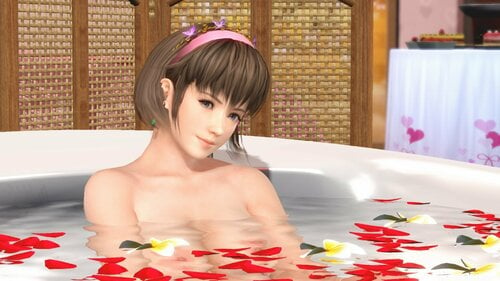
DOAXVV Base Costume + 3D Vision Mod Support
By ausgeek
Costume Mods
This mod is required for the costume mods available for this game.
It also includes support for NVIDIA 3D Vision, but for brevity I've removed 3D Vision specific instructions from this mirror - if you are a 3D Vision user, please refer to the instructions here instead.
This mod by itself will not change any costumes - for that you will need mod packs available from elsewhere and extract them into the Mods directory. You don't need to restart the game after installing a new mod - just press F10 in game to load any new mods. Some mod packs ship with optional parts of the mods that are not enabled by default - look for any files or directories in the mod pack that is named "DISABLED something", and remove the "DISABLED" from the filename to enable it. Most of the more recent mods include keyboard shortcuts to quickly customise them directly from the game - refer to the instructions provided with each mod for details.
If you are not sure where to start, the all in two mod pack is recommended as it easy to install, makes the white lace bikini nude for most characters (barring newly released characters that it hasn't been updated for yet), enhances the gacha scene and includes mods for a few other costumes by knight77 and myself. That pack uses knight77's textures + models, so if you like that style check out his thread for more mods.
A lot of other mods require HI-METAL's skin textures to be installed - if you install a mod and you see big weird circles instead of nipples you need these. These are high quality and have multiple variations to suit different tastes, but may require a bit more effort to set up properly. Check out Minazuki's thread for many excellent high quality and highly customisable mods that use these.
For even more advanced mods that add cool features like mix n' match, check out KuroKaze78's Costume Customizer and Minazuki's Swimsuit Swapper. For everything else, check out this forum and follow along with news posted in this thread in particular.
There is now a Mod Manager that is highly recommended to simplify the use of mods. With this program you can enable\disable mods with one click, see what outfit each mod changes, rename\move your mod folders, create custom previews and descriptions for your mods, search for potential mod conflicts, manage your Costume Customizer mod packs and download\install mods from online server.
If you think you have what it takes to create mods yourself and would like to learn how, you absolutely need to start with this video.
Installing
Extract the contents of the zip file to the game directory.
In the launcher (not the game), open settings (2nd button from the top) and change everything to the left-most option (lower quality options are known not to work).
Install other mod packs as desired.
Keys
F1: Show help F2: Toggle costume mods Shift+F2: Cycle costume mod shadow modes (on/off/original) Mouse back button: Toggle HUD visibility Ctrl+F9: 3DMigoto performance monitor F10: Reload all mods Ctrl+Alt+F10: Reload all mods and reset to default configuration
Update v1.2
Fixed shadow glitch This fix now forms the basis for third party costume mods Update v1.4
Major 3DMigoto update (conditional logic, performance monitor) Auto-convergence performance cost will be skipped when 3D Vision is disabled Added toggle keys for costume mods and shadows (try cycling shadow modes if performance is an issue) New built in help shown by pressing F1 Enabled costume mods for missing costume + shadow shaders Enabled costume and fingernail texture replacement mods Fix cases where a shadow could go missing from a costume mod HUD will always be shown in burst mode Update v1.5
Fix missing legs in some costume mods F2/Shift+F2 hotkeys now show status in overlay Update v1.6
Re-fixed lighting & auto-convergence broken by game update Update v1.7
Updated costume mod and 3D Vision ripple fix for compatibility with DOAXVV December 6th update Update to 3DMigoto 1.3.12 (adds vertex buffer hunting keys, clipboard marking mode, etc) 3D Vision: Made specular reflections on some (not all) materials render at their accurate depth instead of surface depth. 3D Vision: Tweaked auto-convergence settings for more comfort in some cutscenes. Hotfix v1.8
Fixed pink fingernails Added another missing costume shader Update v1.9
3DMigoto updated to 1.3.14 to facilitate more advanced modding Now automatically saves the costume & shadow settings on exit/reload. Ctrl+Alt+F10 will revert to the default settings and reload. Key bindings are no longer processed while alt+tabbed out. Frame analysis now has several "profiles" that can be switched with - by default only skin and costumes are dumped to make blender imports faster. Press Ctrl+F8 (in hunting mode) to enable/disable dumping hair and fingernails, or switch to dumping UI textures instead. Frame analysis will no longer dump out modded meshes to make it a little easier to import meshes into blender when a costume mod is active (If you want to reimport a modified mesh you should be importing that directly from the mod, not a frame analysis dump). Auto-convergence has been updated - the popout bias will be automatically saved in the d3dx_user.ini, and the auto-convergence HUD will show the current convergence value as well. There's a bunch more changes under the hood, so it may behave slightly differently to before. Update v2.0
3DMigoto updated to 1.3.15 F10 reload is now much faster Settings left over from uninstalled mods will be removed on the next F10 reload/game exit (You will still see these warnings once) Fix crash when news is displayed while using certain mods Displaying news will no longer reset certain settings Fixed compatibility issue with ReShade (if you couldn't use the two together before, please test again and report back) Fixed crash that could occur on non-nvidia systems in some circumstances Update v2.1
3DMigoto updated to 1.3.16 Fixed compatibility issue with new versions of ReShade Automatically adjust depth of icons in pool hopping minigame (3D Vision) Update v2.2
Updated costume mod for compatibility with DMM version 2019-04-25 update Update v2.3
Special thanks to KuroKaze78 for finding the updated shader hashes
Updated costume mod + 3D Vision compatibility for DMM 2020-06-11 update Includes KuroKaze78's d3dx.ini updates: Includes additional shaders in the d3dx.ini so that fewer mods should require manual additions to this file Hair + fingernail mod support is now enabled out of the box Support for environment mods added desktop.ini files now ignored _id is now included for mods that depend on it Includes support for dumping full size (1920x1080) decobromide images in the frame analysis UI profile Note that because extra shaders are now included in the base d3dx.ini you may get some conflict warnings with certain mods. These warnings are mostly harmless, but can usually be resolved by updating the mods listed in the warning, or editing their ini files to remove the indicated ShaderOverride section.
101503 downloads
Updated
-
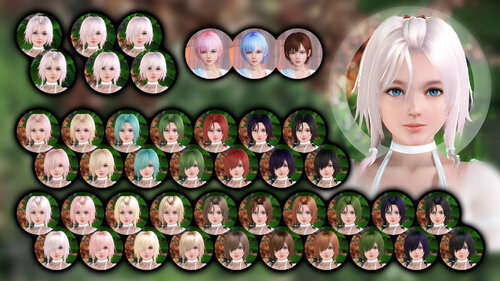
HAIRMOD (LUNA)
By etsorhtt
HAIRMOD (LUNA) Version 3.0 15/06/2020 --------DMM ONLY--------
Adds 17 colors (in original and brand new texture variants) and removable hair parts.
+ 3 colors for bobcut hairstyle
(Thanks to Ghost-writer for providing these)
CTRL + H
to Unlock/Lock Controls
Controls:
Z - Twintails
X - Eye cover
RIGHT/LEFT ARROW KEYS - Color
This is a complete rework of the mod, I'm very happy with how it turned out. More colors will be added in the future, may consider making steam version if demand is there.
1321 downloads
Updated
-
![More information about "[SSR] (Luna) Wonderland (Pink)"](https://static.loverslab.com/screenshots/monthly_2020_06/316949508_DEADORALIVEXtremeVenusVacationScreenshot2020_06.25-17_46_51.04BYYOUDONT.thumb.jpg.535c1da57df795843bb3601eb2f8d65a.jpg)
[SSR] (Luna) Wonderland (Pink)
By Youdon't
Recolor for the SSR wonderland suit. It works with the normal and awakened version. The texture for the accessory was made by Anika. It's include inside the rar.
I recommend you to use this tool to manage my mods:
667 downloads
Submitted
-
![More information about "[SSR] (Common) White Prince (White)"](https://static.loverslab.com/screenshots/monthly_2020_06/1277696065_DEADORALIVEXtremeVenusVacationScreenshot2020_06.20-11_37_15_07.thumb.jpg.6ae6b207fbdac386ae80605f5f5ece5c.jpg)
[SSR] (Common) White Prince (White)
By Youdon't
A recolor to give a perfect "white day" theme to this SSR. It works with the normal and the awakened suit.
I recommend you to use this tool to manage my mods:
1588 downloads
Submitted
-
![More information about "[Hair] Sayuri"](https://static.loverslab.com/screenshots/monthly_2020_06/darkerhair.thumb.jpg.d1b1a4f78057c3b7dfbed236d55a44f6.jpg)
[Hair] Sayuri
By Youdon't
It's just a simple mod to remove the ornament from hair 1 to make it close to her hair 2 and save you some coins. Optional mod to make her hair a bit more dark.
I recommend you to use modmanager to manage my mods:
352 downloads
Submitted
-
 MixClothes"](https://static.loverslab.com/screenshots/monthly_2020_06/2060150481_DEADORALIVEXtremeVenusVacationScreenshot2020_06.05-19_32_16_63.thumb.jpg.0c6c1b60f17af2b612e06e1464c7d1f9.jpg)
[CostumeCustomizer](Common) MixClothes
By Youdon't
Different cloth meshes that allow various combinations with other mods. The preset slot mostly controls shirt variations. For the rest you must change it individually. Thanks to KuroKaze78 for the mod tool.
6492 downloads
- costumecustomizer
- underwear
- (and 2 more)
Updated
-
![More information about "[SSR] (Common) Luminate tube 4Stars"](https://static.loverslab.com/screenshots/monthly_2020_06/preview.thumb.jpg.9af21f3c52096a40d05e0929c635fa6d.jpg)
[SSR] (Common) Luminate tube 4Stars
By Youdon't
Only works with the awakened suit. Mod id = 40000057 Compatible with Mod Manager. https://www.loverslab.com/topic/144105-venus-vacation-mod-manager-v08/ Activate mod = Ctrl + 1 or Ctrl + 2 Change suit = x + 1 Change pantie = x + 21214 downloads
Submitted
-
.thumb.jpg.2cbbe0d8bb534a15fa26fe5ce7614bd5.jpg)
venus vacation Knight77 mods Mesh Edited
By Biggie123987
These mods were originally created by Knight77, altered by me to perfectly fit HI-METAL skins. Enjoy!
Misaki default nude
Helena Liberté
SSR Event Caviar (Honoka and Nyotengu)
Ayane Tide Pool
Happy Summer Festival
The Result of the Game is Absolute
SR Event Aloha
Nyotengu Licorice Leaf
SSR Event Awakening of the Millennium
Kasumi Halation SSR
Kokoro Acai SR
Nagisa Silverthorn Leaf SSR
27456 downloads
- doaxvv
- doax venus vacation
- (and 3 more)
Updated
-converted-downscale.net(1).thumb.webp.f75cfc75dd5aaef40b41df538b3b674a.webp)
.thumb.png.fced9012efc82e589977bf7e896d4a12.png)
![More information about "[ASOTA OFFICIAL] Ruth Outfit"](https://static.loverslab.com/screenshots/monthly_2026_10/3pose.thumb.png.1ea9e7936dbec909ac0d0ba52f4e6729.png)