Dead or Alive Xtreme: Venus Vacation
613 files
-
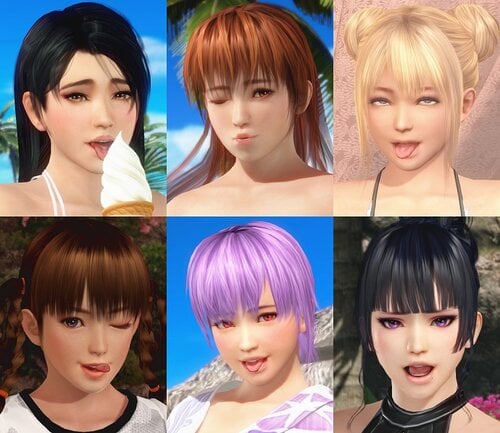
Facial Expressions mod
By avenger54
Change girls' expressions on the fly!
ALT+1 or ALT+2 to open the visual menu.
Menu can be clicked with Left or Right mouse button or CTRL button.
Manual controls:
A/S - normal expressions
D/F - ahegao expressions
Q - turn blush on/off
T - tongue controls for some expressions
I - eyes controls
Use CTRL+controls to change expressions for the second girl.
31336 downloads
Updated
-
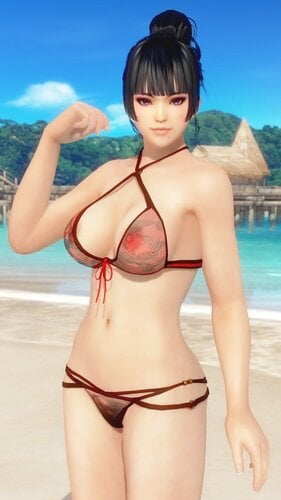
SSR Kegon
By Lunatic dawn
SSR Kegon
X + 1 --- toggle top
C + 1 --- toggle transparency
IMPORTANT
This mod needs Hi-res body Skin Texture, e.g. HI-METAL's Skin
I play only DMM Ver., so I can't check my mod on Steam Ver.
1788 downloads
Submitted
-
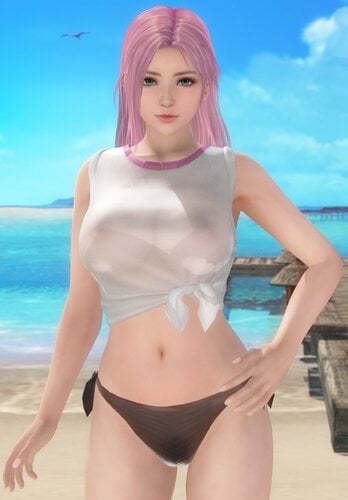
R T-Shirt (Honoka)
By Lunatic dawn
R T-Shirt (Honoka)
( 500 Silver Casino chips )
X + 1 --- toggle tops
IMPORTANT
This mod needs Hi-res body Skin Texture, e.g. HI-METAL's Skin
I play only DMM Ver., so I can't check my mod on Steam Ver.
2902 downloads
Submitted
-
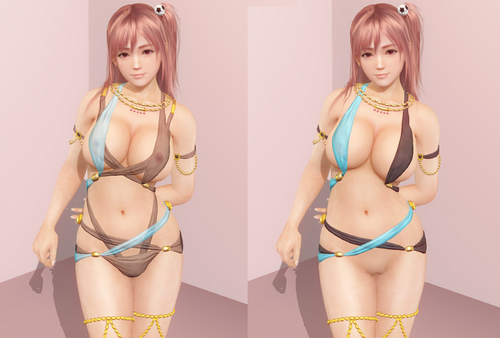
SSR.Event.MoringLine(Honoka)
By h4sjohnson
mod for SSR.Event.MoringLine, only works for Honoka body type.
Now with transparent option.
[Key Straps Type]
key = Z 1
[Key Nippy]
key = Z 2
[Key Pants]
key = X 1
[Key StrapsFeet]
Key = X 2
[Key Transparent]
Key = C 1
872 downloads
Updated
-
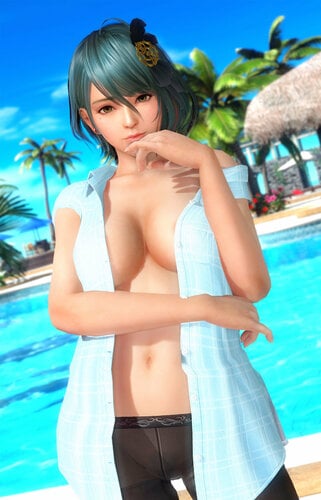
SSR Event Appetizer Shrimp (Misaki/Tamaki/Fiona/Monica/Ayane/Nyotengu/Patty)
By minazuki
The body may come out of the Shirt and Tights on some poses.
Also the armpit is not working very well.
And the shirt has some Normal problem on middle (some weird shadow near the button, you can see it on the above preview).
Press Ctrl + 1 or Ctrl + 2 to turn on the variation switch first.
You can also edit the ini file and replace "global $slot_active = 0" to "global $slot_active = 1" to turn on the variation switch by default.
Also, you can save the variation settings by press F10.
Top Variation (Shift + X)
Sleeves Variation (Shift + Z)
Panty Variation (Ctrl + X)
Tights Variation (Ctrl + Z)
Mix & Match
Malfunction Support (Malfunction does not have Top Variation 0)
IMPORTANT
This mod needs Hi-res body Skin Texture, e.g. HI-METAL's Skin
You must update 3Dfix-DOAX-VenusVacation to 1.9 or latest to use this mod.
Changelog
Archived old version to download
Steam version may need to install the old version to make it work.
2872 downloads
Updated
-
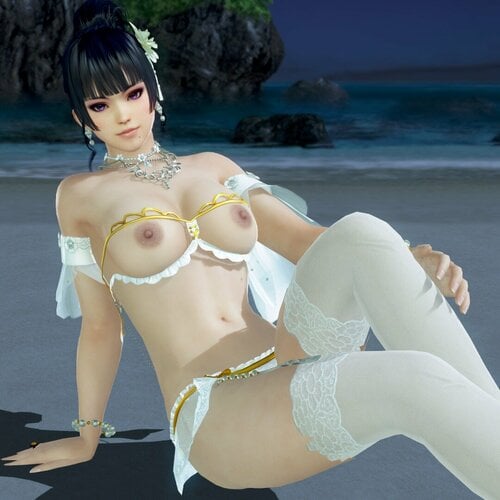
SSR Bouquet Camellia
By Lunatic dawn
SSR Bouquet Camellia
Only works on malfunction.
IMPORTANT
This mod needs Hi-res body Skin Texture, e.g. HI-METAL's Skin
I play only DMM Ver., so I can't check my mod on Steam Ver.
797 downloads
Submitted
-
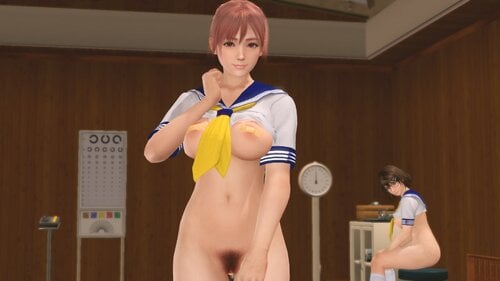
SR Sailor Suit (Yellow Scarf) - Honoka Body
By aspidiske500
SR Sailor Suit (Yellow Scarf) - Honoka Body
青春のセーラー服
Press CTRL+1 or CTRL+2 to activate controls:
Z+1 Change Tops
Z+2 Change Bottoms
X+1 Change Panties
X+2 Change Nipples
X+3 Remove Shoes
C+1 Change the position of the stick
C+2 Change the position of the poo
2021/05/31 V1.3 - Fine-tune the vertex weight of the poo.
2021/05/30 V1.2 - Added a variation to "X + 1".
2021/01/23 V1.1 - Fixed a bug where labia were not drawn beautifully in the shade.
2021/01/23 V1.1 - Added a variation to "X + 1".
2020/12/26 V1.0
Gallery
V1.2 → V1.3
V1.1 → V1.2
V1.0 → V1.1
3324 downloads
Updated
-
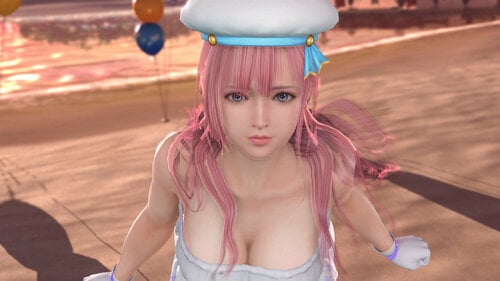
Hair Fiona (Pink, Remove Long Hair)
By minazuki
Hair Fiona (Pink, Remove Long Hair)
I think the pink hair is more suitable for Fiona's face.
But I can't change the base hair.
I can't dump it or remove it.
I'm using the default dump_hair_fingernails profile.
Left is the base hair, right is removed the hair by hunting mode and showing the head skin.
The base hair pixel shader hash is 503fb935ab855fb4
And the Index buffer hash is a9c32d91
So, it will show some purple inside of the hair.
Updated 1.1
Just figured out how to dump the base hair with d3dx.ini setting.
The base hair is also pink now.
Updated 1.2
Swapped the head skin, now the hairline also pink too
Updated V2
Option to remove long hair
Changelog
Archived old version download
For Steam version, you may need to try the old version to make it work.
2204 downloads
Updated
-
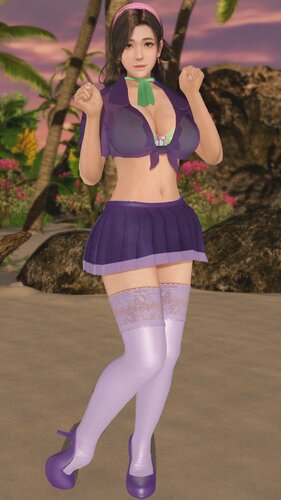
CC Schoolgirl Cosplay feat. Daphne and Velma
My third mod.
A schoolgirl outfit inspired by Daphne and Velma cosplays from Scooby Doo. I always thought Tsukushi looked like Velma so I completed the look.
This is for HONOKA body types only. I have no plans to convert it to the other two, sorry.
I built this for DMM. It may or may not work on Steam. Feel free to let me know if it does or doesn't work on your Steam games.
All files except the shirt were captured or recolored by me. Feel free to reuse them in your mods with credit.
Shirt converted from this XPS file by Dragonlord720
https://www.deviantart.com/dragonlord720/art/Lisa-School-update-522221889
Special thanks to
KuroKaze78 - For making Costume Customizer.
DarkStarSword - For making d3dx.ini
SavageMoonBoy - For support.
Dragonlord720 - For his Lisa School Girl xps mod.
You need Costume Customizer to use this mod. Information can be found here:
1084 downloads
- costume customizer
- cc
- (and 4 more)
Submitted
-
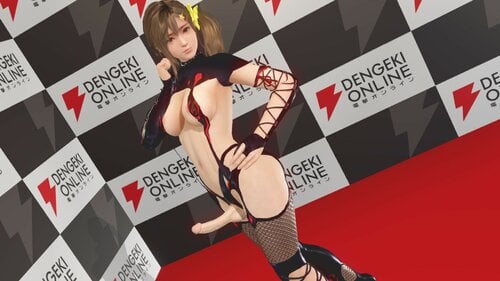
SSR Dark Prison - Common Body
By aspidiske500
SSR Dark Prison - Common Body
ダークプリズン
Press CTRL+1 or CTRL+2 to activate controls:
Z+1 Change Tops
Z+2 Change Bottoms
C+1 Change Color
For DMM:SSR.DarkPrison.Common.V1.0.zip
For Steam:SSR.DarkPrison.Common.Steam.V1.0.zip
2021/05/13 V1.0
2301 downloads
Updated
-
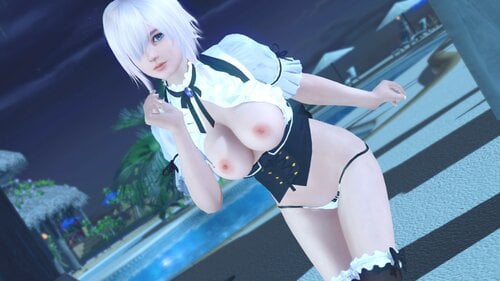
SSR Komorebi Humming - Honoka Body
By aspidiske500
SSR Komorebi Humming - Honoka Body
こもれびハミング
Press CTRL+1 or CTRL+2 to activate controls:
Z+1 Change Tops
Z+2 Change Bottoms
X+1 Change Panties
X+2 Change Nipples
C+1 Change Transparency - Tops
C+2 Change Transparency - Bottoms(Outer)
C+3 Change Transparency - Bottoms(Innner)
2021/05/18 V1.3 Fixed a missing body, etc.
2021/05/17 V1.2 Added tops and bottoms variations. (Z+1, Z+2)
2021/05/09 V1.1 Fine-tune the costume.
2021/05/09 V1.1 Added bottoms variations. (Z+2)
2021/05/08 V1.0
V1.0 → V1.1
V1.1 → V1.2
V1.2 → V1.3
3015 downloads
Updated
-
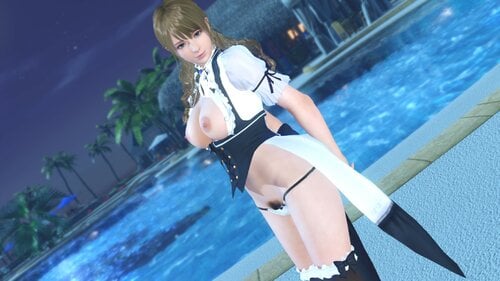
SSR Komorebi Humming - Common Body
By aspidiske500
SSR Komorebi Humming - Common Body
こもれびハミング
Press CTRL+1 or CTRL+2 to activate controls:
Z+1 Change Tops
Z+2 Change Bottoms
X+1 Change Panties
X+2 Change Nipples
C+1 Change Transparency - Tops
C+2 Change Transparency - Bottoms(Outer)
C+3 Change Transparency - Bottoms(Innner)
For DMM:SSR.KomorebiHumming.Common.V1.0.zip
For Steam:SSR.KomorebiHumming.Common.Steam.V1.0.zip
2021/05/10 V1.0
3573 downloads
Updated
-
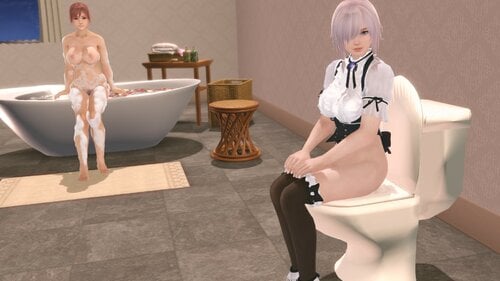
R Chair - Owner's Room
By aspidiske500
R Chair - Owner's Room
チェア1(オーナールーム)
SHIFT+z Change Chair
Note:
This mod replaces the chair in the owner's room with a toilet seat.
The color of the toilet seat depends on the color of the chair.
2021/05/12 V1.1 Fixed an error in the UV map.
2021/05/12 V1.0
1882 downloads
Updated
-
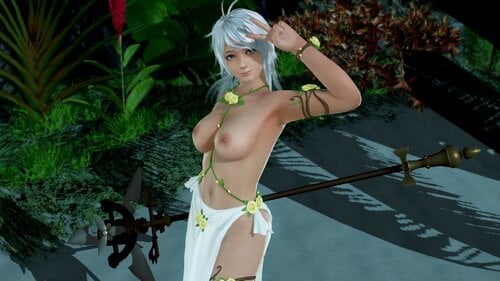
SSR Lake Elven - Common Body
By aspidiske500
SSR Lake Elven - Common Body
レイク・エルヴン
Press CTRL+1 or CTRL+2 to activate controls:
Z+1 Change Tops
Z+2 Change Bottoms
X+1 Change Panties
C+1 Change Transparency
2021/05/01 V1.2 Added transparency variations.
2021/05/01 V1.1 Minor fix for tops.
2021/05/01 V1.1 Variations have been added to the bottoms.
2021/04/29 V1.0
V1.0 → V1.1
3445 downloads
Updated
-
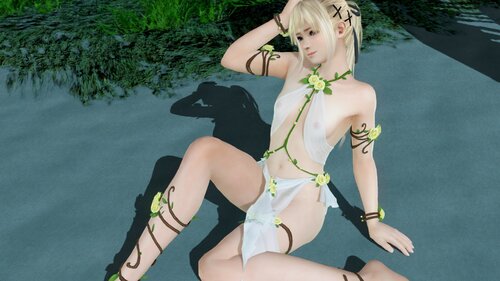
SSR Lake Elven - Marie Body
By aspidiske500
SSR Lake Elven - Marie Body
レイク・エルヴン
Press CTRL+1 or CTRL+2 to activate controls:
Z+1 Change Tops
Z+2 Change Bottoms
X+1 Change Panties
C+1 Change Transparency
2021/04/29 V1.0
2600 downloads
Updated
-
![More information about "[SSR] Place-Your-Bet | Honoka & Common"](https://static.loverslab.com/screenshots/monthly_2021_04/1618455920_-2.thumb.png.06c291d16727fee39221cd21963107db.png)
[SSR] Place-Your-Bet | Honoka & Common
By vvampii
Honoka & Common type [SSR] Common & Honoka type [SSR] Place-Your-Bet
Press CTRL+Z+3 & CTRL+Z+5 to open up the customization menu.
/or/
Press Z+1 to toggle Bra.
Press Z+6 to cycle Bra Transparency. !! a little bit glowing on some backgrounds !!
Press Z+2 to cycle Outfit.
Press Z+3 to toggle Frills & Flower.
Press Z+4 to toggle Tail.
Press Z+5 to toggle Necktie.
Including 3 Breast options - Normal & Natural Puffy & Normal Puffy (Monica only).
DISABLE Breast option you don't need.
Compatible with HI-METAL UVs & textures.
1589 downloads
Updated
-
![More information about "[SSR] Pure White Slit One-Piece | Common & Honoka"](https://static.loverslab.com/screenshots/monthly_2021_03/832785604_-33.thumb.png.953887b8e2e9eb98d3f567bdd619888e.png)
[SSR] Pure White Slit One-Piece | Common & Honoka
By vvampii
Honoka type [SSR] Pure White Slit One-Piece
Press CTRL+Z+5 to open up the customization menu.
/or/
Press Z+1 to cycle Outfit colors.
Press Z+3 to toggle Barefoot.
Including 16 colors for Bra & Panties & Shoes.
Common type [SSR] Pure White Slit One-Piece
Press CTRL+Z+3 to open up the customization menu.
/or/
Press Z+1 (Z+2) to cycle Outfit colors.
Press Z+3 to toggle Barefoot.
Including 16 colors for Bra & Panties & Shoes.
1458 downloads
Updated
-
![More information about "[SR] Summer Dress (Fashionable One-Piece) | Marie & Common"](https://static.loverslab.com/screenshots/monthly_2021_03/909117483_-3.thumb.png.bda3d4ca85924fac835b8635c11b9ad7.png)
[SR] Summer Dress (Fashionable One-Piece) | Marie & Common
By vvampii
Marie type [SR] Summer Dress (Fashionable One-Piece)
Press CTRL+Z+1 to open up the customization menu.
/or/
Press Z+1 to cycle Bra colors.
Press Z+3 to cycle Panties colors.
Including 16 colors for Bra & Panties.
Common type [SR] Summer Dress (Fashionable One-Piece)
Press CTRL+Z+3 to open up the customization menu.
/or/
Press Z+1 to cycle Bra colors.
Press Z+3 to cycle Panties colors.
Including 16 colors for Bra & Panties.
? Other Mods ?
1155 downloads
Updated
-
Updated
-

Asari (Tamaki/Hitomi/Misaki/Momiji/Helena/Kokoro/Fiona/Leifang)
By minazuki
Event SSR New Year 2019 Asari (Tamaki/Hitomi/Misaki/Momiji/Helena/Kokoro/Fiona/Leifang)
In v3, thanks for the big update from 3Dmigoto, now we can save the variation setting automatically.
Just press key to change the variation you like, and it will save the setting for you.
P.S. To avoid lost the variation setting, you should not change the ini filename. (except add the prefix DISABLED)
Press Ctrl + 1 or Ctrl + 2 to turn on the variation switch first.
Top Variation (Key: Shift + X)
Strings Variation (Key: Alt + X)
Bottom Variation (Key: Ctrl + X)
Color Variation (Key: Ctrl + Alt + X)
Color Variation support wet function
Mix & Match example
Thanks @KuroKaze78 for the active mod detect code.
Changelog
Archived version to download
SSR Misaki Momiji Asari
If you are playing Steam version, you may need to install the old version.
There are "Asari for Tamaki Hitomi" and "Asari for Misaki Momiji" in the old archived version, make sure you have downloaded the right one.
2957 downloads
Updated
-
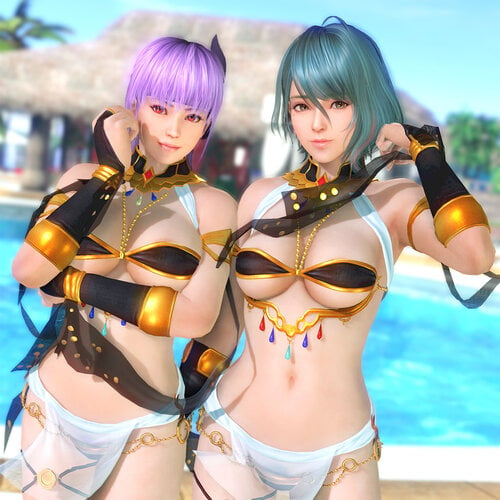
Stella Leo (Ayane/Tamaki/Patty)
By minazuki
SSR Birthday 2019 Stella Leo (Ayane/Tamaki/Patty)
I just guessing Tamaki's birthday will be the same swimsuit. There is NO Tamaki version on the real game now, please don't ask me about it.
Press Ctrl + 1 or Ctrl + 2 to turn on the variation switch first.
You can also edit the ini file and replace "global $slot_active = 0" to "global $slot_active = 1" to turn on the variation switch by default.
Also, you can save the variation settings by press F10.
Bra Variation (X + 1)
Bra Right Switch (X + 2)
Bra Left Switch (X + 3)
Bra Bottom Variation (X + 4)
Belly Chains Switch (X + 5)
Collar Variation (X + 6)
Hand Frill Variation (X + 7)
Panty Variation (Z + 1)
Skirt Variation (Z + 2)
Skirt Side Metal Switch (Z + 3)
Skirt Metal Switch (Z + 4)
Tail Variation (Z + 5)
Color Variation (C + 1)
Transparent Skirt Variation (C + 2)
Preset
More Preview
Note:
Switch will forced into hiding by Variation, please try it by yourself.
If you think the shortcut is not working, please remember you can press "P + 0" to reset the setting.
IMPORTANT
This mod needs Hi-res body Skin Texture, e.g. HI-METAL's Skin
You must update 3Dfix-DOAX-VenusVacation to 1.9 or latest to use this mod.
Changelog
FIX Panty mesh on back, copy & paste below code to your d3dx.ini
[ShaderOverrideClothesStelloLeo] hash = 99e23e411e5d8650 run = CommandListClothes
Archived version to download
If you are playing Steam version, you may need to install the old version.
993 downloads
Submitted
-
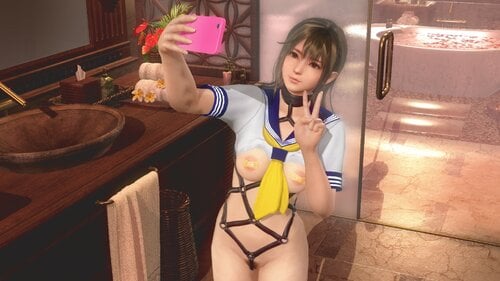
SR Sailor Suit (Yellow Scarf) - Common Body
By aspidiske500
SR Sailor Suit (Yellow Scarf) - Common Body
青春のセーラー服
Press CTRL+1 or CTRL+2 to activate controls:
Z+1 Change Tops
Z+2 Change Bottoms
X+1 Change Panties
X+2 Change Nipples
X+3 Remove Shoes
2021/02/26 V1.2 - Fixed hash conflict with Marie Body.
2021/01/04 V1.1 - Fixed a texture bug caused by the active "UV mapping".
2021/01/03 V1.0
V1.0 → V1.1
2824 downloads
Updated
-
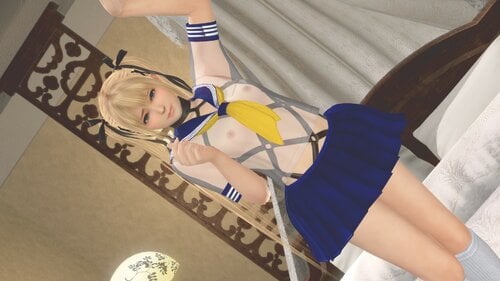
SR Sailor Suit (Yellow Scarf) - Marie Body
By aspidiske500
SR Sailor Suit (Yellow Scarf) - Marie Body
青春のセーラー服
Press CTRL+1 or CTRL+2 to activate controls:
Z+1 Change Tops
Z+2 Change Bottoms
X+1 Change Panties
X+2 Change Nipples
X+3 Remove Shoes
2021/02/26 V1.0
2213 downloads
Submitted
-
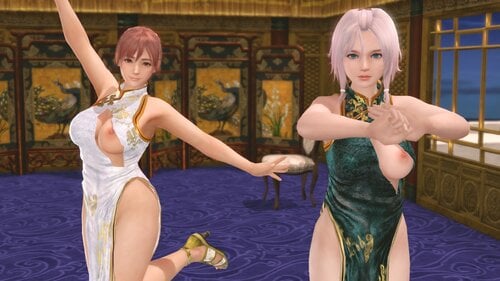
SSR Chinese Dress - Honoka Body
By aspidiske500
SSR Chinese Dress - Honoka Body
旗袍・玄武
旗袍・白虎
Press CTRL+1 or CTRL+2 to activate controls:
Z+1 Change Suit
X+1 Change Panties
X+2 Change Nipples
X+3 Remove Shoes
Note: Sayuri's Chinese dress is not yet supported.
注:さゆりのチャイナドレスはまだサポートしていません。
注意:尚不支持“旗袍·闭月羞花(小百合)”。
2021/01/12 V2.1 - Removed the lining when the costume is transparent.
2021/01/10 V2.0 - Supports Honoka's swimwear.
2021/01/01 V1.1 - Fixed a rendering bug.
2021/01/01 V1.0
V2.0 → V2.1
V1.1 → V2.0
2254 downloads
Updated
-
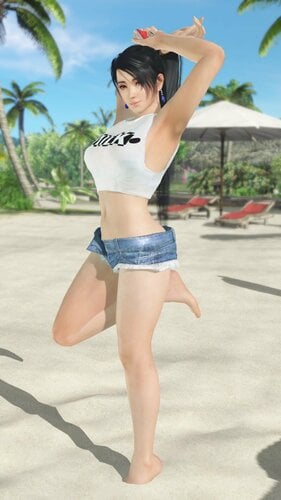
Mai Shiranui Bikini and Shirt
This is my second upload and my first "original" work. It's based on two of Mai's outfits from Fatal Fury The Motion Picture: her yellow bandeau thong bikini and her "Milk" t-shirt and jean shorts. The shirt is sheer and fits over most Costume Customizer bras, and the shorts fit over most bottoms, at least thong-style bottoms.
Future Plans for this mod:
Adding Support for Honoka.
Adding Support for Marie.
Also included are several Bonus articles of clothing, which I've converted to CC but aren't officially part of this mod, and are buggy in some cases.
Panty Slot 3 = Thong bottoms from the First Anniversary Black Dress
Skirt Slot 1 = Pareo sarong
Skirt Slot 2 = Denim Skirt
Accessory1 Slot 2 = Jeans
Accessory2 Slot 1 = Addition Jean parts, such as the belt and loops.
Enjoy!
Special thanks to:
Repinscourge on Deviant Art, for his original idea and support.
KuroKaze78 for developing the Costume Customizer mod, and for his continued support.
SavageMoonBoy for his continued support.
All the members of the Lover's Lab Forums who've showed and interest in this mod.
1345 downloads
- costume customizer
- thong
- (and 5 more)
Submitted