
Dead or Alive Xtreme: Venus Vacation
613 files
-
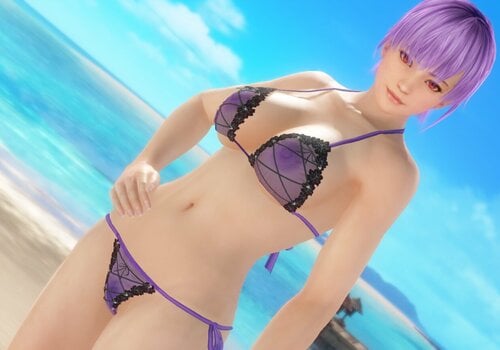
SSR Cait Sith
By Lunatic dawn
SSR Cait Sith
Normal:
X + 1 --- toggle tops
IMPORTANT
This mod needs Hi-res body Skin Texture, e.g. HI-METAL's Skin
I play only DMM Ver., so I can't check my mod on Steam Ver.
1427 downloads
Updated
-
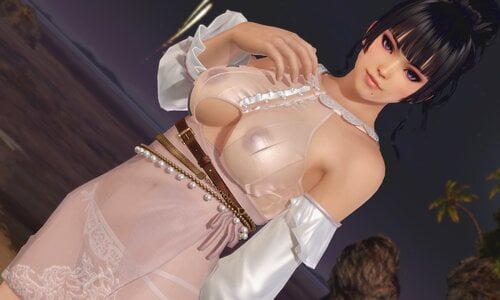
SSR Sweet Spot (Common)
By Lunatic dawn
Normal:
X + 1 --- toggle tops
X + 2 --- toggle collar and button
Z + 1 --- toggle panty
Z + 2 --- toggle skirt
Z + 3 --- toggle belt
C + 1 --- toggle transparency of tops
C + 2 --- toggle transparency of skirt
Caution:
Please install krunkDunk's GUI CVM.
---Right click on icons, you can toggle swimsuit status.
---R click on pictures, quickly load presets.
---You can memory original swimsuit status for 3 presets. Use "SAVE" and "LOAD" icon.
If you can't use GUICVM, rename "DISABLED_NoGUICVM.ini" to "NoGUICVM.ini".
And move all other ini files to "DISABLED" folder.
( "sub_gui.ini","mod.ini","combo.ini" )
2137 downloads
Updated
-
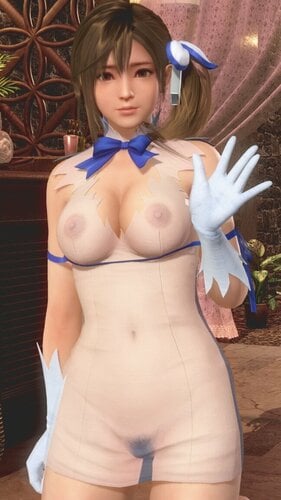
SSR DanMachi (Common & Honoka)
By Lunatic dawn
SSR DanMachi (Common & Honoka)
original mod by @Minazuki
remove panty & add transparency
IMPORTANT
This mod needs Hi-res body Skin Texture, e.g. HI-METAL's Skin
I play only DMM Ver., so I can't check my mod on Steam Ver.
( this mod is not for CostumeCustomizer, only for old users..)
1828 downloads
Updated
-
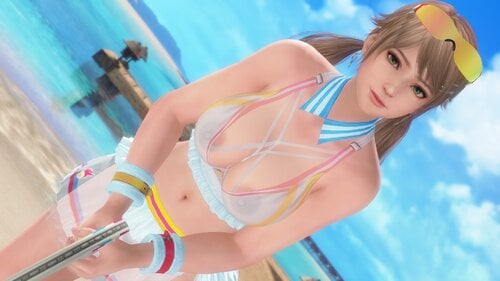
Venus Ace (Common)
By Lunatic dawn
Normal:
X + 1 --- toggle inner bra
X + 2 --- toggle outer bra
X + 3 --- toggle bra lace
X + 4 --- toggle collar
Z + 1 --- toggle panty
C + 1 --- toggle transparency of tops
C + 2 --- toggle transparency of panty
C + 3 --- toggle transparency of skirt
Malfunction:
X + 1 --- toggle inner bra
X + 2 --- toggle outer bra
X + 4 --- toggle collar
Z + 1 --- toggle panty
C + 1 --- toggle transparency of tops
C + 2 --- toggle transparency of panty
Caution:
Please install krunkDunk's GUI CVM.
---Right click on icons, you can toggle swimsuit status.
---R click on pictures, quickly load presets.
---You can memory original swimsuit status for 3 presets. Use "SAVE" and "LOAD" icon.
If you can't use GUICVM, rename "DISABLED_NoGUICVM.ini" to "NoGUICVM.ini".
And move all other ini files to "DISABLED" folder.
( "sub_gui.ini","mod.ini","combo.ini" )
1280 downloads
Updated
-
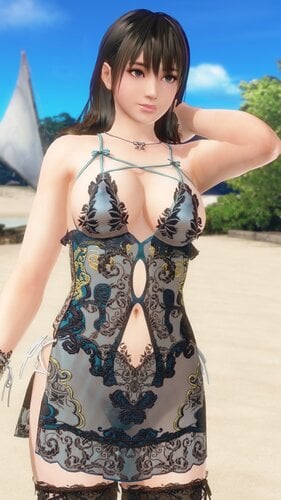
SSR Midnight Light
By Lunatic dawn
Normal:
X + 1 --- toggle bra
X + 2 --- toggle top
Z + 1 --- toggle panty
C + 1 --- toggle transparency of top
C + 2 --- toggle transparency of panty
Awakened:
X + 1 --- toggle bra
X + 2 --- toggle top
Z + 1 --- toggle panty
C + 1 --- toggle transparency of top
C + 2 --- toggle transparency of panty
Caution:
1. Please install krunkDunk's GUI CVM.
---Right click on icons, you can toggle swimsuit status.
---R click on pictures, quickly load presets.
---You can memory original swimsuit status for 3 presets. Use "SAVE" and "LOAD" icon.
If you can't use GUICVM, rename "DISABLED_NoGUICVM.ini" to "NoGUICVM.ini".
And move all other ini files to "DISABLED" folder.
( "sub_gui.ini","mod.ini","combo.ini" )
2. I play only DMM ver., so I can't check my mods on steam ver.
My Nanami skin
1761 downloads
Updated
-
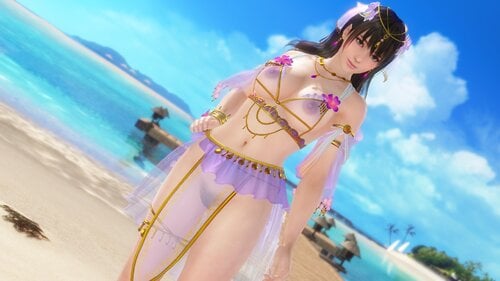
SSR Bouquet Alstroemeria
By Lunatic dawn
Normal:
X + 1 --- toggle inner bra
X + 2 --- toggle outer bra
X + 3 --- toggle arms
X + 4 --- toggle flower
Z + 1 --- toggle panty
Z + 2 --- toggle top skirt
Z + 3 --- toggle bottom & front skirt
Z + 4 --- toggle back skirt
Awakened:
X + 1 --- toggle bra
X + 3 --- toggle arms
X + 4 --- toggle flower
Z + 1 --- toggle panty
Z + 2 --- toggle top skirt
Caution:
1. Please install krunkDunk's GUI CVM.
---Right click on icons, you can toggle swimsuit status.
---R click on pictures, quickly load presets.
---You can memory original swimsuit status for 3 presets. Use "SAVE" and "LOAD" icon.
If you can't use GUICVM, rename "DISABLED_NoGUICVM.ini" to "NoGUICVM.ini".
And move all other ini files to "DISABLED" folder.
( "sub_gui.ini","mod.ini","combo.ini" )
2. I play only DMM ver., so I can't check my mods on steam ver.
My Nanami skin
1416 downloads
Updated
-
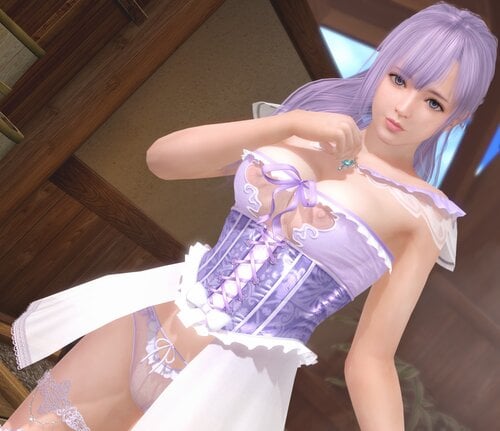
SSR Noble Tutu
By Lunatic dawn
Normal:
X + 1 --- toggle tops
X + 2 --- toggle shoulder
X + 3 --- toggle accessory
Z + 1 --- toggle panty
Z + 2 --- toggle outer skirt
Z + 3 --- toggle inner skirt
Z + 4 --- toggle front skirt
Caution:
1. Please install krunkDunk's GUI CVM.
---Right click on icons, you can toggle swimsuit status.
---R click on pictures, quickly load presets.
---You can memory original swimsuit status for 3 presets. Use "SAVE" and "LOAD" icon.
If you can't use GUICVM, rename "DISABLED_NoGUICVM.ini" to "NoGUICVM.ini".
And move all other ini files to "DISABLED" folder.
( "sub_gui.ini","mod.ini","combo.ini" )
2. I play only DMM ver., so I can't check my mods on steam ver.
1437 downloads
Updated
-
![More information about "[xeno] Ryza's Favorite Outfit - [Marie Rose]"](https://static.loverslab.com/screenshots/monthly_2022_10/Ryzas_Favorite_Outfit.thumb.PNG.576e80f355aad902972fab99e0cfa10f.PNG)
[xeno] Ryza's Favorite Outfit - [Marie Rose]
By xenodoax
This is the first time I've released Ryza's Favorite Outfit for Marie Rose bodies.
Perks include:
- compatibility with high-res skins
- transparent top
- multiple underwear options, including a thong I designed specially for this outfit
Confirmed working for [STEAM] platform.
Requirements:
- Must have the Ryza's Favorite Outfit SSR unlocked already in game, or viewing a Marie Rose body character in game that has it equipped
- Hi-res skins (either HI-METAL or Jevonation 4K or equivalent)
- 3dmigoto installed on your game
Installation:
1. Download the .zip
2. Drop the directory [xeno]_Ryzas_Favorite_Outfit_[Marie_Rose] into your mods folder
3. Hit F10 in game
See below for toggle controls
====================================================================================================
This 3dmigoto mod is equipped with toggle controls of the clothing.
Type the command in game to toggle clothing items.
The list below each toggle control is a description of the mod.
Toggle through the options by continually entering the command in game for each section to find your desired appearance.
-- TOP -- Command: CTRL + T
0. Vanilla
1. Transparent cream top
2. Cream top removed
3. All top removed
-- HOODIE -- Command: SHIFT + CTRL + T
0. On
1. Off
-- SLEEVES -- Command: CTRL + Q
0. Vanilla
1. Upper removed
2. Bands only
3. No sleeves
-- BELTS -- Command: CTRL + A
0. Vanilla
1. Brown belt only
2. Blue belt only
3. No belts
-- LEG ACCESSORIES -- Command: SHIFT + CTRL + A
Note: Bottle will only appear if using underwear options 0, 1
0. Vanilla
1. Satchel only
2. Bottle only
3. No leg accessories
-- UNDERWEAR -- Command: CTRL + U
0. Vanilla
1. Vanilla - hip ribbons removed
2. Vanilla - Lower strap and hip ribbons removed
3. Thong
4. No underwear
For more mods by [xeno], check out my mod thread:
550 downloads
Submitted
-
![More information about "[xeno] Ryza's Favorite Outfit [Honoka] [v2]"](https://static.loverslab.com/screenshots/monthly_2022_09/20220927004237_2.thumb.jpg.1f24f73893ce7a639ce16e41b0b59820.jpg)
[xeno] Ryza's Favorite Outfit [Honoka] [v2]
By xenodoax
[xeno] Ryza's Favorite Outfit [Honoka] [v2]
Compatible with Honoka body girls only. For the Common version, go here:
This is a full overhaul of the first version of this mod I made before. The mesh weights have been improved and now allow for hi-res skins.
Also enjoy: transparent top, and several underwear options, including a thong I designed specially for this outfit.
Confirmed working for [STEAM] platform.
Requirements:
- Must have the Ryza's Favorite Outfit SSR unlocked already in game, or viewing a Honoka body character in game that has it equipped
- Hi-res skins (either HI-METAL or Jevonation 4K or equivalent)
- 3dmigoto installed on your game
Installation:
1. Download the .zip
2. Drop the directory [xeno]_Ryzas_Favorite_Outfit_[Honoka]_[v2] into your mods folder
3. Hit F10 in game
See below for toggle controls
====================================================================================================
This 3dmigoto mod is equipped with toggle controls of the clothing.
Type the command in game to toggle clothing items.
The list below each toggle control is a description of the mod.
Toggle through the options by continually entering the command in game for each section to find your desired appearance.
-- TOP -- Command: CTRL + T
0. Vanilla
1. Transparent cream top
2. Cream top removed
3. All top removed
-- HOODIE -- Command: SHIFT + CTRL + T
0. On
1. Off
-- SLEEVES -- Command: CTRL + Q
0. Vanilla
1. Upper removed
2. Bands only
3. No sleeves
-- BELTS -- Command: CTRL + A
0. Vanilla
1. Brown belt only
2. Blue belt only
3. No belts
-- LEG ACCESSORIES -- Command: SHIFT + CTRL + A
Note: Bottle will only appear if using underwear options 0, 1
0. Vanilla
1. Satchel only
2. Bottle only
3. No leg accessories
-- UNDERWEAR -- Command: CTRL + U
0. Vanilla
1. Vanilla - hip ribbons removed
2. Vanilla - Lower strap and hip ribbons removed
3. Thong
4. No underwear
For more mods by [xeno], check out my mod thread:
866 downloads
Updated
-
![More information about "[xeno] Ryza's Favorite Outfit [Common] [v2]"](https://static.loverslab.com/screenshots/monthly_2022_09/20220924221746_1.thumb.jpg.000459cdcd649b00aee67bc96b337d4b.jpg)
[xeno] Ryza's Favorite Outfit [Common] [v2]
By xenodoax
[xeno] Ryza's Favorite Outfit [Common] [v2]
This is a full overhaul of the first version of this mod I made before. The mesh weights have been improved and now allow for hi-res skins.
Also enjoy: transparent top, and several underwear options, including a thong I designed specially for this outfit.
Confirmed working for [STEAM] platform.
Requirements:
- Must have the Ryza's Favorite Outfit SSR unlocked already in game, or viewing a common body character in game that has it equipped
- Hi-res skins (either HI-METAL or Jevonation 4K or equivalent)
- 3dmigoto installed on your game
Installation:
1. Download the .zip
2. Drop the directory [xeno]_Ryzas_Favorite_Outfit_[Common]_[v2] into your mods folder
3. Hit F10 in game
See below for toggle controls
====================================================================================================
This 3dmigoto mod is equipped with toggle controls of the clothing.
Type the command in game to toggle clothing items.
The list below each toggle control is a description of the mod.
Toggle through the options by continually entering the command in game for each section to find your desired appearance.
-- TOP -- Command: CTRL + T
0. Vanilla
1. Transparent cream top
2. Cream top removed
3. All top removed
-- HOODIE -- Command: SHIFT + CTRL + T
0. On
1. Off
-- SLEEVES -- Command: CTRL + Q
0. Vanilla
1. Upper removed
2. Bands only
3. No sleeves
-- BELTS -- Command: CTRL + A
0. Vanilla
1. Brown belt only
2. Blue belt only
3. No belts
-- LEG ACCESSORIES -- Command: SHIFT + CTRL + A
Note: Bottle will only appear if using underwear options 0, 1
0. Vanilla
1. Satchel only
2. Bottle only
3. No leg accessories
-- UNDERWEAR -- Command: CTRL + U
0. Vanilla
1. Vanilla - hip ribbons removed
2. Vanilla - Lower strap and hip ribbons removed
3. Thong
4. No underwear
For more mods by [xeno], check out my mod thread:
1208 downloads
Updated
-
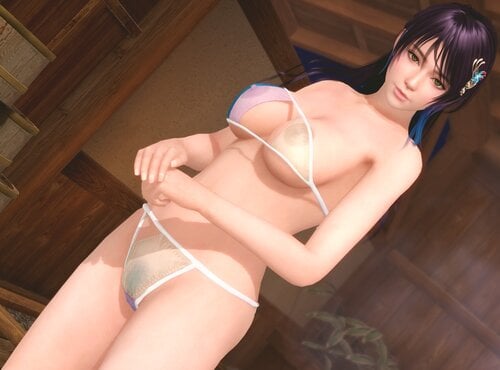
SR Mint / Fennel (Honoka)
By Lunatic dawn
X + 1 --- toggle bra
Z + 1 --- toggle panty
C + 1 --- toggle transparency
Caution:
1. This mod use hi-res nipples skin by krunkDunk. Install the skin refer to below thread.
2. I play only DMM ver., so I can't check my mods on steam ver.
1974 downloads
Submitted
-
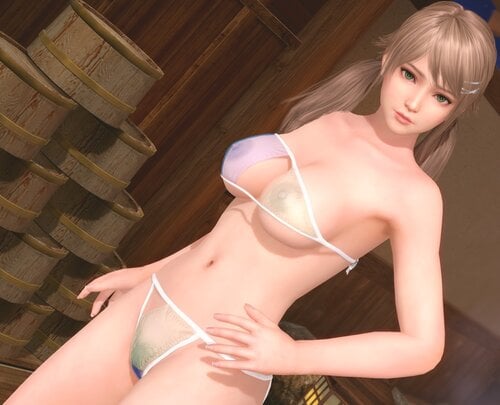
SR Mint / Fennel (Common)
By Lunatic dawn
X + 1 --- toggle bra ( 3 steps )
Z + 1 --- toggle panty ( 3 steps )
C + 1 --- toggle transparency ( 3steps )
Caution:
I play only DMM ver., so I can't check my mods on steam ver.
2285 downloads
Updated
-
![More information about "[R] (_MAR) Biwa Loquat [krunkdunk]"](https://static.loverslab.com/screenshots/monthly_2022_09/2133961155_MARbiwameshupdate2022-09-231.thumb.jpg.87ecc5da10e05782bf25c888dece643d.jpg)
[R] (_MAR) Biwa Loquat [krunkdunk]
By krunkDunk
Biwa / Loquat [krunkdunk] (version 2022-08-23)
for MarieRose body types
"sui-gui.ini" is optional you can disable, but if you want to use it you need GUICVM
https://www.loverslab.com/files/file/20372-guicvm_base_package_v10zip/
hotkeys:
Shift X = bikini top
Shift Z = bikini bottom
Shift C = bikini laces
3529 downloads
Updated
-
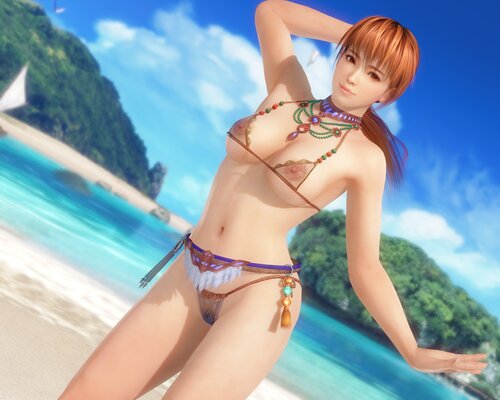
SSR Mystic Ocean
By Lunatic dawn
Normal:
X + 1 --- toggle top
X + 2 --- toggle bra
X + 3 --- toggle waist
IMPORTANT
This mod needs Hi-res body Skin Texture, e.g. HI-METAL's Skin
I play only DMM Ver., so I can't check my mod on Steam Ver.
1386 downloads
Submitted
-
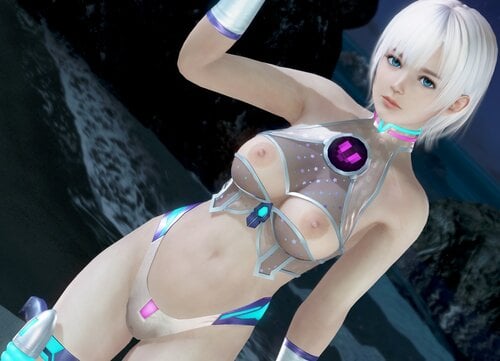
SSR Alien Heart
By Lunatic dawn
Normal:
X + 1 --- toggle suit
X + 2 --- toggle center accessory
X + 3 --- toggle heart
X + 4 --- toggle neck
X + 5 --- toggle orbs
Z + 1 --- toggle panty
Z + 2 --- toggle skirt
Z + 3 --- toggle gun
C + 1 --- toggle transparency of suit
C + 2 --- toggle transparency of panty
C + 3 --- toggle transparency of skirt
Caution:
1. Please install krunkDunk's GUI CVM.
---Right click on icons, you can toggle swimsuit status.
---R click on pictures, quickly load presets.
---You can memory original swimsuit status for 3 presets. Use "SAVE" and "LOAD" icon.
If you can't use GUICVM, rename "DISABLED_NoGUICVM.ini" to "NoGUICVM.ini".
And move all other ini files to "DISABLED" folder.
( "sub_gui.ini","mod.ini","combo.ini" )
2. This mod use hi-res nipples skin by krunkDunk. Install the skin refer to below thread.
3. I play only DMM ver., so I can't check my mods on steam ver.
2292 downloads
Submitted
-
![More information about "[mod] Costume Customizer Mod - OSIRI's Sexy Leotard"](https://static.loverslab.com/uploads/monthly_2022_09/image.png.339ae166362ca858871a505f873a2450.png)
[mod] Costume Customizer Mod - OSIRI's Sexy Leotard
By starash
Only for Marie-mesh-type
1804 downloads
Updated
-
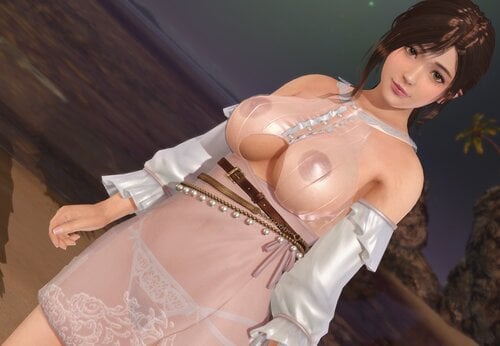
SSR Sweet Spot (Honoka)
By Lunatic dawn
Normal:
X + 1 --- toggle tops
X + 2 --- toggle collar and button
Z + 1 --- toggle panty
Z + 2 --- toggle skirt
Z + 3 --- toggle belt
C + 1 --- toggle transparency of tops
C + 2 --- toggle transparency of skirt
Caution:
1. Please install krunkDunk's GUI CVM.
---Right click on icons, you can toggle swimsuit status.
---R click on pictures, quickly load presets.
---You can memory original swimsuit status for 3 presets. Use "SAVE" and "LOAD" icon.
If you can't use GUICVM, rename "DISABLED_NoGUICVM.ini" to "NoGUICVM.ini".
And move all other ini files to "DISABLED" folder.
( "sub_gui.ini","mod.ini","combo.ini" )
2.This mod use hi-res nipples skin by krunkDunk. Install the skin refer to below thread.
1919 downloads
Submitted
-

SSR Bouquet Dahlia
By Lunatic dawn
Normal:
X + 1 --- toggle tops
X + 2 --- toggle girdle
Z + 1 --- toggle panty
Z + 2 --- toggle top skirt
Z + 3 --- toggle hip
Z + 4 --- toggle bottom skirt
C + 1 --- toggle transparency of tops
C + 2 --- toggle transparency of bottoms (transparency on cause panty disappear)
Awakened:
X + 1 --- toggle tops
Z + 1 --- toggle panty
Z + 3 --- toggle hip
C + 1 --- toggle transparency of tops
C + 2 --- if panty don't appear, use this key
Caution:
1.Please install krunkDunk's GUI CVM.
---Right click on icons, you can toggle swimsuit status.
---R click on pictures, quickly load presets.
---You can memory original swimsuit status for 3 presets. Use "SAVE" and "LOAD" icon.
If you can't use GUICVM, rename "DISABLED_NoGUICVM.ini" to "NoGUICVM.ini".
And move all other ini files to "DISABLED" folder.
( "sub_gui.ini","mod.ini","combo.ini" )
2.This mod use hi-res nipples skin by krunkDunk. Install the skin refer to below thread.
3.I play only DMM ver., so I can't check my mods on steam ver.
1143 downloads
Updated
-
![More information about "Dev Tools [krunkdunk]"](https://static.loverslab.com/screenshots/monthly_2022_08/devtoolpreview.thumb.png.cfc1d588c5d923a0fdc1337fe5d80bc3.png)
Dev Tools [krunkdunk]
By krunkDunk
Here are some things I made to display variables and notifications.
I left comments in the "example.ini"
Var Display:
You can temporarily add code into mods to see what the fuck the variables are. Useful if you are doing unusual or complex stuff.
for example:
[Present] $\varDisplay\value = $color run = \varDisplay\DrawFloat
There is a little more functionality shown in the example.ini
Hash Test is for testing when a hash is in the scene, see the examples I included.
235 downloads
Submitted
-
[R] (_HON) Biwa Loquat [krunkdunk]
By krunkDunk
Biwa / Loquat [krunkdunk] (version 2022-08-23)
for Honoka body type
"sui-gui.ini" is optional you can disable, but if you want to use it you need GUICVM
https://www.loverslab.com/files/file/20372-guicvm_base_package_v10zip/
hotkeys:
Shift X = bikini top
Shift Z = bikini bottom
Shift C = bikini laces
2057 downloads
Submitted
-
[R] (_KAS) Biwa Loquat [krunkdunk]
By krunkDunk
Biwa / Loquat (version 2022-08-23)
for Kasumi body type
"sui-gui.ini" is optional you can disable, but if you want to use it you need GUICVM
https://www.loverslab.com/files/file/20372-guicvm_base_package_v10zip/
hotkeys:
Shift X = bikini top
Shift Z = bikini bottom
Shift C = bikini laces
Read the help.txt for help on configuring for World or Japan versions of the game.
2329 downloads
Submitted
-
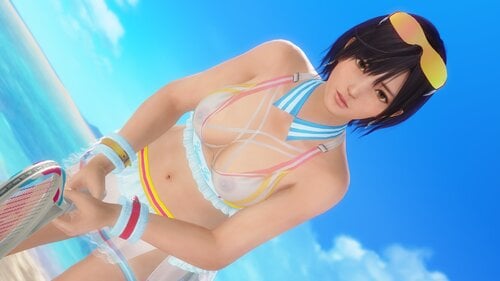
Venus Ace (Marie)
By Lunatic dawn
Normal:
X + 1 --- toggle inner bra
X + 2 --- toggle outer bra
X + 3 --- toggle bra lace
X + 4 --- toggle collar
Z + 1 --- toggle panty
C + 1 --- toggle transparency of tops
C + 2 --- toggle transparency of panty
C + 3 --- toggle transparency of skirt
Malfunction:
X + 1 --- toggle inner bra
X + 2 --- toggle outer bra
X + 4 --- toggle collar
Z + 1 --- toggle panty
C + 1 --- toggle transparency of tops
C + 2 --- toggle transparency of panty
Caution:
Please install krunkDunk's GUI CVM.
---Right click on icons, you can toggle swimsuit status.
---R click on pictures, quickly load presets.
---You can memory original swimsuit status for 3 presets. Use "SAVE" and "LOAD" icon.
If you can't use GUICVM, rename "DISABLED_NoGUICVM.ini" to "NoGUICVM.ini".
And move all other ini files to "DISABLED" folder.
( "sub_gui.ini","mod.ini","combo.ini" )
973 downloads
Submitted
-
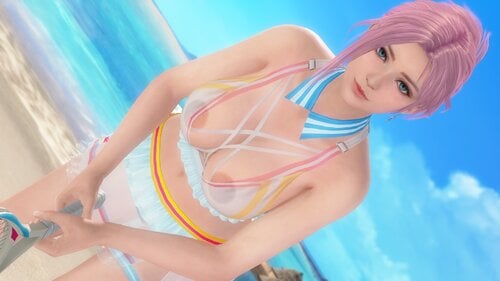
Venus Ace (Honoka)
By Lunatic dawn
Normal:
X + 1 --- toggle inner bra
X + 2 --- toggle outer bra
X + 3 --- toggle bra lace
X + 4 --- toggle collar
Z + 1 --- toggle panty
C + 1 --- toggle transparency of tops
C + 2 --- toggle transparency of panty
C + 3 --- toggle transparency of skirt
Malfunction:
X + 1 --- toggle inner bra
X + 2 --- toggle outer bra
X + 4 --- toggle collar
Z + 1 --- toggle panty
C + 1 --- toggle transparency of tops
C + 2 --- toggle transparency of panty
Caution:
1.Please install krunkDunk's GUI CVM.
---Right click on icons, you can toggle swimsuit status.
---R click on pictures, quickly load presets.
---You can memory original swimsuit status for 3 presets. Use "SAVE" and "LOAD" icon.
If you can't use GUICVM, rename "DISABLED_NoGUICVM.ini" to "NoGUICVM.ini".
And move all other ini files to "DISABLED" folder.
( "sub_gui.ini","mod.ini","combo.ini" )
2.This mod use hi-res nipples skin by krunkDunk.
Install the skin refer to below thread.
1002 downloads
Submitted
-
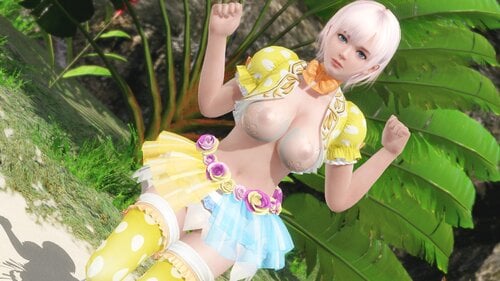
SSR Happy Egg
By Lunatic dawn
Normal:
X + 1 --- toggle egg bra
X + 2 --- toggle inner bra
X + 3 --- toggle shoulder
Z + 1 --- toggle panty
Z + 2 --- toggle outer skirt
Z + 3 --- toggle inner skirt
C + 1 --- toggle transparency of egg bra
C + 2 --- toggle transparency of inner skirt
Caution:
1.Please install krunkDunk's GUI CVM.
---Right click on icons, you can toggle swimsuit status.
---R click on pictures, quickly load presets.
---You can memory original swimsuit status for 3 presets. Use "SAVE" and "LOAD" icon.
If you can't use GUICVM, rename "DISABLED_NoGUICVM.ini" to "NoGUICVM.ini".
And move all other ini files to "DISABLED" folder.
( "sub_gui.ini","mod.ini","combo.ini" )
2.This mod use hi-res nipples skin by krunkDunk. Install the skin refer to below thread.
3. I play only DMM ver., so I can't check my mods on steam ver.
1490 downloads
Submitted
-
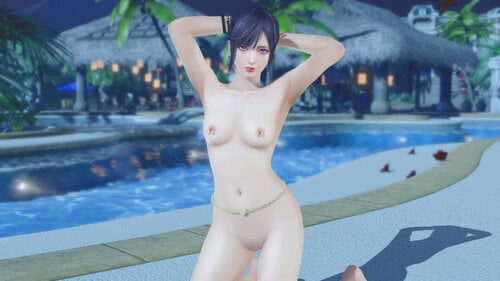
Piercings for Costume Customizer (All Girls)
Here is a mod I made for using in my screen shots, but I'm releasing it now for anyone interested. While it doesn't offer a lot of variety it was designed to offer maximum customization. Since it was designed to be used with other people's costume customizer mods, and since different modders use the 4 accessory slots for different things, ALL 4 accessory slots are identical. I originally wanted to do more with it before release but that will have to wait for another time.
The mod includes:
3 Varieties of Waist Chain,
2 Varieties of Navel Barbell
3 Varieties of Nipple Piercing
--> Each in 3 different colors. (Gold, Silver, Black)
All 4 accessory slots contain the same options, and by default they are gold. You can change the color of any slot by following the instructions I included in the mod.
*** Instructions for Changing Colors ***
Each folder contains the subfolder "Usethis"
To change the color of any of the 4 accessory slots, simply copy the Usethis folder from one of the color folders and replace the corresponding folder in the accessory folder.
Step by step:
1) Open the folder that contains the color you want to use. Inside is a folder called Usethis.
Example: Silver --> Usethis.
2) Copy the folder Usethis.
3) Open the folder for the slot whose color you want to change. Paste the Usethis folder and replace all the files when prompted.
4) Hit F10 to reload mods. That slot will have have a different color of piercings.
3108 downloads
- costumecustomizer
- piercings
- (and 10 more)
Updated

![More information about "[HOI4] Hearts of Desire"](https://static.loverslab.com/screenshots/monthly_2026_10/Capturadetela2026-10-05234232.thumb.png.8a425bf2a3362b7e7cd043504af27069.png)
![More information about "[XCL] [0.25.9] Palais Royale"](https://static.loverslab.com/screenshots/monthly_2026_08/Screenshot2026-08-2721_28_29.thumb.png.cb7226b03283653c53cf0071d230d011.png)
.thumb.jpg.452d217d7e0a37d0ce5e0fef8b6c1ec1.jpg)