Jump to content

Select a subcategory to view available files.

Files From Subcategories

  1. BeachLove

    Halli-hallo!
    Gibt es noch warme Tage dieses Jahr?
    (Basisspiel; 10 Farbfelder)
     
    Hallo!
    Gibt es dieses Jahr noch warme Tage?
    (Basisspiel; 10 Farbfelder)
     

    542 downloads

    Submitted

  2. Queen of Spades & Hotwife clothing

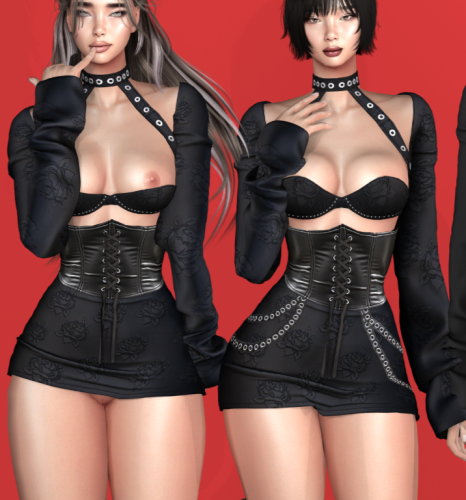
    Clothing for your queen of spades and hotwife sims to proudly show off their lifestyle.
     
    Edit: Fixed, now included in download is original CC needed for it to work properly.

    10738 downloads

    Updated

  3. Daggers Control Rigs (Updated by Simite for WW June 2022)

    Important: This is not a mod, it's an animators tool for using in blender to help make animations.
     
    It was suggested to me on multiple occasions in the past that these should have been posted somewhere easier to find rather then a couple posts into a long thread, so here we are after the latest WW release providing updated rigs with Anus and Vagina bones for animation these Control Rigs where in need of an update to accommodate those changes. 
     
    These Control Rigs where posted a while back by a user and fellow animator called Dagger, who has since not been very active but left this wonderful and useful tool behind I have updated the rig a couple times now after various WW rig changes and here we are again trying to help out that wonderful animation community to keep growing and creating the massive variety of beautiful animations.
     
    I understand that not everyone uses this control rig but I know it has helped many new comers and skilled animators alike either improve their workflow or just help get to grasps on the basics, its a great for beginners to learn and make their first animations and still has tons of practical utility for the more advanced animators amongst.
     
    These versions don't include any physics string, my latest version of those will be available on Patreon soon.

    15216 downloads

    Updated

  4. Final Pokemod By Leljas, 18 New Pokemons!

    It has been a while, hasn't it?
     
    This is it, the final Pokemod! It holds all the Pokemon that I had made but never published. They are (in no particular order):
    Vulpix and Alolan Vulpix, Ninetales and Alolan Ninetales, Totodile and Feraligatr, Salandit and Salazzle, Houndour and Houndoom, Beartic, Helioptile and Heliolisk, Mew, Gabite and Garchomp + Extra skins, Braixen + Extra skins and Nickit + Extra skins, and, of course, all of their shinies.


    You can find all of the other Pokemons and Digimon I've made in my profile. All mods are compatible with one another!
    You'll need Savestate's furry mod version 2 (link to it here: http://www.savestatecomic.com/dlc/ )
    Included in this mod is also the Pokemod Savestate Addons File. It cleans the fur texture on the normal Savestate Faces, and also fixes a few issues in them! 
    ⚠️ I made Salazzle with the intention of its tattoo and accessories being interchangable with its pre evolution and for that to work I had to slightly alter the Savestates Lizard head, so you'll need the Salazzle Fix.package file for those two to work. ⚠️
     
    Here's a detailed guide on how to make them:
    (This mod doesn't include any tray files. You will have to make the pokemon yourself)
    (Make sure not to make very overweight or very thin Sims, as they might make some of the Pokemon's parts look off)
    1 - Select the modded gray skin tone that comes with the furry mod. (Located under the miscellaneous skin tones)
    2 - Click on the eyes and select the furry mod preset.
    3 - While still on the eye selection, pick whichever custom eye color fits the character you are making. If you are making a shiny form or a custom color, they should have a similar swatch icon.
    4 - Move to the face details section and select the furry head or any of its variants.
    5 - Still on the face details, change to either the plantigrade or the digitigrade legs.
    6 - Again, still on the face details, find and select the parts you need to make the Pokemon you want. If you are making a shiny form or a custom color, you can find it in the swatches.
    7 - Finally, move to the body tattoos section and pick the one for the character you are making. If you are making a shiny form or a custom color, you can find it in the swatches under the same tattoo.
     
    I made a video to show all the steps in making a Pokemon. It should show off how simple it is to create any of the new or old Pokemon in the Sims 4:

    Done! Now your Sim should look similar to the Pokemon of your choosing!


    My Mod is fully compatible with Wickedwhims, I also advise the use of "Berni's Collection" mod in addition to mine. It fixes a glitch involving the legs of the furry mod with Wickedwhims. See below for Instructions:
     
     
    NSFW images below:
     
     
    Requirements:
    The Furry mod By Savestate
    http://www.savestatecomic.com/dlc/
     
    Optional:
    I recommend the use of Berni's Collection mod, it not only fixes a glitch with the furry mod itself but also adds canine/feline/equine/dragon/rabbit penises and sheaths.
     
    Known Issues and limitations:
    (Most of these are from the furry mod and not my fault but still here's a full list)
    The furry mod has a lot of limitations when it comes to face details, you can't edit most of the face, except for the snout.
    ⚠️ A bug with the Savestate heads is making it so when using a female frame, you can't change snout shapes. A temporary fix is making your female sim use the male physical frame, doing the desired changes, and then reverting to the female physical frame again. Be careful doing this to already existing characters though, as it will reset slider settings on the body when you switch it back to the female frame. ⚠️
    If you don't use the modded skin tone that is included in the furry mod, the skin will become brighter than it should be.
    If the digitigrade paws are selected, some bottom clothing may have double legs. This is a glitch with the furry mod and should be completely avoidable, make sure to pick shorter bottom clothing and not long pants. (Some long pants work while others don't.)
    If you use the digitigrade or plantigrade paws on your sim, then you will not be able to use any type of shoes
    In a few animations, some of the meshes might go out of place/clip. This doesn't happen too frequently but it's still a problem.
     
    If any other glitch appears, feel free to report it on the comments. I'll make sure to try my best at fixing it!
     

    However, this is the final Pokemod for a reason. I will no longer be modding for the Sims 4.
    I hope you all enjoyed the mods as much as I appreciate having made them, and hopefully I'll see you all in a new game with a new mod, whatever it may be!
     
     
    Additional Credits:
    Big thanks to the people who follow my mods, for your kind words and patience. Especially the patience part in this case.
    Credits to the original creator of the furry mod Tim Weeks From Savestate Comics
    Link to the website & download page of his mod: http://www.savestatecomic.com/dlc/
    Big Thanks to Sims4Studios for the modding tools, Ohana3ds for allowing me to export the 3D models from the Pokemon games...
    And of course, the Pokemon franchise for the characters.
     

    6523 downloads

    Submitted

  5. Pokemod By Leljas: Play as Absol from Pokemon!

    Hello!

    After quite a few months on a hiatus, I have brought a new pokemon into the Sims... Absol!
    It was quite the challenge having to mod on a pretty slow computer, but I hope that you all like the way it looks!


    Update 1: After improving my modding skills in the past year since publishing Lucario and Leafeon, I decided to fix and improve all my mods. Here's a list of the changes in this one:

    - Improved textures, eyes and accessories;
    - Made Mega Absol's claws optional, fixing the issue that made normal Absol's claws incompatible with Mega Absol;
    - Fixed a problem with Absol's tail disconnecting from the body;
    - A new custom Egg design akin to the one in the anime;
    - Organized the way my mods are ordered in CAS;
    - Fixed a problem where it was impossible to select pokemon eyes on aliens;
    - Made LODs to the accessories;
    - New icons;
    - Icons won't glitch out when making an opposite frame sim.

    For those who are updating this mod, be sure to delete the folder of the older version and place the new one as usual. You will also have to delete the file localthumbcache.package in /Documents/Electronic Arts/Sims 4 if you want the icons to show up properly when making an opposite frame sim.
    You might also have a problem where previously made pokemon from this mod lose all of their accessories and tattoos. If this is the case, then you'll have to go into CAS and remake them.
     
     
    If this is your first time downloading one of my mods, please also download the Pokemod Savestate Addons file. (you only need to get this file once)

    Here's a detailed guide on how to make Absol:
    (This mod doesn't include any tray files. You will have to make them yourself)
    (The Pokemon are fully compatible for both genders and ages from teen to elder)
    (Make sure not to make very overweight or very thin Sims, as they might deform some of the Pokemon parts)
    1 - Select the modded gray skin tone that comes with the furry mod. (Located under the miscellaneous skin tones).
    2 - Click on the eyes and select the furry mod preset.
    3 - While still on the eye selection, pick either the shiny or not shiny variant of the custom eye color made for Absol.
    4 - Move to the face details section and select the furry head or any of its variants.
    5 - Still on the skin details, change between the plantigrade or digitigrade legs. (if you want claws on your Absol, then you must pick digitigrade).
    6 - Again, still on the skin details, find and select the parts you need to make the pokemon you want. If you are making Absol's shiny or mega form, you can find it in the different color options.
    7 - Finally, Move to the body tattoos section and pick the one for Absol. If you are making the shiny, or its mega form, select the different color under Absol's tattoo.


    Here are a few comparison photos in between my mod and Pokemon Ultra Sun.
     
     
    My Mod is fully compatible with Wickedwhims, I also advise the use of "Berni's Collection" mod in addition to mine. It fixes a glitch involving the legs of the furry mod with Wickedwhims. See below for Instructions:
     
    NSFW images below:
     
    Requirements:
    The Furry mod By Savestate
    http://www.savestatecomic.com/dlc/
     
    Optional:
    I recommend the use of Berni's Collection mod, it not only fixes a glitch with the furry mod itself but also adds canine/feline/equine/dragon/rabbit penises and sheaths.
     
     
    Known Issues:
    (Most of these are from the furry mod and not my fault but still here's a full list)
    If you don't use the modded skin tone that is included in the furry mod, the Pokemon skin will become brighter than it should be.
    If the digitigrade paws are selected, some bottom clothing may have double legs.
     
    This is a glitch with the furry mod and should be completely avoidable, make sure to pick shorter bottom clothing and not long pants.
    If you use the digitigrade or plantigrade paws on your sim, then you will not be able to use any type of shoes
    The furry mod has a lot of limitations when it comes to face details, you can't edit most of the face, except for the snout and the nose.
    In a few animations, some of the meshes might go out of place/clip.
    This only happens whenever the body becomes too deformed and clips out of the meshes I made.
    If any other glitch happens, feel free to report it on the comments. I'll make sure to try my best at fixing it!

    I hope you all enjoy!
     

    3292 downloads

    Updated

  6. Pokemod By Leljas: Play as Lucario, Leafeon and/or Glaceon from Pokemon!

    Hello everyone!
    I really like pokemon, and after seeing the mod that Savestate Comics made, I had the idea to create this mod.


    Update 3: After improving my modding skills in the past year since publishing this mod, I decided to fix and improve all my mods. Here's a list of the changes in this one:

    - Made Glaceon as a new character;
    - Remade Leafeon's texture, accessories and made the chest leaves optional;
    - Made a few skin replacements instead of Pink Leafeon. Now we have seasonal Leafeons that reflect the colors of each season;
    - Lucario, Mega Lucario and Riolu's accessories, be it spikes, shoulders or their tails now all deform with the body sliders;
    - Mega Lucario's leg spikes are now optional;
    - Improved compatibily with Savestate's neck fluff and hair;
    - Completely reworked the Egg and added a few new designs akin to the ones in Pokemon Go;
    - Organized the way my mods are ordered in CAS;
    - Fixed a problem where it was impossible to select Pokemon eyes on aliens;
    - Made LODs to the accessories of all pokemon;
    - New icons;
    - Icons won't glitch out when making an opposite frame sim.
     
    For those who are updating this mod, be sure to delete the old Pokemod folder inside of Savestate's furry mod. You may also want to delete the file localthumbcache.package in /Documents/Electronic Arts/Sims 4 if you want the icons to show up properly when making an opposite frame sim.
    You might also have a problem where previously made pokemon from this mod lose all of their accessories and tattoos. If this is the case, then you'll have to go into - CAS and remake them.
    Old Leafeons will have some issues with the update, you'll have to take them to CAS and remove ALL face accessories. That should remove the old accessory completely and you can then place the new one.
     

    If this is your first time downloading one of my mods, please also download the Pokemod Savestate Addons file. (you only need to get this file once)

    Here's a detailed guide on how to make them:
    (This mod doesn't include any tray files. You will have to make them yourself)
    (The Pokemon are fully compatible for both genders)
    (Make sure not to make very overweight or very thin Sims, as they might make some of the Pokemon parts look off)
    1 - Make sure to select the custom gray skin color that the furry mod adds (Located under the miscellaneous skin tones).
    2 - Click on the eyes and select the furry mod preset.
    3 - While still on the eye selection, pick whichever custom eye color fits the pokemon you are making.
    4 - Move to the face details section and select the furry head or any of its variants.
    5 - Still on the face details, change to either the plantigrade or the digitigrade legs. (For Mega Lucario, you should use the Savestate canine tail).
    6 - Again, still on the face details, find and select the parts you need to make the pokemon you want. If you are making any of their shiny, mega forms or any other alternate version, you can find it in the different color options.
    6.1 - For Leafeon, you can find its chest leaves in the head accessories section (You will have to do this part for every single outfit category, but it is entirely optional).
    7 - Finally, Move to the body tattoos section and pick the one for the pokemon you are making. If it's a shiny, mega form, or any other alternate version (Including Riolu), you can find it in the different colors under the same tattoo.
    (In Lucario's tattoes, you'll see a few with less detail. These are made for better compatibility with the all new clothing options. Instructions inside the spoiler below!)
     
     
    With that you should be done, and your Sims should be looking like this.
    The Egg is a full body suit for children that you want to turn into a Pokemon whenever they age up to teen.


    Here's some comparison photos in between the mod and the Pokemon (the photos were taken from Pokemon refresh in Pokemon Ultra Sun)
     
     
    My Mod is fully compatible with Wickedwhims, I also advise the use of "Berni's Collection" mod in addition to mine. It fixes a glitch involving the legs of the furry mod with wickedwhims. See below for Instructions:


    NSFW images below \/\/\/
     
    Requirements:
    The Furry mod By Savestate:
    http://www.savestatecomic.com/dlc/
     
    Optional
    I recommend the use of berni's collection mod, it not only fixes a glitch with the furry mod itself but also adds canine/feline/equine/dragon/rabbit penises and sheaths.
     
     
    Known Issues:
    (Most of these are from the furry mod and not my fault but still here's a full list)
    If you don't use the modded skin tone that is included in the furry mod, the pokemon skin will become brighter than it should be.
    If the digitigrade paws are selected, some bottom clothing may have double legs.
    This is a glitch with the furry mod and should be completely avoidable, make sure to pick shorter bottom clothing and not long pants.
    If you use the digitigrade or platigrade paws on your sim, then you will not be able to use any type of shoes
    The furry mod has a lot of limitations when it comes to face details, you can't edit most of the face, except for the snout and the nose.
    In a few animations some of the meshes might go out of place / clip. A prime example of this is lucario's shoulder.
    This only happens whenever the body becomes too deformed and clips out of the meshes I made.
     
    I hope you enjoy!
     

    7033 downloads

    Updated

  7. Pokemod By Leljas: Play as Charizard and/or Incineroar from Pokemon!

    Hello!
     
    Incineroar and Charizard are the next set of pokemon joining your game. It took me quite a lot of effort, but I hope you enjoy how they look!


    Update 1: After improving my modding skills in the past year since publishing Lucario and Leafeon, I decided to fix and improve all my mods. Here's a list of the changes in this one:

    - Improved eyes on Charizard;
    - Improved compatibily with Savestate's neck fluff and hair;
    - New custom Egg designs for Charizard and Incineroar;
    - Organized the way my mods are ordered in CAS;
    - Fixed a problem where it was impossible to select pokemon eyes on aliens;
    - Made LODs to the accessories of all pokemon;
    - New icons;
    - Icons won't glitch out when making an opposite frame sim.

    For those who are updating this mod, be sure to delete the folder of the older version and place the new one as usual. You will also have to delete the file localthumbcache.package in /Documents/Electronic Arts/Sims 4 if you want the icons to show up properly when making an opposite frame sim.
    You might also have a problem where previously made pokemon from this mod lose all of their accessories and tattoos. If this is the case, then you'll have to go into CAS and remake them.
     
    If this is your first time downloading one of my mods, please also download the Pokemod Savestate Addons file. (you only need to get this file once)
     
    Here's a detailed guide on how to make them:
    (This mod doesn't include any tray files. You will have to make them yourself)
    (The Pokemon are fully compatible for both genders)
    (Make sure not to make very overweight or very thin Sims, as they might make some of the Pokemon parts look off)
    1 - Select the modded gray skin tone that comes with the furry mod. (Located under the miscellaneous skin tones)
    2 - Click on the eyes and select the furry mod preset.
    3 - While still on the eye selection, pick whichever custom eye color fits the pokemon you are making.
    4 - Move to the face details section and select the furry head or any of its variants.
    5 - Still on the face details, change to either the plantigrade or the digitigrade legs.
    6 - Again, still on the face details, find and select the parts you need to make the pokemon you want. If you are making any of their shiny or mega forms, you can find it in the different color options.
    6.1 - You can find their optional claws in the face details section as well. (Incineroar's claws are only compatible with plantigrade legs, while Charizard's claws are only compatible with digitigrade legs).
    6.2 - For Incineroar, you can find it's belt in the head accessories section. (You will have to do this part for every single outfit category, but it is entirely optional)
    7 - Finally, Move to the body tattoos section and pick the one for the pokemon you are making. If it's a shiny or a mega form, you can find it in the different colors under the same tattoo.

    I made a few gifs to show all the steps in order to make each pokemon.


    Done! Now your Sim should look similar to the pokemon!


    Here are a few comparison photos in between my mod and Pokemon Ultra Sun.
     
     
    My Mod is fully compatible with Wickedwhims, I also advise the use of "Berni's Collection" mod in addition to mine. It fixes a glitch involving the legs of the furry mod with Wickedwhims. See below for Instructions:
     
     
    NSFW images below:
     
    Requirements:
    The Furry mod By Savestate
    http://www.savestatecomic.com/dlc/
     
    Optional:
    I recommend the use of Berni's Collection mod, it not only fixes a glitch with the furry mod itself but also adds canine/feline/equine/dragon/rabbit penises and sheaths.
     
    Known Issues:
    Known Issues:
    (Most of these are from the furry mod and not my fault but still here's a full list)
    If you don't use the modded skin tone that is included in the furry mod, the Pokemon skin will become brighter than it should be.
    If the digitigrade paws are selected, some bottom clothing may have double legs. This is a glitch with the furry mod and should be completely avoidable, make sure to pick shorter bottom clothing and not long pants.
     
     
    If you use the digitigrade or plantigrade paws on your sim, then you will not be able to use any type of shoes
    The furry mod has a lot of limitations when it comes to face details, you can't edit most of the face, except for the snout.
    In a few animations, some of the meshes might go out of place/clip. This doesn't happen too frequently but it's still a problem.
     
     
    If any other glitch happens, feel free to report it on the comments. I'll make sure to try my best at fixing it!
    I hope you all enjoy!
     

    Credits:
    I used TwistedMexi’s T.O.O.L. mod  for some of the pictures. It's an awesome mod.
    Big thanks to the people who follow my mods, for your kind words and patience.
    Credits to the original creator of the furry mod Tim Weeks From Savestate Comics
    Link to the website & download page of his mod: http://www.savestatecomic.com/dlc/
    Also Big Thanks to Sims4Studios for the modding tools, Ohana3ds for allowing me to export the 3D models from the pokemon games...
    And of course, the pokemon franchise for the characters.

    7952 downloads

    Updated

  8. Pokemod By Leljas: Play as Typhlosion and/or Ampharos from Pokemon!

    Hello!
    I have completed yet another set of Pokemon. This time you can play as Ampharos, Mega Ampharos, Flaffy, Typhlosion and Quilava. All from the Pokemon franchise.


    Update 1: After improving my modding skills in the past year since publishing Lucario and Leafeon, I decided to fix and improve all my mods. Here's a list of the changes in this one:

    - Made Flaffy and Quilava;
    - Reworked textures, eyes and accessories on Typhlosion, Ampharos and Mega Ampharos (All Typhlosion skin tone variants included);
    - New tattoos for the Ampharos line to resemble their evolution and pre-evolution's skin tone;
    - Improved compatibily with Savestate's neck fluff and hair;
    - Two new custom Egg designs for Ampharos and Cyndaquil akin to the ones in the anime;
    - Organized the way my mods are ordered in CAS;
    - Fixed a problem where it was impossible to select pokemon eyes on aliens;
    - Made LODs to the accessories of all pokemon;
    - New icons;
    - Icons won't glitch out when making an opposite frame sim.

    For those who are updating this mod, be sure to delete the old Pokemod folder inside of Savestate's furry mod. You may also want to delete the file localthumbcache.package in /Documents/Electronic Arts/Sims 4 if you want the icons to show up properly when making an opposite frame sim.
    You might also have a problem where previously made pokemon from this mod lose all of their accessories and tattoos or in the case of both Ampharos and Typhlosion, I've added many new color patterns and because of this, already existing ones will most likelly have their colors mixed up. If this is the case, then you'll have to go into CAS and remake them.
     
     
    If this is your first time downloading one of my mods, please also download the Pokemod Savestate Addons file. (you only need to get this file once)
     
    Here's a detailed guide on how to make them:
    (This mod doesn't include any tray files. You will have to make them yourself)
    (The Pokemon are fully compatible for both genders)
    (Make sure not to make very overweight or very thin Sims, as they might make some of the Pokemon parts look off)
    1 - Select the modded gray skin tone that comes with the furry mod. (Located under the miscellaneous skin tones).
    2 - Click on the eyes and select the furry mod preset.
    3 - While still on the eye selection, pick one of the custom eye colors made for the Pokemon.
    4 - Move to the face details section and select the furry head or any of its variants.
    5 - Still on the face details, change between the plantigrade or digitigrade legs.
    6 - Again, still on the face details, find and select the parts you need to make the pokemon you want. If you are making any of their shiny, mega forms or any other alternate version, you can find it in the different color options.
    6.1 - For Quilava and Typhlosion, you can find an optional extra flame over at the head accessories section (You will have to do this part for every single outfit category, but it is entirely optional).
    7 - Finally, Move to the body tattoos section and pick the one for the pokemon you are making. If it's a shiny, mega form, or any other alternate version (Including their pre-evolutions Quilava and Flaffy), you can find it in the different colors under the same tattoo.

    Done! Now your Sim should look similar to the Pokemon of your choosing!
    The Egg is a full body suit for children and toddlers that you want to turn into a Pokemon whenever they age up to teen.


    Here are a few comparison photos in between my mod and the Pokemon games.
     
     
    My Mod is fully compatible with Wickedwhims, I also advise the use of "Berni's Collection" mod in addition to mine. It fixes a glitch involving the legs of the furry mod with Wickedwhims. See below for Instructions:
     
     
    NSFW images below \/\/\/
     
    Requirements:
    The Furry mod By Savestate
    http://www.savestatecomic.com/dlc/
     
    Optional:
    I recommend the use of berni's collection mod, it not only fixes a glitch with the furry mod itself but also adds canine/feline/equine/dragon/rabbit penises and sheaths.

    Known Issues:
    (Most of these are from the furry mod and not my fault but still here's a full list)
    If you don't use the modded skin tone that is included in the furry mod, the Pokemon skin will become brighter than it should be.
    If the digitigrade paws are selected, some bottom clothing may have double legs.
    This is a glitch with the furry mod and should be completely avoidable, make sure to pick shorter bottom clothing and not long pants.
    If you use the digitigrade or plantigrade paws on your sim, then you will not be able to use any type of shoes
    The furry mod has a lot of limitations when it comes to face details, you can't edit most of the face, except for the snout and the nose.
    In a few animations, some of the meshes might go out of place/clip.
    This only happens whenever the body becomes too deformed and clips out of the meshes I made.
    If any other glitch happens, feel free to report it on the comments. I'll make sure to try my best at fixing it!
     
    I hope you all enjoy!

    4501 downloads

    Updated

  9. Pokemod By Leljas: Play as Floatzel and/or Luxray from Pokemon!

    Hello!
    In this new Pokemod, it is Buizel, Floatzel, Shinx and Luxray who will join your tray!


    For smaller mods and Updates, please check out my Ko-Fi:


    You can find all other Pokemons I've made in my profile. All mods are compatible with one another!

    If this is your first time downloading one of my mods, please also download the Pokemod Savestate Addons file. (you only need to get this file once)
     
    Here's a detailed guide on how to make them:
    (This mod doesn't include any tray files. You will have to make the Pokemon yourself)
    (The Pokemon are fully compatible for any gender)
    (Make sure not to make very overweight or very thin Sims, as they might make some of the Pokemon's parts look off)
    1 - Select the modded gray skin tone that comes with the furry mod. (Located under the miscellaneous skin tones)
    2 - Click on the eyes and select the furry mod preset.
    3 - While still on the eye selection, pick whichever custom eye color fits the character you are making.
    4 - Move to the face details section and select the furry head or any of its variants. For both characters, the feline heads are recommended.
    5 - Still on the face details, change to either the plantigrade or the digitigrade legs.
    6 - Again, still on the face details, find and select the parts you need to make the Pokemon you want. If you are making a shiny form, you can find it in the different color options.
    7 - Move to the body tattoos section and pick the one for the character you are making. If you are making a shiny form, you can find it in the different colors under the same tattoo.
        7.1 - For Shinx only, depending on the gender you're making, be sure to select the correct gender specific tattoo in the different color options,
        as they change the skin color to directly reflect the diferences between a male and a female Shinx in the Pokemon games.
    8 - For Buizel, Floatzel and Shinx, you can find their "hairs" next to savestate's own hair in the hair selection. Shinx has two hairs depending on the gender, much like the tattoos.
    9 - For Buizel and Floatzel only, go to the head accessories and pick the floatie which both Pokemon are known to have. For shiny forms, you can find the color difference in the different colors under each floatie.

    I made a few gifs to show all the steps in order to make each Pokemon:
     

    Done! Now your Sim should look similar to the Pokemon of your choosing!


    Here are a few comparison photos in between my mod and Pokemon Ultra Sun:
     
     
    My Mod is fully compatible with Wickedwhims, I also advise the use of "Berni's Collection" mod in addition to mine. It fixes a glitch involving the legs of the furry mod with Wickedwhims. See below for Instructions:
     
     
    NSFW images below:
     
     
    Requirements:
    The Furry mod By Savestate
    http://www.savestatecomic.com/dlc/
     
    Optional:
    I recommend the use of Berni's Collection mod, it not only fixes a glitch with the furry mod itself but also adds canine/feline/equine/dragon/rabbit penises and sheaths.
     
    Known Issues:
    (Most of these are from the furry mod and not my fault but still here's a full list)
    If you don't use the modded skin tone that is included in the furry mod, the skin will become brighter than it should be.
    If the digitigrade paws are selected, some bottom clothing may have double legs. This is a glitch with the furry mod and should be completely avoidable, make sure to pick shorter bottom clothing and not long pants.
    If you use the digitigrade or plantigrade paws on your sim, then you will not be able to use any type of shoes
    The furry mod has a lot of limitations when it comes to face details, you can't edit most of the face, except for the snout.
    In a few animations, some of the meshes might go out of place/clip. This doesn't happen too frequently but it's still a problem.
    If any other glitch appears, feel free to report it on the comments. I'll make sure to try my best at fixing it!

    I hope you all enjoy!
     
     
    Credits:
    Big thanks to the people who follow my mods, for your kind words and patience.
    Credits to the original creator of the furry mod Tim Weeks From Savestate Comics
    Link to the website & download page of his mod: http://www.savestatecomic.com/dlc/
    Big Thanks to Sims4Studios for the modding tools, Ohana3ds for allowing me to export the 3D models from the Pokemon games...
    And of course, the Pokemon franchise for the characters.

    3759 downloads

    Updated

  10. Pokemod By Leljas: Play as Linoone and/or Furret from Pokemon!

    Hello!
     
    This time, I'm giving the spotlight to four of my personal favorite normal type Pokemons of all time, Sentret, Furret, Zigzagoon and Linoone, as well as the latter two's Galarian forms!


    If this is your first time downloading one of my mods, please also download the Pokemod Savestate Addons file. (you only need to get this file once)
     
    Here's a detailed guide on how to make them:
    (This mod doesn't include any tray files. You will have to make the pokemon yourself)
    (The Pokemon are fully compatible for any gender)
    (Make sure not to make very overweight or very thin Sims, as they might make some of the Pokemon's parts look off)
    1 - Select the modded gray skin tone that comes with the furry mod. (Located under the miscellaneous skin tones)
    2 - Click on the eyes and select the furry mod preset.
    3 - While still on the eye selection, pick whichever custom eye color fits the character you are making.
    4 - Move to the face details section and select the furry head or any of its variants.
    5 - Still on the face details, change to either the plantigrade or the digitigrade legs.
    6 - Again, still on the face details, find and select the parts you need to make the Pokemon you want. If you are making a shiny form or a pre-evolution, you can find it in the different color options.
     6.1 - For Linoone, Zigzagoon or their Galarian forms, make sure to also pick their claws in the same menu. 
    7 - Finally, move to the body tattoos section and pick the one for the character you are making. If you are making a shiny form or a pre-evolution, you can find it in the different colors under the same tattoo.
     
    I made a few gifs to show all the steps in order to make each pokemon:
     
     
    Done! Now your Sim should look similar to the Pokemon of your choosing!


    Here are a few comparison photos in between my mod and Pokemon Ultra Sun:
     
     
    My Mod is fully compatible with Wickedwhims, I also advise the use of "Berni's Collection" mod in addition to mine. It fixes a glitch involving the legs of the furry mod with Wickedwhims. See below for Instructions:
     
     
    NSFW images below:
     
     
    Requirements:
    The Furry mod By Savestate
    http://www.savestatecomic.com/dlc/
     
    Optional:
    I recommend the use of Berni's Collection mod, it not only fixes a glitch with the furry mod itself but also adds canine/feline/equine/dragon/rabbit penises and sheaths.
     
    Known Issues:
    (Most of these are from the furry mod and not my fault but still here's a full list)
    If you don't use the modded skin tone that is included in the furry mod, the skin will become brighter than it should be.
    If the digitigrade paws are selected, some bottom clothing may have double legs. This is a glitch with the furry mod and should be completely avoidable, make sure to pick shorter bottom clothing and not long pants.
     
     
    If you use the digitigrade or plantigrade paws on your sim, then you will not be able to use any type of shoes
    The furry mod has a lot of limitations when it comes to face details, you can't edit most of the face, except for the snout.
    In a few animations, some of the meshes might go out of place/clip. This doesn't happen too frequently but it's still a problem.
     
     
    If any other glitch appears, feel free to report it on the comments. I'll make sure to try my best at fixing it!
     
    I hope you all enjoy!
     
     
    Credits:
    Credits to the original creator of the furry mod Tim Weeks From Savestate Comics
    Link to the website & download page of his mod: http://www.savestatecomic.com/dlc/
    Big Thanks to Sims4Studios for the modding tools, Ohana3ds for allowing me to export the 3D models from the Pokemon games...
    And of course, the Pokemon franchise for the characters.

    3869 downloads

    Updated

  11. Pokemod By Leljas: Play as Espeon, Umbreon and/or Sylveon from Pokemon!

    Hello!
     
    It may have been a while, but I haven't forgotten about the rest of the Eeveelutions! Espeon, Umbreon and Sylveon are now completed!


    You can find Eevee, Flareon, Vaporeon and Jolteon in their own mod that was published a while back, and as for Leafeon and Glaceon, they are bundled with my original Lucario mod.


    If this is your first time downloading one of my mods, please also download the Pokemod Savestate Addons file. (you only need to get this file once)
     
    Here's a detailed guide on how to make them:
    (This mod doesn't include any tray files. You will have to make the pokemon yourself)
    (The Pokemon are fully compatible for any gender)
    (Make sure not to make very overweight or very thin Sims, as they might make some of the Pokemon's parts look off)
    1 - Select the modded gray skin tone that comes with the furry mod. (Located under the miscellaneous skin tones)
    2 - Click on the eyes and select the furry mod preset.
    3 - While still on the eye selection, pick whichever custom eye color fits the character you are making.
    4 - Move to the face details section and select the furry head or any of its variants.
    5 - Still on the face details, change to either the plantigrade or the digitigrade legs.
    6 - Again, still on the face details, find and select the parts you need to make the Pokemon you want. If you are making a shiny form, you can find it in the different color options.
    7 - Finally, move to the body tattoos section and pick the one for the character you are making. If you are making a shiny form, you can find it in the different colors under the same tattoo.
     
    I made a few gifs to show all the steps in order to make each pokemon:
     
     
    Done! Now your Sim should look similar to the Pokemon of your choosing!


    Here are a few comparison photos in between my mod and Pokemon Ultra Sun:
     
     
    My Mod is fully compatible with Wickedwhims, I also advise the use of "Berni's Collection" mod in addition to mine. It fixes a glitch involving the legs of the furry mod with Wickedwhims. See below for Instructions:
     
     
    NSFW images below:
     
     
    Requirements:
    The Furry mod By Savestate
    http://www.savestatecomic.com/dlc/
     
    Optional:
    I recommend the use of Berni's Collection mod, it not only fixes a glitch with the furry mod itself but also adds canine/feline/equine/dragon/rabbit penises and sheaths.
     
    Known Issues:
    (Most of these are from the furry mod and not my fault but still here's a full list)
    If you don't use the modded skin tone that is included in the furry mod, the skin will become brighter than it should be.
    If the digitigrade paws are selected, some bottom clothing may have double legs. This is a glitch with the furry mod and should be completely avoidable, make sure to pick shorter bottom clothing and not long pants.
    If you use the digitigrade or plantigrade paws on your sim, then you will not be able to use any type of shoes
    The furry mod has a lot of limitations when it comes to face details, you can't edit most of the face, except for the snout.
    In a few animations, some of the meshes might go out of place/clip. This doesn't happen too frequently but it's still a problem.
    If any other glitch appears, feel free to report it on the comments. I'll make sure to try my best at fixing it!

    I hope you all enjoy!
     
    Credits:
    I used TwistedMexi’s T.O.O.L. mod  for some of the pictures. It's an awesome mod.
    Big thanks to the people who follow my mods, for your kind words and patience. This mod has been on hold for around 4 months due to computer problems, but that has since been sorted out.
    Credits to the original creator of the furry mod Tim Weeks From Savestate Comics
    Link to the website & download page of his mod: http://www.savestatecomic.com/dlc/
    I also used a mod to change the wrench icon when displaying custom content in CAS. Link here: https://rheallsim.tumblr.com/post/634815036656910336/minimalist-cc-icon-cc-wrench-replacement-mod-i
    Big Thanks to Sims4Studios for the modding tools, Ohana3ds for allowing me to export the 3D models from the Pokemon games...
    And of course, the Pokemon franchise for the characters.

    5281 downloads

    Updated

  12. Digimod By Leljas: Play as Renamon and/or Garurumon from Digimon!

    Hello!
     
    After doing 7 Pokemon convertions to The Sims 4, I decided it was time to finally bring some Digimons into the mix.
    Three of which were requested above the others, so I introduce to you: Renamon, Garurumon and WereGarurumon! 


    Update 1: After improving my modding skills in the past year since publishing Lucario and Leafeon, I decided to fix and improve all my mods. Here's a list of the changes in this one:

    - Fixed a problem where it was impossible to select pokemon eyes on aliens;
    - Icons won't glitch out when making an opposite frame sim.

    For those who are updating this mod, be sure to delete the folder of the older version and place the new one as usual. You will also have to delete the file localthumbcache.package in /Documents/Electronic Arts/Sims 4 if you want the icons to show up properly when making an opposite frame sim.
     
    If this is your first time downloading one of my mods, please also download the Pokemod Savestate Addons file. (you only need to get this file once)

    Here's a detailed guide on how to make them:
    (This mod doesn't include any tray files. You will have to make them yourself)
    (The Digimon are fully compatible for both genders)
    (Make sure not to make very overweight or very thin Sims, as they might make some of the Digimon parts look off)
    1 - Select the modded gray skin tone that comes with the furry mod. (Located under the miscellaneous skin tones)
    2 - Click on the eyes and select the furry mod preset.
    3 - While still on the eye selection, pick whichever custom eye color fits the Digimon you are making.
    4 - Move to the face details section and select the furry head or any of its variants.
    5 - Still on the face details, change to either the plantigrade or the digitigrade legs.
    6 - Again, still on the face details, find and select the parts you need to make the Digimon you want. If you are making WereGarurumon, you can find it in the different color options.
    6.1 - You can find their optional claws in the face details section as well. WereGarurumon's claws are only compatible with plantigrade legs, while the others' claws are only compatible with digitigrade legs).
    6.2 - For Renamon, you can find it's gloves in the body accessories section under gloves. (You will have to do this part for every single outfit category, but it is entirely optional)
    7 - Finally, Move to the body tattoos section and pick the one for the Digimon you are making. If you are making WereGarurumon, you can find it in the different colors under Garurumon's tattoo.

    I made a few gifs to show all the steps in order to make each Digimon.
     
     
    Done! Now your Sim should look similar to the Digimon of your choosing!
    The Egg is a full body suit for children and toddlers that you want to turn into a Digimon whenever they age up to teen.


    Here are a few comparison photos in between my mod and Digimon Cyber Sleuth:
     
     
    My Mod is fully compatible with Wickedwhims, I also advise the use of "Berni's Collection" mod in addition to mine. It fixes a glitch involving the legs of the furry mod with Wickedwhims. See below for Instructions:
     
     
    NSFW images below:
     
    Requirements:
    The Furry mod By Savestate
    http://www.savestatecomic.com/dlc/
     
    Optional:
    I recommend the use of Berni's Collection mod, it not only fixes a glitch with the furry mod itself but also adds canine/feline/equine/dragon/rabbit penises and sheaths.
     
    Known Issues:
    Known Issues:
    (Most of these are from the furry mod and not my fault but still here's a full list)
    If you don't use the modded skin tone that is included in the furry mod, the Digimon skin will become brighter than it should be.
    If the digitigrade paws are selected, some bottom clothing may have double legs. This is a glitch with the furry mod and should be completely avoidable, make sure to pick shorter bottom clothing and not long pants.
     
     
    If you use the digitigrade or plantigrade paws on your sim, then you will not be able to use any type of shoes
    The furry mod has a lot of limitations when it comes to face details, you can't edit most of the face, except for the snout.
    In a few animations, some of the meshes might go out of place/clip. This doesn't happen too frequently but it's still a problem.
     
     
    If any other glitch happens, feel free to report it on the comments. I'll make sure to try my best at fixing it!
    I hope you all enjoy!
     

    Credits:
    I used TwistedMexi’s T.O.O.L. mod  for some of the pictures. It's an awesome mod.
    Big thanks to the people who follow my mods, for your kind words and patience.
    Credits to the original creator of the furry mod Tim Weeks From Savestate Comics
    Link to the website & download page of his mod: http://www.savestatecomic.com/dlc/
    Also Big Thanks to Sims4Studios for the modding tools, The user Hallow on the website The Models Resource for uploading 3D models from the Digimon games...
    And of course, the Digimon franchise for the characters.

    5779 downloads

    Updated

  13. Pokemod By Leljas: Play as Blaziken and/or Meowstic from Pokemon!

    Hello!
     
    It has been a while since I first teased it, but I finally bring you... Espurr, both Meowstic forms, Blaziken and its Mega evolution!


    Update 1: After improving my modding skills in the past year since publishing Lucario and Leafeon, I decided to fix and improve all my mods. Here's a list of the changes in this one:

    - New tattoos for the Meowstic line and Blaziken to resemble their evolution and pre-evolution's skin tone;
    - Made both Meowstic's hair as optional hair pieces, selectable the same way as putting normal hair on a sim;
    - Improved compatibily with Savestate's neck fluff and hair for Espurr and both Meowstics;
    - Two new custom Egg designs for Blaziken and Espurr akin to the ones in the anime;
    - Organized the way my mods are ordered in CAS;
    - Fixed a problem where it was impossible to select pokemon eyes on aliens;
    - Made LODs to the accessories of all pokemon;
    - New icons;
    - Icons won't glitch out when making an opposite frame sim.

    For those who are updating this mod, be sure to delete the folder of the older version and place the new one as usual. You will also have to delete the file localthumbcache.package in /Documents/Electronic Arts/Sims 4 if you want the icons to show up properly when making an opposite frame sim.
    You might also have a problem where previously made pokemon from this mod lose all of their accessories and tattoos. If this is the case, then you'll have to go into CAS and remake them.
     
     
    If this is your first time downloading one of my mods, please also download the Pokemod Savestate Addons file. (you only need to get this file once)

    Here's a detailed guide on how to make them:
    (This mod doesn't include any tray files. You will have to make them yourself)
    (The Pokemon are fully compatible for both genders and ages from teen to elder)
    (Make sure not to make very overweight or very thin Sims, as they might make some of the Pokemon parts look off)
    1 - Select the modded gray skin tone that comes with the furry mod. (Located under the miscellaneous skin tones).
    2 - Click on the eyes and select the furry mod preset.
    3 - While still on the eye selection, pick one of the custom eye colors made for the Pokemon.
    4 - Move to the face skin details section. There pick either the Blaziken head, the furry head or any of its variants depending on which pokemon you're making.
    5 - Still on the skin details, select one of the legs. Either Blaziken's or digitigrade/platigrade legs.
    6 - Again, still on the skin details, scroll down and select the parts you need to make the pokemon you want. If you are making any of their other forms, you can find it in the different color options (For Blaziken, I made a shorter chest fur version for extra compatibility with clothing).
    7 - Finally, Move to the body tattoos section and pick the one for the pokemon you are making. If it's a shiny, mega form, or any other alternate version (Including Espurr), you can find it in the different colors under the same tattoo.
    7.1 - For Blaziken, you can find their flames and optional vests under head accessories.

    I made a few gifs to show all the steps in order to make each pokemon.


    Done! Now your Sim should look similar to the pokemon!


    Here are a few comparison photos in between my mod and Pokemon Ultra Sun.
     
     
    My Mod is fully compatible with Wickedwhims, I also advise the use of "Berni's Collection" mod in addition to mine. It fixes a glitch involving the legs of the furry mod with Wickedwhims. See below for Instructions:
     
     
    NSFW images below:
     
    Requirements:
    The Furry mod By Savestate
    http://www.savestatecomic.com/dlc/
     
    Optional:
    I recommend the use of Berni's Collection mod, it not only fixes a glitch with the furry mod itself but also adds canine/feline/equine/dragon/rabbit penises and sheaths.
     
    Known Issues:
    (Most of these are from the furry mod and not my fault but still here's a full list)
    - If you don't use the modded skin tone that is included in the furry mod, the Pokemon skin will become brighter than it should be.
    - If the digitigrade paws are selected, some bottom clothing may have double legs. This is a glitch with the furry mod and should be completely avoidable, make sure to pick shorter bottom clothing and not long pants.

    - Blaziken's lower legs have a graphical issue where they look disjointed from the body. I haven't been able to fix it, but I'll be sure to update it in the future whenever I'm able to. Blaziken is fully compatible with Savestate's paws should this issue be too distracting.

    - If you use the digitigrade or plantigrade paws on your sim, then you will not be able to use any type of shoes
    - The furry mod has a lot of limitations when it comes to face details, you can't edit most of the face, except for the snout and the nose. (Blaziken's face can't be deformed at all)
    - In a few animations, some of the meshes might go out of place/clip. This only happens whenever the body becomes too deformed and clips out of the meshes I made.

    - If any other glitch happens, feel free to report it on the comments. I'll make sure to try my best at fixing it!

    I hope you all enjoy!

    Credits:
    Riolu, Liepard, Mega Lopunny, Mega Ampharos and Absol are pokemon I did a while ago, you can find them and more on my profile.
    Big thanks to the people who follow my mods, for your kind words and patience.
    Credits to the original creator of the furry mod Tim Weeks From Savestate Comics
    Link to the website & download page of his mod: http://www.savestatecomic.com/dlc/
    Also Big Thanks to Sims4Studios for the modding tools, Ohana3ds for allowing me to export the 3D models from the pokemon games...
    And of course, the pokemon franchise for the characters.

    3992 downloads

    Updated

  14. Pokemod By Leljas: Play as Lopunny and/or Zoroark from Pokemon!

    Hello!
    I have completed another set of Pokemon! Zoroark and Lopunny are here!


    Update 1: After improving my modding skills in the past year since publishing Lucario and Leafeon, I decided to fix and improve all my mods. Here's a list of the changes in this one:
     
    - Made Zorua and Buneary as new characters;
    - Ajusted Lopunny and Mega Lopunny's tattoos to be more accurate to the original pokemon;
    - Both Lopunnies now also have more detail on their ears and eyes;
    - Reworked Zoroark. It now has new eyes, new improved texture and ajusted accessories;
    - Zoroark's shoulder fluff is no longer dependent on other accessories;
    - Zoroark's claws were also reworked and are now optional. They're located in the face details;
    - New tattoos for all pokemon to resemble their evolution and pre-evolution's skin tone;
    - Improved compatibily with Savestate's neck fluff and hair;
    - Two new custom Egg designs for Zorua and Buneary akin to the ones in the anime;
    - Organized the way my mods are ordered in CAS;
    - Fixed a problem where it was impossible to select pokemon eyes on aliens;
    - Made LODs to the accessories of all pokemon;
    - New icons;
    - Icons won't glitch out when making an opposite frame sim.

    For those who are updating this mod, be sure to delete the old Pokemod folder inside of Savestate's furry mod. You may also want to delete the file localthumbcache.package in /Documents/Electronic Arts/Sims 4 if you want the icons to show up properly when making an opposite frame sim.
    You might also have a problem where previously made pokemon from this mod lose all of their accessories and tattoos. If this is the case, then you'll have to go into CAS and remake them
     
     
    If this is your first time downloading one of my mods, please also download the Pokemod Savestate Addons file. (you only need to get this file once)
     
    Here's a detailed guide on how to make them:
    (This mod doesn't include any tray files. You will have to make them yourself)
    (The Pokemon are fully compatible for both genders)
    (Make sure not to make very overweight or very thin Sims, as they might make some of the Pokemon parts look off)
    1 - Select the modded gray skin tone that comes with the furry mod (Located under the miscellaneous skin tones).
    2 - Click on the eyes and select the furry mod preset.
    3 - While still on the eye selection, pick one of the custom eye colors made for the Pokemon you are making.
    4 - Move to the face details section and select the furry head or any of its variants.
    5 - Still on the face details, change between the plantigrade or digitigrade legs
    6 - Again, still on the face details, find and select the parts you need to make the pokemon you want. If you are making any of their shiny, mega forms or any other alternate version, you can find it in the different color options.
    6.1 - For Zoroark, you can find his shoulder fluff in the head accessories section. (You will have to do this part for every single outfit category, but it is entirely optional).
    7 - Finally, Move to the body tattoos section and pick the one for the pokemon you are making. If it's a shiny, mega form, or any other alternate version (Including their pre-evolutions Zorua and Buneary), you can find it in the different colors under the same tattoo.

    Done! Now your Sim should look similar to the Pokemon of your choosing!
    The Egg is a full body suit for children that you want to turn into a Pokemon whenever they age up to teen.


    Here are a few comparison photos in between my mod and Pokemon Ultra Sun.
     
     
    My Mod is fully compatible with Wickedwhims, I also advise the use of "Berni's Collection" mod in addition to mine. It fixes a glitch involving the legs of the furry mod with wickedwhims. See below for Instructions:


    NSFW images below \/\/\/
     
    Requirements:
    The Furry mod By Savestate
    http://www.savestatecomic.com/dlc/
     
    Optional
    I recommend the use of berni's collection mod, it not only fixes a glitch with the furry mod itself but also adds canine/feline/equine/dragon/rabbit penises and sheaths.
     
     
    Known Issues:
    (Most of these are from the furry mod and not my fault but still here's a full list)
    If you don't use the modded skin tone that is included in the furry mod, the Pokemon skin will become brighter than it should be.
    If the digitigrade paws are selected, some bottom clothing may have double legs.
     
    This is a glitch with the furry mod and should be completely avoidable, make sure to pick shorter bottom clothing and not long pants.
    If you use the digitigrade or plantigrade paws on your sim, then you will not be able to use any type of shoes
    The furry mod has a lot of limitations when it comes to face details, you can't edit most of the face, except for the snout and the nose (Though you can make Lopunny look much more like a rabbit if you shrink the snout to the max).
     
    In a few animations, some of the meshes might go out of place/clip. A prime example of this is Mega Lopunny's hand.
     
    This only happens whenever the body becomes too deformed and clips out of the meshes I made.
    If any other glitch happens, feel free to report it on the comments. I'll make sure to try my best at fixing it!
     
    I hope you enjoy!

    5774 downloads

    Updated

  15. Pokemod By Leljas: Play as Eevee, Flareon, Vaporeon and/or Jolteon from Pokemon!

    Hello!
     
    When I made Leafeon a year ago, I knew I would eventually have to do its pre-evolution, but I decided that I was not only making Eevee, but I was also making Flareon, Vaporeon and Jolteon... And now they're here!


    If this is your first time downloading one of my mods, please also download the Pokemod Savestate Addons file. (you only need to get this file once)
     
    Here's a detailed guide on how to make them:
    (This mod doesn't include any tray files. You will have to make them yourself)
    (The Pokemon are fully compatible for both genders)
    (Make sure not to make very overweight or very thin Sims, as they might make some of the Pokemon's parts look off)
    1 - Select the modded gray skin tone that comes with the furry mod. (Located under the miscellaneous skin tones)
    2 - Click on the eyes and select the furry mod preset.
    3 - While still on the eye selection, pick whichever custom eye color fits the character you are making.
    4 - Move to the face details section and select the furry head or any of its variants.
    5 - Still on the face details, change to either the plantigrade or the digitigrade legs.
    6 - Again, still on the face details, find and select the parts you need to make the Pokemon you want. If you are making a shiny form, you can find it in the different color options.
    6.1 - For Flareon, you can find it's chest fluff in the face accessories section (You will have to do this part for every single outfit category, but it is entirely optional).
    7 - Finally, move to the body tattoos section and pick the one for the character you are making. If you are making a shiny form, you can find it in the different colors under the same tattoo.
    7.1 - For Eevee, Flareon and Jolteon, you can find their head's tuft of fur on the hair section.
     
    I made a few gifs to show all the steps in order to make each pokemon:
     
     
    Done! Now your Sim should look similar to the Pokemon of your choosing!


    Here are a few comparison photos in between my mod and Pokemon Ultra Sun:
     
     
    My Mod is fully compatible with Wickedwhims, I also advise the use of "Berni's Collection" mod in addition to mine. It fixes a glitch involving the legs of the furry mod with Wickedwhims. See below for Instructions:
     
     
    NSFW images below:
     
    Requirements:
    The Furry mod By Savestate
    http://www.savestatecomic.com/dlc/
     
    Optional:
    I recommend the use of Berni's Collection mod, it not only fixes a glitch with the furry mod itself but also adds canine/feline/equine/dragon/rabbit penises and sheaths.
     
    Known Issues:
    (Most of these are from the furry mod and not my fault but still here's a full list)
    If you don't use the modded skin tone that is included in the furry mod, the skin will become brighter than it should be.
    If the digitigrade paws are selected, some bottom clothing may have double legs. This is a glitch with the furry mod and should be completely avoidable, make sure to pick shorter bottom clothing and not long pants.
    If you use the digitigrade or plantigrade paws on your sim, then you will not be able to use any type of shoes
    The furry mod has a lot of limitations when it comes to face details, you can't edit most of the face, except for the snout.
    In a few animations, some of the meshes might go out of place/clip. This doesn't happen too frequently but it's still a problem.
    If any other glitch happens, feel free to report it on the comments. I'll make sure to try my best at fixing it!

    I hope you all enjoy!
     
    Credits:
    I used TwistedMexi’s T.O.O.L. mod  for some of the pictures. It's an awesome mod.
    Big thanks to the people who follow my mods, for your kind words and patience.
    Credits to the original creator of the furry mod Tim Weeks From Savestate Comics
    Link to the website & download page of his mod: http://www.savestatecomic.com/dlc/
    Also Big Thanks to Sims4Studios for the modding tools, Ohana3ds for allowing me to export the 3D models from the Pokemon games...
    And of course, the Pokemon franchise for the characters.

    4727 downloads

    Updated

  16. Pokemod By Leljas: Play as Cinderace and/or Liepard from Pokemon!

    Hello!
    After a few weeks, I finally have new pokemon to publish! Liepard, Purrloin, Cinderace, and Raboot are now available!

    You can play as Liepard, Purrloin, Cinderace, and Raboot, all from the Pokemon franchise. While Liepard and Cinderace are the main two, I decided to make their prior evolution as well. It was a ton of fun making and testing them out, so hopefully you'll enjoy the way they look!


    Update 1: After improving my modding skills in the past year since publishing Lucario and Leafeon, I decided to fix and improve all my mods. Here's a list of the changes in this one:

    - Improved eyes and accessories on Liepard and Purrloin;
    - New tattoos for Purrloin to resemble their evolution's extra skin tones;
    - Improved compatibily with Savestate's neck fluff and hair;
    - Two new custom Egg designs for Liepard and Cinderace akin to the ones in the anime;
    - Organized the way my mods are ordered in CAS;
    - Fixed a problem where it was impossible to select pokemon eyes on aliens;
    - Made LODs to the accessories of all pokemon;
    - New icons;
    - Icons won't glitch out when making an opposite frame sim.
     
    For those who are updating this mod, be sure to delete the folder of the older version and place the new one as usual. You will also have to delete the file localthumbcache.package in /Documents/Electronic Arts/Sims 4 if you want the icons to show up properly when making an opposite frame sim.
    You might also have a problem where previously made pokemon from this mod lose all of their accessories and tattoos. If this is the case, then you'll have to go into CAS and remake them.


    If this is your first time downloading one of my mods, please also download the Pokemod Savestate Addons file. (you only need to get this file once)
     
    Here's a detailed guide on how to make them:
    (This mod doesn't include any tray files. You will have to make them yourself)
    (The Pokemon are fully compatible for both genders)
    (Make sure not to make very overweight or very thin Sims, as they might make some of the Pokemon parts look off)
    1 - Select the modded gray skin tone that comes with the furry mod. (Located under the miscellaneous skin tones).
    2 - Click on the eyes and select the furry mod preset.
    3 - While still on the eye selection, pick one of the custom eye colors made for the Pokemon. (Purrloin's eyes look exactly the same as Liepard's, so if you are making a Purrloin, just select Liepard's eyes)
    4 - Move to the face details section and select the furry head or any of its variants.
    5 - Still on the face details, change between the plantigrade or digitigrade legs.
    6 - Again, still on the face details, find and select the parts you need to make the pokemon you want. If you are making any of their shiny or an alternate version, you can find it in the different color options.
    7 - Finally, Move to the body tattoos section and pick the one for the pokemon you are making. If it's a shiny, mega form, or any other alternate version (Including their pre-evolutions Purrloin and Raboot), you can find it in the different colors under the same tattoo.
    7.1 - For Cinderace, I made some optional skins that you can pick should you not want him to have his red "pants"/ his blue "leggins"/ both. This also goes for his shiny form, where you can remove his orange "pants"/ his white "leggins"/ both.
    7.1.1 - If you want, you can go to the pants selection and make your Cinderace have pants that actually are pants. For his leggins, just go into the Accessory selection and pick it from there.
     

    Done! Now your Sim should look similar to the pokemon!
    The Egg is a full body suit for children that you want to turn into a Pokemon whenever they age up to teen.


    Here are a few comparison photos in between my mod and Pokemon Ultra Sun and Pokemon Sword.
     
     
    My Mod is fully compatible with Wickedwhims, I also advise the use of "Berni's Collection" mod in addition to mine. It fixes a glitch involving the legs of the furry mod with Wickedwhims. See below for Instructions:
     
    NSFW images below:
     
    Requirements:
    The Furry mod By Savestate
    http://www.savestatecomic.com/dlc/
     
    Optional
    I recommend the use of berni's collection mod, it not only fixes a glitch with the furry mod itself but also adds canine/feline/equine/dragon/rabbit penises and sheaths.
     
    Known Issues:
    (Most of these are from the furry mod and not my fault but still here's a full list)
    If you don't use the modded skin tone that is included in the furry mod, the Pokemon skin will become brighter than it should be.
    If the digitigrade paws are selected, some bottom clothing may have double legs.
    This is a glitch with the furry mod and should be completely avoidable, make sure to pick shorter bottom clothing and not long pants.
    If you use the digitigrade or plantigrade paws on your sim, then you will not be able to use any type of shoes
    The furry mod has a lot of limitations when it comes to face details, you can't edit most of the face, except for the snout and the nose.
    In a few animations, some of the meshes might go out of place/clip.
    This only happens whenever the body becomes too deformed and clips out of the meshes I made.
    If any other glitch happens, feel free to report it on the comments. I'll make sure to try my best at fixing it!
     
    I hope you all enjoy!

    4891 downloads

    Updated

  17. CUUPID CORP. || Monstrosity Locker

    ?Monstrosity Locker ?
     
    100% new mesh and textures
    all LODS + Shadow LODS
    4 swatches for locker [Found in Sculptures]
    Can also be found by searching “CUUPID CORP” in BB mode
    HQ compatible
     
     
    ? Get more CC from CUUPID CORP. here ?
    ? See more CC previews here ?
    ? Visit me on tumblr here ?
    ? AOI FOLDER ?

    2962 downloads

    Submitted

  18. Gradient Capri - [A.I.TERNATIVE COLLECTION] - by lava_laguna

    Gradient transparent capri 
    Inspired from glitches at AI-generated images

    1510 downloads

    Submitted

  19. puss2puss - PusSims collectible statues

    Hell0 lovers of the lab!
    Today, i bring some new collectibles: The PusSims!
     
    For now, it contains 5 collectible statues, made with care!?
    They can be found in decoration items.
     
     
    *** Personal requests are available for supporters! ***
     
     
    If you want to support me and help me keep modding,
    Please make sure to check out my patreon page.?


    Visit my Discord page to keep in touch!
    I hope you enjoy my content, i put my heart into it!
     
    -puss2puss

    6902 downloads

    Updated

  20. Updated

  21. XXL Bulges: EP13 - Growing Together

    Have you ever thought your (very) well endowed sims don't quiet show it when clothed? Well, worry no more...
     
    This is a set of every male bottom from Growing Together modified with a big bulge on show.
    whilst trying to keep the bulges as realistic as possible, i've tried to keep a more compact or prominent shape depending on the type of fabric every item was made of.
    Please note that these are for very well endowed sims. The smaller is your sim's frame, the bigger the bulge will look.
     
    !This is not a default replacement!!
    Every piece is a standalone item you can find by looking for the signature yellow background.
     
    You can find the file on my patreon. Follow me there for early access and other stuff!


    4355 downloads

    Submitted

  22. Swim Transkini - by lava_laguna

    Usual Swim Bikini goes 40% transpartent!
    With bonus color

    4916 downloads

    Submitted

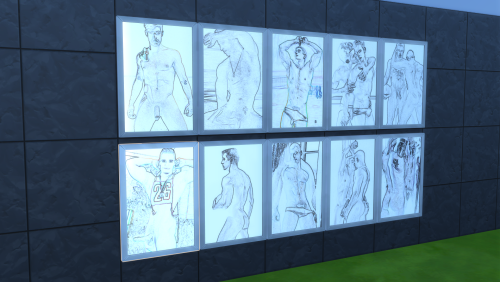
  23. puss2puss posters - Néon Beauties

    Hello Lovers of the Lab! ?
    I bring today, a poster pack created with care and attention.
    My poster packs will get updated occasionally, adding more posters to admire overtime.
    Currently, the Néon Pack contains 25 posters.
    Enjoy!


    HOW TO INSTALL:
    1. Open the "mod files" folder, and copy the file(s) inside.
    2. Go in the mod folder of the game, usually at a location like that: C:\Users\Documents\Electronic Arts\The Sims 4\Mods
    3. Paste the file(s) in the folder "mods"


    If you want to support me and help me keep modding,
    Please make sure to check out my patreon page.?


    Visit my Discord page to keep in touch!
    I hope you enjoy my content, i put my heart into it!
     
    -puss2puss
     

    1765 downloads

    Updated

  24. puss2puss - Sexy Flags

    Helll0 Lovers from the Lab!
    Today i bring to you, another mod filled with sexyness.
    I took time to add a wave effect and draw fabric textures to make it look
    like real flag material.. i think it turned out okay, what do you think?
    As of now, this mod contains 30 flags (swatches).


    HOW TO INSTALL:
    1. Open the "mod files" folder, and copy the file(s).
    2. Go in the mod folder of the game, usually located at:   C:\Users\Documents\Electronic Arts\The Sims 4\Mods
    3. Paste the file(s) in the folder "mods"
    4. Enjoy!
     
     
    WHERE TO FIND IN-GAME:
    The flags are located in the "wall decoration" tab.


    If you want to support me and help me keep modding,
    Please make sure to check out my patreon page.?


    Visit my Discord page to keep in touch!
    I hope you enjoy my content, i put my heart into it!
     
    -puss2puss

    4454 downloads

    Updated

  25. puss2puss posters - Cartoon Pack

    ?Hello Lovers! ?
    I share with you today, a poster pack created with care and attention.
    My poster packs will get updated occasionally, adding more posters to admire.
    Currently, the Cartoon Pack contains 30 posters.
    Enjoy!


    HOW TO INSTALL:
    1. Open the "mod files" folder, and copy the file(s) inside.
    2. Go in the mod folder of the game, usually at a location like that: C:\Users\Documents\Electronic Arts\The Sims 4\Mods
    3. Paste the file(s) in the folder "mods"


    If you want to support me and help me keep modding,
    Please make sure to check out my patreon page.?


    Visit my Discord page to keep in touch!
    I hope you enjoy my content, i put my heart into it!
     
    -puss2puss

    8780 downloads

    Updated

×
×
  • Create New...