Select a subcategory to view available files.
Files From Subcategories
-
Pokemod By Leljas: Play as Charizard and/or Incineroar from Pokemon!
By leljas
Hello!
Incineroar and Charizard are the next set of pokemon joining your game. It took me quite a lot of effort, but I hope you enjoy how they look!
Update 1: After improving my modding skills in the past year since publishing Lucario and Leafeon, I decided to fix and improve all my mods. Here's a list of the changes in this one:
- Improved eyes on Charizard;
- Improved compatibily with Savestate's neck fluff and hair;
- New custom Egg designs for Charizard and Incineroar;
- Organized the way my mods are ordered in CAS;
- Fixed a problem where it was impossible to select pokemon eyes on aliens;
- Made LODs to the accessories of all pokemon;
- New icons;
- Icons won't glitch out when making an opposite frame sim.
For those who are updating this mod, be sure to delete the folder of the older version and place the new one as usual. You will also have to delete the file localthumbcache.package in /Documents/Electronic Arts/Sims 4 if you want the icons to show up properly when making an opposite frame sim.
You might also have a problem where previously made pokemon from this mod lose all of their accessories and tattoos. If this is the case, then you'll have to go into CAS and remake them.
If this is your first time downloading one of my mods, please also download the Pokemod Savestate Addons file. (you only need to get this file once)
Here's a detailed guide on how to make them:
(This mod doesn't include any tray files. You will have to make them yourself)
(The Pokemon are fully compatible for both genders)
(Make sure not to make very overweight or very thin Sims, as they might make some of the Pokemon parts look off)
1 - Select the modded gray skin tone that comes with the furry mod. (Located under the miscellaneous skin tones)
2 - Click on the eyes and select the furry mod preset.
3 - While still on the eye selection, pick whichever custom eye color fits the pokemon you are making.
4 - Move to the face details section and select the furry head or any of its variants.
5 - Still on the face details, change to either the plantigrade or the digitigrade legs.
6 - Again, still on the face details, find and select the parts you need to make the pokemon you want. If you are making any of their shiny or mega forms, you can find it in the different color options.
6.1 - You can find their optional claws in the face details section as well. (Incineroar's claws are only compatible with plantigrade legs, while Charizard's claws are only compatible with digitigrade legs).
6.2 - For Incineroar, you can find it's belt in the head accessories section. (You will have to do this part for every single outfit category, but it is entirely optional)
7 - Finally, Move to the body tattoos section and pick the one for the pokemon you are making. If it's a shiny or a mega form, you can find it in the different colors under the same tattoo.
I made a few gifs to show all the steps in order to make each pokemon.
Done! Now your Sim should look similar to the pokemon!
Here are a few comparison photos in between my mod and Pokemon Ultra Sun.
My Mod is fully compatible with Wickedwhims, I also advise the use of "Berni's Collection" mod in addition to mine. It fixes a glitch involving the legs of the furry mod with Wickedwhims. See below for Instructions:
NSFW images below:
Requirements:
The Furry mod By Savestate
http://www.savestatecomic.com/dlc/
Optional:
I recommend the use of Berni's Collection mod, it not only fixes a glitch with the furry mod itself but also adds canine/feline/equine/dragon/rabbit penises and sheaths.
Known Issues:
Known Issues:
(Most of these are from the furry mod and not my fault but still here's a full list)
If you don't use the modded skin tone that is included in the furry mod, the Pokemon skin will become brighter than it should be.
If the digitigrade paws are selected, some bottom clothing may have double legs. This is a glitch with the furry mod and should be completely avoidable, make sure to pick shorter bottom clothing and not long pants.
If you use the digitigrade or plantigrade paws on your sim, then you will not be able to use any type of shoes
The furry mod has a lot of limitations when it comes to face details, you can't edit most of the face, except for the snout.
In a few animations, some of the meshes might go out of place/clip. This doesn't happen too frequently but it's still a problem.
If any other glitch happens, feel free to report it on the comments. I'll make sure to try my best at fixing it!
I hope you all enjoy!
Credits:
I used TwistedMexi’s T.O.O.L. mod for some of the pictures. It's an awesome mod.
Big thanks to the people who follow my mods, for your kind words and patience.
Credits to the original creator of the furry mod Tim Weeks From Savestate Comics
Link to the website & download page of his mod: http://www.savestatecomic.com/dlc/
Also Big Thanks to Sims4Studios for the modding tools, Ohana3ds for allowing me to export the 3D models from the pokemon games...
And of course, the pokemon franchise for the characters.
7912 downloads
Updated
-
Pokemod By Leljas: Play as Typhlosion and/or Ampharos from Pokemon!
By leljas
Hello!
I have completed yet another set of Pokemon. This time you can play as Ampharos, Mega Ampharos, Flaffy, Typhlosion and Quilava. All from the Pokemon franchise.
Update 1: After improving my modding skills in the past year since publishing Lucario and Leafeon, I decided to fix and improve all my mods. Here's a list of the changes in this one:
- Made Flaffy and Quilava;
- Reworked textures, eyes and accessories on Typhlosion, Ampharos and Mega Ampharos (All Typhlosion skin tone variants included);
- New tattoos for the Ampharos line to resemble their evolution and pre-evolution's skin tone;
- Improved compatibily with Savestate's neck fluff and hair;
- Two new custom Egg designs for Ampharos and Cyndaquil akin to the ones in the anime;
- Organized the way my mods are ordered in CAS;
- Fixed a problem where it was impossible to select pokemon eyes on aliens;
- Made LODs to the accessories of all pokemon;
- New icons;
- Icons won't glitch out when making an opposite frame sim.
For those who are updating this mod, be sure to delete the old Pokemod folder inside of Savestate's furry mod. You may also want to delete the file localthumbcache.package in /Documents/Electronic Arts/Sims 4 if you want the icons to show up properly when making an opposite frame sim.
You might also have a problem where previously made pokemon from this mod lose all of their accessories and tattoos or in the case of both Ampharos and Typhlosion, I've added many new color patterns and because of this, already existing ones will most likelly have their colors mixed up. If this is the case, then you'll have to go into CAS and remake them.
If this is your first time downloading one of my mods, please also download the Pokemod Savestate Addons file. (you only need to get this file once)
Here's a detailed guide on how to make them:
(This mod doesn't include any tray files. You will have to make them yourself)
(The Pokemon are fully compatible for both genders)
(Make sure not to make very overweight or very thin Sims, as they might make some of the Pokemon parts look off)
1 - Select the modded gray skin tone that comes with the furry mod. (Located under the miscellaneous skin tones).
2 - Click on the eyes and select the furry mod preset.
3 - While still on the eye selection, pick one of the custom eye colors made for the Pokemon.
4 - Move to the face details section and select the furry head or any of its variants.
5 - Still on the face details, change between the plantigrade or digitigrade legs.
6 - Again, still on the face details, find and select the parts you need to make the pokemon you want. If you are making any of their shiny, mega forms or any other alternate version, you can find it in the different color options.
6.1 - For Quilava and Typhlosion, you can find an optional extra flame over at the head accessories section (You will have to do this part for every single outfit category, but it is entirely optional).
7 - Finally, Move to the body tattoos section and pick the one for the pokemon you are making. If it's a shiny, mega form, or any other alternate version (Including their pre-evolutions Quilava and Flaffy), you can find it in the different colors under the same tattoo.
Done! Now your Sim should look similar to the Pokemon of your choosing!
The Egg is a full body suit for children and toddlers that you want to turn into a Pokemon whenever they age up to teen.
Here are a few comparison photos in between my mod and the Pokemon games.
My Mod is fully compatible with Wickedwhims, I also advise the use of "Berni's Collection" mod in addition to mine. It fixes a glitch involving the legs of the furry mod with Wickedwhims. See below for Instructions:
NSFW images below \/\/\/
Requirements:
The Furry mod By Savestate
http://www.savestatecomic.com/dlc/
Optional:
I recommend the use of berni's collection mod, it not only fixes a glitch with the furry mod itself but also adds canine/feline/equine/dragon/rabbit penises and sheaths.
Known Issues:
(Most of these are from the furry mod and not my fault but still here's a full list)
If you don't use the modded skin tone that is included in the furry mod, the Pokemon skin will become brighter than it should be.
If the digitigrade paws are selected, some bottom clothing may have double legs.
This is a glitch with the furry mod and should be completely avoidable, make sure to pick shorter bottom clothing and not long pants.
If you use the digitigrade or plantigrade paws on your sim, then you will not be able to use any type of shoes
The furry mod has a lot of limitations when it comes to face details, you can't edit most of the face, except for the snout and the nose.
In a few animations, some of the meshes might go out of place/clip.
This only happens whenever the body becomes too deformed and clips out of the meshes I made.
If any other glitch happens, feel free to report it on the comments. I'll make sure to try my best at fixing it!
I hope you all enjoy!
4491 downloads
Updated
-
Pokemod By Leljas: Play as Floatzel and/or Luxray from Pokemon!
By leljas
Hello!
In this new Pokemod, it is Buizel, Floatzel, Shinx and Luxray who will join your tray!
For smaller mods and Updates, please check out my Ko-Fi:
You can find all other Pokemons I've made in my profile. All mods are compatible with one another!
If this is your first time downloading one of my mods, please also download the Pokemod Savestate Addons file. (you only need to get this file once)
Here's a detailed guide on how to make them:
(This mod doesn't include any tray files. You will have to make the Pokemon yourself)
(The Pokemon are fully compatible for any gender)
(Make sure not to make very overweight or very thin Sims, as they might make some of the Pokemon's parts look off)
1 - Select the modded gray skin tone that comes with the furry mod. (Located under the miscellaneous skin tones)
2 - Click on the eyes and select the furry mod preset.
3 - While still on the eye selection, pick whichever custom eye color fits the character you are making.
4 - Move to the face details section and select the furry head or any of its variants. For both characters, the feline heads are recommended.
5 - Still on the face details, change to either the plantigrade or the digitigrade legs.
6 - Again, still on the face details, find and select the parts you need to make the Pokemon you want. If you are making a shiny form, you can find it in the different color options.
7 - Move to the body tattoos section and pick the one for the character you are making. If you are making a shiny form, you can find it in the different colors under the same tattoo.
7.1 - For Shinx only, depending on the gender you're making, be sure to select the correct gender specific tattoo in the different color options,
as they change the skin color to directly reflect the diferences between a male and a female Shinx in the Pokemon games.
8 - For Buizel, Floatzel and Shinx, you can find their "hairs" next to savestate's own hair in the hair selection. Shinx has two hairs depending on the gender, much like the tattoos.
9 - For Buizel and Floatzel only, go to the head accessories and pick the floatie which both Pokemon are known to have. For shiny forms, you can find the color difference in the different colors under each floatie.
I made a few gifs to show all the steps in order to make each Pokemon:
Done! Now your Sim should look similar to the Pokemon of your choosing!
Here are a few comparison photos in between my mod and Pokemon Ultra Sun:
My Mod is fully compatible with Wickedwhims, I also advise the use of "Berni's Collection" mod in addition to mine. It fixes a glitch involving the legs of the furry mod with Wickedwhims. See below for Instructions:
NSFW images below:
Requirements:
The Furry mod By Savestate
http://www.savestatecomic.com/dlc/
Optional:
I recommend the use of Berni's Collection mod, it not only fixes a glitch with the furry mod itself but also adds canine/feline/equine/dragon/rabbit penises and sheaths.
Known Issues:
(Most of these are from the furry mod and not my fault but still here's a full list)
If you don't use the modded skin tone that is included in the furry mod, the skin will become brighter than it should be.
If the digitigrade paws are selected, some bottom clothing may have double legs. This is a glitch with the furry mod and should be completely avoidable, make sure to pick shorter bottom clothing and not long pants.
If you use the digitigrade or plantigrade paws on your sim, then you will not be able to use any type of shoes
The furry mod has a lot of limitations when it comes to face details, you can't edit most of the face, except for the snout.
In a few animations, some of the meshes might go out of place/clip. This doesn't happen too frequently but it's still a problem.
If any other glitch appears, feel free to report it on the comments. I'll make sure to try my best at fixing it!
I hope you all enjoy!
Credits:
Big thanks to the people who follow my mods, for your kind words and patience.
Credits to the original creator of the furry mod Tim Weeks From Savestate Comics
Link to the website & download page of his mod: http://www.savestatecomic.com/dlc/
Big Thanks to Sims4Studios for the modding tools, Ohana3ds for allowing me to export the 3D models from the Pokemon games...
And of course, the Pokemon franchise for the characters.
3746 downloads
Updated
-
Pokemod By Leljas: Play as Linoone and/or Furret from Pokemon!
By leljas
Hello!
This time, I'm giving the spotlight to four of my personal favorite normal type Pokemons of all time, Sentret, Furret, Zigzagoon and Linoone, as well as the latter two's Galarian forms!
If this is your first time downloading one of my mods, please also download the Pokemod Savestate Addons file. (you only need to get this file once)
Here's a detailed guide on how to make them:
(This mod doesn't include any tray files. You will have to make the pokemon yourself)
(The Pokemon are fully compatible for any gender)
(Make sure not to make very overweight or very thin Sims, as they might make some of the Pokemon's parts look off)
1 - Select the modded gray skin tone that comes with the furry mod. (Located under the miscellaneous skin tones)
2 - Click on the eyes and select the furry mod preset.
3 - While still on the eye selection, pick whichever custom eye color fits the character you are making.
4 - Move to the face details section and select the furry head or any of its variants.
5 - Still on the face details, change to either the plantigrade or the digitigrade legs.
6 - Again, still on the face details, find and select the parts you need to make the Pokemon you want. If you are making a shiny form or a pre-evolution, you can find it in the different color options.
6.1 - For Linoone, Zigzagoon or their Galarian forms, make sure to also pick their claws in the same menu.
7 - Finally, move to the body tattoos section and pick the one for the character you are making. If you are making a shiny form or a pre-evolution, you can find it in the different colors under the same tattoo.
I made a few gifs to show all the steps in order to make each pokemon:
Done! Now your Sim should look similar to the Pokemon of your choosing!
Here are a few comparison photos in between my mod and Pokemon Ultra Sun:
My Mod is fully compatible with Wickedwhims, I also advise the use of "Berni's Collection" mod in addition to mine. It fixes a glitch involving the legs of the furry mod with Wickedwhims. See below for Instructions:
NSFW images below:
Requirements:
The Furry mod By Savestate
http://www.savestatecomic.com/dlc/
Optional:
I recommend the use of Berni's Collection mod, it not only fixes a glitch with the furry mod itself but also adds canine/feline/equine/dragon/rabbit penises and sheaths.
Known Issues:
(Most of these are from the furry mod and not my fault but still here's a full list)
If you don't use the modded skin tone that is included in the furry mod, the skin will become brighter than it should be.
If the digitigrade paws are selected, some bottom clothing may have double legs. This is a glitch with the furry mod and should be completely avoidable, make sure to pick shorter bottom clothing and not long pants.
If you use the digitigrade or plantigrade paws on your sim, then you will not be able to use any type of shoes
The furry mod has a lot of limitations when it comes to face details, you can't edit most of the face, except for the snout.
In a few animations, some of the meshes might go out of place/clip. This doesn't happen too frequently but it's still a problem.
If any other glitch appears, feel free to report it on the comments. I'll make sure to try my best at fixing it!
I hope you all enjoy!
Credits:
Credits to the original creator of the furry mod Tim Weeks From Savestate Comics
Link to the website & download page of his mod: http://www.savestatecomic.com/dlc/
Big Thanks to Sims4Studios for the modding tools, Ohana3ds for allowing me to export the 3D models from the Pokemon games...
And of course, the Pokemon franchise for the characters.
3857 downloads
Updated
-
Pokemod By Leljas: Play as Espeon, Umbreon and/or Sylveon from Pokemon!
By leljas
Hello!
It may have been a while, but I haven't forgotten about the rest of the Eeveelutions! Espeon, Umbreon and Sylveon are now completed!
You can find Eevee, Flareon, Vaporeon and Jolteon in their own mod that was published a while back, and as for Leafeon and Glaceon, they are bundled with my original Lucario mod.
If this is your first time downloading one of my mods, please also download the Pokemod Savestate Addons file. (you only need to get this file once)
Here's a detailed guide on how to make them:
(This mod doesn't include any tray files. You will have to make the pokemon yourself)
(The Pokemon are fully compatible for any gender)
(Make sure not to make very overweight or very thin Sims, as they might make some of the Pokemon's parts look off)
1 - Select the modded gray skin tone that comes with the furry mod. (Located under the miscellaneous skin tones)
2 - Click on the eyes and select the furry mod preset.
3 - While still on the eye selection, pick whichever custom eye color fits the character you are making.
4 - Move to the face details section and select the furry head or any of its variants.
5 - Still on the face details, change to either the plantigrade or the digitigrade legs.
6 - Again, still on the face details, find and select the parts you need to make the Pokemon you want. If you are making a shiny form, you can find it in the different color options.
7 - Finally, move to the body tattoos section and pick the one for the character you are making. If you are making a shiny form, you can find it in the different colors under the same tattoo.
I made a few gifs to show all the steps in order to make each pokemon:
Done! Now your Sim should look similar to the Pokemon of your choosing!
Here are a few comparison photos in between my mod and Pokemon Ultra Sun:
My Mod is fully compatible with Wickedwhims, I also advise the use of "Berni's Collection" mod in addition to mine. It fixes a glitch involving the legs of the furry mod with Wickedwhims. See below for Instructions:
NSFW images below:
Requirements:
The Furry mod By Savestate
http://www.savestatecomic.com/dlc/
Optional:
I recommend the use of Berni's Collection mod, it not only fixes a glitch with the furry mod itself but also adds canine/feline/equine/dragon/rabbit penises and sheaths.
Known Issues:
(Most of these are from the furry mod and not my fault but still here's a full list)
If you don't use the modded skin tone that is included in the furry mod, the skin will become brighter than it should be.
If the digitigrade paws are selected, some bottom clothing may have double legs. This is a glitch with the furry mod and should be completely avoidable, make sure to pick shorter bottom clothing and not long pants.
If you use the digitigrade or plantigrade paws on your sim, then you will not be able to use any type of shoes
The furry mod has a lot of limitations when it comes to face details, you can't edit most of the face, except for the snout.
In a few animations, some of the meshes might go out of place/clip. This doesn't happen too frequently but it's still a problem.
If any other glitch appears, feel free to report it on the comments. I'll make sure to try my best at fixing it!
I hope you all enjoy!
Credits:
I used TwistedMexi’s T.O.O.L. mod for some of the pictures. It's an awesome mod.
Big thanks to the people who follow my mods, for your kind words and patience. This mod has been on hold for around 4 months due to computer problems, but that has since been sorted out.
Credits to the original creator of the furry mod Tim Weeks From Savestate Comics
Link to the website & download page of his mod: http://www.savestatecomic.com/dlc/
I also used a mod to change the wrench icon when displaying custom content in CAS. Link here: https://rheallsim.tumblr.com/post/634815036656910336/minimalist-cc-icon-cc-wrench-replacement-mod-i
Big Thanks to Sims4Studios for the modding tools, Ohana3ds for allowing me to export the 3D models from the Pokemon games...
And of course, the Pokemon franchise for the characters.
5261 downloads
Updated
-
Digimod By Leljas: Play as Renamon and/or Garurumon from Digimon!
By leljas
Hello!
After doing 7 Pokemon convertions to The Sims 4, I decided it was time to finally bring some Digimons into the mix.
Three of which were requested above the others, so I introduce to you: Renamon, Garurumon and WereGarurumon!
Update 1: After improving my modding skills in the past year since publishing Lucario and Leafeon, I decided to fix and improve all my mods. Here's a list of the changes in this one:
- Fixed a problem where it was impossible to select pokemon eyes on aliens;
- Icons won't glitch out when making an opposite frame sim.
For those who are updating this mod, be sure to delete the folder of the older version and place the new one as usual. You will also have to delete the file localthumbcache.package in /Documents/Electronic Arts/Sims 4 if you want the icons to show up properly when making an opposite frame sim.
If this is your first time downloading one of my mods, please also download the Pokemod Savestate Addons file. (you only need to get this file once)
Here's a detailed guide on how to make them:
(This mod doesn't include any tray files. You will have to make them yourself)
(The Digimon are fully compatible for both genders)
(Make sure not to make very overweight or very thin Sims, as they might make some of the Digimon parts look off)
1 - Select the modded gray skin tone that comes with the furry mod. (Located under the miscellaneous skin tones)
2 - Click on the eyes and select the furry mod preset.
3 - While still on the eye selection, pick whichever custom eye color fits the Digimon you are making.
4 - Move to the face details section and select the furry head or any of its variants.
5 - Still on the face details, change to either the plantigrade or the digitigrade legs.
6 - Again, still on the face details, find and select the parts you need to make the Digimon you want. If you are making WereGarurumon, you can find it in the different color options.
6.1 - You can find their optional claws in the face details section as well. WereGarurumon's claws are only compatible with plantigrade legs, while the others' claws are only compatible with digitigrade legs).
6.2 - For Renamon, you can find it's gloves in the body accessories section under gloves. (You will have to do this part for every single outfit category, but it is entirely optional)
7 - Finally, Move to the body tattoos section and pick the one for the Digimon you are making. If you are making WereGarurumon, you can find it in the different colors under Garurumon's tattoo.
I made a few gifs to show all the steps in order to make each Digimon.
Done! Now your Sim should look similar to the Digimon of your choosing!
The Egg is a full body suit for children and toddlers that you want to turn into a Digimon whenever they age up to teen.
Here are a few comparison photos in between my mod and Digimon Cyber Sleuth:
My Mod is fully compatible with Wickedwhims, I also advise the use of "Berni's Collection" mod in addition to mine. It fixes a glitch involving the legs of the furry mod with Wickedwhims. See below for Instructions:
NSFW images below:
Requirements:
The Furry mod By Savestate
http://www.savestatecomic.com/dlc/
Optional:
I recommend the use of Berni's Collection mod, it not only fixes a glitch with the furry mod itself but also adds canine/feline/equine/dragon/rabbit penises and sheaths.
Known Issues:
Known Issues:
(Most of these are from the furry mod and not my fault but still here's a full list)
If you don't use the modded skin tone that is included in the furry mod, the Digimon skin will become brighter than it should be.
If the digitigrade paws are selected, some bottom clothing may have double legs. This is a glitch with the furry mod and should be completely avoidable, make sure to pick shorter bottom clothing and not long pants.
If you use the digitigrade or plantigrade paws on your sim, then you will not be able to use any type of shoes
The furry mod has a lot of limitations when it comes to face details, you can't edit most of the face, except for the snout.
In a few animations, some of the meshes might go out of place/clip. This doesn't happen too frequently but it's still a problem.
If any other glitch happens, feel free to report it on the comments. I'll make sure to try my best at fixing it!
I hope you all enjoy!
Credits:
I used TwistedMexi’s T.O.O.L. mod for some of the pictures. It's an awesome mod.
Big thanks to the people who follow my mods, for your kind words and patience.
Credits to the original creator of the furry mod Tim Weeks From Savestate Comics
Link to the website & download page of his mod: http://www.savestatecomic.com/dlc/
Also Big Thanks to Sims4Studios for the modding tools, The user Hallow on the website The Models Resource for uploading 3D models from the Digimon games...
And of course, the Digimon franchise for the characters.
5744 downloads
Updated
-
Pokemod By Leljas: Play as Blaziken and/or Meowstic from Pokemon!
By leljas
Hello!
It has been a while since I first teased it, but I finally bring you... Espurr, both Meowstic forms, Blaziken and its Mega evolution!
Update 1: After improving my modding skills in the past year since publishing Lucario and Leafeon, I decided to fix and improve all my mods. Here's a list of the changes in this one:
- New tattoos for the Meowstic line and Blaziken to resemble their evolution and pre-evolution's skin tone;
- Made both Meowstic's hair as optional hair pieces, selectable the same way as putting normal hair on a sim;
- Improved compatibily with Savestate's neck fluff and hair for Espurr and both Meowstics;
- Two new custom Egg designs for Blaziken and Espurr akin to the ones in the anime;
- Organized the way my mods are ordered in CAS;
- Fixed a problem where it was impossible to select pokemon eyes on aliens;
- Made LODs to the accessories of all pokemon;
- New icons;
- Icons won't glitch out when making an opposite frame sim.
For those who are updating this mod, be sure to delete the folder of the older version and place the new one as usual. You will also have to delete the file localthumbcache.package in /Documents/Electronic Arts/Sims 4 if you want the icons to show up properly when making an opposite frame sim.
You might also have a problem where previously made pokemon from this mod lose all of their accessories and tattoos. If this is the case, then you'll have to go into CAS and remake them.
If this is your first time downloading one of my mods, please also download the Pokemod Savestate Addons file. (you only need to get this file once)
Here's a detailed guide on how to make them:
(This mod doesn't include any tray files. You will have to make them yourself)
(The Pokemon are fully compatible for both genders and ages from teen to elder)
(Make sure not to make very overweight or very thin Sims, as they might make some of the Pokemon parts look off)
1 - Select the modded gray skin tone that comes with the furry mod. (Located under the miscellaneous skin tones).
2 - Click on the eyes and select the furry mod preset.
3 - While still on the eye selection, pick one of the custom eye colors made for the Pokemon.
4 - Move to the face skin details section. There pick either the Blaziken head, the furry head or any of its variants depending on which pokemon you're making.
5 - Still on the skin details, select one of the legs. Either Blaziken's or digitigrade/platigrade legs.
6 - Again, still on the skin details, scroll down and select the parts you need to make the pokemon you want. If you are making any of their other forms, you can find it in the different color options (For Blaziken, I made a shorter chest fur version for extra compatibility with clothing).
7 - Finally, Move to the body tattoos section and pick the one for the pokemon you are making. If it's a shiny, mega form, or any other alternate version (Including Espurr), you can find it in the different colors under the same tattoo.
7.1 - For Blaziken, you can find their flames and optional vests under head accessories.
I made a few gifs to show all the steps in order to make each pokemon.
Done! Now your Sim should look similar to the pokemon!
Here are a few comparison photos in between my mod and Pokemon Ultra Sun.
My Mod is fully compatible with Wickedwhims, I also advise the use of "Berni's Collection" mod in addition to mine. It fixes a glitch involving the legs of the furry mod with Wickedwhims. See below for Instructions:
NSFW images below:
Requirements:
The Furry mod By Savestate
http://www.savestatecomic.com/dlc/
Optional:
I recommend the use of Berni's Collection mod, it not only fixes a glitch with the furry mod itself but also adds canine/feline/equine/dragon/rabbit penises and sheaths.
Known Issues:
(Most of these are from the furry mod and not my fault but still here's a full list)
- If you don't use the modded skin tone that is included in the furry mod, the Pokemon skin will become brighter than it should be.
- If the digitigrade paws are selected, some bottom clothing may have double legs. This is a glitch with the furry mod and should be completely avoidable, make sure to pick shorter bottom clothing and not long pants.
- Blaziken's lower legs have a graphical issue where they look disjointed from the body. I haven't been able to fix it, but I'll be sure to update it in the future whenever I'm able to. Blaziken is fully compatible with Savestate's paws should this issue be too distracting.
- If you use the digitigrade or plantigrade paws on your sim, then you will not be able to use any type of shoes
- The furry mod has a lot of limitations when it comes to face details, you can't edit most of the face, except for the snout and the nose. (Blaziken's face can't be deformed at all)
- In a few animations, some of the meshes might go out of place/clip. This only happens whenever the body becomes too deformed and clips out of the meshes I made.
- If any other glitch happens, feel free to report it on the comments. I'll make sure to try my best at fixing it!
I hope you all enjoy!
Credits:
Riolu, Liepard, Mega Lopunny, Mega Ampharos and Absol are pokemon I did a while ago, you can find them and more on my profile.
Big thanks to the people who follow my mods, for your kind words and patience.
Credits to the original creator of the furry mod Tim Weeks From Savestate Comics
Link to the website & download page of his mod: http://www.savestatecomic.com/dlc/
Also Big Thanks to Sims4Studios for the modding tools, Ohana3ds for allowing me to export the 3D models from the pokemon games...
And of course, the pokemon franchise for the characters.
3978 downloads
Updated
-
Pokemod By Leljas: Play as Lopunny and/or Zoroark from Pokemon!
By leljas
Hello!
I have completed another set of Pokemon! Zoroark and Lopunny are here!
Update 1: After improving my modding skills in the past year since publishing Lucario and Leafeon, I decided to fix and improve all my mods. Here's a list of the changes in this one:
- Made Zorua and Buneary as new characters;
- Ajusted Lopunny and Mega Lopunny's tattoos to be more accurate to the original pokemon;
- Both Lopunnies now also have more detail on their ears and eyes;
- Reworked Zoroark. It now has new eyes, new improved texture and ajusted accessories;
- Zoroark's shoulder fluff is no longer dependent on other accessories;
- Zoroark's claws were also reworked and are now optional. They're located in the face details;
- New tattoos for all pokemon to resemble their evolution and pre-evolution's skin tone;
- Improved compatibily with Savestate's neck fluff and hair;
- Two new custom Egg designs for Zorua and Buneary akin to the ones in the anime;
- Organized the way my mods are ordered in CAS;
- Fixed a problem where it was impossible to select pokemon eyes on aliens;
- Made LODs to the accessories of all pokemon;
- New icons;
- Icons won't glitch out when making an opposite frame sim.
For those who are updating this mod, be sure to delete the old Pokemod folder inside of Savestate's furry mod. You may also want to delete the file localthumbcache.package in /Documents/Electronic Arts/Sims 4 if you want the icons to show up properly when making an opposite frame sim.
You might also have a problem where previously made pokemon from this mod lose all of their accessories and tattoos. If this is the case, then you'll have to go into CAS and remake them
If this is your first time downloading one of my mods, please also download the Pokemod Savestate Addons file. (you only need to get this file once)
Here's a detailed guide on how to make them:
(This mod doesn't include any tray files. You will have to make them yourself)
(The Pokemon are fully compatible for both genders)
(Make sure not to make very overweight or very thin Sims, as they might make some of the Pokemon parts look off)
1 - Select the modded gray skin tone that comes with the furry mod (Located under the miscellaneous skin tones).
2 - Click on the eyes and select the furry mod preset.
3 - While still on the eye selection, pick one of the custom eye colors made for the Pokemon you are making.
4 - Move to the face details section and select the furry head or any of its variants.
5 - Still on the face details, change between the plantigrade or digitigrade legs
6 - Again, still on the face details, find and select the parts you need to make the pokemon you want. If you are making any of their shiny, mega forms or any other alternate version, you can find it in the different color options.
6.1 - For Zoroark, you can find his shoulder fluff in the head accessories section. (You will have to do this part for every single outfit category, but it is entirely optional).
7 - Finally, Move to the body tattoos section and pick the one for the pokemon you are making. If it's a shiny, mega form, or any other alternate version (Including their pre-evolutions Zorua and Buneary), you can find it in the different colors under the same tattoo.
Done! Now your Sim should look similar to the Pokemon of your choosing!
The Egg is a full body suit for children that you want to turn into a Pokemon whenever they age up to teen.
Here are a few comparison photos in between my mod and Pokemon Ultra Sun.
My Mod is fully compatible with Wickedwhims, I also advise the use of "Berni's Collection" mod in addition to mine. It fixes a glitch involving the legs of the furry mod with wickedwhims. See below for Instructions:
NSFW images below \/\/\/
Requirements:
The Furry mod By Savestate
http://www.savestatecomic.com/dlc/
Optional
I recommend the use of berni's collection mod, it not only fixes a glitch with the furry mod itself but also adds canine/feline/equine/dragon/rabbit penises and sheaths.
Known Issues:
(Most of these are from the furry mod and not my fault but still here's a full list)
If you don't use the modded skin tone that is included in the furry mod, the Pokemon skin will become brighter than it should be.
If the digitigrade paws are selected, some bottom clothing may have double legs.
This is a glitch with the furry mod and should be completely avoidable, make sure to pick shorter bottom clothing and not long pants.
If you use the digitigrade or plantigrade paws on your sim, then you will not be able to use any type of shoes
The furry mod has a lot of limitations when it comes to face details, you can't edit most of the face, except for the snout and the nose (Though you can make Lopunny look much more like a rabbit if you shrink the snout to the max).
In a few animations, some of the meshes might go out of place/clip. A prime example of this is Mega Lopunny's hand.
This only happens whenever the body becomes too deformed and clips out of the meshes I made.
If any other glitch happens, feel free to report it on the comments. I'll make sure to try my best at fixing it!
I hope you enjoy!
5734 downloads
Updated
-
Pokemod By Leljas: Play as Eevee, Flareon, Vaporeon and/or Jolteon from Pokemon!
By leljas
Hello!
When I made Leafeon a year ago, I knew I would eventually have to do its pre-evolution, but I decided that I was not only making Eevee, but I was also making Flareon, Vaporeon and Jolteon... And now they're here!
If this is your first time downloading one of my mods, please also download the Pokemod Savestate Addons file. (you only need to get this file once)
Here's a detailed guide on how to make them:
(This mod doesn't include any tray files. You will have to make them yourself)
(The Pokemon are fully compatible for both genders)
(Make sure not to make very overweight or very thin Sims, as they might make some of the Pokemon's parts look off)
1 - Select the modded gray skin tone that comes with the furry mod. (Located under the miscellaneous skin tones)
2 - Click on the eyes and select the furry mod preset.
3 - While still on the eye selection, pick whichever custom eye color fits the character you are making.
4 - Move to the face details section and select the furry head or any of its variants.
5 - Still on the face details, change to either the plantigrade or the digitigrade legs.
6 - Again, still on the face details, find and select the parts you need to make the Pokemon you want. If you are making a shiny form, you can find it in the different color options.
6.1 - For Flareon, you can find it's chest fluff in the face accessories section (You will have to do this part for every single outfit category, but it is entirely optional).
7 - Finally, move to the body tattoos section and pick the one for the character you are making. If you are making a shiny form, you can find it in the different colors under the same tattoo.
7.1 - For Eevee, Flareon and Jolteon, you can find their head's tuft of fur on the hair section.
I made a few gifs to show all the steps in order to make each pokemon:
Done! Now your Sim should look similar to the Pokemon of your choosing!
Here are a few comparison photos in between my mod and Pokemon Ultra Sun:
My Mod is fully compatible with Wickedwhims, I also advise the use of "Berni's Collection" mod in addition to mine. It fixes a glitch involving the legs of the furry mod with Wickedwhims. See below for Instructions:
NSFW images below:
Requirements:
The Furry mod By Savestate
http://www.savestatecomic.com/dlc/
Optional:
I recommend the use of Berni's Collection mod, it not only fixes a glitch with the furry mod itself but also adds canine/feline/equine/dragon/rabbit penises and sheaths.
Known Issues:
(Most of these are from the furry mod and not my fault but still here's a full list)
If you don't use the modded skin tone that is included in the furry mod, the skin will become brighter than it should be.
If the digitigrade paws are selected, some bottom clothing may have double legs. This is a glitch with the furry mod and should be completely avoidable, make sure to pick shorter bottom clothing and not long pants.
If you use the digitigrade or plantigrade paws on your sim, then you will not be able to use any type of shoes
The furry mod has a lot of limitations when it comes to face details, you can't edit most of the face, except for the snout.
In a few animations, some of the meshes might go out of place/clip. This doesn't happen too frequently but it's still a problem.
If any other glitch happens, feel free to report it on the comments. I'll make sure to try my best at fixing it!
I hope you all enjoy!
Credits:
I used TwistedMexi’s T.O.O.L. mod for some of the pictures. It's an awesome mod.
Big thanks to the people who follow my mods, for your kind words and patience.
Credits to the original creator of the furry mod Tim Weeks From Savestate Comics
Link to the website & download page of his mod: http://www.savestatecomic.com/dlc/
Also Big Thanks to Sims4Studios for the modding tools, Ohana3ds for allowing me to export the 3D models from the Pokemon games...
And of course, the Pokemon franchise for the characters.
4709 downloads
Updated
-
Pokemod By Leljas: Play as Cinderace and/or Liepard from Pokemon!
By leljas
Hello!
After a few weeks, I finally have new pokemon to publish! Liepard, Purrloin, Cinderace, and Raboot are now available!
You can play as Liepard, Purrloin, Cinderace, and Raboot, all from the Pokemon franchise. While Liepard and Cinderace are the main two, I decided to make their prior evolution as well. It was a ton of fun making and testing them out, so hopefully you'll enjoy the way they look!
Update 1: After improving my modding skills in the past year since publishing Lucario and Leafeon, I decided to fix and improve all my mods. Here's a list of the changes in this one:
- Improved eyes and accessories on Liepard and Purrloin;
- New tattoos for Purrloin to resemble their evolution's extra skin tones;
- Improved compatibily with Savestate's neck fluff and hair;
- Two new custom Egg designs for Liepard and Cinderace akin to the ones in the anime;
- Organized the way my mods are ordered in CAS;
- Fixed a problem where it was impossible to select pokemon eyes on aliens;
- Made LODs to the accessories of all pokemon;
- New icons;
- Icons won't glitch out when making an opposite frame sim.
For those who are updating this mod, be sure to delete the folder of the older version and place the new one as usual. You will also have to delete the file localthumbcache.package in /Documents/Electronic Arts/Sims 4 if you want the icons to show up properly when making an opposite frame sim.
You might also have a problem where previously made pokemon from this mod lose all of their accessories and tattoos. If this is the case, then you'll have to go into CAS and remake them.
If this is your first time downloading one of my mods, please also download the Pokemod Savestate Addons file. (you only need to get this file once)
Here's a detailed guide on how to make them:
(This mod doesn't include any tray files. You will have to make them yourself)
(The Pokemon are fully compatible for both genders)
(Make sure not to make very overweight or very thin Sims, as they might make some of the Pokemon parts look off)
1 - Select the modded gray skin tone that comes with the furry mod. (Located under the miscellaneous skin tones).
2 - Click on the eyes and select the furry mod preset.
3 - While still on the eye selection, pick one of the custom eye colors made for the Pokemon. (Purrloin's eyes look exactly the same as Liepard's, so if you are making a Purrloin, just select Liepard's eyes)
4 - Move to the face details section and select the furry head or any of its variants.
5 - Still on the face details, change between the plantigrade or digitigrade legs.
6 - Again, still on the face details, find and select the parts you need to make the pokemon you want. If you are making any of their shiny or an alternate version, you can find it in the different color options.
7 - Finally, Move to the body tattoos section and pick the one for the pokemon you are making. If it's a shiny, mega form, or any other alternate version (Including their pre-evolutions Purrloin and Raboot), you can find it in the different colors under the same tattoo.
7.1 - For Cinderace, I made some optional skins that you can pick should you not want him to have his red "pants"/ his blue "leggins"/ both. This also goes for his shiny form, where you can remove his orange "pants"/ his white "leggins"/ both.
7.1.1 - If you want, you can go to the pants selection and make your Cinderace have pants that actually are pants. For his leggins, just go into the Accessory selection and pick it from there.
Done! Now your Sim should look similar to the pokemon!
The Egg is a full body suit for children that you want to turn into a Pokemon whenever they age up to teen.
Here are a few comparison photos in between my mod and Pokemon Ultra Sun and Pokemon Sword.
My Mod is fully compatible with Wickedwhims, I also advise the use of "Berni's Collection" mod in addition to mine. It fixes a glitch involving the legs of the furry mod with Wickedwhims. See below for Instructions:
NSFW images below:
Requirements:
The Furry mod By Savestate
http://www.savestatecomic.com/dlc/
Optional
I recommend the use of berni's collection mod, it not only fixes a glitch with the furry mod itself but also adds canine/feline/equine/dragon/rabbit penises and sheaths.
Known Issues:
(Most of these are from the furry mod and not my fault but still here's a full list)
If you don't use the modded skin tone that is included in the furry mod, the Pokemon skin will become brighter than it should be.
If the digitigrade paws are selected, some bottom clothing may have double legs.
This is a glitch with the furry mod and should be completely avoidable, make sure to pick shorter bottom clothing and not long pants.
If you use the digitigrade or plantigrade paws on your sim, then you will not be able to use any type of shoes
The furry mod has a lot of limitations when it comes to face details, you can't edit most of the face, except for the snout and the nose.
In a few animations, some of the meshes might go out of place/clip.
This only happens whenever the body becomes too deformed and clips out of the meshes I made.
If any other glitch happens, feel free to report it on the comments. I'll make sure to try my best at fixing it!
I hope you all enjoy!
4865 downloads
Updated
-
CUUPID CORP. || Monstrosity Locker
By CUUPIDON
?Monstrosity Locker ?
100% new mesh and textures
all LODS + Shadow LODS
4 swatches for locker [Found in Sculptures]
Can also be found by searching “CUUPID CORP” in BB mode
HQ compatible
? Get more CC from CUUPID CORP. here ?
? See more CC previews here ?
? Visit me on tumblr here ?
? AOI FOLDER ?
2938 downloads
Submitted
-
Gradient Capri - [A.I.TERNATIVE COLLECTION] - by lava_laguna
By lava_laguna
Gradient transparent capri
Inspired from glitches at AI-generated images
1498 downloads
Submitted
-
puss2puss - PusSims collectible statues
By puss2puss
Hell0 lovers of the lab!
Today, i bring some new collectibles: The PusSims!
For now, it contains 5 collectible statues, made with care!?
They can be found in decoration items.
*** Personal requests are available for supporters! ***
If you want to support me and help me keep modding,
Please make sure to check out my patreon page.?
Visit my Discord page to keep in touch!
I hope you enjoy my content, i put my heart into it!
-puss2puss
6843 downloads
Updated
-
Updated
-
XXL Bulges: EP13 - Growing Together
Have you ever thought your (very) well endowed sims don't quiet show it when clothed? Well, worry no more...
This is a set of every male bottom from Growing Together modified with a big bulge on show.
whilst trying to keep the bulges as realistic as possible, i've tried to keep a more compact or prominent shape depending on the type of fabric every item was made of.
Please note that these are for very well endowed sims. The smaller is your sim's frame, the bigger the bulge will look.
!This is not a default replacement!!
Every piece is a standalone item you can find by looking for the signature yellow background.
You can find the file on my patreon. Follow me there for early access and other stuff!
4339 downloads
Submitted
-
Swim Transkini - by lava_laguna
By lava_laguna
Usual Swim Bikini goes 40% transpartent!
With bonus color
4898 downloads
Submitted
-
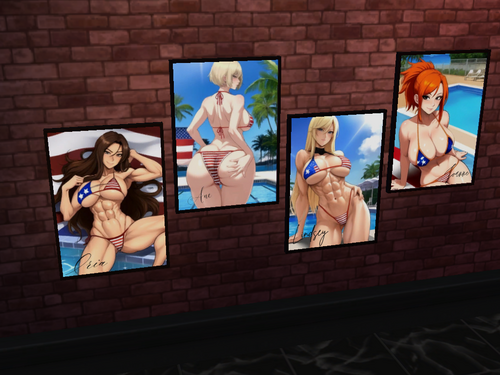
puss2puss posters - Néon Beauties
By puss2puss
Hello Lovers of the Lab! ?
I bring today, a poster pack created with care and attention.
My poster packs will get updated occasionally, adding more posters to admire overtime.
Currently, the Néon Pack contains 25 posters.
Enjoy!
HOW TO INSTALL:
1. Open the "mod files" folder, and copy the file(s) inside.
2. Go in the mod folder of the game, usually at a location like that: C:\Users\Documents\Electronic Arts\The Sims 4\Mods
3. Paste the file(s) in the folder "mods"
If you want to support me and help me keep modding,
Please make sure to check out my patreon page.?
Visit my Discord page to keep in touch!
I hope you enjoy my content, i put my heart into it!
-puss2puss
1749 downloads
Updated
-
puss2puss - Sexy Flags
By puss2puss
Helll0 Lovers from the Lab!
Today i bring to you, another mod filled with sexyness.
I took time to add a wave effect and draw fabric textures to make it look
like real flag material.. i think it turned out okay, what do you think?
As of now, this mod contains 30 flags (swatches).
HOW TO INSTALL:
1. Open the "mod files" folder, and copy the file(s).
2. Go in the mod folder of the game, usually located at: C:\Users\Documents\Electronic Arts\The Sims 4\Mods
3. Paste the file(s) in the folder "mods"
4. Enjoy!
WHERE TO FIND IN-GAME:
The flags are located in the "wall decoration" tab.
If you want to support me and help me keep modding,
Please make sure to check out my patreon page.?
Visit my Discord page to keep in touch!
I hope you enjoy my content, i put my heart into it!
-puss2puss
4422 downloads
Updated
-
puss2puss posters - Cartoon Pack
By puss2puss
?Hello Lovers! ?
I share with you today, a poster pack created with care and attention.
My poster packs will get updated occasionally, adding more posters to admire.
Currently, the Cartoon Pack contains 30 posters.
Enjoy!
HOW TO INSTALL:
1. Open the "mod files" folder, and copy the file(s) inside.
2. Go in the mod folder of the game, usually at a location like that: C:\Users\Documents\Electronic Arts\The Sims 4\Mods
3. Paste the file(s) in the folder "mods"
If you want to support me and help me keep modding,
Please make sure to check out my patreon page.?
Visit my Discord page to keep in touch!
I hope you enjoy my content, i put my heart into it!
-puss2puss
8744 downloads
Updated
-
puss2puss - PusSims Lamps
By puss2puss
Hell0 lovers of the lab!
Today, i bring a creation based on my hot PusSims,
but as the form of lamps!
For now, 3 PusSims Lamps are available, with lots of different colors/swatches to choose from! ?
They can be found in lighting objects.
If you want to support me and help me keep modding,
Please make sure to check out my patreon page.?
Visit my Discord page to keep in touch!
I hope you enjoy my content, i put my heart into it!
-puss2puss
4048 downloads
Updated
-
☀️ Summer shoe collection ☀️
By Lavisher
Hi everyone ! I finally find a way to fix all my problem with my heels ! ✨
Now, my shoes fit with the body, and don't strech when strong sims wear my heels.
Don't hesitate to tell me if you find another problem, and i will fix it.
It will take some time, but it will be fixed. ?
Enjoy !
My Patreon
27860 downloads
- high heel
- wedge heels
- (and 1 more)
Submitted
-
Melody's Slut Trait 1.2.2 CZECH translation
By phetrick
Ahojte.
Máme tu preklad do češtiny pre celkom zaujímavý minimódik od Melody666
Mód si môžete stiahnuť : TU
Moje ďalšie preklady módov do hry The Sims 4 nájdete : TU
Ak nájdete v mojich prekladoch chybu prosím o jej nahlásenie. Som Slovák a čeština nie je moja najsilnejšia stránka
Ďakujem za priazeň, like a podporu, Vážim si toho
Prajem príjemnú zábavu pri hraní s mojimi prekladmi
160 downloads
Submitted
-
PlayBoy Mod 1.0.0 CZECH Translation
By phetrick
Ahojte.
Je tu preklad na mód od sexybeast12162 PlayBoy Mod 1.0.0
Patreon sexybeast12162
Discord sexybeast12162
Ďalšie moje preklady módov k hre The Sims 4 nájdete : TU
Ak nájdete v mojich prekladoch chybu prosím o jej nahlásenie. Som Slovák a čeština nie je moja najsilnejšia stránka
Ďakujem za priazeň a podporu, Vážim si toho
Prajem príjemnú zábavu pri hraní s mojimi prekladmi
133 downloads
Submitted
-
Cubman - Slip42 Trailer Home
By Cubman76
Hi guys,
I'm continuing World Building for my save file, and I wanted to upload a tiny home trailer that I built on Slip42 lot in Strangerville. Minimal CC (but I have included in the download).
Should come in at under 17,000 Simoleons as a starter home. But I have used a bunch of packs, sorry. Fully play tested in game, but if you do have any issues or problems, please do let me know.
Take care of yourselves and other
C
2089 downloads
Submitted
-
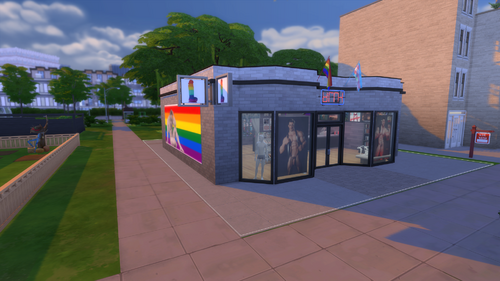
Bolt Gentlemen's Club
This Gentlemen's club sits comfortably in the Spice Market. This lot was inspired by a real strip club, but isn't a perfect match. I did not create any CC in this file. All credit goes to the authors included in this file.
8068 downloads
Submitted