DocClox Posted May 24, 2020 Posted May 24, 2020 7 hours ago, guk said: Been working on a major update for PRC Premiere Looks like fun: Quick question, if I may: is my pipboy screen suppose to look like this? Did I miss something important? Between PRC Premiere and its requirements, there was a lot to take in.
DocClox Posted May 24, 2020 Posted May 24, 2020 They're all Atom Children anyway... ... it's not like a quick dip in the Glowing Sea is going to bother any of them.
guk Posted May 24, 2020 Posted May 24, 2020 13 hours ago, DocClox said: Looks like fun: Quick question, if I may: is my pipboy screen suppose to look like this? Did I miss something important? Between PRC Premiere and its requirements, there was a lot to take in. The Black&White world is definitely not correct, unless you changed that yourself in the PRC settings. Probably leftover files from another ENB or reshade. Otherwise i could only think of the NAC radiation vfx, you can disable that in the NAC holotape under misc settings. Pip-boy having a frame might be from the PRC lens aberration effect, you can test if the frame gets smaller or larger when you change the Lens Aberration value in enbeffectpostpass.fx (ENB GUI). Not something you'd ever notice while playing - the pip-boy itself is considered a menu by ENB so it never affects the screen itself. Well you can also get support faster on the Nexus mod page. edit: BTW if the other colored screenshot is with PRC Premiere - you can also use the NAC Skin Color Patch, it will revert the orange skintones back to vanilla for the player and in-game generated NPCs (vanilla NPCs have fixed skintones)
DocClox Posted May 25, 2020 Posted May 25, 2020 3 hours ago, guk said: The Black&White world is definitely not correct, unless you changed that yourself in the PRC settings. Probably leftover files from another ENB or reshade. Otherwise i could only think of the NAC radiation vfx, you can disable that in the NAC holotape under misc settings. The B&W was me playing around with the NAC settings holotape. I should have said that. 3 hours ago, guk said: Pip-boy having a frame might be from the PRC lens aberration effect, you can test if the frame gets smaller or larger when you change the Lens Aberration value in enbeffectpostpass.fx (ENB GUI). Not something you'd ever notice while playing - the pip-boy itself is considered a menu by ENB so it never affects the screen itself. It wasn't the frame so much as the pip-boy display itself. I was a bit desaturated and low contrast for some reason. Made it a bit hard to read sometimes. The orange skin issue seems to have sorted itself out. 3 hours ago, guk said: Well you can also get support faster on the Nexus mod page. Yeah, OK. I certainly don't want to hijack this thread into a support discussion [edit] FWIW: I think the skin tone was something to do with them being Sword of Atom NPCs from Fusion City Rising. Here's Atomkids on the crosses and "normal" NPCs in cuffs:
guk Posted May 25, 2020 Posted May 25, 2020 10 hours ago, DocClox said: It wasn't the frame so much as the pip-boy display itself. I was a bit desaturated and low contrast for some reason. Made it a bit hard to read sometimes. Okay that is mentioned in the description of the original PRC ENB under "dimmed pipboy" - not something to worry about while playing. For the NAC environment effects and color presets, i would greatly recommend to keep these on default, and use the PRC camera / colorgrade / film LUTs instead (enbeffectpostpass.fx section). These look a lot better, and the ENB requires the NAC default settings to work properly.
DocClox Posted May 25, 2020 Posted May 25, 2020 18 hours ago, guk said: Okay that is mentioned in the description of the original PRC ENB under "dimmed pipboy" - not something to worry about while playing. Right. I read your troubleshooting notes, didn't go through the original mod very carefully. Good to know. 18 hours ago, guk said: For the NAC environment effects and color presets, i would greatly recommend to keep these on default, and use the PRC camera / colorgrade / film LUTs instead (enbeffectpostpass.fx section). I was still at the "Cool! What does this button do?" phase at the time. Thanks again for the clarification. [edit] Is this more how it's supposed to look? Or maybe like this: Got so many night vision mods going on, it's hard to get back to baseline sometimes.
OnDeathsWings24 Posted May 26, 2020 Posted May 26, 2020 New here, wasn't sure what to post so here's my character with some random screenshots lol 2
DocClox Posted May 28, 2020 Posted May 28, 2020 Apologies to those who've already seen a version of this. I keep fiddling with the text...
DocClox Posted May 28, 2020 Posted May 28, 2020 On 5/26/2020 at 4:03 PM, OnDeathsWings24 said: New here, wasn't sure what to post so here's my character with some random screenshots lol Nice pics! I love the "Goth Milk" tee. Can I ask where that pillory comes from? I'm curious about the giant moon, as well.
OnDeathsWings24 Posted May 28, 2020 Posted May 28, 2020 5 hours ago, DocClox said: Nice pics! I love the "Goth Milk" tee. Can I ask where that pillory comes from? I'm curious about the giant moon, as well. The Pillory is from Slave and Model poses on Nexus, the moon is Pilgrim moon with the size at max Then the Goth Milk is from Grim Mega Milk, it has about 4-5 different wording options for the shirt And thank you!! 1
DocClox Posted May 29, 2020 Posted May 29, 2020 Some shots from Starlight Drive-In. The place is getting a decidedly steampunk vibe, this time around.
DocClox Posted June 3, 2020 Posted June 3, 2020 Thermal Vision Googles. There's something oddly appealing about the effect.
DocClox Posted June 6, 2020 Posted June 6, 2020 Fooling around with a view to a possible mashup. Not that it's hugely mashed at the moment. This is basically light robot arms and torso and a sentrybot helm Plus a backpack, black leather gloves and heels and stockings from Chain Bikini. Good carrying capacity for your porters, while at the same time offering restricted action and control of sensory input. I just noticed she's only wearing one arm. Which means I just scrapped the other one. I could probably scrounge one from the other captives (I'm still processing the intake from Ft. Hagen Satellite Array) ... but I can't be bothered. This;ll have to do. And of course, full sexual access is maintained at all times. Hell, it even offers some protection for the wearer. Not sure if it needs anything else, now I think on it. Maybe some hoses from the sack hood, and perhaps the flashing antenna from Ada's torso Maybe higher heels and proper boots. [edit] Did a few more in kneeling pose I also found that other arm I just love those shadows Speaking of shadows... Isn't the head supposed to cast them?
Swanky Posted June 7, 2020 Posted June 7, 2020 Still a work in progress. Pretty pleased with the results, though. Has a couple ideas taken from FrozenMemories' blueprint.
BCBasher Posted June 9, 2020 Posted June 9, 2020 On 6/7/2020 at 3:42 PM, Swanky said: Still a work in progress. Pretty pleased with the results, though. Has a couple ideas taken from FrozenMemories' blueprint. *snip* Oh I like that one, I have real trouble mixing those material sets and having them not look too perfect or shitty edge alignment looking gamey. That looks like it belongs in the game.
Swanky Posted June 9, 2020 Posted June 9, 2020 1 hour ago, BCBasher said: Oh I like that one, I have real trouble mixing those material sets and having them not look too perfect or shitty edge alignment looking gamey. That looks like it belongs in the game. True. The game is certain limitations with alignment and how their setpieces interact with each other, and on top of that I have the mindset to make it feel like it's actually a place that is lived in. That makes things difficult, and most settlements are not very pleasant to build in the first place. The castle is one of the few exceptions since there is a lot of room, it's mostly flat and it has a sizeable and already powered interior. Since I'm using Transfer Settlements I will most likely make a save of that anyway. I do have to update my older files on the nexus - The Slog and the Lighthouse, both as Excea - to accomodate for Sim Settlements being a soft requirement (a few floors will be missing otherwise and that has been noted, haven't checked until I fired up FO4 again though).
DocClox Posted June 10, 2020 Posted June 10, 2020 Not the sexiest shot ever, but I love the intimacy of the two slaves with their heads together.
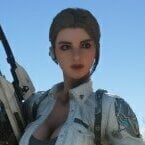
Baka9 Posted June 10, 2020 Posted June 10, 2020 I found this little known FCOM mod on gurochan/pixiv, which is surprisingly well made. https://www.pixiv.net/en/artworks/80350932 2

Recommended Posts
Create an account or sign in to comment
You need to be a member in order to leave a comment
Create an account
Sign up for a new account in our community. It's easy!
Register a new accountSign in
Already have an account? Sign in here.
Sign In Now