Search the Community
Showing results for tags 'sims 4 pornstar'.
-
Sexy Model Sim 14 View File How to install? First of all, make sure " Enable Custom Content and Mods" option is turned on in your game. After activating this settings, you need to restart the game. Before restarting the game, download some of the Sims I shared. (Screenshot 1) After downloading a Sim, extract the Sim's files from the rar. You will get the following folders; Mods,Tray. Put the files in the "Mods" folder in > Documents/Electronic Arts/The Sims 4/Mods Put the files in the "Tray" folder in > Documents/Electronic Arts/The Sims 4/Tray After doing all this, when you open the game, click on the gallery icon in the upper right and check the "include custom content" box. This is how you can see your downloaded Sims. (Screenshot 2) See my other LoversLab Sims here Visit my SubscribeStar page for exclusive 200+ Sims,new Sims every week and Supporters Special Limited Gift Sims! Hope you enjoy my work! ~ ❤️ Visit my Website to see my Sims catalog and download more Sims! For more Sims & Support me,please visit ; https://www.mervejuanasims.com/ subscribestar.com/mervejuanasims I wish you a good game! ~ ❤️ 💌 April 2026 SubscribeStar Supporters Gift Sims 💌 💌 Early-Access Sims on my SubscribeStar 💌 Submitter Mervejuana Submitted 04/28/26 Category The Sims 4 - Sims Requirements The Sims 4
- 1 reply
-
- sims
- sims4
-
(and 51 more)
Tagged with:
- sims
- sims4
- the sims 4
- thesims4
- ts4
- sim download
- sim downloads
- sims download
- sims downloads
- cas
- created sim
- create-a-sim
- create-a-sims
- sims4cas
- thesims4cas
- sexy sim
- sexy sims
- hot sim
- hot sims
- cute sim
- cute sims
- wicked sim
- wicked sims
- naughty sim
- naughty sims
- female sim
- female sims
- wicked sims 4
- sims 4 sim
- sims 4 sims
- sims 4 sim download
- created sims
- create sims
- create a sim
- create a sims
- maxis
- sims4sim
- sims4sims
- famous sim
- famous sims
- celebrity sim
- celebrity sims
- celebrity sims 4
- model sim
- model sims
- pornstar sim
- pornstar sims
- sims 4 pornstar
- pretty sim
- pretty sims
- custom sim
- custom sims
- custom sim download
-
724 downloads
How to install? First of all, make sure " Enable Custom Content and Mods" option is turned on in your game. After activating this settings, you need to restart the game. Before restarting the game, download some of the Sims I shared. (Screenshot 1) After downloading a Sim, extract the Sim's files from the rar. You will get the following folders; Mods,Tray. Put the files in the "Mods" folder in > Documents/Electronic Arts/The Sims 4/Mods Put the files in the "Tray" folder in > Documents/Electronic Arts/The Sims 4/Tray After doing all this, when you open the game, click on the gallery icon in the upper right and check the "include custom content" box. This is how you can see your downloaded Sims. (Screenshot 2) See my other LoversLab Sims here Visit my SubscribeStar page for exclusive 200+ Sims,new Sims every week and Supporters Special Limited Gift Sims! Hope you enjoy my work! ~ ❤️ Visit my Website to see my Sims catalog and download more Sims! For more Sims & Support me,please visit ; https://www.mervejuanasims.com/ subscribestar.com/mervejuanasims I wish you a good game! ~ ❤️ 💌 April 2026 SubscribeStar Supporters Gift Sims 💌-
1
-
- sims
- sims4
-
(and 51 more)
Tagged with:
- sims
- sims4
- the sims 4
- thesims4
- ts4
- sim download
- sim downloads
- sims download
- sims downloads
- cas
- created sim
- create-a-sim
- create-a-sims
- sims4cas
- thesims4cas
- sexy sim
- sexy sims
- hot sim
- hot sims
- cute sim
- cute sims
- wicked sim
- wicked sims
- naughty sim
- naughty sims
- female sim
- female sims
- wicked sims 4
- sims 4 sim
- sims 4 sims
- sims 4 sim download
- created sims
- create sims
- create a sim
- create a sims
- maxis
- sims4sim
- sims4sims
- famous sim
- famous sims
- celebrity sim
- celebrity sims
- celebrity sims 4
- model sim
- model sims
- pornstar sim
- pornstar sims
- sims 4 pornstar
- pretty sim
- pretty sims
- custom sim
- custom sims
- custom sim download
-
902 downloads
How to install? First of all, make sure " Enable Custom Content and Mods" option is turned on in your game. After activating this settings, you need to restart the game. Before restarting the game, download some of the Sims I shared. (Screenshot 1) After downloading a Sim, extract the Sim's files from the rar. You will get the following folders; Mods,Tray. Put the files in the "Mods" folder in > Documents/Electronic Arts/The Sims 4/Mods Put the files in the "Tray" folder in > Documents/Electronic Arts/The Sims 4/Tray After doing all this, when you open the game, click on the gallery icon in the upper right and check the "include custom content" box. This is how you can see your downloaded Sims. (Screenshot 2) See my other LoversLab Sims here Visit my SubscribeStar page for exclusive 200+ Sims,new Sims every week and Supporters Special Limited Gift Sims! Hope you enjoy my work! ~ ❤️ Visit my Website to see my Sims catalog and download more Sims! For more Sims & Support me,please visit ; https://www.mervejuanasims.com/ subscribestar.com/mervejuanasims I wish you a good game! ~ ❤️ 💌 February 2026 SubscribeStar Supporters Gift Sims 💌 💌 Early-Access Sims on my SubscribeStar 💌-
2
-
- sims
- sims 4
-
(and 42 more)
Tagged with:
- sims
- sims 4
- the sims 4
- thesims4
- sims4sim
- sims4sims
- sims downloads
- sims download
- sim downloads
- sim download
- maxis
- cas
- created sim
- created sims
- create-a-sim
- sims4cas
- custom sim
- custom sims
- custom sim download
- hot sim
- hot sims
- wicked sim
- wicked sims
- sexy sim
- sexy sims
- female sim
- female sims
- sims 4 pornstar
- celebrity sim
- celebrity sims
- celebrity sims 4
- famous sims
- lovely sim
- lovely sims
- pretty sim
- pretty sims
- baddie sim
- baddie sims
- baddie sims 4
- ts4
- s4
- sims4
- sims 4 sim
- sims 4 sims
-
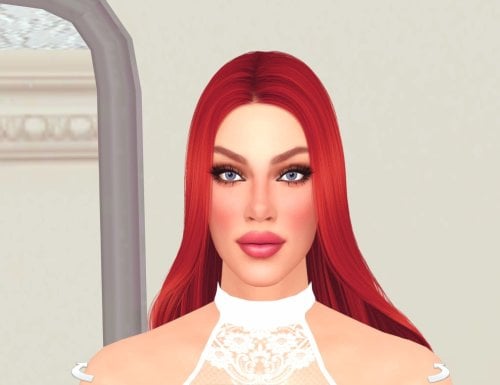
View File Pornstar Misty Stone Sim Download (inspired by) How to install? First of all, make sure " Enable Custom Content and Mods" option is turned on in your game. After activating this settings, you need to restart the game. Before restarting the game, download some of the Sims I shared. (Screenshot 1) After downloading a Sim, extract the Sim's files from the rar. You will get the following folders; Mods,Tray. Put the files in the "Mods" folder in > Documents/Electronic Arts/The Sims 4/Mods Put the files in the "Tray" folder in > Documents/Electronic Arts/The Sims 4/Tray After doing all this, when you open the game, click on the gallery icon in the upper right and check the "include custom content" box. This is how you can see your downloaded Sims. (Screenshot 2) See my other LoversLab Sims here Visit my SubscribeStar page for exclusive 200+ Sims,new Sims every week and Supporters Special Limited Gift Sims! Hope you enjoy my work! ~ ❤️ Visit my Website to see my Sims catalog and download more Sims! For more Sims & Support me,please visit ; https://www.mervejuanasims.com/ subscribestar.com/mervejuanasims I wish you a good game! ~ ❤️ 💌 February 2026 SubscribeStar Supporters Gift Sims 💌 💌 Early-Access Sims on my SubscribeStar 💌 Submitter Mervejuana Submitted 02/14/2026 Category The Sims 4 - Sims Requirements The Sims 4
-
- sims
- sims 4
-
(and 42 more)
Tagged with:
- sims
- sims 4
- the sims 4
- thesims4
- sims4sim
- sims4sims
- sims downloads
- sims download
- sim downloads
- sim download
- maxis
- cas
- created sim
- created sims
- create-a-sim
- sims4cas
- custom sim
- custom sims
- custom sim download
- hot sim
- hot sims
- wicked sim
- wicked sims
- sexy sim
- sexy sims
- female sim
- female sims
- sims 4 pornstar
- celebrity sim
- celebrity sims
- celebrity sims 4
- famous sims
- lovely sim
- lovely sims
- pretty sim
- pretty sims
- baddie sim
- baddie sims
- baddie sims 4
- ts4
- s4
- sims4
- sims 4 sim
- sims 4 sims
-
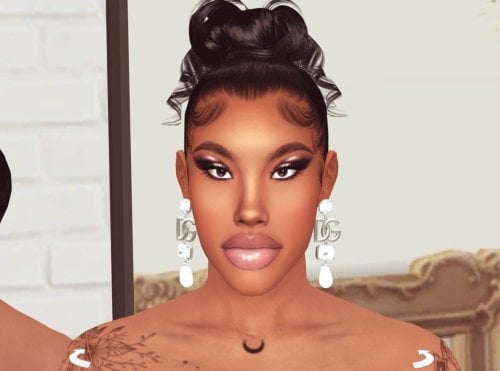
View File Pornstar Savannah Bond Sim Download (inspired by) How to install? First of all, make sure " Enable Custom Content and Mods" option is turned on in your game. After activating this settings, you need to restart the game. Before restarting the game, download some of the Sims I shared. (Screenshot 1) After downloading a Sim, extract the Sim's files from the rar. You will get the following folders; Mods,Tray. Put the files in the "Mods" folder in > Documents/Electronic Arts/The Sims 4/Mods Put the files in the "Tray" folder in > Documents/Electronic Arts/The Sims 4/Tray After doing all this, when you open the game, click on the gallery icon in the upper right and check the "include custom content" box. This is how you can see your downloaded Sims. (Screenshot 2) See my other LoversLab Sims here Visit my SubscribeStar page for exclusive 200+ Sims,new Sims every week and Supporters Special Limited Gift Sims! Hope you enjoy my work! ~ ❤️ Visit my Website to see my Sims catalog and download more Sims! For more Sims & Support me,please visit ; https://www.mervejuanasims.com/ subscribestar.com/mervejuanasims I wish you a good game! ~ ❤️ 💌 January 2026 SubscribeStar Supporters Gift Sims 💌 💌 Early-Access Sims on my SubscribeStar 💌 Submitter Mervejuana Submitted 01/14/2026 Category The Sims 4 - Sims Requirements The Sims 4
- 1 reply
-
- sims
- sims4
-
(and 41 more)
Tagged with:
- sims
- sims4
- sims 4
- thesims4
- the sims 4
- ts4
- sims 4 sim
- sims 4 sims
- sims 4 sim download
- sims download
- sims downloads
- cas
- created sim
- create-a-sim
- created sims
- custom sim
- custom sims
- custom sim download
- sexy sim
- sexy sims
- wicked sims
- wicked sims 4
- female sim
- female sims
- famous sims
- celebrity sim
- celebrity sims
- pornstar sims
- sims 4 pornstar
- hot sim
- hot sims
- pretty sim
- pretty sims
- lovely sim
- lovely sims
- blonde sim
- blonde sims
- busty sim
- busty sims
- maxis
- thesims
- thesims4cas
- milf sims
-
1607 downloads
How to install? First of all, make sure " Enable Custom Content and Mods" option is turned on in your game. After activating this settings, you need to restart the game. Before restarting the game, download some of the Sims I shared. (Screenshot 1) After downloading a Sim, extract the Sim's files from the rar. You will get the following folders; Mods,Tray. Put the files in the "Mods" folder in > Documents/Electronic Arts/The Sims 4/Mods Put the files in the "Tray" folder in > Documents/Electronic Arts/The Sims 4/Tray After doing all this, when you open the game, click on the gallery icon in the upper right and check the "include custom content" box. This is how you can see your downloaded Sims. (Screenshot 2) See my other LoversLab Sims here Visit my SubscribeStar page for exclusive 200+ Sims,new Sims every week and Supporters Special Limited Gift Sims! Hope you enjoy my work! ~ ❤️ Visit my Website to see my Sims catalog and download more Sims! For more Sims & Support me,please visit ; https://www.mervejuanasims.com/ subscribestar.com/mervejuanasims I wish you a good game! ~ ❤️ 💌 January 2026 SubscribeStar Supporters Gift Sims 💌 💌 Early-Access Sims on my SubscribeStar 💌-
3
-
- sims
- sims4
-
(and 43 more)
Tagged with:
- sims
- sims4
- thesims4
- the sims 4
- sims4sim
- sims4cas
- sim download
- sim downloads
- sims download
- sims downloads
- custom sim
- custom sims
- custom sim download
- maxis
- ts4
- s4
- wicked sims
- wicked sims 4
- pornstar sim
- pornstar sims
- sims 4 pornstar
- hot sim
- hot sims
- female sim
- female sims
- sexy sim
- sexy sims
- cute sim
- cute sims
- lovely sim
- lovely sims
- pretty sim
- pretty sims
- created sim
- create a sim
- create-a-sim
- created sims
- cas
- sims 4 cas
- sims 4 sim
- sims 4 sims
- famous sims
- celebrity sim
- celebrity sims
- celebrity sims 4
-
BBW Pornstar Sofie Diaz Sim Download (inspired by)
Mervejuana posted a topic in Downloads - CAS Sims
View File BBW Pornstar Sofie Diaz Sim Download (inspired by) How to install? First of all, make sure " Enable Custom Content and Mods" option is turned on in your game. After activating this settings, you need to restart the game. Before restarting the game, download some of the Sims I shared. (Screenshot 1) After downloading a Sim, extract the Sim's files from the rar. You will get the following folders; Mods,Tray. Put the files in the "Mods" folder in > Documents/Electronic Arts/The Sims 4/Mods Put the files in the "Tray" folder in > Documents/Electronic Arts/The Sims 4/Tray After doing all this, when you open the game, click on the gallery icon in the upper right and check the "include custom content" box. This is how you can see your downloaded Sims. (Screenshot 2) See my other LoversLab Sims here Visit my SubscribeStar page for exclusive 200+ Sims,new Sims every week and Supporters Special Limited Gift Sims! Hope you enjoy my work! ~ ❤️ Visit my Website to see my Sims catalog and download more Sims! For more Sims & Support me,please visit ; https://www.mervejuanasims.com/ subscribestar.com/mervejuanasims I wish you a good game! ~ ❤️ 💌 January 2026 SubscribeStar Supporters Gift Sims 💌 💌 Early-Access Sims on my SubscribeStar 💌 Submitter Mervejuana Submitted 01/19/2026 Category The Sims 4 - Sims Requirements The Sims 4-
- sims
- sims4
-
(and 43 more)
Tagged with:
- sims
- sims4
- thesims4
- the sims 4
- sims4sim
- sims4cas
- sim download
- sim downloads
- sims download
- sims downloads
- custom sim
- custom sims
- custom sim download
- maxis
- ts4
- s4
- wicked sims
- wicked sims 4
- pornstar sim
- pornstar sims
- sims 4 pornstar
- hot sim
- hot sims
- female sim
- female sims
- sexy sim
- sexy sims
- cute sim
- cute sims
- lovely sim
- lovely sims
- pretty sim
- pretty sims
- created sim
- create a sim
- create-a-sim
- created sims
- cas
- sims 4 cas
- sims 4 sim
- sims 4 sims
- famous sims
- celebrity sim
- celebrity sims
- celebrity sims 4
-
1662 downloads
How to install? First of all, make sure " Enable Custom Content and Mods" option is turned on in your game. After activating this settings, you need to restart the game. Before restarting the game, download some of the Sims I shared. (Screenshot 1) After downloading a Sim, extract the Sim's files from the rar. You will get the following folders; Mods,Tray. Put the files in the "Mods" folder in > Documents/Electronic Arts/The Sims 4/Mods Put the files in the "Tray" folder in > Documents/Electronic Arts/The Sims 4/Tray After doing all this, when you open the game, click on the gallery icon in the upper right and check the "include custom content" box. This is how you can see your downloaded Sims. (Screenshot 2) See my other LoversLab Sims here Visit my SubscribeStar page for exclusive 200+ Sims,new Sims every week and Supporters Special Limited Gift Sims! Hope you enjoy my work! ~ ❤️ Visit my Website to see my Sims catalog and download more Sims! For more Sims & Support me,please visit ; https://www.mervejuanasims.com/ subscribestar.com/mervejuanasims I wish you a good game! ~ ❤️ 💌 January 2026 SubscribeStar Supporters Gift Sims 💌 💌 Early-Access Sims on my SubscribeStar 💌-
5
-
- sims
- sims4
-
(and 41 more)
Tagged with:
- sims
- sims4
- sims 4
- thesims4
- the sims 4
- ts4
- sims 4 sim
- sims 4 sims
- sims 4 sim download
- sims download
- sims downloads
- cas
- created sim
- create-a-sim
- created sims
- custom sim
- custom sims
- custom sim download
- sexy sim
- sexy sims
- wicked sims
- wicked sims 4
- female sim
- female sims
- famous sims
- celebrity sim
- celebrity sims
- pornstar sims
- sims 4 pornstar
- hot sim
- hot sims
- pretty sim
- pretty sims
- lovely sim
- lovely sims
- blonde sim
- blonde sims
- busty sim
- busty sims
- maxis
- thesims
- thesims4cas
- milf sims
-
1726 downloads
How to install? First of all, make sure " Enable Custom Content and Mods" option is turned on in your game. After activating this settings, you need to restart the game. Before restarting the game, download some of the Sims I shared. (Screenshot 1) After downloading a Sim, extract the Sim's files from the rar. You will get the following folders; Mods,Tray. Put the files in the "Mods" folder in > Documents/Electronic Arts/The Sims 4/Mods Put the files in the "Tray" folder in > Documents/Electronic Arts/The Sims 4/Tray After doing all this, when you open the game, click on the gallery icon in the upper right and check the "include custom content" box. This is how you can see your downloaded Sims. (Screenshot 2) See my other LoversLab Sims here Visit my SubscribeStar page for exclusive 200+ Sims,new Sims every week and Supporters Special Limited Gift Sims! Hope you enjoy my work! ~ ❤️ Visit my Website to see my Sims catalog and download more Sims! For more Sims & Support me,please visit ; https://www.mervejuanasims.com/ subscribestar.com/mervejuanasims I wish you a good game! ~ ❤️ 💌 January 2026 SubscribeStar Supporters Gift Sims 💌 💌 Early-Access Sims on my SubscribeStar 💌-
6
-
- sims
- sims4
-
(and 44 more)
Tagged with:
- sims
- sims4
- thesims4
- sim download
- sim downloads
- sims download
- sims downloads
- custom sim
- custom sims
- custom sim download
- sims 4 sim
- sims 4 sims
- sims 4 sim download
- cas
- created sim
- created sims
- create a sim
- create-a-sim
- sims4cas
- thesims4cas
- sexy sim
- sexy sims
- cute sim
- cute sims
- pornstar sims
- sims 4 pornstar
- wicked sims
- wicked sims 4
- maxis
- ts4
- s4
- female sim
- female sims
- hot sim
- hot sims
- milf sims
- the sims 4
- sims 4
- sims 4 cas
- pretty sim
- pretty sims
- lovely sim
- lovely sims
- celebrity sim
- celebrity sims
- famous sims
-
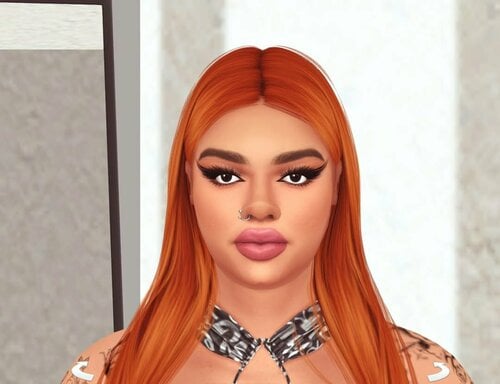
View File Pornstar Velicity Von Sim Download (inspired by) How to install? First of all, make sure " Enable Custom Content and Mods" option is turned on in your game. After activating this settings, you need to restart the game. Before restarting the game, download some of the Sims I shared. (Screenshot 1) After downloading a Sim, extract the Sim's files from the rar. You will get the following folders; Mods,Tray. Put the files in the "Mods" folder in > Documents/Electronic Arts/The Sims 4/Mods Put the files in the "Tray" folder in > Documents/Electronic Arts/The Sims 4/Tray After doing all this, when you open the game, click on the gallery icon in the upper right and check the "include custom content" box. This is how you can see your downloaded Sims. (Screenshot 2) See my other LoversLab Sims here Visit my SubscribeStar page for exclusive 200+ Sims,new Sims every week and Supporters Special Limited Gift Sims! Hope you enjoy my work! ~ ❤️ Visit my Website to see my Sims catalog and download more Sims! For more Sims & Support me,please visit ; https://www.mervejuanasims.com/ subscribestar.com/mervejuanasims I wish you a good game! ~ ❤️ 💌 January 2026 SubscribeStar Supporters Gift Sims 💌 💌 Early-Access Sims on my SubscribeStar 💌 Submitter Mervejuana Submitted 01/10/2026 Category The Sims 4 - Sims Requirements The Sims 4
-
1
-
- sims
- sims4
-
(and 44 more)
Tagged with:
- sims
- sims4
- thesims4
- sim download
- sim downloads
- sims download
- sims downloads
- custom sim
- custom sims
- custom sim download
- sims 4 sim
- sims 4 sims
- sims 4 sim download
- cas
- created sim
- created sims
- create a sim
- create-a-sim
- sims4cas
- thesims4cas
- sexy sim
- sexy sims
- cute sim
- cute sims
- pornstar sims
- sims 4 pornstar
- wicked sims
- wicked sims 4
- maxis
- ts4
- s4
- female sim
- female sims
- hot sim
- hot sims
- milf sims
- the sims 4
- sims 4
- sims 4 cas
- pretty sim
- pretty sims
- lovely sim
- lovely sims
- celebrity sim
- celebrity sims
- famous sims
-
1165 downloads
How to install? First of all, make sure " Enable Custom Content and Mods" option is turned on in your game. After activating this settings, you need to restart the game. Before restarting the game, download some of the Sims I shared. (Screenshot 1) After downloading a Sim, extract the Sim's files from the rar. You will get the following folders; Mods,Tray. Put the files in the "Mods" folder in > Documents/Electronic Arts/The Sims 4/Mods Put the files in the "Tray" folder in > Documents/Electronic Arts/The Sims 4/Tray After doing all this, when you open the game, click on the gallery icon in the upper right and check the "include custom content" box. This is how you can see your downloaded Sims. (Screenshot 2) See my other LoversLab Sims here Visit my SubscribeStar page for exclusive 200+ Sims,new Sims every week and Supporters Special Limited Gift Sims! Hope you enjoy my work! ~ ❤️ Visit my Website to see my Sims catalog and download more Sims! For more Sims & Support me,please visit ; https://www.mervejuanasims.com/ subscribestar.com/mervejuanasims I wish you a good game! ~ ❤️ 💌 December 2025 SubscribeStar Supporters Gift Sims 💌 💌 Early-Access Sims on my SubscribeStar 💌-
3
-
- sims
- sims 4
-
(and 39 more)
Tagged with:
- sims
- sims 4
- sims4
- thesims
- thesims4
- cas
- custom sims
- custom sim
- custom sim download
- sims4cas
- created sim
- created sims
- sexy sim
- sexy sims
- wicked sims
- wicked sims 4
- pornstar sims
- sims 4 pornstar
- hot sim
- hot sims
- baddie sim
- baddie sims
- baddie sims 4
- female sim
- female sims
- sims 4 sim
- sims 4 sims
- sims 4 sim download
- sim download
- sim downloads
- sims download
- sims downloads
- maxis
- ts4
- s4
- sims4sims
- celebrity sim
- celebrity sims
- celebrity sims 4
- famous sims
- sims 4 celebrity
-
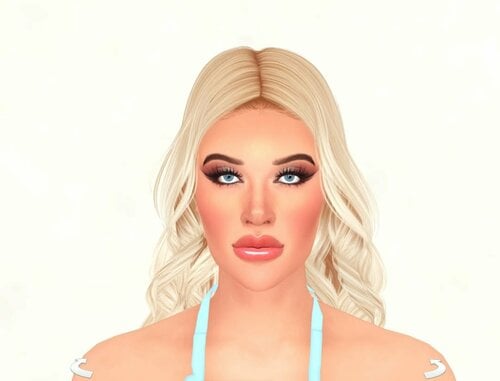
View File Pornstar Roxy Reynolds Sim Download (inspired by) How to install? First of all, make sure " Enable Custom Content and Mods" option is turned on in your game. After activating this settings, you need to restart the game. Before restarting the game, download some of the Sims I shared. (Screenshot 1) After downloading a Sim, extract the Sim's files from the rar. You will get the following folders; Mods,Tray. Put the files in the "Mods" folder in > Documents/Electronic Arts/The Sims 4/Mods Put the files in the "Tray" folder in > Documents/Electronic Arts/The Sims 4/Tray After doing all this, when you open the game, click on the gallery icon in the upper right and check the "include custom content" box. This is how you can see your downloaded Sims. (Screenshot 2) See my other LoversLab Sims here Visit my SubscribeStar page for exclusive 200+ Sims,new Sims every week and Supporters Special Limited Gift Sims! Hope you enjoy my work! ~ ❤️ Visit my Website to see my Sims catalog and download more Sims! For more Sims & Support me,please visit ; https://www.mervejuanasims.com/ subscribestar.com/mervejuanasims I wish you a good game! ~ ❤️ 💌 December 2025 SubscribeStar Supporters Gift Sims 💌 💌 Early-Access Sims on my SubscribeStar 💌 Submitter Mervejuana Submitted 12/22/2025 Category The Sims 4 - Sims Requirements The Sims 4
-
- sims
- sims 4
-
(and 39 more)
Tagged with:
- sims
- sims 4
- sims4
- thesims
- thesims4
- cas
- custom sims
- custom sim
- custom sim download
- sims4cas
- created sim
- created sims
- sexy sim
- sexy sims
- wicked sims
- wicked sims 4
- pornstar sims
- sims 4 pornstar
- hot sim
- hot sims
- baddie sim
- baddie sims
- baddie sims 4
- female sim
- female sims
- sims 4 sim
- sims 4 sims
- sims 4 sim download
- sim download
- sim downloads
- sims download
- sims downloads
- maxis
- ts4
- s4
- sims4sims
- celebrity sim
- celebrity sims
- celebrity sims 4
- famous sims
- sims 4 celebrity
-
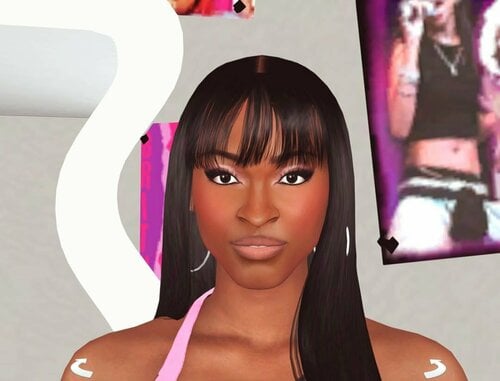
View File Pornstar Aletta Ocean Sim Download (inspired by) How to install? First of all, make sure " Enable Custom Content and Mods" option is turned on in your game. After activating this settings, you need to restart the game. Before restarting the game, download some of the Sims I shared. (Screenshot 1) After downloading a Sim, extract the Sim's files from the rar. You will get the following folders; Mods,Tray. Put the files in the "Mods" folder in > Documents/Electronic Arts/The Sims 4/Mods Put the files in the "Tray" folder in > Documents/Electronic Arts/The Sims 4/Tray After doing all this, when you open the game, click on the gallery icon in the upper right and check the "include custom content" box. This is how you can see your downloaded Sims. (Screenshot 2) See my other LoversLab Sims here Visit my Patreon page for exclusive 500+ Sims,new Sims every week and Supporters Special Limited Gift Sims! Hope you enjoy my work! ~ ❤️ Visit my Website to see my Sims catalog and download more Sims! For more Sims & Support me,please visit ; https://www.mervejuanasims.com/ https://www.patreon.com/MervejuanaSims I wish you a good game! ~ ❤️ 💌 November 2025 Supporters Gift Sims 💌 💌 Early-Access Sims on my Patreon 💌 Submitter Mervejuana Submitted 11/02/2025 Category The Sims 4 - Sims Requirements The Sims 4
-
- sims
- sims 4
-
(and 44 more)
Tagged with:
- sims
- sims 4
- the sims
- the sims 4
- sim download
- sim downloads
- sims download
- sims downloads
- custom sim
- custom sims
- custom sim download
- sims 4 sim
- sims 4 sims
- sims 4 sim download
- created sim
- create sims
- create-a-sim
- created sims
- create a sim
- sims4cas
- cas
- sexy sim
- sexy sims
- wicked sims
- wicked sims 4
- pornstar sims
- sims 4 pornstar
- female sim
- female sims
- maxis
- naughty sim
- naughty sims
- hot sim
- hot sims
- pretty sim
- pretty sims
- cute sim
- cute sims
- ts4
- s4
- thesims
- thesims4
- thesims4cas
- thesims4female
- celebrity sim
- celebrity sims
-
2379 downloads
How to install? First of all, make sure " Enable Custom Content and Mods" option is turned on in your game. After activating this settings, you need to restart the game. Before restarting the game, download some of the Sims I shared. (Screenshot 1) After downloading a Sim, extract the Sim's files from the rar. You will get the following folders; Mods,Tray. Put the files in the "Mods" folder in > Documents/Electronic Arts/The Sims 4/Mods Put the files in the "Tray" folder in > Documents/Electronic Arts/The Sims 4/Tray After doing all this, when you open the game, click on the gallery icon in the upper right and check the "include custom content" box. This is how you can see your downloaded Sims. (Screenshot 2) See my other LoversLab Sims here Visit my Patreon page for exclusive 500+ Sims,new Sims every week and Supporters Special Limited Gift Sims! Hope you enjoy my work! ~ ❤️ Visit my Website to see my Sims catalog and download more Sims! For more Sims & Support me,please visit ; https://www.mervejuanasims.com/ https://www.patreon.com/MervejuanaSims I wish you a good game! ~ ❤️ 💌 November 2025 Supporters Gift Sims 💌 💌 Early-Access Sims on my Patreon 💌-
3
-
- sims
- sims 4
-
(and 44 more)
Tagged with:
- sims
- sims 4
- the sims
- the sims 4
- sim download
- sim downloads
- sims download
- sims downloads
- custom sim
- custom sims
- custom sim download
- sims 4 sim
- sims 4 sims
- sims 4 sim download
- created sim
- create sims
- create-a-sim
- created sims
- create a sim
- sims4cas
- cas
- sexy sim
- sexy sims
- wicked sims
- wicked sims 4
- pornstar sims
- sims 4 pornstar
- female sim
- female sims
- maxis
- naughty sim
- naughty sims
- hot sim
- hot sims
- pretty sim
- pretty sims
- cute sim
- cute sims
- ts4
- s4
- thesims
- thesims4
- thesims4cas
- thesims4female
- celebrity sim
- celebrity sims
-
Pornstar Payton Preslee Sim Download (inspired by)
Mervejuana posted a topic in Downloads - CAS Sims
View File Pornstar Payton Preslee Sim Download (inspired by) How to install? First of all, make sure " Enable Custom Content and Mods" option is turned on in your game. After activating this settings, you need to restart the game. Before restarting the game, download some of the Sims I shared. (Screenshot 1) After downloading a Sim, extract the Sim's files from the rar. You will get the following folders; Mods,Tray. Put the files in the "Mods" folder in > Documents/Electronic Arts/The Sims 4/Mods Put the files in the "Tray" folder in > Documents/Electronic Arts/The Sims 4/Tray After doing all this, when you open the game, click on the gallery icon in the upper right and check the "include custom content" box. This is how you can see your downloaded Sims. (Screenshot 2) See my other LoversLab Sims here Visit my Patreon page for exclusive 500+ Sims,new Sims every week and Supporters Special Limited Gift Sims! Hope you enjoy my work! ~ ❤️ Visit my Website to see my Sims catalog and download more Sims! For more Sims & Support me,please visit ; https://www.mervejuanasims.com/ https://www.patreon.com/MervejuanaSims I wish you a good game! ~ ❤️ 💌 April 2025 Supporters Gift Sims 💌 💌 Early-Access Sims on my Patreon 💌 Submitter Mervejuana Submitted 04/08/2025 Category The Sims 4 - Sims-
- sims
- sims 4
-
(and 29 more)
Tagged with:
- sims
- sims 4
- the sims
- the sims 4
- s4
- sim download
- sim downloads
- sims download
- sims downloads
- custom sim
- custom sims
- custom sim download
- hot sim
- hot sims
- sims4cas
- cas
- created sim
- create a sim
- created sims
- wicked sims
- wicked sims 4
- sexy sim
- sexy sims
- maxis
- female sim
- female sims
- pornstar sims
- sims 4 pornstar
- ts4
- sims4
- busty sim
-
View File BBW Pornstar Abigaiil Morris Sim Download (inspired by) How to install? First of all, make sure " Enable Custom Content and Mods" option is turned on in your game. After activating this settings, you need to restart the game. Before restarting the game, download some of the Sims I shared. (Screenshot 1) After downloading a Sim, extract the Sim's files from the rar. You will get the following folders; Mods,Tray. Put the files in the "Mods" folder in > Documents/Electronic Arts/The Sims 4/Mods Put the files in the "Tray" folder in > Documents/Electronic Arts/The Sims 4/Tray After doing all this, when you open the game, click on the gallery icon in the upper right and check the "include custom content" box. This is how you can see your downloaded Sims. (Screenshot 2) See my other LoversLab Sims here Visit my Patreon page for exclusive 500+ Sims,new Sims every week and Supporters Special Limited Gift Sims! Hope you enjoy my work! ~ ❤️ Visit my Website to see my Sims catalog and download more Sims! For more Sims & Support me,please visit ; https://www.mervejuanasims.com/ https://www.patreon.com/MervejuanaSims I wish you a good game! ~ ❤️ 💌 March 2025 Supporters Gift Sims 💌 💌 Early-Access Sims on my Patreon 💌 Submitter Mervejuana Submitted 03/28/2025 Category The Sims 4 - Sims
-
- sims
- sims 4
-
(and 35 more)
Tagged with:
- sims
- sims 4
- the sims
- the sims 4
- sims4
- ts4
- s4
- sim download
- sim downloads
- sims download
- sims downloads
- sims4cas
- cas
- created sim
- created sims
- create a sim
- custom sim
- custom sims
- custom sim download
- wicked sims
- wicked sims 4
- pornstar sims
- sims 4 pornstar
- female sim
- female sims
- sexy sim
- sexy sims
- sims 4 sim
- sims 4 sims
- sims 4 sim download
- hot sim
- hot sims
- busty sim
- maxis
- redhead sims
- redhead sims 4
- curvy sim
-
View File Pornstar Dixie Lynn Sim Download (inspired by) How to install? First of all, make sure " Enable Custom Content and Mods" option is turned on in your game. After activating this settings, you need to restart the game. Before restarting the game, download some of the Sims I shared. (Screenshot 1) After downloading a Sim, extract the Sim's files from the rar. You will get the following folders; Mods,Tray. Put the files in the "Mods" folder in > Documents/Electronic Arts/The Sims 4/Mods Put the files in the "Tray" folder in > Documents/Electronic Arts/The Sims 4/Tray After doing all this, when you open the game, click on the gallery icon in the upper right and check the "include custom content" box. This is how you can see your downloaded Sims. (Screenshot 2) See my other LoversLab Sims here Visit my Patreon page for exclusive 500+ Sims,new Sims every week and Supporters Special Limited Gift Sims! Hope you enjoy my work! ~ ❤️ Visit my Website to see my Sims catalog and download more Sims! For more Sims & Support me,please visit ; https://www.mervejuanasims.com/ https://www.patreon.com/MervejuanaSims I wish you a good game! ~ ❤️ 💌 March 2025 Supporters Gift Sims 💌 💌 Early-Access Sims on my Patreon 💌 Submitter Mervejuana Submitted 03/14/2025 Category The Sims 4 - Sims
-
- sims
- sims 4
-
(and 32 more)
Tagged with:
- sims
- sims 4
- the sims
- sims download
- sims downloads
- sim download
- sim downloads
- sims 4 sim
- sims 4 sims
- sexy sim
- sexy sims
- custom sim
- custom sims
- custom sim download
- sims4cas
- cas
- created sim
- created sims
- create a sim
- pornstar sims
- sims 4 pornstar
- wicked sims
- wicked sims 4
- s4
- maxis
- female sim
- female sims
- sims4
- the sims4
- thesims4
- ts4
- sims 4 sim download
- hot sim
- hot sims
-
View File Pornstar Paige Turnah Sim Download (inspired by) How to install? First of all, make sure " Enable Custom Content and Mods" option is turned on in your game. After activating this settings, you need to restart the game. Before restarting the game, download some of the Sims I shared. (Screenshot 1) After downloading a Sim, extract the Sim's files from the rar. You will get the following folders; Mods,Tray. Put the files in the "Mods" folder in > Documents/Electronic Arts/The Sims 4/Mods Put the files in the "Tray" folder in > Documents/Electronic Arts/The Sims 4/Tray After doing all this, when you open the game, click on the gallery icon in the upper right and check the "include custom content" box. This is how you can see your downloaded Sims. (Screenshot 2) See my other LoversLab Sims here Visit my Patreon page for exclusive 450+ Sims,new Sims every week and Supporters Special Limited Gift Sims! Hope you enjoy my work! ~ ❤️ Visit my Website to see my Sims catalog and download more Sims! For more Sims & Support me,please visit ; https://www.mervejuanasims.com/ https://www.patreon.com/MervejuanaSims I wish you a good game! ~ ❤️ 💌 January 2025 Supporters Gift Sims 💌 💌 Early-Access Sims on my Patreon 💌 Submitter Mervejuana Submitted 01/25/2025 Category The Sims 4 - Sims Requirements The Sims 4
-
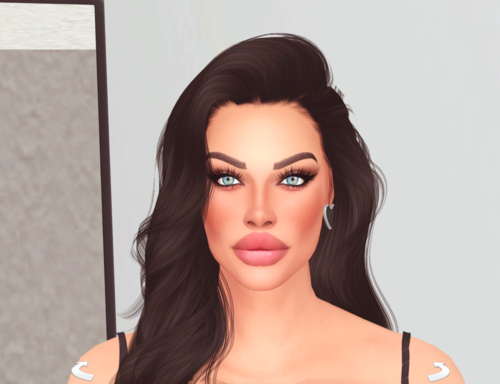
- sims
- sims 4
-
(and 33 more)
Tagged with:
- sims
- sims 4
- the sims
- the sims 4
- sim download
- sim downloads
- sims download
- sims downloads
- sexy sim
- sexy sims
- custom sim
- custom sims
- custom sim download
- cas
- created sim
- create a sim
- created sims
- sims4cas
- sexy sims 4
- wicked sims 4
- hot sim
- hot sims
- pornstar sims
- sims 4 pornstar
- female sim
- female sims
- maxis
- s4
- ts4
- sims4
- thesims
- thesims4
- sims 4 sim
- sims 4 sims
- sims 4 sim download
-
View File Pornstar Gianna Michaels Sim Download (inspired by) How to install? First of all, make sure " Enable Custom Content and Mods" option is turned on in your game. After activating this settings, you need to restart the game. Before restarting the game, download some of the Sims I shared. (Screenshot 1) After downloading a Sim, extract the Sim's files from the rar. You will get the following folders; Mods,Tray. Put the files in the "Mods" folder in > Documents/Electronic Arts/The Sims 4/Mods Put the files in the "Tray" folder in > Documents/Electronic Arts/The Sims 4/Tray After doing all this, when you open the game, click on the gallery icon in the upper right and check the "include custom content" box. This is how you can see your downloaded Sims. (Screenshot 2) See my other LoversLab Sims here Visit my Patreon page for exclusive 450+ Sims,new Sims every week and Supporters Special Limited Gift Sims! Hope you enjoy my work! ~ ❤️ Visit my Website to see my Sims catalog and download more Sims! For more Sims & Support me,please visit ; https://www.mervejuanasims.com/ https://www.patreon.com/MervejuanaSims I wish you a good game! ~ ❤️ 💌 January 2025 Supporters Gift Sims 💌 💌 Early-Access Sims on my Patreon 💌 Submitter Mervejuana Submitted 01/07/2025 Category The Sims 4 - Sims Requirements The Sims 4
-
- sims
- sims 4
-
(and 30 more)
Tagged with:
- sims
- sims 4
- the sims
- the sims 4
- sim download
- sim downloads
- sims download
- sims downloads
- sims4cas
- created sim
- created sims
- create a sim
- cas
- sims 4 sim
- sims 4 sims
- sims 4 sim download
- pornstar sims
- hot sim
- hot sims
- sexy sim
- sexy sims
- custom sim
- custom sims
- custom sim download
- wicked sims
- female sim
- female sims
- sims 4 pornstar
- wicked sims 4
- maxis
- ts4
- sims4
-
Pornstar Cherokee D'Ass Sim Download (inspired by)
Mervejuana posted a topic in Downloads - CAS Sims
View File Pornstar Cherokee D'Ass Sim Download (inspired by) How to install? First of all, make sure " Enable Custom Content and Mods" option is turned on in your game. After activating this settings, you need to restart the game. Before restarting the game, download some of the Sims I shared. (Screenshot 1) After downloading a Sim, extract the Sim's files from the rar. You will get the following folders; Mods,Tray. Put the files in the "Mods" folder in > Documents/Electronic Arts/The Sims 4/Mods Put the files in the "Tray" folder in > Documents/Electronic Arts/The Sims 4/Tray After doing all this, when you open the game, click on the gallery icon in the upper right and check the "include custom content" box. This is how you can see your downloaded Sims. (Screenshot 2) See my other LoversLab Sims here Visit my Patreon page for exclusive 450+ Sims,new Sims every week and Supporters Special Limited Gift Sims! Hope you enjoy my work! ~ ❤️ Visit my Website to see my Sims catalog and download more Sims! For more Sims & Support me,please visit ; https://www.mervejuanasims.com/ https://www.patreon.com/MervejuanaSims I wish you a good game! ~ ❤️ 💌 January 2025 Supporters Gift Sims 💌 💌 Early-Access Sims on my Patreon 💌 Submitter Mervejuana Submitted 01/18/2025 Category The Sims 4 - Sims Requirements The Sims 4-
- sims
- sims 4
-
(and 30 more)
Tagged with:
- sims
- sims 4
- the sims 4
- sims4
- sim download
- sim downloads
- sims download
- sims downloads
- cas
- created sim
- created sims
- create a sim
- custom sim
- custom sims
- custom sim download
- sexy sim
- sexy sims
- sexy sims 4
- pornstar sims
- sims 4 pornstar
- wicked sims
- wicked sims 4
- hot sim
- hot sims
- female sim
- female sims
- maxis
- ts4
- s4
- sims 4 sim
- sims 4 sims
- sims 4 sim download
-
View File BBW Pornstar Cotton Candi Sim Download (inspired by) How to install? First of all, make sure " Enable Custom Content and Mods" option is turned on in your game. After activating this settings, you need to restart the game. Before restarting the game, download some of the Sims I shared. (Screenshot 1) After downloading a Sim, extract the Sim's files from the rar. You will get the following folders; Mods,Tray. Put the files in the "Mods" folder in > Documents/Electronic Arts/The Sims 4/Mods Put the files in the "Tray" folder in > Documents/Electronic Arts/The Sims 4/Tray After doing all this, when you open the game, click on the gallery icon in the upper right and check the "include custom content" box. This is how you can see your downloaded Sims. (Screenshot 2) See my other LoversLab Sims here Visit my Patreon page for exclusive 450+ Sims,new Sims every week and Supporters Special Limited Gift Sims! Hope you enjoy my work! ~ ❤️ Visit my Website to see my Sims catalog and download more Sims! For more Sims & Support me,please visit ; https://www.mervejuanasims.com/ https://www.patreon.com/MervejuanaSims I wish you a good game! ~ ❤️ 💌 January 2025 Supporters Gift Sims 💌 💌 Early-Access Sims on my Patreon 💌 Submitter Mervejuana Submitted 01/10/2025 Category The Sims 4 - Sims Requirements The Sims 4
-
- sims
- sims 4
-
(and 29 more)
Tagged with:
- sims
- sims 4
- the sims
- the sims 4
- sim download
- sim downloads
- sims download
- sims downloads
- sims4cas
- sexy sim
- sexy sims
- cas
- created sim
- created sims
- create a sim
- sims 4 sim download
- sims 4 sim
- sims 4 sims
- hot sim
- hot sims
- curvy sim
- sims 4 pornstar
- pornstar sims
- female sim
- female sims
- maxis
- ts4
- s4
- custom sim
- custom sims
- custom sim download
-
Pornstar Gina Valentina Sim Download (inspired by)
Mervejuana posted a topic in Downloads - CAS Sims
View File Pornstar Gina Valentina Sim Download (inspired by) How to install? First of all, make sure " Enable Custom Content and Mods" option is turned on in your game. After activating this settings, you need to restart the game. Before restarting the game, download some of the Sims I shared. (Screenshot 1) After downloading a Sim, extract the Sim's files from the rar. You will get the following folders; Mods,Tray. Put the files in the "Mods" folder in > Documents/Electronic Arts/The Sims 4/Mods Put the files in the "Tray" folder in > Documents/Electronic Arts/The Sims 4/Tray After doing all this, when you open the game, click on the gallery icon in the upper right and check the "include custom content" box. This is how you can see your downloaded Sims. (Screenshot 2) See my other LoversLab Sims here Visit my Patreon page for exclusive 500+ Sims,new Sims every week and Supporters Special Limited Gift Sims! Hope you enjoy my work! ~ ❤️ Visit my Website to see my Sims catalog and download more Sims! For more Sims & Support me,please visit ; https://www.mervejuanasims.com/ https://www.patreon.com/MervejuanaSims I wish you a good game! ~ ❤️ 💌 February 2025 Supporters Gift Sims 💌 💌 Early-Access Sims on my Patreon 💌 Submitter Mervejuana Submitted 02/25/2025 Category The Sims 4 - Sims-
1
-
- sims
- sims 4
-
(and 31 more)
Tagged with:
- sims
- sims 4
- sims4
- the sims 4
- ts4
- sim download
- sim downloads
- sims download
- sims downloads
- sims4cas
- cas
- created sim
- created sims
- create a sim
- sexy sim
- sexy sims
- sexy sims 4
- wicked sims
- wicked sims 4
- hot sim
- hot sims
- sims 4 sim
- sims 4 sims
- sims 4 sim download
- female sim
- female sims
- pornstar sims
- sims 4 pornstar
- thesims4
- maxis
- custom sim
- custom sims
- custom sim download
-
View File Pornstar Sweetie Fox Sim Download (inspired by) How to install? First of all, make sure " Enable Custom Content and Mods" option is turned on in your game. After activating this settings, you need to restart the game. Before restarting the game, download some of the Sims I shared. (Screenshot 1) After downloading a Sim, extract the Sim's files from the rar. You will get the following folders; Mods,Tray. Put the files in the "Mods" folder in > Documents/Electronic Arts/The Sims 4/Mods Put the files in the "Tray" folder in > Documents/Electronic Arts/The Sims 4/Tray After doing all this, when you open the game, click on the gallery icon in the upper right and check the "include custom content" box. This is how you can see your downloaded Sims. (Screenshot 2) See my other LoversLab Sims here Visit my Patreon page for exclusive 500+ Sims,new Sims every week and Supporters Special Limited Gift Sims! Hope you enjoy my work! ~ ❤️ Visit my Website to see my Sims catalog and download more Sims! For more Sims & Support me,please visit ; https://www.mervejuanasims.com/ https://www.patreon.com/MervejuanaSims I wish you a good game! ~ ❤️ 💌 February 2025 Supporters Gift Sims 💌 💌 Early-Access Sims on my Patreon 💌 Submitter Mervejuana Submitted 02/15/2025 Category The Sims 4 - Sims
-
- sims
- the sims
-
(and 27 more)
Tagged with:
- sims
- the sims
- sims 4
- the sims 4
- sim download
- sim downloads
- custom sim
- custom sims
- custom sim download
- sims 4 sim
- sims 4 sims
- sims 4 sim download
- sims4cas
- created sim
- create a sim
- created sims
- wicked sims
- wicked sims 4
- pornstar sims
- sims 4 pornstar
- female sim
- female sims
- maxis
- ts4
- s4
- hot sim
- hot sims
- sexy sim
- sexy sims
-
View File Pornstar Mona Azar Sim Download (inspired by) How to install? First of all, make sure " Enable Custom Content and Mods" option is turned on in your game. After activating this settings, you need to restart the game. Before restarting the game, download some of the Sims I shared. (Screenshot 1) After downloading a Sim, extract the Sim's files from the rar. You will get the following folders; Mods,Tray. Put the files in the "Mods" folder in > Documents/Electronic Arts/The Sims 4/Mods Put the files in the "Tray" folder in > Documents/Electronic Arts/The Sims 4/Tray After doing all this, when you open the game, click on the gallery icon in the upper right and check the "include custom content" box. This is how you can see your downloaded Sims. (Screenshot 2) See my other LoversLab Sims here Visit my Patreon page for exclusive 500+ Sims,new Sims every week and Supporters Special Limited Gift Sims! Hope you enjoy my work! ~ ❤️ Visit my Website to see my Sims catalog and download more Sims! For more Sims & Support me,please visit ; https://www.mervejuanasims.com/ https://www.patreon.com/MervejuanaSims I wish you a good game! ~ ❤️ 💌 February 2025 Supporters Gift Sims 💌 💌 Early-Access Sims on my Patreon 💌 Submitter Mervejuana Submitted 02/08/2025 Category The Sims 4 - Sims
-
- sims
- sims 4
-
(and 30 more)
Tagged with:
- sims
- sims 4
- sim download
- sim downloads
- sims4
- thesims4
- s4
- ts4
- sexy sim
- sims4cas
- created sim
- created sims
- create a sim
- custom sim
- custom sims
- custom sim download
- sims 4 sim
- sims 4 sims
- sims 4 sim download
- wicked sims
- pornstar sims
- sims 4 pornstar
- female sim
- female sims
- hot sim
- hot sims
- maxis
- sexy sims
- sexy sims 4
- thesims
- thesims 4
- wicked sims 4
-
View File Pornstar Alura Jenson Sim Download (inspired by) How to install? First of all, make sure " Enable Custom Content and Mods" option is turned on in your game. After activating this settings, you need to restart the game. Before restarting the game, download some of the Sims I shared. (Screenshot 1) After downloading a Sim, extract the Sim's files from the rar. You will get the following folders; Mods,Tray. Put the files in the "Mods" folder in > Documents/Electronic Arts/The Sims 4/Mods Put the files in the "Tray" folder in > Documents/Electronic Arts/The Sims 4/Tray After doing all this, when you open the game, click on the gallery icon in the upper right and check the "include custom content" box. This is how you can see your downloaded Sims. (Screenshot 2) See my other LoversLab Sims here Visit my Patreon page for exclusive 500+ Sims,new Sims every week and Supporters Special Limited Gift Sims! Hope you enjoy my work! ~ ❤️ Visit my Website to see my Sims catalog and download more Sims! For more Sims & Support me,please visit ; https://www.mervejuanasims.com/ https://www.patreon.com/MervejuanaSims I wish you a good game! ~ ❤️ 💌 May 2025 Supporters Gift Sims 💌 💌 Early-Access Sims on my Patreon 💌 Submitter Mervejuana Submitted 05/28/2025 Category The Sims 4 - Sims Requirements The Sims 4
- 2 replies
-
- sims
- sims 4
-
(and 34 more)
Tagged with:
- sims
- sims 4
- the sims 4
- the sims
- sim download
- sim downloads
- sims download
- sims downloads
- cas
- sims4cas
- created sim
- created sims
- create a sim
- custom sim
- custom sims
- custom sim download
- wicked sims
- wicked sims 4
- pornstar sims
- sims 4 pornstar
- hot sim
- hot sims
- milf sims
- female sim
- female sims
- busty sim
- maxis
- ts4
- s4
- sims4
- thesims4
- thesims4cas
- thesims4female
- sims 4 sim
- sims 4 sims
- sims 4 sim download