Search the Community
Showing results for tags 'thesims'.
-
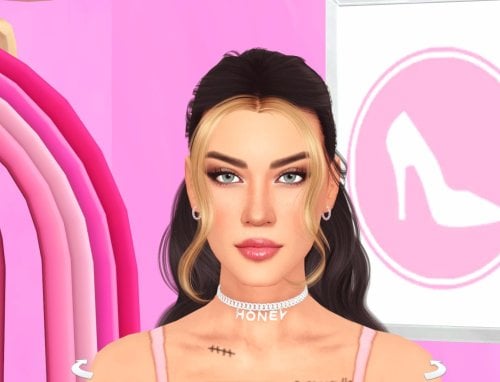
Sexy Model Sim 40 View File How to install? First of all, make sure " Enable Custom Content and Mods" option is turned on in your game. After activating this settings, you need to restart the game. Before restarting the game, download some of the Sims I shared. (Screenshot 1) After downloading a Sim, extract the Sim's files from the rar. You will get the following folders; Mods,Tray. Put the files in the "Mods" folder in > Documents/Electronic Arts/The Sims 4/Mods Put the files in the "Tray" folder in > Documents/Electronic Arts/The Sims 4/Tray After doing all this, when you open the game, click on the gallery icon in the upper right and check the "include custom content" box. This is how you can see your downloaded Sims. (Screenshot 2) See my other LoversLab Sims here Visit my SubscribeStar page for exclusive 200+ Sims,new Sims every week and Supporters Special Limited Gift Sims! Hope you enjoy my work! ~ ❤️ Visit my Website to see my Sims catalog and download more Sims! For more Sims & Support me,please visit ; https://www.mervejuanasims.com/ subscribestar.com/mervejuanasims I wish you a good game! ~ ❤️ 💌 September 2026 SubscribeStar Supporters Gift Sims 💌 💌 Early-Access Sims on my SubscribeStar 💌 Submitter Mervejuana Submitted 09/21/26 Category The Sims 4 - Sims Requirements The Sims 4
-
540 downloads
How to install? First of all, make sure " Enable Custom Content and Mods" option is turned on in your game. After activating this settings, you need to restart the game. Before restarting the game, download some of the Sims I shared. (Screenshot 1) After downloading a Sim, extract the Sim's files from the rar. You will get the following folders; Mods,Tray. Put the files in the "Mods" folder in > Documents/Electronic Arts/The Sims 4/Mods Put the files in the "Tray" folder in > Documents/Electronic Arts/The Sims 4/Tray After doing all this, when you open the game, click on the gallery icon in the upper right and check the "include custom content" box. This is how you can see your downloaded Sims. (Screenshot 2) See my other LoversLab Sims here Visit my SubscribeStar page for exclusive 200+ Sims,new Sims every week and Supporters Special Limited Gift Sims! Hope you enjoy my work! ~ ❤️ Visit my Website to see my Sims catalog and download more Sims! For more Sims & Support me,please visit ; https://www.mervejuanasims.com/ subscribestar.com/mervejuanasims I wish you a good game! ~ ❤️ 💌 September 2026 SubscribeStar Supporters Gift Sims 💌 💌 Early-Access Sims on my SubscribeStar 💌 -
![More information about "[The Sims 4] 🍦𝑪𝒓𝒆𝒂𝒎𝒚𝒅𝒆𝒍𝒊𝒄𝒊𝒐𝒖𝒔🍦 Animations with Custom Sound Effects 🧁 (+50 New Animations 30.07.2026🔥) (NEW SIMLISH PACK!!!)"](https://static.loverslab.com/screenshots/monthly_2026_07/2234234234.thumb.gif.fba756917533337a9ac284e368b71994.gif)
Version 3.0.1
2166109 downloads
NEW PREVIEW FROM NEW UPDATE PATREON ⭐⭐⭐ Hi I'm 𝗖𝗿𝗲𝗮𝗺𝘆𝗱𝗲𝗹𝗶𝗰𝗶𝗼𝘂𝘀 I focus on smooth body flow, natural motion timing and animations that work well across different body sizes. Optional sound versions are released separately. If you enjoy my animations and want to support future content, you can support me on Patreon. Thank you for being here -> https://www.patreon.com/c/Creamydelicious Check out New Animations previews and future updates on My Patreon ❤️ 𝗖𝗿𝗲𝗮𝗺𝘆𝗱𝗲𝗹𝗶𝗰𝗶𝗼𝘂𝘀 𝙼𝚘𝚍𝚎𝚕𝚜 LINK BELOW Features • Fluid, high quality motion at 60 FPS • Realistic facial expressions and reactions • Natural breast and butt physics Requirements To ensure all animations work correctly, please make sure you have: • Updated WickedWhims Mod • CherryPie CumMesh V2 installed • WickedWhims Default Bottom Rig for physics-based animations Preview Here -
[The Sims 4] 🍦𝑪𝒓𝒆𝒂𝒎𝒚𝒅𝒆𝒍𝒊𝒄𝒊𝒐𝒖𝒔🍦 Animations with Custom Sound Effects 🧁 (+50 New Animations 30.07.2026🔥) (NEW SIMLISH PACK!!!) View File NEW PREVIEW FROM NEW UPDATE PATREON ⭐⭐⭐ Hi I'm 𝗖𝗿𝗲𝗮𝗺𝘆𝗱𝗲𝗹𝗶𝗰𝗶𝗼𝘂𝘀 I focus on smooth body flow, natural motion timing and animations that work well across different body sizes. Optional sound versions are released separately. If you enjoy my animations and want to support future content, you can support me on Patreon. Thank you for being here -> https://www.patreon.com/c/Creamydelicious Check out New Animations previews and future updates on My Patreon ❤️ 𝗖𝗿𝗲𝗮𝗺𝘆𝗱𝗲𝗹𝗶𝗰𝗶𝗼𝘂𝘀 𝙼𝚘𝚍𝚎𝚕𝚜 LINK BELOW Features • Fluid, high quality motion at 60 FPS • Realistic facial expressions and reactions • Natural breast and butt physics Requirements To ensure all animations work correctly, please make sure you have: • Updated WickedWhims Mod • CherryPie CumMesh V2 installed • WickedWhims Default Bottom Rig for physics-based animations Preview Here Submitter Creamydelicious Submitted 06/28/23 Category Animations - WickedWhims Requirements WickedWhims v170f (JUNE 25TH 2022) or more.



.gif.a87ac4d152a7044ddd0278bba566249a.gif)

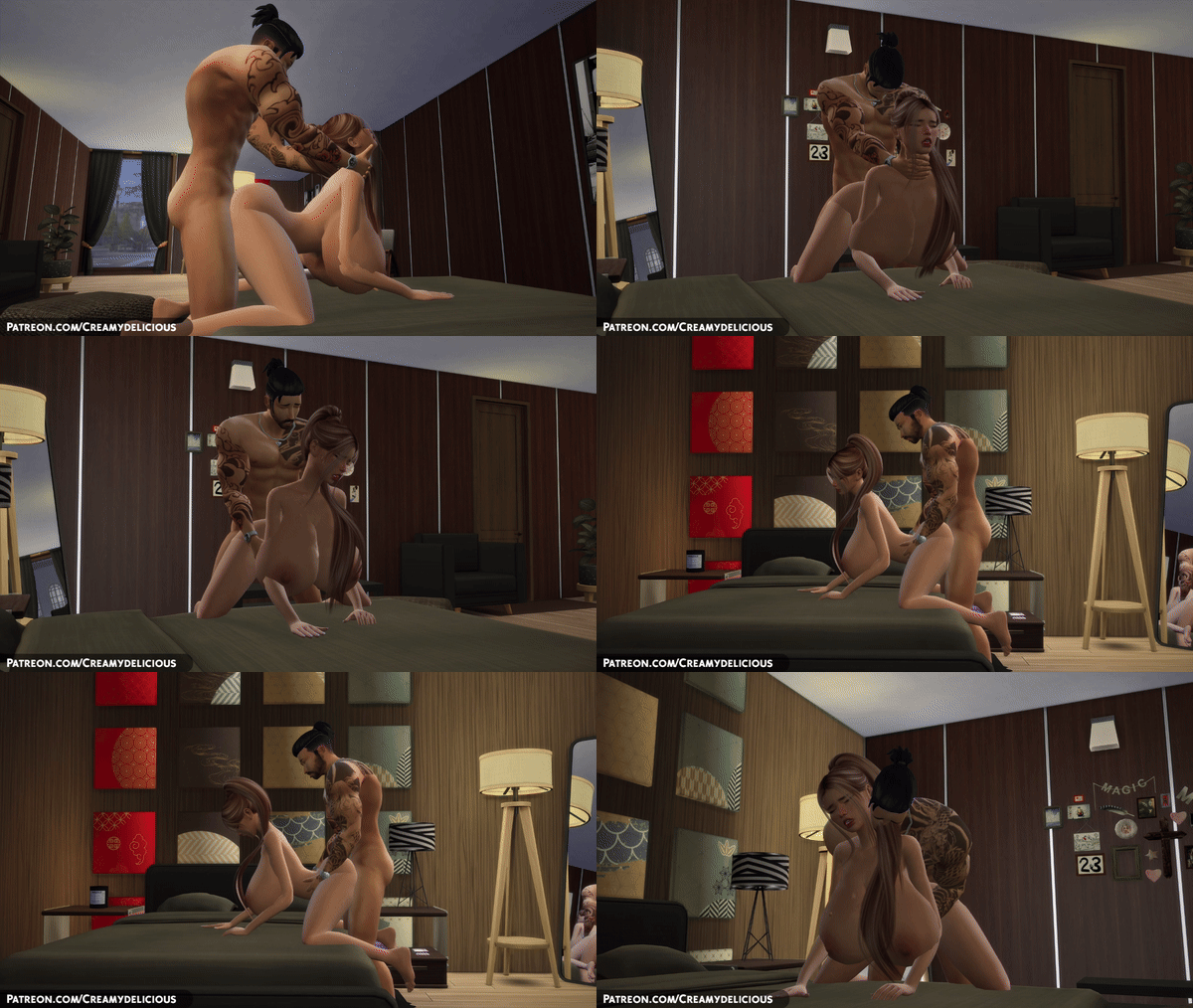


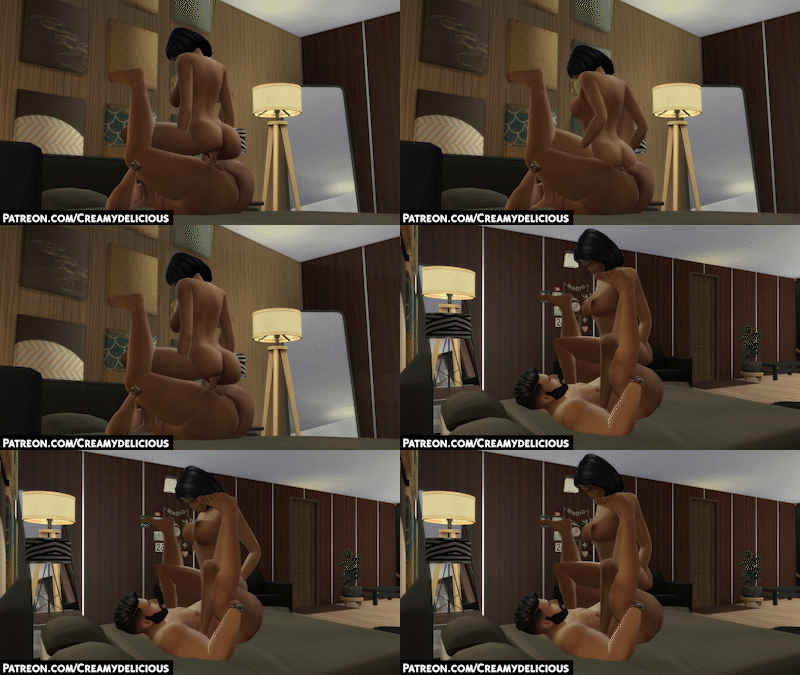











-
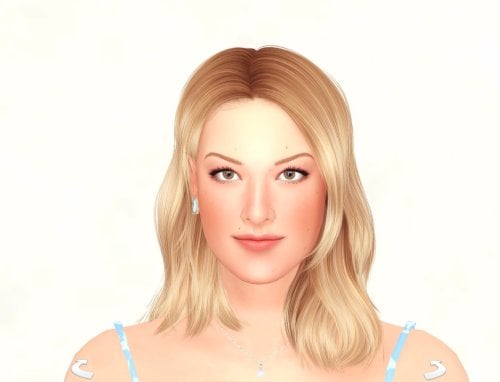
Sexy Model Sim 38 View File How to install? First of all, make sure " Enable Custom Content and Mods" option is turned on in your game. After activating this settings, you need to restart the game. Before restarting the game, download some of the Sims I shared. (Screenshot 1) After downloading a Sim, extract the Sim's files from the rar. You will get the following folders; Mods,Tray. Put the files in the "Mods" folder in > Documents/Electronic Arts/The Sims 4/Mods Put the files in the "Tray" folder in > Documents/Electronic Arts/The Sims 4/Tray After doing all this, when you open the game, click on the gallery icon in the upper right and check the "include custom content" box. This is how you can see your downloaded Sims. (Screenshot 2) See my other LoversLab Sims here Visit my SubscribeStar page for exclusive 200+ Sims,new Sims every week and Supporters Special Limited Gift Sims! Hope you enjoy my work! ~ ❤️ Visit my Website to see my Sims catalog and download more Sims! For more Sims & Support me,please visit ; https://www.mervejuanasims.com/ subscribestar.com/mervejuanasims I wish you a good game! ~ ❤️ 💌 September 2026 SubscribeStar Supporters Gift Sims 💌 💌 Early-Access Sims on my SubscribeStar 💌 Submitter Mervejuana Submitted 09/11/26 Category The Sims 4 - Sims Requirements The Sims 4
-
525 downloads
How to install? First of all, make sure " Enable Custom Content and Mods" option is turned on in your game. After activating this settings, you need to restart the game. Before restarting the game, download some of the Sims I shared. (Screenshot 1) After downloading a Sim, extract the Sim's files from the rar. You will get the following folders; Mods,Tray. Put the files in the "Mods" folder in > Documents/Electronic Arts/The Sims 4/Mods Put the files in the "Tray" folder in > Documents/Electronic Arts/The Sims 4/Tray After doing all this, when you open the game, click on the gallery icon in the upper right and check the "include custom content" box. This is how you can see your downloaded Sims. (Screenshot 2) See my other LoversLab Sims here Visit my SubscribeStar page for exclusive 200+ Sims,new Sims every week and Supporters Special Limited Gift Sims! Hope you enjoy my work! ~ ❤️ Visit my Website to see my Sims catalog and download more Sims! For more Sims & Support me,please visit ; https://www.mervejuanasims.com/ subscribestar.com/mervejuanasims I wish you a good game! ~ ❤️ 💌 September 2026 SubscribeStar Supporters Gift Sims 💌 💌 Early-Access Sims on my SubscribeStar 💌 -
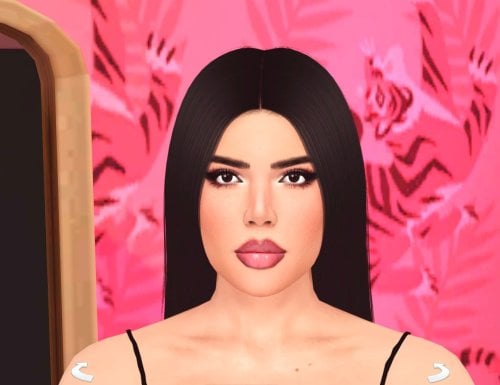
Sexy Model Sim 37 View File How to install? First of all, make sure " Enable Custom Content and Mods" option is turned on in your game. After activating this settings, you need to restart the game. Before restarting the game, download some of the Sims I shared. (Screenshot 1) After downloading a Sim, extract the Sim's files from the rar. You will get the following folders; Mods,Tray. Put the files in the "Mods" folder in > Documents/Electronic Arts/The Sims 4/Mods Put the files in the "Tray" folder in > Documents/Electronic Arts/The Sims 4/Tray After doing all this, when you open the game, click on the gallery icon in the upper right and check the "include custom content" box. This is how you can see your downloaded Sims. (Screenshot 2) See my other LoversLab Sims here Visit my SubscribeStar page for exclusive 200+ Sims,new Sims every week and Supporters Special Limited Gift Sims! Hope you enjoy my work! ~ ❤️ Visit my Website to see my Sims catalog and download more Sims! For more Sims & Support me,please visit ; https://www.mervejuanasims.com/ subscribestar.com/mervejuanasims I wish you a good game! ~ ❤️ 💌 September 2026 SubscribeStar Supporters Gift Sims 💌 💌 Early-Access Sims on my SubscribeStar 💌 Submitter Mervejuana Submitted 09/07/26 Category The Sims 4 - Sims Requirements The Sims 4
-
534 downloads
How to install? First of all, make sure " Enable Custom Content and Mods" option is turned on in your game. After activating this settings, you need to restart the game. Before restarting the game, download some of the Sims I shared. (Screenshot 1) After downloading a Sim, extract the Sim's files from the rar. You will get the following folders; Mods,Tray. Put the files in the "Mods" folder in > Documents/Electronic Arts/The Sims 4/Mods Put the files in the "Tray" folder in > Documents/Electronic Arts/The Sims 4/Tray After doing all this, when you open the game, click on the gallery icon in the upper right and check the "include custom content" box. This is how you can see your downloaded Sims. (Screenshot 2) See my other LoversLab Sims here Visit my SubscribeStar page for exclusive 200+ Sims,new Sims every week and Supporters Special Limited Gift Sims! Hope you enjoy my work! ~ ❤️ Visit my Website to see my Sims catalog and download more Sims! For more Sims & Support me,please visit ; https://www.mervejuanasims.com/ subscribestar.com/mervejuanasims I wish you a good game! ~ ❤️ 💌 September 2026 SubscribeStar Supporters Gift Sims 💌 💌 Early-Access Sims on my SubscribeStar 💌 -
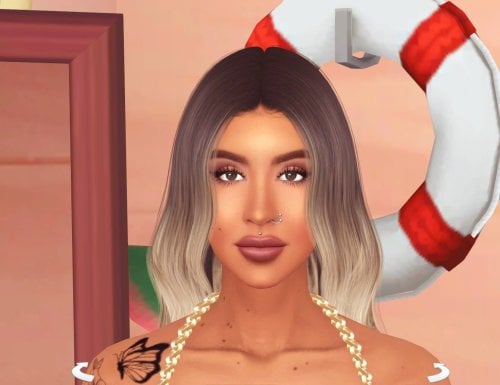
Sexy Model Sim 36 View File How to install? First of all, make sure " Enable Custom Content and Mods" option is turned on in your game. After activating this settings, you need to restart the game. Before restarting the game, download some of the Sims I shared. (Screenshot 1) After downloading a Sim, extract the Sim's files from the rar. You will get the following folders; Mods,Tray. Put the files in the "Mods" folder in > Documents/Electronic Arts/The Sims 4/Mods Put the files in the "Tray" folder in > Documents/Electronic Arts/The Sims 4/Tray After doing all this, when you open the game, click on the gallery icon in the upper right and check the "include custom content" box. This is how you can see your downloaded Sims. (Screenshot 2) See my other LoversLab Sims here Visit my SubscribeStar page for exclusive 200+ Sims,new Sims every week and Supporters Special Limited Gift Sims! Hope you enjoy my work! ~ ❤️ Visit my Website to see my Sims catalog and download more Sims! For more Sims & Support me,please visit ; https://www.mervejuanasims.com/ subscribestar.com/mervejuanasims I wish you a good game! ~ ❤️ 💌 August 2026 SubscribeStar Supporters Gift Sims 💌 💌 Early-Access Sims on my SubscribeStar 💌 Submitter Mervejuana Submitted 08/29/26 Category The Sims 4 - Sims Requirements The Sims 4
-
746 downloads
How to install? First of all, make sure " Enable Custom Content and Mods" option is turned on in your game. After activating this settings, you need to restart the game. Before restarting the game, download some of the Sims I shared. (Screenshot 1) After downloading a Sim, extract the Sim's files from the rar. You will get the following folders; Mods,Tray. Put the files in the "Mods" folder in > Documents/Electronic Arts/The Sims 4/Mods Put the files in the "Tray" folder in > Documents/Electronic Arts/The Sims 4/Tray After doing all this, when you open the game, click on the gallery icon in the upper right and check the "include custom content" box. This is how you can see your downloaded Sims. (Screenshot 2) See my other LoversLab Sims here Visit my SubscribeStar page for exclusive 200+ Sims,new Sims every week and Supporters Special Limited Gift Sims! Hope you enjoy my work! ~ ❤️ Visit my Website to see my Sims catalog and download more Sims! For more Sims & Support me,please visit ; https://www.mervejuanasims.com/ subscribestar.com/mervejuanasims I wish you a good game! ~ ❤️ 💌 August 2026 SubscribeStar Supporters Gift Sims 💌 -
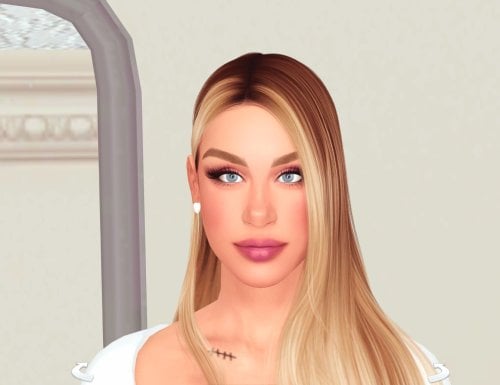
1202 downloads
How to install? First of all, make sure " Enable Custom Content and Mods" option is turned on in your game. After activating this settings, you need to restart the game. Before restarting the game, download some of the Sims I shared. (Screenshot 1) After downloading a Sim, extract the Sim's files from the rar. You will get the following folders; Mods,Tray. Put the files in the "Mods" folder in > Documents/Electronic Arts/The Sims 4/Mods Put the files in the "Tray" folder in > Documents/Electronic Arts/The Sims 4/Tray After doing all this, when you open the game, click on the gallery icon in the upper right and check the "include custom content" box. This is how you can see your downloaded Sims. (Screenshot 2) See my other LoversLab Sims here Visit my SubscribeStar page for exclusive 200+ Sims,new Sims every week and Supporters Special Limited Gift Sims! Hope you enjoy my work! ~ ❤️ Visit my Website to see my Sims catalog and download more Sims! For more Sims & Support me,please visit ; https://www.mervejuanasims.com/ subscribestar.com/mervejuanasims I wish you a good game! ~ ❤️ 💌 August 2026 SubscribeStar Supporters Gift Sims 💌 💌 Early-Access Sims on my SubscribeStar 💌 -
Sexy Model Sim 35 View File How to install? First of all, make sure " Enable Custom Content and Mods" option is turned on in your game. After activating this settings, you need to restart the game. Before restarting the game, download some of the Sims I shared. (Screenshot 1) After downloading a Sim, extract the Sim's files from the rar. You will get the following folders; Mods,Tray. Put the files in the "Mods" folder in > Documents/Electronic Arts/The Sims 4/Mods Put the files in the "Tray" folder in > Documents/Electronic Arts/The Sims 4/Tray After doing all this, when you open the game, click on the gallery icon in the upper right and check the "include custom content" box. This is how you can see your downloaded Sims. (Screenshot 2) See my other LoversLab Sims here Visit my SubscribeStar page for exclusive 200+ Sims,new Sims every week and Supporters Special Limited Gift Sims! Hope you enjoy my work! ~ ❤️ Visit my Website to see my Sims catalog and download more Sims! For more Sims & Support me,please visit ; https://www.mervejuanasims.com/ subscribestar.com/mervejuanasims I wish you a good game! ~ ❤️ 💌 August 2026 SubscribeStar Supporters Gift Sims 💌 💌 Early-Access Sims on my SubscribeStar 💌 Submitter Mervejuana Submitted 08/25/26 Category The Sims 4 - Sims Requirements The Sims 4
-
Sexy Model Sim 33 View File How to install? First of all, make sure " Enable Custom Content and Mods" option is turned on in your game. After activating this settings, you need to restart the game. Before restarting the game, download some of the Sims I shared. (Screenshot 1) After downloading a Sim, extract the Sim's files from the rar. You will get the following folders; Mods,Tray. Put the files in the "Mods" folder in > Documents/Electronic Arts/The Sims 4/Mods Put the files in the "Tray" folder in > Documents/Electronic Arts/The Sims 4/Tray After doing all this, when you open the game, click on the gallery icon in the upper right and check the "include custom content" box. This is how you can see your downloaded Sims. (Screenshot 2) See my other LoversLab Sims here Visit my SubscribeStar page for exclusive 200+ Sims,new Sims every week and Supporters Special Limited Gift Sims! Hope you enjoy my work! ~ ❤️ Visit my Website to see my Sims catalog and download more Sims! For more Sims & Support me,please visit ; https://www.mervejuanasims.com/ subscribestar.com/mervejuanasims I wish you a good game! ~ ❤️ 💌 August 2026 SubscribeStar Supporters Gift Sims 💌 💌 Early-Access Sims on my SubscribeStar 💌 Submitter Mervejuana Submitted 08/14/26 Category The Sims 4 - Sims Requirements The Sims 4
-
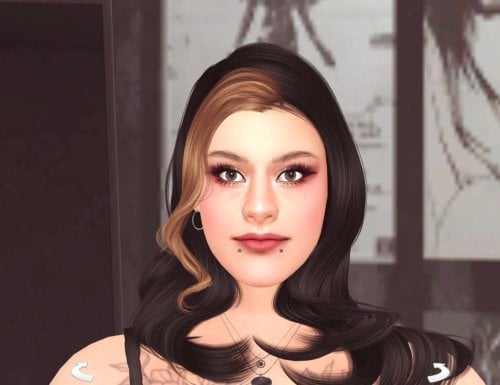
776 downloads
How to install? First of all, make sure " Enable Custom Content and Mods" option is turned on in your game. After activating this settings, you need to restart the game. Before restarting the game, download some of the Sims I shared. (Screenshot 1) After downloading a Sim, extract the Sim's files from the rar. You will get the following folders; Mods,Tray. Put the files in the "Mods" folder in > Documents/Electronic Arts/The Sims 4/Mods Put the files in the "Tray" folder in > Documents/Electronic Arts/The Sims 4/Tray After doing all this, when you open the game, click on the gallery icon in the upper right and check the "include custom content" box. This is how you can see your downloaded Sims. (Screenshot 2) See my other LoversLab Sims here Visit my SubscribeStar page for exclusive 200+ Sims,new Sims every week and Supporters Special Limited Gift Sims! Hope you enjoy my work! ~ ❤️ Visit my Website to see my Sims catalog and download more Sims! For more Sims & Support me,please visit ; https://www.mervejuanasims.com/ subscribestar.com/mervejuanasims I wish you a good game! ~ ❤️ 💌 August 2026 SubscribeStar Supporters Gift Sims 💌 💌 Early-Access Sims on my SubscribeStar 💌 -
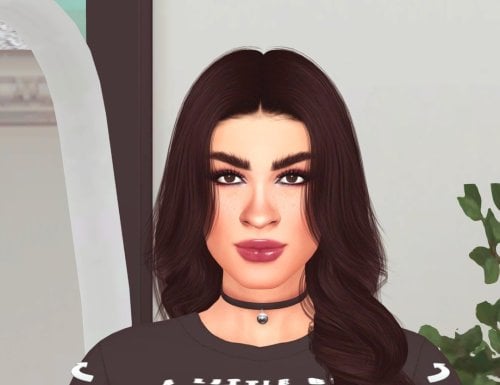
555 downloads
How to install? First of all, make sure " Enable Custom Content and Mods" option is turned on in your game. After activating this settings, you need to restart the game. Before restarting the game, download some of the Sims I shared. (Screenshot 1) After downloading a Sim, extract the Sim's files from the rar. You will get the following folders; Mods,Tray. Put the files in the "Mods" folder in > Documents/Electronic Arts/The Sims 4/Mods Put the files in the "Tray" folder in > Documents/Electronic Arts/The Sims 4/Tray After doing all this, when you open the game, click on the gallery icon in the upper right and check the "include custom content" box. This is how you can see your downloaded Sims. (Screenshot 2) See my other LoversLab Sims here Visit my SubscribeStar page for exclusive 200+ Sims,new Sims every week and Supporters Special Limited Gift Sims! Hope you enjoy my work! ~ ❤️ Visit my Website to see my Sims catalog and download more Sims! For more Sims & Support me,please visit ; https://www.mervejuanasims.com/ subscribestar.com/mervejuanasims I wish you a good game! ~ ❤️ 💌 August 2026 SubscribeStar Supporters Gift Sims 💌 💌 Early-Access Sims on my SubscribeStar 💌 -
Sexy Model Sim 32 View File How to install? First of all, make sure " Enable Custom Content and Mods" option is turned on in your game. After activating this settings, you need to restart the game. Before restarting the game, download some of the Sims I shared. (Screenshot 1) After downloading a Sim, extract the Sim's files from the rar. You will get the following folders; Mods,Tray. Put the files in the "Mods" folder in > Documents/Electronic Arts/The Sims 4/Mods Put the files in the "Tray" folder in > Documents/Electronic Arts/The Sims 4/Tray After doing all this, when you open the game, click on the gallery icon in the upper right and check the "include custom content" box. This is how you can see your downloaded Sims. (Screenshot 2) See my other LoversLab Sims here Visit my SubscribeStar page for exclusive 200+ Sims,new Sims every week and Supporters Special Limited Gift Sims! Hope you enjoy my work! ~ ❤️ Visit my Website to see my Sims catalog and download more Sims! For more Sims & Support me,please visit ; https://www.mervejuanasims.com/ subscribestar.com/mervejuanasims I wish you a good game! ~ ❤️ 💌 August 2026 SubscribeStar Supporters Gift Sims 💌 💌 Early-Access Sims on my SubscribeStar 💌 Submitter Mervejuana Submitted 08/12/26 Category The Sims 4 - Sims Requirements The Sims 4
-
Sexy Model Sim 30 View File How to install? First of all, make sure " Enable Custom Content and Mods" option is turned on in your game. After activating this settings, you need to restart the game. Before restarting the game, download some of the Sims I shared. (Screenshot 1) After downloading a Sim, extract the Sim's files from the rar. You will get the following folders; Mods,Tray. Put the files in the "Mods" folder in > Documents/Electronic Arts/The Sims 4/Mods Put the files in the "Tray" folder in > Documents/Electronic Arts/The Sims 4/Tray After doing all this, when you open the game, click on the gallery icon in the upper right and check the "include custom content" box. This is how you can see your downloaded Sims. (Screenshot 2) See my other LoversLab Sims here Visit my SubscribeStar page for exclusive 200+ Sims,new Sims every week and Supporters Special Limited Gift Sims! Hope you enjoy my work! ~ ❤️ Visit my Website to see my Sims catalog and download more Sims! For more Sims & Support me,please visit ; https://www.mervejuanasims.com/ subscribestar.com/mervejuanasims I wish you a good game! ~ ❤️ 💌 July 2026 SubscribeStar Supporters Gift Sims 💌 💌 Early-Access Sims on my SubscribeStar 💌 Submitter Mervejuana Submitted 07/29/26 Category The Sims 4 - Sims Requirements The Sims 4
-
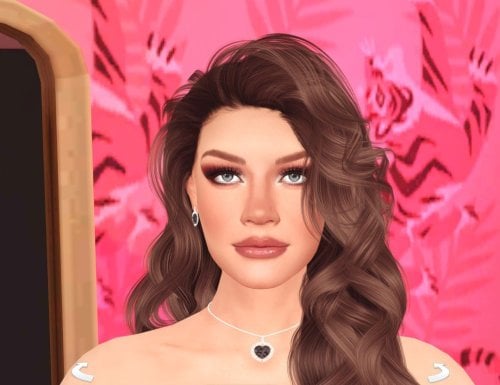
774 downloads
How to install? First of all, make sure " Enable Custom Content and Mods" option is turned on in your game. After activating this settings, you need to restart the game. Before restarting the game, download some of the Sims I shared. (Screenshot 1) After downloading a Sim, extract the Sim's files from the rar. You will get the following folders; Mods,Tray. Put the files in the "Mods" folder in > Documents/Electronic Arts/The Sims 4/Mods Put the files in the "Tray" folder in > Documents/Electronic Arts/The Sims 4/Tray After doing all this, when you open the game, click on the gallery icon in the upper right and check the "include custom content" box. This is how you can see your downloaded Sims. (Screenshot 2) See my other LoversLab Sims here Visit my SubscribeStar page for exclusive 200+ Sims,new Sims every week and Supporters Special Limited Gift Sims! Hope you enjoy my work! ~ ❤️ Visit my Website to see my Sims catalog and download more Sims! For more Sims & Support me,please visit ; https://www.mervejuanasims.com/ subscribestar.com/mervejuanasims I wish you a good game! ~ ❤️ 💌 July 2026 SubscribeStar Supporters Gift Sims 💌 💌 Early-Access Sims on my SubscribeStar 💌 -
Sexy Model Sim 29 View File How to install? First of all, make sure " Enable Custom Content and Mods" option is turned on in your game. After activating this settings, you need to restart the game. Before restarting the game, download some of the Sims I shared. (Screenshot 1) After downloading a Sim, extract the Sim's files from the rar. You will get the following folders; Mods,Tray. Put the files in the "Mods" folder in > Documents/Electronic Arts/The Sims 4/Mods Put the files in the "Tray" folder in > Documents/Electronic Arts/The Sims 4/Tray After doing all this, when you open the game, click on the gallery icon in the upper right and check the "include custom content" box. This is how you can see your downloaded Sims. (Screenshot 2) See my other LoversLab Sims here Visit my SubscribeStar page for exclusive 200+ Sims,new Sims every week and Supporters Special Limited Gift Sims! Hope you enjoy my work! ~ ❤️ Visit my Website to see my Sims catalog and download more Sims! For more Sims & Support me,please visit ; https://www.mervejuanasims.com/ subscribestar.com/mervejuanasims I wish you a good game! ~ ❤️ 💌 July 2026 SubscribeStar Supporters Gift Sims 💌 💌 Early-Access Sims on my SubscribeStar 💌 Submitter Mervejuana Submitted 07/28/26 Category The Sims 4 - Sims Requirements The Sims 4
-
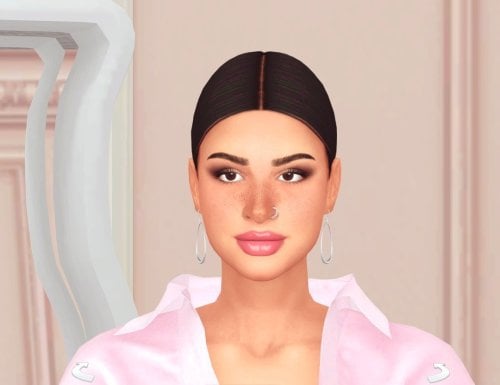
1041 downloads
How to install? First of all, make sure " Enable Custom Content and Mods" option is turned on in your game. After activating this settings, you need to restart the game. Before restarting the game, download some of the Sims I shared. (Screenshot 1) After downloading a Sim, extract the Sim's files from the rar. You will get the following folders; Mods,Tray. Put the files in the "Mods" folder in > Documents/Electronic Arts/The Sims 4/Mods Put the files in the "Tray" folder in > Documents/Electronic Arts/The Sims 4/Tray After doing all this, when you open the game, click on the gallery icon in the upper right and check the "include custom content" box. This is how you can see your downloaded Sims. (Screenshot 2) See my other LoversLab Sims here Visit my SubscribeStar page for exclusive 200+ Sims,new Sims every week and Supporters Special Limited Gift Sims! Hope you enjoy my work! ~ ❤️ Visit my Website to see my Sims catalog and download more Sims! For more Sims & Support me,please visit ; https://www.mervejuanasims.com/ subscribestar.com/mervejuanasims I wish you a good game! ~ ❤️ 💌 July 2026 SubscribeStar Supporters Gift Sims 💌 💌 Early-Access Sims on my SubscribeStar 💌 -
 [NSFW] Sims 4 Poster - Aletta Ocean Shuffle V2 [30 SWATCH] View File [NSFW] Sims 4 Poster - Aletta Ocean Shuffle V2 [30 SWATCH] Submitter thesimphoria Submitted 07/16/26 Category Paintings & Posters Requirements
 -
![More information about "[NSFW] Sims 4 Poster - Aletta Ocean Shuffle V2 [30 SWATCH]"](https://static.loverslab.com/screenshots/monthly_2026_07/Screenshot2026-07-05034707.thumb.png.adae901d48063c160d9c02dc7061acf3.png)
Version 1
326 downloads
[NSFW] Sims 4 Poster - Aletta Ocean Shuffle V2 [30 SWATCH] -
Sexy Model Sim 26 View File How to install? First of all, make sure " Enable Custom Content and Mods" option is turned on in your game. After activating this settings, you need to restart the game. Before restarting the game, download some of the Sims I shared. (Screenshot 1) After downloading a Sim, extract the Sim's files from the rar. You will get the following folders; Mods,Tray. Put the files in the "Mods" folder in > Documents/Electronic Arts/The Sims 4/Mods Put the files in the "Tray" folder in > Documents/Electronic Arts/The Sims 4/Tray After doing all this, when you open the game, click on the gallery icon in the upper right and check the "include custom content" box. This is how you can see your downloaded Sims. (Screenshot 2) See my other LoversLab Sims here Visit my SubscribeStar page for exclusive 200+ Sims,new Sims every week and Supporters Special Limited Gift Sims! Hope you enjoy my work! ~ ❤️ Visit my Website to see my Sims catalog and download more Sims! For more Sims & Support me,please visit ; https://www.mervejuanasims.com/ subscribestar.com/mervejuanasims I wish you a good game! ~ ❤️ 💌 July 2026 SubscribeStar Supporters Gift Sims 💌 💌 Early-Access Sims on my SubscribeStar 💌 Submitter Mervejuana Submitted 07/12/26 Category The Sims 4 - Sims Requirements The Sims 4
-
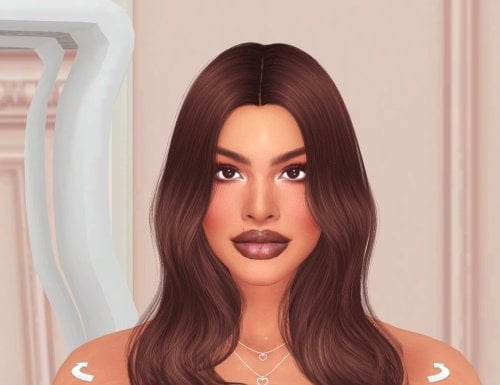
1121 downloads
How to install? First of all, make sure " Enable Custom Content and Mods" option is turned on in your game. After activating this settings, you need to restart the game. Before restarting the game, download some of the Sims I shared. (Screenshot 1) After downloading a Sim, extract the Sim's files from the rar. You will get the following folders; Mods,Tray. Put the files in the "Mods" folder in > Documents/Electronic Arts/The Sims 4/Mods Put the files in the "Tray" folder in > Documents/Electronic Arts/The Sims 4/Tray After doing all this, when you open the game, click on the gallery icon in the upper right and check the "include custom content" box. This is how you can see your downloaded Sims. (Screenshot 2) See my other LoversLab Sims here Visit my SubscribeStar page for exclusive 200+ Sims,new Sims every week and Supporters Special Limited Gift Sims! Hope you enjoy my work! ~ ❤️ Visit my Website to see my Sims catalog and download more Sims! For more Sims & Support me,please visit ; https://www.mervejuanasims.com/ subscribestar.com/mervejuanasims I wish you a good game! ~ ❤️ 💌 July 2026 SubscribeStar Supporters Gift Sims 💌 💌 Early-Access Sims on my SubscribeStar 💌 -
Sexy Model Sim 24 View File How to install? First of all, make sure " Enable Custom Content and Mods" option is turned on in your game. After activating this settings, you need to restart the game. Before restarting the game, download some of the Sims I shared. (Screenshot 1) After downloading a Sim, extract the Sim's files from the rar. You will get the following folders; Mods,Tray. Put the files in the "Mods" folder in > Documents/Electronic Arts/The Sims 4/Mods Put the files in the "Tray" folder in > Documents/Electronic Arts/The Sims 4/Tray After doing all this, when you open the game, click on the gallery icon in the upper right and check the "include custom content" box. This is how you can see your downloaded Sims. (Screenshot 2) See my other LoversLab Sims here Visit my SubscribeStar page for exclusive 200+ Sims,new Sims every week and Supporters Special Limited Gift Sims! Hope you enjoy my work! ~ ❤️ Visit my Website to see my Sims catalog and download more Sims! For more Sims & Support me,please visit ; https://www.mervejuanasims.com/ subscribestar.com/mervejuanasims I wish you a good game! ~ ❤️ 💌 June 2026 SubscribeStar Supporters Gift Sims 💌 💌 Early-Access Sims on my SubscribeStar 💌 Submitter Mervejuana Submitted 06/26/26 Category The Sims 4 - Sims Requirements The Sims 4