Jump to content

Select a subcategory to view available files.

Files From Subcategories

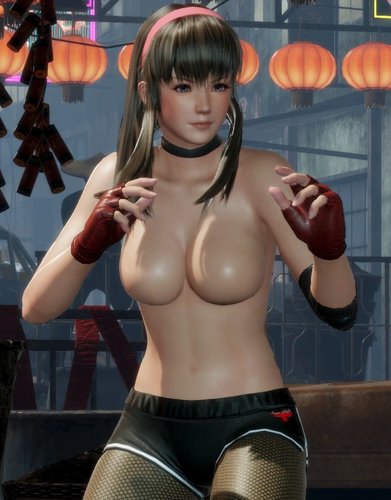
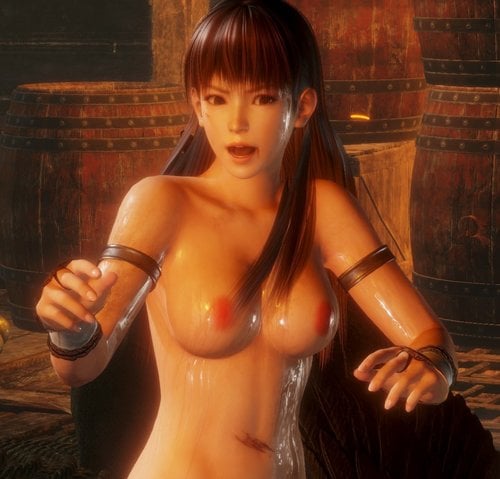
  1. Revealing Hitomi

    Install using 3DMigoto.
     
    Use this with your current nude skin (nipples etc) as I am not creating these for my game.
     
    A big thanks to everyone for creating the awesome tools that have allowed this mod to happen

    531 downloads

    Submitted

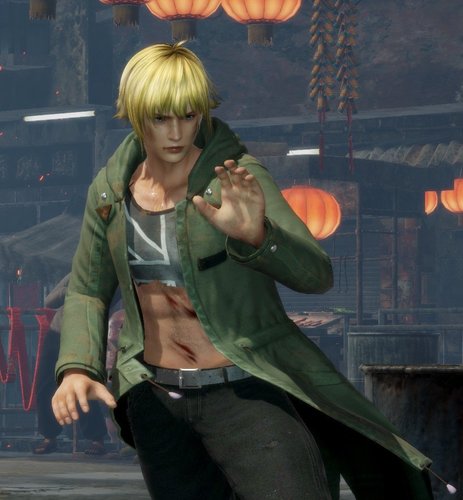
  2. More damage to Eliot

    Install using 3DMigoto.
     
    A big thanks to everyone for creating the awesome tools that have allowed this mod to happen

    132 downloads

    Submitted

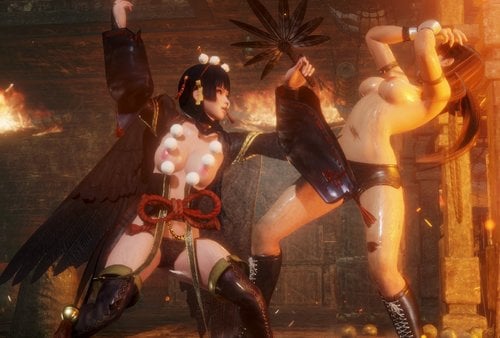
  3. Revealing Nyotengu

    Install using 3DMigoto.
     
    Use this with your current nude skin (nipples etc) as I am not creating these for my game.
     
    A big thanks to everyone for creating the awesome tools that have allowed this mod to happen

    569 downloads

    Submitted

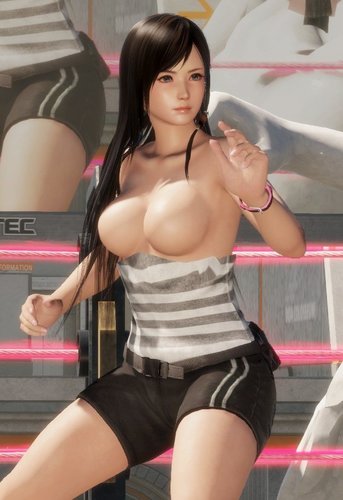
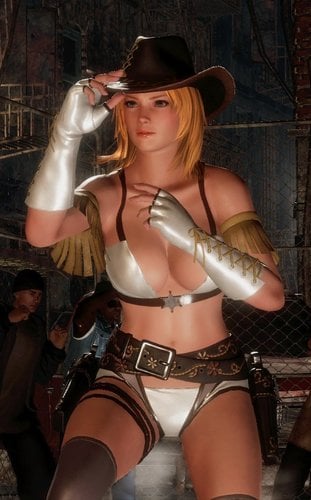
  4. Sexier Cowgirl Tina

    Install using 3DMigoto.
     
    A big thanks to everyone for creating the awesome tools that have allowed this mod to happen

    682 downloads

    Submitted

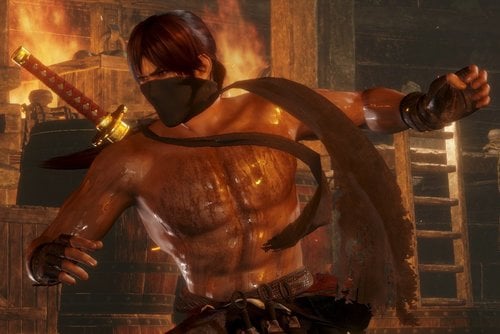
  5. No straps for Ryu Hayabusa

    Install using 3DMigoto.
     
    A big thanks to everyone for creating the awesome tools that have allowed this mod to happen

    98 downloads

    Submitted

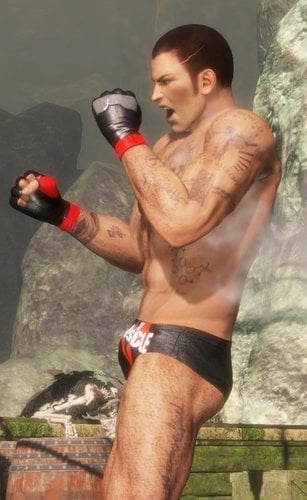
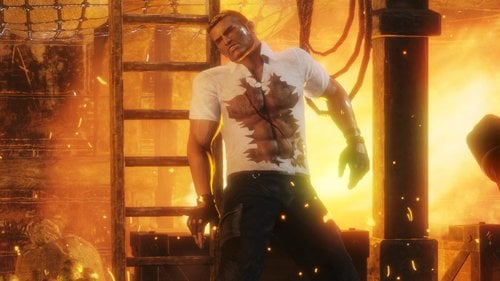
  6. More damage to Bayman

    Install using 3DMigoto.
     
    A big thanks to everyone for creating the awesome tools that have allowed this mod to happen

    148 downloads

    Submitted

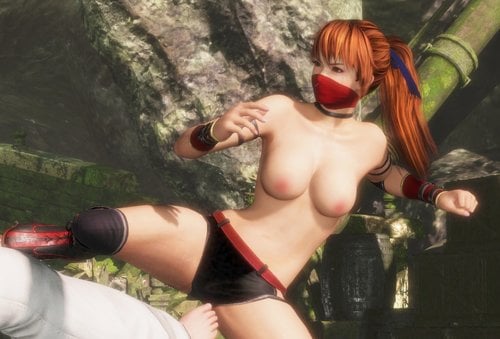
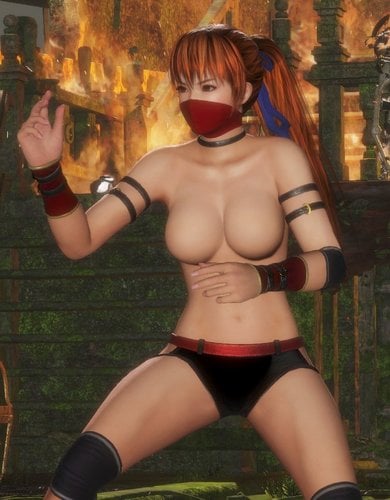
  7. Revealing Kasumi

    Install using 3DMigoto.
     
    Use this with your current nude skin (nipples etc) as I am not creating these for my game.
     
    A big thanks to everyone for creating the awesome tools that have allowed this mod to happen

    626 downloads

    Submitted

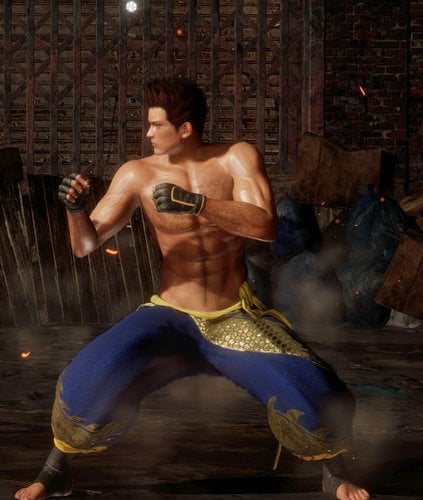
  8. Jann Lee - low-rise trousers

    Install using 3DMigoto.
     
    A big thanks to everyone for creating the awesome tools that have allowed this mod to happen

    101 downloads

    Submitted

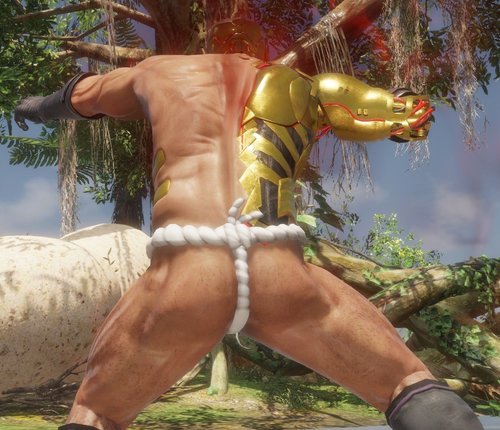
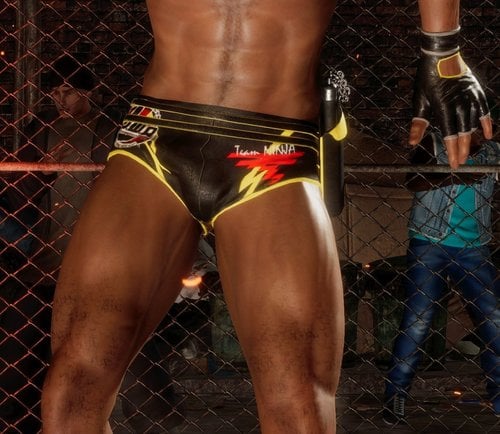
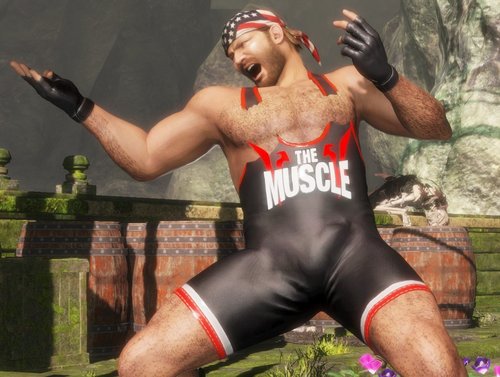
  9. Revealing Bass - damaged outfit and penis bulge

    Install using 3DMigoto.
     
    A big thanks to everyone for creating the awesome tools that have allowed this mod to happen

    358 downloads

    Updated

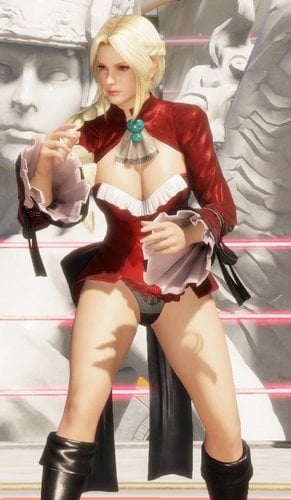
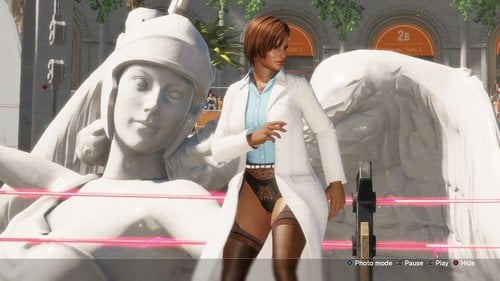
  10. Lisa showing off her knickers - costumes 10, 11 and 12

    Install using 3DMigoto.
     
    A big thanks to everyone for creating the awesome tools that have allowed this mod to happen

    804 downloads

    Submitted

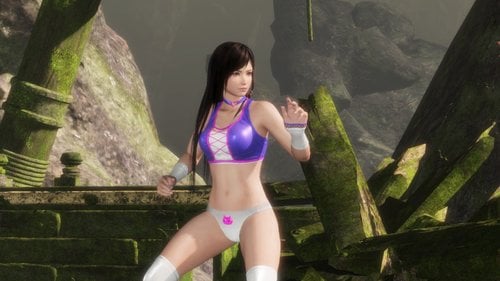
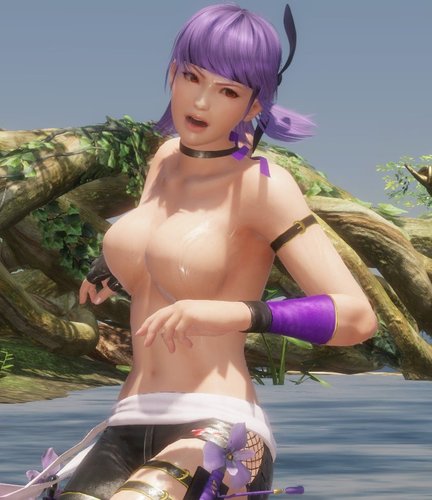
  11. Revealing Ayane

    Install using 3DMigoto.
     
    Use this with your current nude skin (nipples etc) as I am not creating these for my game.
     
    A big thanks to everyone for creating the awesome tools that have allowed this mod to happen

    572 downloads

    Submitted

  12. Revealing Leifang

    Install using 3DMigoto.
     
    Use this with your current nude skin (nipples etc) as I am not creating these for my game.
     
    A big thanks to everyone for creating the awesome tools that have allowed this mod to happen

    671 downloads

    Updated

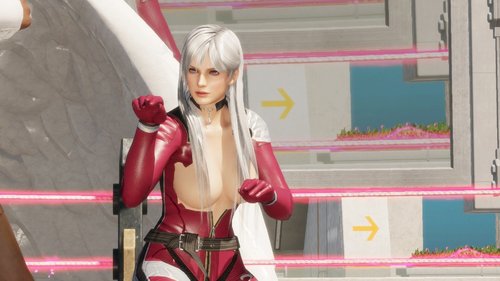
  13. Revealing Lisa

    Install using 3DMigoto.
     
    Use this with your current nude skin (nipples etc) as I am not creating these for my game.
     
    A big thanks to everyone for creating the awesome tools that have allowed this mod to happen
     

    747 downloads

    Updated

  14. Tianmuxia texture convert [Translated English]

    This is @tianmuxia texture converter tool, which I localized in English for easier use by English speakers.

    Their tool extracts and converts .g1t files into .dds for editing and modification in photoshop.
    If you wish to save your edited dds, you need the Intel DDS photoshop plug-in, because the nvidia one will not cut it in most cases I've seen.
    https://software.intel.com/en-us/articles/intel-texture-works-plugin

    I only localized two of the tools, the only ones I needed:
    G1T to DDS
    DDS to G1T
    Those two tools now have English commands, and I tried to make layout of the echo messages easier to follow.

    I am working on a tutorial which will showcase the tool, and injection back into the game.

    907 downloads

    Updated

  15. Helena Platinum Blonde

    Helena platinum blonde hair color, meant to resemble her DOA2 default color palette.


    This is a texture replacer, and it replaces all her default hair textures, restoring her former platinum blonde glory

    1488 downloads

    Updated

  16. Ayane DOA2 alt - Pink Bow

    Ayane alternate color, meant to resemble her DOA2 default color palette.


    This is a texture replacer, and it replaces her classic white dress costume, adding a pink bow to the purple dress.

    410 downloads

    Updated

  17. NiCO Skirtless

    NiCO Skirtless, removes skirt, belt, and suspenders from her alt costume:

    This is a mesh replacer, and it replaces her alternate costume.

    2595 downloads

    Updated

  18. Skins Textures v3 Created by HI-METAL

    *update March 7-8, 2019: changes made are only to the text. nothing new has been added*
    *Sorry if this is terriblely horrible to view on mobile, tablet, or any other device*
     
    All of the skins uploaded to this page, to the best of my knowledge have been created by @HI-METAL 
    With permission from @HI-METAL #3492 I am uploading the version 3 Skin Textures so they are in an easy to find location without having to search the comments of the huge thread.
     
    I have changed the compressed file names and the folder names to easier find what is needed. The ".ini" files have NOT been changed at all. They are all in their original contents but because the internet can be an unsafe place, I am also including links to the original posts containing the downloads. 
     
    Nipple size lettering
    G; LL = GIANT
    L = LARGE
    M = MEDIUM
    *Please correct me if this is wrong, I only assumed. Also I have no idea what the pubic lettering could stand for but an image included should help*
     
     
    Skin textures version 3: #1542
    NOT Includes Girls: Nagisa
    Misaki does not have her own files because she uses Kasumi's
    Nipple Sizes
    common Bodies: G; L; M
    Hokona Bodies: LL; L
    MarieRose Bodies: G; M
     
    Skin Textures version 3 Hi-Res: #2186
    Includes Girls: Hitomi; Honoka; Kasumi; Leifang; Luna;
    Nipple Sizes
    Common Bodies: L; M
    Hokona Bodies: L
     
    Nagisa test skin textures: #2667
    Nipple Sizes: M
     
    Tamaki and Kokoro skin texture seam fixes by minazuki: #2709
    Nipple Sizes: L
     
    Skin textures version 2: #1229
    NOT Included Girls: Fiona/ Nagisa
    Misaki does not have her own files because she uses Kasumi's
    Nipple Sizes: L
     
    The original skin textures version 1: #1171
    NOT Included Girls: Fiona/ Nagisa
    Misaki does not have her own files because she uses Kasumi's
    Nipple Sizes: L
     
     
    HOW-TO GET V3 SKIN TEXTURE WORKING
     
    Remove the word DISABLED from the front of the folder name you would like to use.
     
    After you have have uncompressed the files and put them in the correct location
    The defualt location on WINDOWS is:
    C:\Users\<YOUR_USERNAME>\DOAX-VenusVacation\Mods\Skins
     
     
    Step 1: Finding the folder
    Go into the girls folder you want.
    C:\Users\<YOUR_USERNAME>\DOAX-VenusVacation\Mods\Skins\<GIRLS_FOLDER>
     
     
    Once in the girls folder it will look similar to the following
     
    ======================================== _  []  x
     
    ...
    DISABLED ALTERNATIVE <GIRLS_NAME_HERE> nipple_<NIPPLE_SIZE_LETTER> labia_<LABIA_OPTION>
    DISABLED ALTERNATIVE <GIRLS_NAME_HERE> nipple_<NIPPLE_SIZE_LETTER> labia_<LABIA_OPTION>
    DISABLED ALTERNATIVE <GIRLS_NAME_HERE> nipple_<NIPPLE_SIZE_LETTER> labia_<LABIA_OPTION>
    DISABLED ALTERNATIVE <GIRLS_NAME_HERE> nipple_<NIPPLE_SIZE_LETTER> labia_<LABIA_OPTION>
    DISABLED ALTERNATIVE <GIRLS_NAME_HERE> nipple_<NIPPLE_SIZE_LETTER> labia_<LABIA_OPTION>
    DISABLED ALTERNATIVE <GIRLS_NAME_HERE> nipple_<NIPPLE_SIZE_LETTER> labia_<LABIA_OPTION>
    DISABLED ALTERNATIVE <GIRLS_NAME_HERE> nipple_<NIPPLE_SIZE_LETTER> labia_<LABIA_OPTION>
    ...
     
    =============================================
     
     
    Step 2: RENAMING A FOLDER
    Right click the folder with the nipple size you want
    Click Rename, usually at the bottom of the pop-up menu.
    High light the word DISABLED in the folder name.
    Press Delete OR Backspace.
     
     
    Once in the girls folder it will look similar to the following
     
    ======================================== _  []  x
     
    ...
    DISABLED ALTERNATIVE <GIRLS_NAME_HERE> nipple_<NIPPLE_SIZE_LETTER> labia_<LABIA_OPTION>
    ALTERNATIVE <GIRLS_NAME_HERE> nipple_M <NIPPLE_SIZE_LETTER> labia_<LABIA_OPTION>
    DISABLED ALTERNATIVE <GIRLS_NAME_HERE> nipple_<NIPPLE_SIZE_LETTER> labia_<LABIA_OPTION>
    DISABLED ALTERNATIVE <GIRLS_NAME_HERE> nipple_<NIPPLE_SIZE_LETTER> labia_<LABIA_OPTION>
    DISABLED ALTERNATIVE <GIRLS_NAME_HERE> nipple_<NIPPLE_SIZE_LETTER> labia_<LABIA_OPTION>
    DISABLED ALTERNATIVE <GIRLS_NAME_HERE> nipple_<NIPPLE_SIZE_LETTER> labia_<LABIA_OPTION>
    DISABLED ALTERNATIVE <GIRLS_NAME_HERE> nipple_<NIPPLE_SIZE_LETTER> labia_<LABIA_OPTION>
    DISABLED ALTERNATIVE <GIRLS_NAME_HERE> nipple_<NIPPLE_SIZE_LETTER> labia_<LABIA_OPTION>
    ...
     
    =============================================
     
     
    Step 3: REPEAT
    Repeat for every girl you want to make changes to.
     
    Once you are done, IF the game is already open click into the game and press F10 on your keyboard.
    It should freeze up for a moment but continue right where you were with your new mods loaded
    If the game is not open, the next time you open it the changes should appear.
     
    [END HOW-TO V3 SKIN TEXTURES]


    [WARNING]
     
    If MORE THAN ONE folder has the "DISABLED" removed from front, you will get unintended results
    POSSIBLE OUT COMES:

    1. Error messages after pressing F10 or when starting the game

    2. Weird nipples
    The game will still play fine, but the visuals will not be exactly the way you expect it.
     
    [END WARNING]
     
     
    ---------------------------------------------------------------------------------------------------------------------------------------------------
    ---------------------------------------------------------------------------------------------------------------------------------------------------
    HOW-TO GET HI-RES SKIN TEXTURE WORKING
     
     
    STEP ONE: SELECT A GIRL
    Go into the folder of the girl you are making changes to.

    The defualt location on WINDOWS is:
    C:\Users\<YOUR_USERNAME>\DOAX-VenusVacation\Mods\Skins\<GIRLS_FOLDER>
     

    STEP TWO: MAKING CHANGING
    For the skins to work YOU must edit the "<GIRLS_NAME_HERE>.ini" file in the folder.
    You can either DOUBLE CLICK the ".ini" file, or RIGHT CLICK the ".ini" file and select edit from the options
     
     
    A window should appear that looks similar to the following:
     
    ======================== _  []  x
     
    ...
    [TextureOverride<GIRLS_NAME_HERE>]
    hash = <HASH_NUMBER>
    ps-t0 = Resource<GIRLS_NAME_HERE> unless_null
     
    [Resource<GIRLS_NAME_HERE>]
    ;filename = HI_<GIRLS_NAME_HERE>_L_A_C.dds
    ;filename = HI_<GIRLS_NAME_HERE>_L_A_LO.dds
    ;filename = HI_<GIRLS_NAME_HERE>_L_A_HO.dds
    ...
     
    ============================
     
     
    The lines of text with semicolons ";" at the front are ignored entirely.
    Delete only ONE of the semicolons ";" at the front of one of the lines you want to use.
     

    It should look similar to the following:
     
    ================================================================ _  []  x
     
    ...
    [TextureOverride<GIRLS_NAME_HERE>]
    hash = <HASH_NUMBER>
    ps-t0 = Resource<GIRLS_NAME_HERE> unless_null
     
    [Resource<GIRLS_NAME_HERE>]
    filename = HI_<GIRLS_NAME_HERE>_L_A_C.dds     <=====||The game will now include this option ONLY AFTER pressing
    ;filename = HI_<GIRLS_NAME_HERE>_L_A_LO.dds                   ||F10 OR the next time you start the game 
    ;filename = HI_<GIRLS_NAME_HERE>_L_A_HO.dds                  ||while the remaining lines that start with a semicolon ";" are still ignored
    ...
     
    ====================================================================
     
     
    After you save the file, you will need to hit F10 if the game is currently running to load your changes.
     
    STEP THREE: REPEAT
    Repeat steps 1-2 for every girl you want to make changes too.
     
    Please see the image for the skin texture file type.
    There are two kinds of pubic colors for Kasumi and Misaki you can only choose ONE.
    These two CAN NOT be used at the same time.
     
     
    [END HOW-TO v3 HI-RES]


    ---------------------------------------------------------------------------------
    ---------------------------------------------------------------------------------
    [WARNING]

    If MORE THAN ONE line has the semicolon ";" deleted from the front, you will get unintended results
    POSSIBLE OUT COMES:

    1. Error messages after pressing F10 or when starting the game

    2. Weird nipples
    The game should still play fine, but the visuals will not be exactly the way you expect it.
     
    [END WARNING]
     
     
    Again, I did not create these skins, I only tracked them down to put them in one place. With any issues you may have, I can only help so far.
     
    If you like these skins, or any of the mods on this site, give the creators a thank you, they may make it look easy, but I assure you it is not.
    Thank  you, everyone, who has created or contributed to a mod!
     
    *If this file needs any updating, please let me know and I will do so as soon as possible*
    *When I read, I skim, I assume others skim too, SO I used colors, bolds, italics, underlines and different size fonts to make things easier to see if skimming I may have done too much*
     

    95660 downloads

    Updated

  19. [CostumeCustomizer] Nude Straps Set1 Mod Pack

    Nude Straps Set1
    This is a Mod Pack for the Costume Customizer Mod that primarily includes a port of funnybunny666's with a few additional items mixed in.
    It supports all 3 model types in DOAXVV.
     
    Discussion Topic:
     
    Mod Contents:
    Common, Honoka & Marie Rose Models Kasumi Nude Straps V1 and Kasumi Nude Straps V2 from funnybunny666's Nude Straps Themed DOA5LR Mods Nipple Piercings ported from NaySan's "NaySan Body Piercing For CBBE HDT" mod for skyrim

    22677 downloads

    Updated

  20. [CostumeCustomizer] Lacerta Mod

    A costume swap with Hitomi's Lacerta SR including the alternate textures Lynx and Gemini. You can toggle the top and bottom part of the bikini independently from each other and I've also added a thongless option.
     
    Does not support Marie Rose. (If someone knows how I can get her body and bikini mesh, please let me know and I will add her)

    3476 downloads

    Updated

  21. [DOA5LR] H-LOD nude mod (curvy body)

    This is H-LOD, a curvy body nude mod for all DOA5 girls, made with custom meshes and textures.

     
    MOD INFO
     
    DOWNLOAD INFO
     
    ADDITONAL PACKS / UPDATES
     
    Screenshots:


    116469 downloads

    Updated

  22. Mai - Leather Kunoichi

    A recolor of DOA 5 Halloween DLC, modified for Mai Shiranui.

    811 downloads

    Submitted

  23. [HD Full Pack] Silky-Pinky Mods + Beach Paradise 5 [+Sample Videos]

    With special thanks for the authors of HDM Beach Paradise!
     
    ===================
     
    Sample Video(1080p, 300M, 3 files, 4 min):


    Full Download(204M):for Game Ver 1.10A


    If you are new to this game?
    ..........
     
    ======================================
     
    What is this mod?
     
    Three mod series are contained in this thread, I call them Magic/Silky/GlassSlipper.
     
    Magic Mods : a mod for DOA5LR based on Harry Palmer's work, mainly fix the tail bone position and paint some body parts.


    Silky Mods : upgraded from Magic mods, a 2x high resolution barefoot version.


    GlassSlipper Mods : modify the foot of Silky Mods' model to solve the barefeet problem, and make transparent shoes.


    ============================================================
     
    What is provided:
     
    Magic Mods: TMC file.
    Silky Mods: TMC file.
    GlassSlipper Mods: TMC file.


    ===========================================================
     
    How to use Beach Paradise + Silky Mod:
    I install all the Silky Series under slot 1. You can:
    1 go to "com vs com", select the first clothes, and change it to silky mod;
    2 go to extra-movie theatre, press F9+xxx, then it works!
     
    ===========================================================
     
    Credits:
     
    The Author of great tools: Blender TMC Plug-ins, TMC Object/Insert/Polygon Tool, Timmy's ObjTool/TransformerTool, LR Photo Studio
    Harry Palmer's model and tutorial, NiteGuardian's tool tutorial, TimmyC's tutorial
    The author of R&Z fighters, Nude Remix 2.7 for giving me examples to learn from
    幻夜玄枭(3dm), nightmarealex(3dm), lxy1975(3dm)
     
    The Author of Beach Paradise: http://www.loverslab.com/topic/45864-doahdm-beach-paradise-40-beta-1617-harry-palmer-osiri-drifter/
    What is provided:

    14275 downloads

    Updated

  24. DOA5LR 100% Complete Game Save

    This is save game files with 100% progress, not 300% or something like that and ??? titles.
     
    Usage
    --------------------------------------------------------------------------------
     
    The program can be invoked from the command prompt, but you can also simply drag and drop your saved game onto its icon.
     
    Default location for your saved games:
    Steam: %USERPROFILE%\Documents\KoeiTecmo\DOA5LR\<Steam account ID>
    Reloaded: %USERPROFILE%\Documents\KoeiTecmo\DOA5LR\1337\
    3DM: %USERPROFILE%\Documents\KoeiTecmo\DOA5LR\1\
     
    Note:
    1. The Steam account ID is represented as hexadecimals.
    Reloaded: 76561197960270647
    3DM: 90071996842377217
     
    2. Private Paradise movies should be unlocked (even without save game) if you have the DLC http://store.steampowered.com/app/358142/
    Also there's no point unlocking it without DLC, since the files for that movie itself only available in DLC.
     
    Enjoy!

    42356 downloads

    Updated

  25. Hula Dancers

    Meshes by: Harry Palmer, timmyC, kayakff
    Textures by: galhound, KasumiLovesMods, kayakff
    Additional help: timmyC, KasumiLovesMods
     
    _______________________________________________________________________________________
     
    Hula Dancers AutoLink
    A full pack of all Ladies with bush on Costume Slot 01 and Shaved on Costume Slot 02 ready for drag-and-drop into your AutoLink folder!
     
    Hula Dancers DLCs
    This is the mostly outdated DLC Method, as of the date of this posting (game version 1.09) its confirmed to work, however with every update the Dev's make that may change, it contains all Ladies you can have without DLC except Alpha152, Kasumi, Ayane and Hitomi.
     
    It uses Costume Slot 48 for most of the Ladies, except the Following:
    - Marie, NyoTengu and Phase4 are slot 44
    - Pai and Sarah are slot 23
    - Honoka is on slot 39
     
    The Bonus character DLC uses:
    - NyoTengu's extra colors are on slots 41, 42, 43
    - Naotora is on slot 18
    - Mai's is on 03
    (this also contains Kasumi, Ayane, Hitomi on slot 48)
     
    Hula Dancers Reshuffle Files
    There is Currently no way to add Naotora and Mai by DLC Method without HIGH risk of crashing or other bugs, so I am offering the files here so you can override the game's original files, I also put Kasumi, Ayane and Hitomi in here instead since you should replace their Preorder Costumes for cleaner install.
     
    Hula Dancers TMC Files
    This is a complete pack of all the Dead or Alive Ladies in the Hula Costume, in Raw File Format ready for use with DLC hogehoge, AutoLink Tool, Lnk Reshuffle or any other method the Community comes up with in the future.
     
    _______________________________________________________________________________________
     
    Permissions and Reuse
     
    You Can use these in your own Mods, if you use these Meshes, Textures, or Both in your Mods please link back to my Mod here or Credit everyone I do for what you used (at the top of this page).
    You Can post these on other sites I am not a member of, however you must link back to my Mod here or Credit all the people I do (at the top of this page).
    You must Never post the downloads behind any kind of pay wall or survey for access, but a site that requires a free non-spam membership is ok.
     
    In short keep them free to get at without any tricks, give credit to those I give credit to.
     

    I just wanted to add an extra HUGE THANK YOU to KasumiLovesMods for letting me use her Files, without them I wouldn't have been able to release this pack for another few months!

    10554 downloads

    Submitted

×
×
  • Create New...