About This File
Presenting 🎥PalCinema!🎥
What is PalCinema?
PalCinema is my open-source animation framework created for the community!
PalCinema is meant to be a robust Animation Framework to be built on, as such, it has minimal NSFW features so external mods can use PalCinema to play animations for any kind of situations, gameplay, etc
PalCinema features
- Animation playback from specialized JSON configuration files
- Animation compatibility lookup
- Dynamic actor animation playback
- Free camera
- Niagara System prop spawning to include any kind of prop into animations
- Custom facial expressions for Pals during animations
- Dynamic randomized facial expressions during animations
- Item rewards after animations
- Status effects after animations
- A UI with plenty of features
- Controller support
- Several settings to turn on or off several of PalCinema's features
-
Can link to PalMagic or DynamicPals to read special model flags to allow for more granular animation matchin
- if neither is present, animation playback is still possible just without the extra granular matching
- Dispatchers and interoperability for mods to interact with PalCinema
- A Lua script helper to enumarate the JSON files at runtime, this means no ManifestList or .bat file is required!
The mod requires UE4SS installed
Specifically, Okaetsu's branch, you can get it here!
https://github.com/Okaetsu/RE-UE4SS/releases/tag/2281fa31
Installation
To install simply drag the "Pal" folder into your Palworld installation folder
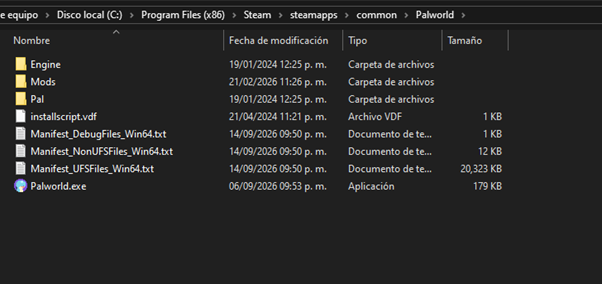
Or manually install each of the components as noted in the following steps
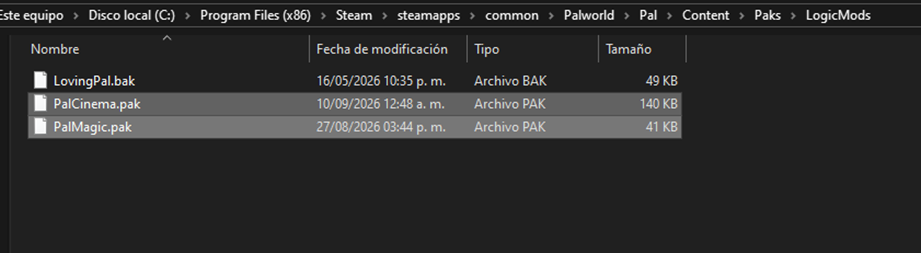
Put PalCinema.pak in the LogicMods folder, if you use PalMagic you will need to update PalMagic to 0.2.4 as well
- PalCinema can work without PalMagic/DynamicPals, but the SpecialFlags requirements beyond a few automatic ones will be ignored
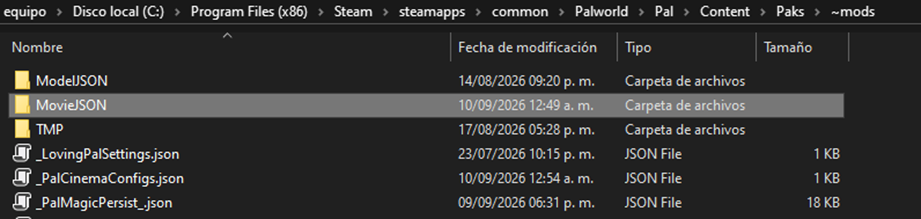
PalCinema Animation JSON files go in the new MovieJSON folder in the ~mods folder
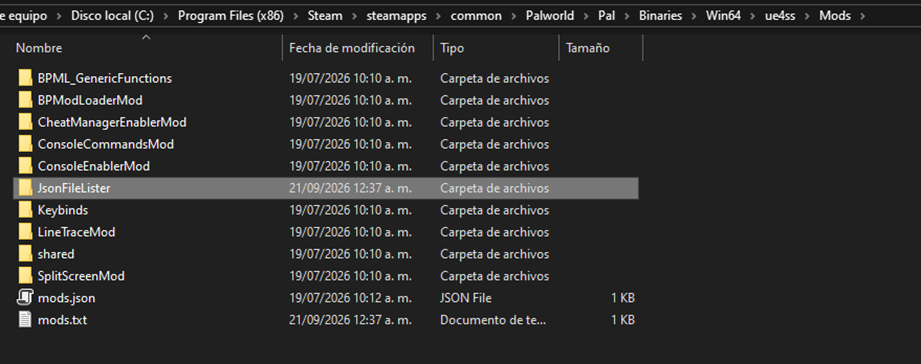
Put the included JsonFileLister in the UE4SS Mods folder
This Lua helper script allows PalCinema and newer versions of PalMagic to not require a _ManifestList.json file neither a .bat script to create it! Just put the JSON files in their respective folders and that’s it!
Controls and UI
Main UI
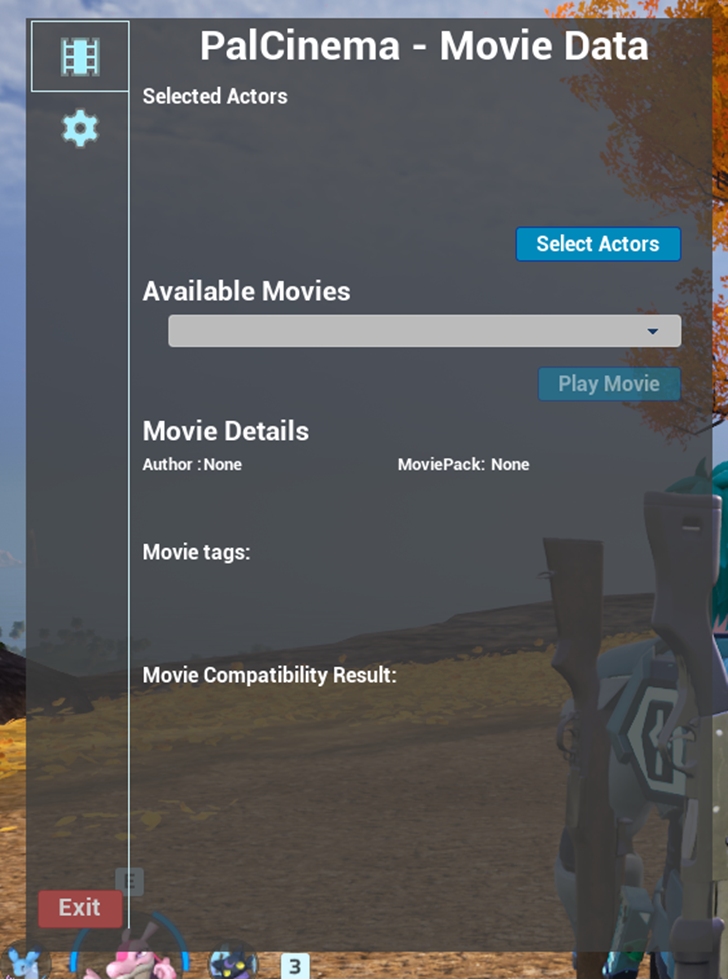
This is PalCinema’s main UI, it has the following features:
- To open the menu press Numpad * or Shift + `
- You can exit this menu by clicking the Exit button or clicking outside the menu
- The button banner on the left shows the buttons to switch between the MovieData section and the Settings section
MovieData Section
-
Selected Actors: This section shows which actors have been selected from the Select Actors button menu, click on the Select Actors button and you will be presented with the following window to select the actors you want to participate in the animation
- NOTE: animations that contain several of the same character and/or dynamic animations need to be selected in a proper order to be able to be played, this is an issue that’s currently being worked on
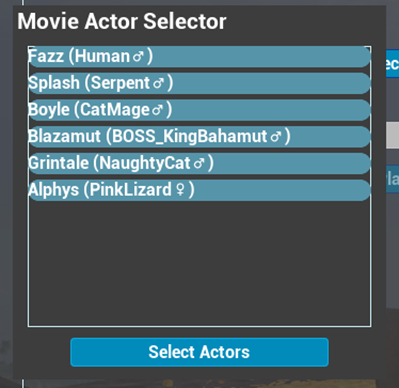
Clicking on the names of the characters will select them for the animation, once finished; click the Select Actors button to return to the main UI
- You can click outside this menu to close it
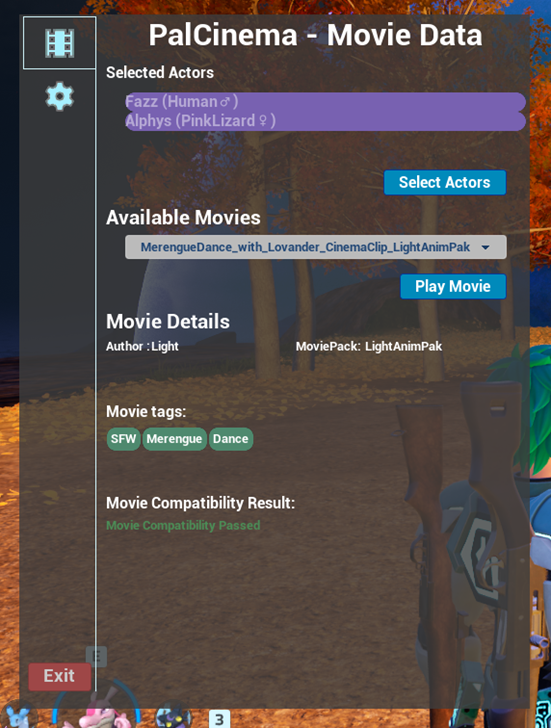
-
You can click Available Movies and select the animation you want to play from the list by clicking the Play Movie button if the animation is compatible!
- You can stop the animation anytime by pressing Tab or Escape
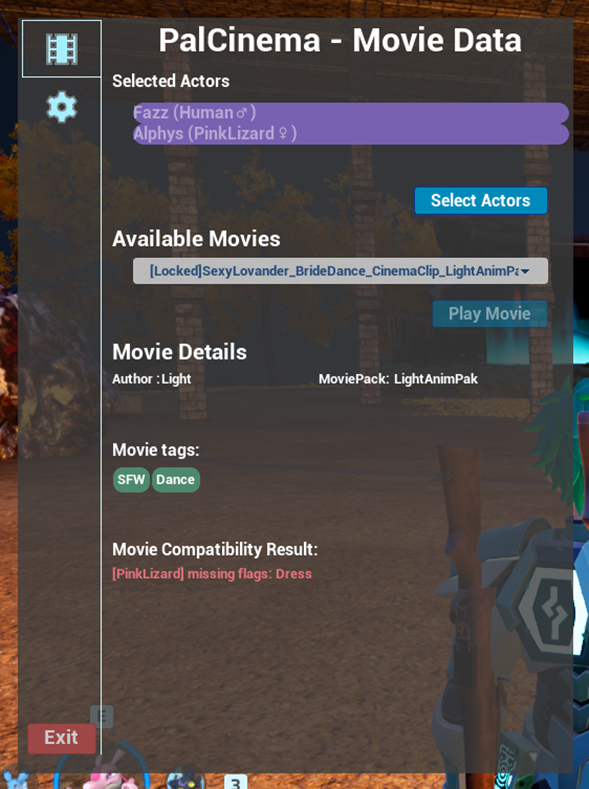
- You may see some animations marked as [Locked], these are animations that didn’t pass the compatibility check but are animations that are “playable” by the selected actors
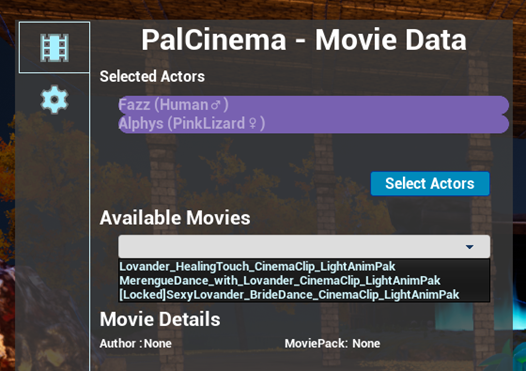
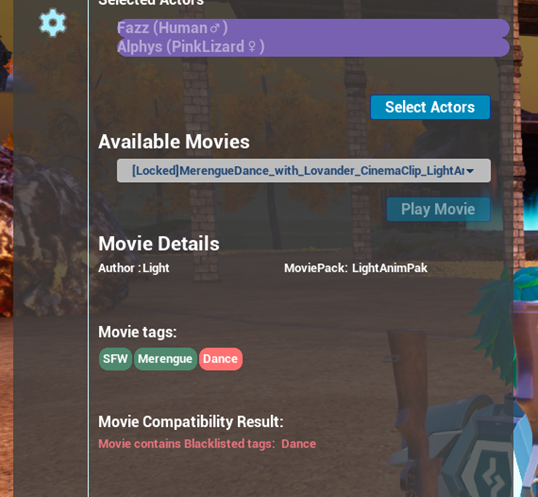
Clicking on any of these [Locked] animations will show which conditions didn’t pass to let you know what you need to be able to play the animation
The MovieTags are clickable, and when clicked they will be added to the blacklist, blacklisted animations will appear [Locked] and won’t appear in the QuickMovie UI
Settings Section
This section is for setting up the configuration settings for PalCinema as well as a bit of feedback on version and how many movies are loaded
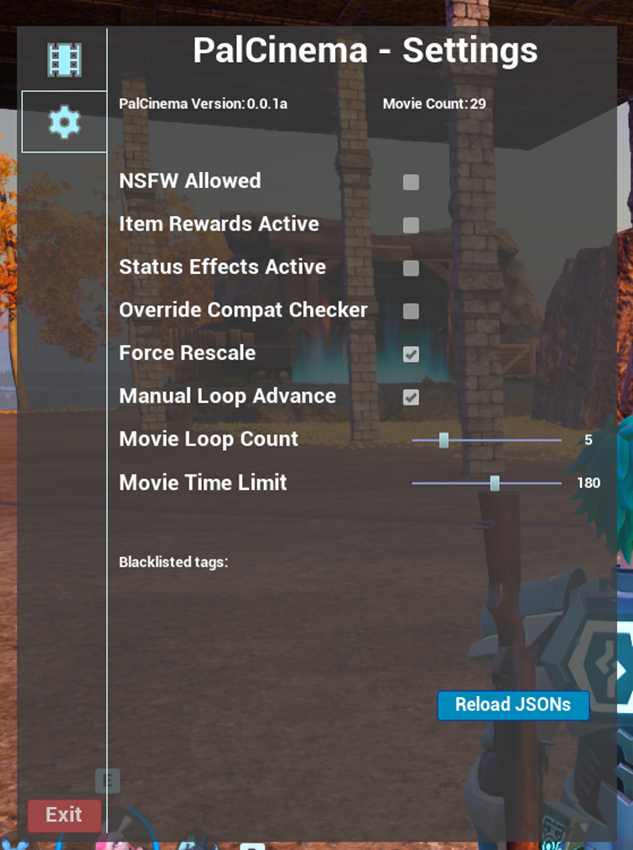
- PalCinema Version: A simple string to identify which version of PalCinema is running
- MovieCount: How many animations could be read and loaded from the JSONs
- NSFW Allowed: This checkbox enables and disables NSFW animations, this doesn’t affect SFW animations from playing
- Item Rewards Active: This checkbox enables and disables the items awarded by animations
- Status Effects Active: This checkbox enables and disables the status effects applied by animations
- Override Compat Checker: Enabling this will disable the secondary compatibility checks, ie. If the Characters match, it will allow to be played regardless of other conditions
- Manual Loop Advance: If the player is in an animation and this checkbox is enabled, PalCinema will play the loop sections until Spacebar/Xbox X button is pressed
- Movie Loop Count: How many loops should each loop section play for, this applies to all animations if Manual Loop Advance is disabled, and will continue to apply to animations the player is not part of even if Manual Loop Advance is enabled
- Movie Time Limit: A hardcap on how long should an animation play for in seconds, this is mostly a safeguard in case an animation doesn’t end properly so the participants aren’t stuck in the animation
- Blacklist Tags: A list of all the blacklisted tags, clicking one of the tags will remove it from the blacklist
- Reload JSONs button: This feature is for making JSON edition and adjustments easier, you can edit the JSON files while in-world and pressing this button will reload the animations with the new adjusted JSON data without having to exit and relog into the world, clicking this will close the UI without saving the settings to reload the JSONs
QuickMovieUI
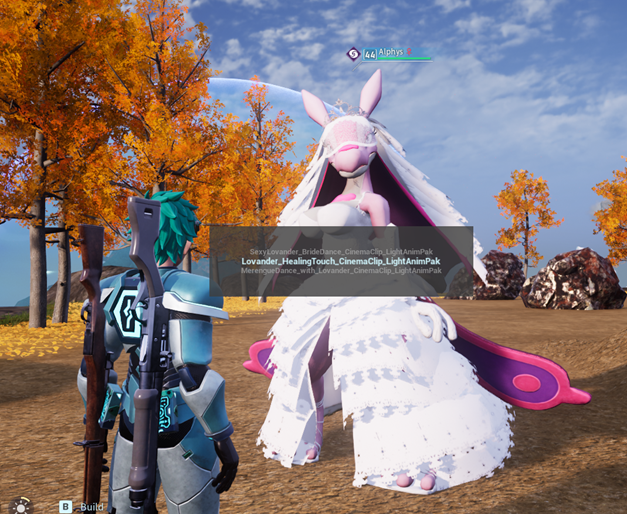
The QuickMovie UI is useful to quickly start an animation with the closest character to the player character and has the following features:
- To open the menu press Numpad –, Shift + V or holding down D-Pad Down briefly
- It will list the animations available between the Player character and the closest character to the player after secondary compatibility checks are applied
-
To navigate
- W/Right Stick Up: Go up in the selection menu
- S/Right Stick Down: Go down in the selection menu
- Spacebar/Xbox X button: Play selected animation
- Click outside/Xbox B button: Cancel and close menu
PalCinema is not compatible with other animation frameworks JSON files
Because of the considerably different JSON structures, automated conversion is more complicated for me to code,
so no conversion script is included (if you can come up with a conversion script feel free to share~!)
The pack contains a .docx document user manual for installation, usage and controls of PalCinema for your handy reference
At the end of the user manual is a list of the current issues present in PalCinema that are being worked on!
if you find any other issues with the mod let me know~!
You can get more specialized packs of the mod for animators, modders or the full source code from
the following Discord servers, feel free to join, they are full of cool people!
Jackal's Den
T-Box's Server
Special thanks to
Lanz for the PalCinema logo
xMenar, Z3N-DR4G0N, Lights for the animations resources to test
Z3N-DR4G0N, UnfairJackal, T-Box, Bakkas, Reaper for the character models
Lights for some of the features code snippets
Deccu, Zetter, Shiinr, iso, Poki, and everyone in the very friendly and supportive Palworld modding community from Jackal’s Den, T-Box Server, Zetter’s Shelter