.thumb.jpg.6ad93edd6eeed13180c73df28aae7f4c.jpg)
.thumb.jpg.d308ce9239ffc3fd5c1a52e75b247b8f.jpg)
.thumb.jpg.13e451d829ad3f9790244325875d0e82.jpg)
.thumb.jpg.288d5902f24a4b467626f8d79d1f3d75.jpg)
.thumb.jpg.644277b2ee9e7aacb8227ca097a5ca48.jpg)
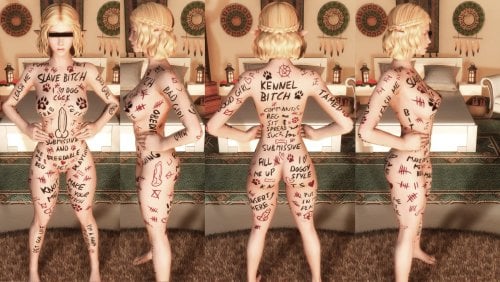
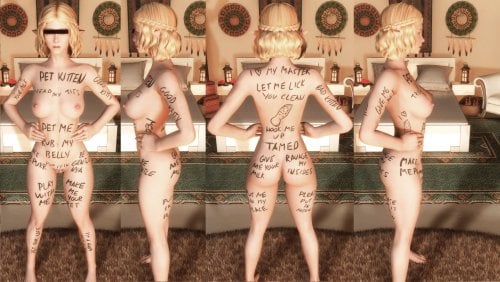
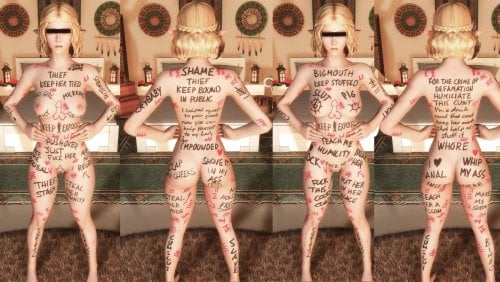
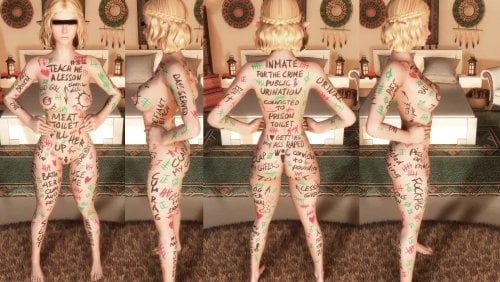
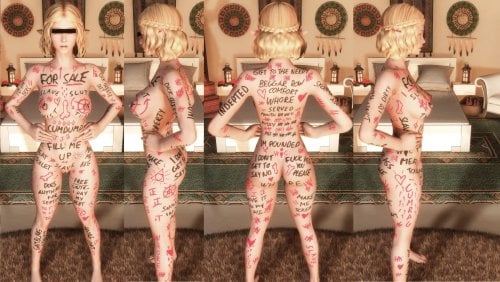
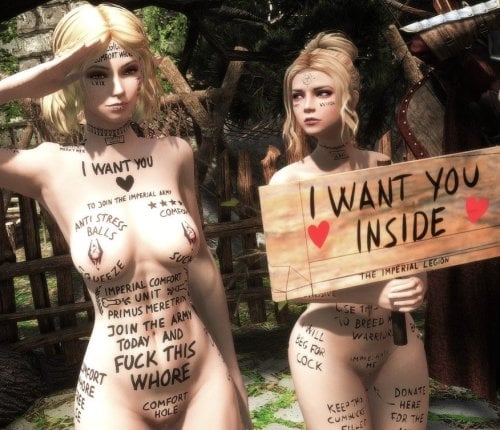
About This File
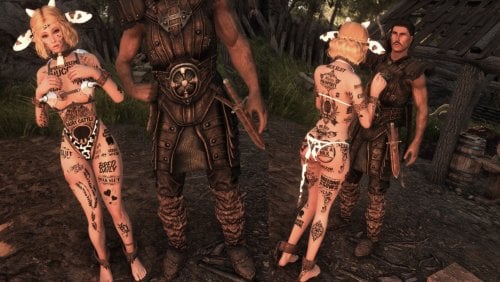
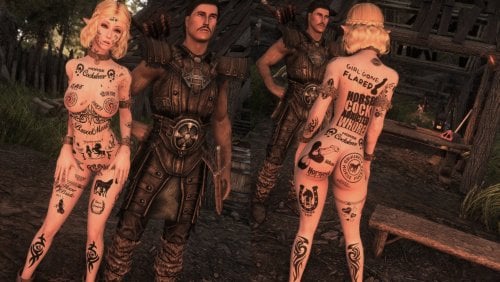
A massive mostly hand-painted tattoo collection made for SlaveTats and RapeTats CBBE 3BA
Conversions for other bodies may be a version behind depending if and when they get updated.
(UBE conversion by beachpeachpeas) - (BHUNP Conversion by Mazhilalon)
Main pack: ~1000+ tattoos • ~18 GB unpacked
Orc pack: ~170 tattoos • ~2.5 GB
Riekling pack: ~30 tattoos • ~500 MB
All tattoos are 4K on body and 2K on face, compressed with BC7_UNORM (SE) / BC3/DXT5 (LE).
Quick Links
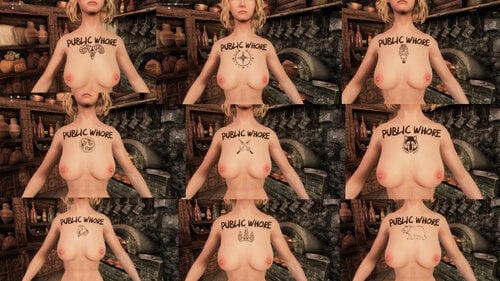
- Public Whore Replacer and other miscellanous tattoo's not fitting with the main pack.
- More Screenshots on LL Blog | Screenshots of the Public Whore Set
- FAQ
If you have problems please read this page properly before asking what is explained already.
Overview:
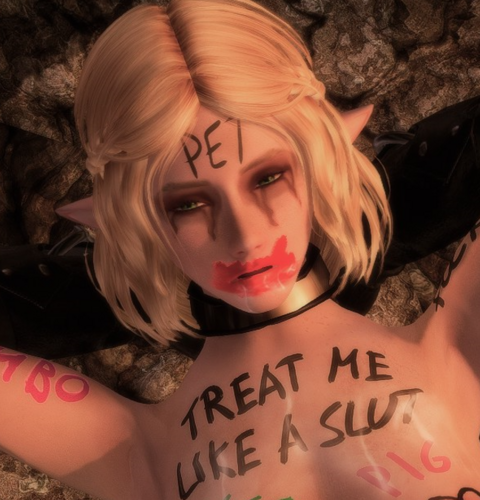
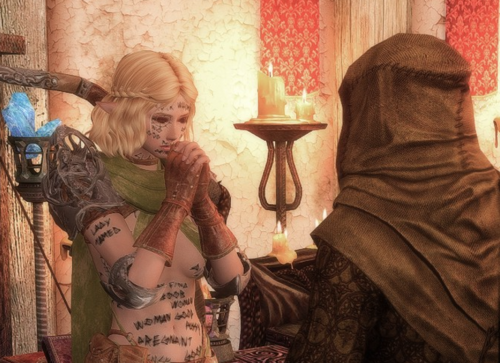
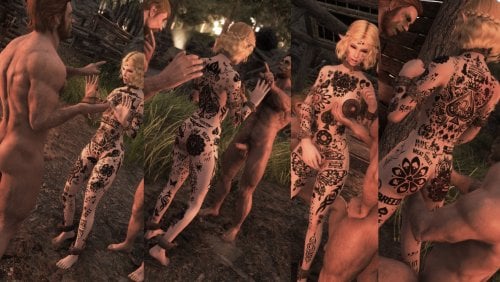
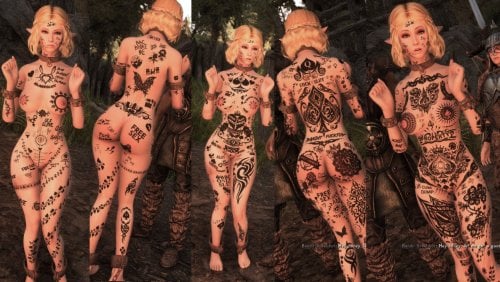
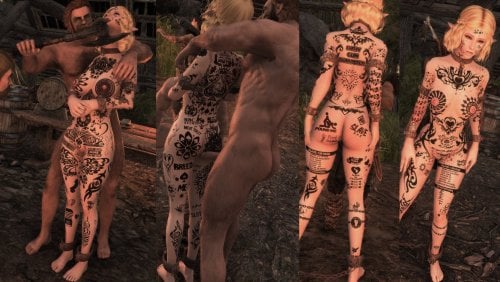
This pack contains hundreds of unique, mostly hand-drawn tattoos across many different themes. I usually come up with a theme and then scribble tattoos for every body area I use in RapeTats.
The style is intentionally sloppy and raw like it was painted on by a random person in a rush. That’s exactly how most of them were made.
You can freely mix and match between sets without overlap. The only exception is full-body tattoos and their matching addons (these are obvious in the MCM).
Some tats are "tagged" in the name to make the "style" clear (may not be fully consistent as naming files is tedious).
- (d) = Drawing (usually no text)
- (g) = Graffiti brush
- (orc) = Edgy/carved Orcish style (recommend dark red looks for fresh cuts, skin-tone looks like scars)
- (riek) = Riekling style (same as Orc pack)
- (j) = The Kanji stuff
Important for Orc & Riekling packs:
These were made with smudge effects to look dirty. They do not work well with bright colors or glow as the smudge glows as well.
Tattoo Sets/Themes
I cant list or make a screen of every single tattoo just try them out. I hope you enjoy them.
- Shoho the Kanji set, why? Idk I just like the painterly look
- Public Whore a older and a newer set
- BBC (Big Bandit Cock not the other one)
- General - Everyday degrading labels and random ideas that didn’t fit anywhere else
- Imperial / Nord - Civil war themed (Imperial comfort whore, Nord breeding slave, recruitment propaganda)
- Bandit - Mocking, crude bandit-style tattoos
- Slut Pop - Pop song lyrics turned into filthy tattoos
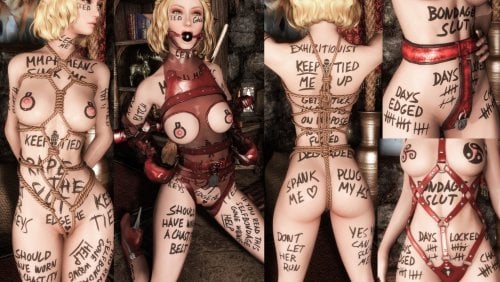
- Bondage - Stuck in bondage, citizens of Skyrim being “helpful”
- Beggar - Given to the beggars of Riften as a slave
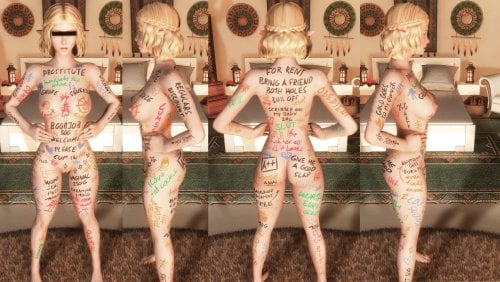
- Prostitute - Prices, discounts, and whore branding
- Crime - Labeled with your crimes + progressive prison tattoo set
- Prison Toilet - Meat Toilet kind of tattoo set
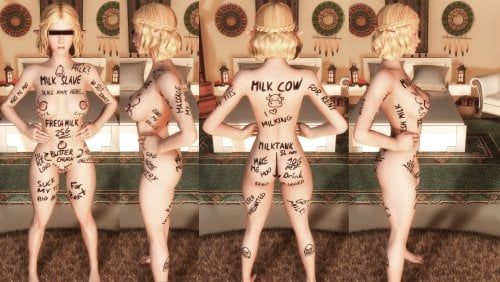
- Cow - Milk cow / farm slave theme
- Dog - Bitch / knot / submissive dog themes
- Kitten - Catgirl version (disabled by default in my rtats JSON — enable if you want it)
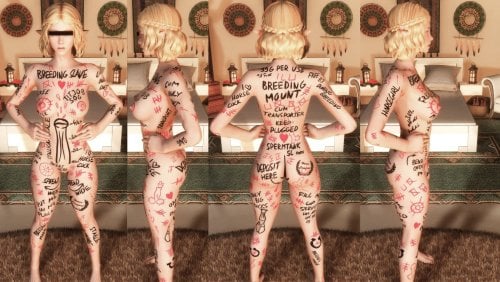
- Horse - Breeding mount + mobile cum transport
- Christmas - Full-body holiday tattoo (currently not included in JSON)
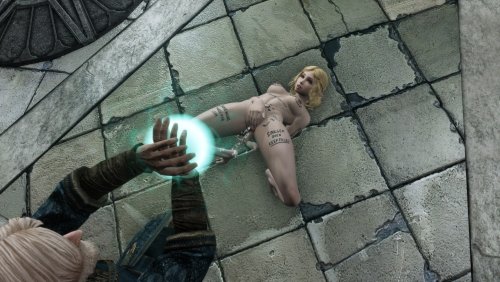
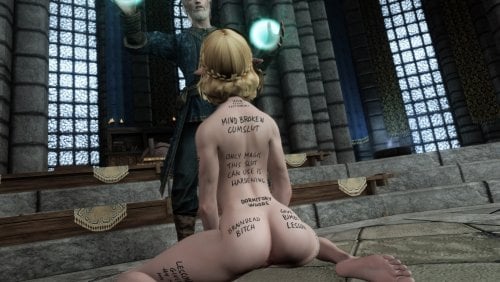
- Mage - Mind-break + womb tattoo vibes
- Dragonwhore Breeding - Early set I want to redo
Special / Addon Packs
- Orc pack - Breeding & submissive themes with real Old Orcish translations
- Riekling pack - Breeding and property themes written how I imagine Riekling would speak
Sets I still want to make:
- Kakegurui / Gambling lost-body theme
- Farm slave (plowing fields + getting plowed)
Translation for the Orc pack if interested, they are translated for the mcm with "Orcish" followed by the meaning.
Basis Old Orcish (wiki)
Middle Back - Murimush, Crunzaga Sim Kala Ubeshka - Looter, Bloodprice Body Stronghold Possession (pay with servitude)
Middle Back - Murimush, Crunzaga Kala Wumb - Looter, Bloodprice Stronghold Womb (pay by being clan seedbed)
Between breasts addon - Jur Crum - to place cum (cumshot on breasts)
pubic - Jur Crum Wumb - to place cum womb (impregnation)
Chest&UpperBack - Kala Ubeshka - Stronghold Possession (body belongs to stronghold)
Lower Back - Kala Khazun - Stronghold Mount
2c right hip - Tarasak Sim - Claim Body (body claimed by the orc)
Front Middle - Tarasak Kala Wumb - Claim Stronghold Womb (womb claimed by the stronghold)
Front Middle - Goltragga Tarasak Wumb - Chieftain Claim Wumb (chieftain claimed the womb)
Butt - Kala Tum - Stronghold Tomb (because seed is wasted/dies in the butt)
Lower Back - Goltragga Kahzun - Chieftain Mount
Shoulders - Golzarga - Cherished (no negative meaning the orc just likes his slave, wife or whatever)
Chest - Goltragga Ubeshka - Chieftain Possession
Left Breast - Kazak - Summit
Pubic - Tarasak Wumb - Claim Womb
Left Leg - Jur Ugo Crum - [to] place, His, Cum (got a drawn arrow to the genitals, so supposed to place cum in there)
Womb is kinda made up its based on Tum which means Tomb. I thought I'd use tomb for the ass, as the orc seed is wasted there and if the ass stands for the death of the seed, the opposite would be the womb standing for new life, so Wum and Wumb because its close enough to womb to understand it.
Crum is also kinda made up its based on Crun standing for blood, so I made it Crum which is more or less close to Cum.
Everything else is based on the few words from the wiki.
Requirements:
- A CBBE based body like 3BA
- SlaveTats SE (required) Recommended -> SlaveTatsNG
- Rape Tattoos Continued (kinda optional although sets are designed around it automatic application)
- Also if you use Rape Tats I'd recommend considering my patch for it that spares you merging the settings.json a bit below.
Recommended Mods:
Zaki Tattoo Pack excellent quality and great structure.
Fade Tattoos continued Allows tattoo's to fade with time.
Remove your tats Gives certain npc's the ability to clean your characters skin from slavetats.
Bathing In Skyrim Renewed Works with fade tats to wash of "tattoo's".
Devious Curses NG Features a removal charm and tattoo events.
Installation:
- Download and install with your mod manager (FOMOD supported).
-
Choose either All-in-One or individual sets.
- Note: All-in-One does not include the Orc or Riekling packs. - -->Rebuild the tattoo registry in the SlaveTats MCM<--
- Check the console if it shows any errors in a .json after updating the slavetats registry.
Additional info:
Using with RapeTats (Recommended)
Going forward I will provide a patch for Rape Tats Continued until its eventually updated to include some similar approach. Comment
What it does is spare you the manual merging of the settings.json. You can now drop in any extra .json preset files and they build a single pool together with the default settings.json
This is a simple QoL change so you can use the settings.jsons different mod authors like me provide and just drop them in without manual merging just name it whatever like Author.json and it'll get read together with the default settings.json.
More Detail and Downloads:
Rtats Continued 2.0.3 (Patch) - QoL Extension Rape Tats Continued 2.0.3 QoL Extension-rev1 (Patch).7z
-rev1: Fixed a missing call and made color config location also variable
Install as a patch - this only contains the edited scripts. You still need the original mod.
- Alpia Rtats Settings All in One.7z
- Alpia Rtats Settings Individual Sets.7z
Those two downloads can be installed as they are they use the new path supported by my patch. If you dont use all sets just delete those you dont want.
You can now drop in any extra .json preset settings files. They are read (and merged into one pool under the hood) automatically whenever the config map is built (on tattoo application, or when you use the relevant MCM options.
This is a simple QoL change so you can use the settings.jsons different mod authors like me provide and just drop them in without manual merging just name it whatever like Author.json and it'll get read together with the default settings.json everyone knows by now.
So you can drop in Zaki's or anybody elses with mine.
There is a manual included with the patch(QoL_Extension_User_Manual.txt)
Two supported locations:
- Data/SKSE/Plugins/RapeTattoos/ (higher priority over documents location)
settings.json here becomes the base file and the write target if present any other .json files in this folder are treated as presets and read together with the base settings.json
- Documents / JCUser (default)
…/JCUser/rTats/settings.json stays here as before, extra presets go in the subfolder: …/JCUser/rTats/presets/
Pretty much only kept for backwards compatibility. You should just decide for either.
How to use the patch:
- Leave your existing settings.json as it is (or put one in the stated data location folder if you want that to be primary and have it in one place).
- Drop extra preset .json files into either Data/SKSE/Plugins/RapeTattoos/ or JCUser/rTats/presets/
- Start the game - merging happens under the hood when tattoos are applied as is default rtats behavior.
New MCM Maintenance header on the first Rape Tats MCM Page:
- Test / Reload configs - builds the map used under the hood and prints a detailed report to the Papyrus log (and in-game console if ConsoleUtil is installed). Use this if you feel unsure if you did things right. Just a "feel good now you know it works under the hood option".

- Merge all into settings.json - writes the full combined result into the active settings.json. After that you can delete the individual presets if you want a single-file setup or just keep them around but why merge if you want to keep them separate.
- Enable detailed Papyrus logging (only relevant for my additions) - off by default; turns on verbose logging during normal gameplay (writes how it builds the map on every tattoo application)
Less relevant for most probably priority rules
Within a folder: files without a number prefix load first (alphabetical), files with a prefix (01_, 5_, 10_MyPack.json …) load afterwards sorted by that number - so numbered files overwrite earlier ones on purpose so you could build a order if different json files contain same entries (probably never)
If you prefer to just manually merge just download my settings and do so. (Changes from 06.2026 -> 08.2026 Rtats Settings Changes 08.2026.txt
The old stuff I'll just keep in a spoiler below for a while at least, but I wont update it further its just tedious and impossible to match all combinations of the various tattoo packs out there thats why I made the patch for rtats.
I provide ready-made settings.json files for the most popular combinations
- Only my main pack Alpia Slavetats.json Alpia Slavetats (06.2026).json
- Orc pack Alpia Orc.json
- Riekling pack Alpia Riek.json
- Main pack + Orc + Riekling Alpia Slavetats+Orc+Riek.json Alpia Slavetats+Orc+Riek (06.2026).json
-
Main pack + Orc + Riekling + ALL of Zaki's Alpia-All+Zaki-All.json Alpia-All+Zaki-All (06.2026).json (you need ALL of zaki's tats including blacked and beast)
Rtats Settings Changes 06.2026.txt Text file with the new entries since last update for manual merge into your existing.
-
My personal one Personal (06.2026).json I dont mind certain overlap. Full body tattoo's are enabled as well as others that cover more then one body area as unassigned so may get applied over others. Needs my packs, Zaki's, Succubus Marks (I think thats lewdmarks on LL), Sunstarved (would remove those entries for your use).
If you use it ensure you have all the tats I use or remove the entries for those you dont have.
How to use:
- Replace your existing settings.json in Documents\My Games\Skyrim Special Edition\JCUser\rTats
- Or merge manually (instructions below)
For New Users – How to Use My rtats JSONs
You have two simple options:
Option 1 – Replace (easiest)
Just rename one of my JSON files to settings.json and replace your current file.
Warning: This will delete all your existing RapeTats settings and tattoo assignments if you made any already.
Option 2 – Merge (recommended)
Merge my JSON with your current settings.json. This keeps everything you already set up and it's not hard to do. You can't break anything.
Below I explain exactly how to merge step-by-step.
-open C:\Users\USERNAME\Documents\My Games\Skyrim Special Edition\JCUser\rTats
(Doesnt matter if you use mod organizer it will not be within the virtual directory.)
-Open your settings.json in said path
-Open the .json you want to merge so for example my "Alpia Slavetats.json"
-Scroll to the bottom of the entries. It should look like this.

Add a empty line so it'll look like this

Copy all entries from my .json at the position of the empy line you added.
Ensure the the last entry from your previously installed pack and the first entry from my pack look like this. The pattern it should have should be kinda obvious.
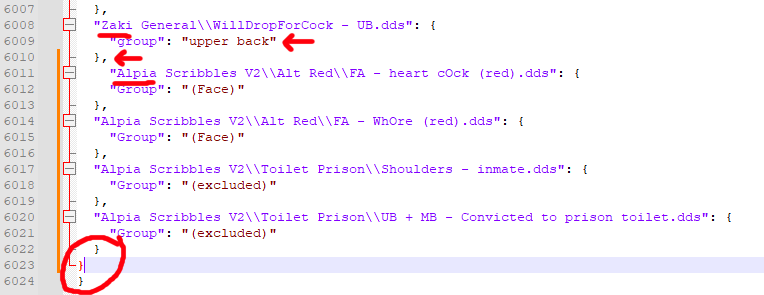
Pay attention to the last entry and ensure it looks like below and not like in the circle above
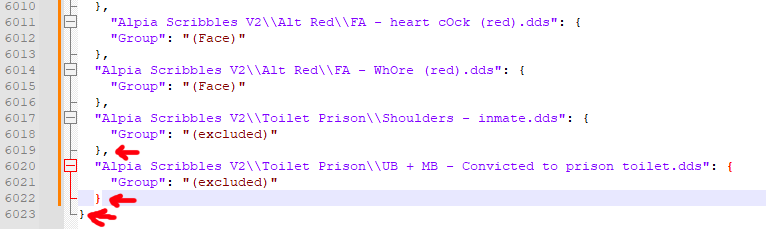
Load the tattoo pages in rape tats and make sure it worked
About Slave/RapeTats Body Area Limitations
Different tattoo packs often define body areas differently. What one author calls “middle back” another might call “lower back”. This can easily cause overlaps when using multiple packs together.
Slavetats only has a few fixed categories and uses “misc” slots for everything else, but there’s no universal standard for what “Misc 2 - C” actually covers on the body.
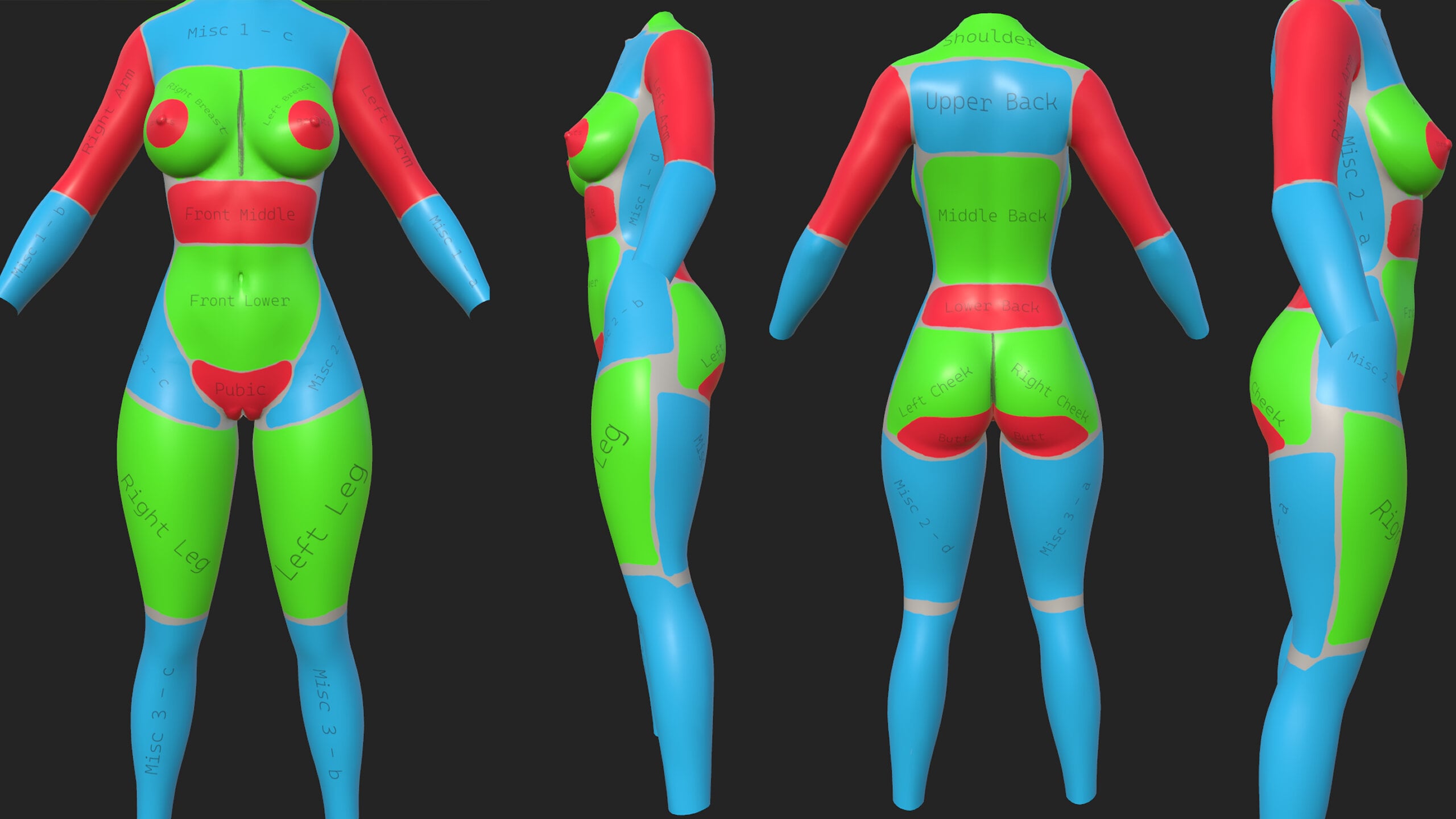
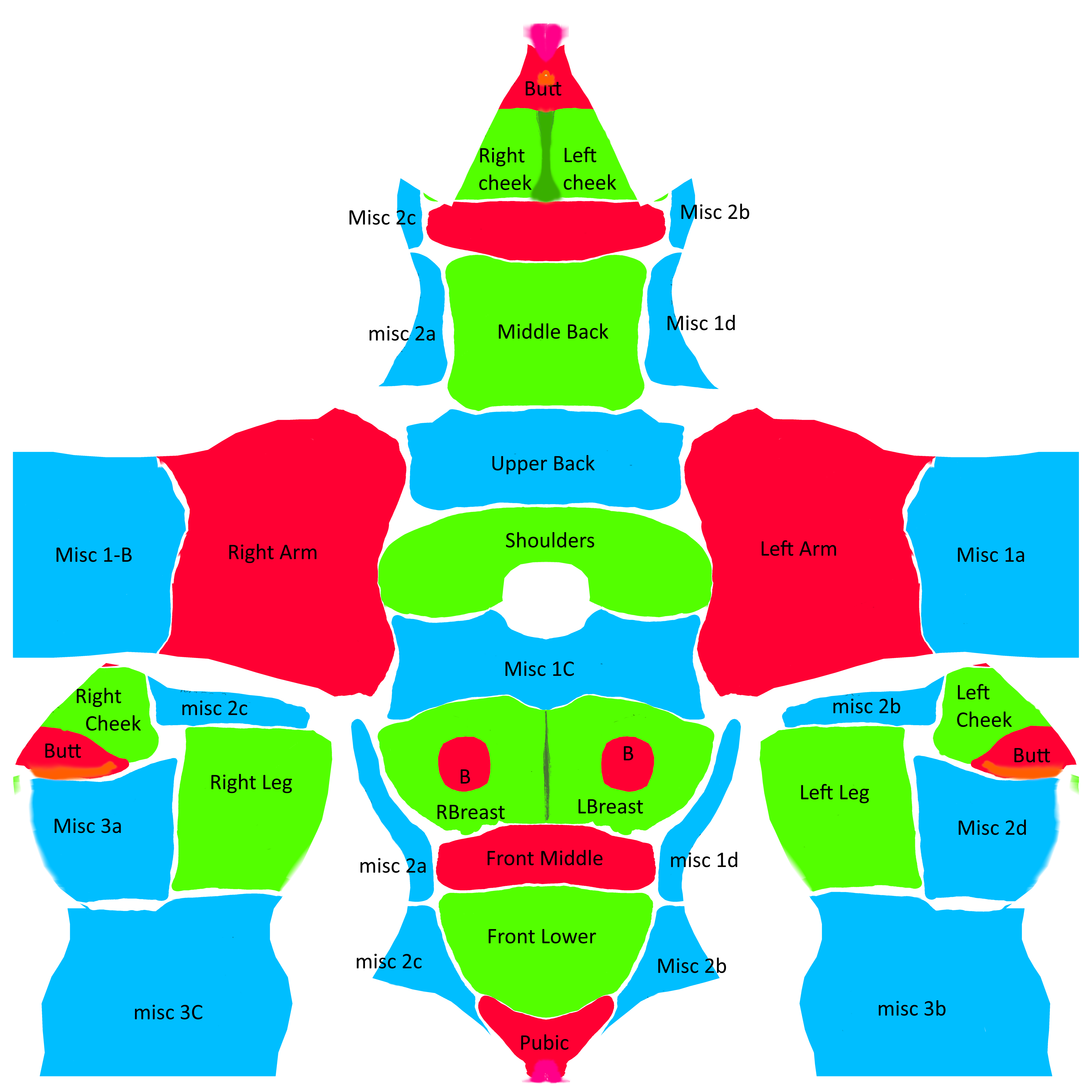
Zaki's Tattoo Pack has an excellent and very consistent structure. It properly uses all the misc categories (for example: Misc 1-a = Left Forearm, Misc 1-b = Right Forearm).
I followed the **same system** in my pack. This means when RapeTats randomly picks a tattoo from “Misc 1 - A”, it will always land on the same body area in both my pack and Zaki’s pack - resulting in much less overlap.
If you’re making your own tattoo pack or organizing your rtats categories, I strongly recommend using the same system.
(You can find visual examples of all the body areas in 2D/3D in the spoiler below.)
Dont like a tattoo? Just delete it:
You can easily delete any set you don’t like:
- Just remove the lines from the .json file
- Delete the matching .dds files
- Rebuild registry
- Overexplained:
If you edited the files and run into something like a tattoo not loading make sure its not related to your editing before asking.
If you struggle with anything AI is most likely able to help you out when it comes to formatting of the files.
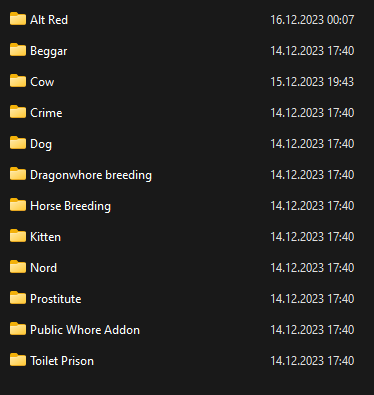
-Look in the Alpia scribbles folder and see which set/tattoo you dont like
-Copy the folders or the individual tattoo .dds files name
-Open the Alpia .json with any text editor (preferable notepad++ if you dont want to make this painful to yourself)
-Search for the file name and remove whole line, then delete the .dds file or search for the folder name and mark all entries and delete all all lines and the folder after.
If you need help to find your way, the tattoo's are sorted by body area, so all chest tattoo's are together etc.
"texture" will be the filepath of the image file and the file name.
"section" tells you were it belongs to like "Alpia Chest"
"name" the specific area within the category e.g. "Upper - For Sale" in "Alpia Chest" will be that tat on the chest.
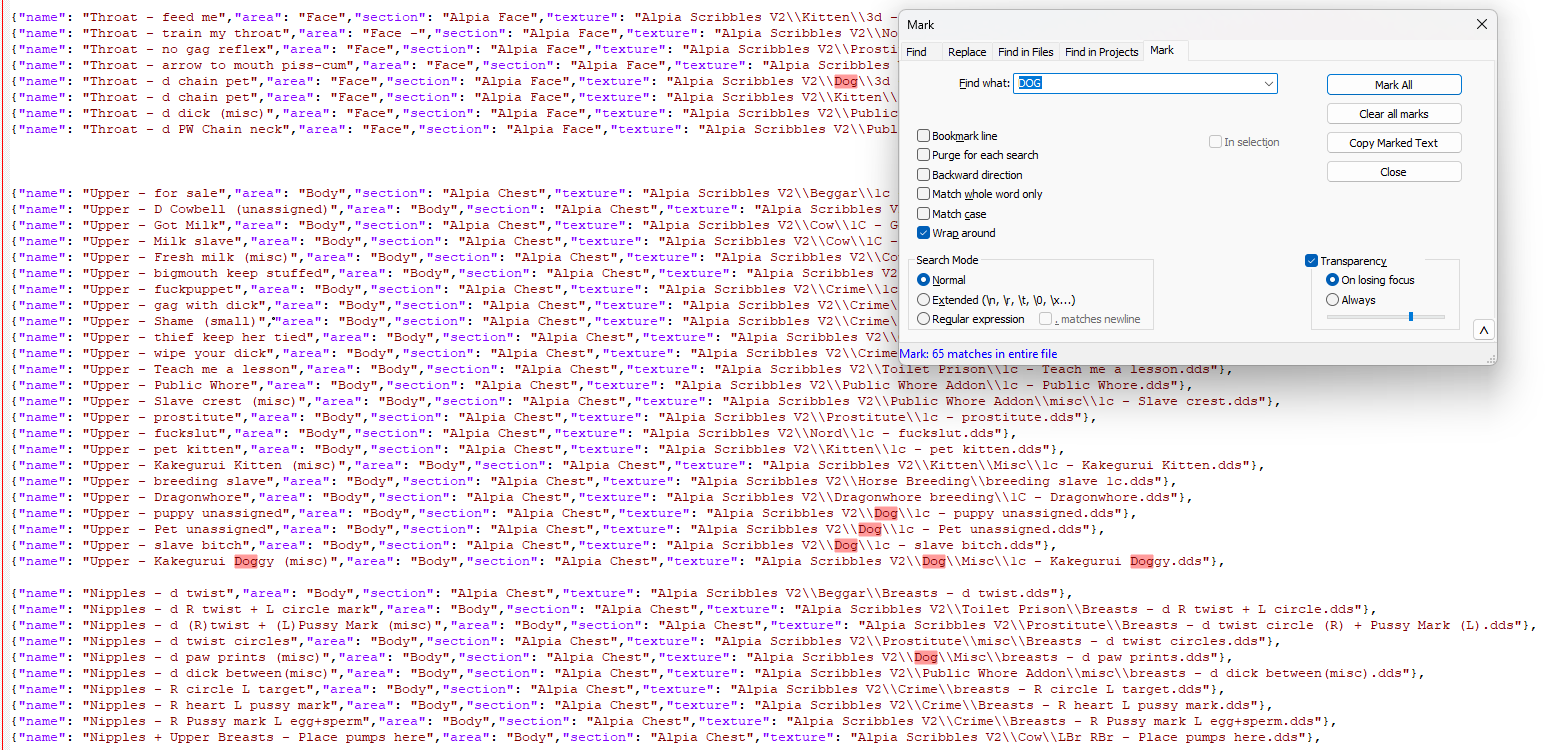
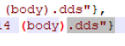
- make sure the last line in slavetats .jsons ends with } not },
Rebuild the tattoo registry of slavetats in its mcm and check the console if it spits out any error. It'll tell you in which line the error is you can probably fix it yourself if you messed up. I'm not aware of anything you could break if you do something wrong, so if you are new to this dont worry about it. Just keep a backup of the .json and you are fine.
Note About FOMOD Options:
I strongly recommend using the All-in-One installation.
When you install individual packs separately, each one loads its own JSON file. SlaveTats loads these files one after another, which breaks the sorting in the MCM. Instead of all tattoos for the same body area being grouped together, they get mixed up.
Example of how it looks in the MCM:
All-in-One (recommended): Lower Back A → Lower Back B → Middle Back A → Middle Back B → Upper Back A → Upper Back B
Individual packs: Lower Back A → Middle Back A → Upper Back A → Lower Back B → Middle Back B → Upper Back B
This makes it harder to find all the options for a specific body area (for example, all the lower back tattoos). The All-in-One version keeps everything neatly organized by body area, which is way more user-friendly.
You can still install individual packs if you want, but I personally find the mixed-up sorting annoying. Up to you!
Permissions:
CC BY-NC-SA 4.0
You are free to:
Share — copy and redistribute the material in any medium or format
Adapt — remix, transform, and build upon the material
The licensor cannot revoke these freedoms as long as you follow the license terms.
Under the following terms:
Attribution — You must give appropriate credit, provide a link to the license, and indicate if changes were made. You may do so in any reasonable manner, but not in any way that suggests the licensor endorses you or your use.
NonCommercial — You may not use the material for commercial purposes.
ShareAlike — If you remix, transform, or build upon the material, you must distribute your contributions under the same license as the original.
No additional restrictions — You may not apply legal terms or technological measures that legally restrict others from doing anything the license permits.
Personal policy
I'm very permissive with what you do with my stuff so don't be a dick. If you're making a relevant addition or change for the people, go nuts. If you're taking my stuff and basically repackage it to pump out another low-effort slop mod for some clicks that I have to scroll over to find actual content, I'd rather you didn't. I reserve the right to tell you to fuck off in such case.
Misc:
Tools I used:
Clip Studio
Substance Painter
if you consider making your own tattoo's blender is a free alternative for this purpose and generally a great tool.
Edited by Alpia
What's New in Version 08.2026
Released
August 21 2026
Fixed the rape tats patch and made color config variable.
Screenshots of the Public Whore set from the other day by thiccthighs03
August 20 2026
- Added G-Drive link if you want to spare LL some download traffic.
- Alpia Slavetats SE/LE (08.2026)
- 90 New Tattoo's:
- 39 Public Whore Tats
- 51 Kanji Tats (Shoho Set/Folder) translation may or may not be accurate.
No screenshots because I've been lazy. May add later.
- 1k-2k Rescaled TEXTURES ONLY (08.2026)
- Download for 1k or 2k Textures (Aio install includes ALL including ORC and RIEKLING just pick by set if you dont need those or simply delete its just textures.)
- Alpia Slavetats Orc SE-LE (08.2026)
- Alpia Slavetats Riek SE-LE (08.2026)
- No new content just file related cleaning
- Rape Tats Continued 2.0.3 QoL Extension (Patch)
- Explained on the page replaces tedious providing of various combinations of rtats settings.json.
- Added a screenshot made by a user (not sure if they want to be named but it is appreciated)
Older:
June 14 2026
- 257 New Tattoo's:
- - BBC 187 (BIG BANDIT COCK not that other one)
- - Cow 30
- - Dog 3
- - General 3
- - Horse 34
Added downscaled 1k-2k texture only download to the first comment in the thread to see the demand for it.
Only includes the main file may add the ork riekling stuff.
May 8 2026:
No new Tattoo's if you didn't have any visual glitches you don't need to download.
- Edited pretty much every tattoo and ran them through a python script to replace any pixel that isnt #444544 which reduces/removes the effect some people had with white outlines/smudge on some tattoo's. Most noticeable on the orc/riekling stuff (Does not remove the intentional smudged look).
- Added the missing mage set to the race menu plugin.
16.03.24 - Added 25 new tats general category
Added new "mage" set with 22 new tats
17.02.24 - Added new "Imperial" set to main pack 62 new tats.
REMOVED OLD NORD PACK if you want to keep it for some reason gotta save it.
Added new "Nord" set to main pack with 34 new tats.
28.01.24 - Added "Bandit" set to main pack download ~70 new tats
Added Race Menu plugins for main pack, orc and riek (requires the respective textures)
17.01.24 - No new tats just forgot to add screens for the riekling tattoos.
14.01.24 - Added ~80 new tats for the orc pack, ~30 Riekling tats same style as orc, fixed 1 tattoo of the main pack, fixed 2 tats from the orc pack
05.01.24 - Added new orc set as seperate download.
03.01.24 - Added "PW tattoo replacer" variants as standalone non replacing slave tats pack.
02.01.24 - Added Sets to main pack: Slut Pop, Bondage .