TentakelnBitte Posted July 14, 2024 Posted July 14, 2024 (edited) UPDATE: Solution: a whole bunch of do-overs and reweights... Vanilla Bethesda meshes are a mess for no good reason! I have a custom Odahving mesh. After making some edits, the body no longer shows in-game or in the CK. dragonohdaviing.nif = invisible body ..._old.nif = original edited base, works correctly Exported the body to OBJ with Outfit Studio, edited it in Blender, exported from Blender and imported back with Outfit Studio. Used Nifmerge to update the original mesh with my edited one (since converting to OBJ messes up the flags and shaders). Looks good in Outfit Studio. Looks good in Nifskope. Doesn't crash the CK or game. Body is invisible in the CK and in-game. The eyes, mouth, and eyebrows/whiskers appear normal. I tried resaving it in Nifskope, but it didn't help. Re-exported from Blender and copied weights in Outfit Studio before using Nifmerge. No change. Double checked all the flags, dismemberment slots, normals... everything looks fine! The thing that really gets me, I did the same procedure with the eyebrows/whiskers and they have no problems! Can someone please look at my mesh and see if you can find what I missed? dragonohdaviing.nif dragonohdaviing_old.nif Edited August 8, 2024 by TentakelnBitte solved
MadMansGun Posted July 14, 2024 Posted July 14, 2024 (edited) convert BSDismemberSkinInstance to NiSkinInstance. also your Vertex Colors are missing / turned off Edited July 14, 2024 by MadMansGun
TentakelnBitte Posted July 17, 2024 Author Posted July 17, 2024 On 7/14/2024 at 3:41 PM, MadMansGun said: convert BSDismemberSkinInstance to NiSkinInstance. The vanilla meshes use BSDismemberSkinInstance though?
TentakelnBitte Posted July 18, 2024 Author Posted July 18, 2024 It's the same error I had with Renthal311's wheat mesh... I reported it being invisible, and there are still reports from other folks, and instead of investigating it Renthal deleted the mod lol orz
MadMansGun Posted July 18, 2024 Posted July 18, 2024 9 hours ago, TentakelnBitte said: The vanilla meshes use BSDismemberSkinInstance though? yes but they are a pain in the ass and not needed on most creatures.
TentakelnBitte Posted August 8, 2024 Author Posted August 8, 2024 This mesh is STILL giving me issues! All I did was move the horns around in Blender. I've been reimporting, exporting, reweighting, and adjusting it, but every method I try just causes different issues. I think part of the problem is that the original mesh has a stupid transformation setting that isn't 0,0,0, so anything weighted to it that HAS 0,0,0 ends up off when applied to the skeleton. Of course, I've tried fixing the transformation and weighting to the fix, but that breaks... Tried moving, weighting, then moving back, broken. I need to dig through my failed meshes and find the one that loaded properly and was only SLIGHTLY broken and upload it here. Thought about remaking my edit from scratch in Outfit Studio, but fine editing is SO much harder there! The edits I made on a test version worked flawlessly, but running that through Blender with no edits still resulted in a broken mesh. Something between Blender and Nifskope is getting borked.
TentakelnBitte Posted August 8, 2024 Author Posted August 8, 2024 Here's the least broken version so far! (New mesh is black because I didn't bother fixing the texture yet) The new mesh is lined up where it should be and doesn't deform, but some of the vertex are exploded outwards. Usually this is a weighting issue or because it's over the vertex limit, but the weighting looks correct and removing the old mesh (to lower the vertex count) did not fix the exploded points. Spoiler CHAOSmesh.zip
TentakelnBitte Posted August 8, 2024 Author Posted August 8, 2024 (edited) Definitely some kind of weighting issue on parts of the body... which is frustrating because I didn't touch or move any of that! I went really ghetto and frankensteined on just the head, and fucking amazing, it works FINE. (texture issue can be dealt with much easier) Now if I can only find a way to copy the vertex positions... Can't use nifmerge with the cropped mesh or mask it. Maybe Outfit Studio will let me mask before importing and updating positions? Nope, OS drops the mask when updating positions... orz WHY IS THIS SO TEDIOUS?! Spoiler Edited August 8, 2024 by TentakelnBitte
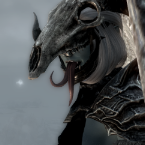
TentakelnBitte Posted August 8, 2024 Author Posted August 8, 2024 (edited) Not the most elegant solution, but a solution all the same!! He lost his front legs at some point and I don't know why, but the head is what I was concerned with! (I'm making Odahviing into a garbage Skyrim version of Bryagh from Flight of Dragons) Edited August 8, 2024 by TentakelnBitte images not uploading...

Recommended Posts
Create an account or sign in to comment
You need to be a member in order to leave a comment
Create an account
Sign up for a new account in our community. It's easy!
Register a new accountSign in
Already have an account? Sign in here.
Sign In Now