

Advanced Crafting V 0.4 for Skyrim LE/SE

Update to 0.4:
1) Duplicates now have different base price and weigh.
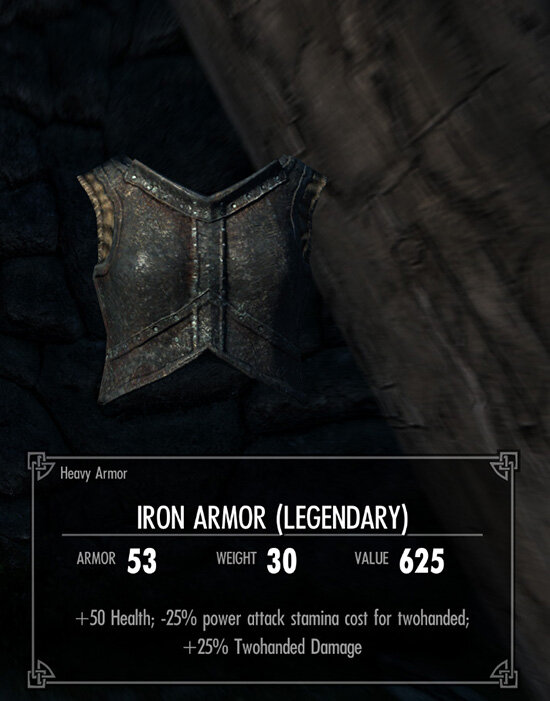
2) Changed Legendary duplicate buffs. Previous mechanic was not working properly. Legendary items can still be enchanted and tempered.
3) Mod now requires "Unofficial Skyrim Legendary/Special Edition Patch" to be installed.
Updating from previous version:
New game is recommended when updating mod from version 0.3. If you previously patched an armor mod using _AdvancedCrafting_PatchMod.pas you will need to patch is again using the new version of _AdvancedCrafting_PatchMod.pas. Or get an original unpatched version of your armor mod and patch it with new _AdvancedCrafting_PatchMod.pas as usual.
Description:
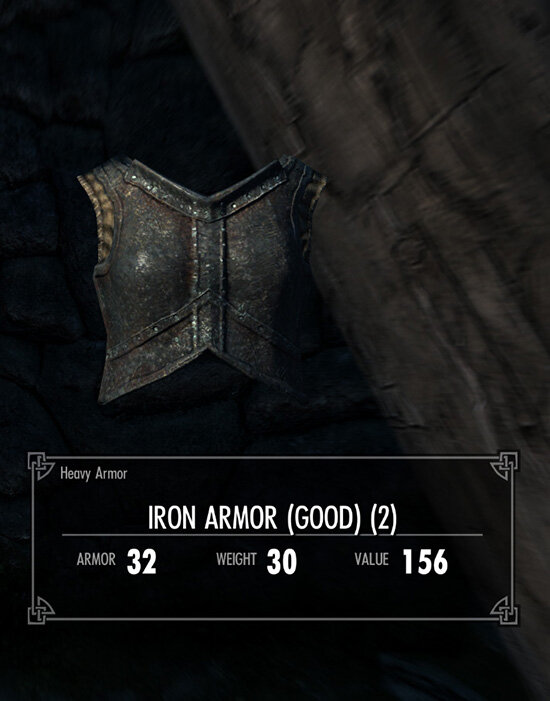
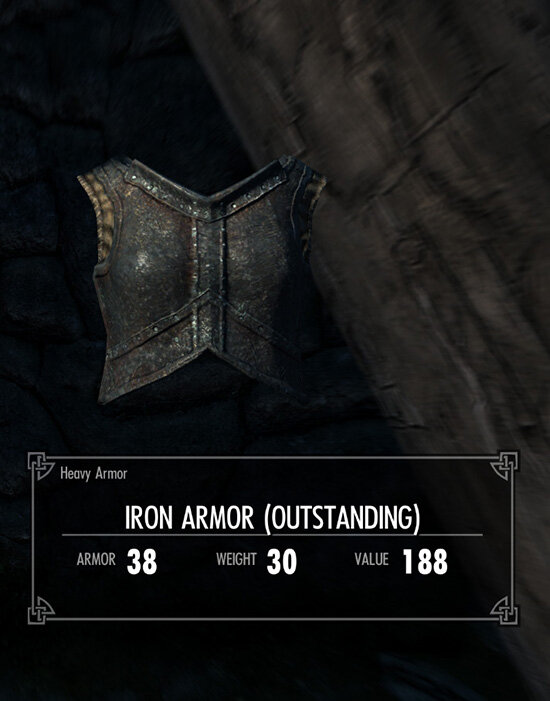
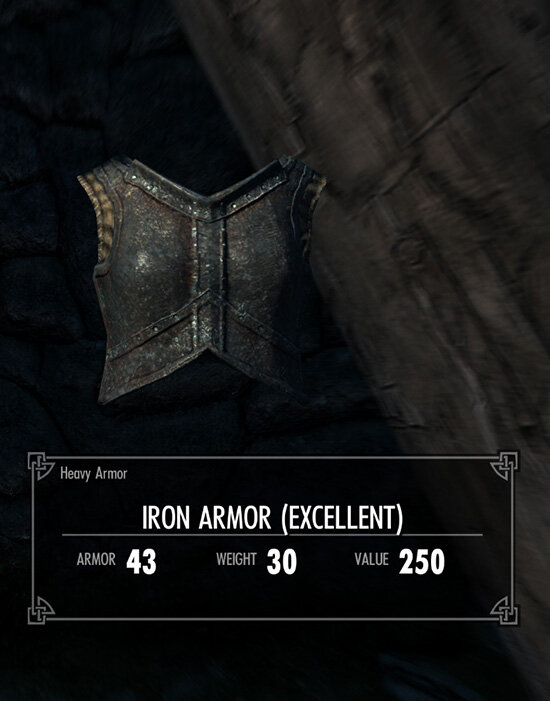
Allows you to craft high tier armor and weapons with better base stats (armor/damage). Equipment quality depends on your Smithing and relevant armor/combat skills (Heavy Armor skill for heavy armor, One-Handed skill for one-handed swords and maces, Marksmen for bows and crossbows). Works for vanilla armor and weapon. Moded armor must be patched using Tes5Edit to support Advanced Crafting (more about that later).
For LE:
For SE:
TesEdit/SSedit Patch script:
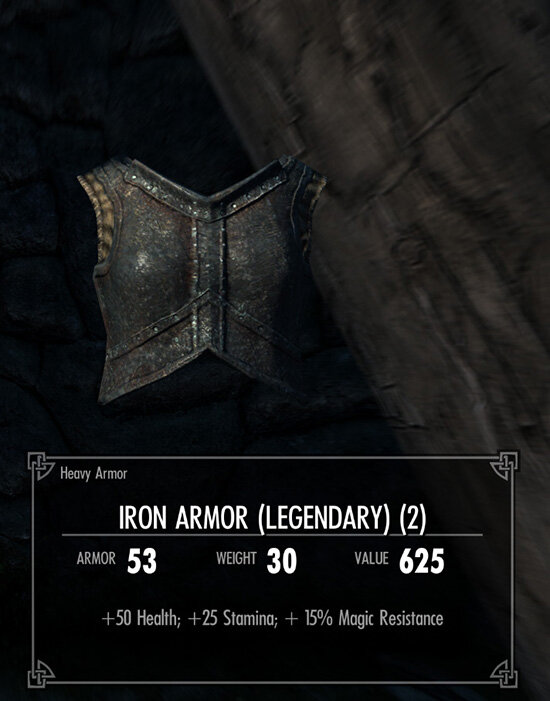
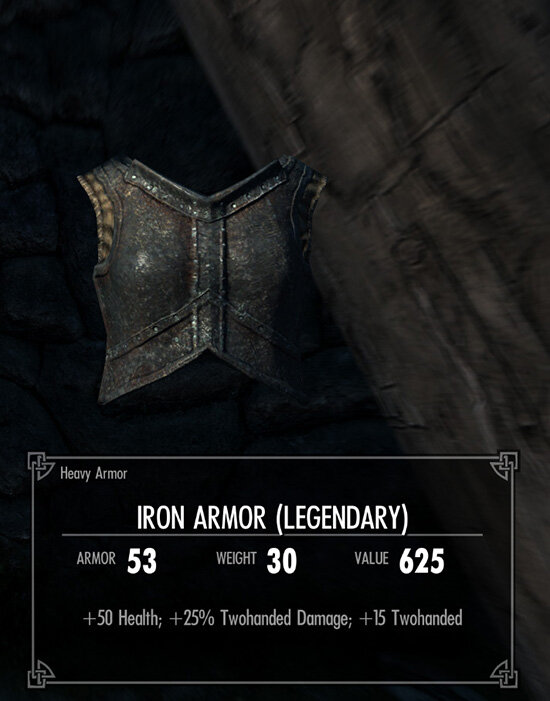
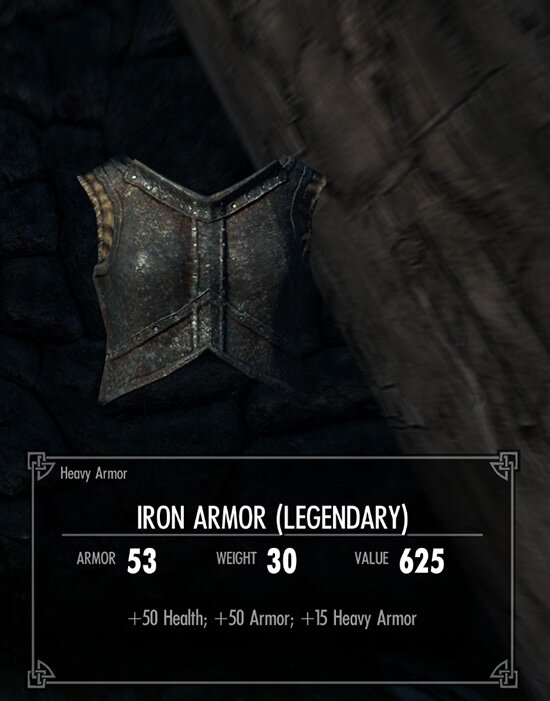
Changes in 0.3:
1) Added buffs to Legendary Weapons;
2) Updated patch for Complete Crafting Overhaul.
Changes in 0.2:
1) Added SE version of the mod;
2) Added crafting recipes for Skyforge;
3) Added missing scripts for legendary tier armor. Now it will give small buffs when equipped;
4) Fixed an issue with crafting recipes that give several items at once (gold and silver rings). Now Advanced Crafting will add the correct number of rings;
5) Some improvements for Complete Crafting Overhaul patches. Now every crafting recipe has its own "crafting item". This will allow papyrus to return a correct recipe even if the crafted item has multiple recipes.
How does it work?
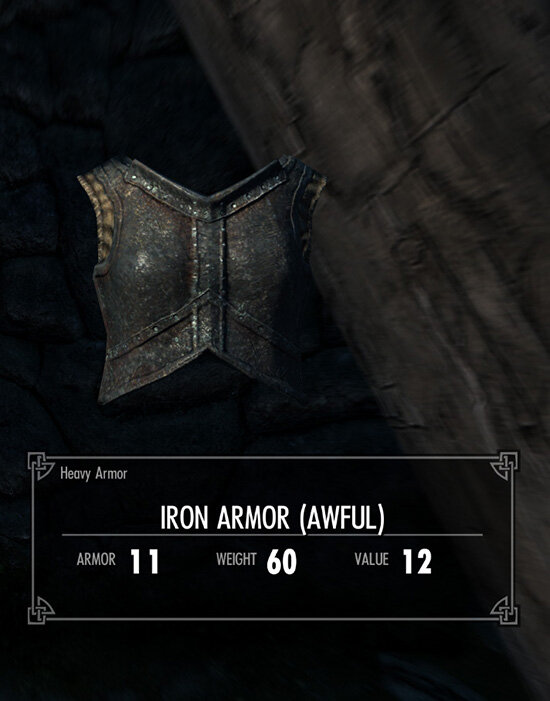
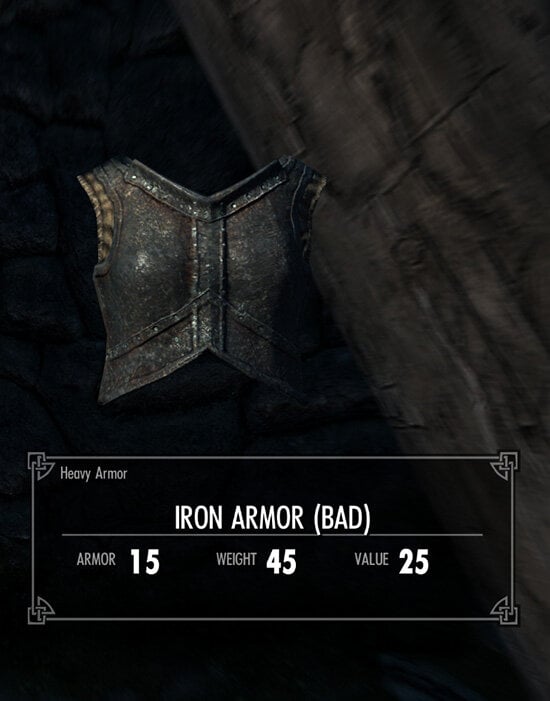
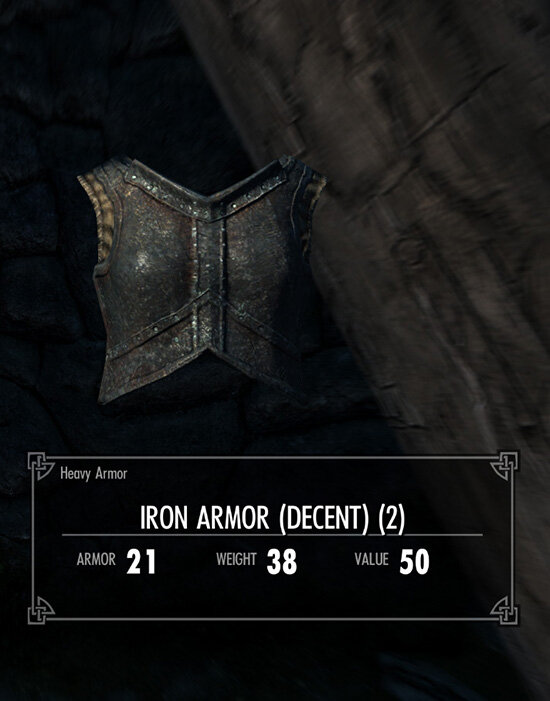
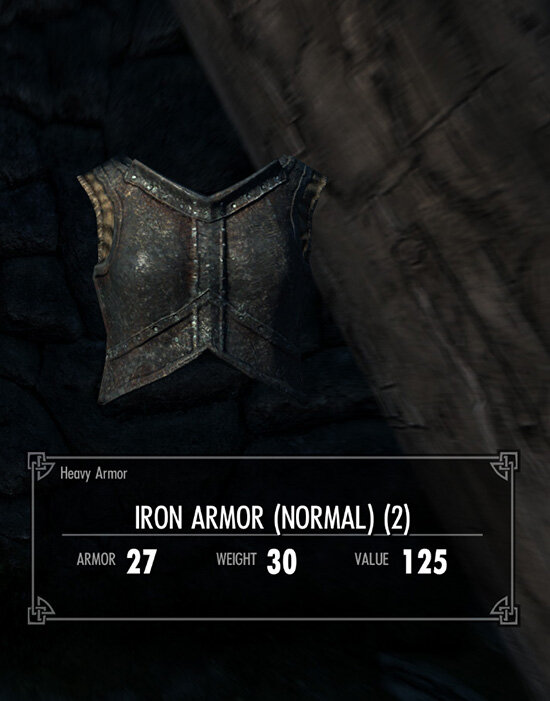
This mod creates 8 duplicates of every craftable armor and assigns them different base stats. When you craft something one of this duplicates will be added to your inventory instead of vanilla armor. The higher your crafting skill is the better duplicate you will get. Duplicated armor can be tempered and enchanted as ordinary armor.
Requirements:
For LE:
1) All DLCs
2) SKSE (latest version)
3) Unofficial Skyrim Legendary Edition Patch (https://www.nexusmods.com/skyrim/mods/71214)
4) PapyrusUtil for LE (https://www.loverslab.com/files/file/484-papyrusutil-leseae/)
5) (Optional) Tes5Edit 4.0.4 - https://www.nexusmods.com/skyrim/mods/25859 - Will be needed to patch armor mods using a simple script.
For SE:
1) All DLCs, including "ccBGSSSE001-Fish" and "ccBGSSSE025-AdvDSGS"
2) SKSE (latest version)
3) Unofficial Skyrim Special Edition Patch - USSEP (https://www.nexusmods.com/skyrimspecialedition/mods/266)
4) PapyrusUtil SE https://www.nexusmods.com/skyrimspecialedition/mods/13048
5) (Optional) SSEEdit - https://www.nexusmods.com/skyrimspecialedition/mods/164 - Will be needed to patch armor mods using a simple script.
Compatibility:
Advanced Crafting changes vanilla crafting recipes which makes it incompatible with most crafting overhauls. A separate patch is required if you want to use it with other crafting overhauls.
Complete Crafting Overhaul_Remade:
For LE:
For SE:
Place CCOR_AC_Patch.esp below Complete Crafting Overhaul_Remade.esp and LRG Advanced Crafting.esm
Patching armor mods:
Place _AdvancedCrafting_PatchMod.pas in "Edit Scripts" folder inside Tes5Edit.
By default Advanced Crafting works only with vanilla Skyrims armor and weapons. If you want to craft high-tier equipment from other mods you need to patch those mods by using Tes5Edit (or SSEEdit for Special Edition). To patch a mod open it and "LRG Advanced Crafting.esm" in Tes5Edit and run a script "_AdvancedCrafting_PatchMod.pas" on one of the armor or weapon entries.
Please note: by patching we are going to edit the armor mod file. You may want to make a backup copy of your armor mod before proceeding.
1) Select "LRG Advanced Crafting.esm" and the mod you want to patch and press OK to open them;
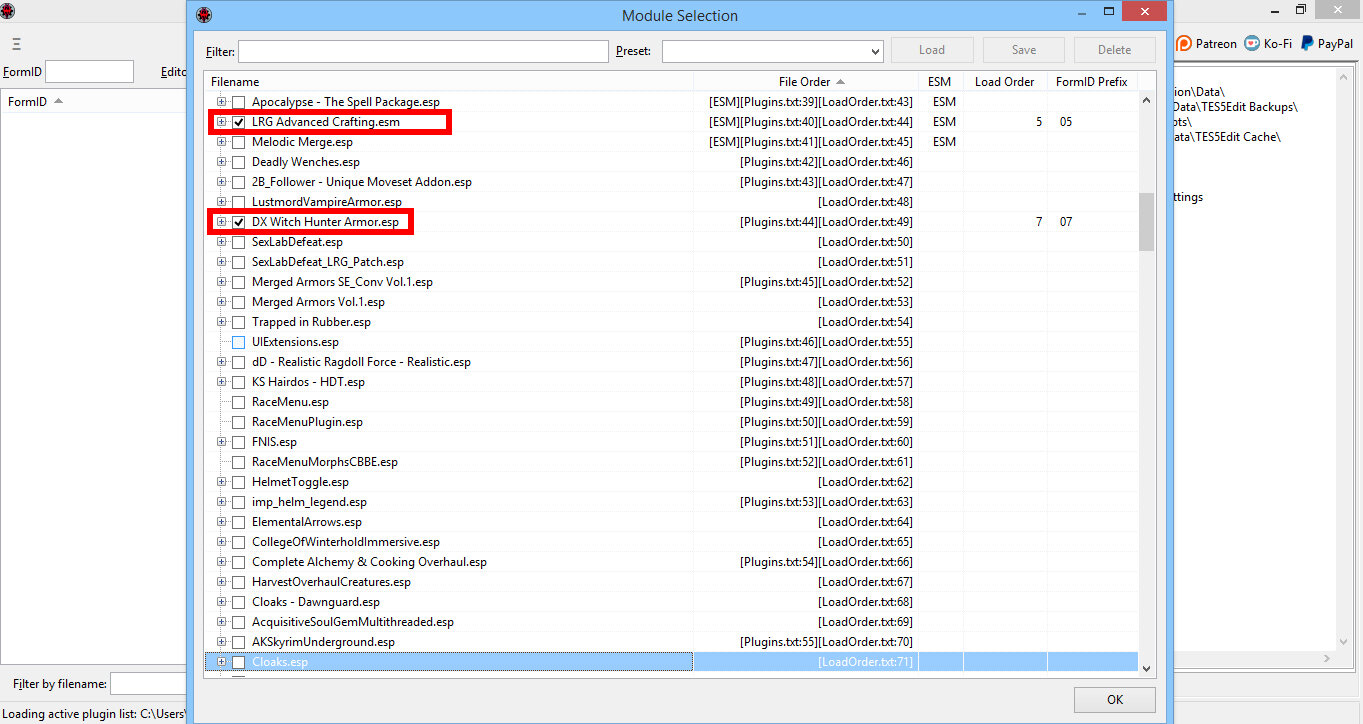
2) Wait until TesEtil finishes opening selected mod. In the right you will a line "Background Loader: finished" when its done. Left window displays opened selected mods and their dependencies.
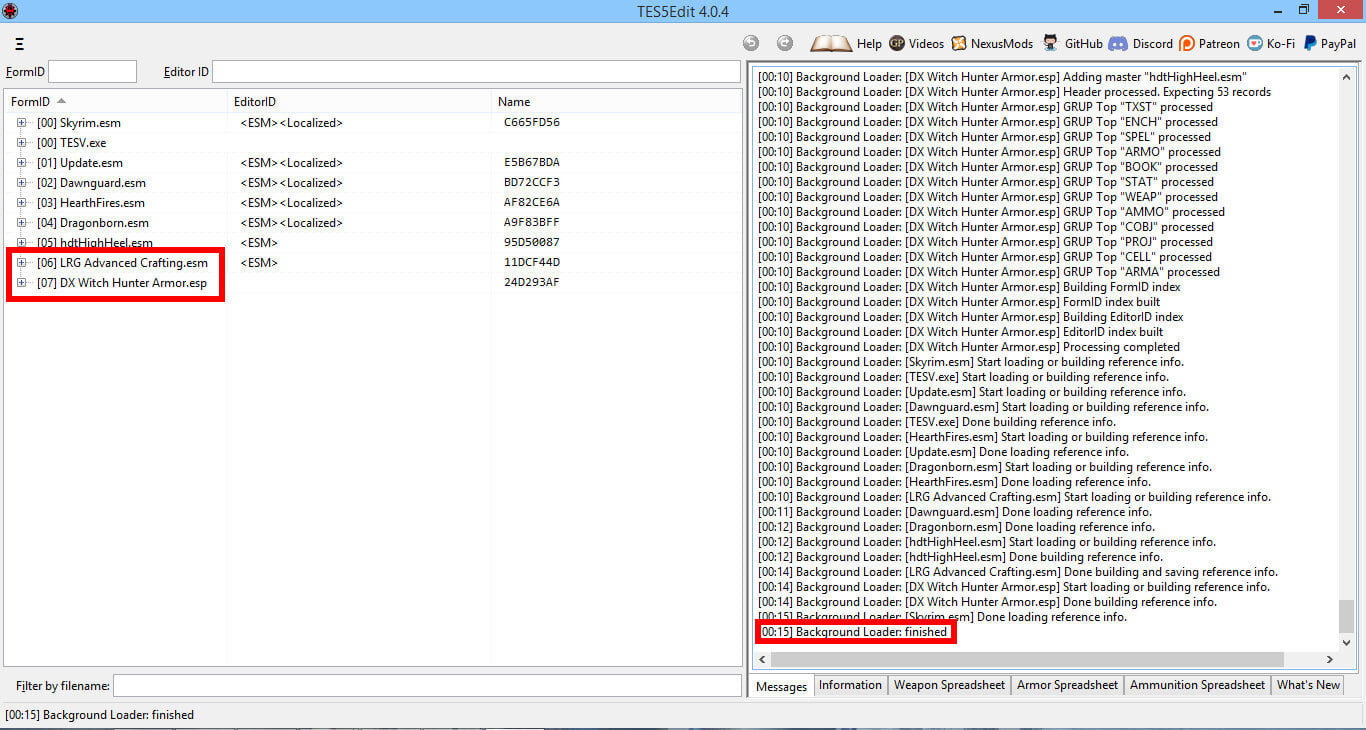
3) Click on the plus sign on the left-hand side of the mod you want to patch. Click on the plus sign on Armor or Weapon. Right-click on one of the entries in Armor or Weapon categories and select "Apply Script...";
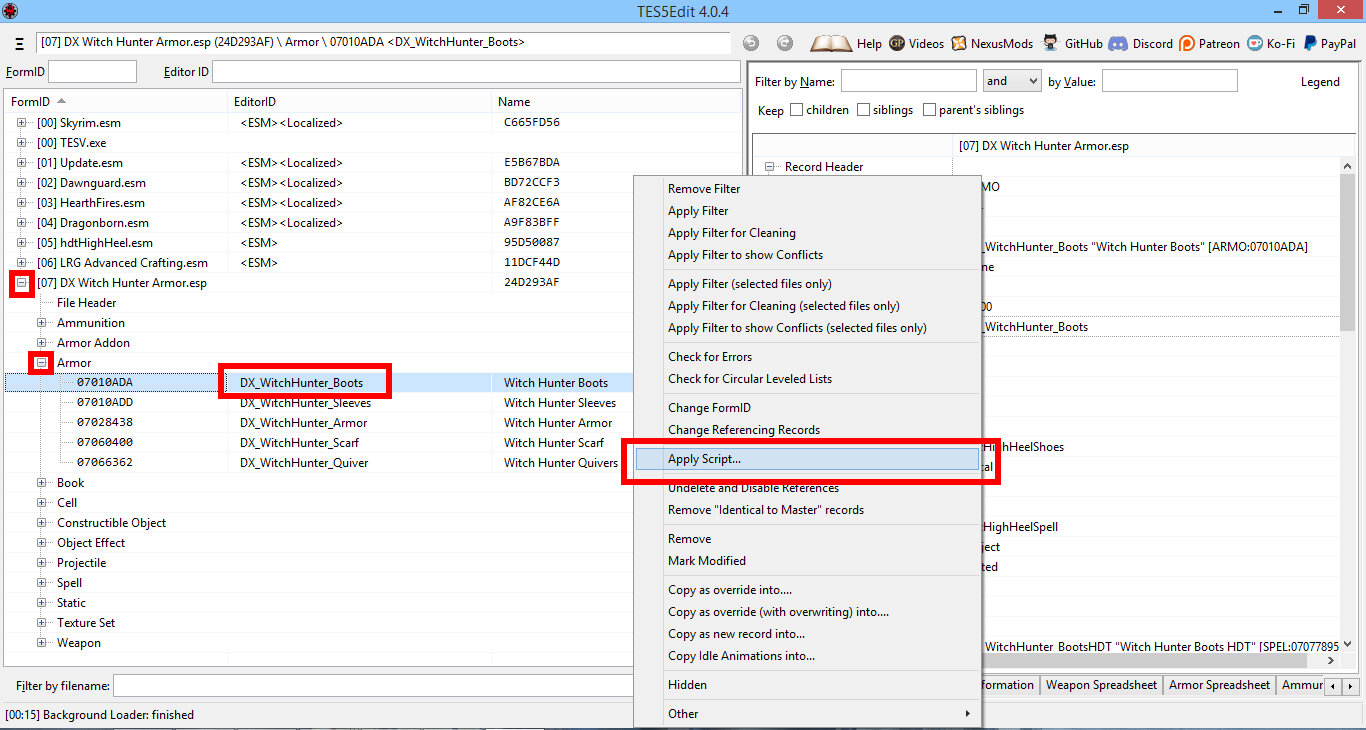
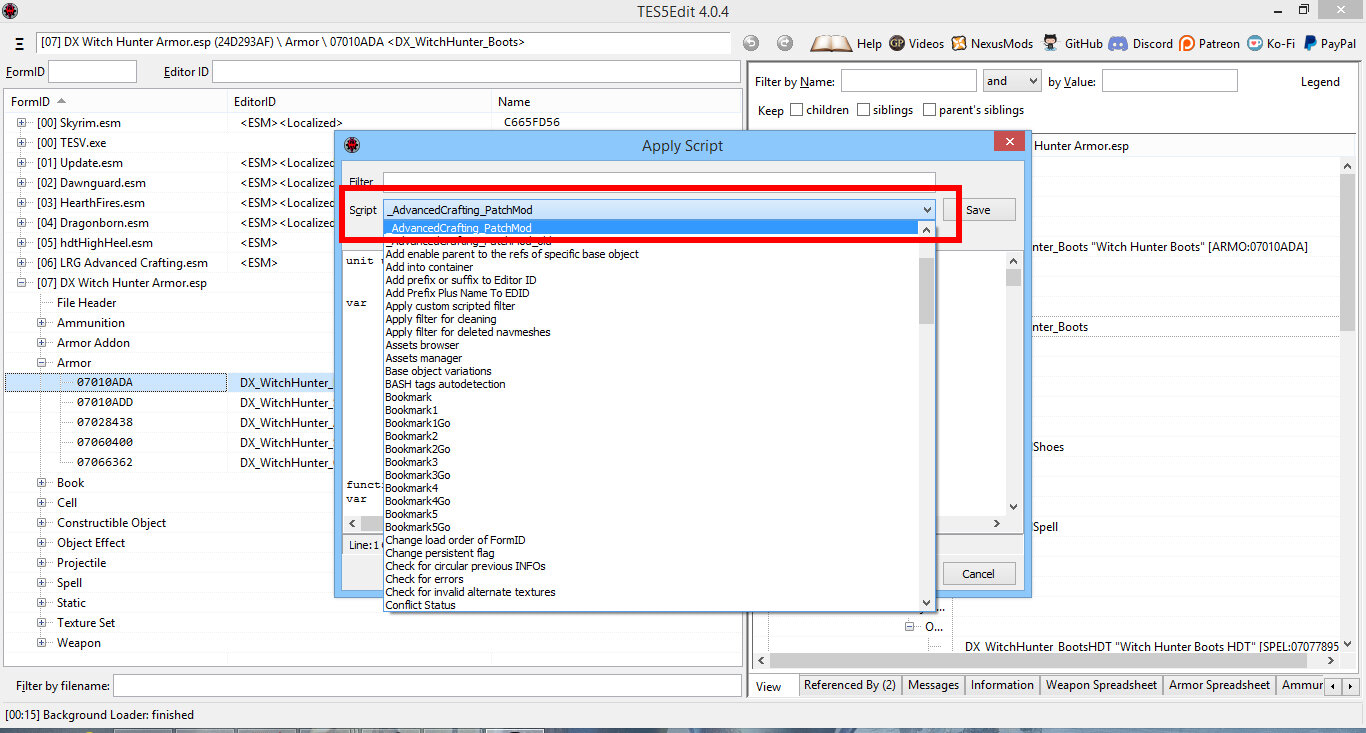
4) Click on the "Script" section and select "_AdvancedCrafting PatchMod";
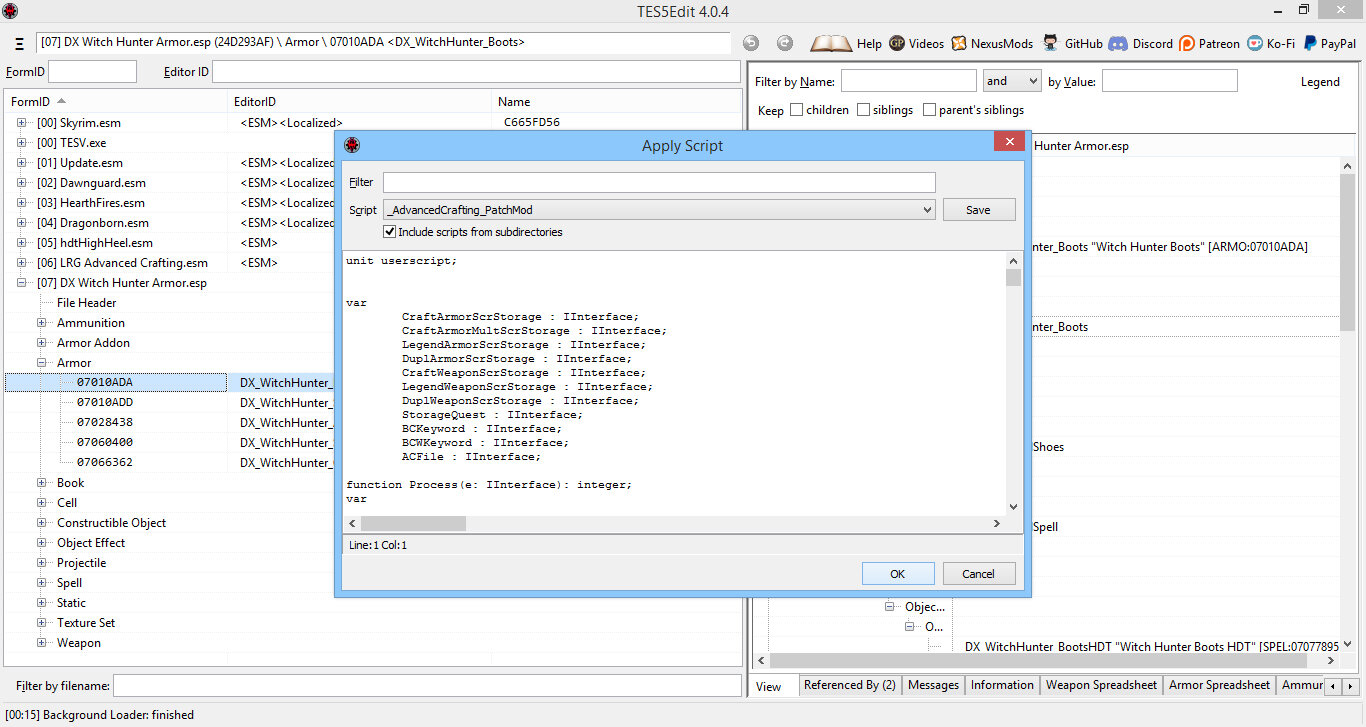
5) Click OK to start the script;
6) Wait for patching to complete. You will see a line "Done: applying script" whenthe process is finished.
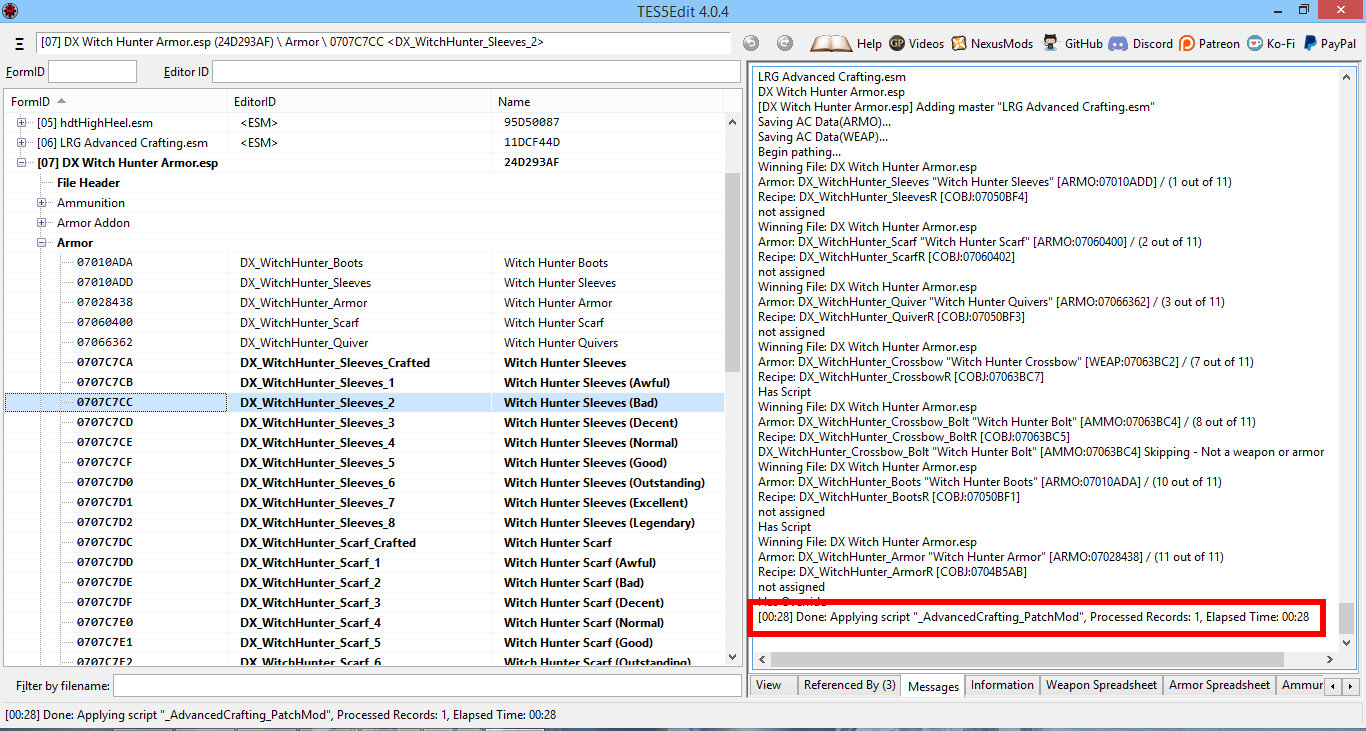
7) The above mentioned script will prepare mod to be used with Advanced Crafting. It will create duplicates of every craftable armor and weapon in the mod, attach required papyrus scripts and make new crafting and tempering recipes.
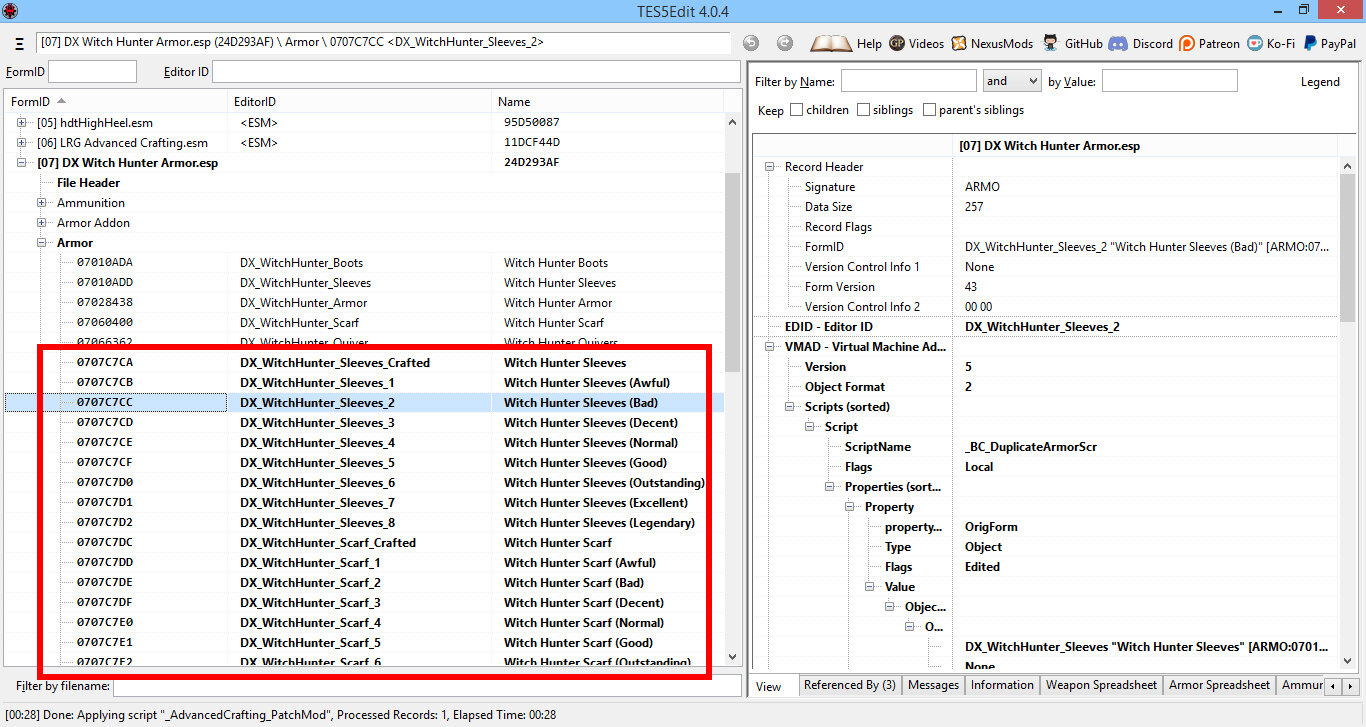
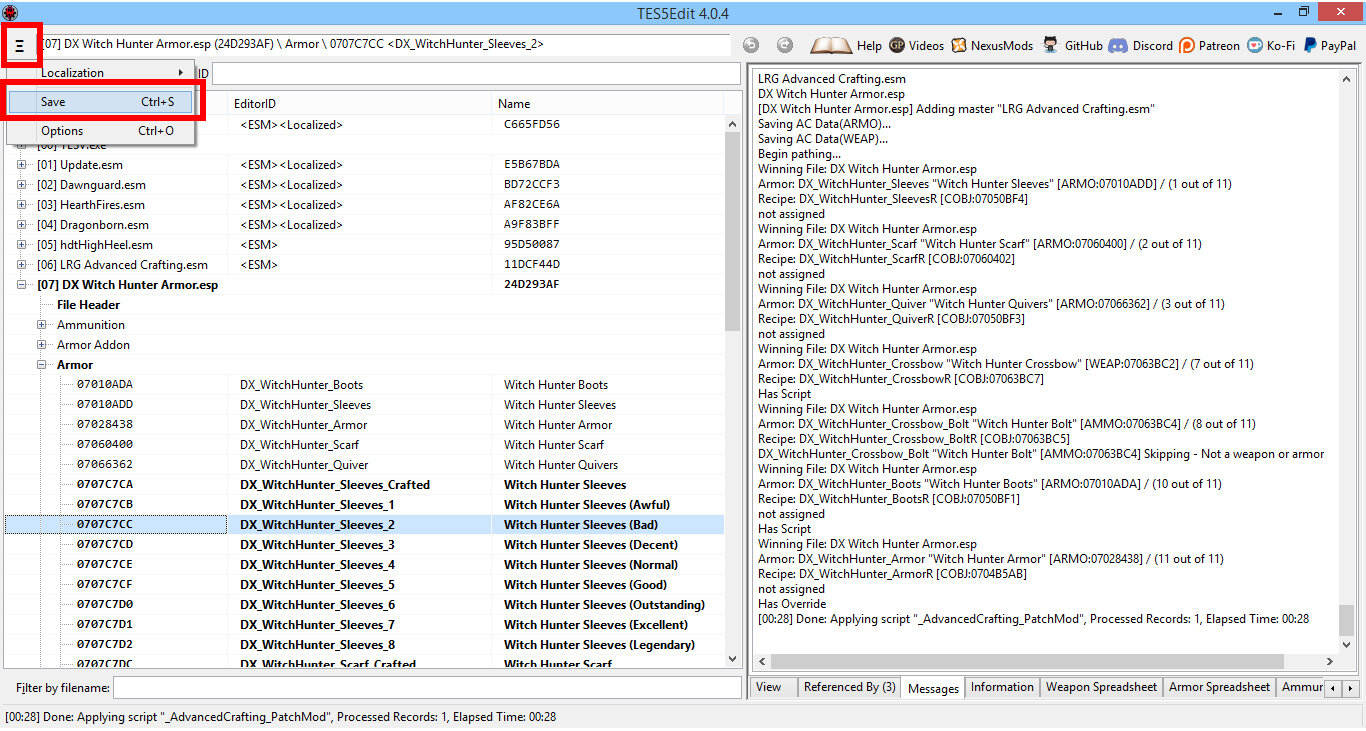
8 ) Save changes we done to the mod;
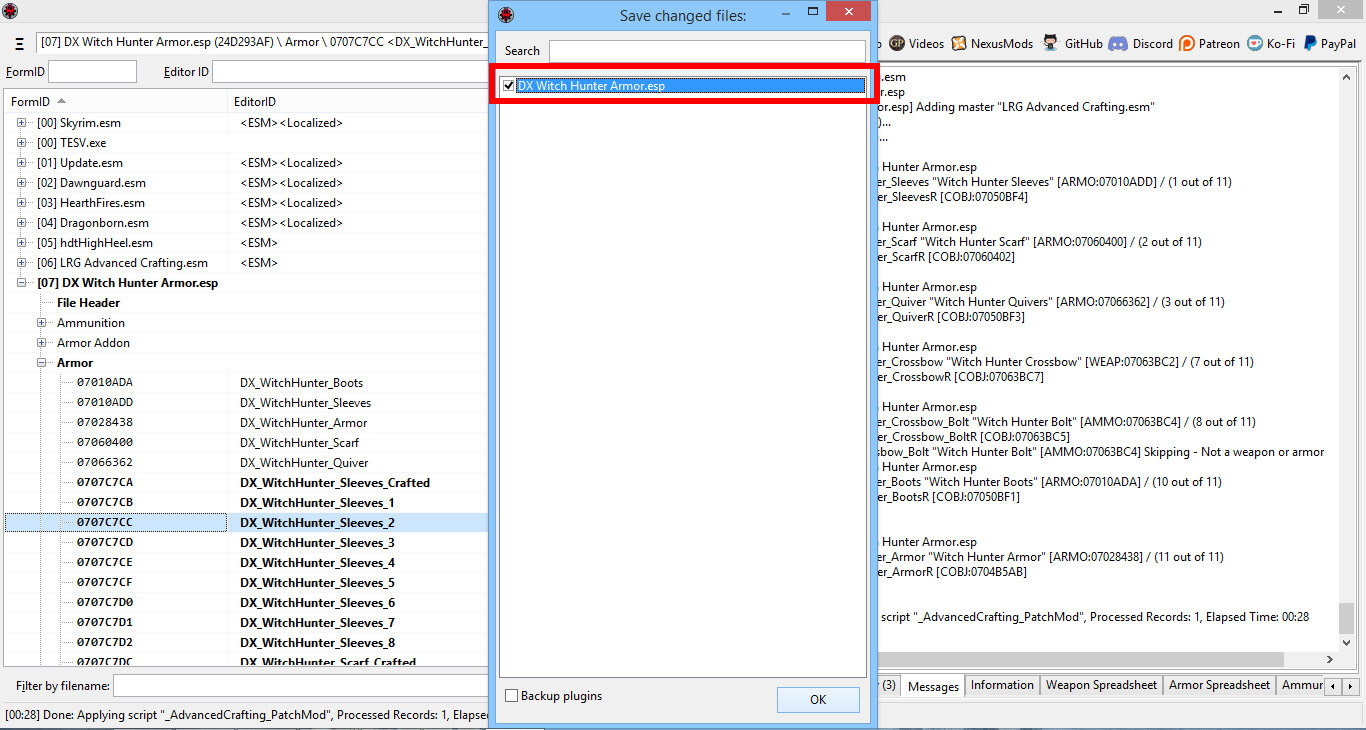
9) Make sure you tick the mod in the pop-up window and press OK. Pathing is done and we close TesEdit.
Older Versions:
Edited by AndrewLRG
Update to 0.4
0 Comments
Recommended Comments
There are no comments to display.