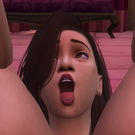
Hentaiface Posted September 8, 2020 Posted September 8, 2020 When I started the game recently, I've noticed a very annoying bug that occupies several save games and Sims of mine. For no apparent reason at all, the Skin of my Sims just... disappeared, like this: I know this looks like it's about CC missing a mesh. But this also happens to Townies who have no CC (that I can think of). Still, seeing that familiar look, my first impulse was to switch some clothes, without results. My second guess was that it was related to Wicked Whims custom skin colours. So I switched to some unmodded Skin tones, still nothing changed. Downloading and installing the newest version of Wicked Whims didn't help either. I haven't played for quite a while and didn't mod the game at all except for one piece of CC for Floor Tiles. Removing that didn't help either. Naturally, i've also missed some updates because of this, both for Mods and the Base Game. Did any recent update break something big for Modding, perhaps? Side Note: When I started the Game I've also noticed that one of the accessory packs seems to be missing its icon. Not really bothered by that, but as both of these issues are texture-related, could it be that they have the same cause?
procian Posted September 8, 2020 Posted September 8, 2020 Try repairing the game via origin...then see how it goes.
Crashdown117 Posted September 8, 2020 Posted September 8, 2020 If a game repair doesn't do the trick, the only other thing that I can think of here, is the skin itself. If you're using a custom skin like Luumia's improved vanilla skin, it might be broken due to file corruption, some other file missing or similar reasons. However, since one of the packs is missing its icon, I'd definitely go with a game repair first. The more recent game patches broke mods quite a lot (especially the latest one), but I don't remember any issues related to textures. More importantly, I can't remember any patch or mod update ever breaking vanilla skin tones.
procian Posted September 8, 2020 Posted September 8, 2020 What crashdown117 says....red chequer is usually broken cc....Black is normaly a game repair but i'd try a repair first.
Hentaiface Posted September 8, 2020 Author Posted September 8, 2020 Thanks to both of you! I'll definetely try repairing the game first. UPDATE: Yeah, doing so fixed both problems. Skins are normal again and so is the Icon for the DLC. Again, thanks for the advice!
procian Posted September 9, 2020 Posted September 9, 2020 8 hours ago, Hentaiface said: Thanks to both of you! I'll definetely try repairing the game first. UPDATE: Yeah, doing so fixed both problems. Skins are normal again and so is the Icon for the DLC. Again, thanks for the advice! Well done

Recommended Posts
Archived
This topic is now archived and is closed to further replies.