Search the Community
Showing results for tags 'portrait'.
-
View File Vanilla Framework Continued Read the installation instructions before installing What is it? Vanilla Framework tries to replace ALL vanilla portraits with pornographic versions, except for most of the machines. This includes portraits for crises and paragon leaders as well as all playable species. The only portraits from the base game you should see with this mod installed are the machines (though they may sneak in through events that need to be patched). There is a non-replacer version available that adds new portraits without overwriting any base-game files. Species added by this mod include futanaris that may be accessed using the traits from Lustful Void or by the gender traits included in this mod. In addition to portraits, this mod adds 3 new traits to help control the gender of your species: Male-Futa (+10% pop growth, replaces females with futas), Female-Futa (+25% pop growth, replaces males with futas), and Tri-Gender (+10% pop growth, females portraits will include futanaris and full females). What does it do? At present it adds; 7 Aquatics sets 7 Arthropoid sets 7 Avian sets 3 Fungoid sets 29 Humanoid sets 7 Lithoid sets 13 Machine sets 19 Mammalian sets 5 Molluscoid sets 11 Necroid set 5 Plantoid sets 12 Reptilian set 8 Toxoid sets 9 Kemonomimi sets 3 Hyper-Size sets (optional submod) Crisis sets Pre-Sapient Enclaves Event Races Unique character/race instances Total Mod Images: over 6,000 Requirements No requirements other than a copy of the game Stellaris, but check the installation guide as the mod has to be downloaded in parts. Lustful Void is highly recommended for use with this mod as the gender traits work with VF species. All species may be accessed without DLCs, however you will need the relevant DLCs to access certain species classes such as aquatics or necroids. If you lack any species DLCs, you can access the species as a non-DLC class from the DLC Species category on the empire creator. Compatibility This mod is designed to be fully compatible with Lustful Void's gender traits but can still be played without them. Other mods that tamper with coding for certain base game events, crisis, and paragons may cause issued. This mod overwrites 00_portrait_sets and 00_portrait_categories with a blank file to remove base game portraits. This game also overwrites the code for most paragons, crises, and some events. Base game portrait sets and portrait categories are overwritten to remove them, but other mods that overwrite them should work fine if they are placed BELOW VF in the mod order. The base game machines portrait set is technically overwritten but no changes are made, it is included in the VF machines portrait category so any changes other mods make the the base game machine portraits will be reflected in the category labelled "Machines (VF)". This mod includes the following mods (they are part of VF Continued and should not be installed separately): VanillaFrameworkPortraits+ by EnviousEll, Vanilla Framework Events Updated by Railgunner2160. This mod includes portraits (but not code) from the following mods: Furry Dickgirl Portraits by Nightsail, VF Inspired Themes by Railgunner2160. These mods may be installed alongside VF Continued in order to use the species created in those mods, as the portraits in VF Continued are all integrated into the VF species. By default, each species will use the Male and Female image sets, but when used with Lustful Void, you can also use the Futa images. When creating a species, select their appearance, then a gender trait (All Male/Female, Futa), then change the rulers appearance. The rulers image won't update itself in the creation menu when you choose a gender trait, so you'll need to do that yourself. Submods REQUIRED - VF Portraits: contains the image files for humanoids, mammalians, and reptilians. Optional - VF Hyper-Size: contains species tailored to the hyper-size fetish. Should work fine on its own without other VF versions. Alternate Versions Standard: downloads that have no special designation are the regular version of VF as described in the "what is it" section. Non-Replacer (NR): this version of VF adds the portraits without overwriting base-game files. This means that you will see base game portraits for all crises, events, and paragons, and that base game portraits may be used by randomized species (or by the player in genemodding/empire creation). This also maximizes compatibility with other mods. NR versions still require VF Portraits. Legacy: older versions of VF may be available for download for people who wish to stay on old versions of Stellaris. Versions older than 2.4 do not require VF Portraits. Installation Delete any old versions you might have installed Download the latest Vanilla Framework.zip and VF Portraits.zip. These are only separate mods because the mod was so big I had to split it up. Both Vanilla Framework and VF Portraits are required for the mod to work properly. Extract their contents into Documents/ Paradox Interactive/ Stellaris/ mod Make sure there is a folder named "Vanilla Framework" and a file called "Vanilla Framework.mod" as well as a folder named "VF Portraits" and a file called "VF Portraits.mod" This mod should be the last active mod in your launchers mod load order, with VF Portraits above Vanilla Framework. Troubleshooting Missing Human, Mammalian, and Reptilian portraits: these portraits are now stored in the VF Portraits submod due to size limitations. Download VF Portraits (which can be found in this Loverslab file) and install it the same way you installed Vanilla Framework. Ensure that it is enabled in your mod list. Base game portrait appeared: while the goal of the standard version of VF is to replace ALL portraits in the base game with porn, this is difficult to achieve with my limited understanding of Stellaris scripting, and I cannot personally test every event and galaxy generation. You will likely encounter some species that still use base game portraits due to a bug or oversight. The only way to change the portrait once it has been generated in your game is to edit the save, which I cannot help you with. If you encounter any base-game portraits, please report it in the mod's forum so I know to fix it. Before reporting, make sure that you can replicate the bug with only VF (and optionally lustful void) activated to make sure its not another mod breaking things. Contributors Railgunner2160 (coding, additional portraits) MalikilsHere (additional portraits) Xenodragon54 (additional portraits) EnviousEll (additional portraits) Giorgi200 (additional portraits) lolman6978 (additional portraits) Nightsail (additional portraits) nonething55 (additional portraits) Yourmamu (additional portraits) Luthenin (additional portraits) How to Contribute Vanilla Framework Continued is always looking for new images! If you have some images that you think would be a good fit for the mod, or if you want to get started as an image gatherer, review the following section: Changelog Remember to delete the old version before installing the new one 7/3/2026 - VF 3.4.1 Latex wolves are now included in the DLC species category so people can use them without having toxoids DLC. Fixed Vacuum Collapse system generating invisible species. Vanilla Framework Continued Vanilla Framework was not created by me, and if the original author requests that I take this mod down I will not hesitate to do so. The purpose of Vanilla Framework Continued is to keep the original Vanilla Framework mod working with the newest versions of Stellaris. There are too many species added for me to thoroughly test each one, so reach out if something does not seem to be working. This mod works with the Lustful Void monogender/futa traits, as well as the VF gender policies, however I do not support the base game monogender options. BUG REPORTING: For now, bugs can be reported in the main forum for the mod. This is a large mod, so I cannot thoroughly test every feature before publishing. With this mod installed you should not see any base game portraits except for machines, if you see a biological base-game species portrait, there is likely a problem. The first step in troubleshooting in issue is always to try replicating the issue with only VF Continued (and official submods) and Lustful Void active to ensure the problem is with VF Continued and not from another mod or incompatibility. Original Mod: Submitter ModderWhoModsThings Submitted 01/03/24 Category Stellaris Requirements
-
Version 3.4.1
76066 downloads
Read the installation instructions before installing What is it? Vanilla Framework tries to replace ALL vanilla portraits with pornographic versions, except for most of the machines. This includes portraits for crises and paragon leaders as well as all playable species. The only portraits from the base game you should see with this mod installed are the machines (though they may sneak in through events that need to be patched). There is a non-replacer version available that adds new portraits without overwriting any base-game files. Species added by this mod include futanaris that may be accessed using the traits from Lustful Void or by the gender traits included in this mod. In addition to portraits, this mod adds 3 new traits to help control the gender of your species: Male-Futa (+10% pop growth, replaces females with futas), Female-Futa (+25% pop growth, replaces males with futas), and Tri-Gender (+10% pop growth, females portraits will include futanaris and full females). What does it do? At present it adds; 7 Aquatics sets 7 Arthropoid sets 7 Avian sets 3 Fungoid sets 29 Humanoid sets 7 Lithoid sets 13 Machine sets 19 Mammalian sets 5 Molluscoid sets 11 Necroid set 5 Plantoid sets 12 Reptilian set 8 Toxoid sets 9 Kemonomimi sets 3 Hyper-Size sets (optional submod) Crisis sets Pre-Sapient Enclaves Event Races Unique character/race instances Total Mod Images: over 6,000 Requirements No requirements other than a copy of the game Stellaris, but check the installation guide as the mod has to be downloaded in parts. Lustful Void is highly recommended for use with this mod as the gender traits work with VF species. All species may be accessed without DLCs, however you will need the relevant DLCs to access certain species classes such as aquatics or necroids. If you lack any species DLCs, you can access the species as a non-DLC class from the DLC Species category on the empire creator. Compatibility This mod is designed to be fully compatible with Lustful Void's gender traits but can still be played without them. Other mods that tamper with coding for certain base game events, crisis, and paragons may cause issued. This mod overwrites 00_portrait_sets and 00_portrait_categories with a blank file to remove base game portraits. This game also overwrites the code for most paragons, crises, and some events. Base game portrait sets and portrait categories are overwritten to remove them, but other mods that overwrite them should work fine if they are placed BELOW VF in the mod order. The base game machines portrait set is technically overwritten but no changes are made, it is included in the VF machines portrait category so any changes other mods make the the base game machine portraits will be reflected in the category labelled "Machines (VF)". This mod includes the following mods (they are part of VF Continued and should not be installed separately): VanillaFrameworkPortraits+ by EnviousEll, Vanilla Framework Events Updated by Railgunner2160. This mod includes portraits (but not code) from the following mods: Furry Dickgirl Portraits by Nightsail, VF Inspired Themes by Railgunner2160. These mods may be installed alongside VF Continued in order to use the species created in those mods, as the portraits in VF Continued are all integrated into the VF species. By default, each species will use the Male and Female image sets, but when used with Lustful Void, you can also use the Futa images. When creating a species, select their appearance, then a gender trait (All Male/Female, Futa), then change the rulers appearance. The rulers image won't update itself in the creation menu when you choose a gender trait, so you'll need to do that yourself. Submods REQUIRED - VF Portraits: contains the image files for humanoids, mammalians, and reptilians. Optional - VF Hyper-Size: contains species tailored to the hyper-size fetish. Should work fine on its own without other VF versions. Alternate Versions Standard: downloads that have no special designation are the regular version of VF as described in the "what is it" section. Non-Replacer (NR): this version of VF adds the portraits without overwriting base-game files. This means that you will see base game portraits for all crises, events, and paragons, and that base game portraits may be used by randomized species (or by the player in genemodding/empire creation). This also maximizes compatibility with other mods. NR versions still require VF Portraits. Legacy: older versions of VF may be available for download for people who wish to stay on old versions of Stellaris. Versions older than 2.4 do not require VF Portraits. Installation Delete any old versions you might have installed Download the latest Vanilla Framework.zip and VF Portraits.zip. These are only separate mods because the mod was so big I had to split it up. Both Vanilla Framework and VF Portraits are required for the mod to work properly. Extract their contents into Documents/ Paradox Interactive/ Stellaris/ mod Make sure there is a folder named "Vanilla Framework" and a file called "Vanilla Framework.mod" as well as a folder named "VF Portraits" and a file called "VF Portraits.mod" This mod should be the last active mod in your launchers mod load order, with VF Portraits above Vanilla Framework. Troubleshooting Missing Human, Mammalian, and Reptilian portraits: these portraits are now stored in the VF Portraits submod due to size limitations. Download VF Portraits (which can be found in this Loverslab file) and install it the same way you installed Vanilla Framework. Ensure that it is enabled in your mod list. Base game portrait appeared: while the goal of the standard version of VF is to replace ALL portraits in the base game with porn, this is difficult to achieve with my limited understanding of Stellaris scripting, and I cannot personally test every event and galaxy generation. You will likely encounter some species that still use base game portraits due to a bug or oversight. The only way to change the portrait once it has been generated in your game is to edit the save, which I cannot help you with. If you encounter any base-game portraits, please report it in the mod's forum so I know to fix it. Before reporting, make sure that you can replicate the bug with only VF (and optionally lustful void) activated to make sure its not another mod breaking things. Contributors Railgunner2160 (coding, additional portraits) MalikilsHere (additional portraits) Xenodragon54 (additional portraits) EnviousEll (additional portraits) Giorgi200 (additional portraits) lolman6978 (additional portraits) Nightsail (additional portraits) nonething55 (additional portraits) Yourmamu (additional portraits) Luthenin (additional portraits) How to Contribute Vanilla Framework Continued is always looking for new images! If you have some images that you think would be a good fit for the mod, or if you want to get started as an image gatherer, review the following section: Changelog Remember to delete the old version before installing the new one 7/3/2026 - VF 3.4.1 Latex wolves are now included in the DLC species category so people can use them without having toxoids DLC. Fixed Vacuum Collapse system generating invisible species. Vanilla Framework Continued Vanilla Framework was not created by me, and if the original author requests that I take this mod down I will not hesitate to do so. The purpose of Vanilla Framework Continued is to keep the original Vanilla Framework mod working with the newest versions of Stellaris. There are too many species added for me to thoroughly test each one, so reach out if something does not seem to be working. This mod works with the Lustful Void monogender/futa traits, as well as the VF gender policies, however I do not support the base game monogender options. BUG REPORTING: For now, bugs can be reported in the main forum for the mod. This is a large mod, so I cannot thoroughly test every feature before publishing. With this mod installed you should not see any base game portraits except for machines, if you see a biological base-game species portrait, there is likely a problem. The first step in troubleshooting in issue is always to try replicating the issue with only VF Continued (and official submods) and Lustful Void active to ensure the problem is with VF Continued and not from another mod or incompatibility. Original Mod: -
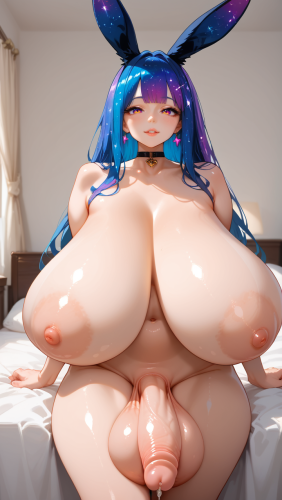
View File Futanari Space Bunnies - Species & Portraits A simple portrait mod for futanari space bunnies using images I generated long time ago from a bunny obsession phase. There are 48 portraits in total. I recently got into Stellaris and I couldn't help but fantasized about a futanari space bunny colony conquering the universe. Roleplays very nicely with LustVoid! Thought I would share this mod people who share a similar interest. All images are AI generated by myself! I post regularly on other socials including DeviantArt, X, reddit, and CivitAI under the same username. If you like this kind of content feel free to check out my past work! Submitter HumanAd228 Submitted 07/03/26 Category Stellaris Requirements
-
Version 1.0.0
138 downloads
A simple portrait mod for futanari space bunnies using images I generated long time ago from a bunny obsession phase. There are 48 portraits in total. I recently got into Stellaris and I couldn't help but fantasized about a futanari space bunny colony conquering the universe. Roleplays very nicely with LustVoid! Thought I would share this mod people who share a similar interest. All images are AI generated by myself! I post regularly on other socials including DeviantArt, X, reddit, and CivitAI under the same username. If you like this kind of content feel free to check out my past work! -
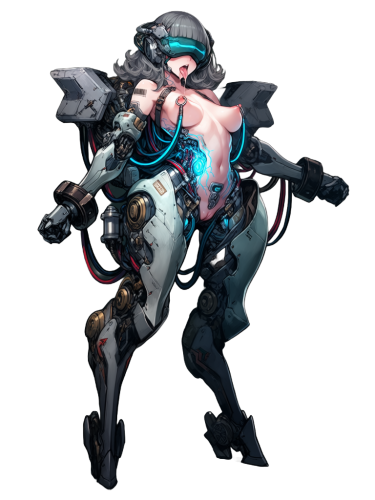
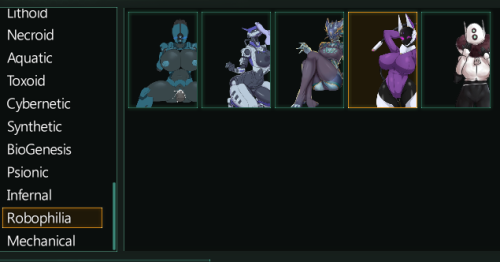
View File Robophilia - 4.3 This is just a quick edit to an existing mod made by Kroeger incarnated, that was changed later by Someramen, and now re-adapted to work with 4.3 update. (All credits for original mod go to the author(s) as well as artists who drew the images.) Bringing back curvy robo-booty to Stellaris! Portraits are in their own seperate category: "Robophilia" (usually down at the bottom) Installation instructions: Extract archive files into default mod directory Submitter McAron Submitted 03/19/26 Category Stellaris Requirements
-
Version 1.2
1004 downloads
This is just a quick edit to an existing mod made by Kroeger incarnated, that was changed later by Someramen, and now re-adapted to work with 4.3 update. (All credits for original mod go to the author(s) as well as artists who drew the images.) Bringing back curvy robo-booty to Stellaris! Portraits are in their own seperate category: "Robophilia" (usually down at the bottom) Installation instructions: Extract archive files into default mod directory -
View File Parasite Portraits, Loading Screens and Traits - by Apollo - ON REWORK NSFW Stellaris Parasite Portraits, Loading Screens and Traits — Parasite-Themed Mods by Apollo Notice : Rework ongoing. I'm still maintaining support and activity on the community Discord Server, at the bottom of this page. TRIGGER WARNING / CONTENT WARNING : This portrait pack contains heavy NSFW themes. If you're uncomfortable with the following tags, do NOT download this mod: Tentacles, worms, insects, maggots, parasite-based organisms, Multiple breasts, stomach bulging, nipple/vaginal parasite birth, Mind-control, leucochloridium, furry, futanari, Other body horror or transformation elements NO necro content is included in this pack. Mod Status - Work in Progress I'm still actively developing this mod and learning Stellaris modding as I go. Some features are experimental or may not function fully yet. Your feedback helps a ton—if you try the mod, please leave a comment or suggestion! I may take breaks occasionally due to IRL stuff, so updates might be irregular. Thank you for your patience and feel free to send me a DM, I'd love to hear your horny ideas and just talking helps me a lot :3 ! Join the Community : Discord: https://discord.gg/BXzfR2Rk6k (If the link doesn’t work, send me a message and I’ll send you a new invite!) Join us on Discord for: - Additional NSFW content related to the mod - Progress updates - Feature requests & bug reports - Help and support Features So Far : Custom Portraits Loading Screens (Added in v1.2) Parasite-type Sorting (v1.3) New Furry-Parasite Species (v1.5) Custom Flags (v1.5) Traits (v1.5.1) In Progress / Planned Init screen (attempted in v1.2, still buggy) More portraits Better in-game descriptions Mod folder restructuring (partial) New Origins (tried it on 1.6 release, but I struggle on it) Custom Civics Feedback Welcome! Love it? Hate it? Got ideas? Let me know! Want specific content added or removed? Found something that doesn’t work? Leave a comment or hop into the Discord ! Thank you all for supporting my weird little Stellaris project Submitter ApolloFra Submitted 05/01/2025 Category Stellaris Requirements
- 68 replies
-
4
-
View File Space Androids A mix of lewd and non-lewd android/robot/cyber portraits. They should work as Machine Empires as well as Robots for all other empires. Have fun in space. ~240 portraits all in all. This time not color coded for your convenience since robots don't need jobs. (and I was lazy) If I messed up anything please let me know. I'll try and fix it in time. Submitter g5788855@trbvm.com Submitted 10/28/2025 Category Stellaris Requirements
-
Townies reimagined vol. 1 View File haven't you always wanted to know what townies would look like in real life? here are some interpretations of some of the most favorite townies, showing their beautiful assets! three ladies in three different, stylish frames (all colors available for all portraits). in this first volume: Bella Goth Nalani Mahi'ai Sofia Bjergsen (young adult, of course) Three beauties from 3 cities. Bella, Nalani and Sofia show you what you've always wanted to see. Not in their normal sims style, but truly how they should be! stay tuned, next volume: Morgan Fyres, Zoe Patel and Summer Holiday! Submitter numbchuckers Submitted 01/21/2026 Category Objects Requirements Base game
-
Version 1.0.0
1188 downloads
haven't you always wanted to know what townies would look like in real life? here are some interpretations of some of the most favorite townies, showing their beautiful assets! three ladies in three different, stylish frames (all colors available for all portraits). in this first volume: Bella Goth Nalani Mahi'ai Sofia Bjergsen (young adult, of course) Three beauties from 3 cities. Bella, Nalani and Sofia show you what you've always wanted to see. Not in their normal sims style, but truly how they should be! stay tuned, next volume: Morgan Fyres, Zoe Patel and Summer Holiday! -
Version 0.1
18719 downloads
NSFW Stellaris Parasite Portraits, Loading Screens and Traits — Parasite-Themed Mods by Apollo Notice : Rework ongoing. I'm still maintaining support and activity on the community Discord Server, at the bottom of this page. TRIGGER WARNING / CONTENT WARNING : This portrait pack contains heavy NSFW themes. If you're uncomfortable with the following tags, do NOT download this mod: Tentacles, worms, insects, maggots, parasite-based organisms, Multiple breasts, stomach bulging, nipple/vaginal parasite birth, Mind-control, leucochloridium, furry, futanari, Other body horror or transformation elements NO necro content is included in this pack. Mod Status - Work in Progress I'm still actively developing this mod and learning Stellaris modding as I go. Some features are experimental or may not function fully yet. Your feedback helps a ton—if you try the mod, please leave a comment or suggestion! I may take breaks occasionally due to IRL stuff, so updates might be irregular. Thank you for your patience and feel free to send me a DM, I'd love to hear your horny ideas and just talking helps me a lot :3 ! Join the Community : Discord: https://discord.gg/BXzfR2Rk6k (If the link doesn’t work, send me a message and I’ll send you a new invite!) Join us on Discord for: - Additional NSFW content related to the mod - Progress updates - Feature requests & bug reports - Help and support Features So Far : Custom Portraits Loading Screens (Added in v1.2) Parasite-type Sorting (v1.3) New Furry-Parasite Species (v1.5) Custom Flags (v1.5) Traits (v1.5.1) In Progress / Planned Init screen (attempted in v1.2, still buggy) More portraits Better in-game descriptions Mod folder restructuring (partial) New Origins (tried it on 1.6 release, but I struggle on it) Custom Civics Feedback Welcome! Love it? Hate it? Got ideas? Let me know! Want specific content added or removed? Found something that doesn’t work? Leave a comment or hop into the Discord ! Thank you all for supporting my weird little Stellaris project -
View File LoL AI Portraits (abandoned) I made a mod with different 27 portraits of league girls Gwen 3 portraits Lux 3 portraits Miss Fortune 2 portraits Sona 3 portraits Seraphine 1 portraits Katarina 1 portraits Ashe 3 portraits Kindred 3 portraits Riven 3 portraits Soraka 3 portraits Zeri 2 portraits WIP I will add portraits as they are ready. You can write to me what portraits you want to see Submitter DeltaTwo Submitted 01/15/24 Category Stellaris Requirements
-
Ballerino Vertical Frames View File This is a collection of vertical frames (base game compatible) with pictures of ballerino that I collected online. - Ballerino: Random pictures of ballet dancers - Ballerino Front: Naked ballet dancers D*ck view! - Ballerino Back: Naked ballet dancers @ss view! - Ballerino NSFW... well you know what that one means! 😈 - Ballerino Benjamin Poirier: Pictures of Model/Ballet dancer Benjamin Poirier. Hope you'll like them! Submitter Simfan Submitted 07/31/2024 Category Objects Requires
-
Shemales Triptyque Pack Serie 1 View File First serie of beautiful shemales in triptych. 12 swatches. Have Fun, Khallian Première série de jolies shemales en triptyque. 12 variantes. Pour le plaisir, Khallian Submitter khallian Submitted 01/02/2023 Category Objects Requires
-
View File [SDV]Lemon's Chubby Bear Portraits for Devious Valley Avoid using PyTK Lite, it messes with the HD portraits and sprites!!! This mod requires Devious Valley to work: Installation: After installing [CP]DeviousValley (if you already havent), go into your mods folder, drag and drop the file and overwrite [CP]MarniesBro. To be sure it's activated, go into the Mod Config when you launch the game and select "CountryBearHD" for the new portrait options. Credits: Credits go to Undare for Devious Valley, and LimeCultist (me) for the portraits and sprites You can follow me on twitter if you wish: https://twitter.com/CultistLime Edited 29 minutes ago by noobyLover Submitter noobyLover Submitted 09/11/2022 Category Misc Adult Mods Requires Devious Valley Modpack
- 1 reply
-
- stardew valley
- sdv
-
(and 3 more)
Tagged with:
-
View File ThirstSector Complete Portrait Replacer (SFW) + ThirstSector Extra Thirsty Add-On (NSFW) Overview ThirstSector is a complete portrait replacer for all generic and named characters in the base game. ThirstSector is a SFW mod, with a separate and optional NSFW Add-On pack. ThirstSector - Extra Thirsty Add-On Pack is a portrait pack intended to be used alongside ThirstSector Complete Portrait Replacer. It adds additional portraits as well as the functionality for factions to utilize them. All images were generated by machine learning and then edited manually. Dependencies and Conflicts This mod has no dependencies It will conflict with mods that replace the base portraits It will not conflict with mods that add portraits Faction Support Any faction that simply uses the base game portraits are compatible Any faction that introduces new portrait files will need special accommodation Faction-updates will be released as packs that you can just overwrite the old portraits with simply because I can't figure out some load order issues Manual Installation Instructions Unpack to Starsector/mods Activate in the Mod Manager Submitter therealzOh Submitted 03/02/2023 Category Misc Adult Mods Requires
-
View File Steller Legions Lustful Void Portrait Patch # Steller Legions Lustful Void Patch A patch mod for [Steller Legions](https://steamcommunity.com/sharedfiles/filedetails/?id=2939702822) to make it use traits from Lustful Void Eg All Female / All Male traits This is so that if you make a species all female/ all male during gameplay the portraits will be updated to reflect this I also made minor changes to the portraits used, eg the shogun portraits wont use military portraits for civilian pops (only admirals/generals) Includes the custom empires in the pictures above (might be slight changes in civics etc). Feel free to edit them as you want. Source Code available at Gitgud - https://gitgud.io/ban10/steller-legions-lustful-void-patch # Suggested Load Order This mod should be loaded AFTER Steller Legions [Lustful Void](https://www.loverslab.com/files/file/8719-stellaris-lustful-void/) Other Lustful Void Mods [Steller Legions](https://steamcommunity.com/sharedfiles/filedetails/?id=2939702822) Other Steller Legions Submods (eg this one [Steller Legions - Base Species Patch](https://steamcommunity.com/sharedfiles/filedetails/?id=2950670902) Steller Legions Lustful Void Patch (This Mod!) # Notes Need to add the following triggers to portraits ``` has_trait = trait_lv_all_female has_trait = trait_lv_all_male has_trait = trait_lv_futanari ``` # Credits Legion - Steller Legions on Steam Everyone on the Lustful Void mod # TODO Change some species with extra portraits to use the ruler/miltary portraits for specific jobs (miltary portraits for soliders and ruler portraits for politicians/ruler jobs) # Edited Files - android_portraits - atlantean_portraits - banshee_portraits - cyberpunk_portraits - darkelf_portraits - deathmachine_portraits - demon_portraits - dragon_portraits - egypt_portraits - highelf_portraits - holy_portraits - megacorp_portraits - mermaid_portraits - militarium_portraits - norse_portraits - oceanid_portraits - savagedespoiler_portraits - shogun_portraits - snake_portraits - UNE_portraits - wakanda_portraits - were_portraits # Non-Edited Files (And the reason why I didn't edit it) - crystaloid_portraits (Only Female Portraits) - diamondgiant_portraits (Only Female Portraits) - earthgiant_portraits (Only Female Portraits) - firegiant_portraits (Only Male Portraits) - icegiant_portraits (Only Female Portraits) - kitsune_portraits (Only Female Portraits) - nymph_portraits (Only Female Portraits) - oceanid_portraits (Only Female Portraits) - spider_portraits (Special Species, Single Ruler Portrait while all other members are spiders) Submitter ban10 Submitted 05/02/2023 Category Stellaris Requires Lustful Void and Steller Legions
- 23 replies
-
3
-
- stellaris
- stellaris modding
-
(and 1 more)
Tagged with:
-
This is going to be a EXCEEDINGLY long and (hopefully) in depth post. I'll also preface this with if you don't have a relatively recent CPU and GPU with at least 8Gb VRAM (16Gb+ preferred), your speed is going to suffer greatly, if you can get it to work at all. While a good chunk of it is SFW, later in the guide I do shift to NSFW images, so you've been warned. I am a big believer in explaining WHY you're doing something rather than just telling you what to do so this post reflects that. Keep in mind there isn't one "right" way of doing things when it comes to AI. There's a large amount of personal preference. I welcome input from the others on here already making portrait sets via AI but I'll be writing primarily based on what works for me as it's fairly easy to get running with. I have zero artistic skills whatsoever so my goal from the beginning was to come up with a process where I don't have to manually touch images at all. I also wanted to be able to generate pictures in bulk. My general target is 50 images per gender for a single portrait set and I generally want multiple sets. My personal preference was also for image styles that lean more towards realistic rather than cartoon which affects what checkpoints I use. With a 4070ti, and the relatively higher resolution settings I walk through below, generating 10 images takes me about 3 minutes. Removing the background and resizing those images only takes a couple more minutes. I personally don't do ANY inpainting (I'll explain what it is later). Background removal is 100% automated at this point. I've been doing this for about 2 years now and I can say with 100% confidence that my process now is absolutely both faster and produces consistently high quality images than when I started. Doesn't mean it couldn't be improved further, I was going for a balance as I'm not looking to make this into a job. The first decision you have to make when getting started with local AI image generation is which UI you want to use. Generally you'll either see people talking about ComfyUI or Automatic1111 (A1111). While I started out using A1111, I moved to Forge (https://github.com/lllyasviel/stable-diffusion-webui-forge?tab=readme-ov-file) which is visually and functionally VERY similar to A1111 but most find it to be much more responsive. This guide will therefore be focused on Forge, although 99% of it will work with A1111 as well. The general concepts would be the same with ComfyUI, but I can't really give you specific instructions for it. A while back however, they (Forge) did a major update to support a new base model (Flux) which hosed functionality for older models. Therefore, you'll want to use this link to follow my guide: https://github.com/lllyasviel/stable-diffusion-webui-forge/releases/download/latest/webui_forge_cu121_torch21.7z. You will also want to avoid using their update batch file as that will upgrade you to the newer branch that will break everything you're doing here. A lot of people swear by ComfiUI as it's more "powerful" with the way you can create workflows. While that may well be true, I personally found it far more difficult to work with. But this is 100% preference. There's nothing stopping you from downloading all 3 and pointing them at the same directories for checkpoints and LoRA's so you can try them all out. Your second decision is what base model and checkpoint you're going to work with. You can download them from https://civitai.com/models. While nothing is preventing you directly from downloading different types of base models, LoRA's are base model specific which makes jumping between different base models a bit more problematic. Think of SD1.5 as the original in many regards. Because it's older than the other options I'm going to mention there's a FAR larger selection of LoRA's available for it. LoRA's are used to "help" AI generate a specific detail or feature. IE a specific style of clothing, or specific body feature. The downside to SD1.5 is a lower base resolution and "natural language" understanding is basically non-existent. This brings us to SDXL and it's branch known as Pony. If you don't have more than 8G of VRAM, you'll probably want to stick with SD1.5. If you have the VRAM, the only reason, IMO, to use SD1.5 is if you're trying to generate very specific images that you just can't seem to get Pony to do but there's an SD1.5 LoRA for. Personally, I no longer have any SD1.5 checkpoints/LoRA's installed. Pony/PonyXL is based on SDXL so some SDXL LoRA's will even work with it. However it's gotten so popular that at this point a lot of people treat it as a separate base model, so stick with Pony specific LoRA's. The primary reason it's gotten so popular is compared to SD1.5 and vanilla SDXL, it's EXTREMELY good at understanding natural language, especially for adult content. SDXL/Pony is double the base resolution of SD1.5 so the downside is slower generation and a higher VRAM requirement. Flux is the latest new thing. I'm not going to be touching on it for one simple reason. As it's new, it doesn't have the LoRA support needed to do what I personally want to do with it. We'll touch more on that when we get to LoRA's as well as why the resolution is important even though we're ultimately going to be creating very small images. Basically as long as you've got the GPU power and VRAM available (I'm running on an RTX 4070Ti), I'd highly recommend just using Pony. Therefore you've decided what base model you want to use, now you have to find/pick at least one checkpoint. As long as you're sticking with the same base model (IE SD1.5 or Pony), you can switch between checkpoints at will. Checkpoints, put simply is the base image data that AI will be working from to generate your images. If you pick an anime/cartoon focused Checkpoint, it's going to be harder to generate a realistic looking image. If you pick a SFW focused checkpoint, it will be harder to generate NSFW images. Note I say harder, not impossible. Personally as mentioned above, I'm going for a more realistic art style. I'm currently using Cyber Realistic and Real Dream (both Pony). These are both available from the above mentioned Civitai. You'll only be using one at a time, but you can generate some images with one checkpoint, then select a different checkpoint and generate some more. They're large files (generally 6Gb+ for Pony but beyond that, don't be afraid to try others out. Strictly speaking you now have everything you need to get started. You just have to provide a prompt and specify your image dimensions. Let's talk about the image dimensions first. Recommended size for Stellaris portraits is 475x380. Rooms are 952x340. For reference events are 450x150 and origins are 220x115 but I haven't personally done anything for those. You could just pop those values into Stable Diffusion, however you'll find that creates problems. There's a few things AI is known for struggling with. It has a hard time with eyes, especially SD1.5, and has a hard time with creating the appropriate amount of fingers and toes. The smaller your image, the more it struggles to generate a decent looking output. In my experience you get far better results if you generate at a higher resolution and then resize it after words. There's two things to keep in mind when you do that. First, larger image means more VRAM usage and longer generation time. Second, your base model resolution. SD1.5 is 512x512. SDXL/Pony is 1024x1024. Therefore if you want to avoid using upscaling (which further increases generation time) you'll want to stay pretty close to those dimensions. The dimensions have one other effect. As the base model is square (512x512 or 1024x1024), when you generate non-square images, you sometimes start fighting a problem where your image looks "stretched" in order to fill the image. IE people with unrealistically long torso's or part of a second person is added to the image. Pony is again far better about this than SD1.5 but if you generate using the Stellaris aspect ratios (which I do), expect to occasionally have to throw out some images. With that said, I use I go double resolution for SD1.5 and quadruple for Pony. Meaning I use 712x570 for SD1.5 and 1424x1140 for Pony. If you don't mind figuring out a different process for resizing the images afterwords, generating at 1024x1024 will produce less "bad" images than generating at the Stellaris aspect ratios. Personally I don't think it's worth the extra effort. The reason I generate at a higher resolution is this is a significant factor in the aforementioned "AI is bad with eyes and fingers". Keep in mind AI doesn't REALLY understand anything. It's just trying to imitate, but that's not backed by physics/reality. Therefore the less pixels you give it to work with, the harder time it has getting the details right because AI pretty much goes "sure that seems pretty similar". It's also worth mentioning at this point to keep this in mind the "camera angle" you go for in your pictures. Trying to cram a full person, head to toes in the image is going to result in more defects and less overall detail than just doing an upper body shot. Given we're on LL and presumably wanting lewds, I generally try to either stop just below the crotch or use a sitting/kneeling pose to give head and torso as much room as possible but still get the naughty bits in. But you'll notice a significant improvement in detail and consistency going with an upper body shot closer to Stellaris's default portrait. The other major tool in combating defects is ControlNet. ControlNet is integrated with Forge, which means no extra steps to install it as you would have to with the other UI's. There's two different options with it, both of which are EXTREMELY useful given what we're trying to do, which is generate an image with a person 100% inside the bounds of the image. By default, depending on your prompt, you'll often end up with parts of the body out of frame. Off the bottom isn't a huge deal in game. Off the sides doesn't look so hot in game. So for example lets go with this pose: As you can see I've provided it an image to use. Right now I have "OpenPose" selected. This basically tries to map the skeleton of the source image and match that for generation. With the "openpose_full" preprocessor (default selection) this includes fingers/toes and eyes. This is great if you want all your images to have a similar or matching pose (IE Stellaris's default portrait pose). The other option is "Canny". Canny tries to match all aspects of the source image in it's generation. In both cases your Control Weight and the Control Mode will determine how strictly it follows that. For OpenPose, I generally keep it around 0.7 to 1.0 as I want it to match the pose pretty closely. For Canny, I'm generally just going for "kinda similar to this", so I'm usually using weights like 0.15-0.3. Personally I leave Control Mode on Balanced 99% of the time, and Resize mode I leave on Resize and Fill. Keep in mind the resolution of your reference image has a large effect on the results. You want the sample image to be at least as large as your output image. That takes us to prompting. Prompting is you describing details you want in the image to the AI. This is where you'll be spending most of your time. Up above I used the wording "natural language", I'll elaborate on that here. First let's look at a very basic prompt with the ControlNet options I used above. We're going to discuss the prompt at length in a bit, but let's go over my other settings. There isn't a 100% "always the best" option for Sampling Method. The options available are going to vary depending on your base model. Some LoRA's will recommend a specific option but personally with Pony I haven't found a pressing need to change from the one I'm using above. But feel free to experiment. As you can see I've got my image set to 4x Stellaris' portrait resolution as I discussed above. CFG Scale relates to how strictly it tries to follow your prompt. As I'm trying to do bulk image generation, I'm not looking for super strict as I want some variation. Batch size is how many images it's rendering at the same time. Batch count is how many times it repeats the batch size this run. Your VRAM and image size is going to be your limiting factor on batch SIZE. Batch count is only limited by how long you want it running. With 16Gb of VRAM and the above resolution, a batch SIZE of 2 is pretty much the limit for me. I am however going to use that batch size for all this guide so you can get an idea on how much an image can vary with the same settings. This the result when using the "Canny" option for ControlNet with a weight of 1.0: That did a fairly decent job of replicating the original image and it's the proper aspect ratio for Stellaris. Same settings, except ControNet weight dropped down to 0.15: Keep in mind, we're still using a very basic prompt that doesn't specify much details but we can see it's still captured the general idea of the original image. If we switch ControlNet to "OpenPose" with a weight of 1.0 we get: As mentioned above, OpenPose is just trying to control the skeleton of the model. When using the "openpose_full" preprocessor, this includes eye detail (to an extent) and fingers/toes. But all other aspects of the image are basically thrown out. Also keep in mind OpenPose has limits. It's creating a 2D image of your skeleton, so poses with limbs overlapping each other or limbs behind the body will cause it to struggle. However, beyond the pose itself the other value this provides is how much of the body is going to be in the image. If we disable ControlNet and removing "walking" from the prompt, we get this: Those are still pretty similar, but that's because we haven't really provided many details. Let's add prompts for curly red hair, detailed eyes, and large breasts. Now we get: OK, we can see those prompts took affect (more on the hair color in a bit) but now we've basically just got an upper body shot. Because all the details we described are in the upper body, it basically sees no reason to include anything else. If you include details like "sitting" or "walking", that will generally get it to at least include waist level in the shot. Describing the genitals will also generally do that. But OpenPose allows you to ensure that, largely regardless of your prompt. Before we demo that, let's talk about the hair color. When talking about the differences between base models (SD1.5 vs Pony) I mentioned Pony being far better about understanding natural language. This is a good example. With SD1.5 when you try to specify colors, it generally doesn't understand that you're trying to describe a certain piece of the image. Right now we're specifying a green background, a black body suit and "red" hair and it'd doing that. With SD1.5, if you specify a green background right at the beginning of your prompt like we are here, you'll usually end up with at least partially green clothes and maybe green eyes. For hair colors, it helps to be less generic on the word choice. Same prompt but with "auburn" hair: Let's take a moment to talk about the background. As I mentioned above as my goal is Stellaris portraits and I don't want to have to manually touch any of the images if at all possible. That means I have to use some form of automation to remove the background. Therefore in order to facilitate that as much as possible, I'm trying to create a background that contrasts with the portion of the image I want to keep and doesn't contain a bunch of objects/details that I'll want removed anyways. If you're trying to create a character with green details, change your background color to something that contrasts as much as possible. Now, back to ControlNet. We're going to re-enable Controlnet using the updated prompt with hair/breast details. Using OpenPose with a weight of 1.0: Now we've got our pose/camera angle back but we've still got the details we specified. What if we switch to Canny? With a weight of 1.0: Of course the catch her is the details we describe aren't all that different from our reference image. So, let's change our prompt from curly auburn hair to straight blond hair: Because our control weight is set to 1.0, that's largely overriding our updated prompt. If we drop the ControlNet weight down to 0.5: We're also getting a lot of background "noise" that's going to be problematic when time comes to remove the background. If we drop the weight down to 0.25 it's closer but still a bit of curls in the hair as ultimately we're fighting the base image we provided. But the background is pretty much clean now: If we drop the weight down to 0.1, ControlNet is largely being ignored at that point: This is where LoRA's come in. LoRA's are used to teach the AI about a specific detail. You can get these from Civitai just like the checkpoints but as mentioned above, you do generally need to use a LoRA who's base model matches what you're using. For example, if you're using a Pony based checkpoint like I am, you'd filter models on Civitai like this: Now, one warning I will give is not all LoRA's are equal. There's a ton of shitty LoRA's out there. If you're using Pony, there's also a lot of unnecessary LoRA's because Pony can do a lot of stuff (reliably) without LoRA's that SD1.5 can't. The most common problem is a LoRA impacting your overall image too much. Say for example you're using a LoRA for a particular style of clothing, IE a Star Trek uniform, but the LoRA ends up affecting other aspects of your image, like the face or skintone. Best you can do is look at feedback/comments on the LoRA and see if there's any complaints. The advantage of LoRA's is (if they were made properly) they allow you to replicate a fairly specific detail without affecting the rest of your image too much. After downloading a LoRA, place it in \webui\models\Lora inside your Stable Diffusion install directory. If Stable Diffusion was already running when you copied the LoRA into that folder, you'll have to refresh the list in the GUI (there's a refresh button on the far right in Forge). Assuming you copied it over correctly, you should see any compatible LoRA's in the GUI here: Note I say compatible as, for example if you have a Pony checkpoint loaded, an SD1.5 LoRA is not going to show up in the list. When you click on the LoRA, it's going to add the LoRA to your prompt. Most LoRA's also use a "trigger" word. The download page SHOULD have told you what that is. If it doesn't have one, you can try to use it without. If that doesn't work, hover over the LoRA in the selection list above, there will be a little wrench icon in the corner. Click on that and it will give you some information which includes training dataset tags. Try including some of those in your prompt to "activate" the LoRA. We've shown above how weights affect ControlNet. However, you can specify weights in prompts too both for LoRA's and regular tags/words. LoRA's get added with a weight of 1 by default which effectively means that LoRA is going to take precedence over the rest of your prompt and likely ControlNet too. For example I'm going to use a LoRA that's supposed to give your character a surprised/shocked facial expression. In theory, even at 1.0, it's a facial expression so the rest of the image SHOULD be largely unaffected. One item to note here is source material. I mentioned above that if you pick a checkpoint that focused on a certain art style for example, getting it to generate a different style can be problematic. This is still somewhat of a factor with LoRA's, especially with higher weights. Generally speaking though you can make it work. Updated prompt with ControlNet still enabled, Canny, 0.5 weight on ControlNet: This results in: Mission successful. Facial expression has been altered but the rest of the image is still consistent with what we wanted. This particular LoRA has a mostly anime dataset, so let's try lowering the weight a bit. With the LoRA weight set to 0.3, we get: Effect is a bit less pronounced but it's still notably different than without the LoRA. Generally you'll want to try to keep your LoRA weight as low as possible to minimize the overall effect it's having on the image. This is especially true if you're using multiple LoRA's. Let's add a LoRA to try to make Black Widow look like an Andorian from Star Trek and add "andorian" and "white hair" to the prompts. I've left the Shocked/Surprised LoRA at 0.3 and Andorian LoRA at the default 1.0 and white hair specified: Obviously two things jump out here. At 1.0, the blue "theme" of Andorian's has basically wiped out my green background and the shocked expression is mostly gone. However, we still have Black Widow's outfit and general hair style. While we have both "straight blond hair" and "white hair" specified in the prompt, the weight on the Andorian LoRA trumps the "straight blond hair" despite the LoRA being specified at the end of the prompt. If we drop the Andorian LoRA down to 0.3 as well, we get: Save for the white hair, the Andorian feel is pretty much gone. As we can see, even at 0.3, it's adding other clutter into the background so in general I'd classify this as a subpar LoRA for our purposes. However, what if we try to fine tune the prompt a bit more? As mentioned above, the order of your keywords affects it's priority. However, you can also apply weighting to a keyword using parenthesis and a colon with a weight value. For example if we update the prompt to this: That gives us this: We lost the antenna still but overall not bad. Keeping the weight on the LoRA itself let us (mostly) keep our green background but weighting andorian and blue skin higher allowed that to come though. Generally speaking, you're not going to be going above 1.0 on a weight for anything as that's generally going to have too much effect on your image overall. The one exception is "slider" LoRA's. If you're using SD1.5 I HIGHLY recommend looking into these given SD1.5 has far more difficulty handling details like skintone/ethnicity. Pony is far better at it, but sliders can still sometimes give you better control over that particular detail. IE Age, Weight, Breast/Penis size, etc. As an example, let's add a slider that's designed to control breast sag. The download page for the slider should specify the recommended range for the slider and which "direction" the slider goes. IE does a positive value make the breasts larger or smaller. Unfortunately it's sometimes counter intuitive. Sag slider set to 2 gives us: Being clothed is providing a level of "control" to the effect but you can see a difference there. If we set the slider to -2, we get: Can definitely set the difference in the breasts but as we can see one of two images is back to non-blue skin. This is the risk in combining LoRA's. If the LoRA isn't finetuned enough on what it's controlling, they will conflict with each other. Sometimes you'll just get inconsistent details like above, sometimes (more common when running overly high weights) you just get a flat out failed generation on one or more attempt like this: Everything we've done so far has been about controlling details because, presumably you're going to have some sort of theme/style in mind for your portrait set. However, all the above images also look exceedingly similar and as I mentioned personally I want to be able to do it in bulk. Way back in the beginning I mentioned Inpainting. You can find this under the img2img tab. Basically you feed it an image and they highlight which parts of the image you want it to re-draw. While that's great for fixing small flaws with a single image, using that to try to create a bunch of variants of a master image is less great. So, to help us with this (and a later step), go to the Extensions tab in the UI and we're going to install a couple of extensions. One critical note here. If you're using Forge rather than vanilla A1111 (which you are if you're following my directions), the available extension list is pulling from A1111's extensions and not all of them play nice with Forge. However, we're really only concerned with a couple of them and they work fine. sd-dynamic-prompts we'll be using right now. Stable-diffusion-webui-rembg is what we'll be using later to remove the backgrounds. sd-webui-regional-prompter, I'll touch on a little but I'm not generally using it and would say you can skip it unless you're going to be doing rooms. It does come in handy for rooms as this allows you to control where in the image stuff appears. IE the person only on the left half of the image. Once you click Apply and Restart UI (which does wipe whatever prompt and settings you've applied so far), you'll have some new options in the UI down where ControlNet is: For Dynamic Prompts, which is what we're going to play around with now, there's nothing you need to do down here. If you decided to play around with Regional Prompting, this is where you tell it how to break up your image into regions. Dynamic Prompting is the secret sauce that allows you to generate images of a specific style in bulk but still get different details. We're going to keep ControlNet enabled, using Canny, and our original source image, but set the weight to 0.3 as we only want to lightly adhere to that. This is also going to further demonstrate what happens when you're using Canny but prompting for things that conflicts with the source image. I'm also bumping the batch count up to 5. That combined with the batch size of 2 means we're going to get a total of 10 images in one run. Here's our new prompt: Dynamic Prompts allow us to use curly braces to create tag groups with the individual values specified by pipes. That's of minimal value if you're only generating one or two images at a time, but if you're doing bulk, this resulted in: Because we have a low ControlNet weight, combined with prompts defining things like nipples, you're generally going to get topless or "open" tops. At that point, unless you've prompted for clothes on the lower half, odds are pretty good you're going to get nude or pretty close to it. In other words, if you want clothes, make sure you prompt for them somehow. You can use dynamic prompts to control colors on the clothes too. But, you can also see some it's still trying to put some of the clothing details from the ControlNet image on the bare body. But we can see here that in a single run we got clear differences in hair style/color and facial expression. You could up your batch count to 30 to get a solid 60 different images which gives you a decent single gender portrait set. Skintone/ethnicity variation is generally a bit harder to reliably get, if you're using LoRA's, as a lot of LoRA's (especially anime ones) are generally pretty heavily skewed towards white or asian datasets. We have two breast related LoRA's specified. While we're prompting for various breast sizes, those two LoRA's somewhat limit that even with the low weight. Now let's remove the nipples related prompts and both LoRA's. We're also going to add "black bodysuit" to the prompt. Now we get: There we go, now we've got some uniqueness to each image including skintone/ethnicity but still largely adhering to the overall "theme" we've been working with. As mentioned above on a 4070ti, those 10 images took about 3 minutes total. You could try upping the ControlNet weight a little bit if you wanted to try to keep the uniform a bit closer to authentic but you will fairly quickly run into the point where you're struggling to get variation in the other details. It's also worth noting you CAN use dynamic prompting on weights too. IE: if you set a slider LoRA's weight to {3|-3} that will give you images from both end of the sliders spectrum. One other word of caution. You may have noticed the age slider in the above screenshots. While it's very handy to control age appearance, it's VERY easy to get images in the "Hello FBI" territory. Especially if you're using anime LoRA's combined with realistic prompts and checkpoints. Even if that wasn't your intent. AI's never going to ask you "Hey, are you sure about that". You have been warned. But using the age slider with appropriate values combined with tags like "mature" help keep it out of the danger zone. Now let's talk about Regional Prompting briefly, primarily in case you want to do rooms. If we update our above prompt to also include a window with a view of a city, we get something like this: It's exactly what we asked for, but not really what we need for a Stellaris Room picture. So, I'm going to change my image size to 1904x680 (exactly 4x the size Stellaris is expecting) and enable Regional Prompting. Note that ControlNet and Regional Prompting don't play terribly well together. So I'm disabling ControlNet and using these settings to basically split the image into two regions: I'm using the common prompt option which allows you to specify info that's common to all regions. So we have to update our prompt to describe the common part and then we use "BREAK" to define the regions. So our prompt now looks like this: Which results in images like this: Since both the window and the woman are in the common prompt, there's some amount of overlap. But we can see the woman is mostly on the left half and the window is mostly on the right. That's all the more I'm going to talk about Regional Prompting as it doesn't provide a ton of value (IMO) to portrait sets but if you want more info: https://stable-diffusion-art.com/regional-prompter/. It's a little bit old and using vanilla A1111 instead of Forge, but it should give you the general idea. So now we've generated some images. Next step in making them ready for Stellaris is removing the background. Earlier when we looked at extensions, I mentioned we'd also be using stable-diffusion-webui-rembg. If you didn't already, install it now from the extensions tab. Then click on your extras tab. There should be a Remove Background section at the bottom and we're going to be using the Batch From Directory option. Input folder is where your original images are, I personally just leave them at the default generation location. Output is where you want the new images created. I personally use a dump folder and sort/separate from there if I generated multiple sets that day. I generally use isnet-general-use on the Remove Background settings and that generally works reasonably well IF, and I stress IF, your images have good clean and contrasting backgrounds like I mentioned above. So your settings will look something like this: Note that everything we've done up until now as GPU based work. This is CPU based. On an i7-12700K, it runs 15-50% CPU usage so it doesn't necessarily stop you from doing other things. Removing the background on 400 images takes about 15 minutes on my computer. The actual image generation is likely using 100% of your GPU and it's VRAM, so don't expect to do anything else while you're doing it. The one catch with this is the background removal doesn't aways work as well as you'd like, especially if your images have "noisy" backgrounds. This is absolutely the most problematic part of my workflow. If you've used my portrait mods, you've probably seen some examples of this, especially on my older portrait sets. In those cases you'll often end up with either some parts of the background not being removed, or parts of the person being removed (IE legs and/or arms) if it blended in too much with the background. In those same cases if you want to remove the backgrounds manually via your image editor of choice, you're going to find the magic wand tool having the same problem which forces you to spend a fair amount of time trying to clean it up. Personally I just toss those pictures in the trash and try again. I can generate 20+ images in the time it takes me to manually remove one background from a "noisy" picture. I guarantee you I'll get at least a couple new images in that time which don't have an issue. But in any case, you'll want to take at least a quick look through the image post background removal to make sure they're good. Here's an example: That's one of the Andorian images we did before that still had some background clutter in it. Beyond the bits of background that's still there, we can see part of her left arm has been removed and parts of her body are partially transparent in general. There's pretty much always going to be a bit of "noise" around the hair, but once we shrink this down to Stellaris portrait sizes, you really won't notice. If your whole set has problems, try using one of the other Remove Background options. Sometimes I have better luck with the u2net options. If you're better with image editing than I am, or just less lazy, you might be better off manually removing. But, for example, right now the published versions of my mods add up to just shy of 8,000 images and I've got another 14k images generated waiting to be used. I'm not going to spend the time to manually touch up all of those. Now we need to get those images ready for Stellaris. It's recommended to rename them, but not necessarily required. I can't speak for ModderWhoModsThings's generator (second link below), but Goregath's generator (first link below) can use folders to distinguish the necessary attributes so naming isn't strictly necessary. I'd still recommend it though if you're going to be generating more than one portrait set just so you can tell what's what. You can open a Powershell prompt in your image directory and use this to bulk rename: That would rename everything in the folder to "01Acquatics_F" sequentially starting from 0. If the Powershell prompt isn't current in your image folder and you run this, bad things are probably going to happen. Therefore make sure you're in the right place. Note that while textures for animated portraits have to be .dds images, there seems to be no need or reason to convert these images to dds files. They work just fine as png's and saves you the extra step of converting. That leaves resizing them. As you may recall they're currently 4x the size they need to be. For this I use https://imagemagick.org/script/download.php as you can run it from the command line to bulk resize images. Once installed, from the same prompt you can run: To resize all the png's in the directory to the 475x380 that Stellaris expects for portraits. This gives you appropriately sized images but with much better detail than you'd get trying to just generate at that size. Your final step is turning this pile of pictures into an actual mod. I'm not going to cover that here, but there's two people with programs/scripts to help you with that: Not a slight to ModderWhoModsThings, but I have a strong personal dislike for Java so my preference is the first one. But if you want a GUI, you'll want the second option.
-
View File Asian Goddess Portraits Asian Goddess Portraits Version 1.0 - 27 July 2020 by Cheri Legend has it that the Far East is home to a race of impossibly beautiful young women, with skin of flawless porcelain and bodies that were made for sinning. If such temptresses were to arrive in the West, no man or woman would be safe from their charms... Asian Goddess Portraits is a mod that adds a new ethnicity for portraits to Crusader Kings 2. Based on the silicone look of K-pop idols. these deliciously lore-unfriendly Asian bimbo portraits can be chosen in the ruler designer or added to any character via console commands. Note: This mod only includes portraits for women. No portraits for men or children are included, so they will use the default western character portraits. Requirements Crusader Kings 2 version 3.3+ Cheri Scripting Library is required if you don't have Ruler Designer, or if you want to play with the inheritance game rule. Compatibility Compatible with most mods. Not compatible with Cheri Portraits or any other mod that overwrites portraits. Installation Download the archive and use 7zip to extract it into My Documents/Paradox Interactive/Crusader Kings II/mod/ Instructions I want to be an Asian Goddess You can give an Asian Goddess portrait to your character in two ways: Use Ruler Designer to choose the "Asian Goddess" ethnicity. Open the console by pressing the grave ` key, then run the command event asiangoddess.0 I want to turn other characters into Asian Goddesses You can give NPCs an Asian Goddess portrait by appending their character ID to the end of the command. For example, event asiangoddess.0 7757 will change the ethnicity of Duchess Matilda of Tuscany (character #7757) to Asian Goddess. You can see a character's ID by typing charinfo. I don't want to have non-Asian Goddess children If you want Asian Goddesses to always give birth to Asian Goddess daughters, you can set the Inheritance game rule to On. Note that this will affect the demographics of the game world over time, eventually leading to most characters being Asian Goddesses. I want to change the randomly generated hair or eye colors of Asian Goddesses You can edit the selection of hair and eye colors by going into the mod's interface/asiangoddessgfx.gfx file. Scroll down and you will see a block that looks like this: hair_color = { # dark, base, highlight { 0 0 0 } { 40 40 40 } { 120 120 120 } # black { 10 0 0 } { 55 35 30 } { 160 130 100 } # hazel { 0 0 0 } { 70 40 35 } { 150 80 80 } # dark brown { 10 0 0 } { 100 40 25 } { 200 130 100 } # chocolate brown { 40 30 0 } { 120 70 40 } { 215 160 60 } # warm gold { 60 30 10 } { 170 110 80 } { 255 190 160 } # rose blonde { 60 40 20 } { 176 135 80 } { 255 220 190 } # blonde { 60 40 20 } { 180 140 110 } { 255 230 210 } # platinum blonde { 10 0 0 } { 120 0 0 } { 200 100 100 } # scarlet { 10 0 0 } { 120 20 45 } { 200 75 100 } # rose red { 10 0 10 } { 70 30 50 } { 150 80 120 } # dark purple { 20 0 10 } { 100 40 70 } { 200 100 150 } # purple { 90 40 60 } { 170 120 140 } { 255 190 230 } # pink { 50 50 50 } { 150 150 150 } { 220 220 220 } # white } eye_color_index = 9 eye_color = { { 10 10 10 } # black { 150 0 0 } # red { 150 75 0 } # gold { 150 0 150 } # pink # { 200 150 80 } # bright gold # { 220 0 220 } # bright pink # { 150 150 150 } # white } You can remove any hair or eye color by adding a hash symbol # at the beginning of the line. This will mark it as a comment and cause CK2 to ignore that line. There are also some eye colors that are commented out by default. If you want to enable any of these colors, you can remove the # from the beginning of the line. Finally, you can add your own hair or eye colors by changing the red, green, and blue values in brackets. The block is repeated three times in the file for young age, middle age, and old age. Remember to make your changes in all three blocks! Credits The portraits are based on the Mongolian portraits in Portrait than Trait and heavily edited by me. They also include the collar sprite from The House of O. If you like this mod, consider checking out the mods that made it possible! Submitter Cheri Song Submitted 07/27/2020 Category Crusader Kings 2 Requires Cheri Scripting Library
- 16 replies
-
- ck2
- crusader kings 2
- (and 5 more)
-
View File [Stellaris] VanillaFrameworkPortraits+ [Stellaris] VanillaFrameworkPortraits+ Submod Current Version 1.0.2 [Stellaris] Vanilla Framework is REQUIRED for this mod to work. Adds a total of 38 new portraits to Vanilla Framework -6 Demon Female portraits -23 Demon Futanari portraits -7 Viking Female portraits -2 Viking Futanari portrait All images and art belong to their respective artists. I claim no ownership over any of these pieces of art. I hope that I can expand upon this in the future, possibly with other less thorough species in the original mod. Huge credits to Mugginnato and his coding that I worked off of for this mod. His Vanilla Framework mod is amazing. Submitter EnviousEll Submitted 11/23/2023 Category Stellaris Requires [Stellaris] Vanilla Framework Is Necessary
-
Dead by Daylight / Custom naked females characters portraits Survivors and Killers View File (Sorry for my english) This pack includes all the survivors and killers portraits. (to Walking Dead DLC) IMPORTANT: BHVR basically said "It's not bannable, but if you get banned because the automatic banning picked it up as cheating, we can't help you" --->I've never heard of it happened before and some streamers use customizable UI, but if you have bad kuck, don't blame me. I use it and everything is fine. Instal: Unzip inside "...\Steam\steamapps\common\Dead by Daylight\DeadByDaylight\Content\UI\Icons" Infos: it's a reupload from my mod because the old one was stuck on an old version and i was in the impossobility to upload it. Submitter Clinya Submitted 08/15/2025 Category Other Requirements
-
2
-
- dead by daylight
- portrait
-
(and 1 more)
Tagged with:
-
Pissing Pictures Pack - Portrait View File This is my very first painting series. These are two pictures series of women peeing. One in portrait format. The second in paysage format. Here the portrait one secondly. Have fun. Khallian Il s'agit de ma toute première série de tableaux. Ce sont deux séries d'images de femme en train de d'uriner. Une au format portrait. La seconde au format paysage. En second la serie en portrait. Au plaisir. Khallian Submitter khallian Submitted 10/07/2022 Category Objects Requires
-
Sabrina De Paula Pack - Portrait View File Sabrina De Paula. She's one of my favorite tranny ever. A tribute to this goddess, through 54 paintings. Have Fun. Khallian Sabrina De Paula. Depuis toujours elle est l'une de mes tranny favorite. Un hommage à cette déesse, au travers de 54 tableaux. Au plaisir. Khallian Submitter khallian Submitted 10/08/2022 Category Objects Requires
-
- sabrina de paula
- ts
- (and 6 more)
-
Snake Vore Portraits View File Adds 50 Snake vore pictures that can be purchased in store Submitter 0iwerj0id Submitted 10/07/2022 Category Objects Requires