



About This File
boopi_mod REDUX
Modding has never been this easy
A mod manager for Fallout 4 (1.10.163, Old-Gen) where you create your own animations, scenarios, scenes and dialogues — by hand or with AI.


GitHub • Report a problem • Boosty • Guides
⚠ This is the first beta (0.1.3). Expect rough edges and bugs — please report them in the comments or on GitHub so I can fix them quickly. Feedback on problems and ideas is very welcome — we'll sort it out.
What it is
boopi_mod is a desktop app plus a set of plugins for Fallout 4 (1.10.163, Old-Gen). First of all it is a mod manager: it installs and tracks mods, prepares the game and sorts the load order. But the real point is that you create here: animate in a 3D editor, write scenarios, scenes and dialogues in the studio, voice them and share them as a single file. By hand — or let an AI assistant do the routine. And then you can play it all: free-form conversations with the people of the Wasteland, "Life", voice and the new detective story "Lullaby".
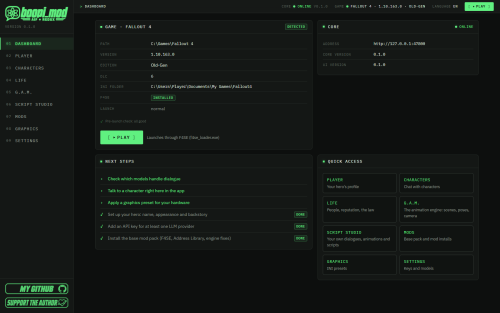
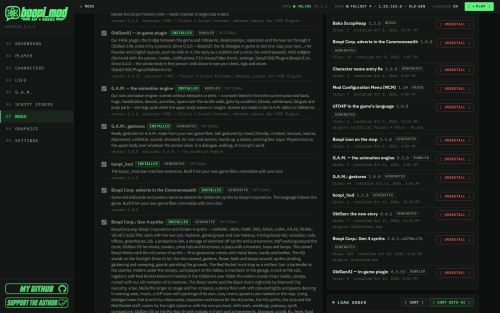
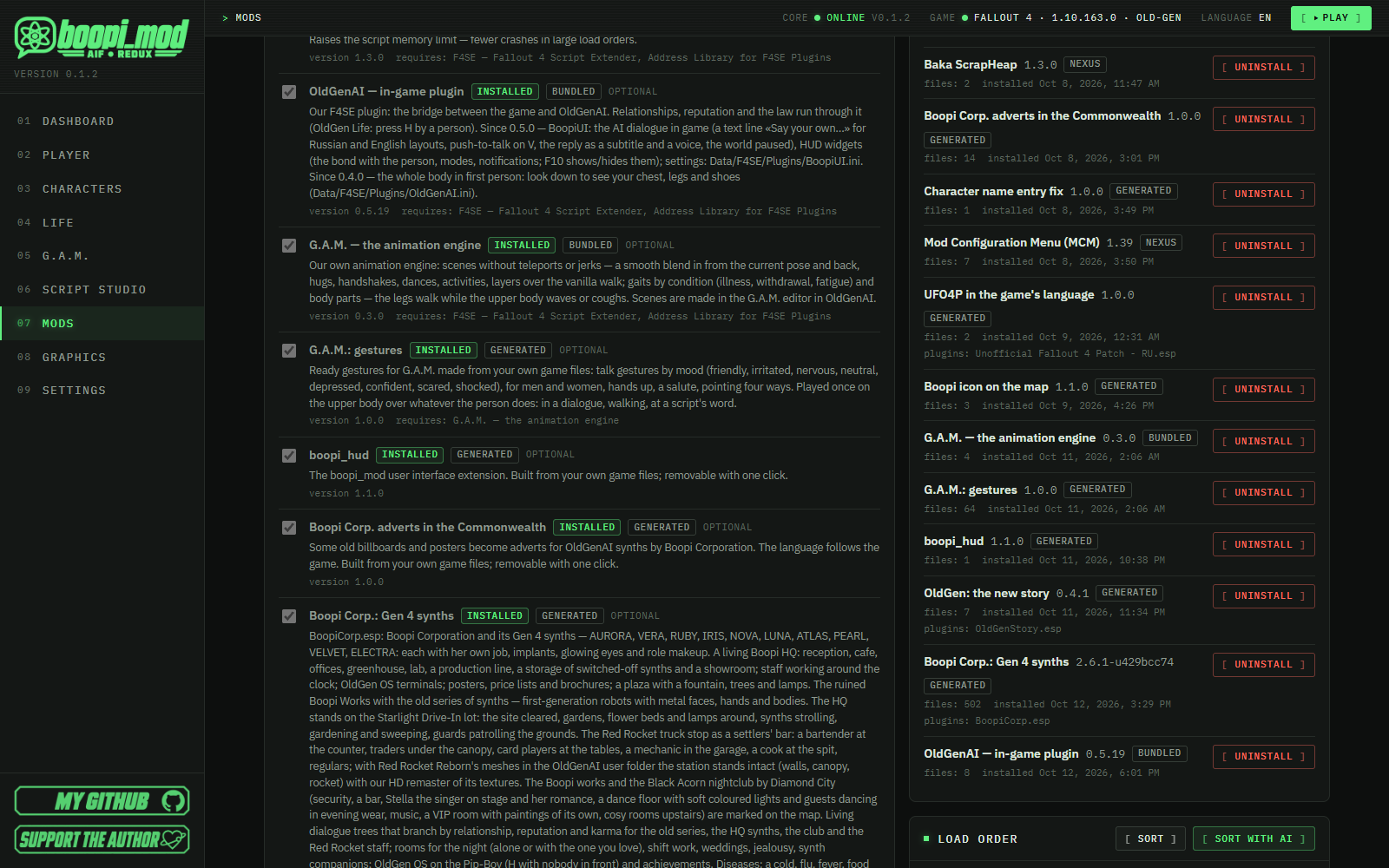
- Mod manager — Base pack in one click, rollback, Nexus inside
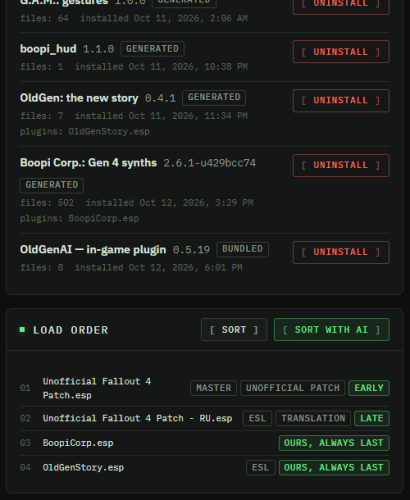
- Smart load order — Shows the plan; "with AI" explains it
- G.A.M.: your animations — 3D editor, IK handles, AI animator
- Animation import — Fallout 4, Skyrim SE and OAR packs — into your editor
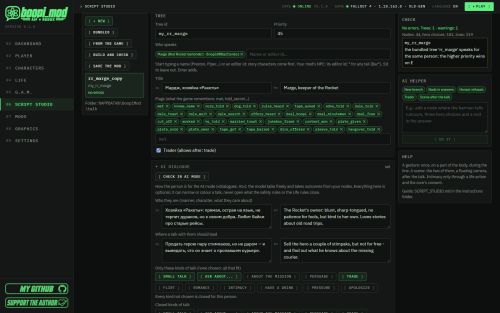
- Script Studio — Dialogues, scenes, voice, your own .ogmod
- AI help & AI dialogue — An assistant in every tool, free talk in the game
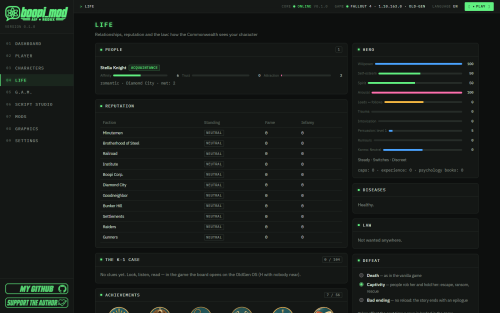
- "Life" — Relationships, reputation, law, 27 characters with memory
- "Lullaby" — 18 missions, 13 side quests, 9 endings
- Voice — TTS, voice cloning, speech recognition

Mod manager
- Base pack in one click: F4SE, Address Library, Buffout 4 NG, UFO4P (with a translation for your game language), High FPS Physics Fix, MCM, Baka ScrapHeap. Dependency order, SHA-256 checks.
- Install with a journal and full rollback: removing a mod restores the original files byte for byte. zip / 7z / rar by drag and drop; a Nexus Mods window inside the app.
- Smart load order: "Sort" shows the plan first; "Sort with AI" also explains every plugin.
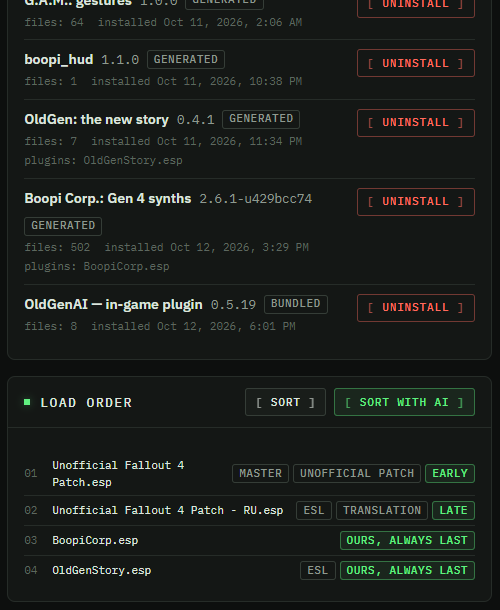
- Our own parts are built on your machine from your game files: "G.A.M. — animation engine", boopi_hud, "OldGen: new story".

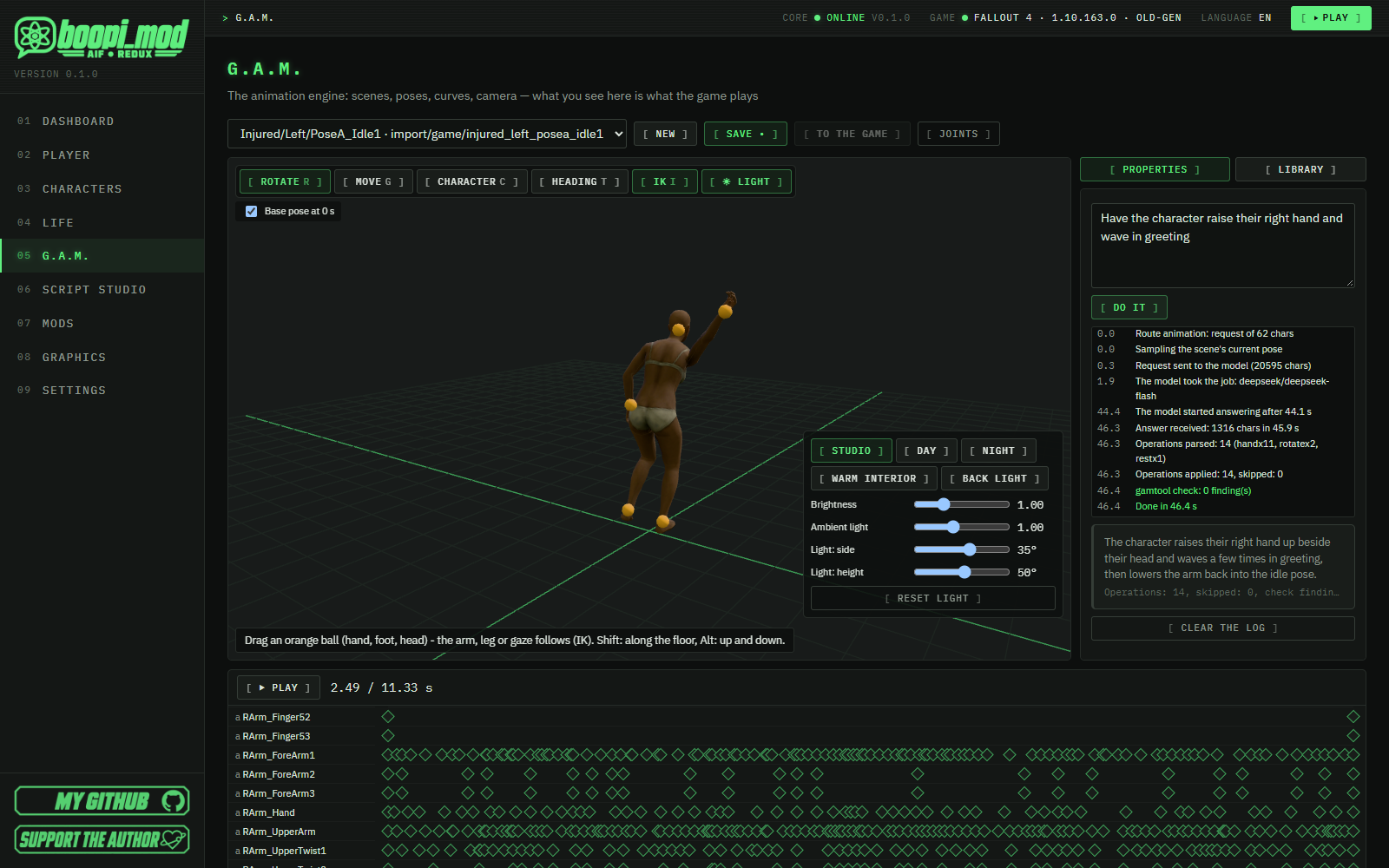
G.A.M.: create and import animations
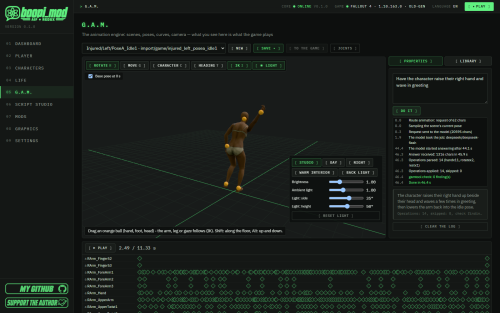
- 3D editor: timeline, bones, IK handles on hands, feet and head, lighting, camera, several actors, creatures and furniture. What you see in the editor is what plays in the game.
- AI animator: "make him wave hello" — and the model builds the scene; polish it by hand afterwards.
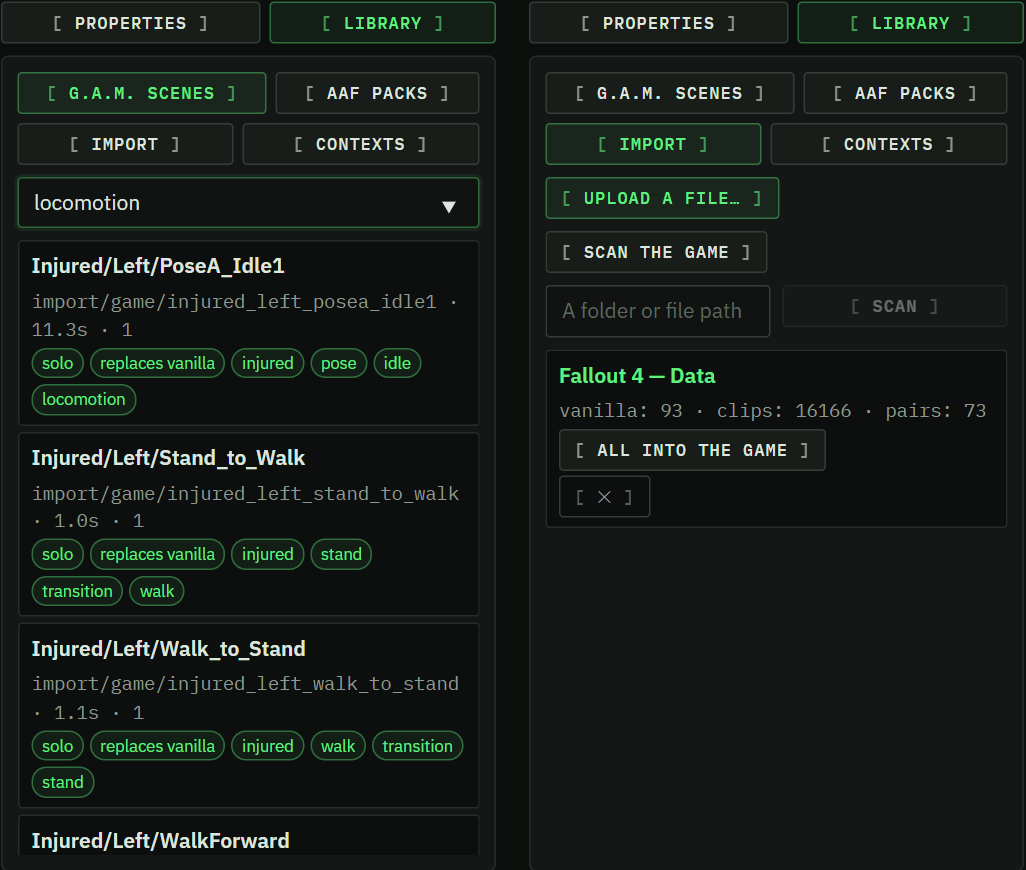
- Animation import: animation packs you have installed (Fallout 4 packs, OAR gaits, Skyrim SE animations retargeted onto the Fallout 4 skeleton) open in G.A.M. for editing. Rights to imported animations stay with their authors.
- Our own scene player GAM.dll.

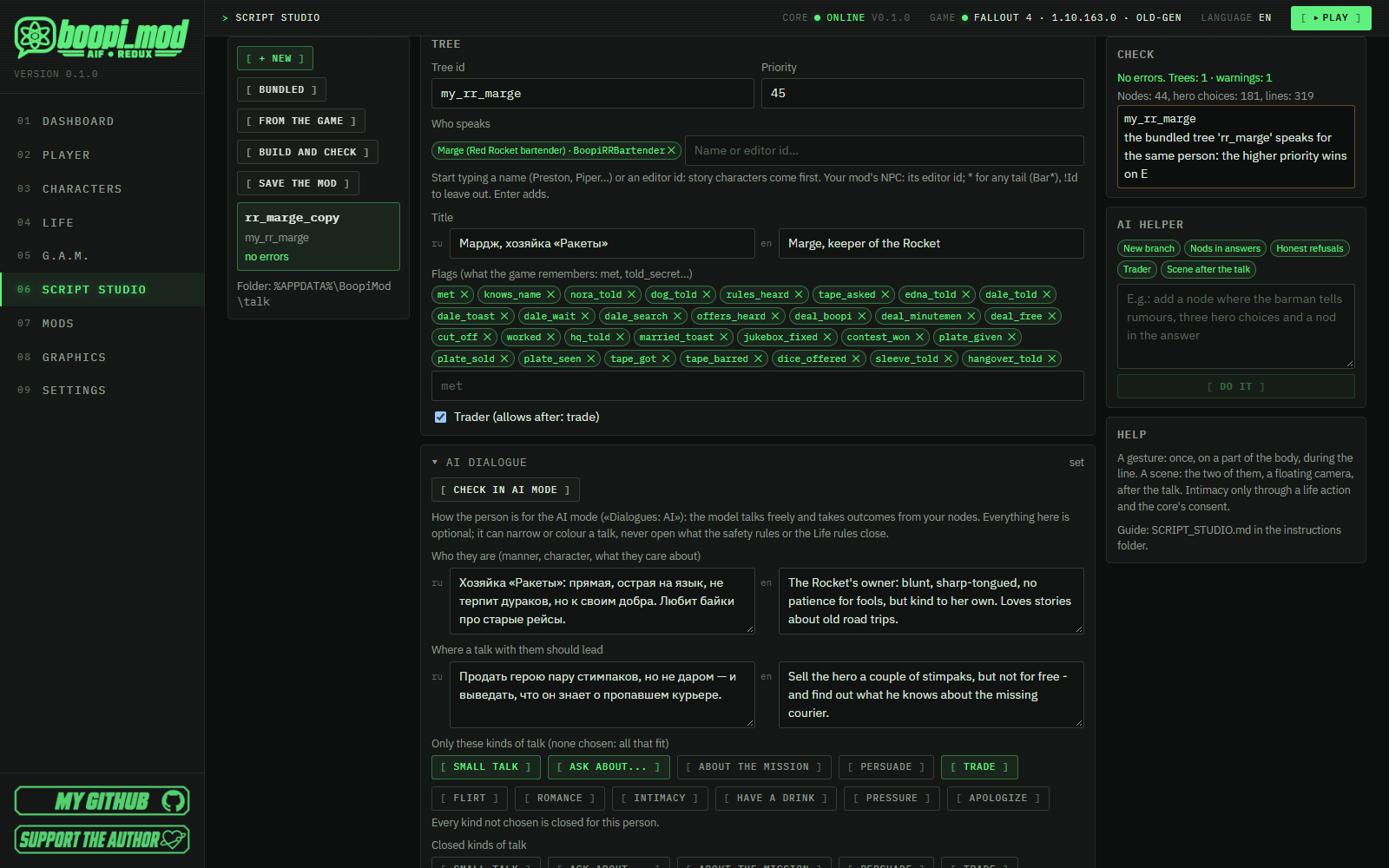
Script Studio: dialogues, scenes and your own mod
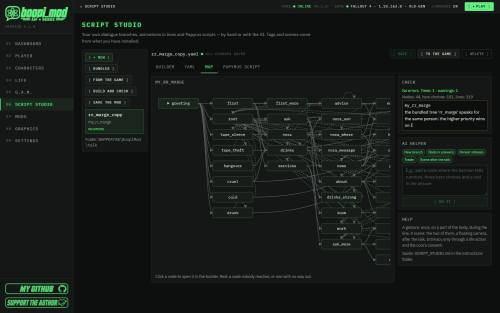
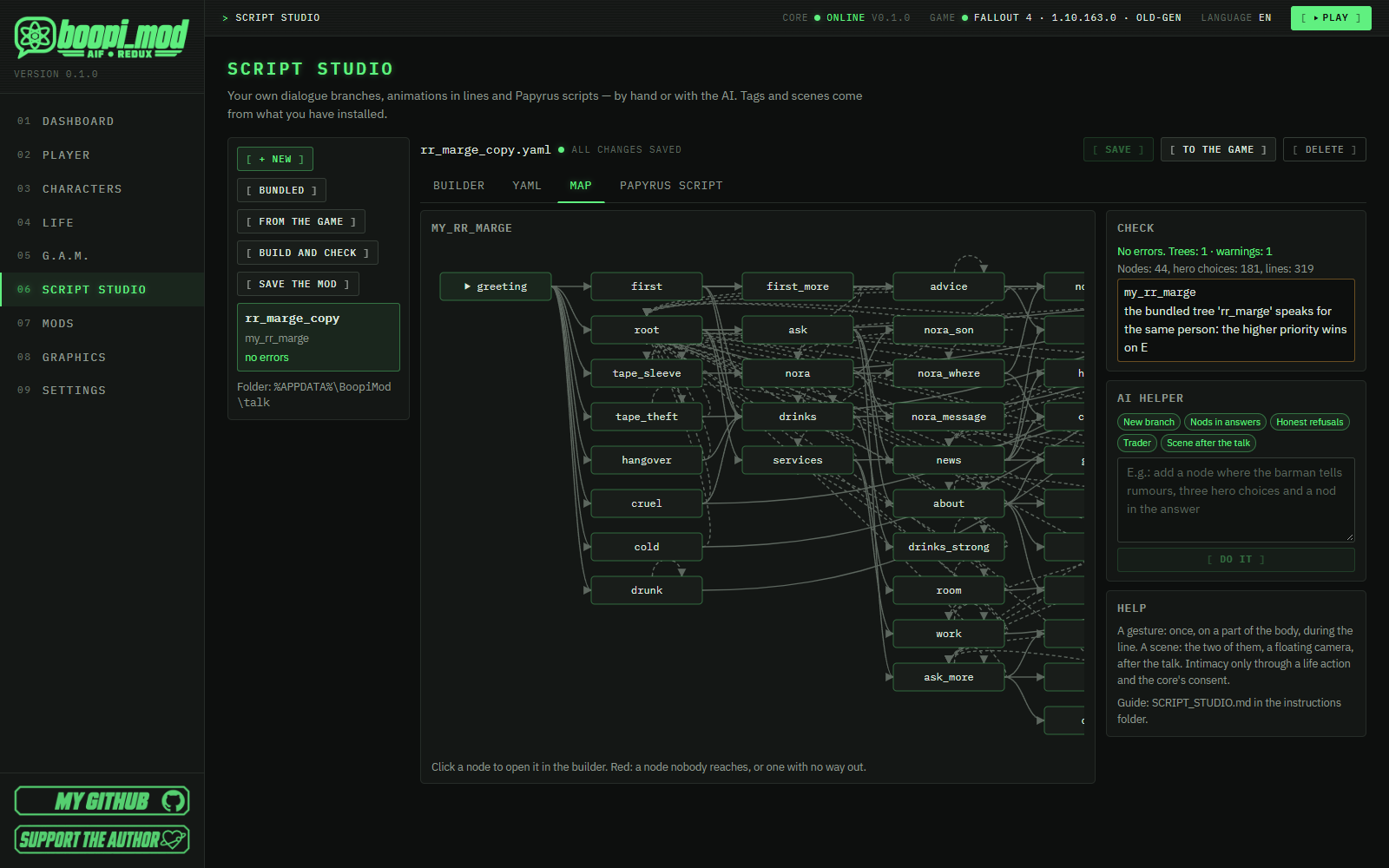
- No programming: dialogue trees in forms or YAML, a branch map, a checker that jumps to the error, gestures and scenes right in the lines.
- Branches off the game's own wheels: take a real Fallout 4 conversation and add your own option to its wheel.
- Voice from your recordings or synthesis, with lip sync.
- Your own mod as one .ogmod file: another player drops it into the window — dialogues, voice and scenes install and uninstall together.
- AI helps: writes a branch from a description; "Check in AI mode" opens a test chat before you even start the game.

AI help and in-game AI dialogue
AI is a modder's assistant and, separately, a way to play. It is optional: the mod manager, studio, G.A.M. and graphics work without it.
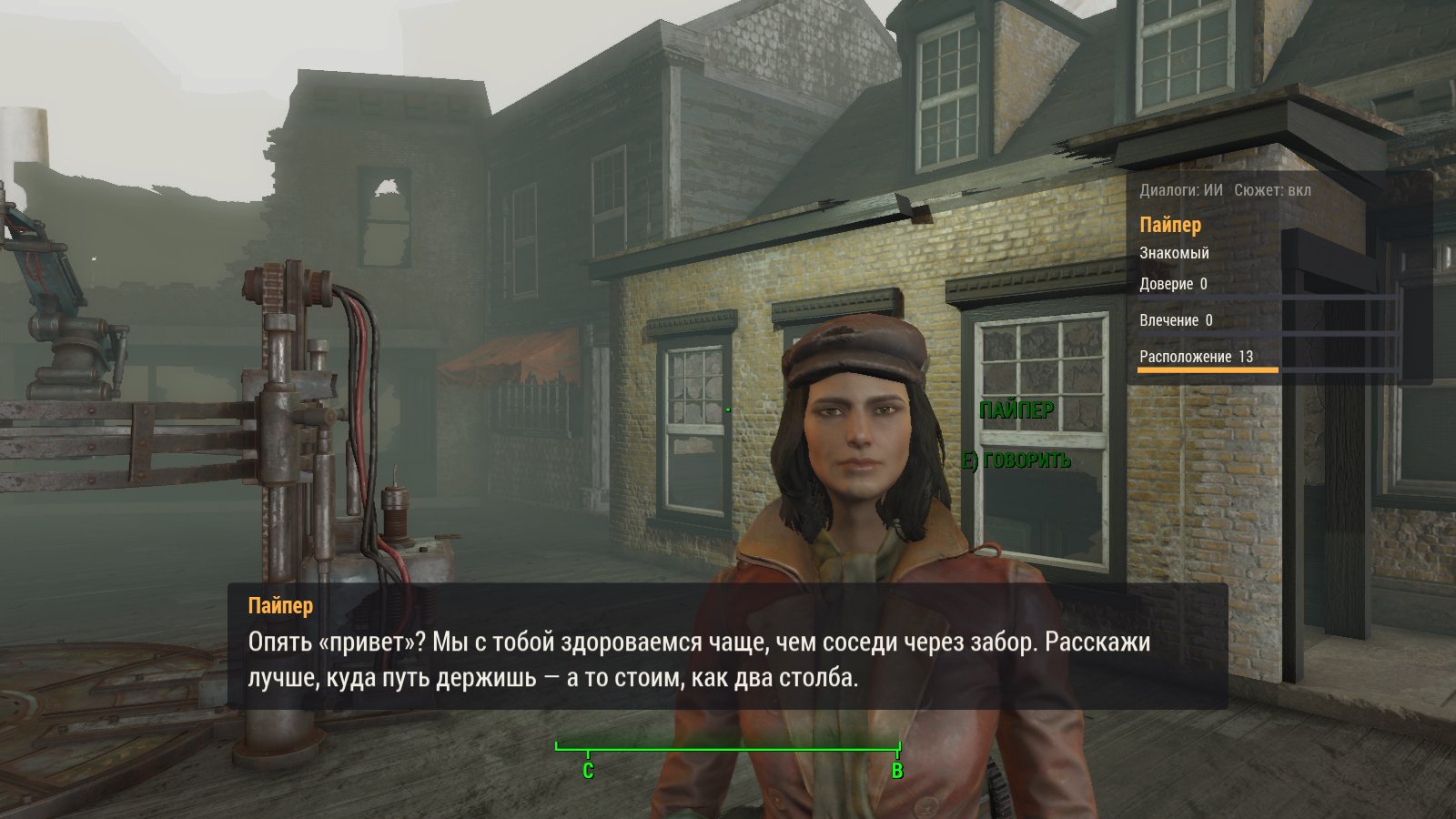
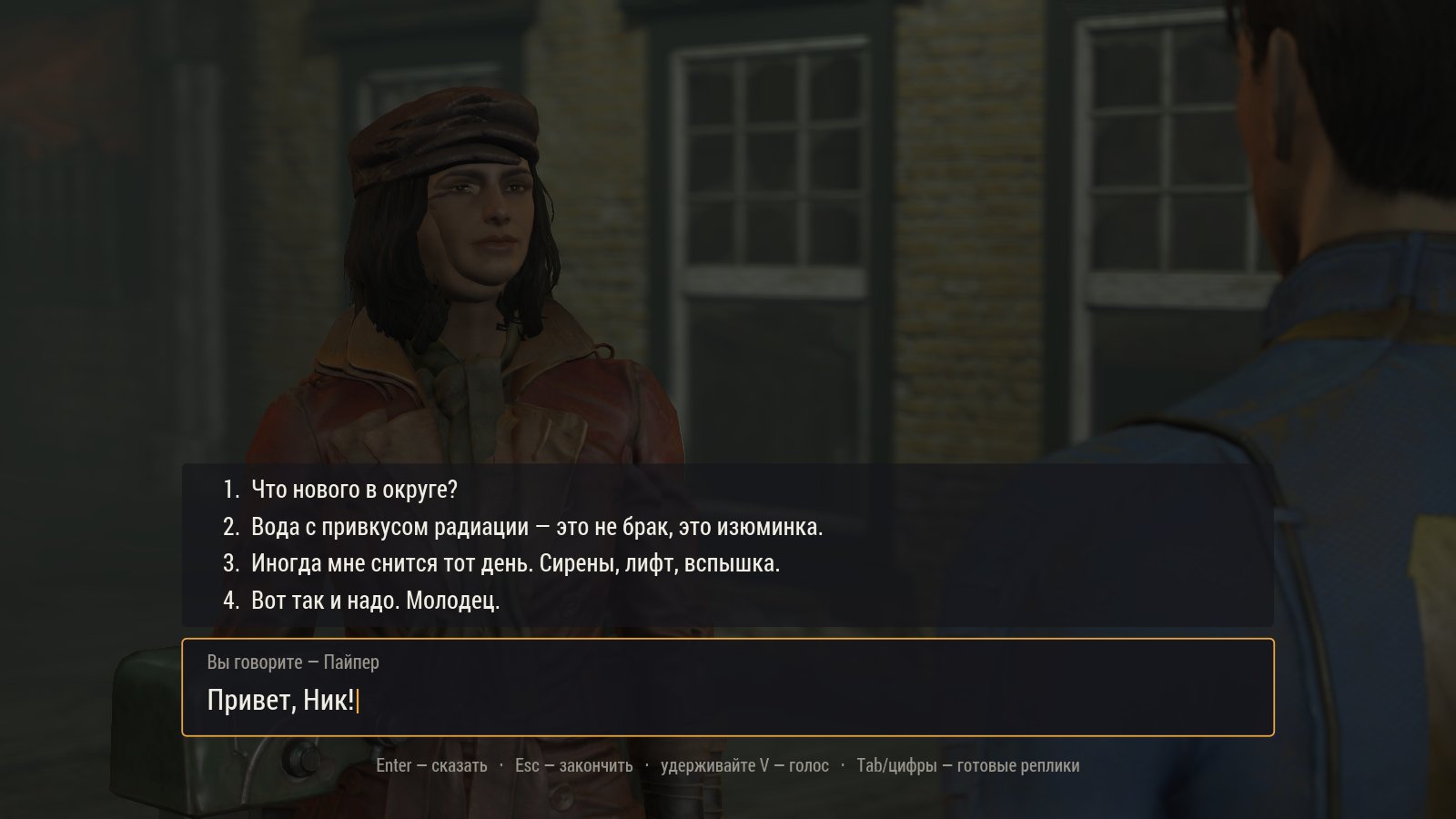
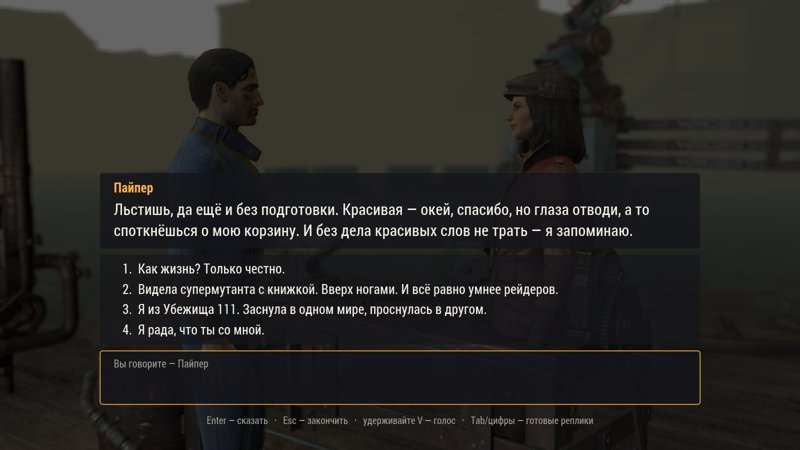
- "Progressive AI dialogue" mode: the wheel gets a "Say your own…" entry — type (Russian or English layout) or speak while holding V.
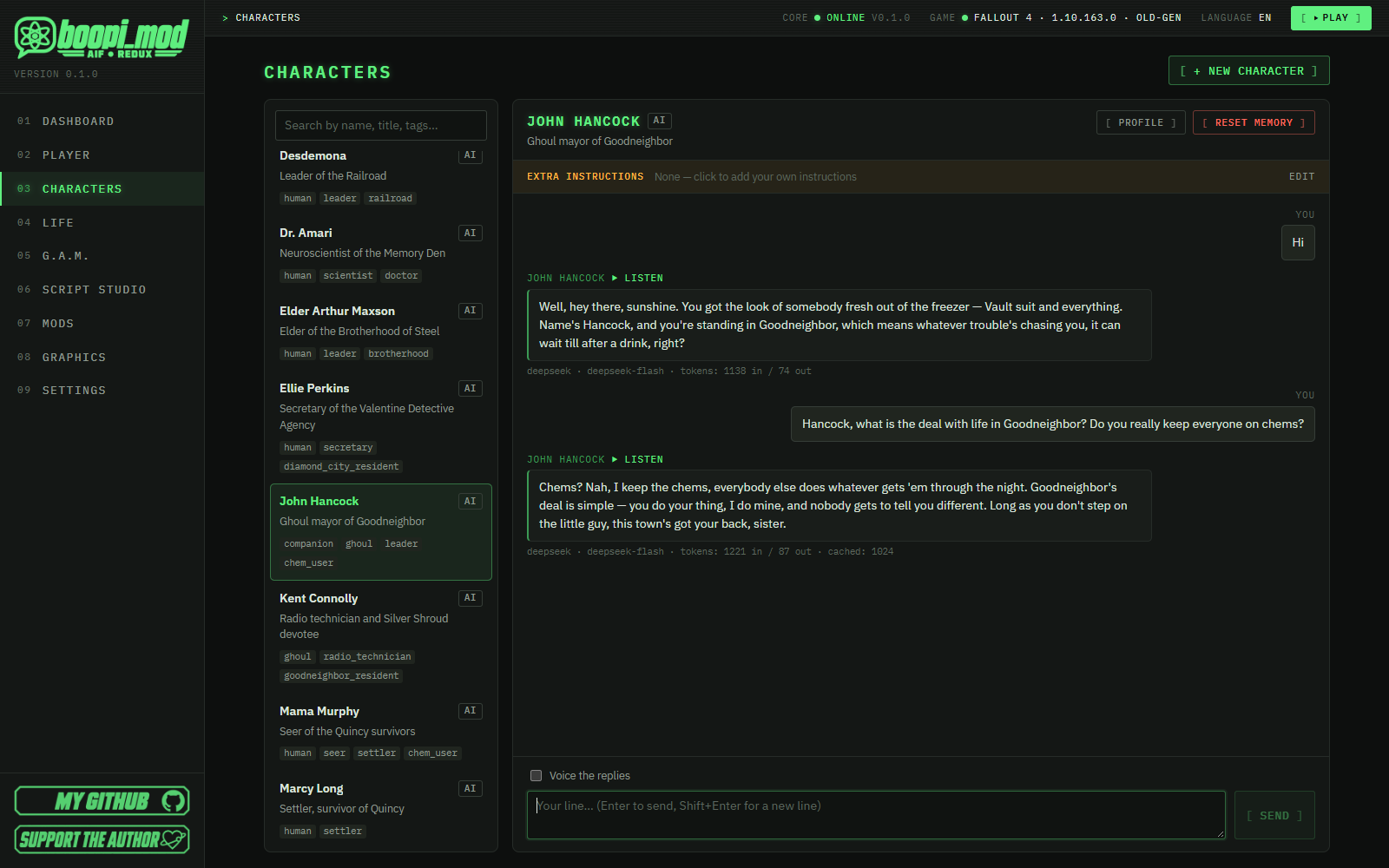
- Characters know who they are, your history together, your S.P.E.C.I.A.L., karma and story progress — and answer in character, as a subtitle and a voice.
- Real outcomes: the AI only asks, the core validates and executes — an item, a quest stage, a flag, a scene, but only what the authored dialogues allow.
- API key: OpenRouter, DeepSeek, OpenAI — or a local Ollama.
"Life" and living people
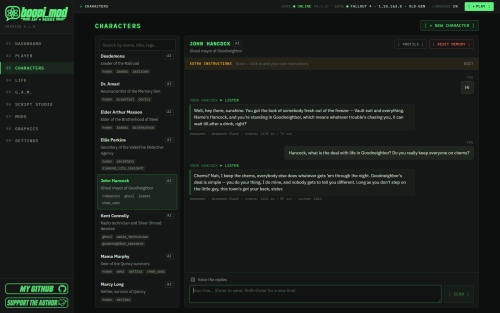
- 27 key characters with lore, personality and memory — talk to them right in the app before you even launch the game.
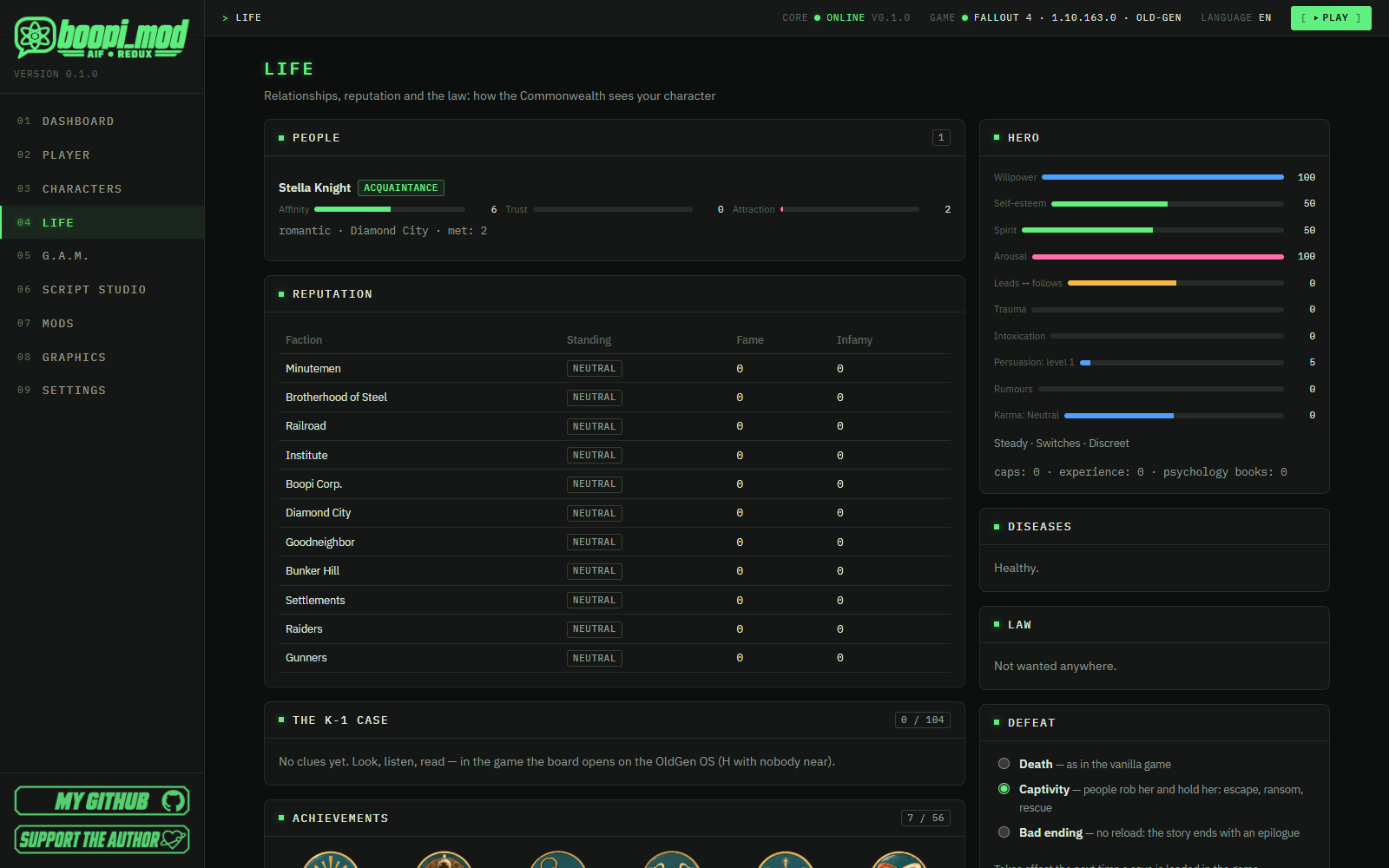
- "Life" — one coherent system: relationships, faction reputation, law and bounties, dates, jealousy, jobs, weddings, diseases, settler abductions.
- OldGen OS on the Pip-Boy (H key): people, reputation, dossiers and 57 achievements.

"Lullaby": a new story
For two hundred and ten years a machine kept you safe in a secret pod. You were woken a year early, because someone came for you. To learn who you are, you must find the ones who came — and remember the morning you asked to forget.
- You are the second sleeper of Vault 111. Pod K-1. The OldGenAI core wakes you at 09:44, while Nora left sixteen days ago to look for her son.
- Boopi Corp.: its headquarters, Gen 4 synths, the Black Acorn night club and the Red Rocket bar.
- "Case K-1" — a detective story: who am I, who woke me, why am I hunted. An evidence board, a cipher, mini-games. You may not be who you think you are.
- 4 acts, 18 main missions, 13 side quests, 9 endings — driven by your decisions and reputation.
- Vanilla woven in, not thrown out: Vault 114, Fort Hagen, Kellogg's memory, the Glowing Sea — inside the new line; side quests, companions, factions and DLC stay.
Voice and graphics
- Text-to-speech: Edge TTS (no key), ElevenLabs, OpenAI, Piper, XTTS-v2 with voice cloning from the game's own lines, Silero.
- Speech recognition: faster-whisper locally or OpenAI Whisper; push-to-talk on V.
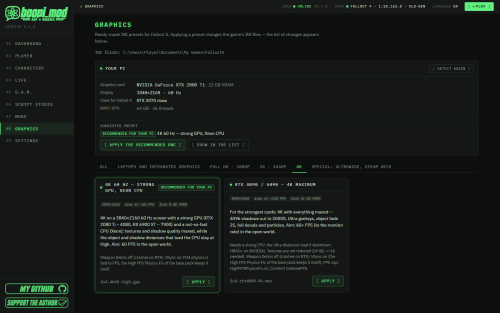
- 12 graphics presets and a recommendation for your PC (GPU, display, RAM, CPU).

Install
- Download boopi_mod-0.1.3-win-x64.zip from the releases page and verify its SHA-256.
-
Unpack to a short path such as
C:\Games\boopi_mod. - Run boopi_mod.exe → "Mods → Base pack" → "Settings → LLM providers" (key, optional) → "Settings → Dialogues" → "Graphics → Apply recommended" → "Play".
Step-by-step with a screenshot for every step — in the README.
- Windows 10 (22H2) / 11 x64, WebView2.
- A legitimate Fallout 4 1.10.163 (Old-Gen). Next-Gen / Anniversary are not supported yet.
- F4SE is required and not included — the app downloads it from the official page on your button.
- For AI (optional): an OpenRouter, DeepSeek or OpenAI key, or a local Ollama.
- This is the first beta: expect rough edges and bugs — report them and I'll fix them quickly.
- No lip sync in the AI dialogue yet; vanilla quest dialogues get the AI mode in the next release.
- The story is a first public edition; a new game is recommended for it.
- The files are not code-signed — SmartScreen may warn; verify the SHA-256.
- Windows only.
The project contains adult content (18+). The content rules are built into the core and cannot be bypassed by settings or by a model's reply: romance and intimacy only between adults and with consent; coercion is closed; a child never takes part in such scenes under any settings.
Plans: Skyrim, Starfield, Cyberpunk 2077, The Sims 4
Planned: boopi_mod for other games — Skyrim, Starfield, Cyberpunk 2077 and The Sims 4. What comes first and when depends on interest in the project, support and stars on GitHub:
- ⭐ Star the repo on GitHub — the best way to show the project is wanted;
- 💬 tell me in the comments which game you want most;
- 🧡 support on Boosty — it directly speeds up the work.
Feedback
Feedback wanted — report problems and ideas, we'll sort them out. In the comments or on GitHub Issues. For a bug, attach the app version, %APPDATA%\BoopiMod\logs\all.log, the F4SE crash log and the steps.
🧡 Questions and requests posted on Boosty are handled first.
boopi_mod is an unofficial project, not affiliated with Bethesda Softworks / ZeniMax Media. Fallout is a trademark of its owners. Freeware, all rights reserved: free to use and to share the original archive; no modified versions, no commercial use. Author: boopi-coder.
Edited by sibawal
What's New in Version 0.1.3 beta
Released
New license: freeware, all rights reserved. Fixes in the story scripts and data; a clearer notice about the component removed from earlier versions. Descriptions and guides updated. Already on 0.1.x? The app offers the update by itself (Settings → About → Check now).