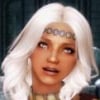
ongwk733 Posted August 24, 2017 Posted August 24, 2017 Hey guys, I need some help here. I have a character that looks like this: And I followed a video guide to make him into a custom follower in the creation kit. Copied the appropriate hair mesh and all that. For the most part he turned out exactly as I intended, with one problem. There's some sort of polygon distortion going on with his hair a bit. Initially I thought it was because I missed out on making a TextureSet for his hair, so I went and did that. But the problem was still there. Anyone know how I can fix it? I've had this issue on another custom follower before, but it was more minor and I could ignore it. Can't ignore this one though, any help? Thanks in advance! 00000D64.NIF
Azazellz Posted August 24, 2017 Posted August 24, 2017 Maybe you post this follower FaceGen file?In that case anyone who want help you can look at this and say that goes wrong.
Andy14 Posted August 24, 2017 Posted August 24, 2017 Looks like wrong alpha setting in nif - or missing tri in headparts (hair, hairline) in ck.
ongwk733 Posted August 24, 2017 Author Posted August 24, 2017 Maybe you post this follower FaceGen file? In that case anyone who want help you can look at this and say that goes wrong. Edited the post with the facegen .nif Looks like wrong alpha setting in nif - or missing tri in headparts (hair, hairline) in ck. So what do I have to change to fix it? I copied over the same mesh being used by the hair mod for my player character and it looks fine there. The hair mod doesn't come with .tri files, only .nif. So I left the .tri unchanged from a duplicated hair from the CK. Should I go back and leave that field empty?
Azazellz Posted August 24, 2017 Posted August 24, 2017 Issue not in alpha or other similar things. Issue in hair mesh. It distorted. Looks like you deformed it when you edited the appearance of the character. Or maybe the hair mes was distorted when you exporting the head. Here a quick fix. I guess now it should look correctly. 00000D64.NIF
ongwk733 Posted August 24, 2017 Author Posted August 24, 2017 Issue not in alpha or other similar things. Issue in hair mesh. It distorted. Looks like you deformed it when you edited the appearance of the character. Or maybe the hair mes was distorted when you exporting the head. Here a quick fix. I guess now it should look correctly. 00000D64.NIF That fixed it, thanks so much! How did you do it? I've got another follower with the same problem, just on a much smaller scale(like one polygon a little weird) On a related note, how do I export a head without distorting the hair mesh? When exporting I just select the npc in the CK and hit ctrl+f4. Anything I should be doing different?
Azazellz Posted August 24, 2017 Posted August 24, 2017 That fixed it, thanks so much! How did you do it? I've got another follower with the same problem, just on a much smaller scale(like one polygon a little weird) On a related note, how do I export a head without distorting the hair mesh? When exporting I just select the npc in the CK and hit ctrl+f4. Anything I should be doing different? Well, in that case,I noticed that the hair mesh was distorted. But the hairline mesh was without distortion. So I just deleted the distorted mesh, duplicated the good one, and replaced some parameters in alpha transparency, so that everything would look the way it should look. But, of course, it was possible to go the other way (if both meshes have distortion) - import the hairstyle directly from the mod from which it comes from (ks hairs in this case). Personally I when make custom followers heads, use RaceMenu (or ECE) "head export" feature.
ongwk733 Posted August 24, 2017 Author Posted August 24, 2017 Well, in that case,I noticed that the hair mesh was distorted. But the hairline mesh was without distortion. So I just deleted the distorted mesh, duplicated the good one, and replaced some parameters in alpha transparency, so that everything would look the way it should look. But, of course, it was possible to go the other way (if both meshes have distortion) - import the hairstyle directly from the mod from which it comes from (ks hairs in this case). Personally I when make custom followers heads, use RaceMenu (or ECE) "head export" feature. ECE has a 'head export' feature? I always saved the face to the last CME slot and used nose slider 33, but that doesn't carry over the hair.
Azazellz Posted August 25, 2017 Posted August 25, 2017 ECE has a 'head export' feature? I always saved the face to the last CME slot and used nose slider 33, but that doesn't carry over the hair. Latest version have. Just press F1. Or you can use this mod.
ongwk733 Posted August 25, 2017 Author Posted August 25, 2017 ECE has a 'head export' feature? I always saved the face to the last CME slot and used nose slider 33, but that doesn't carry over the hair. Latest version have. Just press F1. Or you can use this mod. I just updated ECE and sure enough, there's an export head feature now. Thanks! So after exporting, I just put this .nif into the FaceGenData file after hitting ctrl+f4 in CK? And I have another favor to ask, if you don't mind.. That other follower I mentioned had the same issue but more minor, do you think you can help me fix that too? I have barely any knowledge with Nifskope.. The left one is the follower with a slight distortion on her bangs, the right one is the player. Is the cause of the issue the same? 00000D70.NIF
Azazellz Posted August 25, 2017 Posted August 25, 2017 I just updated ECE and sure enough, there's an export head feature now. Thanks! So after exporting, I just put this .nif into the FaceGenData file after hitting ctrl+f4 in CK? And I have another favor to ask, if you don't mind.. That other follower I mentioned had the same issue but more minor, do you think you can help me fix that too? I have barely any knowledge with Nifskope.. 20170806220549_1.jpg The left one is the follower with a slight distortion on her bangs, the right one is the player. Is the cause of the issue the same? Yes, after ctrl+f4 you need to replace generated facegen file with file, that generated by ECE. But you may need to rename the names of all forms in a new file, so that they match the old one. Yes, in this case issue the same - distordet hair mesh. But this time the distortion was not only the hair shape, but also hairline shape. And, as I can see, you changed the shape of the head of this character, so the standard hairstyle from KS hairs might get in the wrong place (fall into the head, for example). It would be better if for this case you send me .jslot file for ECE, that I could do the export of the head from scratch. This should be faster than if I manually set the position of the default KS hairstyle.
ongwk733 Posted August 25, 2017 Author Posted August 25, 2017 Yes, after ctrl+f4 you need to replace generated facegen file with file, that generated by ECE. But you may need to rename the names of all forms in a new file, so that they match the old one. Yes, in this case issue the same - distordet hair mesh. But this time the distortion was not only the hair shape, but also hairline shape. And, as I can see, you changed the shape of the head of this character, so the standard hairstyle from KS hairs might get in the wrong place (fall into the head, for example). It would be better if for this case you send me .jslot file for ECE, that I could do the export of the head from scratch. This should be faster than if I manually set the position of the default KS hairstyle. I made use of the ECE's old lip slider 33 method to increase her head size, so I scaled up her head and shifted the hair's vertical position in Nifskope afterward to get her to look the same as my character. I have exported a head .nif using the newest ECE, that would solve the issue of distortion right? With the new exported head, I would have to redirect all the textures being used by each part? Will directing all the appropriate textures in Nifskope settle that without needing to go into CK? The export feature also exported a .dds file with what looks like the makeup tint, does this substitute the makeup in the CK? What I'm concerned with this is whether or not the export function saves head size too, or the follower will end up with a very small head..
Azazellz Posted August 25, 2017 Posted August 25, 2017 I made use of the ECE's old lip slider 33 method to increase her head size, so I scaled up her head and shifted the hair's vertical position in Nifskope afterward to get her to look the same as my character. I have exported a head .nif using the newest ECE, that would solve the issue of distortion right? With the new exported head, I would have to redirect all the textures being used by each part? Will directing all the appropriate textures in Nifskope settle that without needing to go into CK? The export feature also exported a .dds file with what looks like the makeup tint, does this substitute the makeup in the CK? What I'm concerned with this is whether or not the export function saves head size too, or the follower will end up with a very small head.. Yes, if you export head using ECE it should fix hair distortion. Not textures. Block names. From "FemaleEyesWoodElfBrown" (for example) in ECE-exported head to "0_LunamariaEyes" (this name in CK-exported head). They should match each other. ECE saves texture pathes that you use in your player model. This .dds should match each other, I guess. Personally I made followers with custom races, and their facetins, generated by CK, were just a randomly generated pictures (with random makeups and warpaints), so I just replace them. I did not know that in the old ECE there is such a feature with an increase the head size, so I can not say anything here, since I did not use it. If I needed to correct the proportions of the figure (the size of the head, the length of the legs, etc.), I just made edits in the skeleton for this character. But this requires a custom race for this character.
Azazellz Posted August 25, 2017 Posted August 25, 2017 Well, manually set the right position for the hair was not so difficult. You can test it. 00000D70.NIFI think everything should look good.
ongwk733 Posted August 25, 2017 Author Posted August 25, 2017 Yes, if you export head using ECE it should fix hair distortion. Not textures. Block names. From "FemaleEyesWoodElfBrown" (for example) in ECE-exported head to "0_LunamariaEyes" (this name in CK-exported head). They should match each other. ECE saves texture pathes that you use in your player model. This .dds should match each other, I guess. Personally I made followers with custom races, and their facetins, generated by CK, were just a randomly generated pictures (with random makeups and warpaints), so I just replace them. I did not know that in the old ECE there is such a feature with an increase the head size, so I can not say anything here, since I did not use it. If I needed to correct the proportions of the figure (the size of the head, the length of the legs, etc.), I just made edits in the skeleton for this character. But this requires a custom race for this character. I only took a glance at it in Nifskope but all the head,eyes,forehead, mouth and hair parts all were named as 'Luna' already, only the textures they were pointing to where all towards my games's directory instead of the folder I made with the copied textures. I was being dumb, mixed up what I saw looking at the exported head with the CK head.. >< Well, manually set the right position for the hair was not so difficult. You can test it. 00000D70.NIF I think everything should look good. The hair looks right now, only it's in black. Thanks! What did you do to fix it? Also how do I change the hair color from here After looking back at the CK, I saw the hair mesh I copied from KS Hairs and made into a headpart in the CK already had the distortion present. What could have caused that? Edit: Found the option to change the tint color in Nifskope. So scratch that.
Azazellz Posted August 25, 2017 Posted August 25, 2017 After looking back at the CK, I saw the hair mesh I copied from KS Hairs and made into a headpart in the CK already had the distortion present. What could have caused that? Well, this is beyond my knowledges. And sorry about the hair color. I just forgot to set tint color after importing default hair model =)
ongwk733 Posted August 25, 2017 Author Posted August 25, 2017 After looking back at the CK, I saw the hair mesh I copied from KS Hairs and made into a headpart in the CK already had the distortion present. What could have caused that? Well, this is beyond my knowledges. And sorry about the hair color. I just forgot to set tint color after importing default hair model =) You helped me out a lot with this, thanks! Is there a guide I can look up for stuff relating to Nifskope? Like what you said about importing the hair model and setting all the relevant nodes and stuff. Besides the very basic, Nifskope still confuses me.
Azazellz Posted August 25, 2017 Posted August 25, 2017 You helped me out a lot with this, thanks! Is there a guide I can look up for stuff relating to Nifskope? Like what you said about importing the hair model and setting all the relevant nodes and stuff. Besides the very basic, Nifskope still confuses me. No problem. I am glad to help. If you need something - feel free to ask. If there are any such guides, I do not know about them. All that I have learned - I learned myself, by trial and error. It's time consuming, but also fun =)

Recommended Posts
Archived
This topic is now archived and is closed to further replies.