

About This File
S4ModCleaner is a tool comprising a simple PowerShell script using Windows Forms to view and manage duplicates of mods found within a selected folder.
This tool flags files as duplicates via the following criteria:
-The file names AND file sizes match
Examples:
-test.package with file size 12.3MB compared to test.package with file size 8.4MB IS NOT flagged as a duplicate
-test.package with file size 12.3MB compared to test1.package with file size 12.3MB IS NOT flagged as a duplicate
-test.package with file size 8.4MB compared to test.package with file size 8.4MB IS flagged as a duplicate
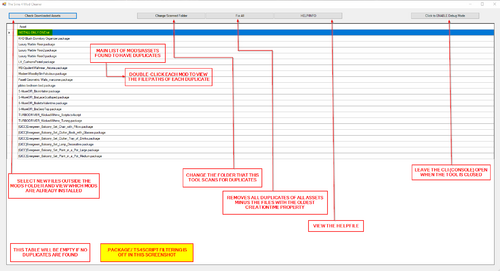
This tool features a comparison tool that allows comparison of currently installed mods with other files/newly downloaded mods to see which files are already installed.
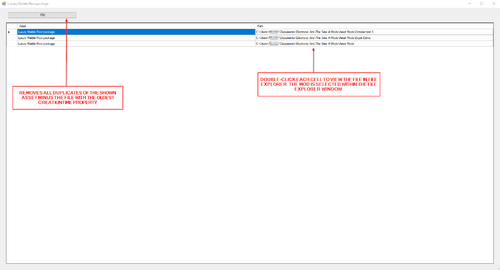
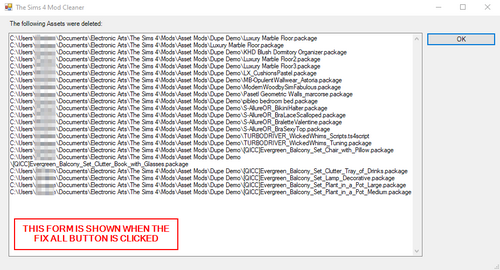
The main feature of this tool is the Fix and Fix All functions. Each function removes the duplicates minus the file with the oldest creation time and all duplicates minus the files with the oldest creation times respectively.
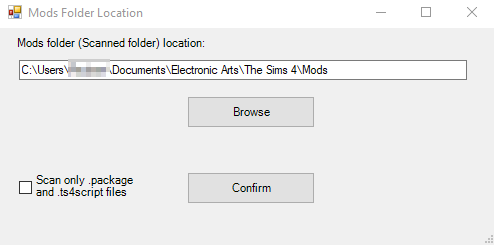
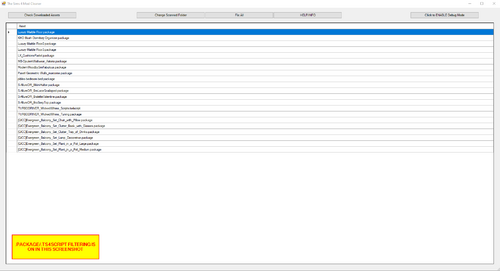
A filter option present on the Mods Folder Location selection form allows scanning for duplicates of ANY file-type OR .package and .ts4script files only.
Please report any suggestions or bugs found.
The desire to quickly find, view, and easily remove duplicate mods resulted in learning PowerShell to create this script. New updates will be released as more is learned.
DISCLOSURES
Usage
Creating a backup of the Mods folder is obligatorily recommended before using this tool.
Distribution
YOU MAY:
-Modify my work
-Redistribute/Re-upload any modified version under a name other than the original, making it clear that this is not the original version
YOU MAY NOT:
-Redistribute/Re-upload the original version without consent
-Redistribute/Re-upload a modified version under the same name/description of the original work
What's New in Version 1.4.2
Released
Corrected the file-path listed in the HELP.txt file to match the script name.
-FROM:
--Create a BATCH file (.bat) with the following code, replacing [SCRIPT LOCATION] with the filepath of the script:
---PowerShell -NoProfile -ExecutionPolicy Bypass -Command "& '[SCRIPT LOCATION]\S4ModCleaner_v1.4.1_Public.ps1'"
---Example: PowerShell -NoProfile -ExecutionPolicy Bypass -Command "& 'C:\Users\Owner\Documents\S4ModCleaner\S4ModCleaner_v1.4.1_Public.ps1'"
-TO:
--Create a BATCH file (.bat) with the following code, replacing [SCRIPT LOCATION] with the filepath of the script:
---PowerShell -NoProfile -ExecutionPolicy Bypass -Command "& '[SCRIPT LOCATION]\S4ModCleaner_v1.4.2_Public.ps1'"
---Example: PowerShell -NoProfile -ExecutionPolicy Bypass -Command "& 'C:\Users\Owner\Documents\S4ModCleaner\S4ModCleaner_v1.4.2_Public.ps1'"