

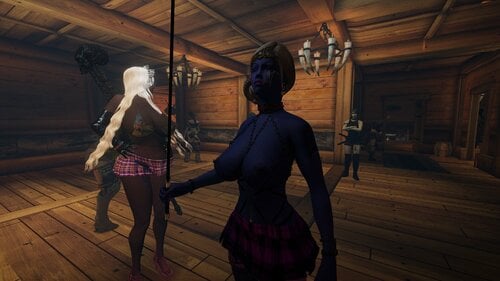
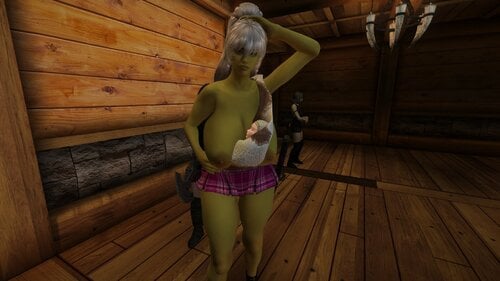
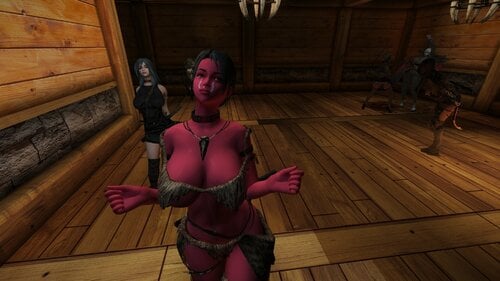
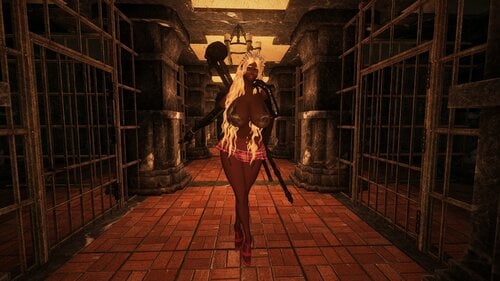
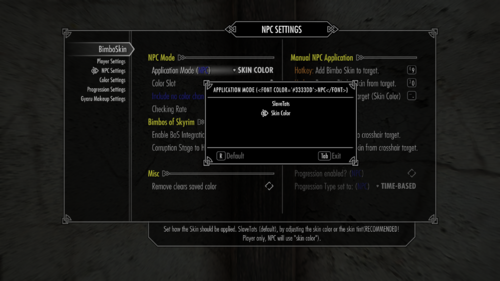
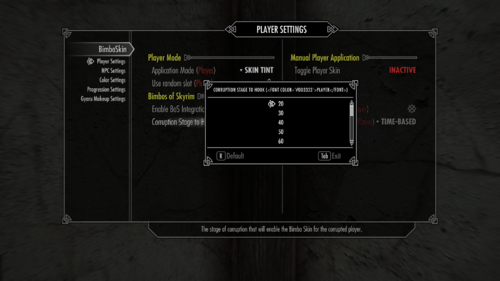
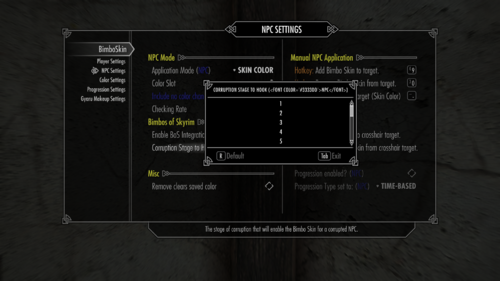
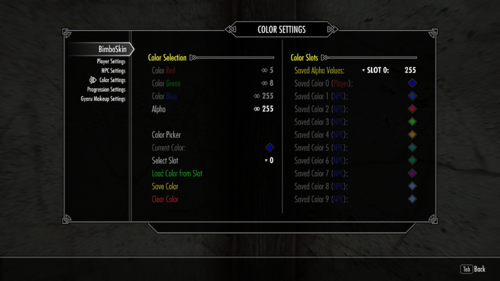
About This File
Due to some reallife stuff I'll take a break from working on this. This is mainly about adding new stuff. If there is a (critical) bug found I'll try to fix it, though I can't guarantee an immediate release of a new version.
Description:
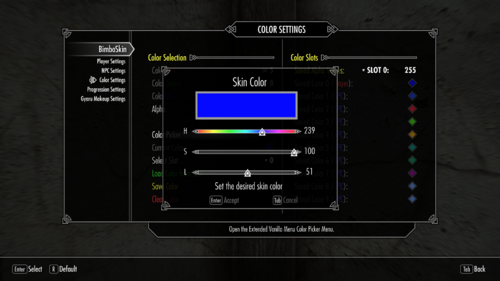
Mainly intended to be a small addon for the great Bimbos of Skyrim (get it now!) mod, this adds multiple methods of changing the player character (PC) and NPCs skin color.
This can be done by menu (NPC & Player), Hotkeys (NPC) or by listening to the corruption event by BoS.
The application method can be set separately for the PC and NPCs.
Additionally instead of a direct application you can choose different progression types.
(Corruption - PC & NPC, Time-Based - PC & NPC, Sleep-Based - PC)
Each of those types also has individual settings and are divided for the PC and NPCs
I tried to make it as customizable as possible.
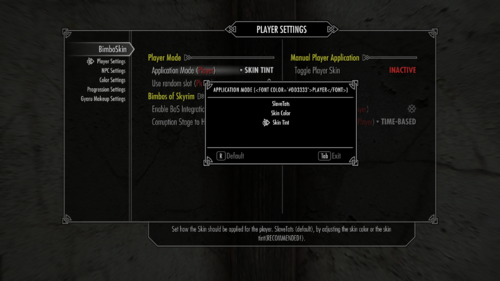
Personally I recommend the Skin Tone method for the player and Skin Color for NPCs, but in the end it's up to preference.
Following is an overview, including known issues (marked red), on the 3 methods implemented. All of them come with their own pros and cons.
-
Skin Tint:
- Only works for the Player Character
- ARGB
-
(Hopefully fixed with 2.3.0) Potentially adds an invalid SkinOverride to your character.
- Using the Debug Option Clear Racemenu SkinOverrides should fix this.
-
Any preset saved with this will either have to:
- Be cleaned by loading the preset, using this option and re-saving it.
-
Edited with a text-editor of your choice by removing the whole "skinOverrides" section or removing the entry with "key" : 9 and "data" : "" completely:
Spoiler
So for this example the whole "skinOverrides" section could be removed.
 "skinOverrides" : [
      {
         "firstPerson" : false,
         "slotMask" : 4,
         "values" : [
            {
               "data" : "",
               "index" : 7,
               "key" : 9,
               "type" : 2
            }
         ]
      }
   ],
Alternatively it could be edited so it looks like this (unconfirmed as I never had any additional skinOverride entries myself and simply removed the whole section). This might be the preferred method if the section does not consist only of the invalid entry:
 "skinOverrides" : [
   ],
-
Skin Color:
- Uses SetSkinColor function from PO3's Papyrus Extender and has a few drawbacks.
- Works on NPCs
- RGB only. No alpha changing.
- Uses a Magic Effect for the color changing.
-
Uses a checking interval to reapply the effect on NPCs who lost the effect for several reasons, e.g.:
- Player left the cell the NPC is in and re-enters.
- An (external) event caused a NiNodeUpdate.
- etc.
-
(Un-)Equipping armor also runs a NiNodeUpdate (also on the player!). On these events the effect will be directly re-applied for NPCs and the PC.
-
Skyrim's equipping event does not wait for the unequipping event to end, so a short delay way added.
- Script lag, etc. could lead to a situation where the effect is not reapplied.
- There will be a notable, albeit short flicker when the skin color is reverted to its original color.
-
Skyrim's equipping event does not wait for the unequipping event to end, so a short delay way added.
- Can be applied (and removed) via MCM menu or changeable Hotkeys to the Actor in your crosshair.
- Can be refreshed manually by using a changeable Hotkey to the Actor in your crosshair.
- RaceMenu Overlays retain their original color (starting from version 2.3.0)
- Face shader is switched to FaceGenRGBTint to allow tint changes. Tintmasks will no longer work.
-
Will lead to a CTD if the skin tint is changed afterwards. (RaceMenu or trying to apply Skin Tone method).
-
Steps to reproduce:
Spoiler
- Have type set to "Skin Color"
- Activate the player skin, then deactivate it again
- Set type to "Skin Tint"
- Activate the player skin again.
or
- Have type set to "Skin Color"
- Activate the player skin
- Use showracemenu (or any other way to open RaceMenu) on console
-
Steps to reproduce:
-
SlaveTats:
- The original method of the mod.
- Works on NPCs
- ARGB
- Simply adds a full body tattoo with the set color to the target.
-
Requires adapted textures to fit your setup which I won't provide (See Spoiler).
Spoiler
Notes about the texture:
I (obviously) used the texture I'm using in my game (Baby Girl - HD Fair Skin Complexion) so any other setup will probably require appropriate textures to deliver a somewhat decent result.
The textures edited for testing purposes are included, but I only changed the colors so SlaveTats will allow changing the skin color.Don't expect them to be performance friendly or optimized.
Even if you use the same skin texture mod in your setup I strongly recommend re-creating them yourself.
Basic steps (mostly taken from the official SlaveTats modpage):
- Pick a UV map to work from. Basically, that means finding the skin texture from your favorite body mod.
- Copy the skin texture into an image editor that supports layers (such as Photoshop or GIMP)
- Select the color #444544. That color will be replaced by the user's chosen color when the tattoo is applied. All other colors will be displayed normally.
- Create a layer on top of the skin using above color (with some transparency) / color the skin layer itself.
- Export the file as a .dds including any optimization you want.
- Might overlay any other tattoos / body overlays you're currently using. There's nothing that changes SlaveTats default priority.
- Higher Alpha values will also overlay facial features on the skins bottom layer such as eyebrows!
- Kind of a legacy option.
Originally this was supposed to be a private mod trying to solve an "inconvenience" for myself, as a skin color change was not planned to be included as a corruption step in BoS.
If you notice any bugs, feel free to report them and I'll try my best to fix them.
I'm also not against suggestions, but there are basically 2 conditions:
- It should be doable with my (currently) very limited papyrus experience
- I would like to see / use the feature myself.
Apart from that, anyone is free to take this mess and expand / improve / fix (you name it) it.
Optional Files:
Cum Applicator
Adds a craftable potion Bowl of Semen Cream. This can be used to apply cum to the targets body, as if it was a cream (hence the uncreative name). Intended for usage with mods like Sexy Adventures and similar that feature a (negated) Cum Law of any kind.
-
Craftable with FILL HER UP cum (
1 ingredient = 1 bowl,
3 ingredients = 2 bowls,
5 ingredients = 3 bowls):- Human Cum
- Beast Cum
- Rotten Cum
- Vomit Scum
-
Upon usage will show a menu with following options to select the application area:
- Face
- Crotch area
- Ass
- Cancel
- Adds a small amount of corruption regardless of selected area (5)
- Unlike the Dremora Potions it does not send a FillHerUp event as its supposed to be only smeared on the skin
- Menu text should be different depending on Bimbos of Skyrim status of the player (also when applying it to a NPC)
Requirements (Hard):
- Bimbos of Skyrim
- SexLab or SexLab P+
- Fill Her Up Baka Edition or any other version with sr_FillHerUp.esp
- Extended Vanilla Menus
If theres demand I can make the BoS and EVM requirements optional, this was put together on a whim. Since I use all of the above mods in basically each of my playthroughs nowadays, there was not much effort made in that regard yet.
If anyone else wants to do this, as always, feel free to take that stuff and release a better / improved version. Just keep in mind that the script is like 99% based of the Dremora Semen potions and thus all credit should go to @jib_buttkiss.
Requirements:
- The correct SKSE version for your game
-
Powerofthree Papyrus Extender
BoS BS v.2.4.0 >= PO3 PE 6.x.x+
BoS BS v.2.3.3 < PO3 PE 6.x.x - MCM Helper - Therefore no LE support
- (1.5.97 - 1.6.659 only) BEESL - Backported Extended ESL Support
- (V2.0+) PapyrusUtil
-
(optional) Bimbos of Skyrim (Corruption Event / Corruption based progression) - The reason why this exists, but its not required.
- SexLab or SexLab P+
- SL Aroused or any of its alternatives (e.g. OSLAroused)
- Fuz Ro Doh
- (optional - 1.1) SlavetatsNG or any other (up-to-date) SlaveTats Version (SlaveTats application method)
- (optional - 1.1) Extended Vanilla Menus (Additional Slider menu - if this is found the normal MCM color picker will be disabled and only used to display the current color)
and any of its pre-requisites. I linked their direct requirements below them for ease of use. You still have to check if these have requirements of their own!
Installation:
Nothing out of the ordinay, install as any other mod with a mod manager.
If installing manually:
In the folder ColorPreset you can find an .ini file with set colors. (Mostly "brownish" colors in different variants) Replace the file in MCM/settings with this if you want to use them. Everything else should be identical to the default settings. If you already saved settings before make sure that MCM/settings/Bimboskin.ini is overwritten!
Updating:
Save cleaning should not be required, if you decide to do so, make sure to restore the original color of your character first.
If certain settings are not applied / used as intended set them again on the MCM.
Images:
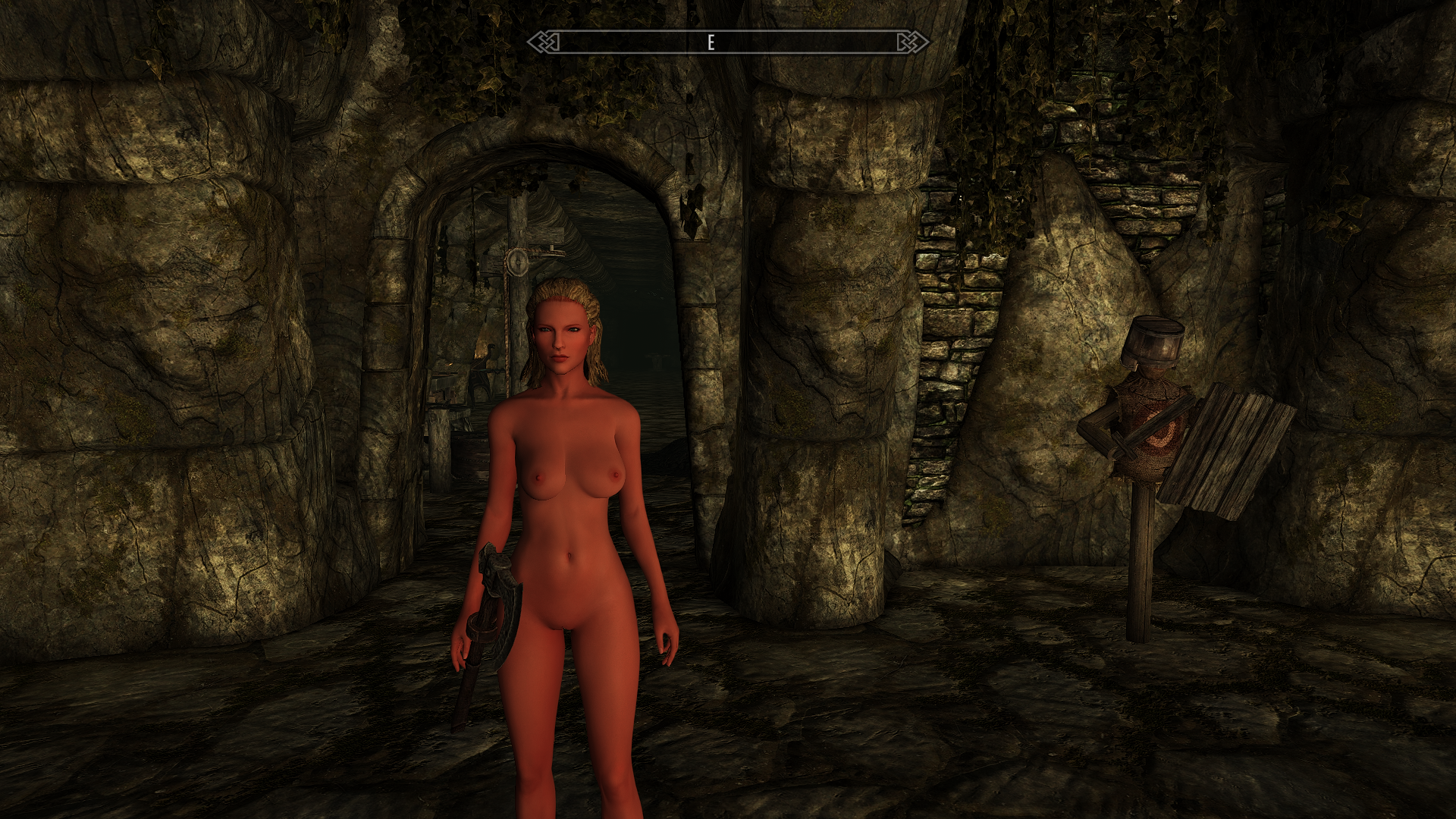
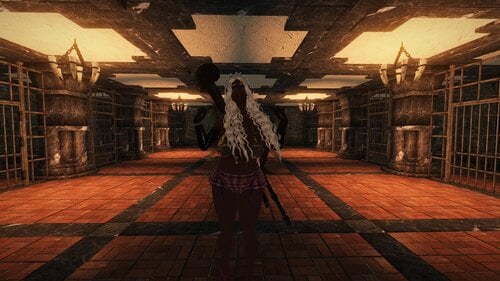
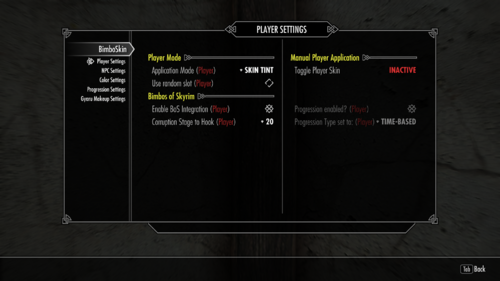
Skin Tone Method on the player:
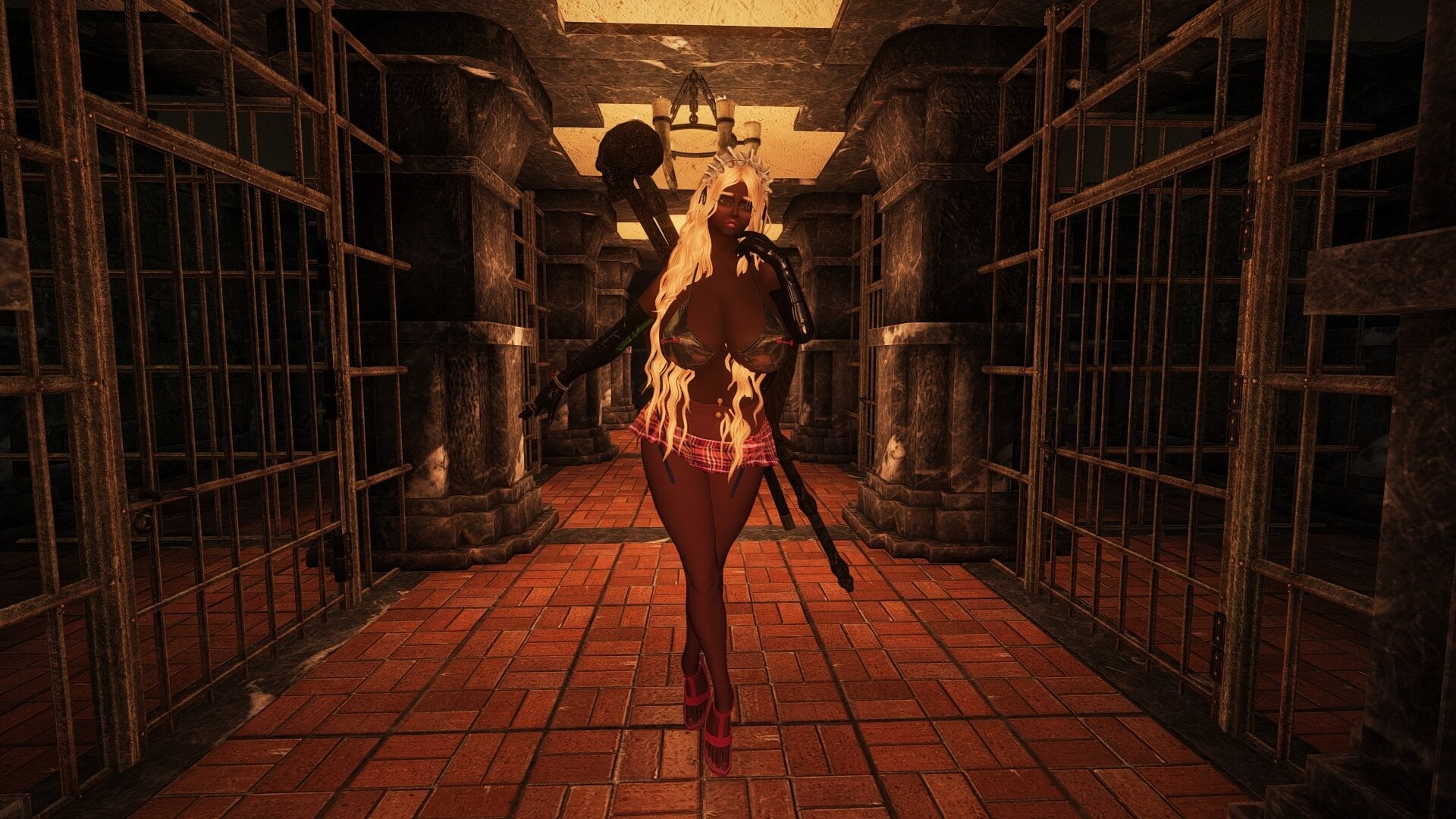
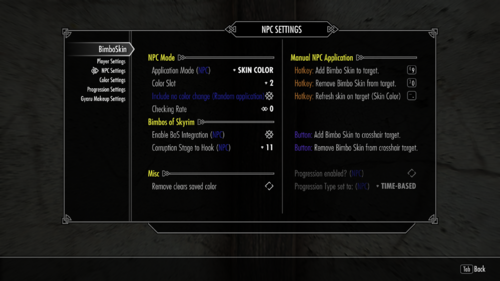
Skin Color Method on a NPC:
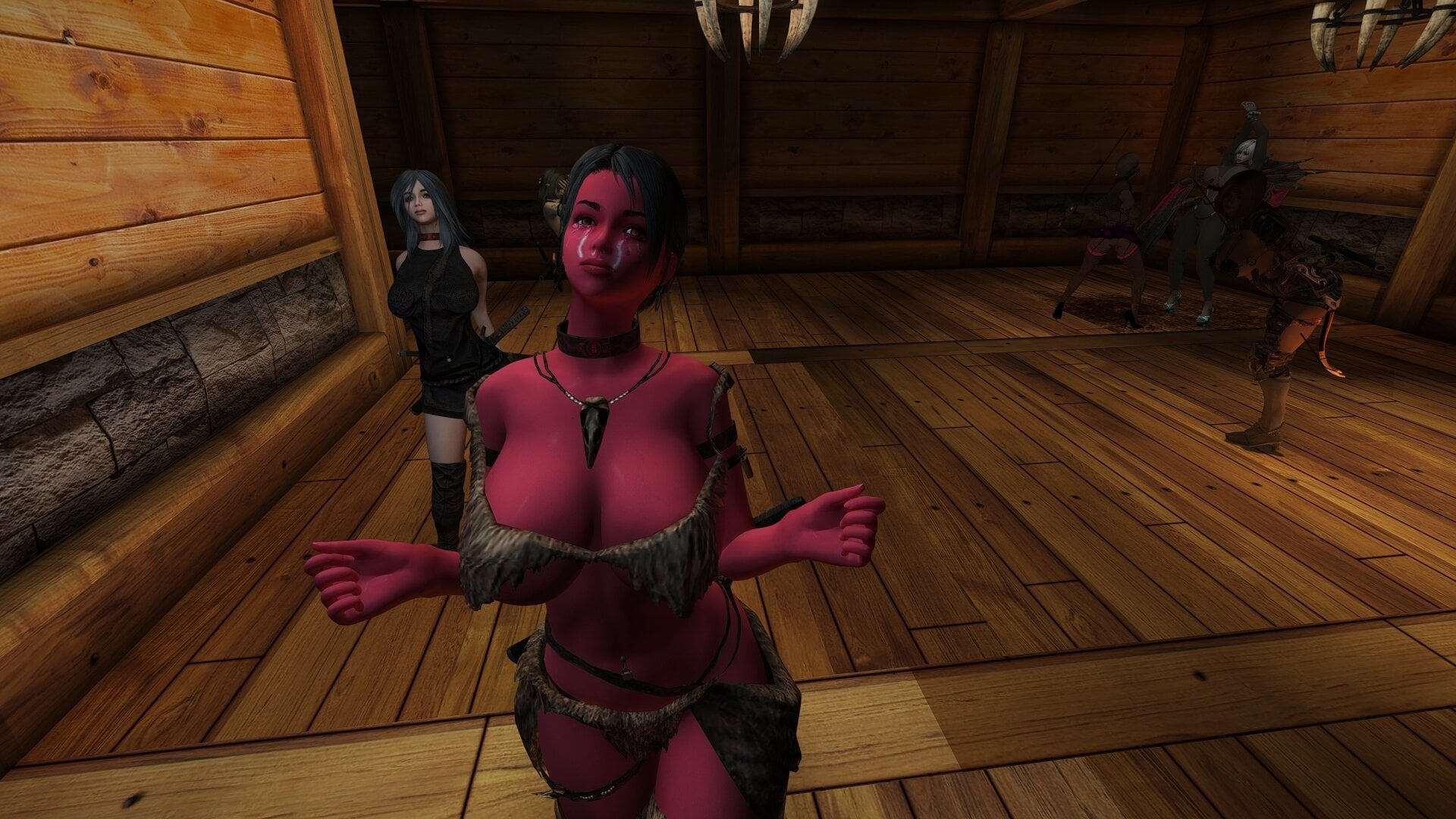
Example of the texture (SlaveTats) being applied with an alpha of 0.50 (I think):
Future Plans (on hold):
- [High] Hopefully fixing the CTD edge case mentioned below (includes CTD by using showracemenu together with Skin Color option)
- [Medium] Adding a BoS independent "curse" to allow for gameplay induced start of the time-based (and sleep-based) progression
- [Medium] Gyaru face overlay options (slave tats)
- [Low]-[Medium] (Depends on the need) Some cleanup tools (e.g. removing all stored values for a target)
- [Low] Save Updateslider setting per NPC
- [Low] perhaps change if the mod name to reflect certain new features (?)
Features completed in earlier versions:
- Reworking the Skin Color spell / magic effect so that a manual refresh is not required. If anyone can recommend an implementation method I'd be grateful.
- Expand NPC implementation (separate it from player settings; Corruption stage integration)
- Send skin tone change race menu mod event when the player change is done. Assuming that this will make other nods (beach body) adapt to it properly.
2.1:
- Adding a checkbox "Allow Do not change". Mainly for random application so if theres a change triggered there's a chance that it will not change the color.
- Add keyword to block NPC from having a color change.
- Include the player keyword on the check, so certain NPCs can receive the same color the player receives by using the SPID config file.
- Include Alpha value when saving colors to slots.
- Allow Update slider value 0 to disable it.
- Alpha slider condition fix.
2.2
- Add a splashscreen to the MCM
- (maybe) BoS progressional application (starting with a lighter tone getting darker with each new stage) would be a new application mode for NPC / toggle for player. (Number of steps? "Dynamic"? E.g. if 3 corruption steps after first change = 3 steps max? Perhaps only alpha value changing?)
Changelog:
Initial Release:
- Texture is now added with gloss and is locked in SlaveTats (although this doesn't make much of a difference since it is still controllable from this mods MCM)
- Added Skincolor method. See issues above.
- MCM maintenance at gameload should work properly. Looks like it wasn't changed in the old .esp.
- Removed the png version and "reworked" the actual textures to reduce file size.
v1.1
- Added some more condition checks and optional Extended Vanilla Menu Colorpicker compatibility.
v1.2
- Added "Skin Tint" option for application mode. Only works for the player, NPCs will use the "Skin Color" option. This is the same method Beach Body uses and I blatantly "stole" that part from there because I was seemingly doing something wrong when I attempted to use this method before...
I didn't test them together yet, but they should probably work together. The end result (bimbo curse applying this change + long and heavy sun exposure in Beach Body) might lead to a very strong darkening of the players skin color.
v1.3
- Should now use the correct value of the colorpicker or alpha slider if Extended Vanilla Menu isn't installed (for simplicity reasons the slider is still 0.00 - 1.00 and the value is multiplied with 255)
- Small text changes in the MCM.
v1.4
- Crash reported by LinkSword >should< be fixed now. The SkinTone functions were called whenever the skin was removed even if there were no values assigned. This caused a CTD. Should now only call the functions if the setting is active.
This however also means, that the skin won't be removed if the current applied version does not match the current setting!
e.g. Setting = Skin Tone, currently applieed to player = Skin Color, the button will not remove the skin unless both match.
v1.5
- Forgot to call a RaceMenu mod event, so after applying the skin tint Slavetats would lose their colors (Using FastTats at least). Something similar is still happening for the SkinColor option, but does not affect NPCs.
- Type can't be changed anymore as long as the player skin is active.
- SkinTone should now be the default setting on first install.
v1.6
- Alpha slider will now be active for Skin Tone option too. (Noticed that it was very hard for the Skin Tone option to actually reflect the selected color, because the Alpha value retrieved by the Extended Vanilla Menu (if used) was not directly adjustable. Selecting black for instance would result in barely any change at all, because the Alpha value retrieved was very low.)
v1.7
- Added Hotkey for Skin Color refresh function on NPC target.
- Slightly reordered MCM menu to accomodate the additional entry.
- Fixed Color Picker and its Help not using translation strings.
v2.0 (Consider this BETA for now)
- Added 10 (1x Player 9x NPC) color slots to save preset colors
- Separated NPC and PC settings
- Added random application option for NPC based on the saved color slots (if an empty slot would be selected it will fall back to the current menu values)
- Properly integrated skin color option for NPC so each NPC can have his own color which will be re-applied if lost (now requires PapyrusUtils!)
- Bimbo Tonic will now also revert the skin when using the BoS Integration
- some more stuff I forgot about.
v2.1 (Still consider this a BETA)
- Checkbox to allow "no change" on random setting
- Check for "Player" & "No Change" keywords to use with SPID added
- Update Slider allows value 0 which disables the update for this NPC (Note to myself: actually add the per NPC code)
- Alpha slider is now always enabled, this was a leftover from the old one page MCM
- Fixed an issue where a keyword was not removed
- Fixed Slot 6 adding the player keyword due to wrong property assignment in the .esp
- Removing the skin with the hotkey will now also give a notification about it (Should the message include the targets name?)
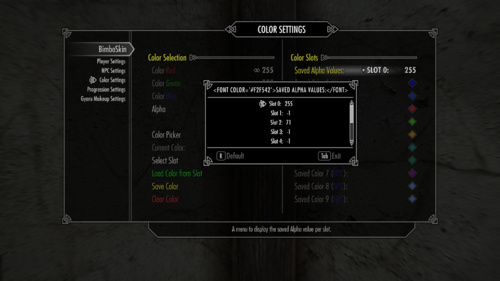
- Alpha value is saved with slot. This unfortunately does nothing for the Skin Color option. (SetSkinAlpha changes the general alpha, SetSkinColor only uses RGB values instead of ARGB). Saved Alpha values are viewable in a dropdown menu.
- Added NPC toggle "Remove clears saved color" which simply unsets the stored color integer when the skin is removed on a NPC.
- Added Load Color from Slot button to restore the values of a saved color to the "current" color settings (includes Alpha).
- Alpha is now saved and set as an integer (0-255 instead of a float 0.0 - 1.0).
- If a Slot was saved without Alpha value the currently set slider value will be used.
- Added "Use random slot (Player)" toggle to randomize the selected color for the player. (If an empty slot would be selected it should fall back to the current sliders)
v2.2 (Did I mention that you should consider this a BETA?)
As always, but even moreso in this case you should consider this a BETA. I changed quite some stuff and currently the only testing was done by myself, so I could've missed stuff. During my tests everything (including the new stuff) was working but none of the testing was yet done in heavier modded games or was observed long-term.
With that being said, here are the actual changes:
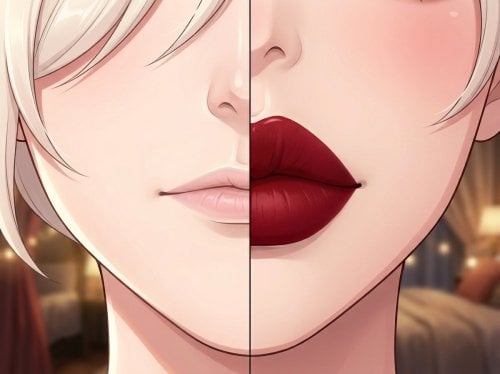
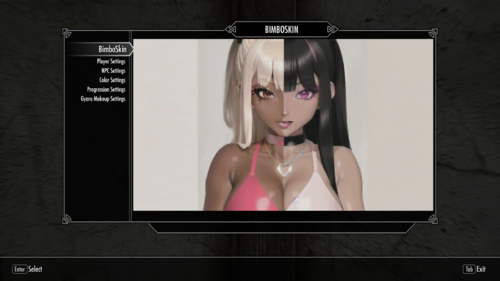
- Added a splashscreen to the MCM (it's AI generated, so sorry about that if you dislike AI generated images)
-
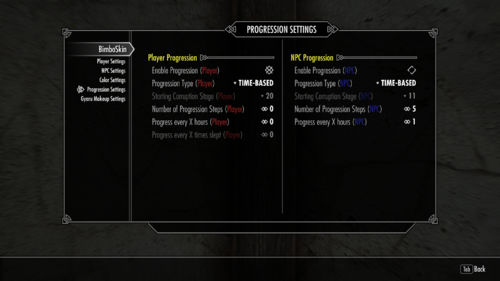
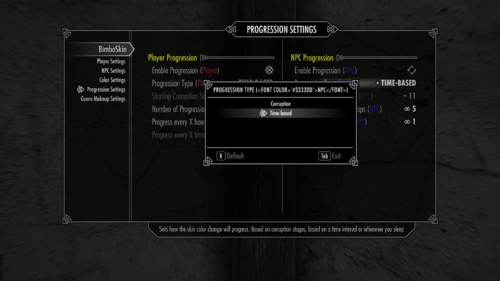
Added Progression Settings MCM page
-
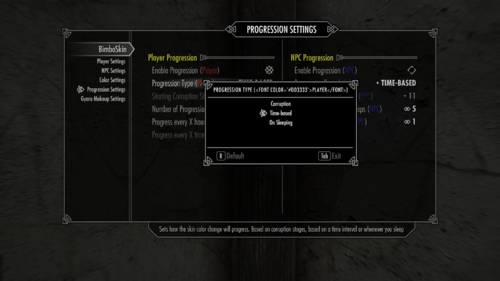
3 Progression modes (Player) / 2 Progression modes (NPC)
- Bimbos of Skyrim Corruption Stage
- Time-based
- Sleep-based (Player only)
-
Selectable number of progression steps (separated for Player and NPC)
- 1-16 (as 16 is the last corruption stage in BoS for both NPC and Player)
- 0 - Selects a random value between 1 and 16
- If BoS mode is used, the number of steps will be calculated by the set starting courrption stage (e.g. stage 60 is step 5 so 16-5 = 11 is the progression step value thats used here, to ensure that the last corruption step will apply the final color)
-
Selectable number of hours between each progression steps if using the time-based mode
- 1-144 hours
- 0 - Selects a random value between 1 and 144
- Applying the skin with this mode will also apply the first progression color. In the future there might be an option to only apply the first step after a random amount of time, acting like a BoS independent curse. (Which might include a gameplay based infection)
- This is saved per target, but there is no variation per target, e.g. a target receiving a value of 24 will progress every 24 hours. I might add the option to have variation between progression stages later, but for now I'd first want to get some feedback about the general implementation working.
-
Selectable number of sleep actions between each progression steps (Player only)
- 1-20
- 0 - selects a random value between 1 and 20
- Same as for hours the first step is applied as soon as the MCM option is used. If I add a gemplay based infection this might also include a setting to select the number of sleep required for the first progression to occur.
- Same as for hours I might add a random variation between steps later too, for now it will use the generated value for each step afterwards.
- Manual Application is disabled for the player while BoS Corruption is enabled.
-
3 Progression modes (Player) / 2 Progression modes (NPC)
-
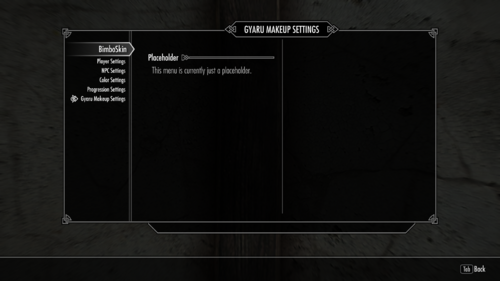
Added Gyaru Makeup Settings MCM page
- Just a placeholder for now, does nothing except for displaying text saying that it is a placeholder.
- While the menu was added, there are currently no concrete plans of working on it.
2.3.0 - Thanks to @ekvator for testing and giving feedback
-
Created a very simple FOMOD to allow skipping the install of a few files (pre-edited textures, Color Preset, Source, SPID example)
- I only tested this with MO2 so please give me a headsup if another manager is nagging about it
- Folder structure is identical to the non-FOMOD uploads so manual installation should still be easy enough
- Fixed the removal of Skin Color method applied colors.
- Fixed (hopefully) the application of an invalid RaceMenu SkinOverride to the player. (See Debug Options below)
- Fixed wrong "If-case" which caused progression being used for PC if only NPC progression was enabled.
-
Fixed BoS detection not changing the MCM displayed values
- Running the mod while BoS is not installed will now effectively change the value in the settings file.
- Fixed Overlay color being changed by Skin Color method.
-
Added Progression Ticker Slider to Progression Settings
- This is the interval in which progression increases are checked.
-
Added Debug Options MCM page - please use them with care.
- Run QueueNiNodeUpdate() function manually.
-
Clear all RaceMenu SkinOverrides for the player.
- This is a possible fix for the glossy skin bug (body only) people were reporting.
- Because of a bug an invalid SkinOverride was applied to the player.
- If the character was affected by this and the RaceMenu preset is saved, the preset will be bugged in future games too.
- To fix the preset: Load the preset, run this option and resave the preset
- To fix the savegame: Run this option and save your game.
-
Clear all RaceMenu NodeOverrides for the player.
- This was used for some of my testing and shouldn't be used by you.
-
Version number
- No checks, just plain text.
2.3.1
-
Just fixes the issue I noticed and explained here.
- Either install the full version or the HOTFIX if you're on 2.3.0 already.
2.3.2
-
During the testing for some fixes for 2.3.0 some parts were commented out on the script to find the culprit. Looks like I forgot to uncomment some of them afterwards.
This caused the color to be lost on reloading a save, because the Tint was never actually saved to the character / in the savegame.
If this for some reason re-introduces the glossy skin bug, as disabling this function was done during testing to fix it, please let me know. However the debug option that was added for it should also help to fix it again. - Either install the full version (includes the small fix from 2.3.1) or the hotfix if you are already on 2.3.1.
2.3.3 - Still calling it a Beta, exactly for stuff like this...
-
Actually implemented NPC BoS Corruption with progression now...
Before this wasn't implemented properly. I wrote most functions for it, but those were never called. Woops.. - Additionally fixed some issues with Corruption based application due to wrong variables / case handling.
- Added 'Show Corruption Level' button to Player MCM Menu - Simply tells you the current quest stage of BoS, used it for debugging purpses and felt like it doesn't hurt being still included.
-
Added 'NPC Info' Button & Hotkey to NPC MCM Menu - Shows a bit of an information for the crosshair target related to SkinColor option:
- Checks for SkinTone Ability effect used for SkinColor, if its missing it will simply tell you so.
-
If the MGEF is present, it will show stored variables for the target:
- Original Color RGB
- Current Color RGB
- Progression Step (if applicable)
- Could be used to check if everything is working. Even if the settings only apply a very minor colorshift it should help telling you whether its working at all.
2.3.3 - Just added an optional file
- Adds a potion "Bowl of Semen Cream" to add a very small amount of corruption and cum to the target.
- This is basically a Dremora semen ingestible from Bimbos of Skyrim that will always apply a cum overlay on an area of your choice.
Please check the information on the description, despite it being very small there are some non-optional requirements.
-
Reuploaded version 2.3.3 with the correct archive name to prevent misunderstandings.
2.4.0 - Adjustment to PO3 Papyrus Extender v.6.x.x+
Update of some functions due to PO3 Papyrus Extender deprecating an used function. This was only quickly tested by myself, but should be generally working with the new version.
(see also this reply here)
This REQUIRES PowerOfThree Papyrus Extender 6.x.x+!!
If you're using a previous version of PO3 Papyrus Extender, you should still use version 2.3.3.
Edited by HannoJojo
Added information for optional download
What's New in Version 2.4.0
Released
Update of some functions due to PO3 Papyrus Extender deprecating an used function. This was only quickly tested by myself, but should be generally working with the new version.
(see also this reply here)
This REQUIRES PowerOfThree Papyrus Extender 6.x.x+!!
If you're using a previous version of PO3 Papyrus Extender, you should still use version 2.3.3.