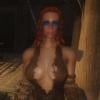
circ Posted July 6, 2014 Posted July 6, 2014 I got GIMP again after many years of ignoring the horrible piece of crap because I wanted to try out some very basic texture editing. Or more like copy pasting stuff together. Pretty quickly however I noticed that GIMP is utterly worthless even when it comes to saving .dds files - as for some reason it doesn't want to save the alpha channel no matter what compression I use. Well it's probably user error, but anyway I get DXTBmp and use them both. Some background: I wasn't happy with a tattoo from Slavetats, not my kind of font and there was some clipping - so decided to try and adapt one from Oblivion. How hard could it be. After a while I got it cut and positioned and sized properly and tested it out - not really happy with the artifacts though I decided to make one myself because again, how hard could it be. Got some free fonts and some free pawprint clipart, which wasn't ideal since it had no claws but whatever and after dicking around with GIMP I wasn't in a mood to make one myself either. This was followed by an hour of cursing GIMP's inane text editor and trying to position the text and image properly. So result(s): Anyway, onto some questions. I settled with DXT1 compression because DXT5 was a whopping 20 megs compared to 10 for DXT1. But I'm guessing I'm looking at more pixelation. How can I get it down to something like 2 megs or under? Start shaving off resolution? It's 4k right now. Well alpha channel is, texture itself is probably 300x100 pixels. Trying to position the texture so that it's just right just makes no sense since I have to use GIMP, then DXTBmp and finally Skyrim to see the results. There's gotta be a better way, no? That's I guess the ideal position for a tramp stamp, but I would have liked it lower. Problem was, if I went too low it clipped off letters from the edges. What's a quick solution if any to that? So that it curves around the mesh and doesn't clip.

Recommended Posts
Archived
This topic is now archived and is closed to further replies.