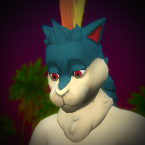
leljas Posted July 14, 2021 Posted July 14, 2021 Digimod By Leljas: Play as Renamon and/or Garurumon from Digimon! View File Hello! After doing 7 Pokemon convertions to The Sims 4, I decided it was time to finally bring some Digimons into the mix. Three of which were requested above the others, so I introduce to you: Renamon, Garurumon and WereGarurumon! I've been doing characters like this for a while, if you want to influence their development or just see the current ones while I'm doing them, you can check them out on my Ko-fi I'll accept any character requests! You can Pm me, comment right here or on Ko-fi and even if I don't respond, I promise to take note of them. I also made a list of all requested characters that I intend on doing (You can find it on my Ko-fi Intro). Update 1: After improving my modding skills in the past year since publishing Lucario and Leafeon, I decided to fix and improve all my mods. Here's a list of the changes in this one: - Fixed a problem where it was impossible to select pokemon eyes on aliens; - Icons won't glitch out when making an opposite frame sim. For those who are updating this mod, be sure to delete the folder of the older version and place the new one as usual. You will also have to delete the file localthumbcache.package in /Documents/Electronic Arts/Sims 4 if you want the icons to show up properly when making an opposite frame sim. If this is your first time downloading one of my mods, please also download the Pokemod Savestate Addons file. (you only need to get this file once) Here's a detailed guide on how to make them: (This mod doesn't include any tray files. You will have to make them yourself) (The Digimon are fully compatible for both genders) (Make sure not to make very overweight or very thin Sims, as they might make some of the Digimon parts look off) 1 - Select the modded gray skin tone that comes with the furry mod. (Located under the miscellaneous skin tones) 2 - Click on the eyes and select the furry mod preset. 3 - While still on the eye selection, pick whichever custom eye color fits the Digimon you are making. 4 - Move to the face details section and select the furry head or any of its variants. 5 - Still on the face details, change to either the plantigrade or the digitigrade legs. 6 - Again, still on the face details, find and select the parts you need to make the Digimon you want. If you are making WereGarurumon, you can find it in the different color options. 6.1 - You can find their optional claws in the face details section as well. WereGarurumon's claws are only compatible with plantigrade legs, while the others' claws are only compatible with digitigrade legs). 6.2 - For Renamon, you can find it's gloves in the body accessories section under gloves. (You will have to do this part for every single outfit category, but it is entirely optional) 7 - Finally, Move to the body tattoos section and pick the one for the Digimon you are making. If you are making WereGarurumon, you can find it in the different colors under Garurumon's tattoo. I made a few gifs to show all the steps in order to make each Digimon. Spoiler You can open the Gifs on another tab to see them at full resolution. Renamon: Garurumon: Garurumon (Blk): WereGarurumon: WereGarurumon (Blk): Done! Now your Sim should look similar to the Digimon of your choosing! The Egg is a full body suit for children and toddlers that you want to turn into a Digimon whenever they age up to teen. Here are a few comparison photos in between my mod and Digimon Cyber Sleuth: Spoiler My Mod is fully compatible with Wickedwhims, I also advise the use of "Berni's Collection" mod in addition to mine. It fixes a glitch involving the legs of the furry mod with Wickedwhims. See below for Instructions: Spoiler This fix only works for when the sims are naked, otherwise the leg glitch is only fixable by avoiding it. Still all you need to do is: After you have finished editing the household and making your character, place them in any lot and start living. Click on any of your sims and select Wicked... then go to the Personalization option and enter the body Selector. Then pick the option that says "This Sim" After that, depending on the gender, your options may vary but all you need to do is select the body bottom and select one made by Berni! On males, make sure to pick both soft and hard versions... NSFW images below: Spoiler Requirements: The Furry mod By Savestate http://www.savestatecomic.com/dlc/ Optional: I recommend the use of Berni's Collection mod, it not only fixes a glitch with the furry mod itself but also adds canine/feline/equine/dragon/rabbit penises and sheaths. Known Issues: Known Issues: (Most of these are from the furry mod and not my fault but still here's a full list) If you don't use the modded skin tone that is included in the furry mod, the Digimon skin will become brighter than it should be. If the digitigrade paws are selected, some bottom clothing may have double legs. This is a glitch with the furry mod and should be completely avoidable, make sure to pick shorter bottom clothing and not long pants. Spoiler If you use the digitigrade or plantigrade paws on your sim, then you will not be able to use any type of shoes The furry mod has a lot of limitations when it comes to face details, you can't edit most of the face, except for the snout. In a few animations, some of the meshes might go out of place/clip. This doesn't happen too frequently but it's still a problem. Spoiler If any other glitch happens, feel free to report it on the comments. I'll make sure to try my best at fixing it! I hope you all enjoy! Credits: I used TwistedMexi’s T.O.O.L. mod for some of the pictures. It's an awesome mod. Big thanks to the people who follow my mods, for your kind words and patience. Credits to the original creator of the furry mod Tim Weeks From Savestate Comics Link to the website & download page of his mod: http://www.savestatecomic.com/dlc/ Also Big Thanks to Sims4Studios for the modding tools, The user Hallow on the website The Models Resource for uploading 3D models from the Digimon games... And of course, the Digimon franchise for the characters. Submitter leljas Submitted 07/14/2021 Category Body Parts Requires In order to use this mod you'll need the furry mod from savestate, you can download it here : http://www.savestatecomic.com/dlc/ 4
Docktordick Posted July 19, 2021 Posted July 19, 2021 Hello. I downloaded your latest mod from Renamon, but it doesn't work. Although the previous mod with Blaziken works fine. Maybe some files are missing for the mod, because in the previous mod there were much more files compared to this one.
leljas Posted July 20, 2021 Author Posted July 20, 2021 7 hours ago, Docktordick said: Hello. I downloaded your latest mod from Renamon, but it doesn't work. Although the previous mod with Blaziken works fine. Maybe some files are missing for the mod, because in the previous mod there were much more files compared to this one. I assure you the mod is working corretly, if you check the previous mod (Charizard and Incineroar) you would see that, just like Renamon and Garurumon, it only has 2 files. This is because I've merged the 20 or so mods/package files into one for simplicity sake. I always test all my mods before uploading on a fresh mods folder and it's on that save that I tend to take the showcase pictures, so the mods should by all means be working. (Considering I used exactly what I uploaded and it worked) So it's obvious you have another problem on your hands, could you explain how it doesn't work? Are there parts missing? If nothing is there then I don't really know how I could help but if it's only partial I could maybe change some IDs and see if that solves it.
Docktordick Posted July 20, 2021 Posted July 20, 2021 3 hours ago, leljas said: Уверяю вас, что мод работает правильно, если вы посмотрите предыдущий мод (Charizard и Incineroar), вы увидите, что, как и Renamon и Garurumon, у него всего 2 файла. Это потому, что для простоты я объединил около 20 файлов модов / пакетов в один. Я всегда тестирую все свои моды перед загрузкой в новую папку модов, и именно в этом сохранении я обычно делаю демонстрационные фотографии, поэтому моды обязательно должны работать. (Учитывая, что я использовал именно то, что загрузил, и это сработало) Итак, очевидно, что у вас есть еще одна проблема, не могли бы вы объяснить, как это не работает? Не хватает каких-то деталей? Если там ничего нет, я действительно не знаю, чем могу помочь, но если это только частичное, я мог бы, возможно, изменить некоторые идентификаторы и посмотреть, решит ли это проблему . Hello. Mod with Charizard also does not work, although I did everything according to the instructions. The mod does not work at all, that is, nothing appears in the Sims editor, although it sees your previous assemblies normally. Maybe the Sims version is not suitable?
leljas Posted July 20, 2021 Author Posted July 20, 2021 2 hours ago, Docktordick said: Hello. Mod with Charizard also does not work, although I did everything according to the instructions. The mod does not work at all, that is, nothing appears in the Sims editor, although it sees your previous assemblies normally. Maybe the Sims version is not suitable? That's pretty weird, I don't really know why that could be happening... My mods don't have any DLC requirements and should be working regardless of your games' version. Could you check if your game even loads the mod? Just follow the steps: If they don't show up then I'd suggest trying with a empty mods folder except with only the requirements and the mod itself.
Docktordick Posted July 20, 2021 Posted July 20, 2021 8 hours ago, leljas said: Это довольно странно, я действительно не знаю, почему это могло происходить ... Мои моды не имеют требований к DLC и должны работать независимо от версии ваших игр. Не могли бы вы проверить, загружает ли ваша игра мод? Просто следуйте инструкциям: если они не появляются, я бы предложил попробовать с пустой папкой модов, за исключением требований и самого мода. I checked the game is loading the mod. I also tried it with an empty mod folder (except for your mod), but nothing appears in the editor.
leljas Posted July 21, 2021 Author Posted July 21, 2021 12 hours ago, Docktordick said: I checked the game is loading the mod. I also tried it with an empty mod folder (except for your mod), but nothing appears in the editor. No matter what I do, I can't seem to recreate your problem, I've also tried researching online for anyone with a similar issue but I've come to no conclusive answer. I'm sorry to say but I don't know why you're having that problem or how to fix it.
Docktordick Posted July 22, 2021 Posted July 22, 2021 On 21.07.2021 at 12:17, leljas said: Независимо от того, что я делаю, мне кажется, что я не могу воссоздать вашу проблему. Я также пробовал искать в Интернете тех, у кого есть подобная проблема, но я не нашел окончательного ответа. Извините, но я не знаю, почему у вас возникла эта проблема или как ее исправить. It's OK. Thanks for trying to help. 1
LetsPokeHD Posted September 8, 2021 Posted September 8, 2021 Hey, can you make a Hair compatible Version of Renamon because I like to have a Renamon with Hair.
LetsPokeHD Posted September 8, 2021 Posted September 8, 2021 And can you make Veemon, Flamedramon, Raidramon and Exveemon.
Bl1nd_Eye Posted September 8, 2021 Posted September 8, 2021 Hey, any chance you can do gardevoir and machoke?
leljas Posted September 14, 2021 Author Posted September 14, 2021 On 9/8/2021 at 4:57 PM, LucarioBoy said: Hey, can you make a Hair compatible Version of Renamon because I like to have a Renamon with Hair. Yeah, I can do that! Might take a bit, these requests are a lot of reworking and editing and I'm currently a bit busy with the mods. On 9/8/2021 at 5:03 PM, LucarioBoy said: And can you make Veemon, Flamedramon, Raidramon and Exveemon. Thank you for the requests, I've added them to the list. (I'm unsure how I'd make Raidramon... But I'll figure it out eventually) On 9/8/2021 at 8:01 PM, Bl1nd_Eye said: Hey, any chance you can do gardevoir and machoke? Hey there, thank you for the requests, unfortunatly due to my mod being based on the savestate furry mod I'm unsure on how I could make pokemon like Gardevoir. I will eventually have to make propper custom faces but currently I just don't have that kind of skill and so it probably won't be any time soon. Fortunatly someone already made Gardevoir (you can find it here: https://www.furaffinity.net/view/38389098/ ), Machoke still has a snout, so I'll get to it eventually.
leljas Posted September 17, 2021 Author Posted September 17, 2021 On 9/8/2021 at 4:57 PM, LucarioBoy said: Hey, can you make a Hair compatible Version of Renamon because I like to have a Renamon with Hair. Here's what you requested, Renamon Hair Version. You can donwload it right here : Renamon Hair Version.package It works as a addon to the mod, so you'll still need the original Renamon and Garurumon mod. You can find it in the face details category in CAS under Renamon's mod Look for the icon with Hair Comp written on it. 1
Marty Sweet Posted November 19, 2021 Posted November 19, 2021 Could we see a mod for Krystal from Starfox?

Recommended Posts
Create an account or sign in to comment
You need to be a member in order to leave a comment
Create an account
Sign up for a new account in our community. It's easy!
Register a new accountSign in
Already have an account? Sign in here.
Sign In Now