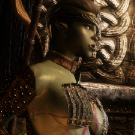
OrcishOatmeal Posted September 29, 2020 Posted September 29, 2020 Hi, im trying to fix issues with my character using overlays, as this happens to the overlay instead of being a solid colour: This was taken after i installed the demoniac textures + glossy too Im using truevision enb and when i disable it, the issue is still there, so it must be some sort of texture issue? Basically, i wanna try to fix this issue + get better gloss in my enb if i can without changing enb (its very old)
Corsayr Posted September 29, 2020 Posted September 29, 2020 It is hard to see any issue with this image, maybe the resolution is too small. It looks to me though that the semi translucent overlay is allowing the skins normal map to be seen through it which is exactly what should be happening. That way the overlay has the same "texture" as the skin. Demoniac is a fairly rough looking skin that is supposed to be more realistic for the lore of Skyrim. Texture in this sense is used to relate to its surface features like smooth, grainy, rough, etc. Not texture in the systemic sense like the texture file even though the normal map is part of the texture files.
OrcishOatmeal Posted September 30, 2020 Author Posted September 30, 2020 8 hours ago, Corsayr said: It is hard to see any issue with this image, maybe the resolution is too small. It looks to me though that the semi translucent overlay is allowing the skins normal map to be seen through it which is exactly what should be happening. That way the overlay has the same "texture" as the skin. Demoniac is a fairly rough looking skin that is supposed to be more realistic for the lore of Skyrim. Texture in this sense is used to relate to its surface features like smooth, grainy, rough, etc. Not texture in the systemic sense like the texture file even though the normal map is part of the texture files. Thanks, I'll have another look, just seems to me the normal map is a bit too rough, do you think using 4k versions of the normal map and overlays would make a difference? Is there any mods you would recommend?
Corsayr Posted September 30, 2020 Posted September 30, 2020 Just now, dragondoom42 said: Thanks, I'll have another look, just seems to me the normal map is a bit too rough, do you think using 4k versions of the normal map and overlays would make a difference? Is there any mods you would recommend? You could try making the overlay less transparent? But really to me at least that is how body paint should look, it has kind of a cracking look like the paint breaks up when it stretches then settled back together. Which would give it a flaky/cracked look Are you using a wet or sweaty setting for the Demoniac? That will be rougher to simulate water or wetness
OrcishOatmeal Posted September 30, 2020 Author Posted September 30, 2020 1 hour ago, Corsayr said: Example Like brave heart here Reveal hidden contents Yeah very true, i see where your coming from. these little things can really get to me haha i'll play with some settings but i think i'll probably leave it EDIT: Nope, all my mods to change wetness and shinyness are removed, so it should just be my enb and the shiny option from demonica
OrcishOatmeal Posted October 14, 2020 Author Posted October 14, 2020 Ok after trying some settings, Im starting to think its some basic skyrim file that i can replace that sorts my issues Ok, this is from bodyslide, this this wierd shimmering sweaty rough look I want to remove (or replace with a high quality version) so im not talking about body paints here
Grey Cloud Posted October 14, 2020 Posted October 14, 2020 It looks like you are using the wet or sweaty version of the skin texture.
OrcishOatmeal Posted October 15, 2020 Author Posted October 15, 2020 Ive managed to fix it now, after having another confusing look at my conflicts, I renabled Demonica textures, then installed Women of skyrim textures (with some fomod option) that seems to have got the effect i was looking for, yay!
Grey Cloud Posted October 15, 2020 Posted October 15, 2020 You could have achieved the same result by simply installing a different skin texture mod.

Recommended Posts
Archived
This topic is now archived and is closed to further replies.