Vyxenne Posted September 11, 2019 Posted September 11, 2019 I have a wig mod to which I am adding a few recolors. I have done it before using any of three methods: Separate nif for each color with the color specified in BSTriShape >> BSLightingShaderProperty >> Hair Tint Color block; and Separate nif for each color with the new-color dds's specified in BSTriShape >> BSLightingShaderProperty >> BSShaderTextureSet; and Texture swap in the plugin using the same nif but new TextureSets and Alternate Textures in the ArmorAddon and Armor However tonight I have hit a wall- the texture swap in the Armor Addon is not working at all, so that the wig stays the same color (the one specified in the nif) and ignores the Alternate Texture data and the new TextureSet, while the texture swap in the Armor block works perfectly (the wigs do not have GO's so I set the Ground Object to the normal nif) using the exact same Alternate Texture data as the Armor Addon does (I copied it from the Armor Addon into the Armor so I know it is the same.) And in case anyone is wondering how I got the texture swaps to work in the Armor since it has been broken in SSE since launch, SSE Engine Fixes repairs it and I have previously verified that their fix is effective. I know I'm missing something here- as far as I know, the only requirements for texture swaps to work are The shape names must match those in the nif exactly (I have even suspected that they are case-sensitive in the past) The shape's index specification in the texture swap must match the (0-based) shape index in the nif exactly (i.e. the third shape down is index 2, etc.) The Texture set specified in the ARMA and ARMO must point to valid diffuse and normal map textures including path and file names There is zero tolerance for typos in the nif, shape-index, dds and path specifications involved in the texture swap That said, I only know these things from memory- it is not written down anywhere as far as I know- I have gathered the knowledge a dreg at a time from various sources over 5 years, so it is entirely possible that I have forgotten a requirement. However, if that were the case, my texture swap could not possibly be working fine in the ARMO (correctly changing the colors of all the GOs) but not in the ARMA (failing to change colors in the equipped items) since they are the EXACT. SAME. THING. I already know this is going to turn out to be something so basic I haven't bothered to check it, you know, like "Is your computer plugged into the wall, Ma'am?" I've resigned myself to being humiliated. I also know that for the time I have spent on this tonight (5 hours straight for only 2 additional wig colors) I could have just copied the nif twice, edited them in turn and done the recolors there, and been playing for 4½ of those 5 hours instead of banging my head against the stupid texture swap wall. But now it's too late. This is a CRUSADE. I will overcome... or BE overcome. My OCD has spoken. Please just help me get it to work. Thanks.
Yinkle Posted September 11, 2019 Posted September 11, 2019 Probably a daft question but do you have "Remappable_Textures" set in shader flags 1 for the BSlightingShaderProperty of the shape you want to swap textures on?
Vyxenne Posted September 12, 2019 Author Posted September 12, 2019 18 hours ago, Yinkle said: Probably a daft question but do you have "Remappable_Textures" set in shader flags 1 for the BSlightingShaderProperty of the shape you want to swap textures on? Yes, that flag is, in fact, set, in both shapes but thank you for asking and making me check it.
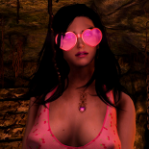
Vyxenne Posted September 12, 2019 Author Posted September 12, 2019 OMG OMG I solved it!!! I told you it would be something incredibly stupid! I had forgotten to change the Armature in the ARMO! Now look at them!

Recommended Posts
Archived
This topic is now archived and is closed to further replies.