
Jump to content

Glowing nipple rings. I mean, why not?


DocClox

784 views

I got this idea to make glow-in-the-dark nipple rings. I mean why not, right?


I was using a pair of DomainWolf's Sharkish piercings for my girls, so I thought I'd use that as a starting point.
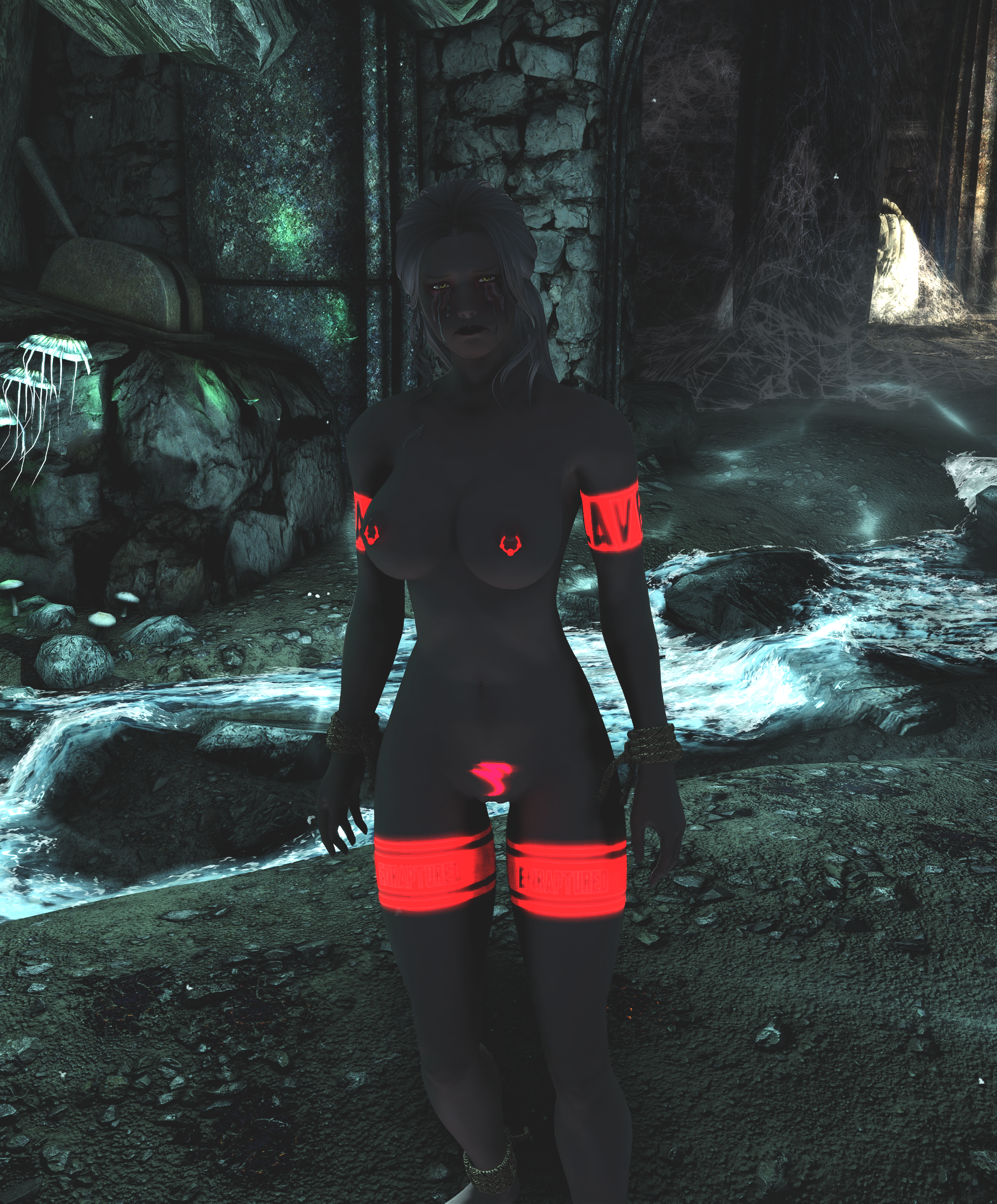
 

temp.png


Not bad. They're certainly visible in the dark. I had hoped to make just the spheres glow and leave the ring unchanged, but that hasn't happened.


I can never remember this stuff when I come back to it so: what I did...


  1. edited the .nif. Changed the shader type to Glow Shader and set the emissive color to red
  2. created a glow map texture that should have limited the glow to just the spheres. Texture goes in slot 3 in the nif texture set, and needs a _g.dds file name. Save as BC1 with mipmaps
  3. rebuild the rings in bodyslide, because the Sharkish piercings don't come with meshes built, so I was editing the Bodyslide data. Until I rebuilt, nothing appeared in game


So: I'm going to try fiddling with the glowmap and the emissive color. There's a lot of instructions on how to do this if you google, but they're all for different versions of the engine and none of them are quite the same, so there's a bit of trial and error involved.


If that doesn't work, I'll make my own rights rather than just patching DomaniWolf's work. (I've yet to ask  permission, but then I've not released anything. Still, better if I make my own). And making my own means I can use a separate mesh for ring and sphere, and that means I can use a glowmap for the sphere, and en environment map for the ring.


I'd also like to make these things work as actual light sources rather than just being visible in darkness.  But that's a problem for another day.

10 Comments


Recommended Comments

DocClox

Posted

OK!  Blender model to make new rings. Separate materials for ring and sphere.


temp.png


Haven't tried to get that in-game yet, I'll try that later. I might also fiddle with the base mesh. I think I'd like the rings to be thicker and the sphere better centered on the ring.


Now that I remember how to do it, it should be simple enough.


I also need some other files for the texture set. I think. Currently they just have  the _d file. (I used to know what these were shorthand for...)


Anyway, small steps.


DocClox

Posted (edited)

Right. In game!


Screenshot_20250413_153055.png


Rings line up. I need to test on a few more boob sizes, but they seemed properly weighted in Outfit Studio, and there's not a lot of scope for clipping, so I'm optimistic.


Rings are steely and gems are red, so that much works. I'll need somewhere darker to see if they're really glowing...


image.png


OK. That's a bit darker than it renders in game, but the gems are definitely glowing. I'm not mad keep on the lens flare effect, or whatever you'd call that after image trail, but at least they glow. The trails are possibly due to my setting the emissive multiple to 5 when at least one guide recommends no more than two. I'll have a play.


What I did (so I can find this next time!):


  • Made the rings from scratch in Blender.  A torus, an icosphere, line them up on a CBBE mesh and then mirror them about the world origin on the global X axis. And then recalculate the normals outside, since the new geometry will have them flipped.
  • Export as OBJ and them import them into outfit studio. New project, CBBE reference, copy bone weights, conform sliders, check the sliders work.
  • Body slot needs setting to 60 in OS since that's what the Sharkish ones used.
  • Set the rings using environment map shader and the spheres as glow shaders.
  • Save and build
  • Copied the ARMO, AA and recipe records from Sharkish into a new mod. Changed the paths to point at my stuff and cleaned the master so it no longer referenced the original mod.
  • added one set of rings in game using player.additem

Still might look at remaking those things with a thicker ring, and maybe a three sphere arrangement like the Sharkish ones, 'cause that looks quite cool. But next I want to look at making them into a light source. I read that ENB lights don't always look good on armor, so maybe crack open a torch and see how that does it. Whatever. It'll not get done today!

Edited by DocClox
DocClox

Posted

And, having quipped the rings and saved, the game now crashes if I try and load that game. But loads just fine from an earlier save.


Damn.


Don't have it in me to go debugging tonight. Going to play a bit more then go watch some TV.

DocClox

Posted (edited)

Turns out it wasn't my new ring - it was the half-assed glowmap edit I did to the sharkish ones. Reinstalled sharkish to overwrite my changes, rebuilt the rings and added my new ones back and I can load just fine.


That's definitely enough fun for one session. Time to go watch some telly with the lovely wife.


Screenshot_20250413_165329.png


Bit of a close up.


temp2.png

Edited by DocClox
DocClox

Posted (edited)

OK. No boobies in this post; I just want to think out loud for a bit. I'm a bit confused with all the options and I want to try and organize my thoughts a bit.


First things first: using an NiPointLight node just crashes the game.


So: Plan:


  • Same approach as with the rotating words in the GIAJ project
    • May be overkill, since I don't need to animate this,
      • but I know it works
      • also, I do want to animate the color and intensity, possibly script controlled
  • separate ring and bead
    • equip ring
    • equip adds spell to wearer
      • bead gets added as art object of spell
        • being separate mesh can have a glow shader and a light
      • make a spell for the light
        • control color in spell
          • have a range of colors and an effect for each
          • have one spell with all effects, each predicated by something
            • faction rank seems promising
          • For DOM, all it would need is a state faction
            • may already be one
            • or some other thing I can write a condition around

Art effect notes:


Animated Colors notes


Fuzzy Physics Institute Tutorial


Edited by DocClox
DocClox

Posted (edited)

OK. Modified rings - no bead. I'll add that on in the magic effect.


Bit too big perhaps?It's taken this long to get them to show up at all, that I'm reluctant to change them right now.


temp.png


So next I need the bead meshes with AttachT points set up.


I'll just do the one for now.


temp.png


The breast bone name is from the XPMSE skeleton nif.


Flags are a bit of a guess:


temp.png


I use the Quick Light lanterns as a template, but Complex doesn't seem to apply and it's Animated yet. So we'll go with this.

Edited by DocClox
DocClox

Posted

Well, this is fun!


On the plus side, the light attached. It lights up the body and the nearby area (a little - but that's tweakable)


On the minus side, no bead at all and there's a weird texture effect to the light. I don't know if I coped a light with an overlay (can't remember the right term offhand) or if it's shining inside the body and picking out subtle detail in the skin texture.


I do know the bead didn't show in the preview in the CK. And it doesn't seem to expect _0/_1.nif files, which it's getting.


Also, re-reading my earlier notes I can probably add an attachLight node to specify where  that light attaches relative to the character (or the boob bone).


Also: The magic effect has two attach slots, but they are for the light object and similar. I think I only get one for a Light archetype effect. And I can only attach one enchantment to the rings. So if I want each boob to have its own light then I'm going to need two effects on the one enchantment. That's a bit over-complex, but in the event that boobs start doing different things on account of physics, I'd like the light to reflect that. Or at least not stay still when the source was obviously moving. Might not make any difference.


Anyway, enough for now. Making progress, and I have a few leads to follow.


temp.png

DocClox

Posted

I think I might have found a clue as to why the bead wasn't showing up


temp.png


Still, you can see the light reflected around young Eydvina here.


That said, the nif needed a rebuild. If I do that, the bead vanishes again, but the light remains.


I think the bead may be attaching inside the boob. I can try a translation on it, but that's probably not going to scale right with different boob sizes. Hmm...


DocClox

Posted

I tried de-skinning the beads:


Screenshot_20250417_091705.png


Well, one of them shows up, one doesn't. That one that does doesn't move creative to the ring. It keeps position relative the the model root, but doesn't sway when the character sways.


I should be able to attach this, quite precisely, to the ring. At the very least, if it attaches to a boob bone, it should at least move with the boob.


The illumination is odd, too

Screenshot_20250417_091825.png

It's being lit from behind and the front of it is dark and not even glowing. So that's off too.


Hmm... I no longer have a _1 and _0 version of the beads. I just need a single weight mesh, so I turned that off. So I should probably update the art objects to use the correct file name.


Ah, OK:


temp.png


That's why I couldn't see it when my test girl was standing normally.  It's way up above her head!


So is that in the candlelight position, and I forgot to update something when I copied a node across?


Or is it that the bead has its origin about four feet below the mesh, because that's the body's origin?


I'm liking the second one.

DocClox

Posted

There's a party going on in the Riften Ratway!


Screenshot_20250417_105233.png


So: I nuked the offset and that brough the bead down to the right level, and it also moves with the girl's upper body (and I assume boob, but that's unproven).


Anyway, I got that sorted, and the bead was glowing, but not emitting. So I thought I'd give up for now and just play a while. And then after a minute or so, the light just started working!


And that's just one bead.


Anyway. I'm thinking I could maybe get away with one model for the rings and beads after all. Go back to the earlier approach with worked for glowmapped beads, and add the light on like this, only without the bead and offset a bit higher - maybe parent it to the upper spine or something, so it;s generally in front. Can still change the color based on a condition. The color of the bead will be an issue still, though I wonder if a magic effect supplied shader could work, Assuming I can get my head around shaders well enough to write one, and make it only color the beads and not the rings.


Although, if I make the rings dark grey and the bead reflective white ...

×
×
  • Create New...