
TES5Edit modify ESP (2) : How to add permanent effect

Entry posted by Dorabella
2335 views
RPGs like Skyrim, in generic form, put us in difficulty in proportion to the game, in the initial stages, that is, when we are not able to compete and, forced to look for easily knockable enemies, or reduce the difficulty of the game (but not always it works) . What is our biggest penalty? Obviously, too short a life .
Today I show you the procedure for permanently inserting a spell in our favorite armor.
Requirements, of course, TES5Edit and, in case, your custom armor .
Let's open TES5Edit , right click on the Plugins panel and select NONE
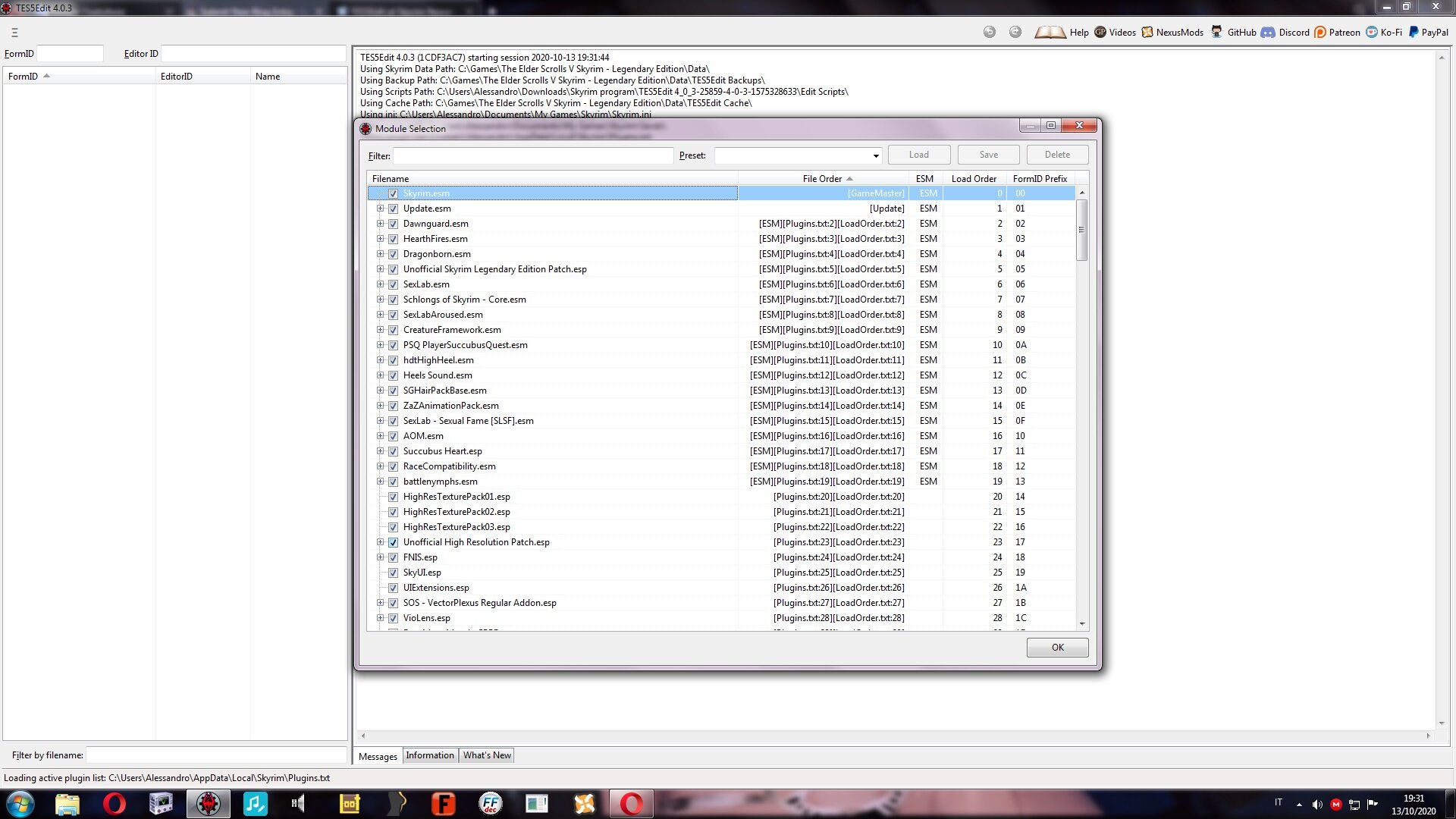
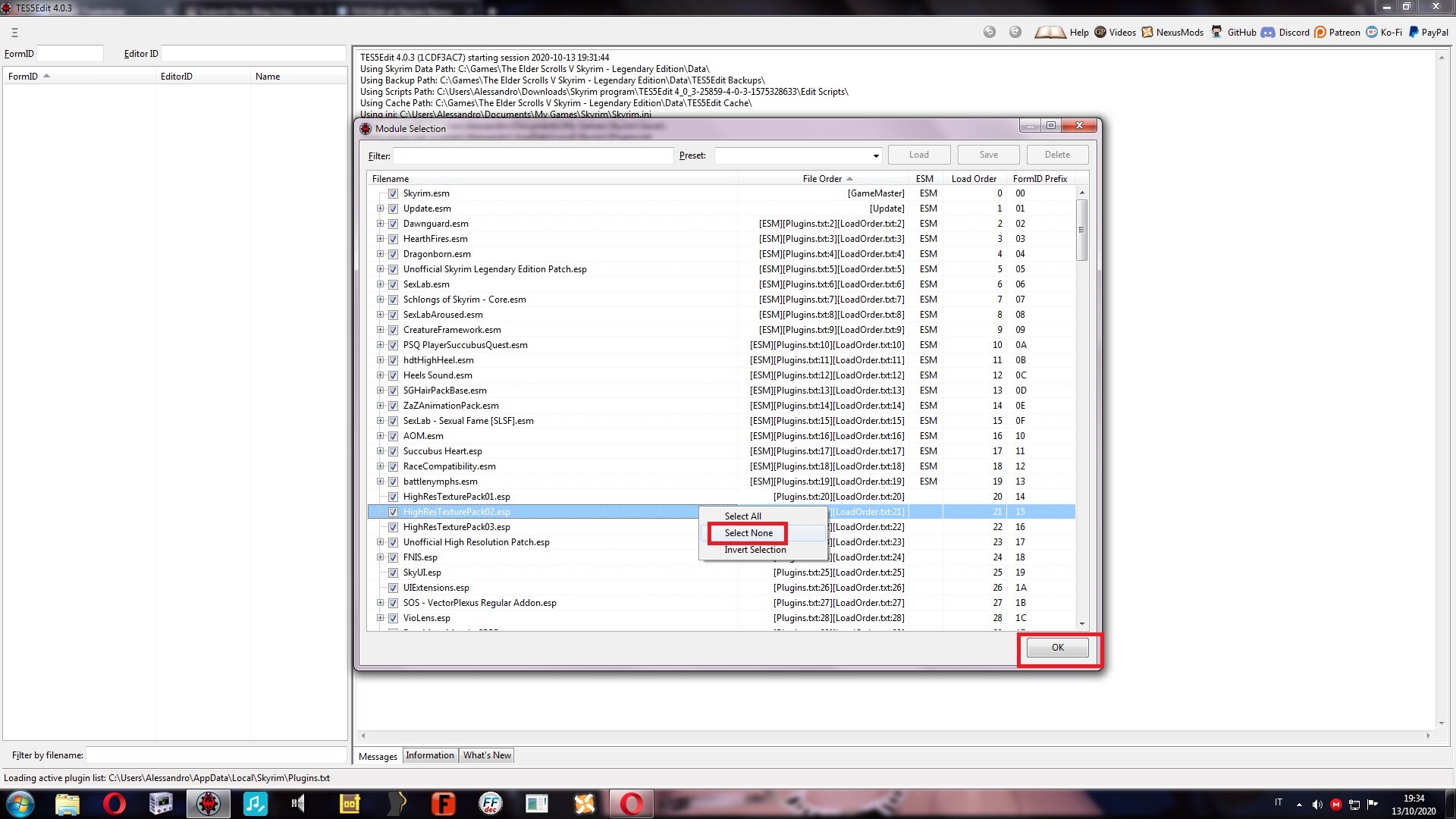
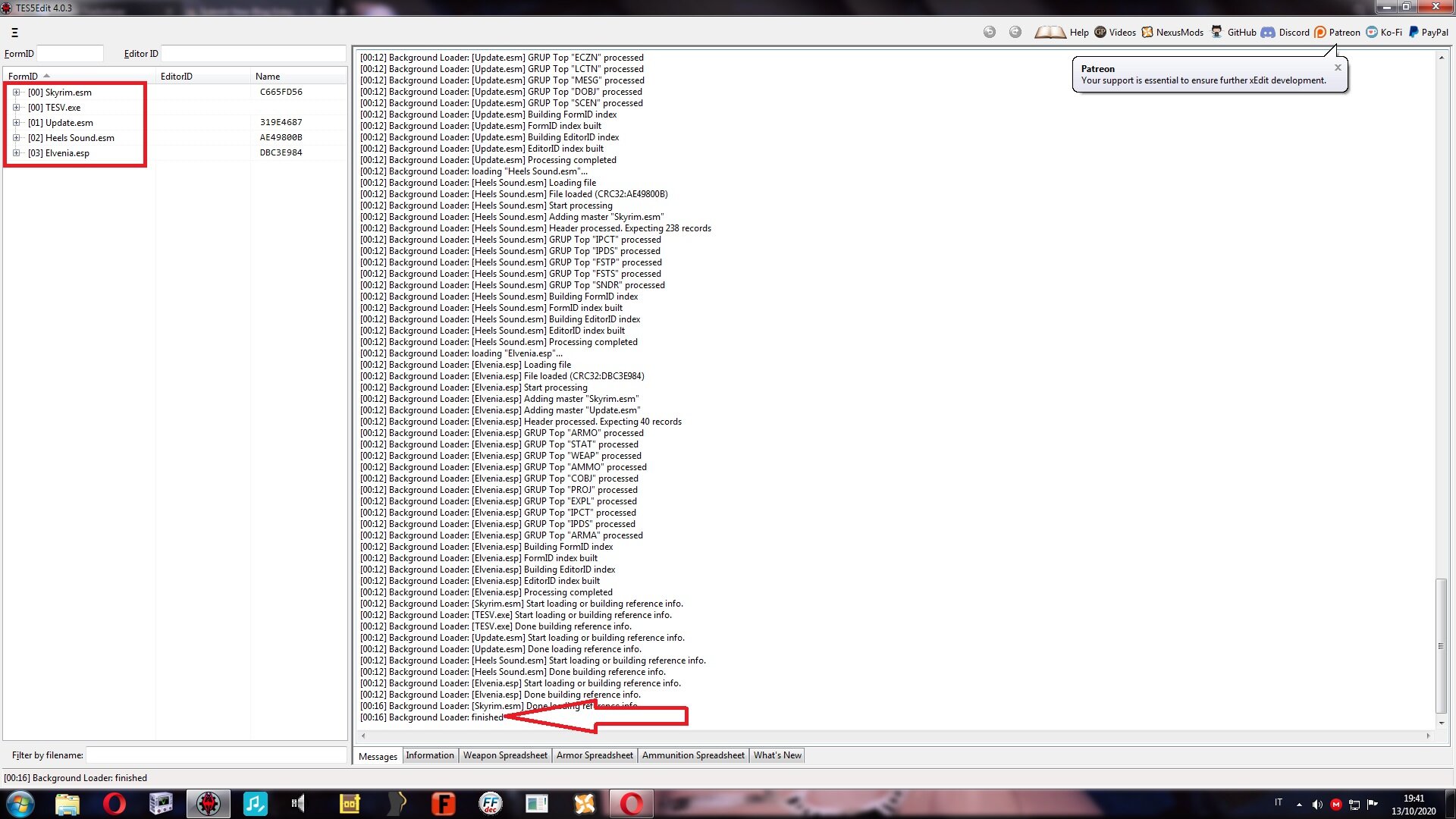
We import our armor to enchant and we wait for it to load the data . Here too, as in the previous tutorial, I chose Elvenia Armor
Let's extend the Skyrim menu, search for Object Effect, and extend the menu
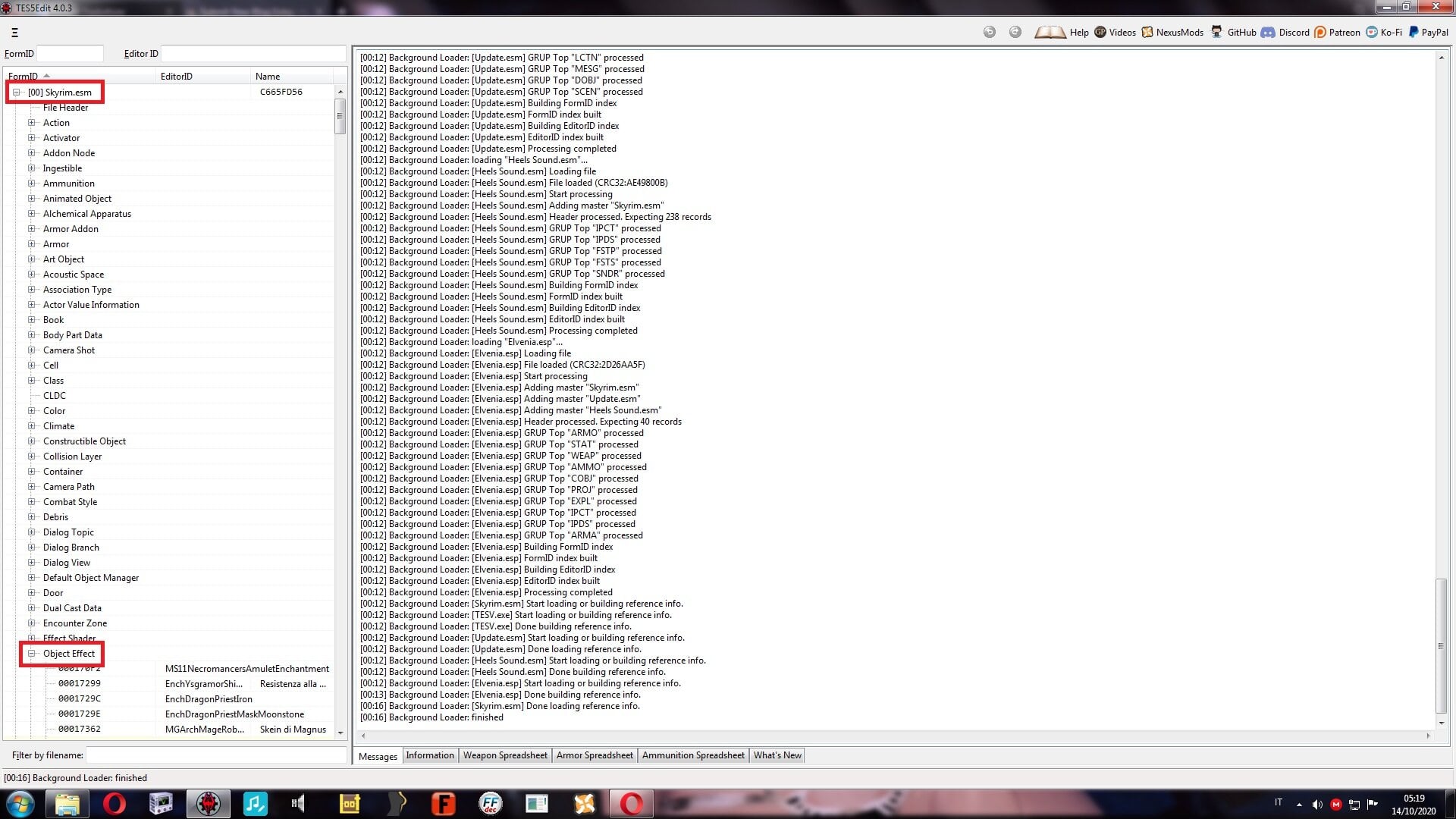
From here, we look for the spell we want to apply . As mentioned above, we insert the enchantment that increases our life points
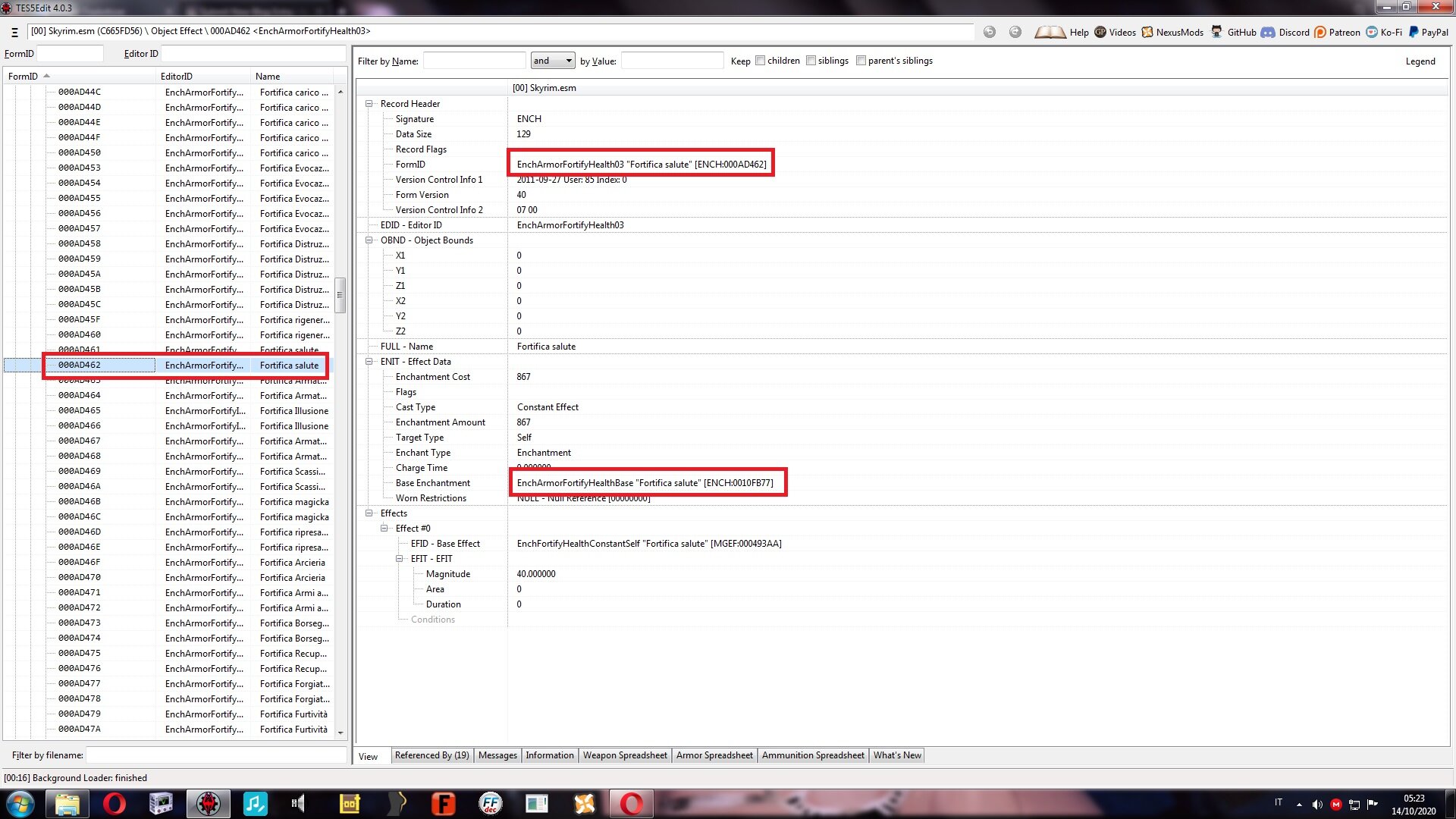
Right click on the spell and select Copy as override into . Obviously, the answer is YES
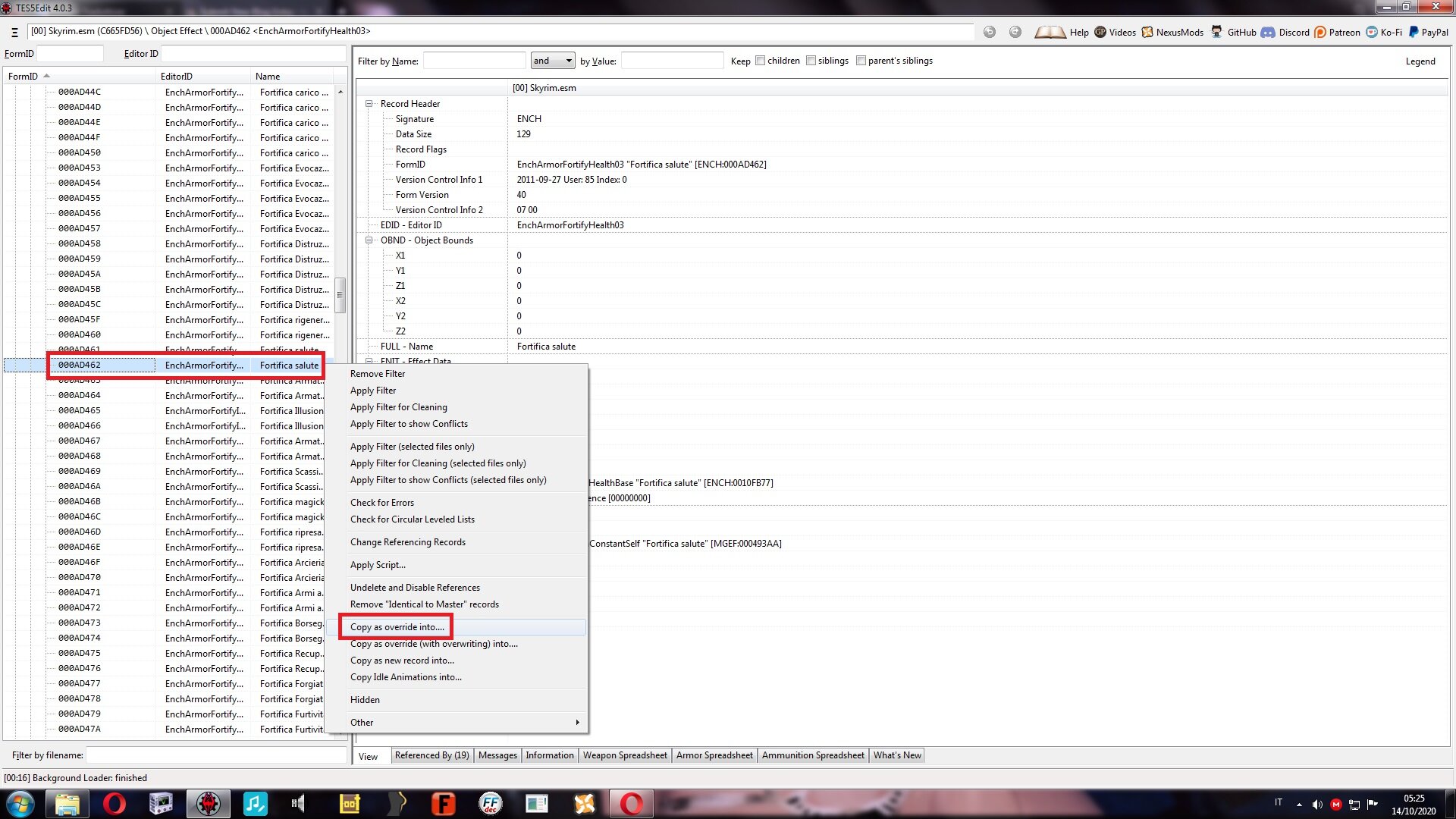
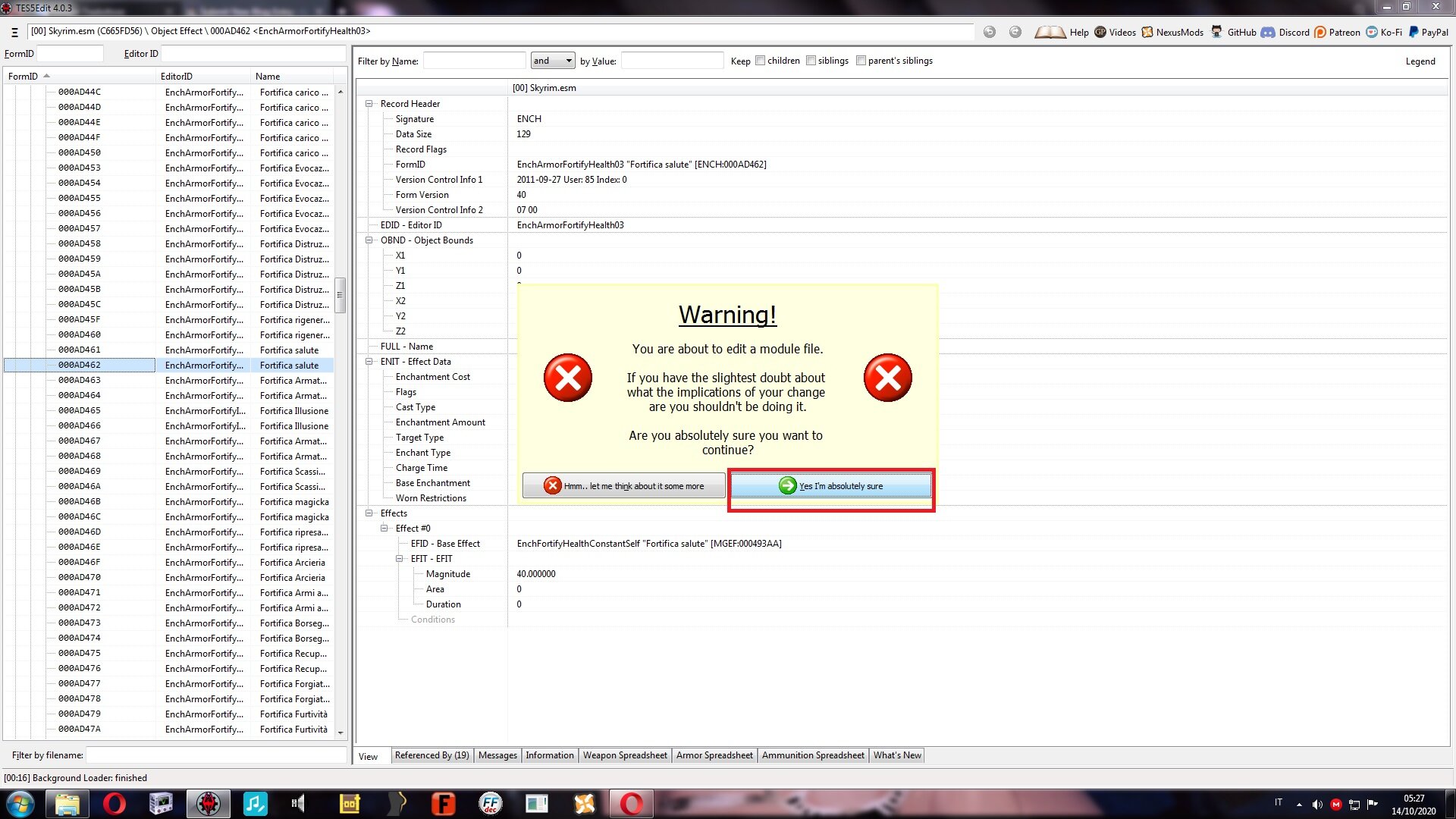
Select the reinforcement and click OK. At this point your custom spell is exported, inserted into the ESP of the armor

As it stands it does not differ from a normal spell. let's proceed to its improvement. Let's extend the armor menu, Object Effect and select the spell.
The power is determined by the Magnitude, a little low to save our life (only 40 HP)
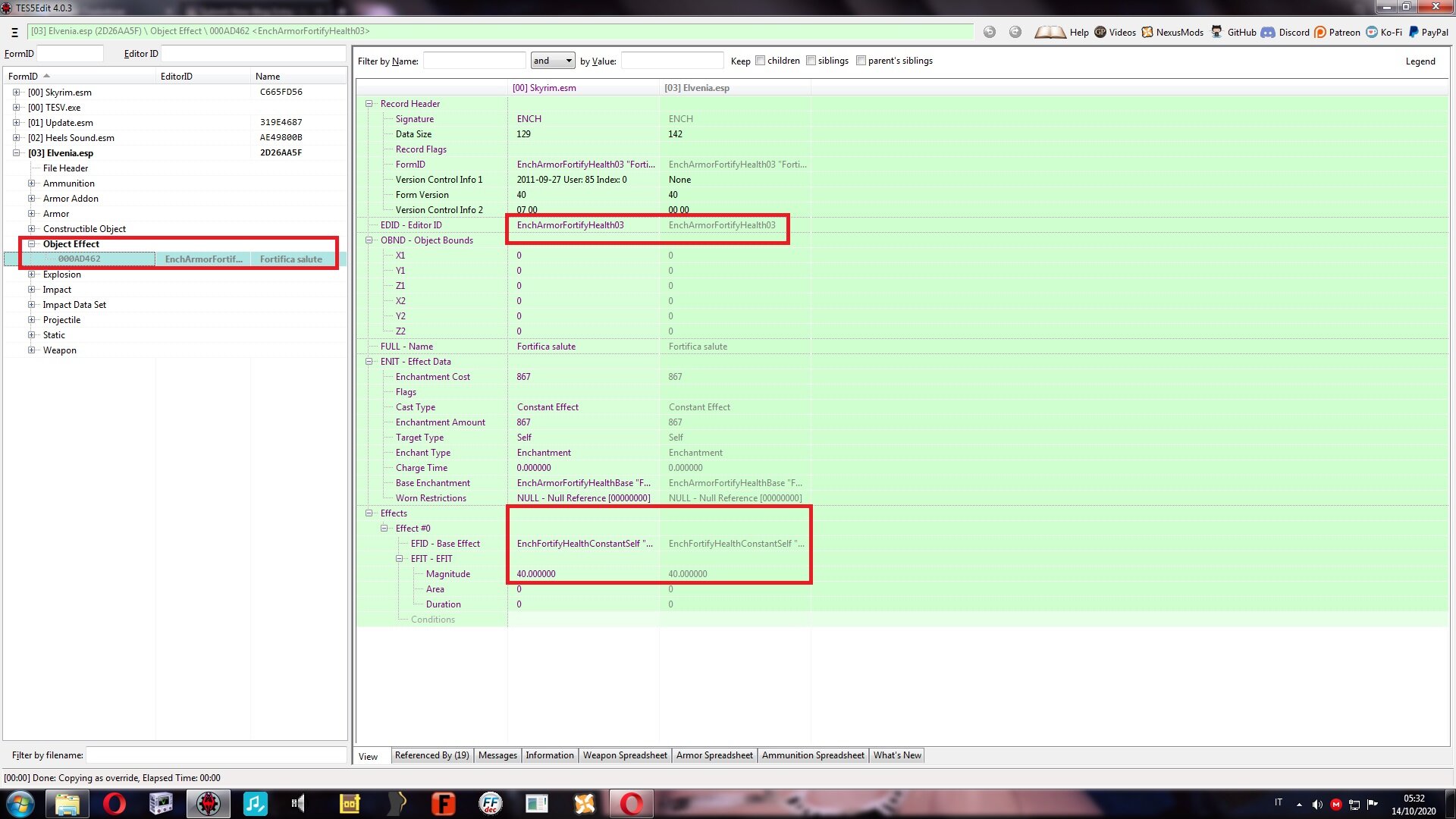
To survive into Skyrim , we will need more than 40 HP, let's improve it by increasing the Magnitude . Double click on magnitude and change value
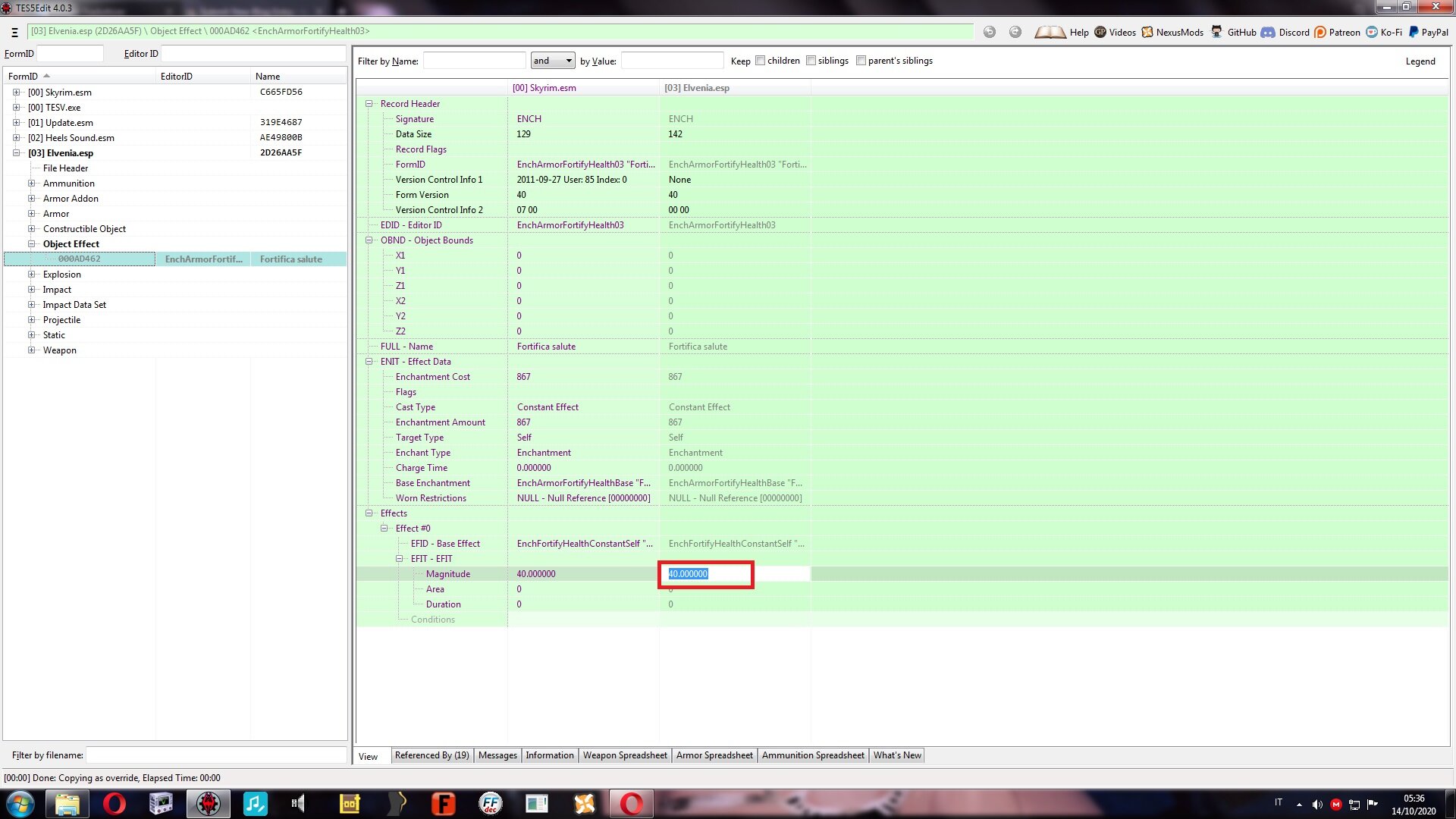
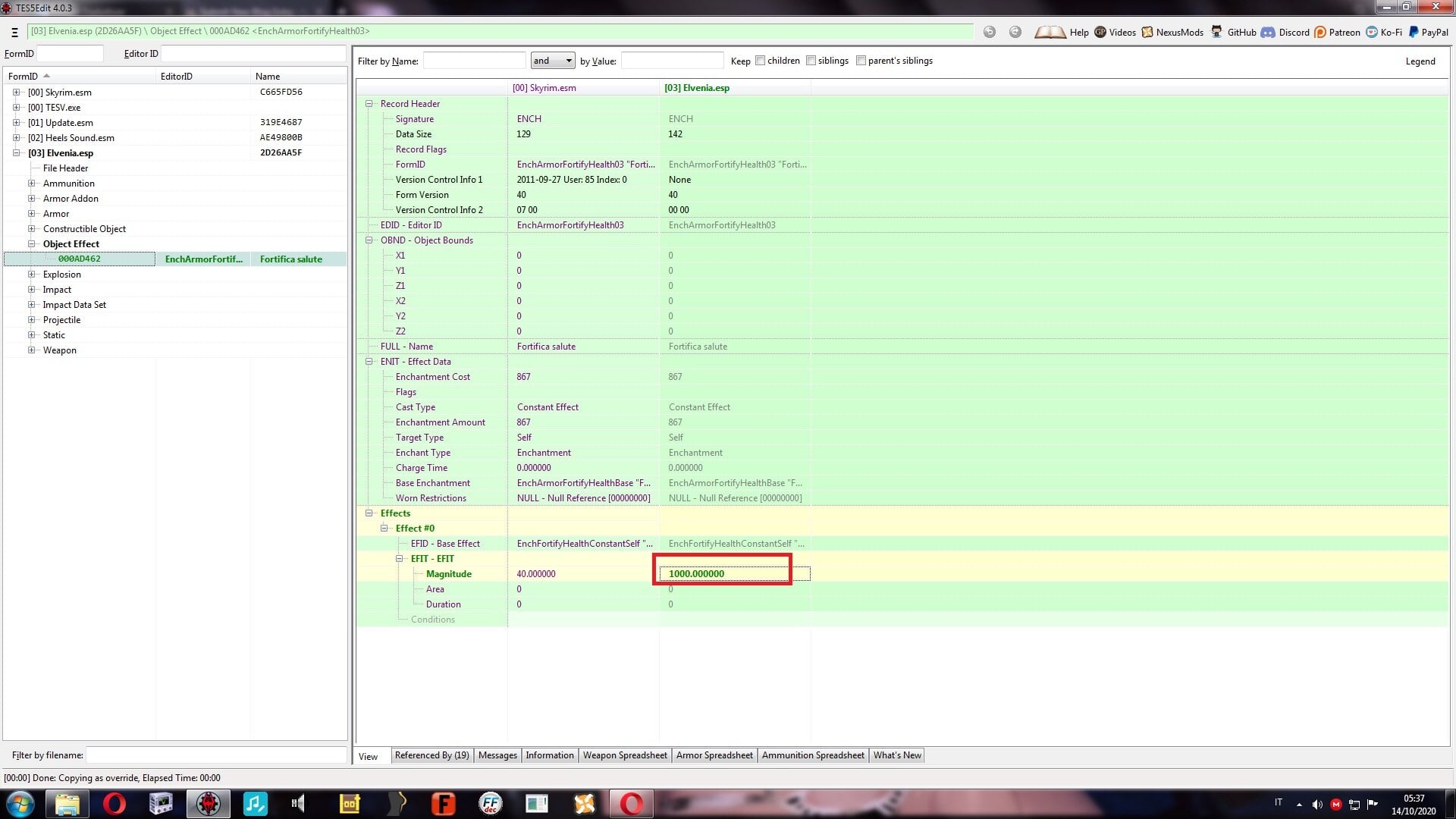
Our spell at this point is modified, it fails to fit into the armor . We select the armature, under EITM Object Effect, right click and select ADD
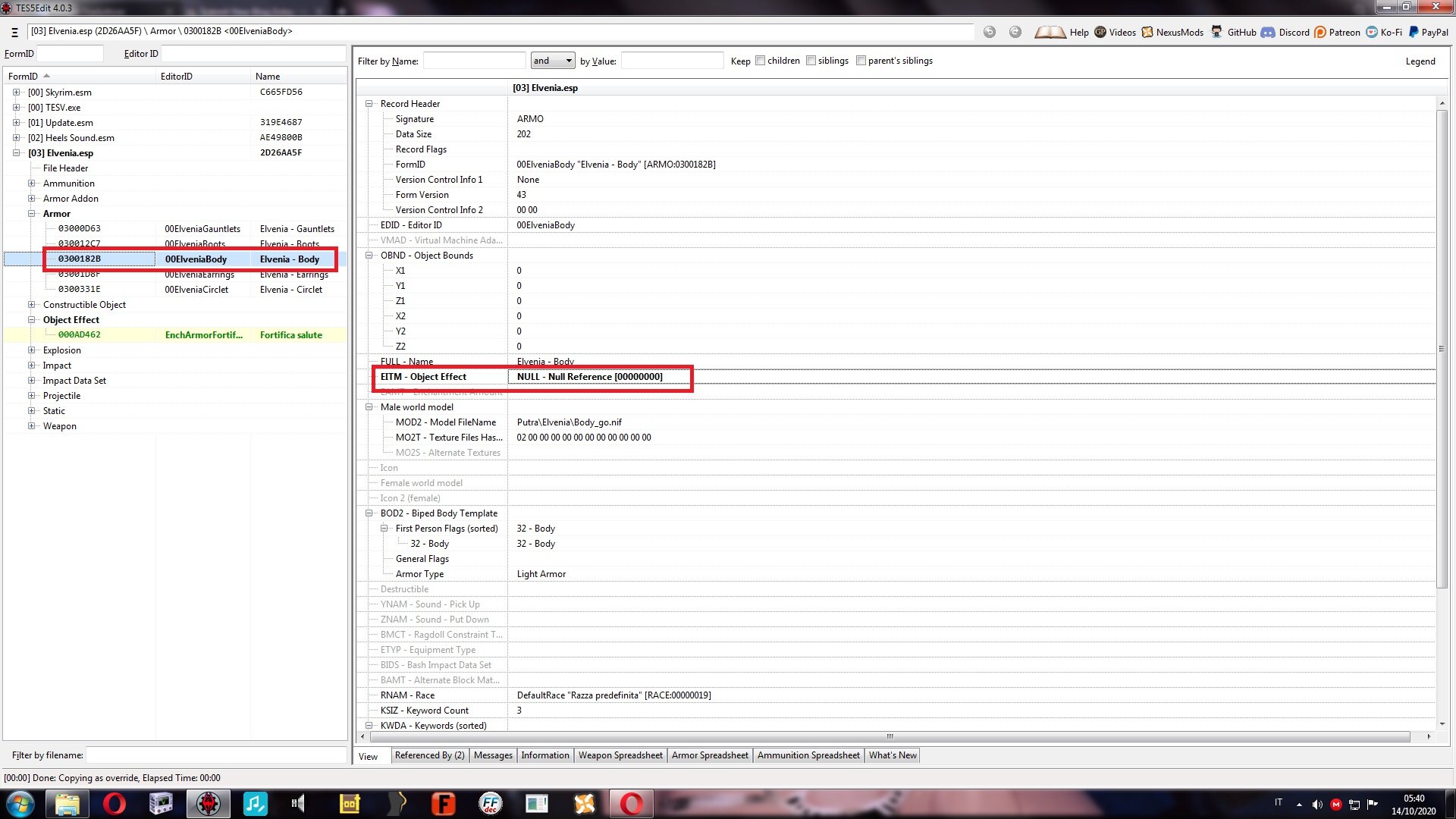
We memorize which spell we have removed: in example it is EnchArmorFortifyhealth03 . It is important to remember which one we used, it will allow us a faster search from the list .
Double click on the added string and insert our spell
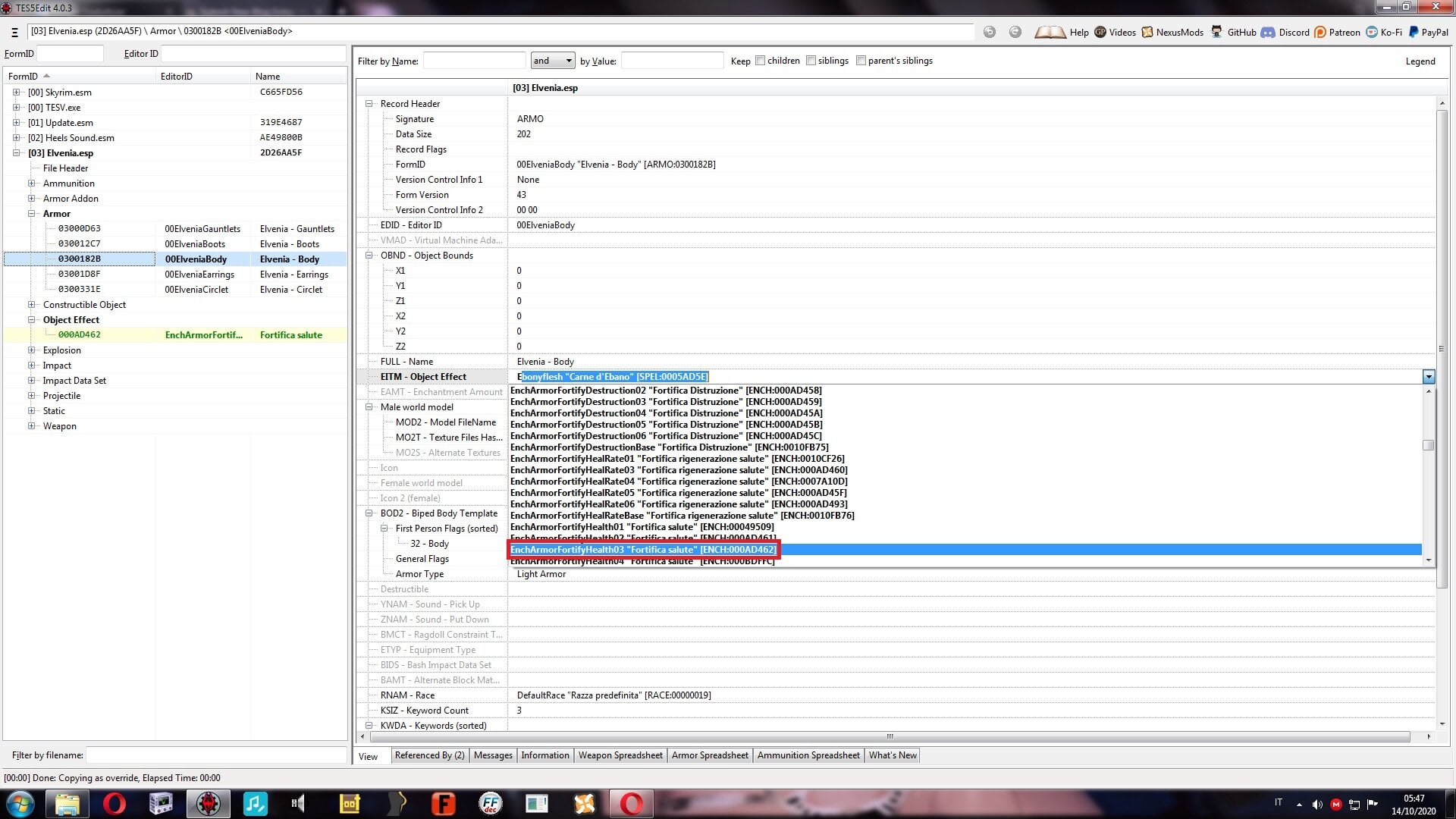
At this point the spell is applied permanently, if we use an armor ALREADY worn, to activate the effect just remove it and put it back . to save the ESP, just click on the icon at the top right, it will be overwritten automatically .
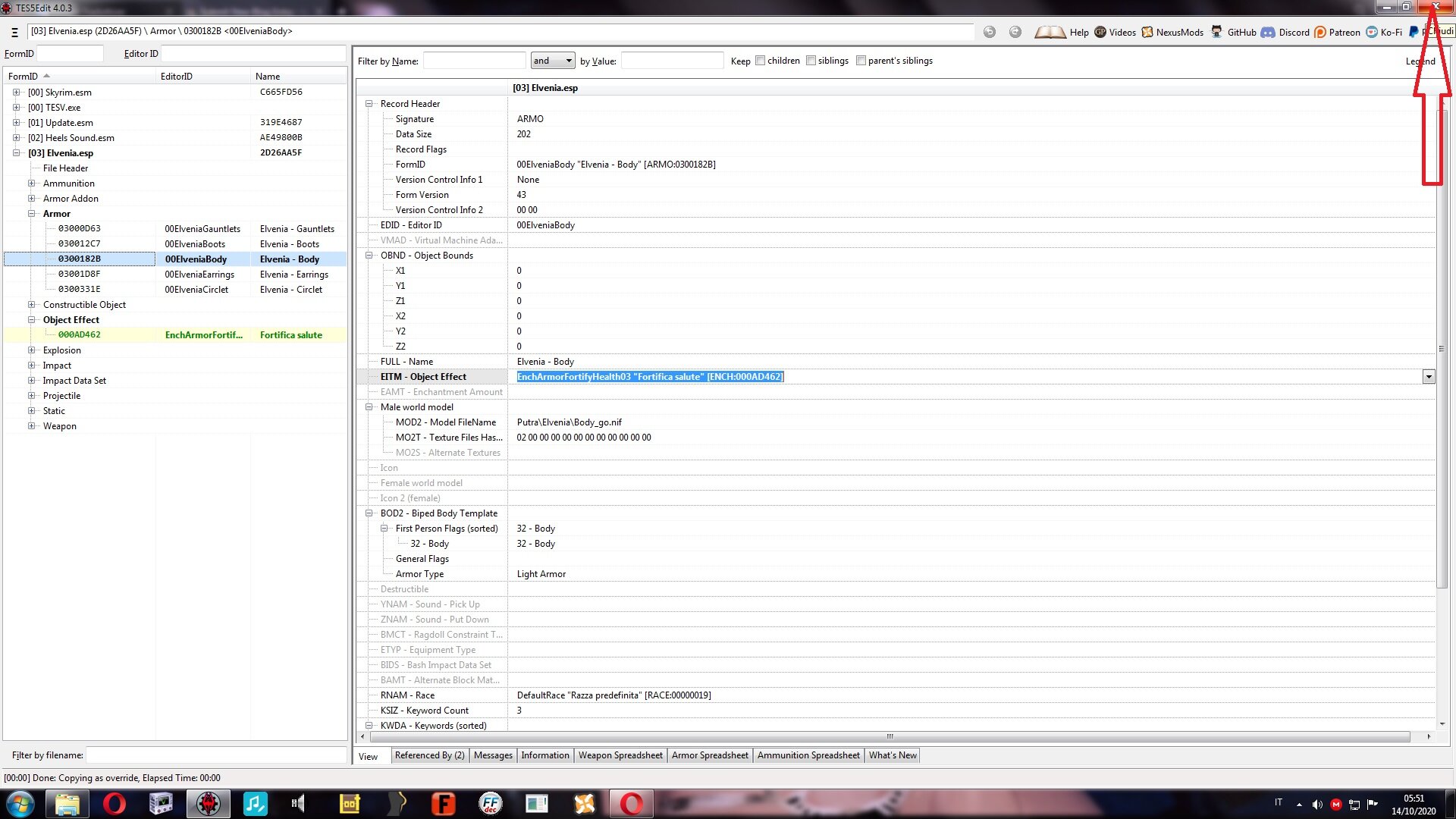
Confirm and save
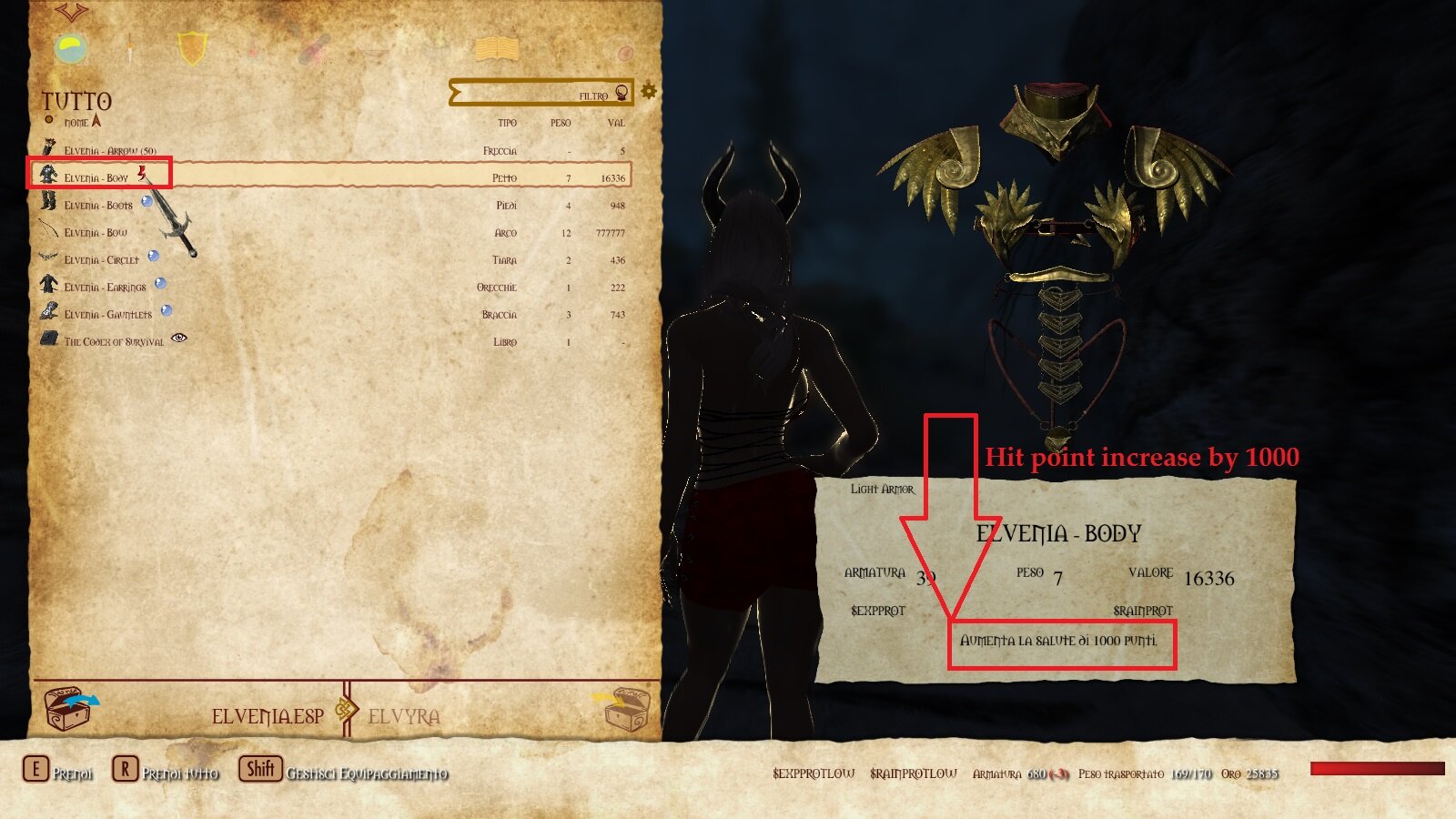
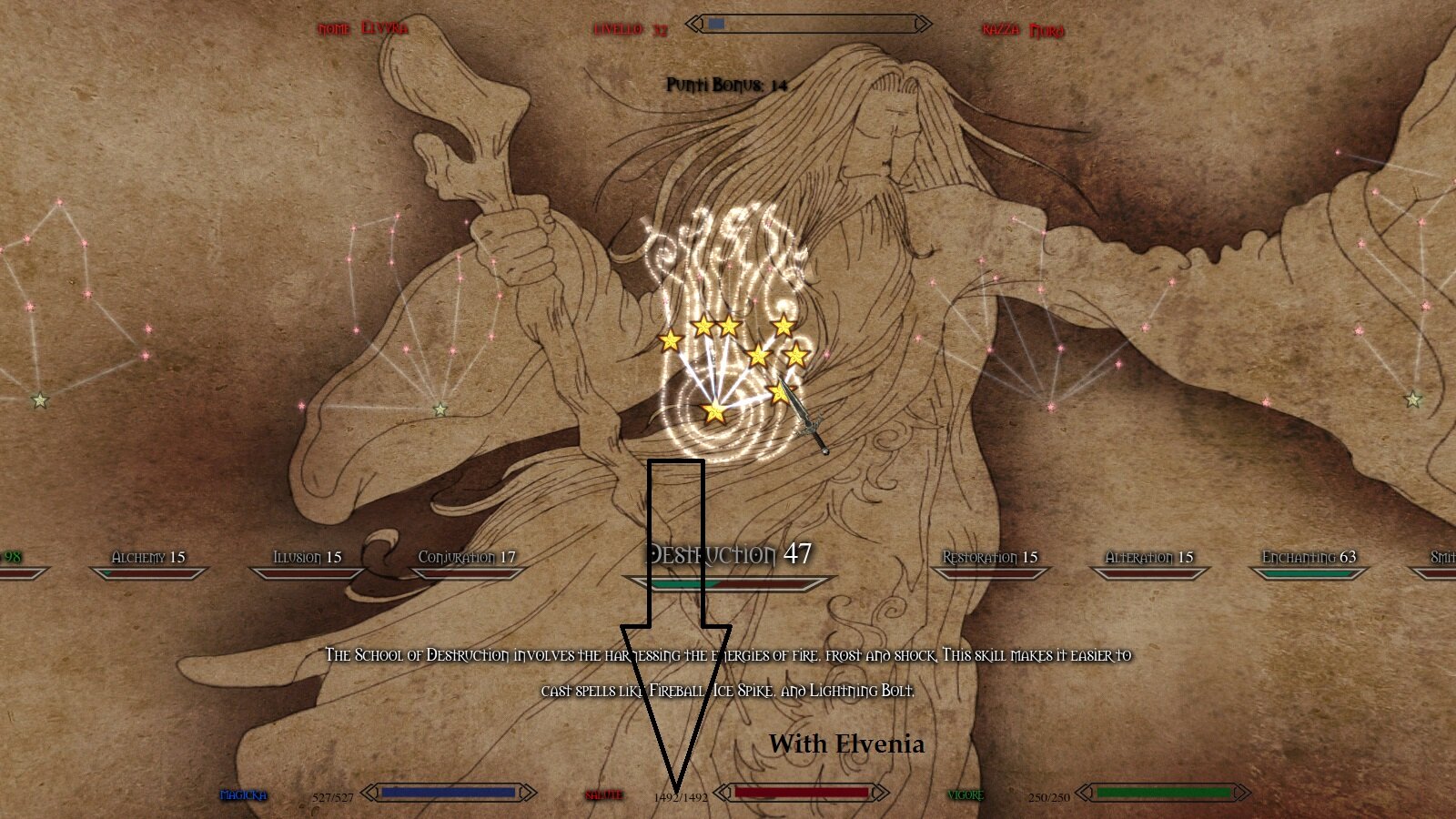
Into the game . This effect is permanent. In order to improve the armor we will need the Blacksmith for enchanted items. It is not possible to insert other enchantments
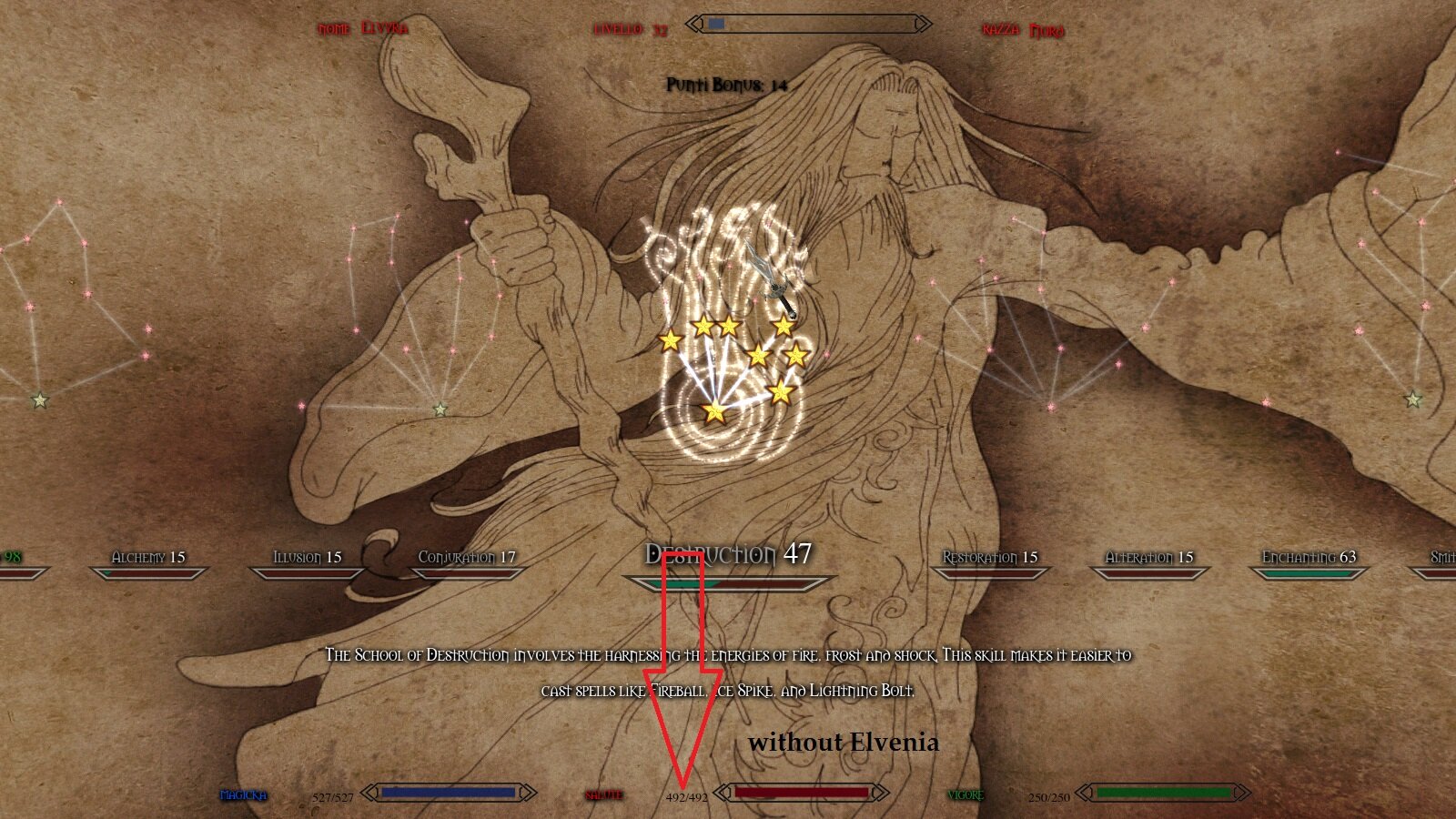
Without Elvenia Armor
Elvenia Armor
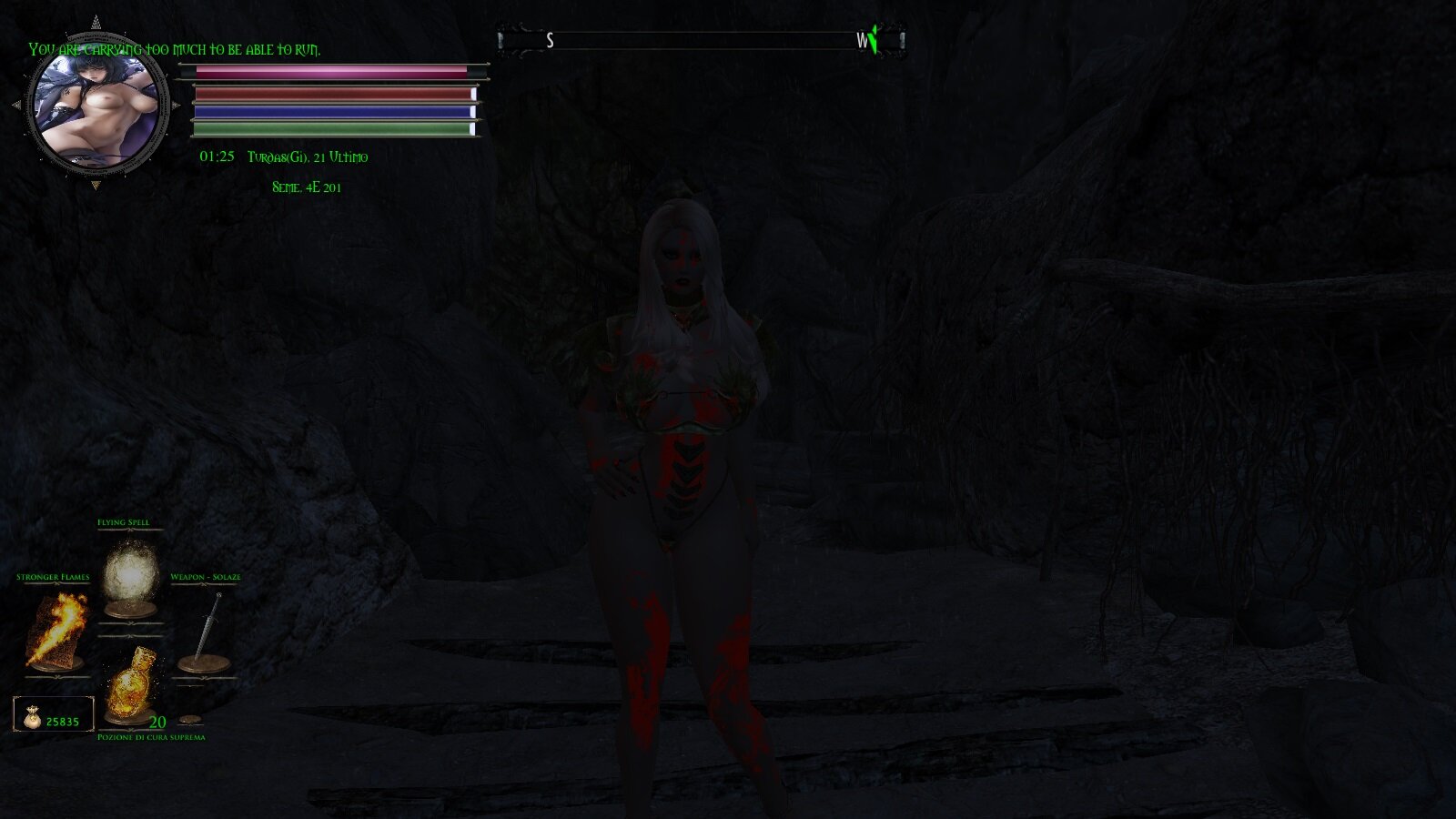
Ench Apply with Elvenia equipped
Good survival in Skyrim
0 Comments
Recommended Comments
There are no comments to display.