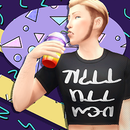
heartbeatsandbrainwaves Posted March 27, 2018 Posted March 27, 2018 View File Sports Jockstrap and Sports Bra Clothing Sports Outfit set containing a jockstrap and a sports bras. These are geared towards a feminine look, but can be used by all genders, in a variety of ways. All thumbnails preview. Click to enlarge. If you like this item, a donation on Ko-Fi would be nice! Thank you! Alt Simfileshare download: Merged or Separates (Same as LL Download.) Pick either the separates, or the merged. It will cause lag problems to have both versions installed at once. If you do not know the difference, and/or want everything this CC has to offer, I recommend the merged version. Here's an in-depth explanation in of what you get: Spoiler BGC. Everything is properly color-tagged. All are for Young Adult, Adult, and Elder. All are tagged as athletic wear. All have a custom diffuse, specular, shadow, and normal map. All have fully custom thumbnails. The bras come as tops. (Subcategory - Brassiere.) And as accessory clothes. (In Gloves.) 5 opaque swatches and 5 transparent swatches. Opaque Tops enabled for random. Transparent tops, and all accessory versions are disabled for random. All bra tops are tagged Feminine, disable this filter to wear them on Masculine Sims. The accessory clothes are tagged by the fashion choice they are optimized for. Disable filters, and both accessory versions are available to all Sims. The underwear comes as bottoms. (Subcategory - Underwear) And as accessory bottoms. (In Leggings.) Tagged as both Feminine and Masculine. 10 swatches. Disabled for random. There is also a version of the underwear bottoms with a bulge for Sims with feminine frames, and a smooth version of the underwear for Sims with masculine frames. These meshes are edited by me, and are LOD0 only (High detail Sims) only. On low sim detail settings or when Sims are far away, they will revert to the default EAxis meshes. Did you catch all that? If you are confused, but like the previews, just know there's a lot of options. Go install these and check them out. More screenshots. Credit to Franzilla for the simlish font. CC in the item thumbnails credits: Luumia. (Body Hair.) Noir and Dark Sims. (Nipples.) Simsperience/melissaq64. (Custom Skintones.) Other WCIF's about preview images cannot be answered, but thank you to all CC creators! TOU - Don't claim as your own. Reshare, redistribute, and recolour freely. Don't profit from this. Submitter heartbeatsandbrainwaves Submitted 03/28/2018 Category The Sims 4 Requires 3

Recommended Posts
Create an account or sign in to comment
You need to be a member in order to leave a comment
Create an account
Sign up for a new account in our community. It's easy!
Register a new accountSign in
Already have an account? Sign in here.
Sign In Now