Evan555alpha Posted January 11, 2018 Posted January 11, 2018 I'm making an armour mod, and I want to be able to change the mesh of a piece of armour via the armour workbench. What I've done so far is: Made an ap_ Keyword, "ap_ChrysArmour", and given it a display name, "Alternate Looks" Made an ma_ keyword, "ma_ChrysArmour", and applied it to both the OMOD and ARMO Made COBJs for the Armour Addons Made OMODs which are both referenced by the "Object Template" of the armour Made Armour Addons which are also both referenced by the armour's "Models" However, through all I've been able to try, I just cannot get "alternate looks" to show up as a mod slot in the armour workbench. What is it that I could be doing wrong, or not doing at all? I should note that it is currently only the boots that I have more or less finished, save for this mishap. Everything else does not have a model yet. Attached is a development version of the mod. Only requirements are that the all-DLC version of Armorsmith Extended and ArmorKeywords are installed. EDIT: And of course, it's only after I upload that I notice that something is causing the plugin to cause a CTD on startup. I don't know why, because it was working perfectly moments beforehand. It loads fine in FO4Edit, though. EDIT 2: Removed the "combinations" listed in the armour itself, and not only has it fixed the crash issue, but it's also made the keyword show up now, for some reason. Updated plugin has been attached for the sake of it. Chrysalis Armour.rar Chrysalis' Armour.esp
AWP3RATOR Posted January 11, 2018 Posted January 11, 2018 I haven't personally messed with armor mods on the workbench yet.... BUT have a look at the Cross Tactical Bikini mod. This does what I think you're referring to. In game, they player can modify the armor at an armor station to change the look of it: adding or removing mesh components (boots, gloles, leggings, breast strap, etc.)
Evan555alpha Posted January 11, 2018 Author Posted January 11, 2018 Aye, they do do what I'm referring to, yes. But I believe that they've done it slightly differently. Say, for the armwear, they're using a single mesh that has all the options, then using material swaps to hide different parts of the mesh. I've done it using separate meshes. Though this might explain why theirs is animated regardless of option chosen, while mine only has one mesh that follows animations, which is a new issue that's cropped up between then and now.
AWP3RATOR Posted January 11, 2018 Posted January 11, 2018 OK, I see what you're getting after. Like version 1 of the armor is a leather chest piece - but upgraded version 2 would be metal chest piece replacing the leather, and so on. Again, I haven't spent a lot of time in the workbench side of things, must guessing here - but this does sound a bit similar to weapons mods. Like how the player can copes, muzzle, stocks, grips, magazines, etc. Weapons mods physically swap out different component meshes on the fly. I would think that they would work similarly, if not the same, to how armor mods work - but knowing Bethesda, probably not...
Evan555alpha Posted January 11, 2018 Author Posted January 11, 2018 It is, yeah. Anyway, I've managed to fix that issue; the models load properly. My current issue with it now, is that the base model, the one defined by the ARMO, is animated, but the one defined by the ARMA, when it's selected in the workbench, is not, even though I have rigged them via Bodyslide's Outfit Studio. See attached for what I mean.
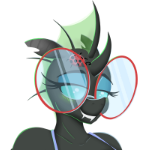
Evan555alpha Posted January 16, 2018 Author Posted January 16, 2018 May as well keep all things related to this mod in this thread, rather than staring topics for each and every little problem that I run in to. Regarding those tights: I've changed how the OMOD changes the armour model, this time having the OMOD change the ArmorAddonIndex. I've also set the AAI for each AA listed in the ARMO from 0,1 to 1,2. However, even with these changes, I'm still getting the same issue as above: The models defined in the ARMAs, even though they've got all the bone weights and such, are not being animated along with the rest of the body. Are there any possible remedies? I guess I need to restart NMM, unequip/equip, or restart the PC, or something. Works as intended, now. Different mesh, different issue: I've got a horn that I modeled and textured myself; Spoiler However, even though the UV map lines up in both Bodyslide and NifSkope, there is a texture misalignment in the game: Spoiler What could be the possible cause of this? A bit of context: This mod adds Queen Chrysalis' armour set from the IDW MLP comics, and is based on Burgerkiss' depiction of it. Spoiler The armour. Burgerkiss' piece. What I've created so far.

Recommended Posts
Archived
This topic is now archived and is closed to further replies.