rosette Posted May 31, 2012 Author Posted May 31, 2012 Lusia follower is up! Please let me know if you have any bugs.
rosette Posted May 31, 2012 Author Posted May 31, 2012 hey rosette could you please upload the enb tweak Check under enb on front thread now. I posted my ENB Customizer settings.
Destructers Posted May 31, 2012 Posted May 31, 2012 Really work now. Thanks for the eyes fix and the boost up. Apparently, I use Better Follower and then UFO, it seems they are not compatible. I then switch to Amazing Follower Tweak and now the scale up work. I also turn them both into vampire since my character is a vampire, so now I am ready for DawnGuard DLC. Next step is to try to put Vindictus Dark Knight transformation on them and I am set to conquer the world, whoahahahaha. PS: I use Vampire's Sprint to travel around instead of Fast Travel, wonder if they will use it as well ;p
rosette Posted May 31, 2012 Author Posted May 31, 2012 Really work now. Thanks for the eyes fix and the boost up. Apparently' date=' I use Better Follower and then UFO, it seems they are not compatible. I then switch to Amazing Follower Tweak and now the scale up work. I also turn them both into vampire since my character is a vampire, so now I am ready for DawnGuard DLC. Next step is to try to put Vindictus Dark Knight transformation on them and I am set to conquer the world, whoahahahaha. PS: I use Vampire's Sprint to travel around instead of Fast Travel, wonder if they will use it as well ;p [/quote'] I'm glad it is working for you! I've always used UFO with the Followers can relax mod. That sounds awesome! I set all my followers to vampires as well, lol and am using the Sanguinare mod. It's very fun I like the Dark Knight trans a lot except it takes my clothes off afterwards and it was inconvenient so I took it off
ragnon Posted June 1, 2012 Posted June 1, 2012 Rosette, thanks a lot for your efforts. I'm having a hard time getting Lusia to show up properly. I copied all of your textures and meshes and still end up with a very colorful spots on the face (especially the forehead) that resemble television static. Would very much appreciate your help.
nightcrawler913 Posted June 1, 2012 Posted June 1, 2012 Has anyone tried BDO - Big Dialogue Overhaul?? http://skyrim.nexusmods.com/downloads/file.php?id=14228 Also which files do I use for Extended Slider Colors? Extended Slider Colors Plugin Patcher v3-1-3 - Multithreaded Extended Slider Colors v2-8 - Prepatched - English Extended Slider Colors v4-6 - Multilingual FOMOD
rosette Posted June 1, 2012 Author Posted June 1, 2012 Rosette' date=' thanks a lot for your efforts. I'm having a hard time getting Lusia to show up properly. I copied all of your textures and meshes and still end up with a very colorful spots on the face (especially the forehead) that resemble television static. Would very much appreciate your help. [/quote'] Can you post a picture please? I'll test my upload out and see if it is different. Has anyone tried BDO - Big Dialogue Overhaul?? http://skyrim.nexusmods.com/downloads/file.php?id=14228 Also which files do I use for Extended Slider Colors? Extended Slider Colors Plugin Patcher v3-1-3 - Multithreaded Extended Slider Colors v2-8 - Prepatched - English Extended Slider Colors v4-6 - Multilingual FOMOD I've tried BDO, but I like to keep it simple. xD Try the v 4.6 fomod.
Destructers Posted June 1, 2012 Posted June 1, 2012 Rosette' date=' thanks a lot for your efforts. I'm having a hard time getting Lusia to show up properly. I copied all of your textures and meshes and still end up with a very colorful spots on the face (especially the forehead) that resemble television static. Would very much appreciate your help. [/quote'] Same thing here and your new package has those shiny lines. Lusia doesn't look quite right, I'll try to install Yaska race and see how it goes.
rosette Posted June 1, 2012 Author Posted June 1, 2012 Rosette' date=' thanks a lot for your efforts. I'm having a hard time getting Lusia to show up properly. I copied all of your textures and meshes and still end up with a very colorful spots on the face (especially the forehead) that resemble television static. Would very much appreciate your help. [/quote'] Same thing here and your new package has those shiny lines. Lusia doesn't look quite right, I'll try to install Yaska race and see how it goes. I am afraid there is not much I can do, except recommend that you overlay your default female textures with those from the Yaksha race and run Caliente's Texblend if you use a CBBE body and not UNP (to get rid of a nasty neckseam). I've gone through dozens of mods to get my textures compiled to make one certain style, but I also play on ultra settings with ENB and AA/antistropic filtering at around 16x EQ. My enb also tends to hide all of of the weird "scaly" shimmerings of most body textures and somehow makes neck seams irrelevant even though I know I have one lol. Here is what I'm personally using now, which i think is a bit different from my pack.. it might work, maybe xD No promises. If not, definitely try moving the Yaksha race textures over the default female textures and running texture blender. http://www.mediafire.com/?dzb09emrt2gke0z
Aramyr Posted June 1, 2012 Posted June 1, 2012 So any chance of a level 1 file, Vergil, or anyone else that is really handy with these things? Sucks that face transfer doesn't work with custom races. That floating jaw is creepy. o_o
Destructers Posted June 1, 2012 Posted June 1, 2012 Hmm, I use Virgil save game file and able to get Lusia to look like in the picture, but the NPC file is not working. The face is all wrinkle up and there is a missing texture for the tattoo on the forehead. The new package you provide has no problem with Misa, but Lusia still doesn't look right.
rosette Posted June 1, 2012 Author Posted June 1, 2012 Hmm' date=' I use Virgil save game file and able to get Lusia to look like in the picture, but the NPC file is not working. The face is all wrinkle up and there is a missing texture for the tattoo on the forehead. The new package you provide has no problem with Misa, but Lusia still doesn't look right. [/quote'] She's working for me so it must be a missing texture file that I have and you don't. This companion has mostly unique textures. Could I atleast see a pic? It might help me figure out what it is. Edit: Well, I've tried my upload many times.. Tried taking off extended colors, numenume brows and yaksha race. Still appears fine in game. Went through all the textures and meshes again on the ck and still seems fine so I'm not sure.. I'm just gonna take her down cause I don't really know what else to do. Sorry guys. http://www.mediafire.com/?x17gq4bdyzxvdmy That should fix the wrinkly face. As for the forehead texture Idk. Try checking your bretonfemale textures and see if you've got conflicts or something.
Destructers Posted June 1, 2012 Posted June 1, 2012 Hmm' date=' I use Virgil save game file and able to get Lusia to look like in the picture, but the NPC file is not working. The face is all wrinkle up and there is a missing texture for the tattoo on the forehead. The new package you provide has no problem with Misa, but Lusia still doesn't look right. [/quote'] She's working for me so it must be a missing texture file that I have and you don't. This companion has mostly unique textures. Could I atleast see a pic? It might help me figure out what it is. Edit: Well, I've tried my upload many times.. Tried taking off extended colors, numenume brows and yaksha race. Still appears fine in game. Went through all the textures and meshes again on the ck and still seems fine so I'm not sure.. I'm just gonna take her down cause I don't really know what else to do. Sorry guys. http://www.mediafire.com/?x17gq4bdyzxvdmy That should fix the wrinkly face. As for the forehead texture Idk. Try checking your bretonfemale textures and see if you've got conflicts or something. The new file makes her look much better, the skin is smooth now and look almost as good as the screenshot. I will download bretonfemale textures and try to find the tattoo. Sorry for the delay, I tried to put all Yaksha textures and other textures into a single folder, but it only improve a little. Thanks for the new file.
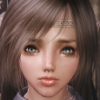
rosette Posted June 1, 2012 Author Posted June 1, 2012 The new file makes her look much better' date=' the skin is smooth now and look almost as good as the screenshot. I will download bretonfemale textures and try to find the tattoo. Sorry for the delay, I tried to put all Yaksha textures and other textures into a single folder, but it only improve a little. Thanks for the new file. [/quote'] I'm sorry, but what tattoo? Here's my follower
Destructers Posted June 1, 2012 Posted June 1, 2012 The new file makes her look much better' date=' the skin is smooth now and look almost as good as the screenshot. I will download bretonfemale textures and try to find the tattoo. Sorry for the delay, I tried to put all Yaksha textures and other textures into a single folder, but it only improve a little. Thanks for the new file. [/quote'] I'm sorry, but what tattoo? Here's my follower I remember seeing a sort of accessories/tattoo on her forehead before, so I assume what those rainbow/TV lines are what missing. However, when I take a closer look, it seems to be the eyebrows. Yes, it's the eyebrows missing texture, kind of hard to shake off assumption on the first time, hahaha.
rosette Posted June 1, 2012 Author Posted June 1, 2012 Well, I'm unable to figure out why she isn't showing up properly for a few people but fine for others. Everything seems to link together from what I looking at.. But I'll upload this link here anyways in case someone wants it and really wants to figure it out lol, http://www.mediafire.com/?337ab5iqu8drzdt Requires face/body texture files from my pack. She is at Dragonsreach. I'm not going to be supportive to this thread for a while because I am going back home from college tomorrow and then taking a vacation.
Destructers Posted June 1, 2012 Posted June 1, 2012 Well' date=' I'm unable to figure out why she isn't showing up properly for a few people but fine for others. Everything seems to link together from what I looking at.. But I'll upload this link here anyways in case someone wants it and really wants to figure it out lol, http://www.mediafire.com/?337ab5iqu8drzdt Requires face/body texture files from my pack. I'm not going to be supportive to this thread for a while because I am going back home from college tomorrow and then taking a vacation. [/quote'] Ok, thanks for the help so far. I download numenume and try to replace MARO19, it didn't work. So I just use MARO16 and change it name to MARO19 and replace it, it fixes the eyebrow problem for now. My Lusia is close enough to the picture, so no complaint here. Now just struggle to have her go 2 hand or 1 hand + spell. Tough choice T_T
rosette Posted June 1, 2012 Author Posted June 1, 2012 Well' date=' I'm unable to figure out why she isn't showing up properly for a few people but fine for others. Everything seems to link together from what I looking at.. But I'll upload this link here anyways in case someone wants it and really wants to figure it out lol, http://www.mediafire.com/?337ab5iqu8drzdt Requires face/body texture files from my pack. I'm not going to be supportive to this thread for a while because I am going back home from college tomorrow and then taking a vacation. [/quote'] Ok, thanks for the help so far. I download numenume and try to replace MARO19, it didn't work. So I just use MARO16 and change it name to MARO19 and replace it, it fixes the eyebrow problem for now. My Lusia is close enough to the picture, so no complaint here. Now just struggle to have her go 2 hand or 1 hand + spell. Tough choice T_T Aw I'm glad you got it working :/ Not sure why that one eyebrow isn't working for people. So odd. I changed her stats for myself and made her an archer cause I already have Ria as my warrior, and gave her a healing spell. hehe
~Illusion Posted June 1, 2012 Posted June 1, 2012 Rosette' date=' thanks a lot for your efforts. I'm having a hard time getting Lusia to show up properly. I copied all of your textures and meshes and still end up with a very colorful spots on the face (especially the forehead) that resemble television static. Would very much appreciate your help. [/quote'] Same thing here and your new package has those shiny lines. Lusia doesn't look quite right, I'll try to install Yaska race and see how it goes. known issue, just set texture quality to very high in skyrim launcher, and you'll be happy
Destructers Posted June 1, 2012 Posted June 1, 2012 Rosette' date=' thanks a lot for your efforts. I'm having a hard time getting Lusia to show up properly. I copied all of your textures and meshes and still end up with a very colorful spots on the face (especially the forehead) that resemble television static. Would very much appreciate your help. [/quote'] Same thing here and your new package has those shiny lines. Lusia doesn't look quite right, I'll try to install Yaska race and see how it goes. known issue, just set texture quality to very high in skyrim launcher, and you'll be happy My PC is 4 years old with Geforce 8800 GTS (320MB), can only play at between medium-high setting, lol. I use a specialize d3d9.dll to boost performance, otherwise I can only it at low. I also use Realistic Lightning + No Tint to mimic the ENB and it works great with no performance loss. Edit: I am still trying to find a forehead accessories, it looks like a really interesting design or jewelry of sort. I saw it before, but didn't get it T_T.
rosette Posted June 1, 2012 Author Posted June 1, 2012 Rosette' date=' thanks a lot for your efforts. I'm having a hard time getting Lusia to show up properly. I copied all of your textures and meshes and still end up with a very colorful spots on the face (especially the forehead) that resemble television static. Would very much appreciate your help. [/quote'] Same thing here and your new package has those shiny lines. Lusia doesn't look quite right, I'll try to install Yaska race and see how it goes. known issue, just set texture quality to very high in skyrim launcher, and you'll be happy lol good point. xD I just got a new computer, been living it up with all these graphical mods and ultra settings. oh and i just decided to make this little one too: http://skyrim.nexusmods.com/imageshare/image.php?id=91707 So is anyone having success with the lusia follower's looks (newest link posted back a bit) without having to change anything? i'd really like to be able to put vergil's stunning girl on the op. Edit: I got the forehead accessories from the Ashara Dimonized collection, link on front. can buy it all at the markarth silver blood inn.
Destructers Posted June 1, 2012 Posted June 1, 2012 Thanks, now just need a good mage robe for Misa. I have Lusia wear Warden set, my favorite for a while as a female knight. As for the eyebrow, only NERO16 work since it is 33kb, the rest are 9kb and I tried 17 - 24, none of them work so I just give up and use 16 anyway, lol.
rosette Posted June 1, 2012 Author Posted June 1, 2012 Thanks' date=' now just need a good mage robe for Misa. I have Lusia wear Warden set, my favorite for a while as a female knight. As for the eyebrow, only NERO16 work since it is 33kb, the rest are 9kb and I tried 17 - 24, none of them work so I just give up and use 16 anyway, lol. [/quote'] I give Misa the temptress outfit. I give her the fully armored one while fighting and the least armored and bikini in lots of screenies. So it's just a settings problem. u_u I'll make a Lusia for lower settings later before I leave then. Will try to get the same brows.
The DarkSlayer Posted June 1, 2012 Posted June 1, 2012 Rosette' date=' thanks a lot for your efforts. I'm having a hard time getting Lusia to show up properly. I copied all of your textures and meshes and still end up with a very colorful spots on the face (especially the forehead) that resemble television static. Would very much appreciate your help. [/quote'] Same thing here and your new package has those shiny lines. Lusia doesn't look quite right, I'll try to install Yaska race and see how it goes. known issue, just set texture quality to very high in skyrim launcher, and you'll be happy lol good point. xD I just got a new computer, been living it up with all these graphical mods and ultra settings. oh and i just decided to make this little one too: http://skyrim.nexusmods.com/imageshare/image.php?id=91707 So is anyone having success with the lusia follower's looks (newest link posted back a bit) without having to change anything? i'd really like to be able to put vergil's stunning girl on the op. Edit: I got the forehead accessories from the Ashara Dimonized collection, link on front. can buy it all at the markarth silver blood inn. She's soooo cute! :3

Recommended Posts
Create an account or sign in to comment
You need to be a member in order to leave a comment
Create an account
Sign up for a new account in our community. It's easy!
Register a new accountSign in
Already have an account? Sign in here.
Sign In Now