Jump to content

Damaging a armor in battle


Dorabella

Recommended Posts

Posted (edited)

Experimental phase developed with the support of AI


I had this idea. When you're fighting, why not have visible damage on the armor in a dynamic way?


Tools Used


1) AI Support for script creation

 2) Notepad++  For compile the PSC script

3) Bodyslide and Outfitstudio to create appropriate nif

4) Photoshop/Gimp + Paint.Net to create the appropriate DDS . If your photo editor can open/save DDS files, Paint.net is unnecessary.

5) Nifskope to apply the DDSs to damaged NIFs

6) XEdit for the entry of new nif, create a quest , apply script

7) PCA SE to create pex script


How I Did It


Open OS, load the project, and select the one you want to edit


Spoiler

Immagine.jpg.b5265dfb003dc97d5fcc4b47dc094b98.jpg


Without changing absolutely anything, File\Save Project As , Rename where necessary


Spoiler

Before 


Immagine.jpg.308aecb85f202ea577ecfe0bafcecd45.jpg


After


Immagine.jpg.3edefc441457be022b50f99ee30bb62f.jpg


⚠️⚠️⚠️

Fill in all the paths correctly, or you won't find the NIFs where you expect them to be.


Paint.Net + Photoshop


Here, we can open the DDS files. Open the DDS file in Paint.Net without making any changes, then save it as a PNG.

 If your photo editor can open/save DDS files,this step  is unnecessary.


Photshop

Break up the texture however you like . Save and rename 


Spoiler

Before no Damage


gown.thumb.jpg.3c222c27fcb54f0e0a00cf741deb02fe.jpg


After with Damage


GownRipped.thumb.jpg.a14604e4f56e6026985c34651db0d6ed.jpg


With Paint.Net, open PNG and save as a DDS file in the designated “Textures” folder

 If your photo editor can open/save DDS files,this step  is unnecessary.


Nifskope


File\Open , Import the NIF created earlier using OS

Click on dress, extend BSTriShape until you find BSShadertextureSet, Click on the latter to access the Textures

Spoiler

Immagine.jpg.3eec3b4a8abfbf9b93a8c8f26534950f.jpg


Immagine.jpg.1a9a27ec5958a4fb0c9100159a6c7a3d.jpg


Right-click on the texture, then select Textures\Choose The Textures page will open; search for and apply the ones you broke earlier. Repeat this for all parts that use the same DDS.

Spoiler

Immagine.jpg.8c4842071707aa25290ac19ebb2e60a7.jpg


Now your NIF is ready; remodel it in Bodyslide


Notepad++ and  PCA SE


Create a new file and fill it out as needed. That's why I asked AI for help.

This script was created for the Egil's Demon Hunter armor .


⚠️⚠️⚠️

The script should be saved with the same name as the header ( E.G . DynamicArmorDamageScript ). Save with psc into Skyrim Data\Script\Source


Spoiler

Scriptname DynamicArmorDamageScript extends Quest

; Proprietà configurate in xEdit / Creation Kit
Actor Property playerREF_var Auto
Armor Property DemonHunter Auto        ; La gonna normale
Armor Property DemonHunterGownRip Auto ; La gonna strappata (collegata al nuovo NIF)

; Variabili di stato interne
Bool bIsDamaged = false
Float BaseArmorRating = 0.0

Event OnInit()
    RegisterForSingleUpdate(1.0)
    if DemonHunter
        BaseArmorRating = DemonHunter.GetArmorRating()
    endif
EndEvent

Event OnUpdate()
    ; Controllo di sicurezza per prevenire errori nei log se la partita non è caricata del tutto
    if !playerREF_var || !DemonHunter || !DemonHunterGownRip
        RegisterForSingleUpdate(1.0)
        return
    endif

    ; Se il giocatore indossa la gonna normale e non è ancora danneggiata
    if playerREF_var.IsEquipped(DemonHunter) && !bIsDamaged
        Float currentHealthPct = playerREF_var.GetActorValuePercentage("Health")

        ; Se la salute scende sotto il 25% (75% di danni subiti)
        if currentHealthPct <= 0.25
            bIsDamaged = true
            ApplicaDannoAbito()
        endif
    endif

    ; Continua il ciclo di monitoraggio ogni secondo
    RegisterForSingleUpdate(1.0)
EndEvent

Function ApplicaDannoAbito()
    ; 1. Aggiunge la gonna strappata all'inventario (senza notifiche a schermo)
    playerREF_var.AddItem(DemonHunterGownRip, 1, true)
    
    ; 2. Rimuove la gonna normale ed equipaggia all'istante la versione Ripped
    playerREF_var.UnequipItem(DemonHunter, false, true)
    playerREF_var.EquipItem(DemonHunterGownRip, false, true)
    
    ; 3. Rimuove la gonna normale dall'inventario per non lasciare duplicati
    playerREF_var.RemoveItem(DemonHunter, 1, true)
    
    ; 4. Forza l'aggiornamento dei nodi 3D e della fisica SMP
    playerREF_var.QueueNiNodeUpdate()
EndFunction

; Funzione pronta per essere agganciata al tuo futuro sistema di riparazione
Function RiparaAbito()
    if bIsDamaged
        bIsDamaged = false
        
        ; Processo inverso: toglie la strappata e rimette la normale
        playerREF_var.AddItem(DemonHunter, 1, true)
        playerREF_var.UnequipItem(DemonHunterGownRip, false, true)
        playerREF_var.EquipItem(DemonHunter, false, true)
        playerREF_var.RemoveItem(DemonHunterGownRip, 1, true)
        
        playerREF_var.QueueNiNodeUpdate()
    endif
EndFunction


Once written, with the help of the PCA SE compiler, it generates the pex script


Spoiler

Immagine.jpg.8f73beb4cd1bb48065885aea045f0d61.jpg


Click on Create and fill out


Immagine.jpg.14732b9275907cebc9c3147ff3e00723.jpg


Click “Create”


Immagine.jpg.cb8254742f29894aaff1281563754dc3.jpg


Compilation\Search Scripts and import the one created with Notepad++

Immagine.jpg.e3027c163c6bd1a00987227f276eaf3e.jpg


Click on Start


Immagine.jpg.aa06ac89aa2347e719e2ac921f6763e5.jpg


If errors occur, use the log to make corrections where necessary


So far, we can say we've done the backstroke the hardest part


To Be Continued

Edited by Dorabella
Posted

Part 2


After writing the script, it's time to activate it by creating the quest. To do this, we need XEdit


In XEdit, open the ESP file for the outfit (in this example, Egil's Demon Hunter)


Let's start by adding the NIFs we created earlier using OS.

To do this, expand the ESP

Armor Addon, right click and select Add Armo Addon  and add the NIF (you can simply copy an existing one and change the IDName).


Spoiler

Immagine.jpg.17b8ea5d08447fd95e7d9ab7e13874d0.jpg


Extend Armor, right click and select Add Armo Armor, then repeat the process by changing the Full Name and tagging it as Non-Playable . This measure will prevent it from appearing in the inventory and/or within the ESP using AddItemmenu. In effect, it will be a fake.

DO NOT include keywords such as VendorItemArmor or similar terms. This (intentional) omission will prevent any NPC from having it.


Spoiler

Immagine.jpg.670e69cfae509a27e22542c9fac3574a.jpg


Quest

Right-click on ESP\Add\QUST-Quest


Spoiler

Immagine.jpg.af1198653c06794e3b82652965822aca.jpg


Right-click on Quest\Add QUST-Quest


Spoiler

Immagine.jpg.ce894c974c1b248996632273b72cdc9b.jpg


Compilation

Editor ID: Enter an ID that's easy to remember (you'll need it later for testing).

ScriptName: Enter the name of the PSC

Enter the script and its properties

Enable and associate the alias with the script


Spoiler

Immagine.jpg.681b69443357895e02ae0b0c0866adbb.jpg


Immagine.jpg.e0cd2d345aa75af9bedf8e0224bc11c2.jpg


Immagine.jpg.f959ed4bd8ff87fa871c183f1610c48a.jpg


We're done here. Close Xedit by clicking the X in the upper-right corner. The ESP will be saved automatically.


In-Game Testing


First of all, make sure you have the outfit in your inventory (this will make it easier to start the quest).


Open the console and type 

sqv QuestID press Enter . In the example, the string will be: sqv DemonHunterDamage


Spoiler

enb_2026-8-18_19-18-20_298.jpg.266556aeafb51d62e62d2bdcb7abe015.jpg


This will confirm that the Quest and the Script have been filled out correctly.


Dress Repair


If it's already in the ESP, all the better it'll be a faster process.


Right-click on “ConstructibleObject”\ADD\COBJ-Constructible Object 


Spoiler

Immagine.jpg.86c46785b36f40e80c61dbaec87a4072.jpg


Compilation for Repair


Spoiler

Immagine.jpg.8ef57adcb6220d1e995c17dba89a1590.jpg


Edit Script with Repair Formula


Spoiler

Scriptname DynamicArmorDamageScript extends Quest

; Proprietà configurate in xEdit / Creation Kit
Actor Property playerREF_var Auto
Armor Property DemonHunter Auto        ; La gonna normale
Armor Property DemonHunterGownRip Auto ; La gonna strappata (collegata al nuovo NIF)

; Variabili di stato interne
Bool bIsDamaged = false
Float BaseArmorRating = 0.0

Event OnInit()
    RegisterForSingleUpdate(1.0)
    if DemonHunter
        BaseArmorRating = DemonHunter.GetArmorRating()
    endif
EndEvent

Event OnUpdate()
    ; Controllo di sicurezza per prevenire errori nei log se la partita non è caricata del tutto
    if !playerREF_var || !DemonHunter || !DemonHunterGownRip
        RegisterForSingleUpdate(1.0)
        return
    endif

    ; Se il giocatore indossa la gonna normale e non è ancora danneggiata
    if playerREF_var.IsEquipped(DemonHunter) && !bIsDamaged
        Float currentHealthPct = playerREF_var.GetActorValuePercentage("Health")

        ; Se la salute scende sotto il 25% (75% di danni subiti)
        if currentHealthPct <= 0.25
            bIsDamaged = true
        Debug.Notification("Oh no! My skirt is all torn.")    
            ApplicaDannoAbito()
        endif    
    endif

    ; Continua il ciclo di monitoraggio ogni secondo
    RegisterForSingleUpdate(1.0)
EndEvent

Function ApplicaDannoAbito()
    ; 1. Aggiunge la gonna strappata all'inventario (senza notifiche a schermo)
    playerREF_var.AddItem(DemonHunterGownRip, 1, true)
    
    ; 2. Rimuove la gonna normale ed equipaggia all'istante la versione Ripped
    playerREF_var.UnequipItem(DemonHunter, false, true)
    playerREF_var.EquipItem(DemonHunterGownRip, false, true)
    
    ; 3. Rimuove la gonna normale dall'inventario per non lasciare duplicati
    playerREF_var.RemoveItem(DemonHunter, 1, true)
    
    ; 4. Forza l'aggiornamento dei nodi 3D e della fisica SMP
    playerREF_var.QueueNiNodeUpdate()
EndFunction

; Funzione pronta per essere agganciata al tuo futuro sistema di riparazione
Function RiparaAbito()
    if bIsDamaged
        bIsDamaged = false
        
        ; Processo inverso: toglie la strappata e rimette la normale
        playerREF_var.AddItem(DemonHunter, 1, true)
        playerREF_var.UnequipItem(DemonHunterGownRip, false, true)
        playerREF_var.EquipItem(DemonHunter, false, true)
        playerREF_var.RemoveItem(DemonHunterGownRip, 1, true)
        
        playerREF_var.QueueNiNodeUpdate()
    endif
EndFunction


Event OnItemAdded(Form akBaseItem, Int aiItemCount, ObjectReference akItemReference, ObjectReference akSourceContainer)
    if akBaseItem == DemonHunter && bIsDamaged
        bIsDamaged = false
        ; Rimuove i residui della gonna strappata se rimasti nell'inventario nascosto
        playerREF_var.RemoveItem(DemonHunterGownRip, 1, true)
        Debug.Notification("You repaired the Demon Hunter's skirt.")
    endif
EndEvent


Spoiler

Dress Damaged

enb_2026-8-19_14-05-15_299.jpg.4a99d8d20048ae889768f33f6b2fa841.jpg


Dress Damaged not in inventory


enb_2026-8-19_14-06-01_205.jpg.52e0e63782730d04b11c7e6032d8704d.jpg


Repair


enb_2026-8-19_14-06-18_091.jpg.e72639bbb6b5132654a1ef2f1bf3d24f.jpg


enb_2026-8-19_14-06-27_069.jpg.ec41f4afd306f5ee0c557f416dc111d8.jpg


Repaired dress in the inventory


enb_2026-8-19_14-06-43_609.jpg.25cc2922ca8d78b3b7b0be33c3ae0b82.jpg


Repaired dress equipable


enb_2026-8-19_14-06-54_291.jpg.9ea3c9d549ad497b852d3cedb58d0f46.jpg


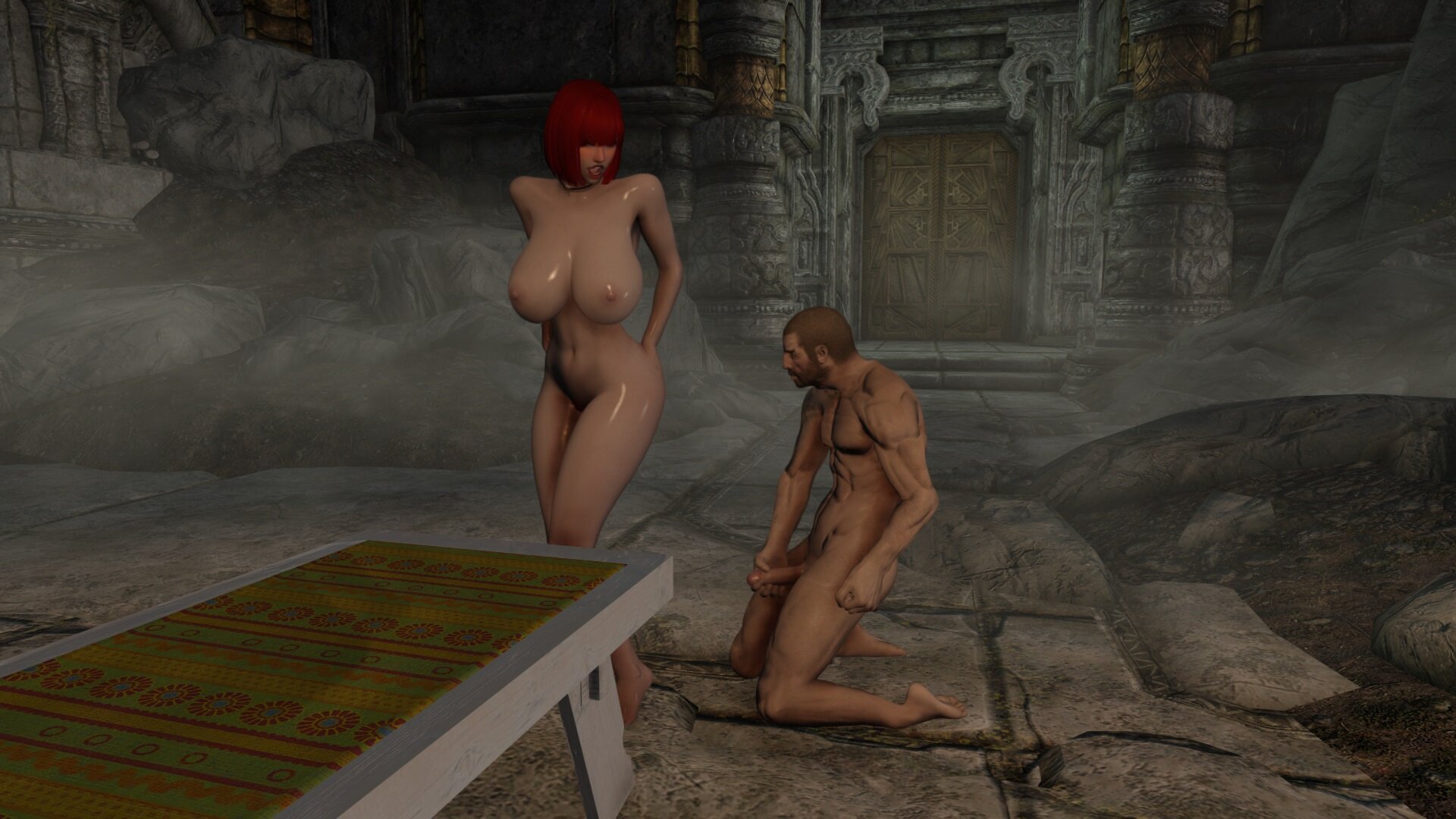
Unexpected event. Since this is a fake, Sexlab won't be able to remove it during the animations. Remember? It doesn't actually exist.


Spoiler

enb_2026-8-19_13-55-08_046.jpg.dbe7db5a15e7d07a31325bdecb7be57d.jpg


  • Recently Browsing   0 members

    • No registered users viewing this page.
×
×
  • Create New...