- Overview
- Members
- Voices
- Video animations
- Update my Blog : News
- Tutorila TES5Edit
- Tutorial Nifskope
- Variations Armors
- Music Alternative : How To Replace
- Mod Released
- Bug fix
- Missions
- Combat Style : Shinobi
- Weapons
- BHUNP SMP
- Tutorial Bodyslide
- General Problems
- Area Test
- My Skyrim Modding
- Skyrim AI generation
- HUD Menu : Dear Diary

Skyrim AI generation
As the title says, Skyrim modified by AI , To participate, create a screenshot from Skyrim (LE-SE/AE-VR), then edit it with your favorite AI.
Some simple rules to avoid unwanted posts :
1) If you post more than 1 image/video, please use Spoiler, otherwise the post will be removed.
2) No explicit sex. Refrain from any images/videos that include any type of sexual act , otherwise the post will be removed.
3) Nudity is accepted, provided there is no explicit sex. otherwise the post will be removed
4) Short videos/GIFs (5-6 seconds) are more than enough to see the creativity of AI.
5) Video/GIF comics are always fine without explicit sex.otherwise the post will be removed
6) Videos/GIFs that merely suggest that there will be a sex scene at the end of the sequence are acceptable.
---------------------------------------------------------------------------------------------------------------------------------
Example of the rules
Approved
.jpg.ee9a33f0fa28fad791a1f1a5065d1307.jpg)
Not approved and therefore removed

How to submit your work
1) Insert the original screen
2) If you want, enter the various prompts used in AI. This could also be useful to other users.
3) Your favorite AI
4) The variables obtained (image/video/gif)
-----------------------------------------------------------------------------------------------------------------------------------------
how to insert a video from Mega
First, create an account on Mega and upload your video/GIF.
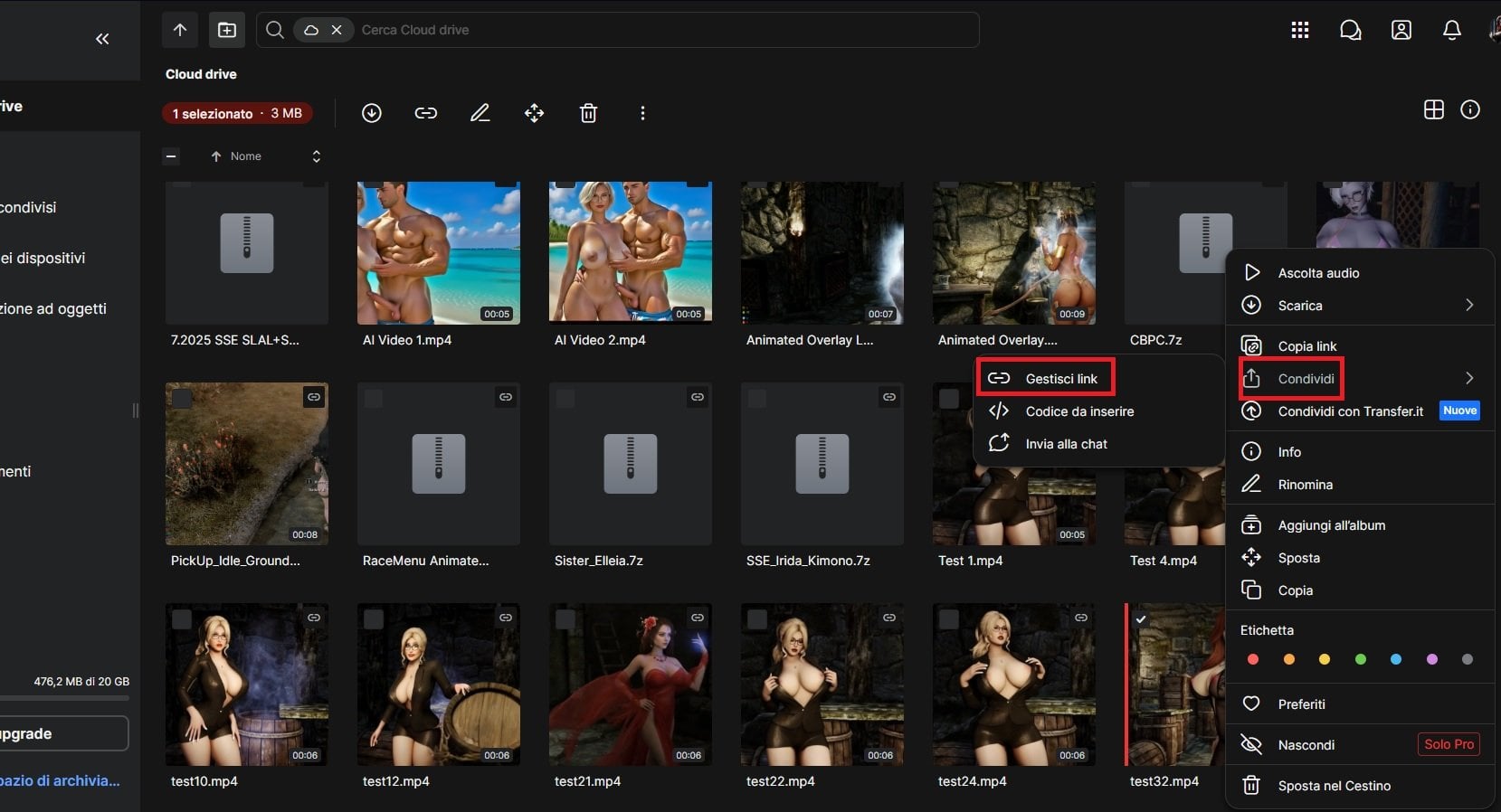
When the video is loaded, Right-click on the video and select share/manage links
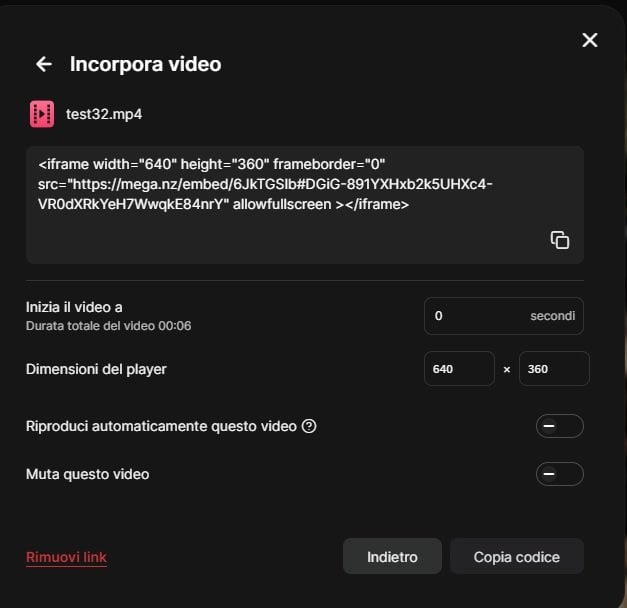
Link settings/embed video , take only the part between the quotation marks (video link)
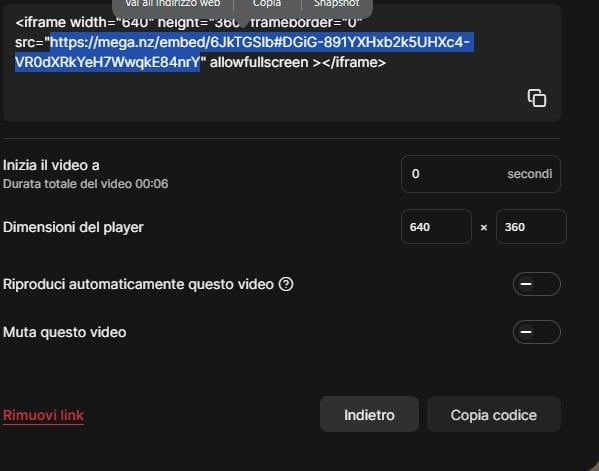
Copy and paste here