Geist Posted October 24, 2013 Posted October 24, 2013 I've been trying to edit an NPCs face for some time now, but despite showing the chages in the creation kit, the face resets to default in-game and when I open the creation kit again, the NPC is now reset as well. Any clues as to why this is happening?
SandsOfTime404 Posted October 24, 2013 Posted October 24, 2013 It may seem like a stupid question, but with the information you've provided: are you saving your changes as an .esp or simply making the modifications and launching Skyrim? Also, make sure you're selecting the modified actor in the Actors list in CK and using Ctrl + F4 to export the .nif after you've made your changes. Not sure if skipping that step would cause the problem you're having, as I've never tried, but if that's something you've not done it's worth a shot. If you have any mods that alter NPC appearances or the way Skyrim's facegen works, it'd be helpful to know about those. It could be a mod overwriting your changes, but it's hard to confirm/deny that without knowing which mods you're currently using.
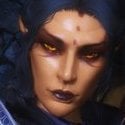
Geist Posted October 24, 2013 Author Posted October 24, 2013 Well I've been asking a lot of people for help in creating scripts that uses Miraaks voice for a custom follower (and no one answered me), then this person came out with this mod http://skyrim.nexusmods.com/mods/43529/? which does exactly what I've been asking for. The mod uses and .esp and .bsa file and they're installed through NMM. I wish to create an add on, that edits Miraaks face in what I've created. I managed to work around the DLC2MiraakRace issue (it wasn't part of any form list), and it is already an existing file as I created a stand in for the follower I wanted to make, voiced by a dark elf. An odd thing occured with this though, when I opened the CK again, there was a duplicate of the mods character which I had edited, but I don't kow why. Also, his armor resets as well. This is the face I've been trying to give him, this is the place holder NPC I've been working on.
alpalia Posted October 25, 2013 Posted October 25, 2013 for give a "specific" face to an follower or any npc in the game, the best way is to start an new game, create your character exactly like you want your follower or npc . then , ingame , open the consol command and use the "SPF *charactername*" ( replace *charactername* by the name you want) , this create an .npc file in the same place than the skyrim EXE. then , open your npc follower window creation in CK, go in "facegen" and choose import, and select your .npc you just have make. thats should make a full copy of your ingame character face into this follower. (you not need save your character for use this follower with same face) some texture are not loaded by the CK , specially the face texture, but not worry, as long you have select the .npc , the face is good. then, just make a save with CTRL+F4 (if you cant, just select the npc in the "actor" column and try. save the all (create an .esp) and voila. of course, place your npc in the game etc...but the essential about face is finish, the npc should appear ingame with same appearance than you have make your character for creation. ( again, you can create another character after and start new game etc.. the npc face not change) for duplicate.the possibility is - you have make a duplicate of an npc (exemple lydia, you obtain whiterunhouscarlduplicate001, seomthing like this) - then, if you select to save with OK , you be asked, you need select "no", then "yes", ........no, because you not want create another copy of the duplicate you have create. .....yes, because you want rename this actual duplicate. your character look pretty simple, you shouldnt have problem to create it with the .npc technique. if the facial texture not appear, thats maybe because the facial texture is in an .esm, in this way you need launch this .esm in same time for load it in the CK (allow multiple .esm) ...............its same way, if in futur you want use some hair from apachii for exemple, you need load the apachiihair.esm. and i comfirm after i have make a thousand of npc. the console command "SPF ####" is the best and fast way for create custom npc. and for the armor, its best to place the "outfit" in the section, than add multiple ^part of armor in the npc inventory i hope this help you a little !
Geist Posted October 26, 2013 Author Posted October 26, 2013 I don't I've made myself clear, I KNOW HOW TO MAKE A NPC. Everything mentioned here is things I already know of. The mod I am trying to create an add on to and edit however is resettig the faces of the NPCs which I have edited in this mod. That's where the issue is.
Andy_Social Posted November 16, 2013 Posted November 16, 2013 A little late to the party but I think your problem is making the add on in the first place. Just edit the original mod to your liking. If you are trying to make an add-on to the original mod then you would have to ESMify the ESP. Otherwise it won't work because you cannot make an .esp dependent on an .esp, it was the same with Oblivion.
Geist Posted November 22, 2013 Author Posted November 22, 2013 A little late to the party but I think your problem is making the add on in the first place. Just edit the original mod to your liking. If you are trying to make an add-on to the original mod then you would have to ESMify the ESP. Otherwise it won't work because you cannot make an .esp dependent on an .esp, it was the same with Oblivion. Okay, that makes sense, thank you for the help I'll see if it works. EDIT: It did indeed work, I have successfully edited the character

Recommended Posts
Archived
This topic is now archived and is closed to further replies.