

.thumb.gif.a11c67281f2c99c986d940de288f7ee0.gif)
.thumb.gif.e371f180993994217fde572602f7b716.gif)
About This File
OOVO Sims 3 Bondage animations, compatible with Passion. Links to both can be found below.
Hello everyone!
I am pleased to announce the first release of my animations package for the Sims 3!
I have been making animations and objects for some time now over for the Sims 4, which is linked below, but Ive always wanted to create the for the Sims 3 too!
How to use:
1. Download the files linked in this post
2. Extract them into your Sims 3 packages folder, file path should look something like:
C:\Users\User\Documents\Electronic Arts\The Sims 3\Mods\Packages (they can be in a folder inside your packages folder e.g Mods\Packages\OOVO\)
3. Make sure you have Passion/AnimatedWoohoo mod installed, linked below.
4. Once the files are in the correct folder, go into the Sims 3 game (You will need to do this part every time you open up your game to use my animations, sorry)
5. Click on a sim and go to Passion - Settings
6. In your settings, click on positions and scroll to the bottom
7. Click +Add Position+ and type "OOVOS3Anims"
8. You should now see OOVO animations appear in the list of positions
Thats it, youre good to go!
Please note that you will need to manually add the animations into the passion settings like this every time you load the game. For some reason, it won't save, working on fixing it.
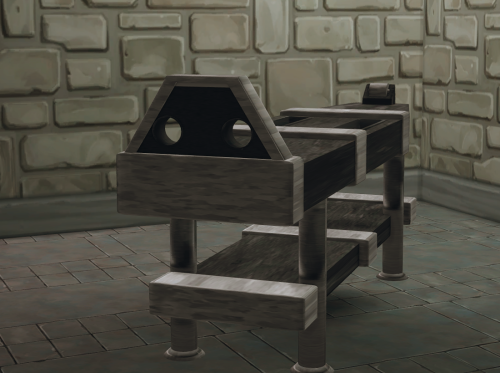
Animations are for the OOVO Bondage Desk Object, which can be found in the build menu under "Desks".
Animations:
OOVO Bondage Desk
OOVO Bondage Desk Idle
OOVO Desk Feet Tickle
Link to Passion/AnimatedWoohoo mod by @TwilightStorm:
Link to my Sims4 Animations:
Link to my Patreon:
https://www.patreon.com/c/OOVO_
I plan to create more Sims 3 and Sims 4 animations soon.
If you run into any issues or have any questions, feel free to leave a comment and I will do my best to help out.
Enjoy 
.thumb.gif.a77168895ecfa7d8162fd803bc2fd468.gif)