About This File
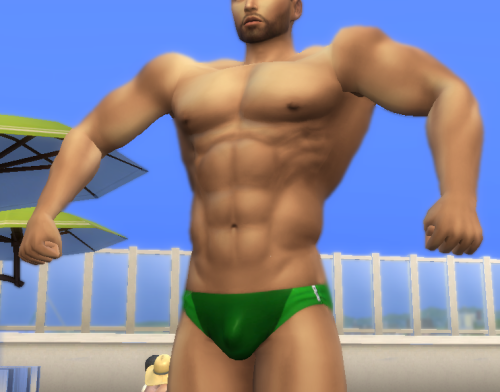
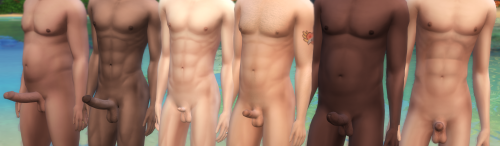
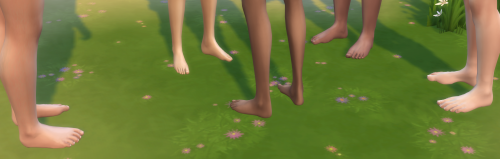
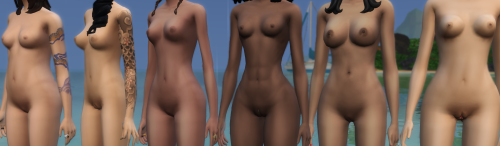
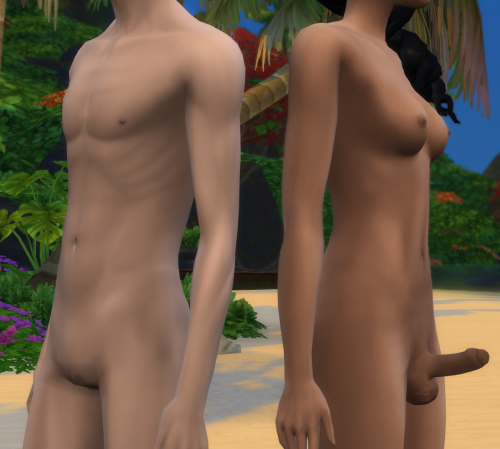
Did you ever wish NPC Sims had more unique body parts? Instead of everyone having the same default WW body parts, you could download different meshes and have them distributed across the world. With the Body Diversity Mod, this is no longer just a dream!
This is a WickedWhims-dependent script mod that randomizes body parts (genitals, breasts, chest, tongue, and feet) across every eligible Sim in a save, with rarity-weighted selection, matching hard and soft penises, occult-aware part pools, and Khlas trait integration for size and sexual role.
What it Does
-
Automatically scans all Sims and assigns each one their own independently-rolled set of body parts, sourced from a fully customizable external file.
-
Matches hard and soft penises.
-
Applies occult-specific part variants.
-
Each sim is only randomized once, so the body parts stay the same throughout gameplay.
-
Applies body parts based on whether the sim can become pregnant or impregnate other sims.
-
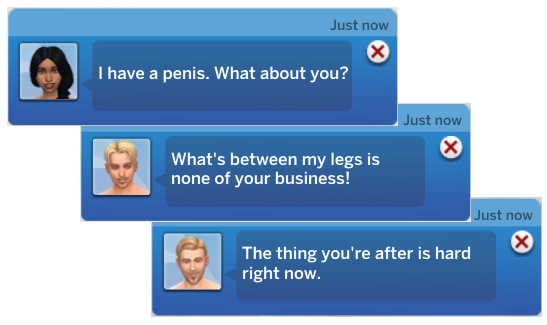
If you choose the override version, it will replace the "Risque Question" with the "Ask About Body Parts" interaction: a new way to find out if a sim has a special package.

Khlas Traits integration
-
Applies the Big Cock or Small Cock traits according to the size of the penis each Sim receives.
-
Applies sex role traits (Top/Bottom/Versatile) to all male Sims based on customizable distribution rules.
-
Now the "ask about cock size" and "ask about sex roles" interactions are more meaningful.
What it Doesn't Do
-
Block you from editing Wicked traits and body parts manually.
-
The randomization runs automatically on zone loading and at midnight, so it's actually not checking for new sims. In my experience, that is often enough to keep you from ever seeing an unrandomized sim.
-
Change penis size through WW's penis size manipulation. If you use the attraction window to set your Sim to be attracted to big or small penises, it will have no effect. However, if you use the size preference systems provided by Khlas, those will work correctly.
-
Apply textures and overlays, including pubic hair. This is a known annoyance because most penis meshes conflict with WW's pubic hair and make the penis look gross. I personally just turn pubic hair off.
-
Apply matching condom overlays for NPCs. If an NPC has a non-default penis, there will be no visual condom on the penis, unless they have the condom packs provided specifically for that mesh in their inventory.
-
BDM will never apply any body mesh on sims younger than teens. It will also never apply meshes on pets.
Requirements
How to Use
It is very important that you read this section carefully. How well this mod performs depends heavily on how you set it up.
Don't feel like settings things up? Check out these premade settings.
-
Install the mod and all requirements. Don't forget to install all body part files you plan to use. If you install new ones later, you may need to set the mod up again.
-
Open the game and load any save.
-
Open [SpcyYogrt]BDMPartReviewer.html. It's an HTML file, so it will open in your browser.
-
Click Load All Installed Parts.
-
Set up your parts using this post as a guide. You'll notice that most parts don't need to be configured that much.
-
Click Export Config. This will download a file called body_parts_config.json. Drop it into your BDM folder at Documents/Electronic Arts/The Sims 4/Mods/BDM.
-
If your game is still open, close it and reopen it.
-
Done! Next time you load a save, all sims will have randomized body parts.
Debug Commands
Instalation
(Always check if you have the most current version)
-
Choose either the Override or No Override version, don't install both!
-
Extract all files from BodyDiversityMod.zip.
-
Remove any old versions of the mod. If you have a body_parts_config.json file made for the previous version, you'll have to remove it and remake the config.
-
Drop the folder called BDM directly into your Mods folder. Do not place it inside other folders and do not rename it. The final path should be: Documents/Electronic Arts/The Sims 4/Mods/BDM
-
[SpcyYogrt]BDMPartReviewer.html is used to set up the mod.
-
BDM pairs up well with Meaningful Sexpertise Skill
Know Issues
Parts not showing up in the Reviewer
Try opening the game and using the WW body part selector to apply the part you're looking for. If you can't find it in the selector, that part is either not compatible with WW or is missing a tuning file. If the part does appear in the selector, close the game and try loading the Reviewer again.
I'm still seeing sims around town that haven't been randomized
That's either because they are receiving the default body parts (if you don't exclude them from the list in the setup, they will be in the randomization pool), or that sim was generated after the last check. If the second is true, you can either wait until it turns midnight in game, visit another lot, or run the randomization command.
Are you having other issues? Do you want to make a suggestion? Do you have a question? Leave a comment in this post, I'm active on patreon more often than here.
Disclaimers
Built to complement the mod Wicked Whims by TURBODRIVER and Males Interactions by Khlas. Not affiliated with or endorsed by the creators of those mods. Also not affiliated with or endorsed by the creators of any body mesh mod you use this with. Does not use any code from the original mod, only automates the input of commands already made publicly available. Does not edit any code from the original mod.
The code for this mod was made with the help of AI tools (a combination of Claude and Gemini, but mostly Claude). I am not a programmer; my contribution to this project was designing the core logic for the mechanics, managing the development steps, and thoroughly testing the mod. While I don't take credit for the code, I can still help you with any issues you might encounter, and would love if you could leave comments about what could be done better.
Edited by SpcyYogrt
What's New in Version 1.1.1
Released
- Figured out what was causing the visual errors with Sims who can become pregnant and pee standing or impregnate others and pee sitting, now the mod will no longer ignore them.
- Many new debug commands
- Changed the wording in the reviewer
- Fixed some issues with the ask about body parts interaction
- Added a config merger to the reviewer