About This File

OSF - native animation & scene framework for Starfield.
Early alpha - Very much a work in progress


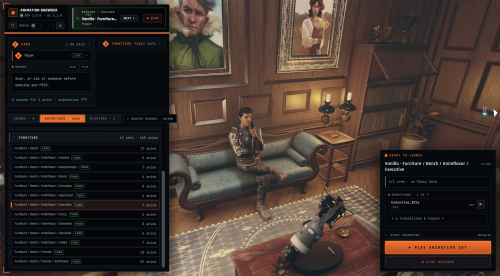
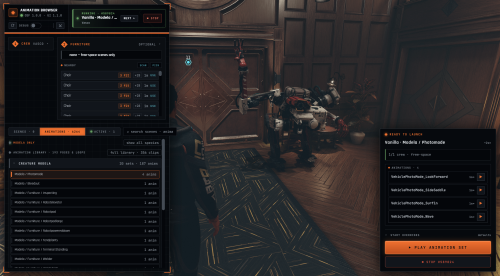
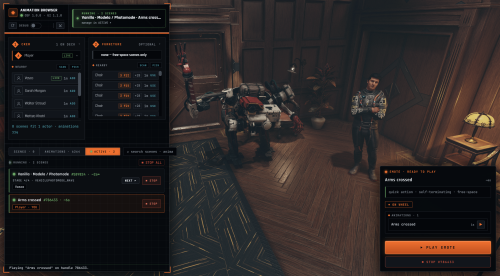
- In-game animation browser (F10): search the full catalog, pick a cast from the crosshair or a nearby-actor scan, launch on furniture, drag to orbit the camera, and manage running scenes
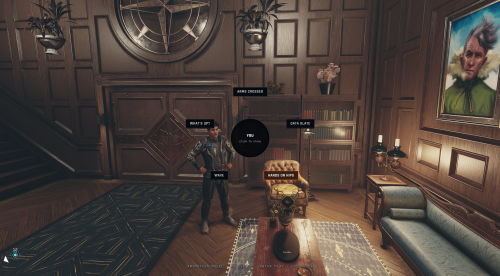
- Emote wheel (default B): radial quick emotes for you or the NPC in your crosshair; pin any solo animation from the browser onto it
- Vanilla animation library (optional install): thousands of Starfield's own clips, humans plus 27 creature species, browsable and playable
- Synced multi-actor GLTF / GLB / .af playback on one shared clock
- JSON scene graphs - nodes, cues, actions, branching; no scripting needed
- Engine-native Wwise audio that rides the game mix, with subtitles
- Actor anchoring, camera/control locks, screen fades, equipment hide/restore
- A Papyrus API (OSF.*) for quest mods to drive scenes
Controls
Active while a scene has you locked in.
- Space - Advance the scene
- + / Numpad + - Speed up
- - / Numpad - - Slow down
- - Reset speed
- P - Pause / resume
- End - End the scene
Free Camera
- MMB (middle mouse) - Toggle free camera
- Mouse - Orbit / look around
- Scroll Wheel - Zoom in / out
- WASD - Fly the camera through the scene
Some controls depend on what the active scene allows - a scene can lock its ending or skip the free camera.

- *F10* opens the animation browser - pick something, hit LAUNCH.
- *B* opens the emote wheel (aim at an NPC first to emote them instead).
- Hotkeys and settings live in OSF UI's settings menu, under OSF Animation.
cgf "OSFTest.Stop" ; stop it
Content Mods
OSF Seduce:

- Scene authors: ship scenes as JSON plus GLB/AF clips. No Papyrus, No scripting.
- Quest mods: drive scenes from Papyrus via the OSF.* API.
Getting Started, the scene schema, and the API are documented on GitHub.

- Deweh (NAF), the playback/graph base OSF is adapted from
- Calaverah (CALUMI.Animation), the .af / skeleton decoder
- libxse (CommonLibSF), the SFSE plugin library OSF is built on
- Plus fastgltf, ozz-animation, zlib, nlohmann/json and miniaudio.
Source and issue tracker on GitHub, Let me know all your complaints and bugs!
Edited by ozooma10
What's New in Version 1.3.0
Released
Version 1.2.1
add preserveBones option to fix specific anims
bug fixes
Version 1.2.0
Various Bug fixes
gamepad slight improvements
persistent data system
hopefully fix eye popping