About This File
Overview:
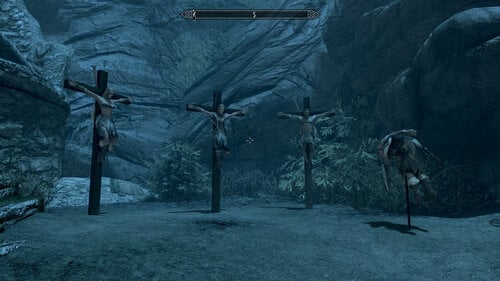
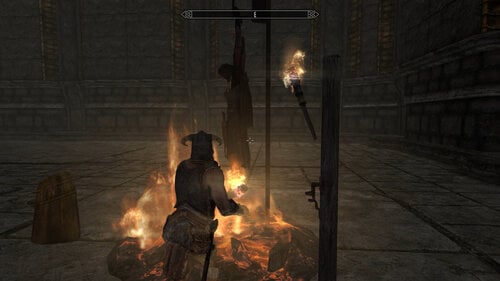
This mod allows you to define destination locations in any place in the game world and then create prisoner convoys which will travel to the location of your choice. Players can use this mod via simple UIExtension menus. Modders have additional possibility to skip the frontend and talk directly to the controllers using the API.
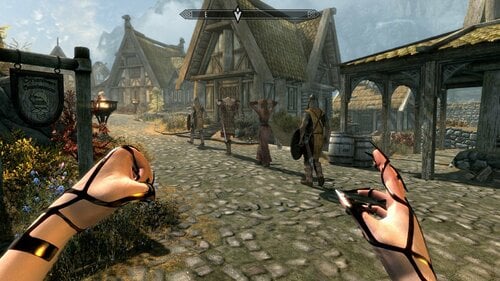
The convoy moves in a linear fashion, one guard in the front, one optional guard in the end, any number of prisoners.
Usage for players:
You should have two spells available:
- BRCS Location Spell - location management.
- BRCS Convoy Spell - convoy management.
Menus:
You can always go to the previous menu by using the TAB key.
Location management:
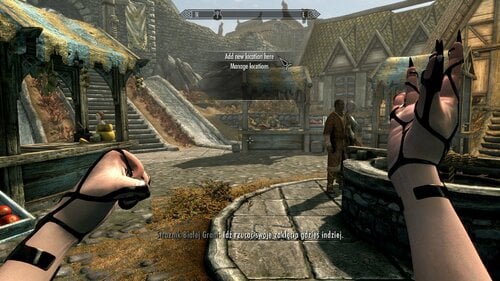
You can create new location at current player position using the "Add new location here" option. "Manage locations" option allows you to display and remove locations. DO NOT REMOVE LOCATIONS WHICH ARE ASSIGNED TO THE EXISTING CONVOYS.
Convoy management - creation:
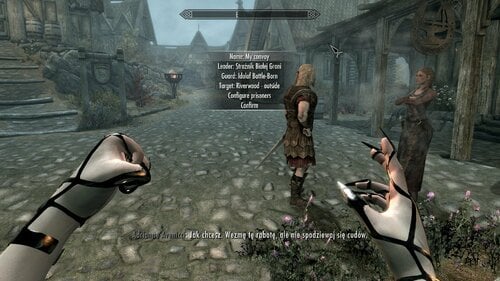
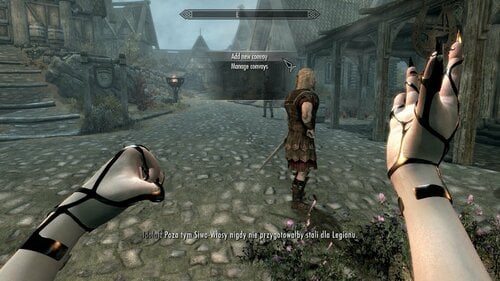
By using "Add new convoy" option you can create new convoy. This should be easy enough, just know that:
- NPC selection works by finding all NPCs around you which are in the specific radius and are not already assigned to anything related to this mod.
- The Guard is optional.
- You can remove prisoners by clicking on their records.
After confirmation the convoy will be created and formed. This means that NPCs are going to go to the leader and form a convoy (kind of, for now).
Convoy management:
By using "Manage convoys" option you can see the list of all your convoys and their actual state:
- created - the convoy is created and ready.
- travel - the convoy is travelling.
- arrived - the convoy reached it's destination.
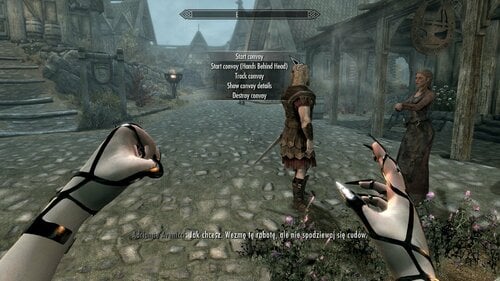
From there you can click specific record to:
- Start your convoy trip.
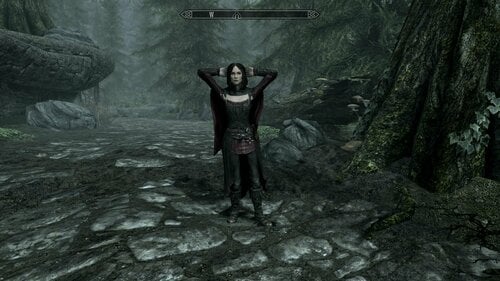
- Start your convoy trip with prisoners keeping their hands behind their heads.
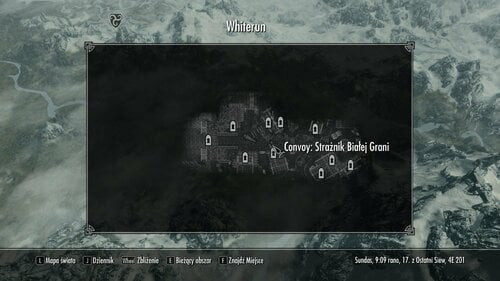
- Activate tracking your convoy on the map. You can track up to 10 convoys at once. On the map you will see the marker with the label in format "Convoy: <LeaderName>". This is because I couldn't find a way to display the convoy's name.
- Show information about your convoy.
- Destroy the convoy. This should restore all NPCs state to the state they had before creating the convoy.
After reaching destination NPCs will be just standing there and waiting for your decision what to do next. You need to destroy the convoy to restore their original AI packages. This is probably the only reasonable thing you can do.
Configuration:
You can configure nearby NPC scanning radius in the console:
set BRCS_Var_ScanRadius to 1280
Setting this to 0 should disable radius limit and allow to display all NPCs in the loaded area. In general 128 is the one actor height. 1280 is the default.
Usage for modders:
First you should add this ESP as a master to your plugin using SSEEdit. After that you should be able to create the following properties in your scripts:
BRCS_Controller Property Controller Auto
BRCS_ControllerLocation Property ControllerLocation Auto
Location controller:
The most important function here is:
Function RegisterLocation(String name, ObjectReference ref)
This allows you to create new location at any ObjectReference.
Function CreateLocationAtMe(String name)
This will create an XMarker at current player position and call RegisterLocation on it.
Function RemoveLocation(String name)
ObjectReference Function GetLocationRef(String name)
You can use this to map location name to it's ObjectReference.
Int Function GetLocations()
Int locations = ControllerLocation.GetLocations()
String locName = JMap.nextKey(locations)
While locName
    Int location = JMap.getObj(locations, locName)
    ObjectReference ref = JMap.getForm(location, "ref") As ObjectReference

    locName = JMap.nextKey(locations, locName)
EndWhile
This returns JMap which is the container for the locations.
Convoy controller:
Function CreateConvoy(String name, Actor leader, Int prisoners, String locName, Actor guard = None)
Int prisoners = JArray.object()
JArray.addForm(prisoners, someActor)
Controller.CreateConvoy("MyConvoy", someActor, prisoners, "MyRegisteredLocName", someActor)
This will create new convoy. This means that NPCs are going to go to the leader and form a convoy (kind of, for now).
Note: After calling JArray.object() the array is going to exist for about 10 seconds and then it's going to be garbage collected. Therefor you should call CreateConvoy() quickly after calling JArray.object().
Function StartConvoy(String name, Bool handsBehindHead = True)
Call this to start the trip.
Bool Function TrackConvoy(String name)
Function UntrackConvoy(String name)
Anytime you can start/stop convoy tracking. The limit is 10 convoys in the same time. TrackConvoy() will return False if you try to track more.
Function DestroyConvoy(String name)
Use this anytime to destroy the convoy. This should restore all NPCs state to the state they had before convoy creation.
Bool Function IsActorAssigned(ObjectReference ref)
This function allows you to check if the actor is already a part of any convoy.
Event OnInit()
    RegisterForModEvent("BRCS_ConvoyArrive", "OnConvoyArrive")
EndEvent

Event OnConvoyArrive(String name)
    Debug.MessageBox("Convoy arrived!")
EndEvent
After arrival SKSE event is emitted. If you are going to use this mechanism remember to read the notes from wiki: RegisterForModEvent - Form - the CreationKit Wiki (uesp.net)
Int Function GetConvoys()
Int convoys = Controller.GetConvoys()
String convoyName = JMap.nextKey(convoys)
While convoyName
    Debug.Notification(convoyName)
    convoyName = JMap.nextKey(convoys, convoyName)
EndWhile
Returns JMap which is the container for the convoys. Mostly useful to iterate over the names.
Int Function GetConvoy(String name)
Int convoy = Controller.GetConvoy(name)

String status = JMap.getStr(convoy, "status")                 ; See available statuses in player section.
Actor leader = JMap.getForm(convoy, "leader") As Actor
Int prisoners = JMap.getObj(convoy, "prisoners")
Actor guard = JMap.getForm(convoy, "guard") As Actor
String locName = JMap.getStr(convoy, "locName")
Int handsBehindHead = JMap.getInt(convoy, "handsBehindHead")  ; 0 - False, 1 - True.
Int trackId = JMap.getInt(convoy, "trackId")                  ; -1 - not tracked, > -1 - tracking alias ID.
Returns JMap which is the container for the specific convoy. You can use this to get convoy information.
Permissions:
Any non-commercial usage is allowed.
Edited by BrightRider
Add "Usage for modders"
What's New in Version 1.2.0
Released
- Fix issue with existing convoys not working after save/load.