



Jump to content

VX.R9ZRoom400.Johnsons.zip 1.0.0


1 Screenshot

About This File

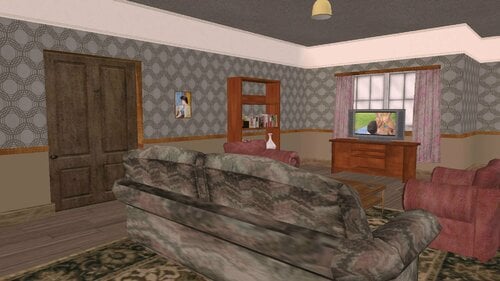
R9ZRoom400 "The Johnson's" with TV Screen


A replacer for for the original house by DR3X. Reproduced with his kind permission.

Adds a working TV screen (no audio) to the room. Use the in-game Media Player to select PNG images from your Screenshots folder or AVI movies from your Movies folder and display them on the screen.


Download the attached zip file and unpack or just copy it to your Addons folder.


PLEASE NOTE If you already have this room, you will need to remove the original version from your Addons folder.


User Feedback

Recommended Comments

EJAX

Posted

@synfinity No one can reply to you on the reviews tab, so I have to respond here.


As to the video formats, the most I can tell you is that the video has to be in AVI format. It will not play anything else. After that, we all seem kind of lost. See this post...

Which, at the moment, isn't very helpful. But there are four videos that Marburg posted, which are known to play fine on a working system (in fact, the tvs.avi is one I created). There is no follow-up, so I'm still thinking the main cause is missing codecs. Other possibilities that come to mind are: 1) You don't have all of the necessary DirectX files (though, even with that, it should play fine in OpenGL). To fix that, you need to install the DirectX June2010 Developers Update. 2) You need to apply the 4Gb patch? 3) A video card / driver issue? If you  are using onboard graphics, you might not have the necessary hardware overlay. 4) Some software conflict (Hook, maybe?). After that it's anyone's guess.

×
×
  • Create New...